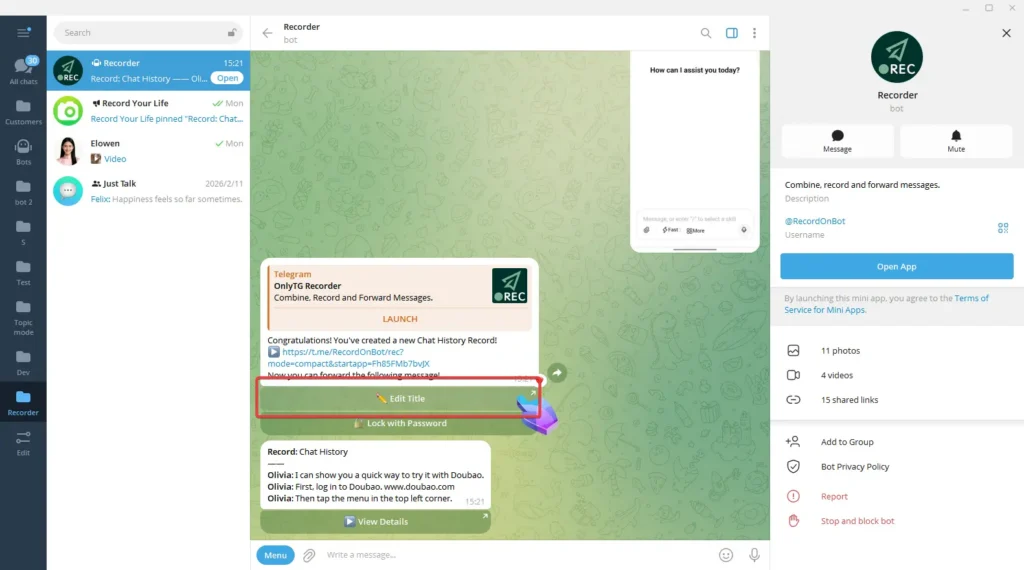
OnlyTG Recorder provides the function to edit record title for easy identification and search.
Video Tutorial
step 1
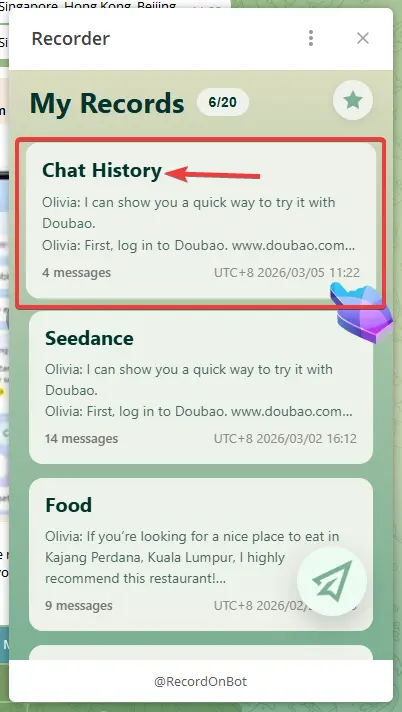
Select a record.
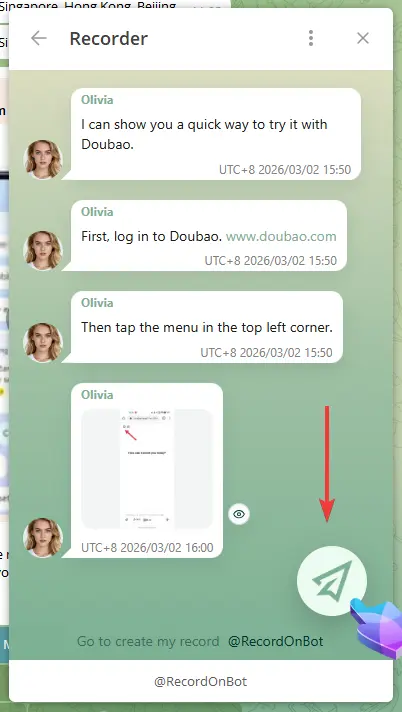
Click the circular menu in the bottom right corner, select Edit Title,
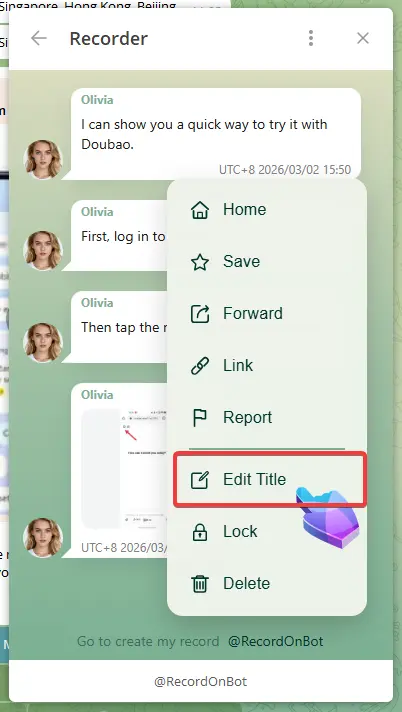
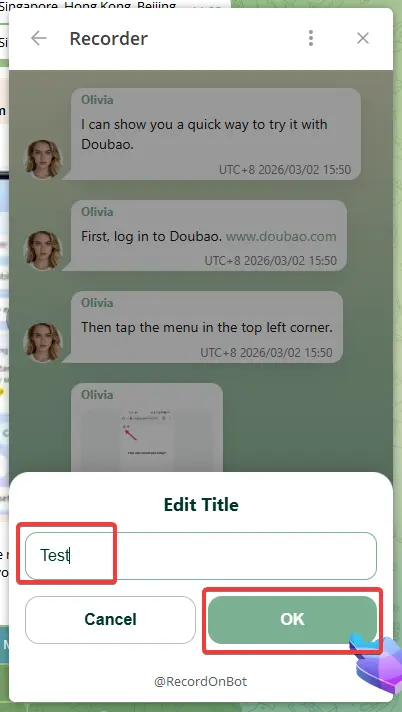
Enter the title, and click OK to finish.
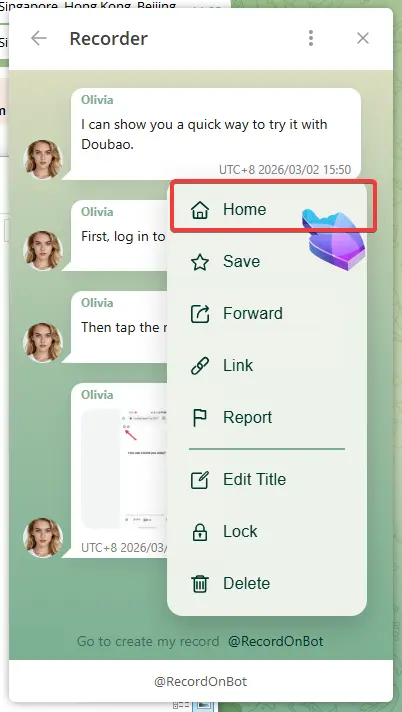
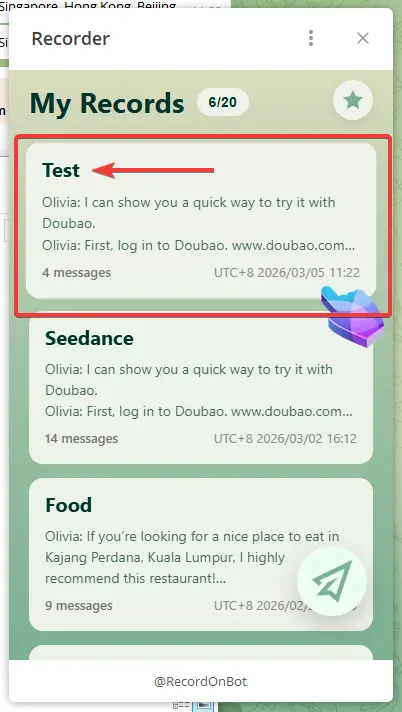
Click the circular menu and select Home. You will see the Record’s title has been updated.
step 2
In addition, you can also click the Edit Title button to change the title right after you create the Record.