OnlyTG Echo provides the function to set Dynamic Start Message. Bot can automatically send different start messages to users coming from different sources.
Video Tutorial
step 1
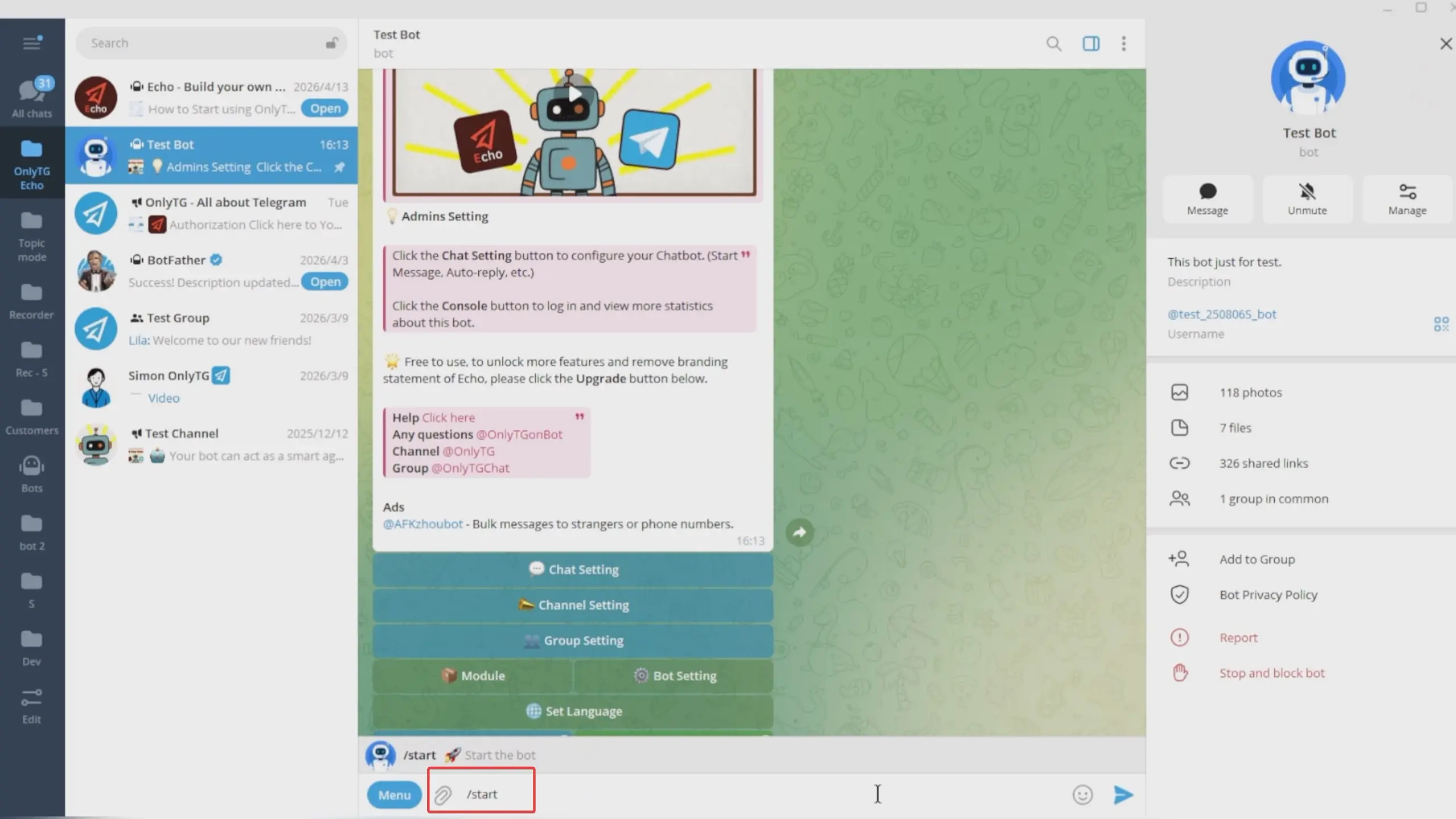
Send /start command to your Bot, select Chat Setting.
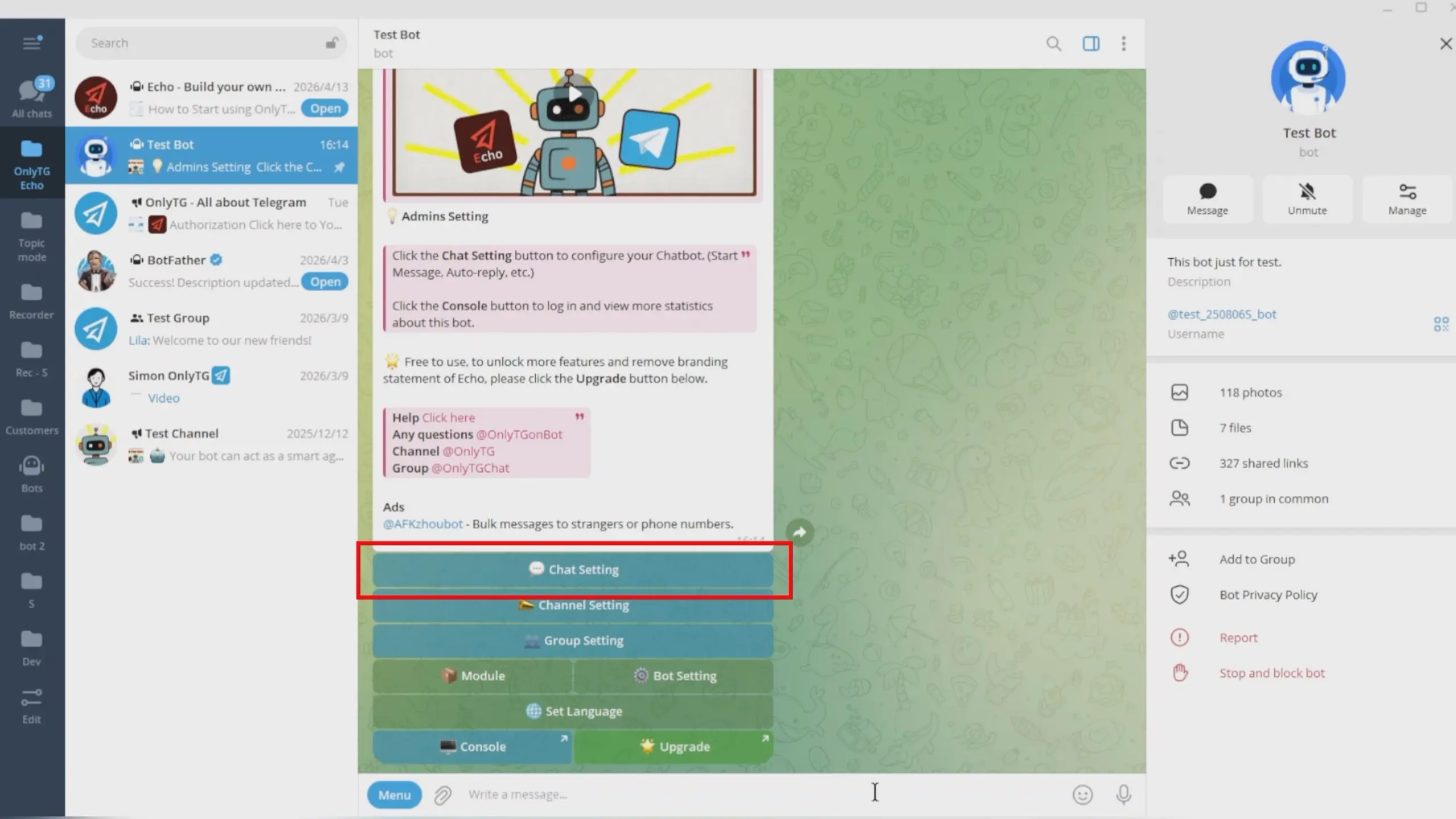
Click Start Message.
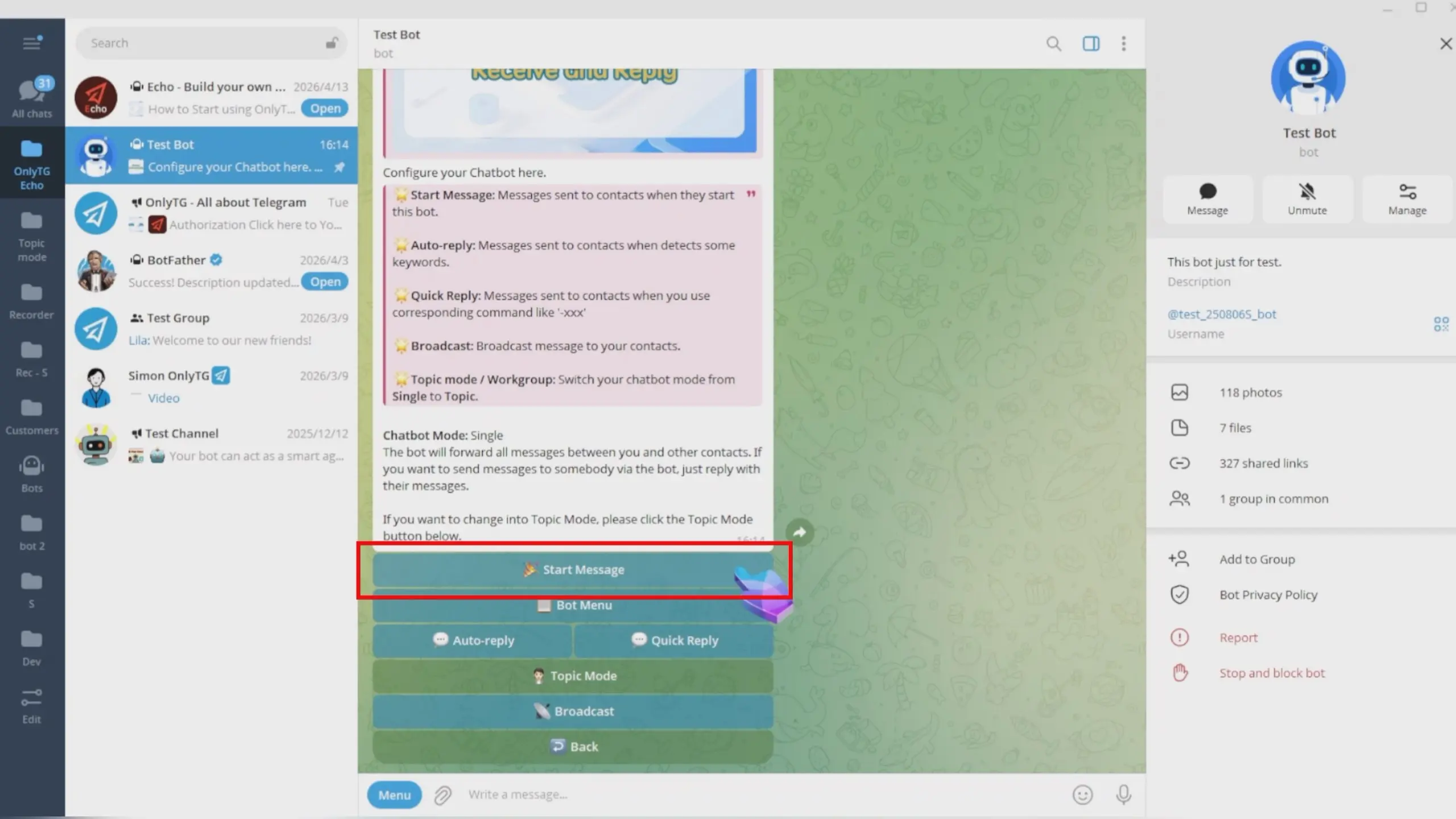
Click Dynamic Start Message.
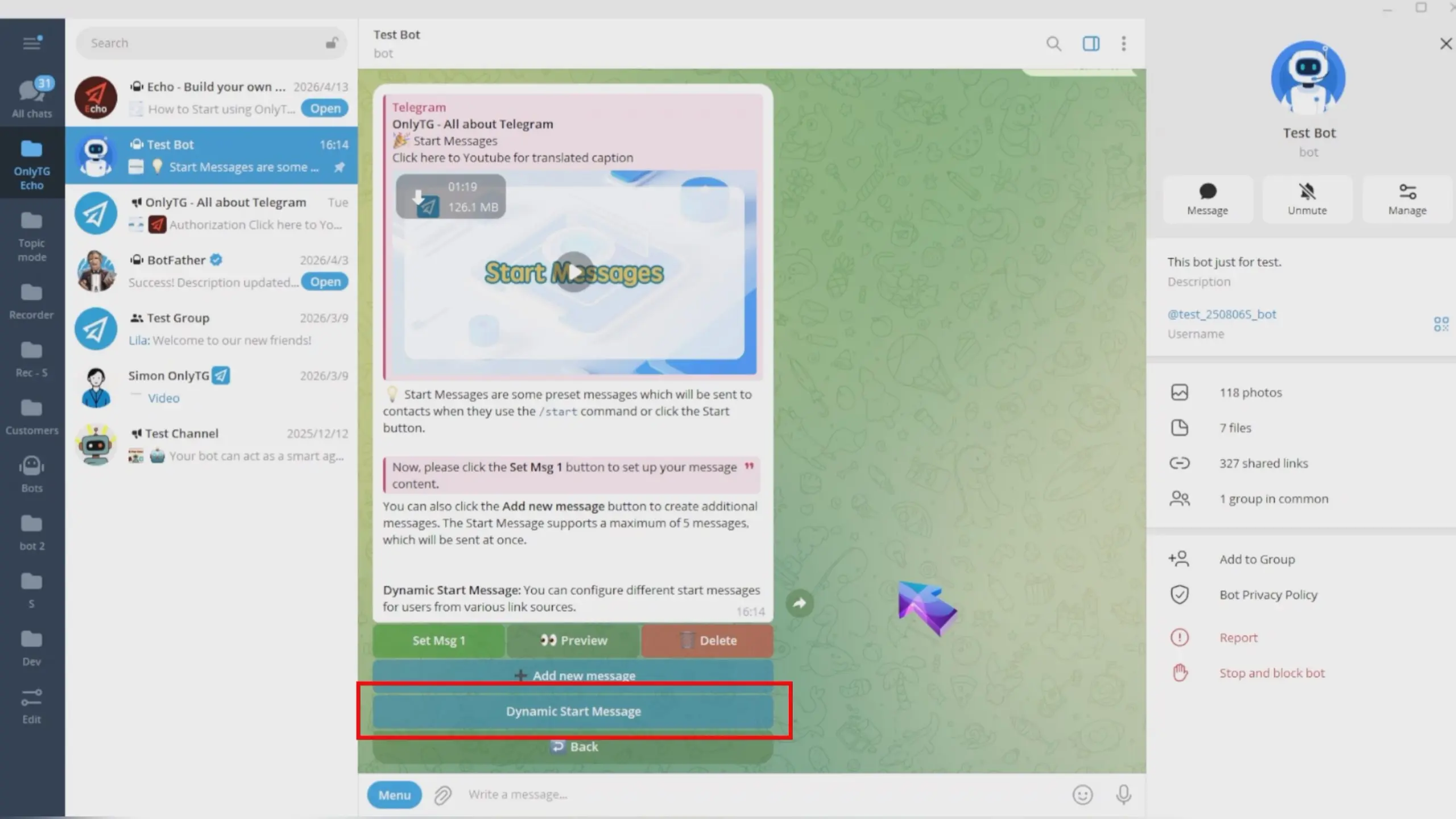
These start messages will be displayed dynamically based on different tracking links added for contacts. If you have not set up the corresponding Tracking Links, the bot will only send a regular start message.
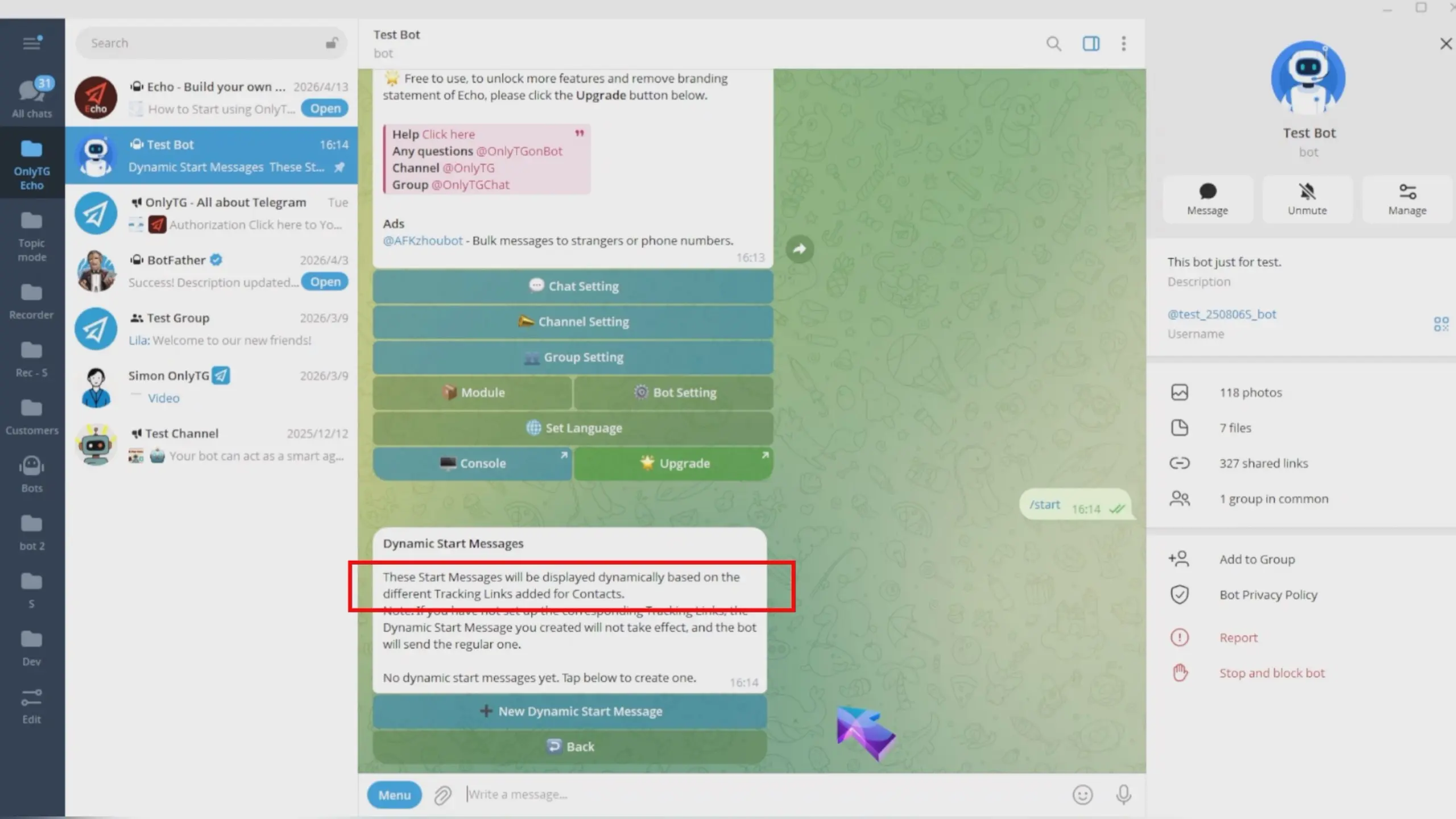
Tracking links refer to distinct invitation links for the same bot. You can set them up by following the subsequent steps below, or refer to our past tracking link tutorial to configure them in the OnlyTG Console.(Click here to learn how to set Tracking Links)
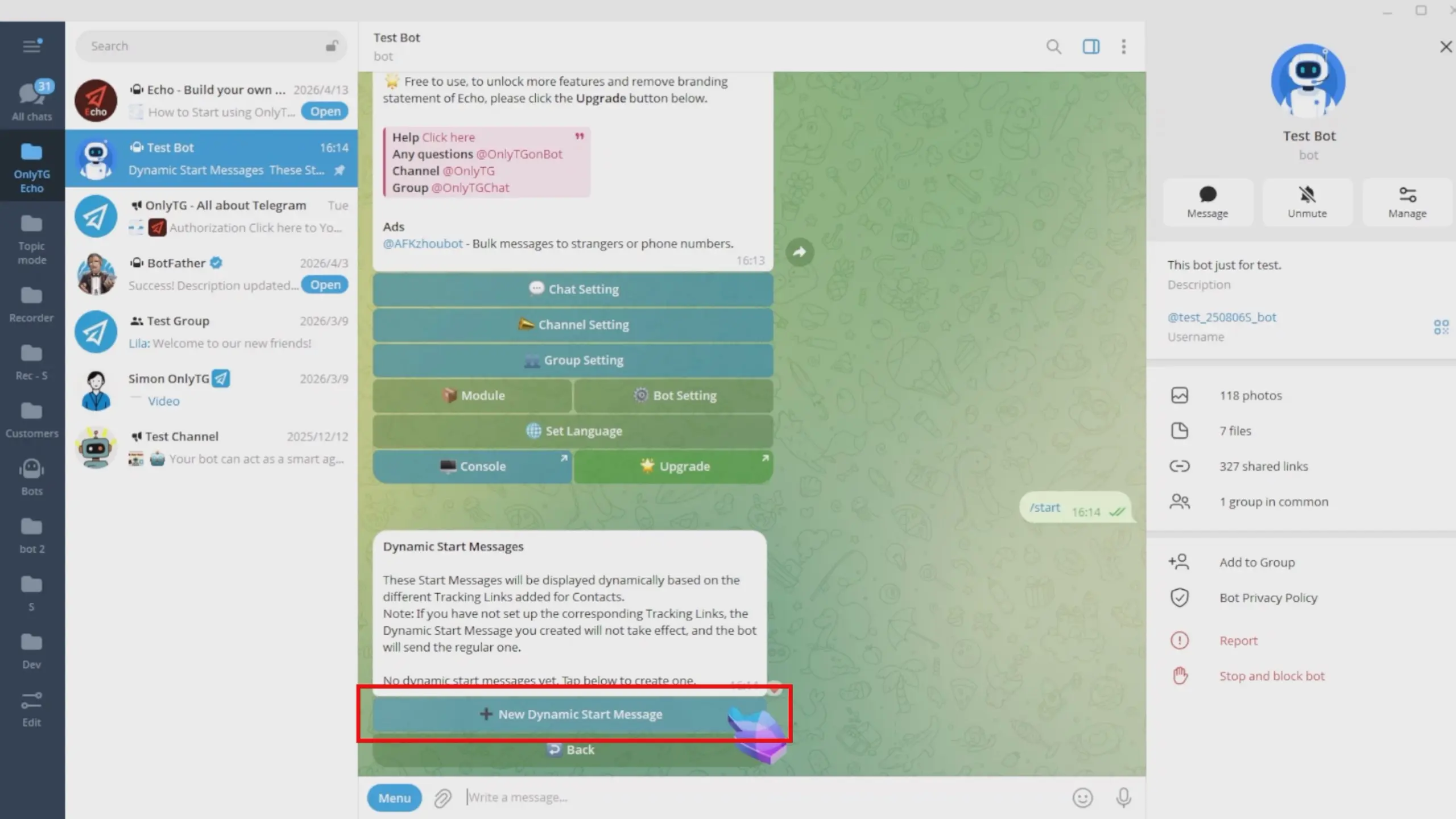
Click New Dynamic Start Message.
step 2
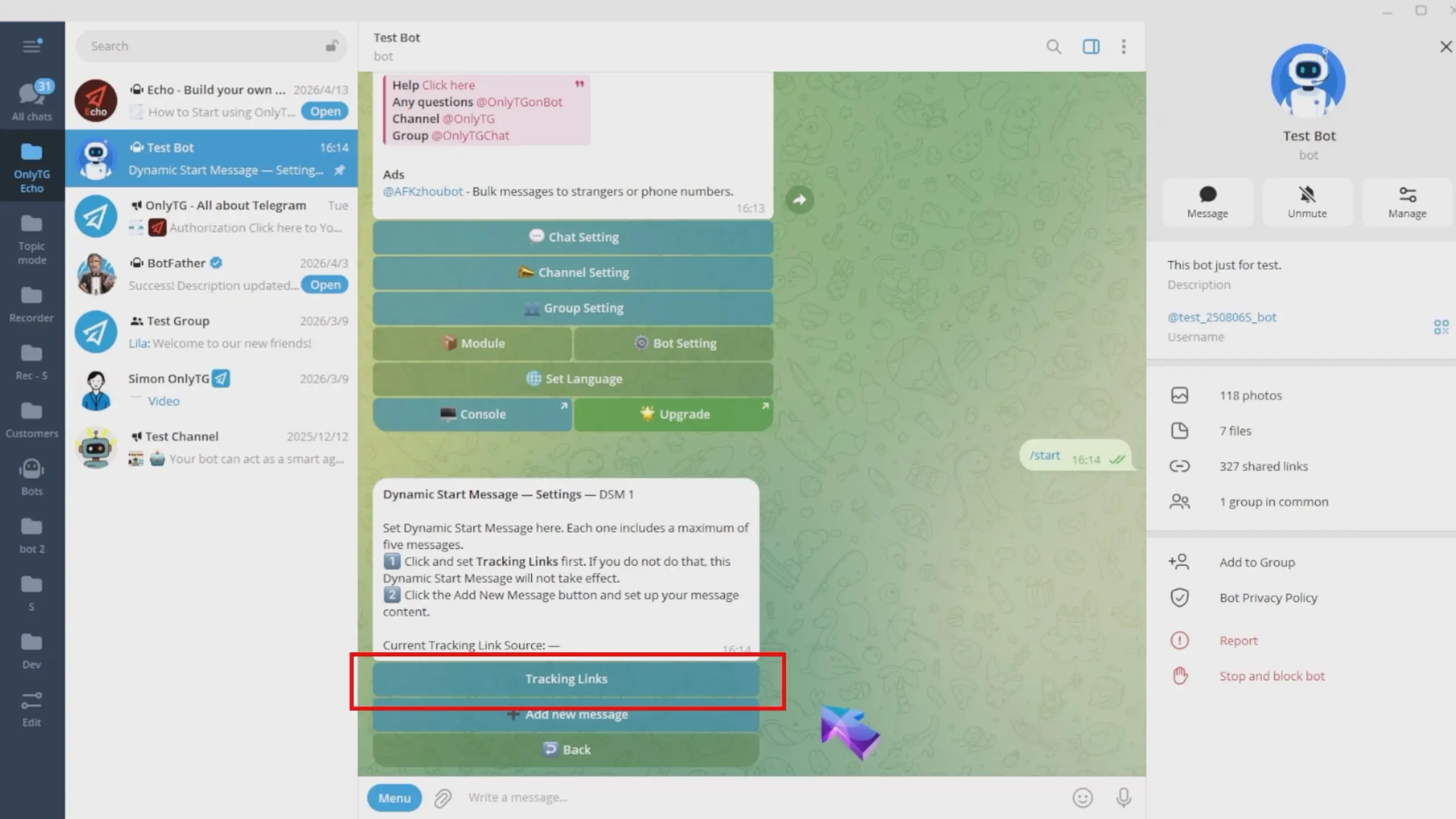
First, Click Tracking Links.
Enter your Source here, and separate multiple sources with half-width commas.
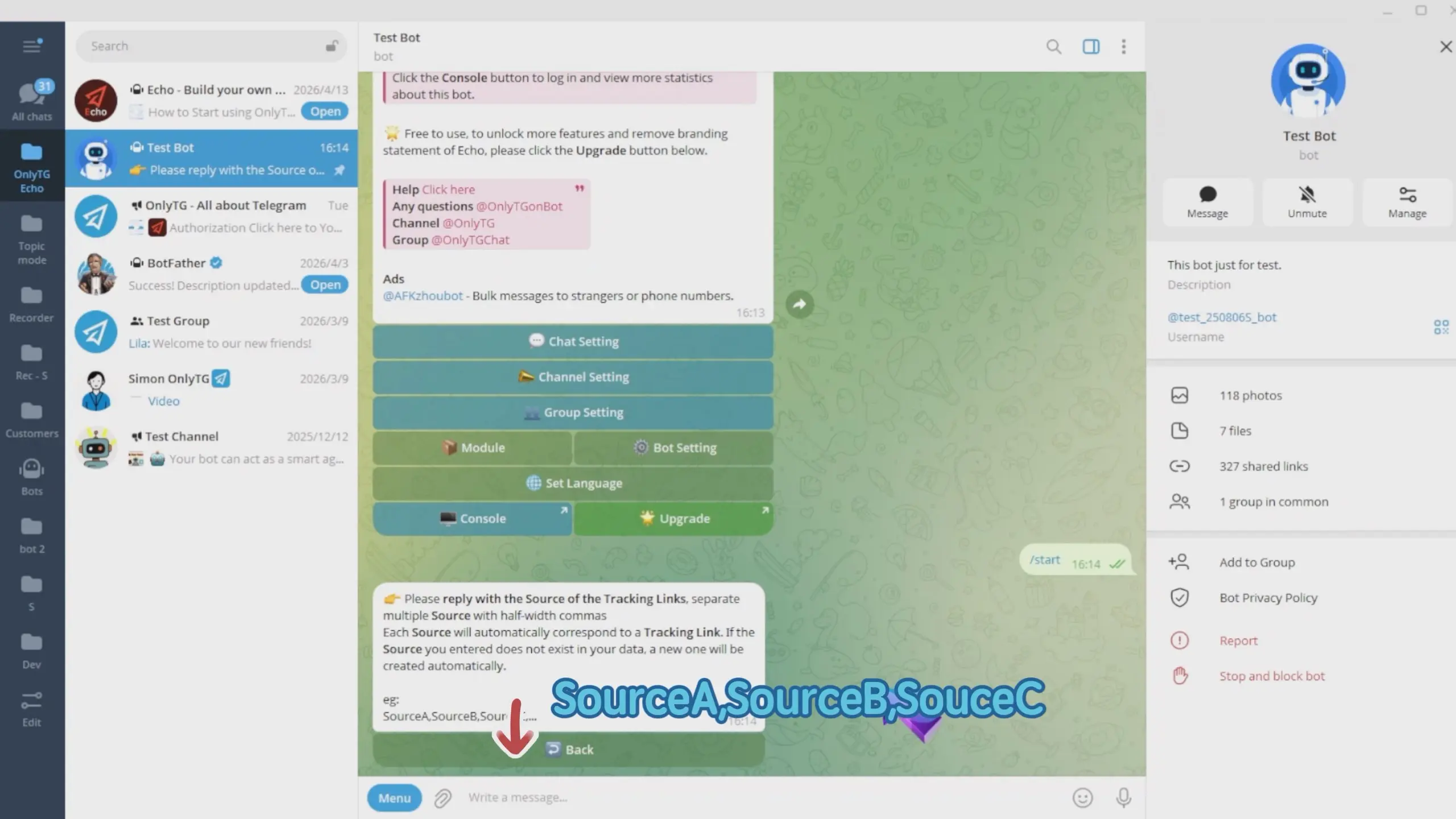
Each source will be automatically matched with a tracking link.
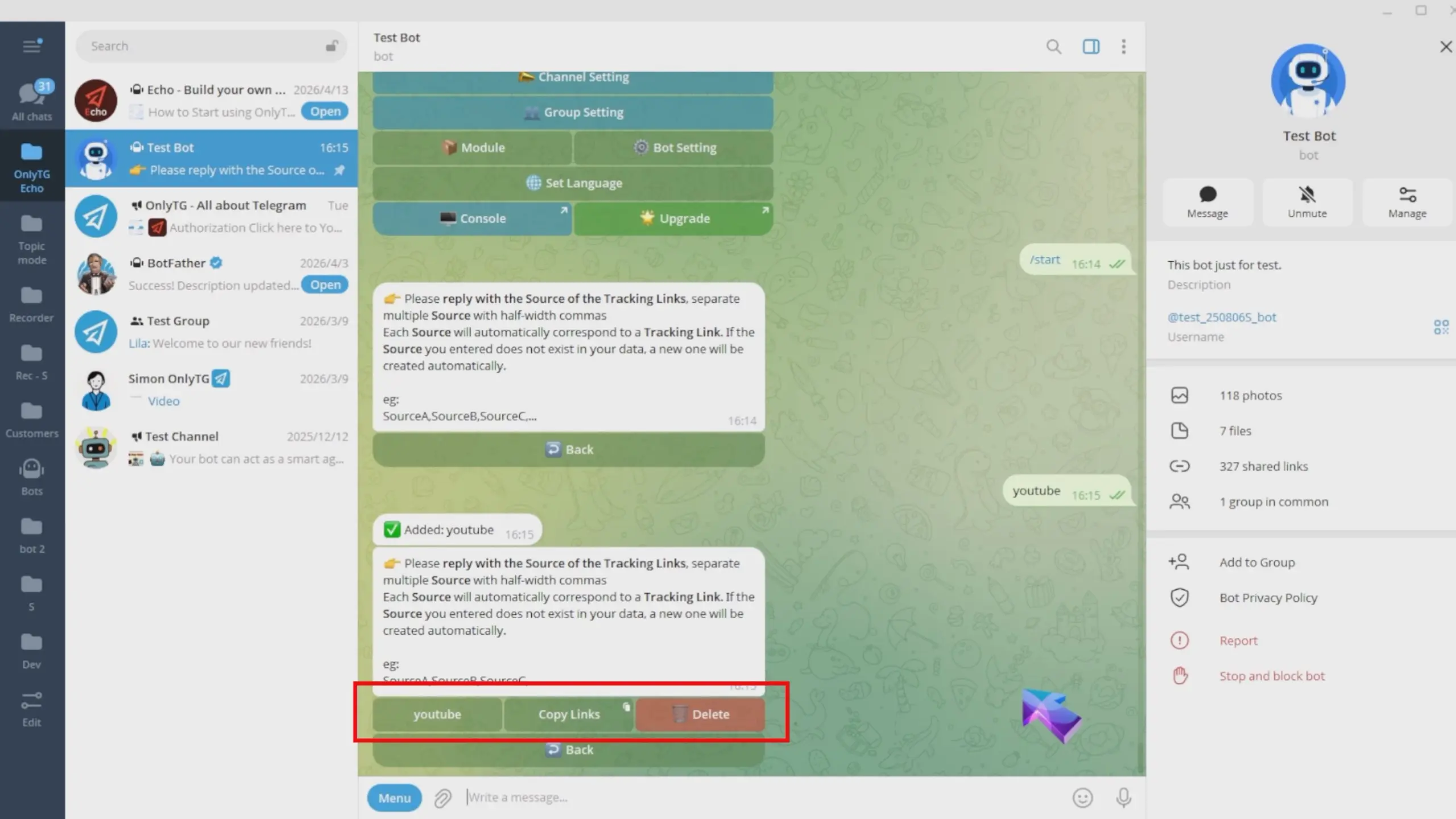
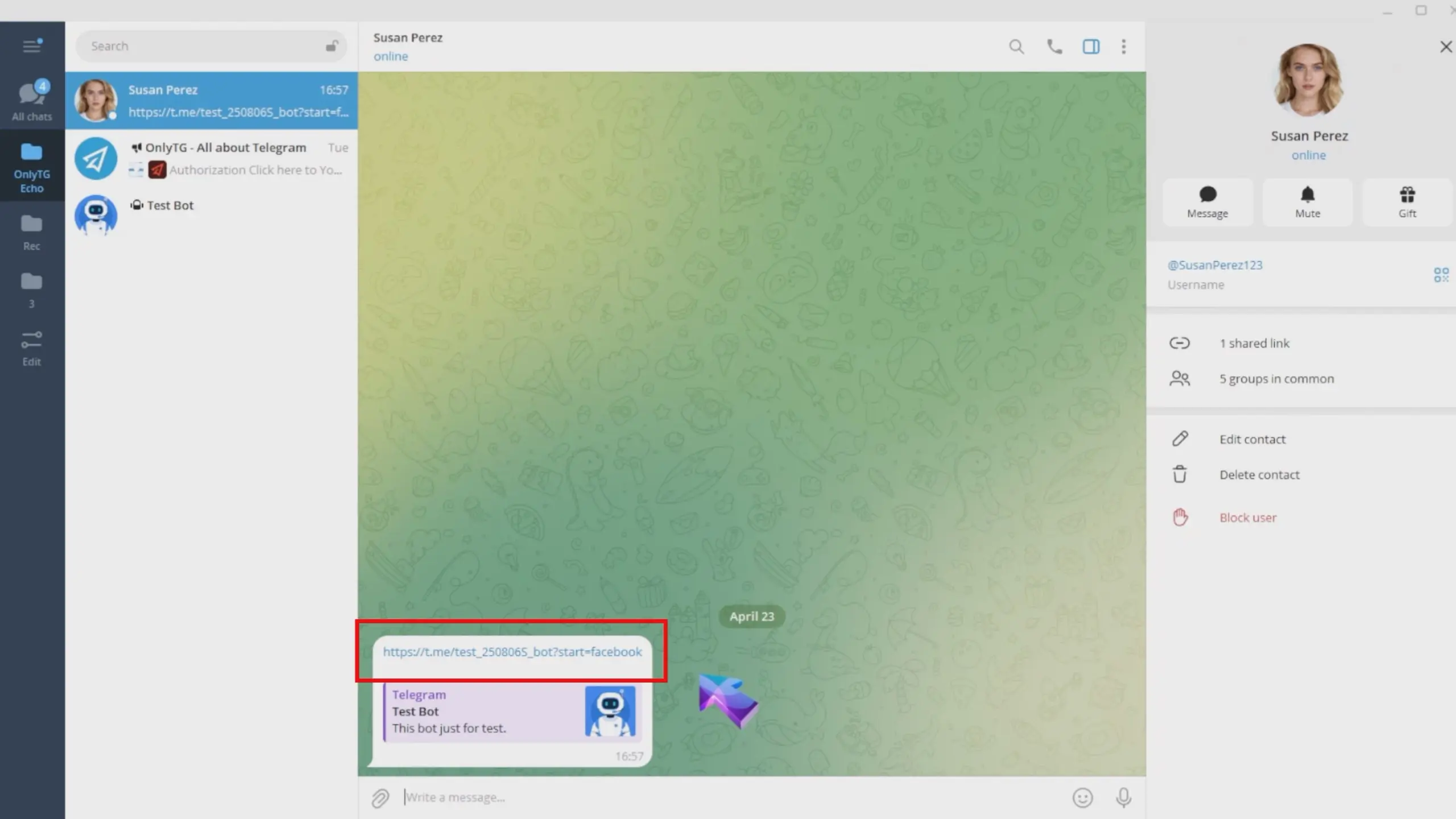
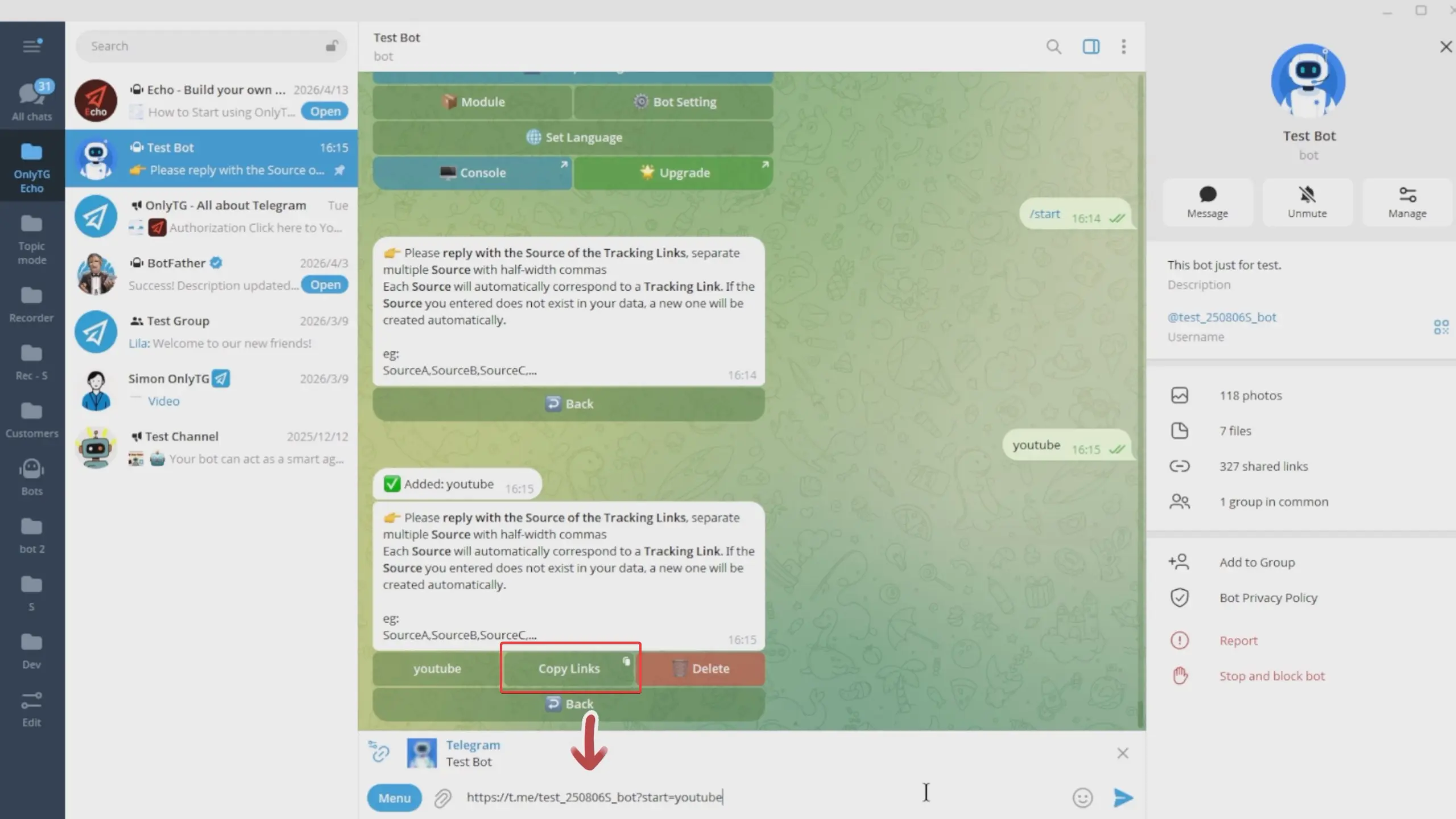
Click the Copy Links to copy it for use on your target platforms.
After configuring tracking links, click Back to return to the previous menu.
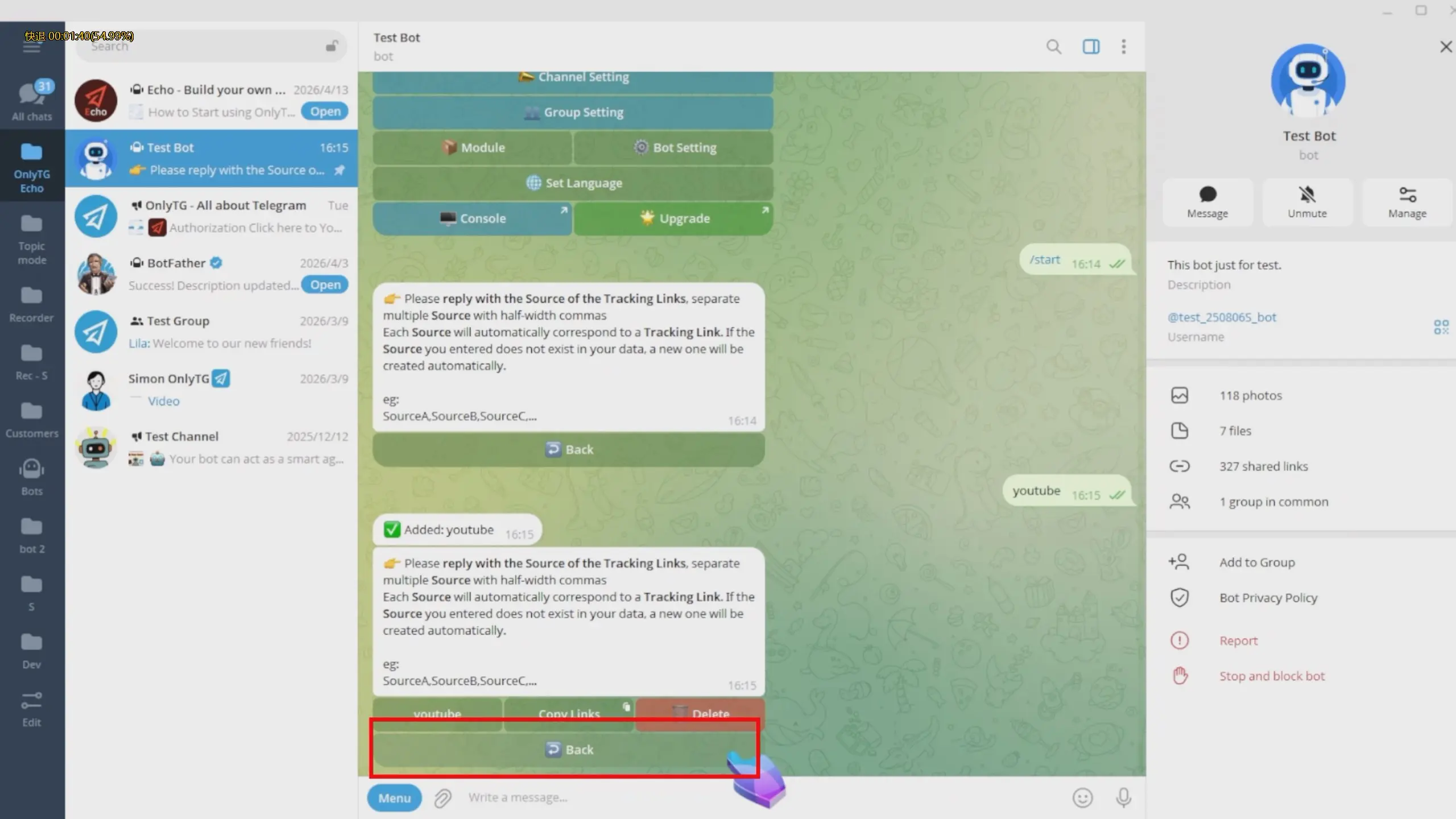
Here, you can view which Tracking Link Source matched with this dynamic start message. This means all users who add the bot through these link will receive this dynamic start message.
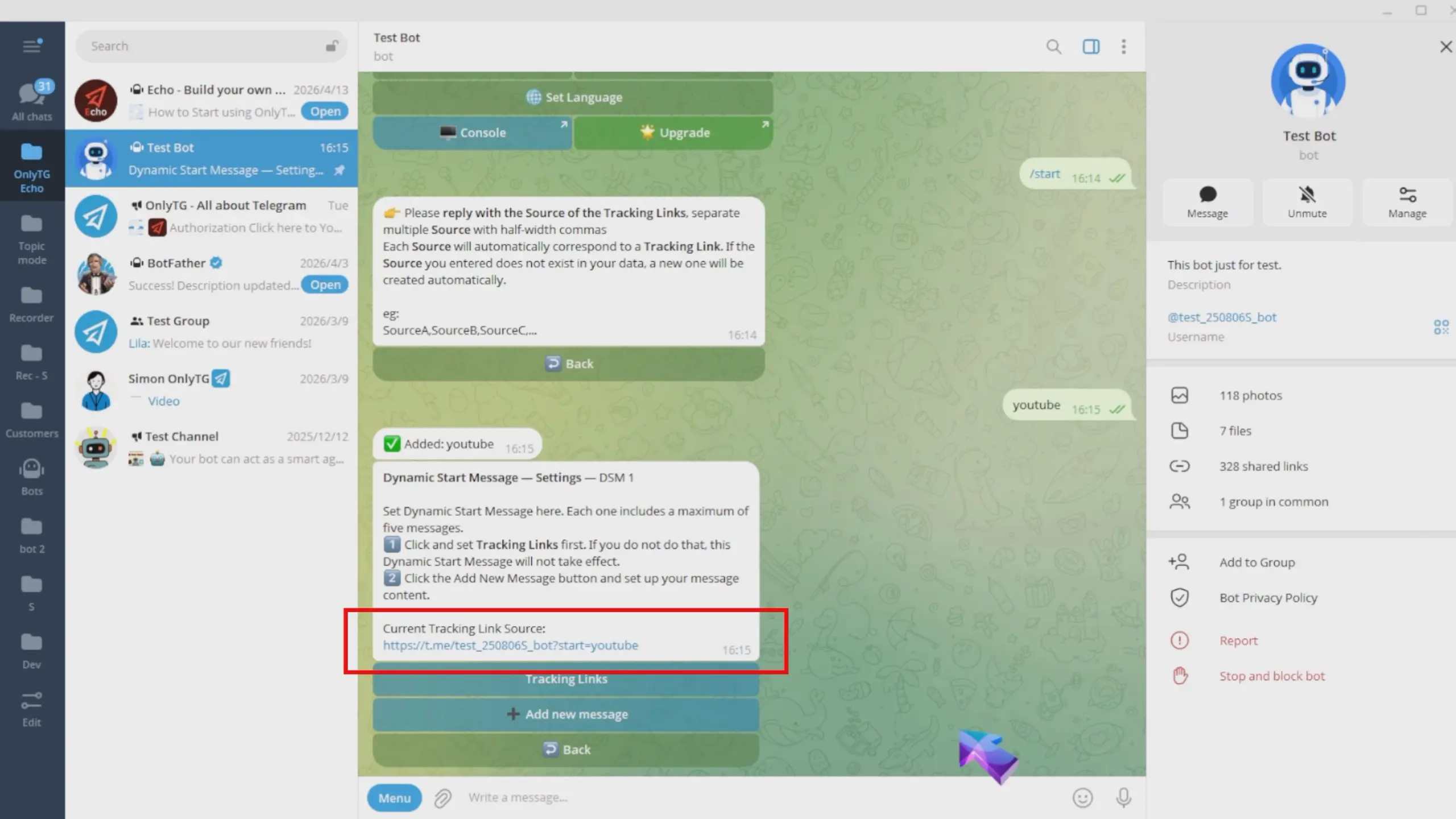
step 3
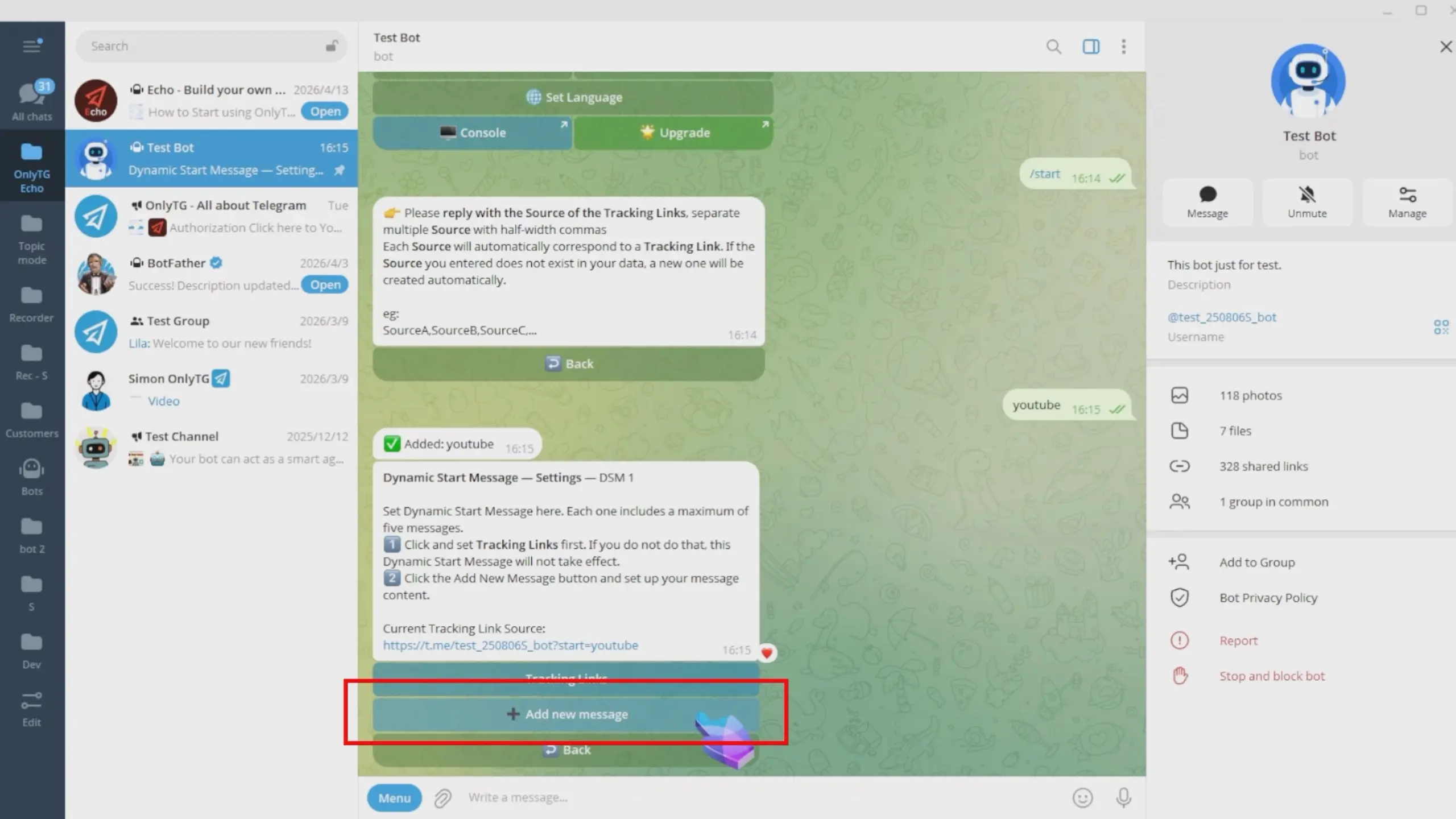
Next, configure the message content, Click Add New Message.
You can add text, media and buttons, with options to switch to Multimedia mode or directly use existing modules. For detailed steps, check our previous tutorial on the Multi-form Messages Builder.(Click here to learn how to set Multi-form Messages Builde )
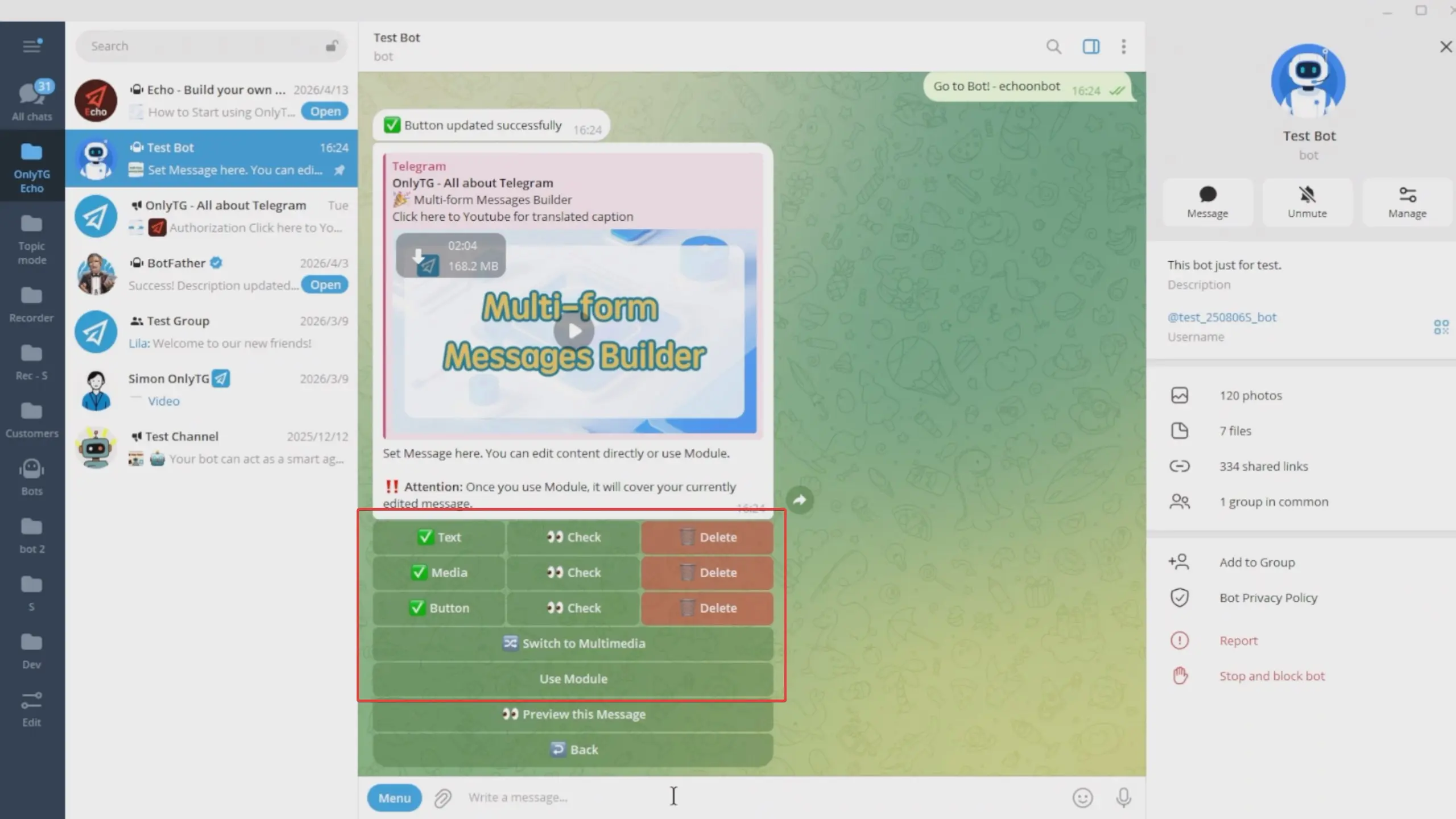
Now that the content setup is complete, click Preview This Message to preview it.
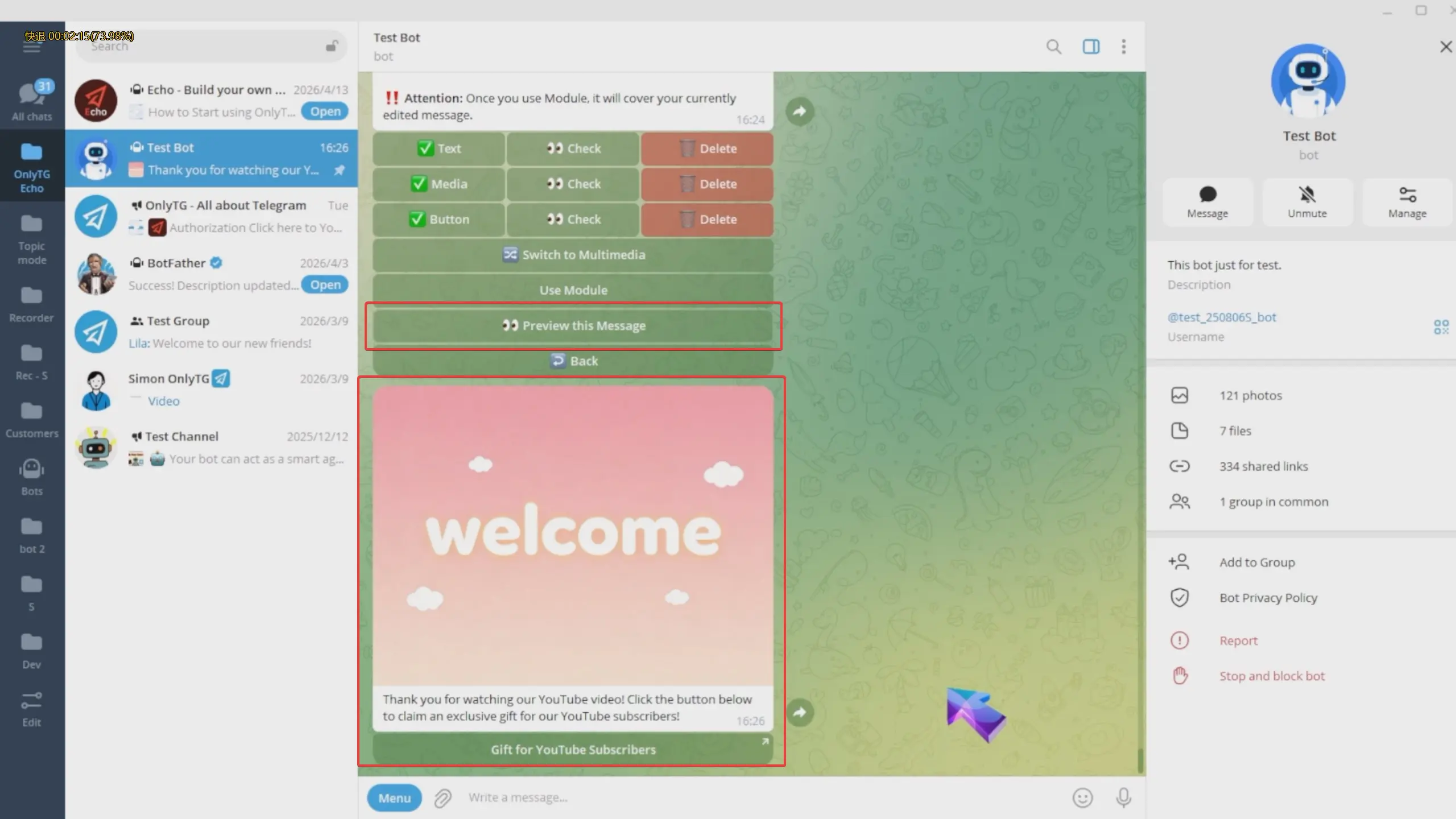
Each dynamic start message includes a maximum of five messages, which will be sent to users in sequential order.
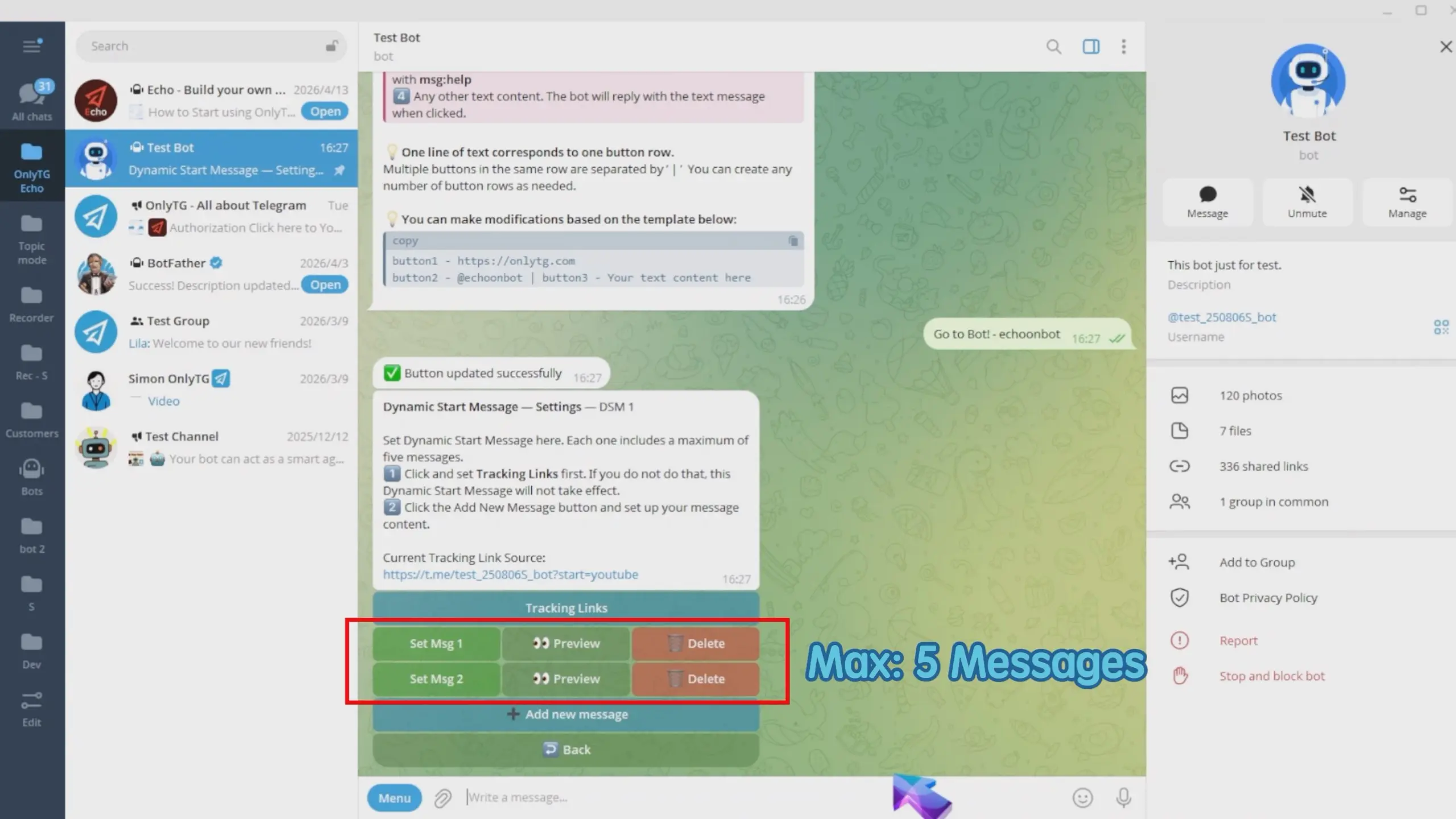
step 4
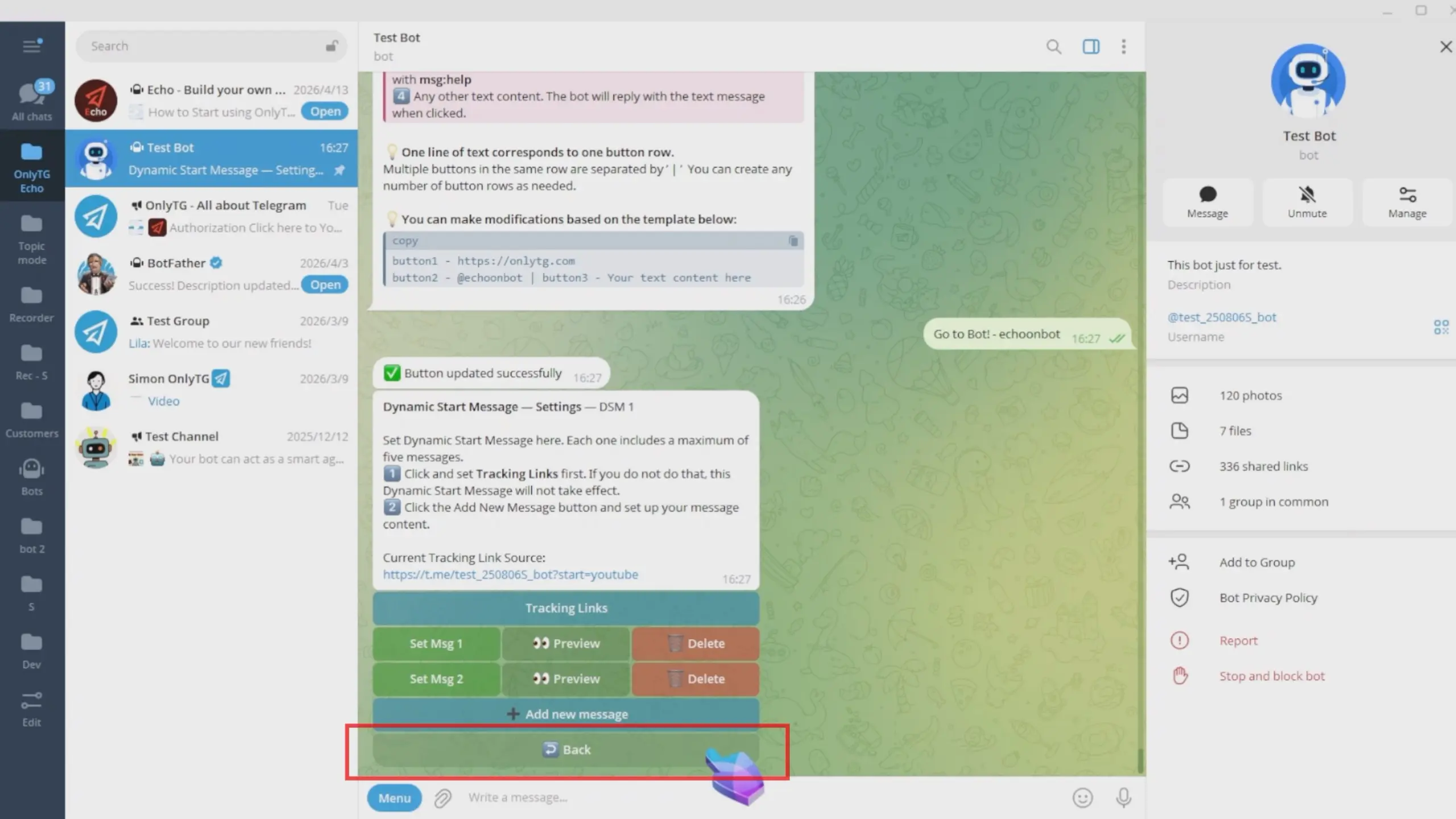
This dynamic start message setup is now complete. Click Back and repeat the same process to add multiple dynamic start messages.
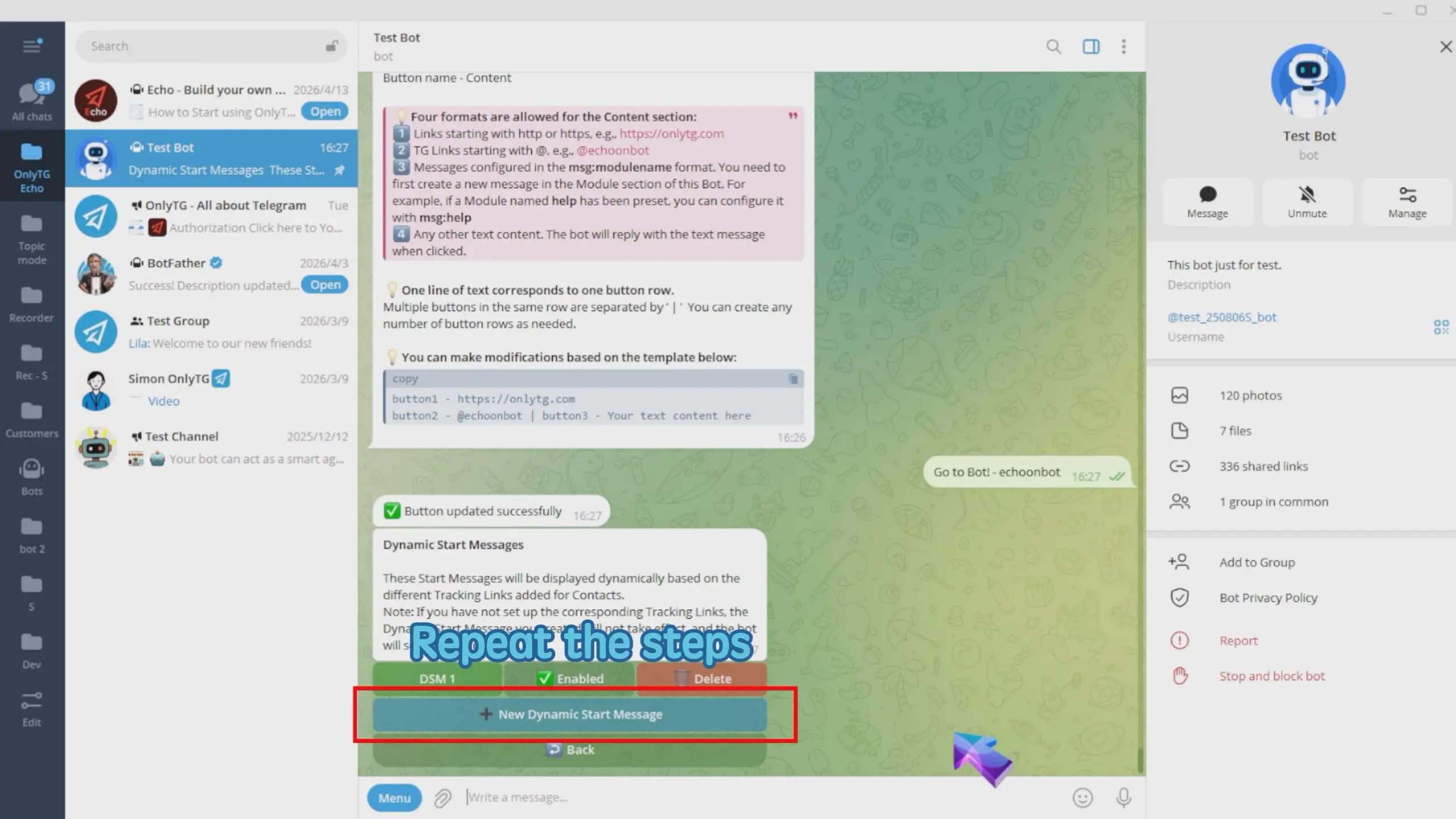
I added two dynamic start messages created here correspond to the YouTube and Facebook sources respectively
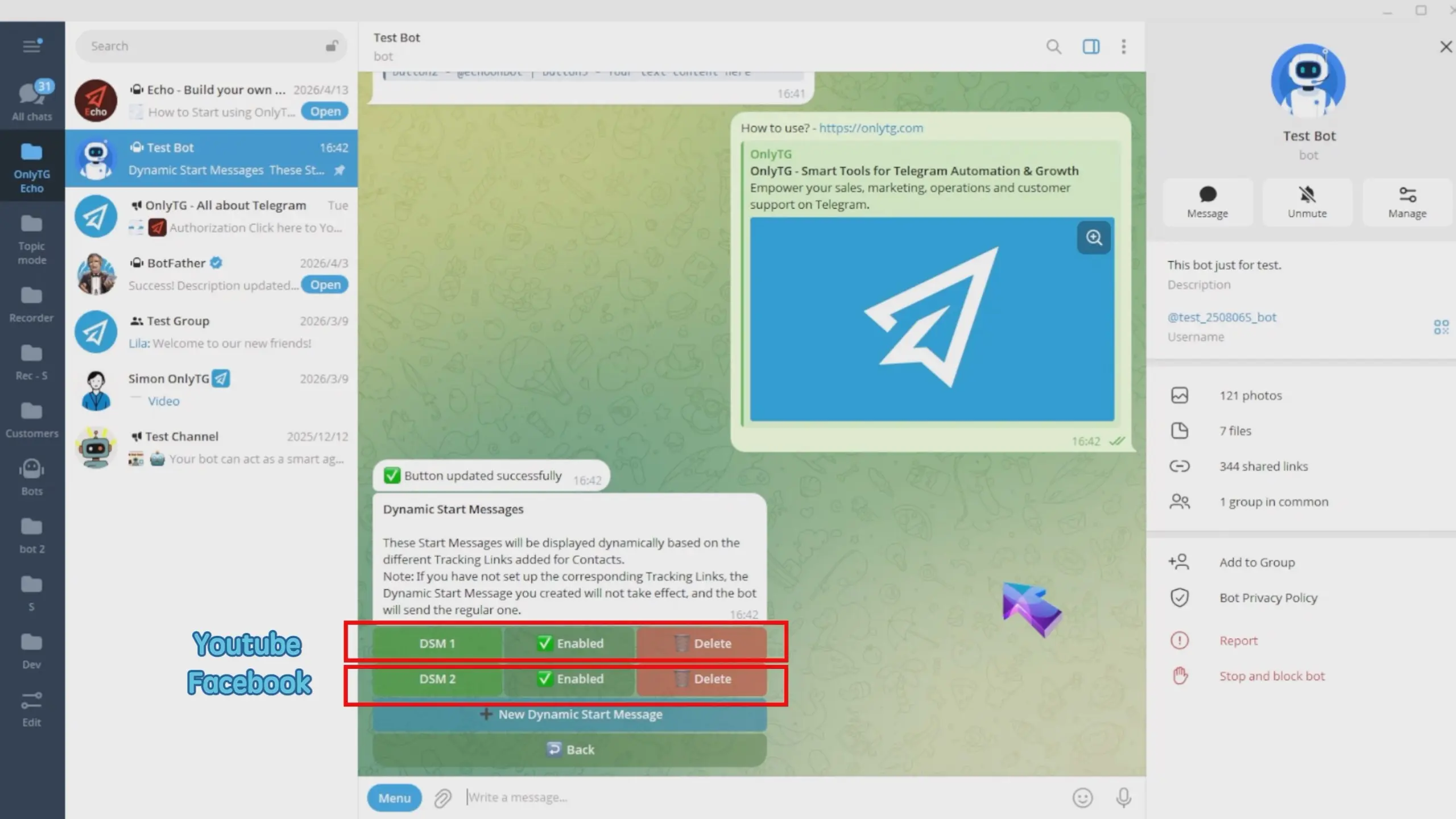
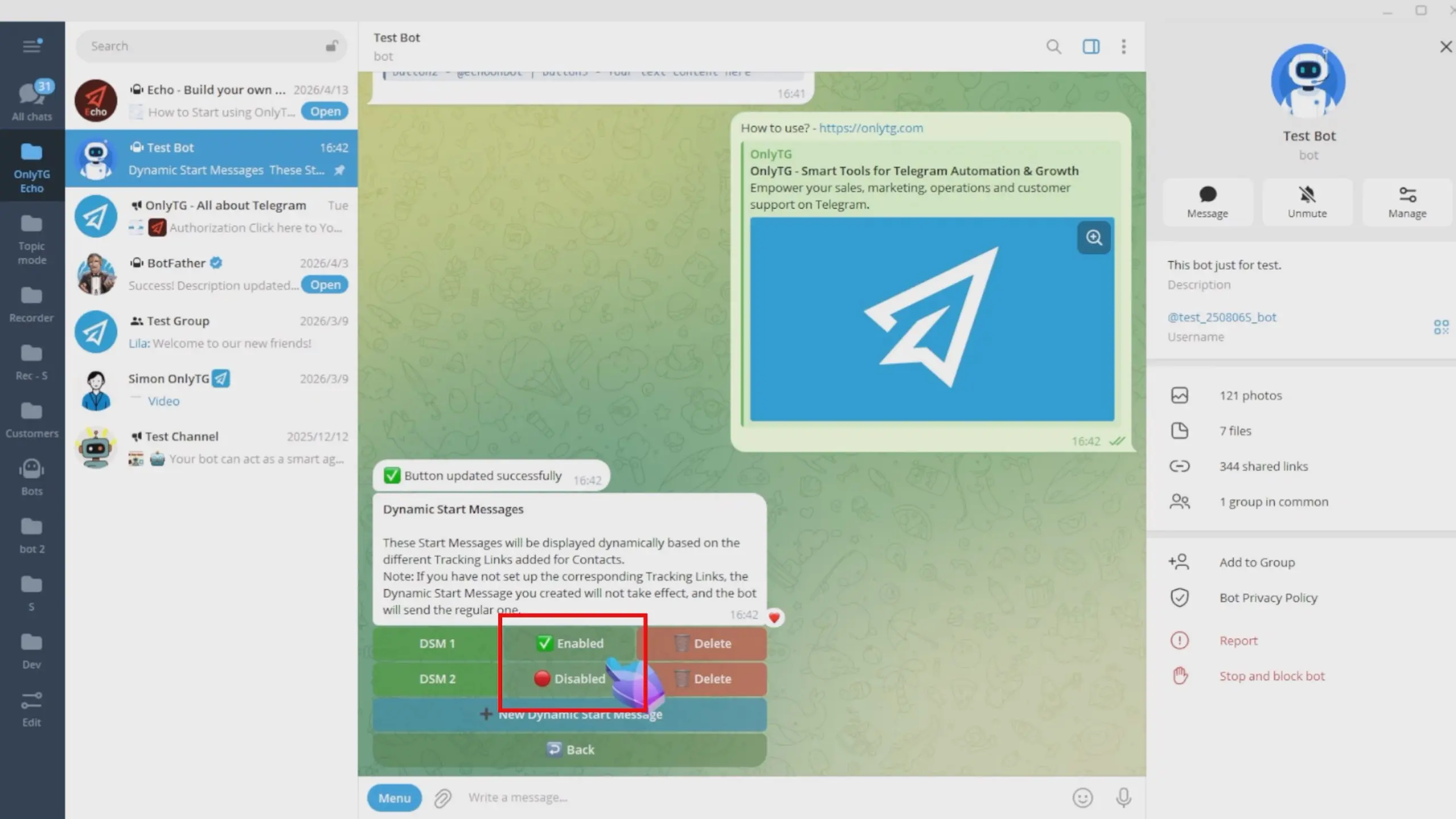
You can click here to Enabled or Disabled these dynamic start message.
Effect
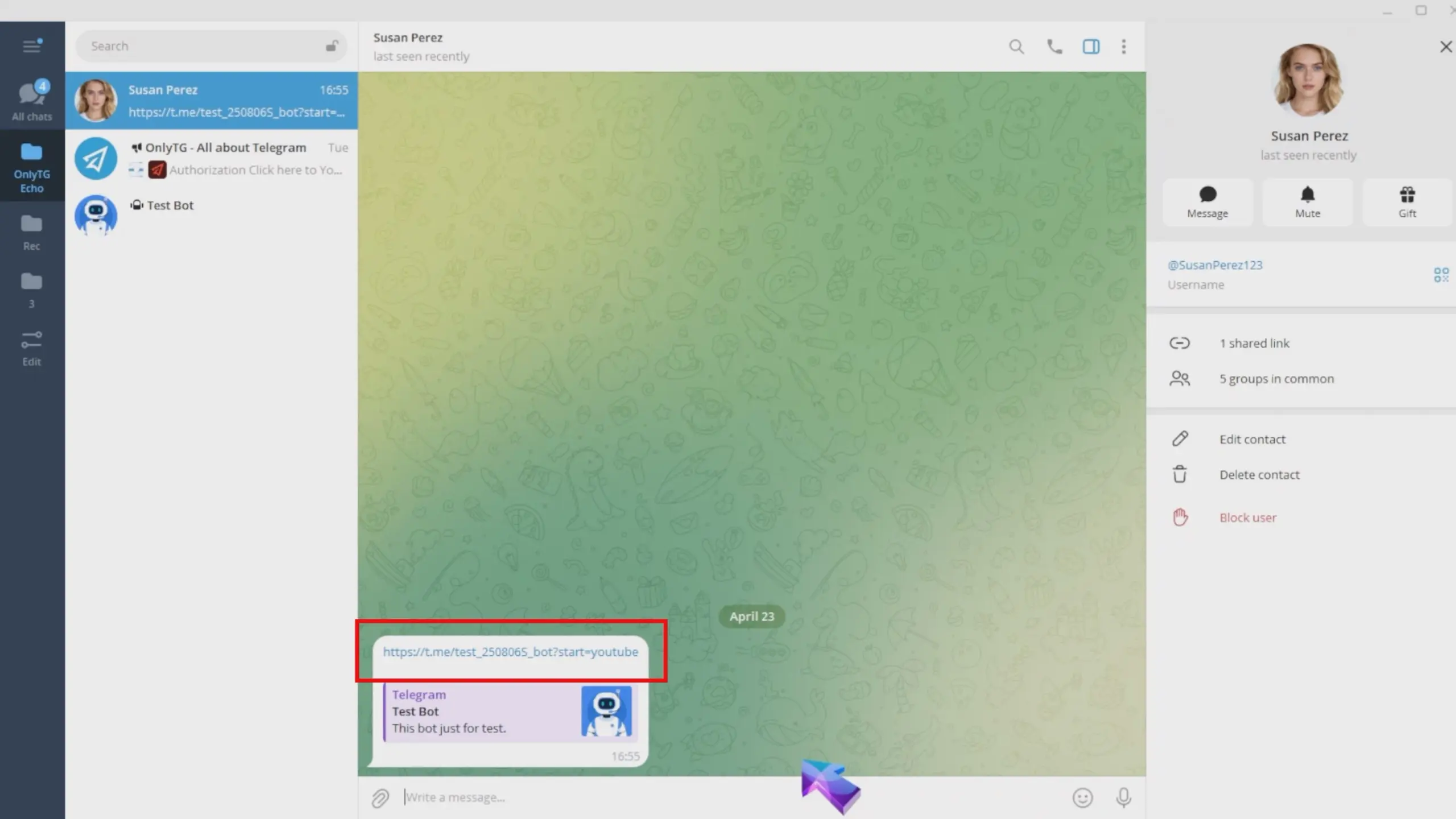
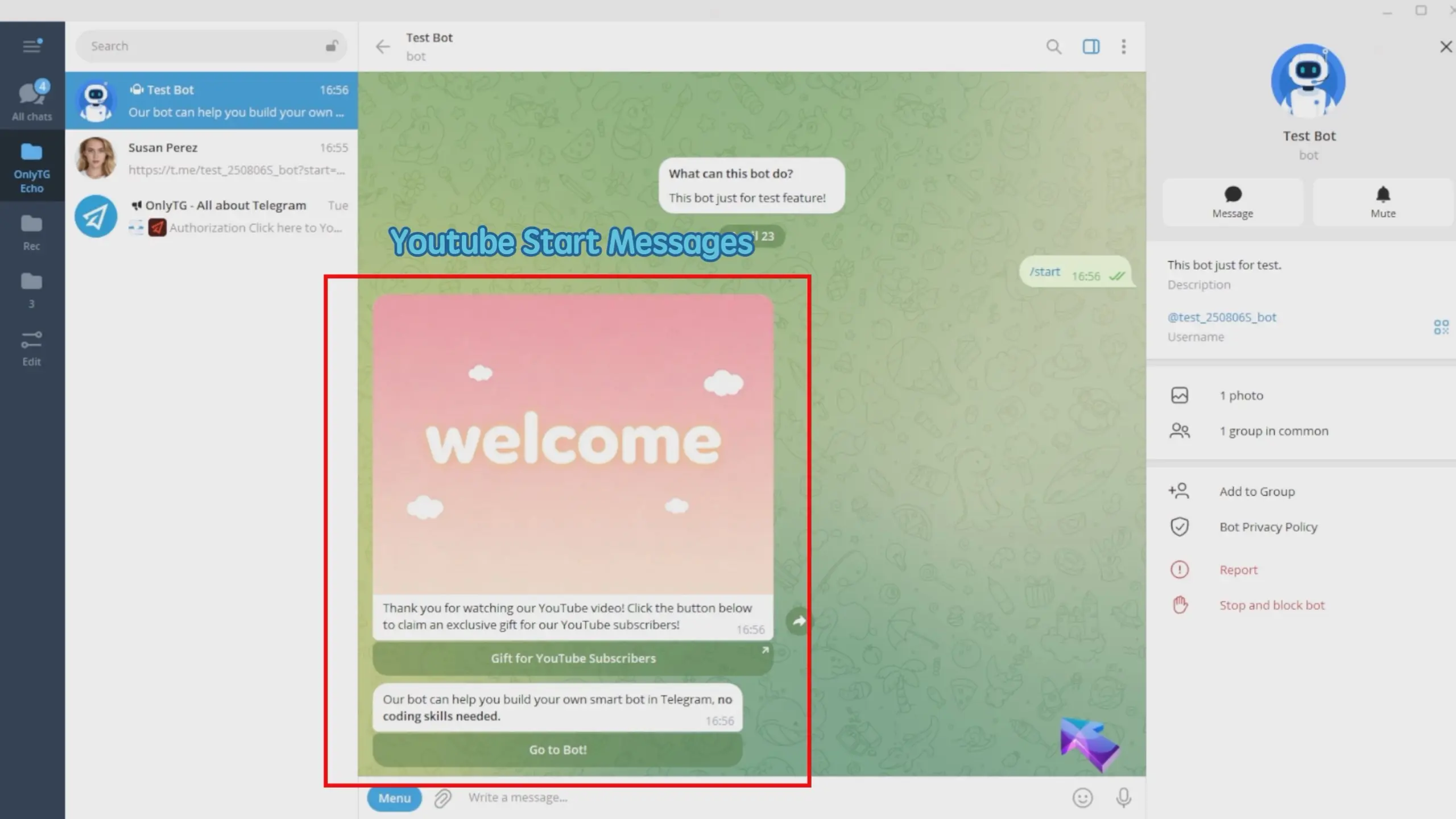
User A who adds the bot via the YouTube tracking link will receive the YouTube start message.
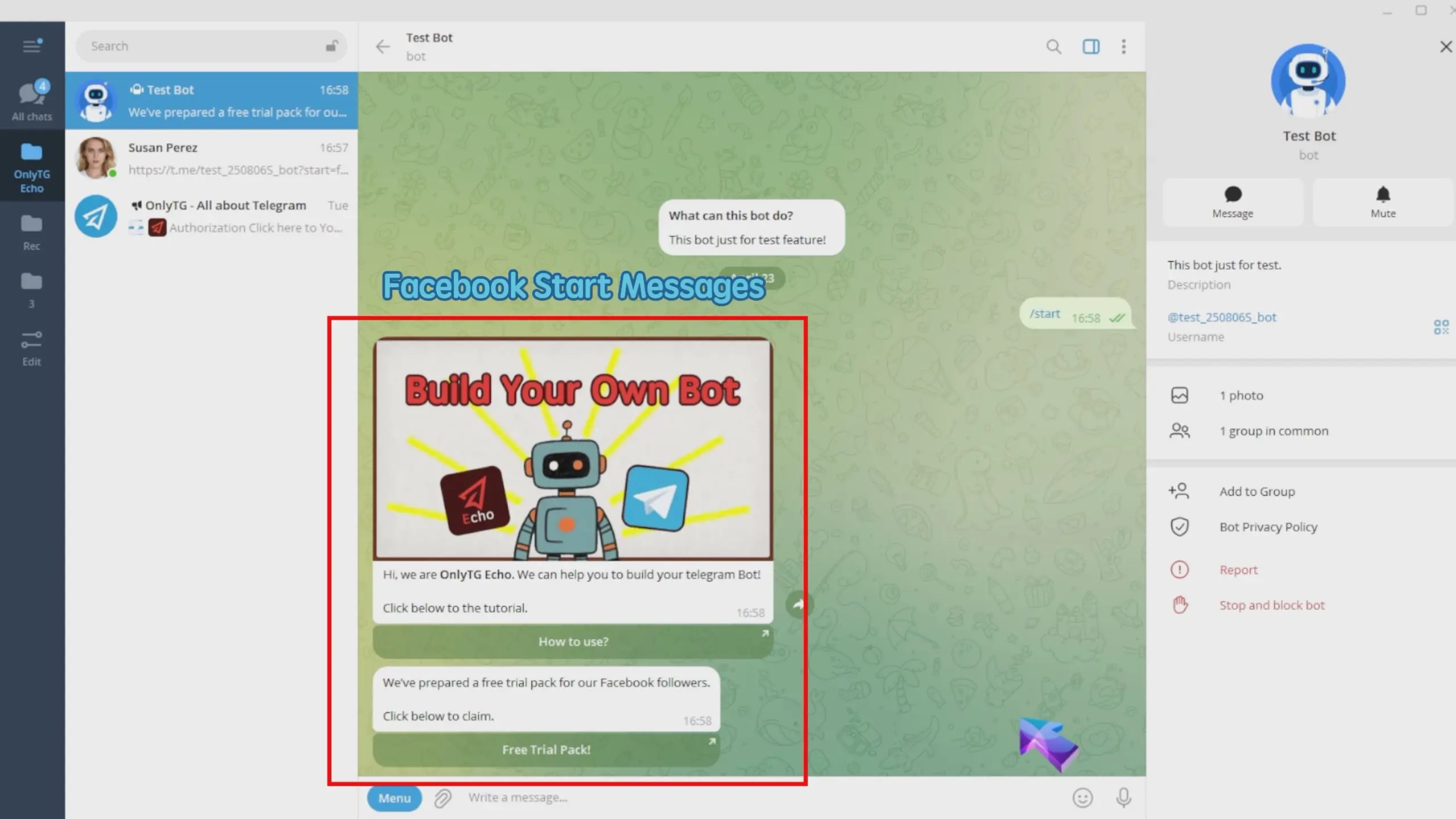
User B coming from the Facebook tracking link will get the Facebook start message.