Skip to content
OnlyTG Icon
  • ProductsExpand
    • Echo
    • Recorder
  • ResourcesExpand
    • Help
    • Blog
  • PricingExpand
    • Echo Pricing
  • EnglishExpand
    • 中文 (中国)
    • Русский
    • English
Contact us
OnlyTG Recorder

How to Use OnlyTG Recorder?

Home » Blog » OnlyTG Recorder » How to Use OnlyTG Recorder?

Welcome to OnlyTG Recorder! Developed by our dedicated bot development team, OnlyTG Recorder is designed to serve as an assistant for quickly sharing chat history. This manual will guide you through quickly getting started with OnlyTG Recorder.

Video Tutorial

step 1

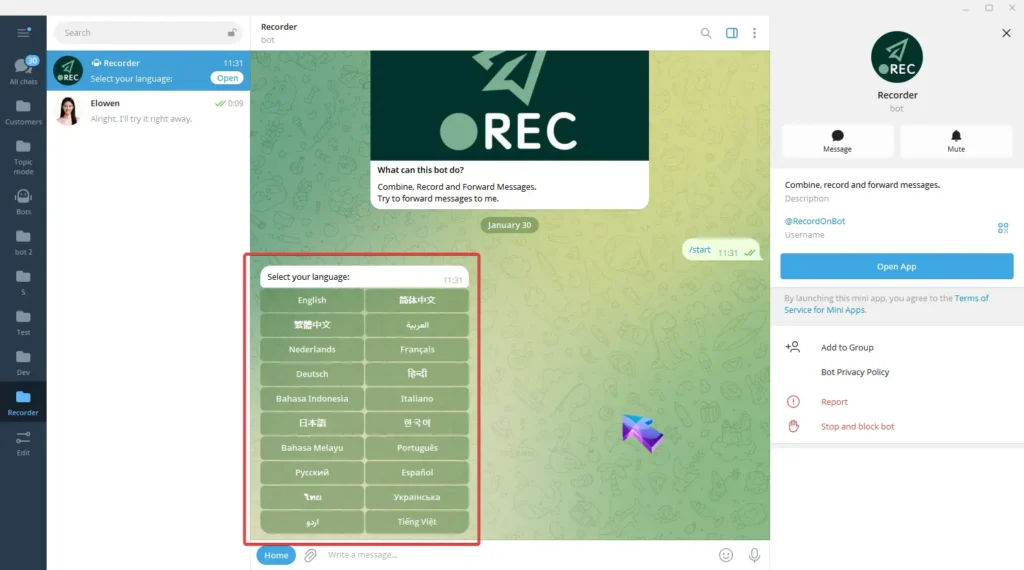
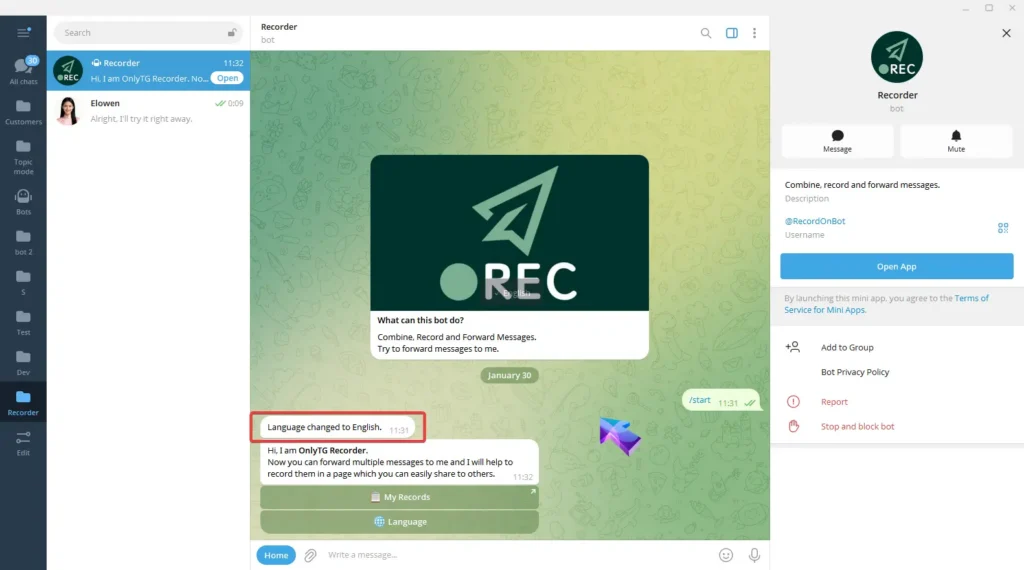
Start Recorder Bot(@RecordOnBot) and select Language to set language.
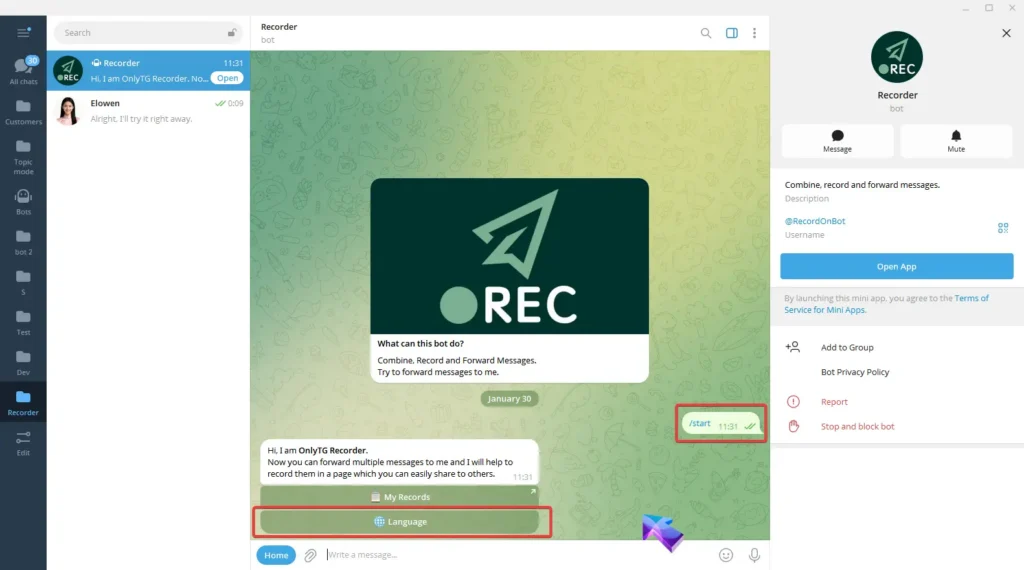
OnlyTG Recorder Help

step 2

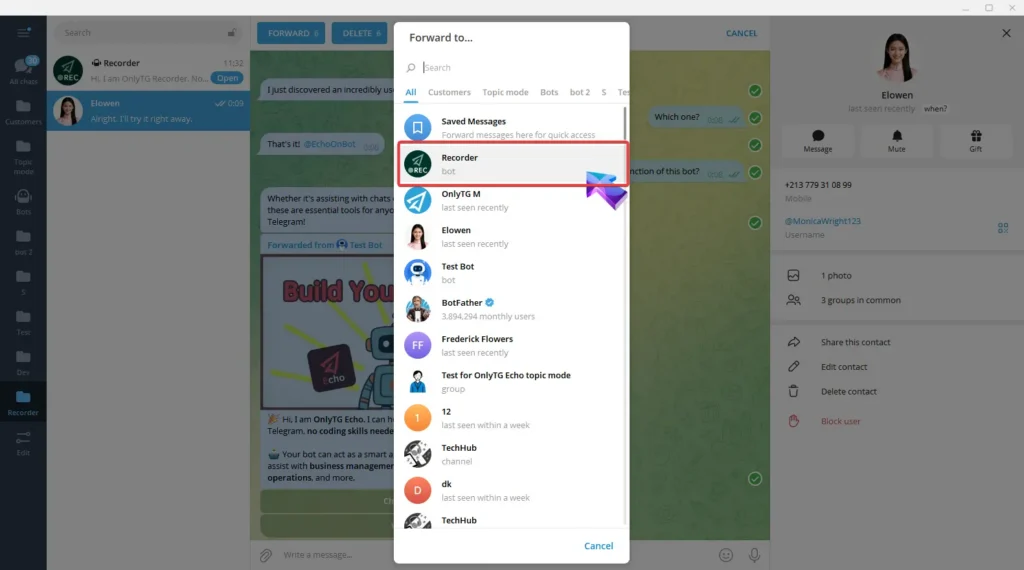
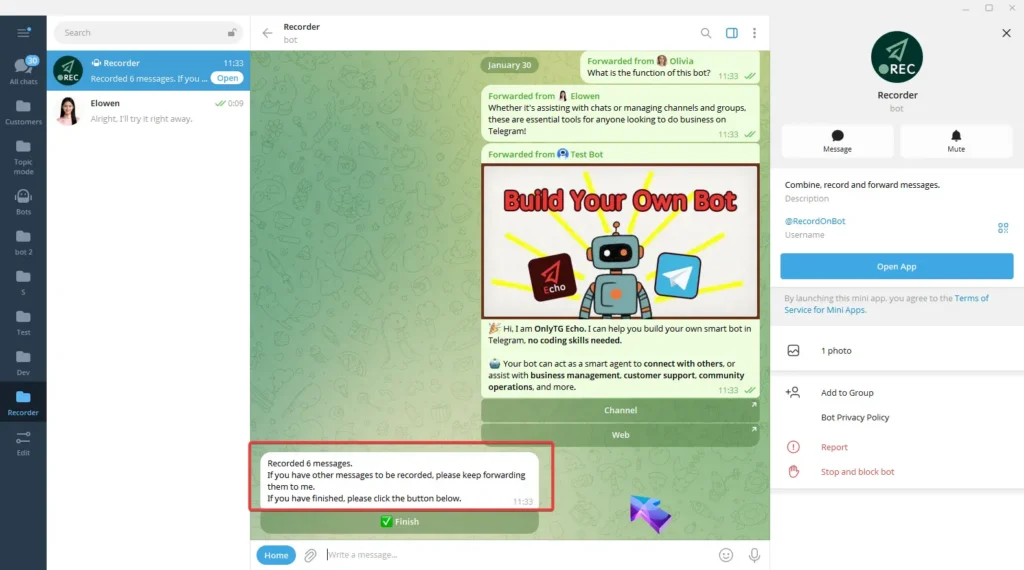
Forward messages from other contacts, channels, groups and more to Recorder.
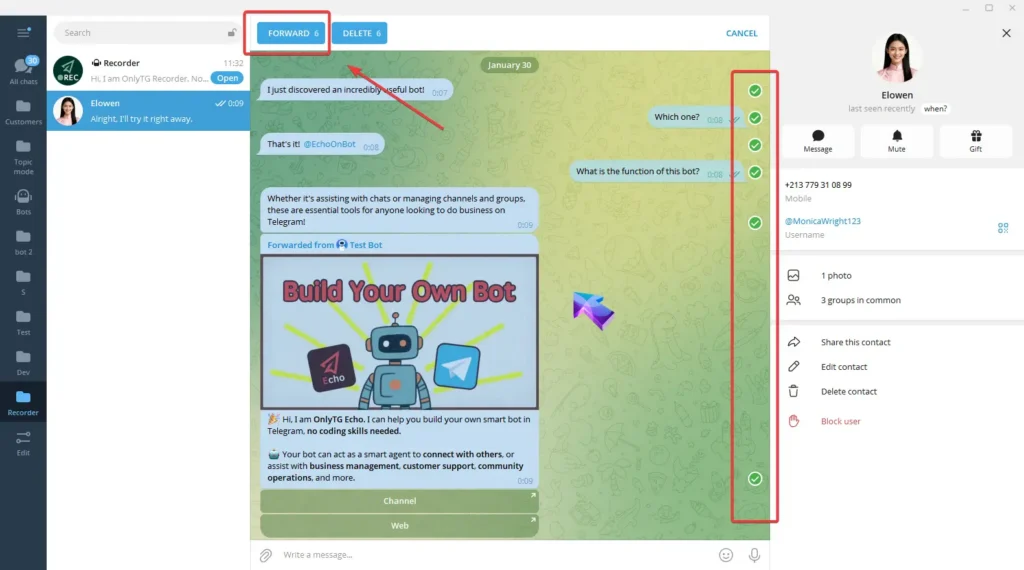
OnlyTG Recorder Help

Then Recorder will notify you of how many messages have been recorded.
OnlyTG Recorder Help

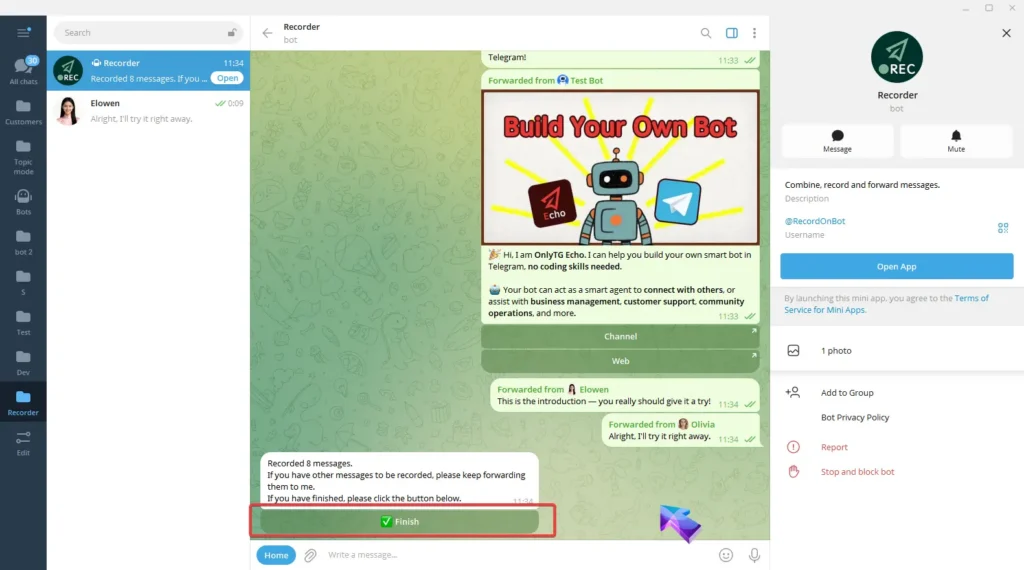
If you have more messages to record, you can keep forwarding them to the bot. Once you’ve finished forwarding all messages, select Finnish.
OnlyTG Recorder Help

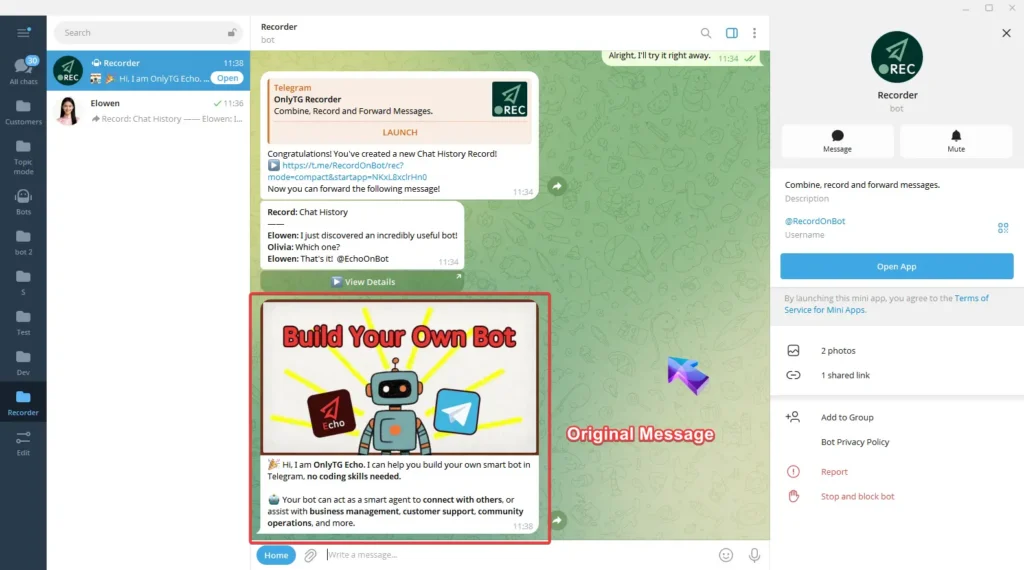
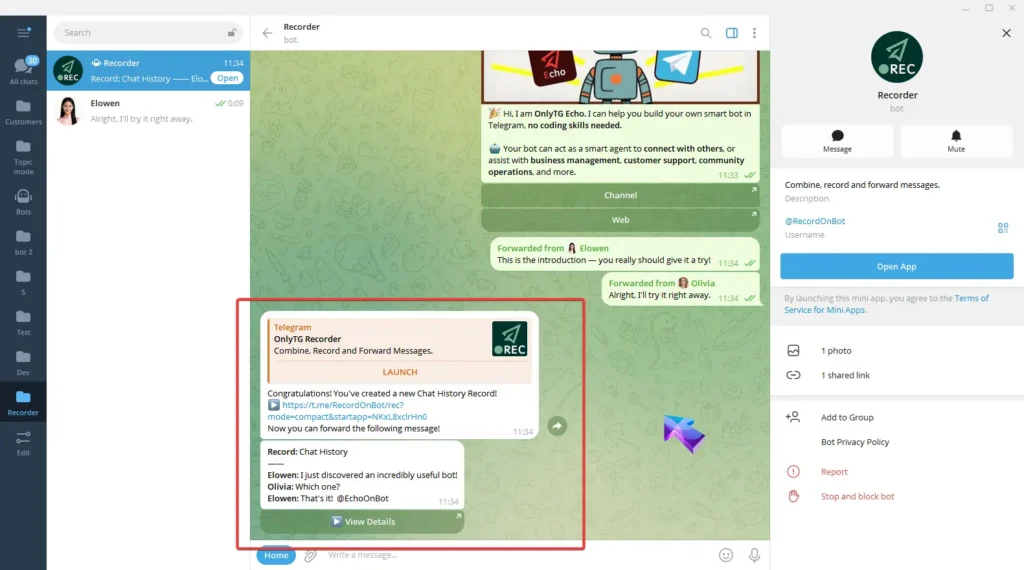
Recorder Bot will combine the forwarded messages and create a new chat history record.
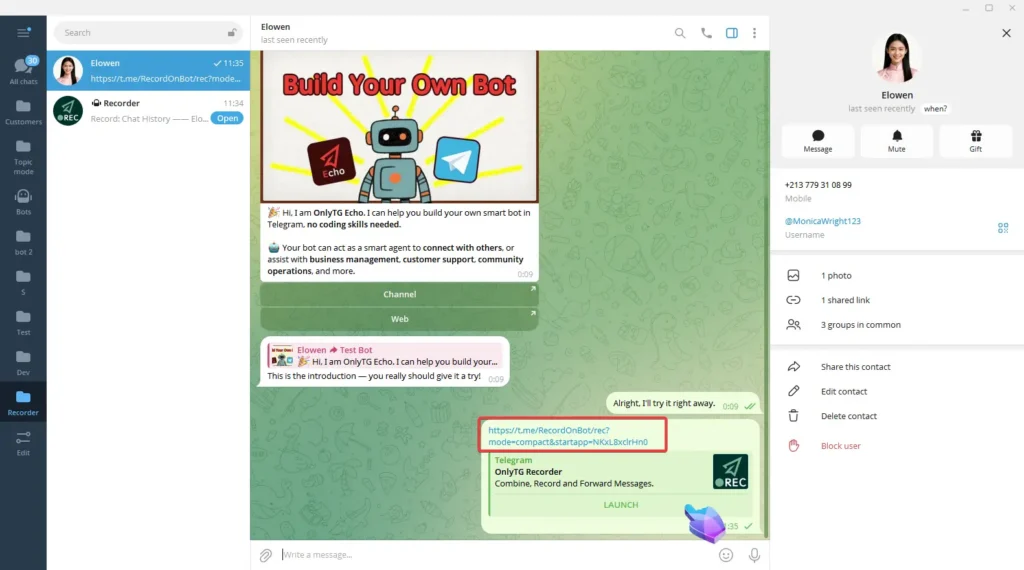
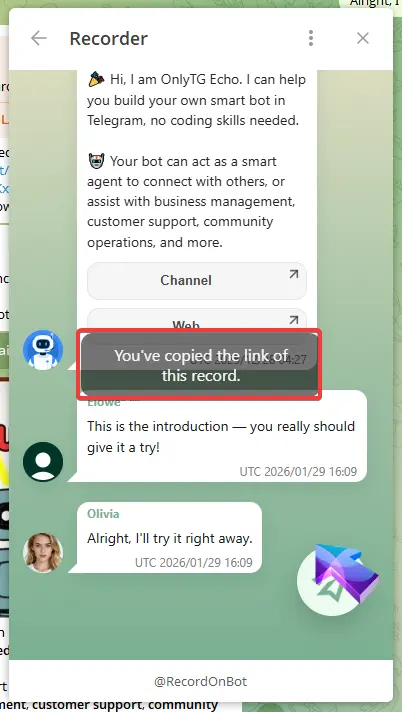
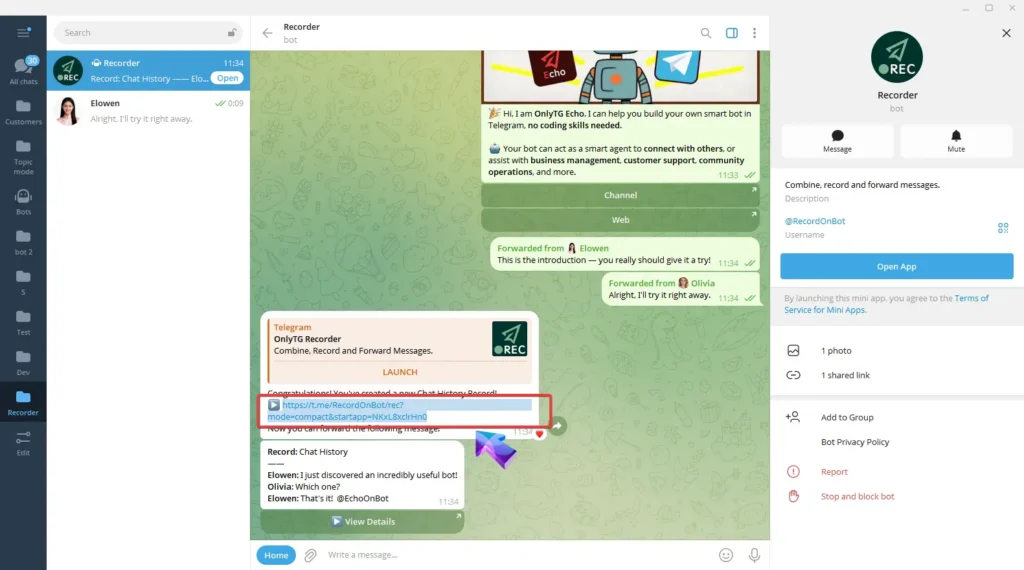
When you need to share these messages, you can copy the link of this record and send it to others.
OnlyTG Recorder Help

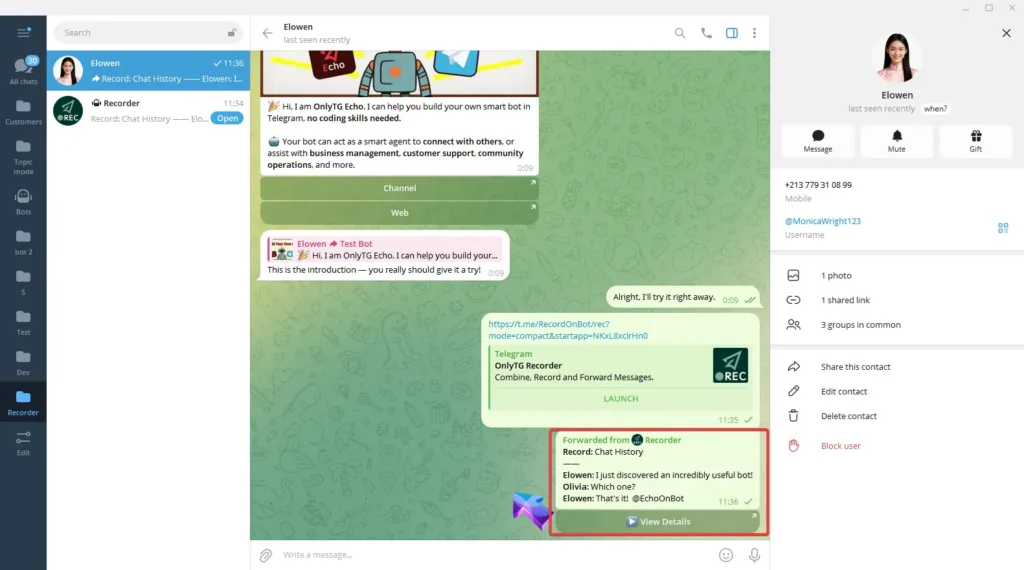
Or forward the record message directly to them.
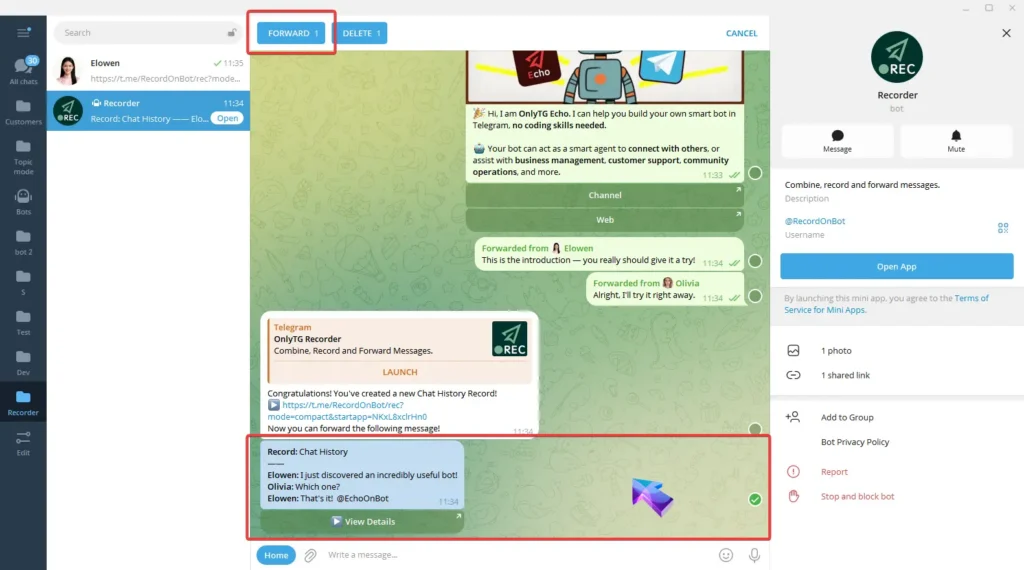
OnlyTG Recorder Help

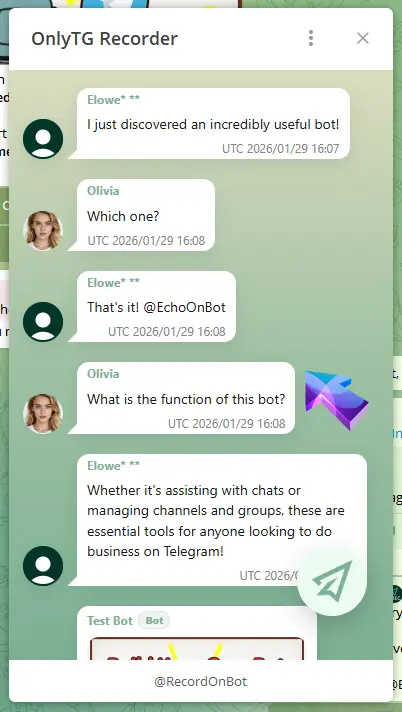
They just need to click the link or the View Details button to enter the mini app, where they can check the full details of the record.
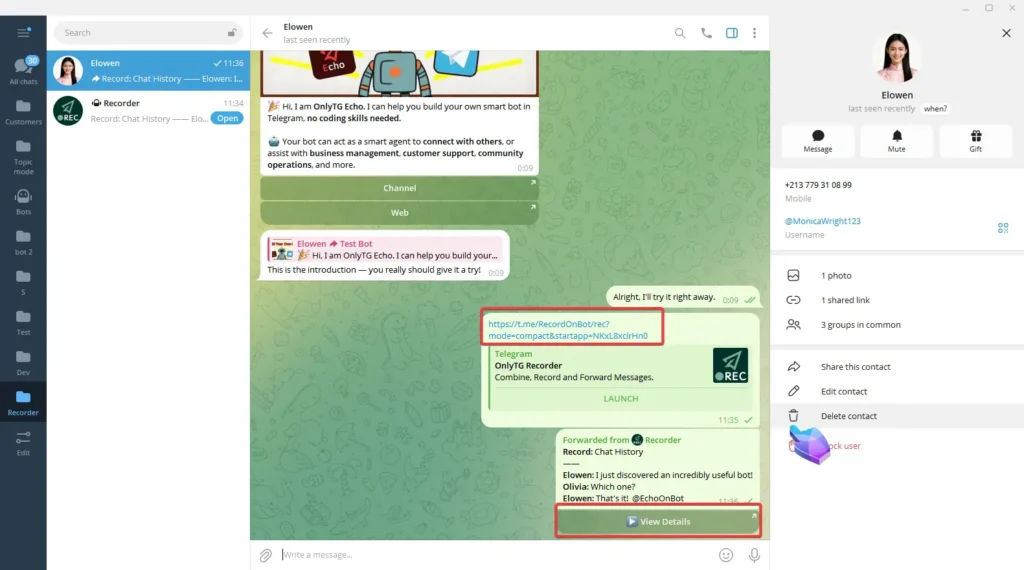
OnlyTG Recorder Help

step 3

In the detail page, For messages containing files, click the small eye icon on the right side of the message, and Recorder will send the original message to you.
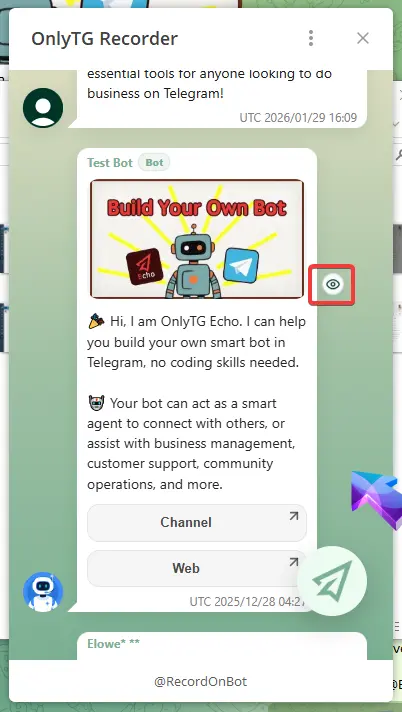
OnlyTG Recorder Help

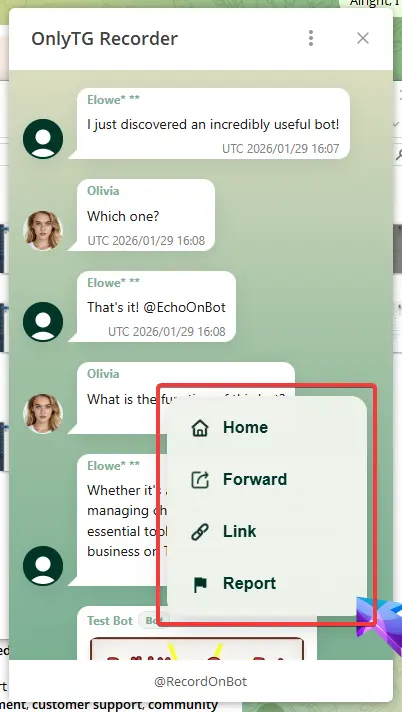
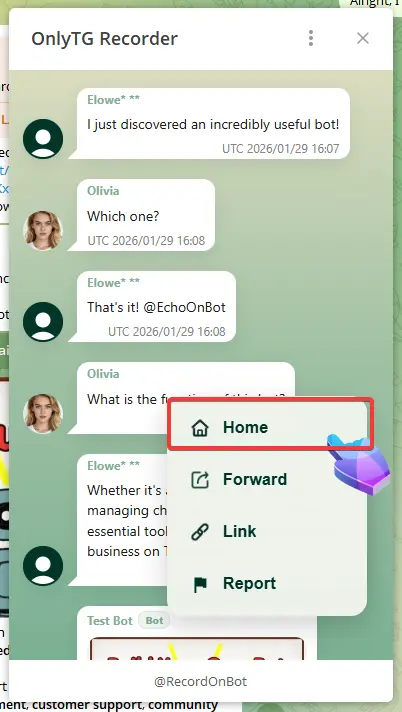
Click the circular button at the bottom right to see the following options:
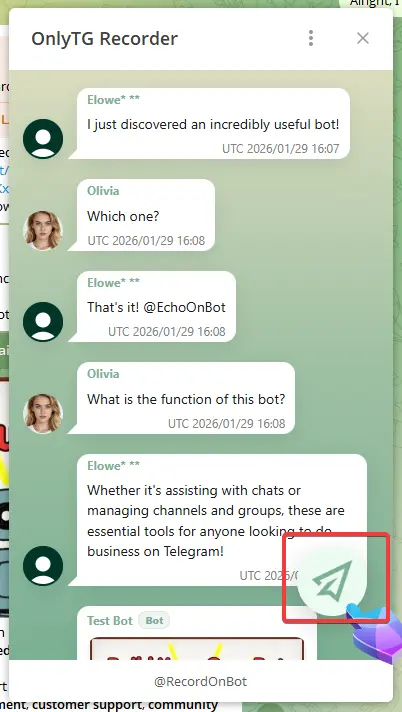
OnlyTG Recorder Help

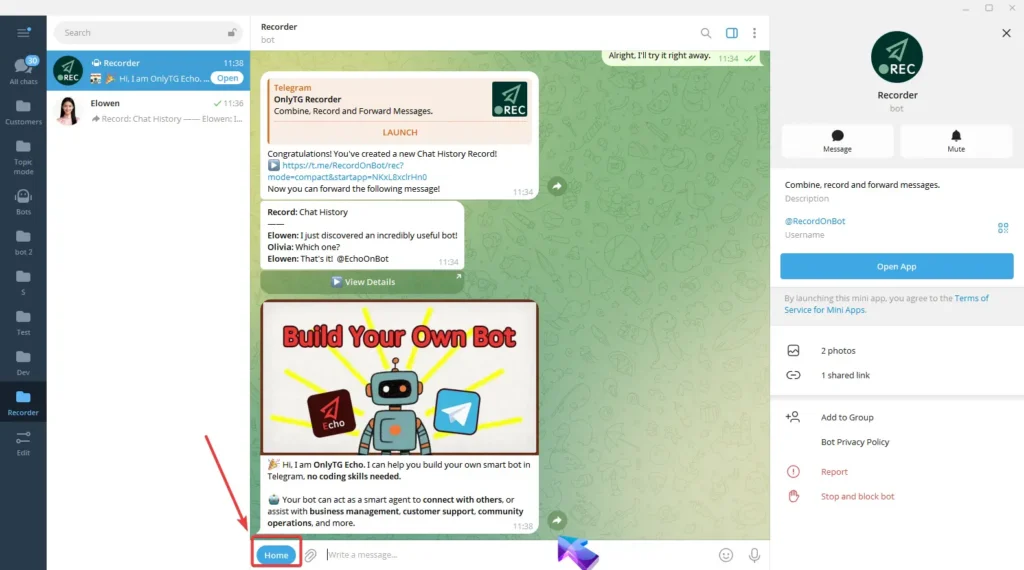
Home: Click to enter the Home page. (You can also access the Home page via the Home button next to the input box in the Bot.)
OnlyTG Recorder Help

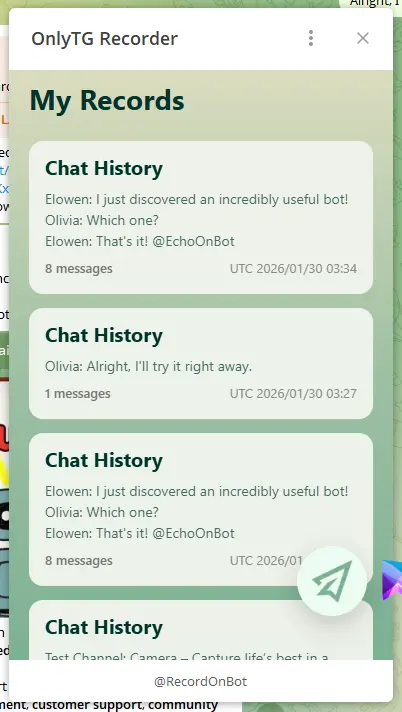
All your recorded chat histories are available on the Home page.
OnlyTG Recorder Help

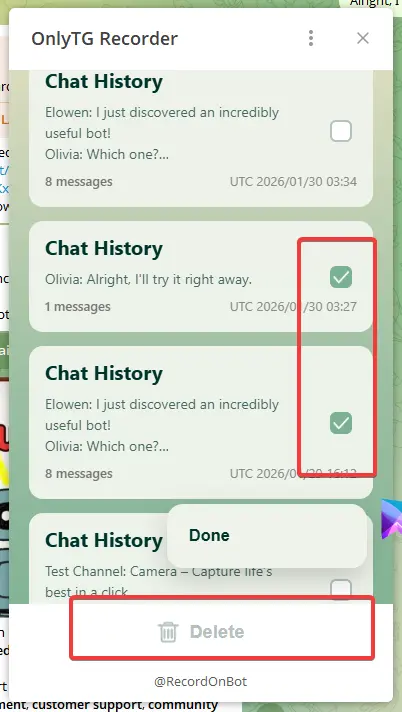
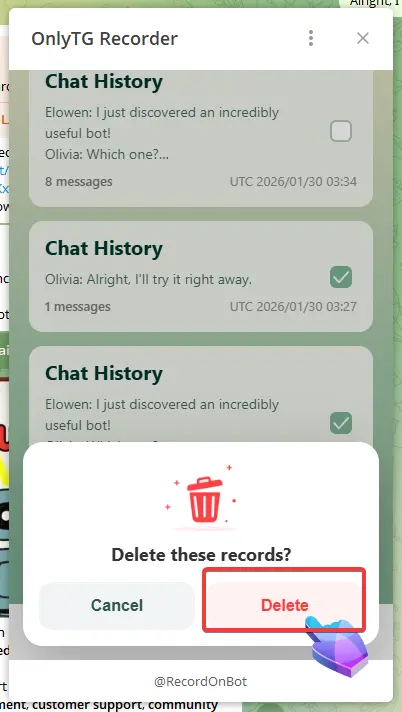
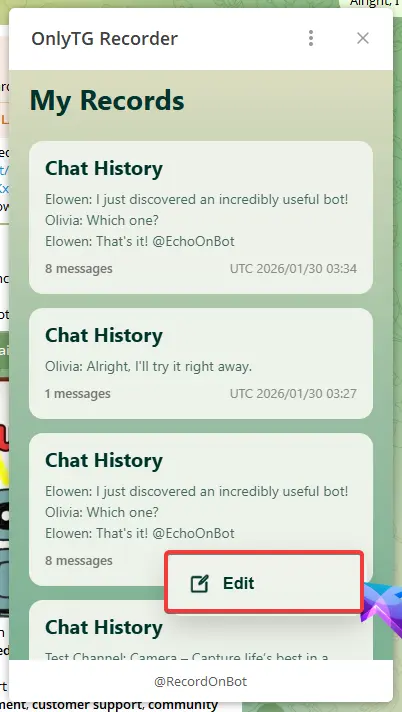
Click the circular button at the bottom right here, then click edit to select multiple chat histories for bulk deletion.
OnlyTG Recorder Help

Click Done once the deletion is complete.
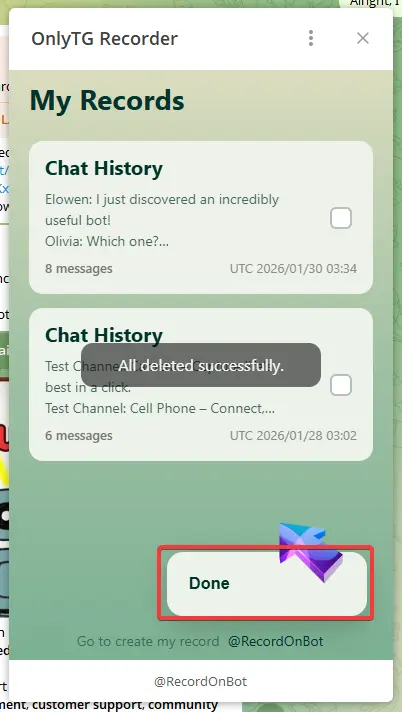
OnlyTG Recorder Help

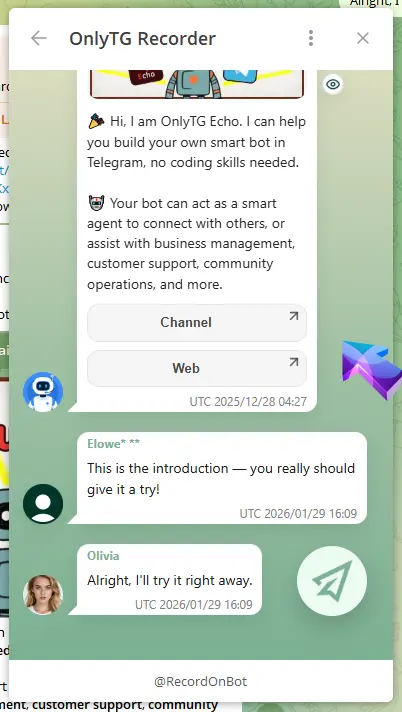
Click any Chat History directly to view its detailed content.
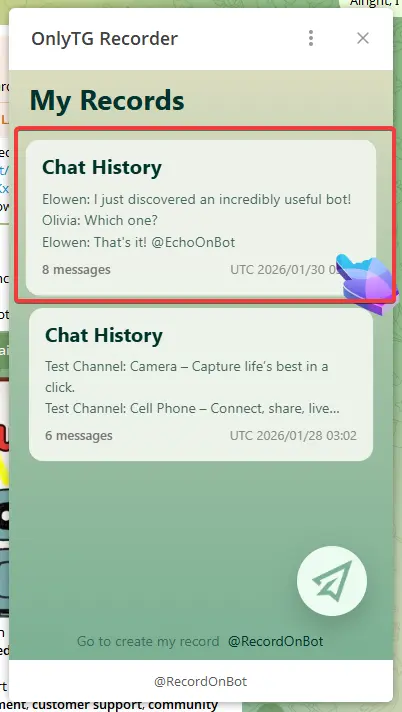
OnlyTG Recorder Help

Forward: Click to forward this Chat History to other people directly.
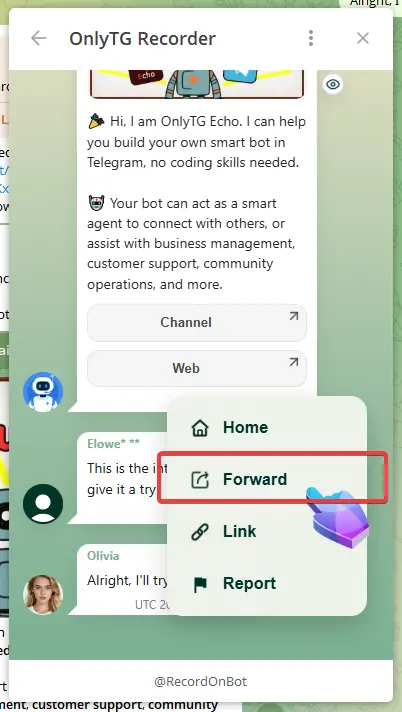
OnlyTG Recorder Help

Link: Click to automatically copy the link of this Chat History for you to share with others.
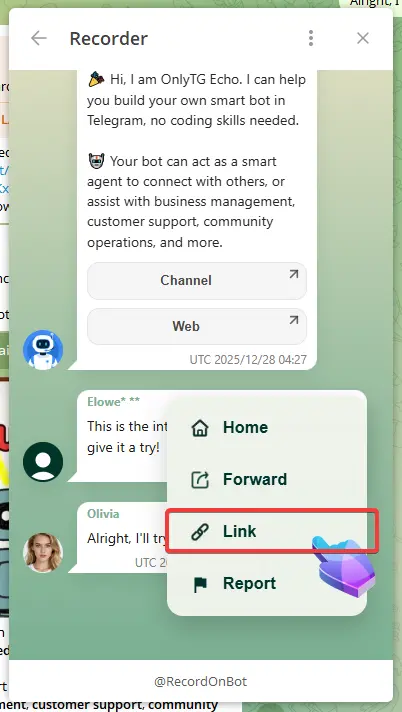
OnlyTG Recorder Help

Report: Click to contact the OnlyTG customer support team.
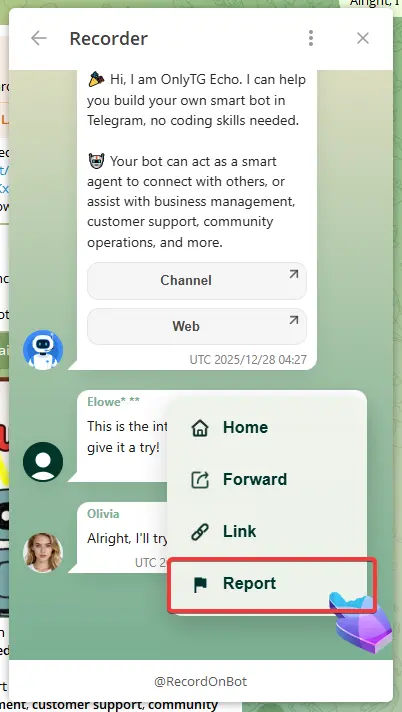
OnlyTG Recorder Help

Recorder will anonymize personal users.
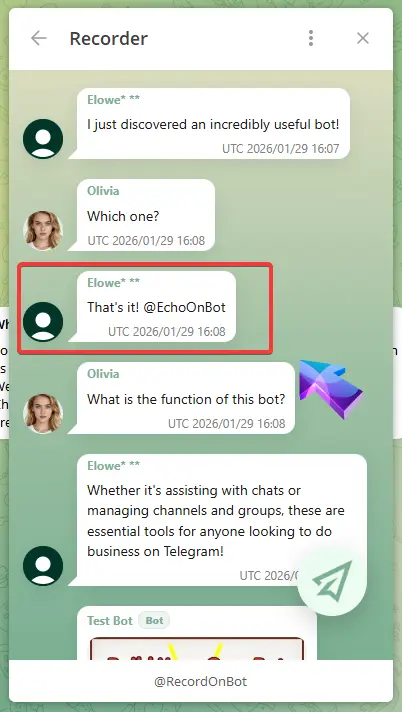
OnlyTG Recorder Help

If you find that someone has infringed on your personal privacy in the messages forwarded via Recorder, please file a complaint with us.

We will verify and take down the relevant pages within 24 hours of receiving a valid complaint.

FAQ

1.  Why didn’t a record get generated after I forwarded the message? 

After forwarding the message, you need to click Finish. If you neither click “Finish” nor continue forwarding the message, Recorder will automatically create a record after a period of time.

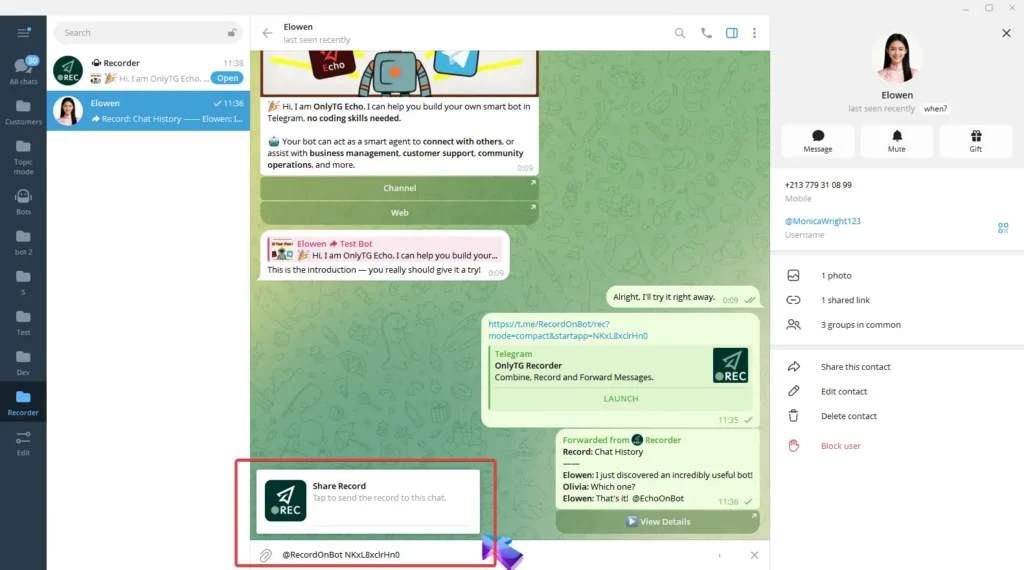
2.  Why can’t I forward to others after clicking the forward button in the bottom-right corner of the mini app?

After clicking the forward button in the bottom-right corner and selecting the contact, the content will automatically populate in the input field. Please do not delete or add any text.

Contact and Support

For any further questions or issues, please contact the support team:

  • Customer Support Bot: @OnlyTGonBot
  • Official channel: @OnlyTG
  • Official Website: Onlytg.io

We hope you find OnlyTG Recorder helpful in your daily activities. If you encounter any issues or have feedback, don’t hesitate to contact support. We are constantly improving the bot to provide you with the best experience.

Thank you for choosing OnlyTG Recorder!

Post Tags: #bot#Telegram

Post navigation

Previous Previous
How to Broadcast Messages to Contacts via Telegram Bot
NextContinue
How to Manage Group via Telegram Bot
Table of Contents
  • Video Tutorial
    • step 1
    • step 2
    • step 3
  • FAQ
  • Contact and Support
Echo Sidebar
  • Latest Post
  • Echo
  • Recorder
  • Tips
Telegram Tips

How to find similar Telegram groups and channels via related recommendations

There are many public channels and groups on Telegram. Each channel or group usually focuses on a specific topic, and…

Telegram Tips

How to Advertise on Telegram

There are mainly three ways to advertise on Telegram: official ad direct placement, third-party cooperative ads, and promotion within your…

Telegram Tips

How to Buy Cryptocurrency/USDT

The first step in buying cryptocurrencies is usually to purchase USDT, then exchange USDT for other coins like BTC, ETH,…

Telegram Tips

How to Buy Telegram Stars

Stars is a virtual currency officially launched by Telegram for purchasing paid content within Telegram. Stars is not classified as…

Telegram Tips

What is the purpose of Telegram group and channel levels? How to boost?

In Telegram, Levels act like an “experience bar” for public groups and channels. As a community reaches higher levels, it…

Telegram Tips

What are the actual benefits of a Telegram Premium subscription, and how to purchase it?

Telegram Premium is a subscription service that unlocks enhanced limits and exclusive features while supporting the app’s independent development. What…

Telegram Tips

How to change the display language in Telegram

To change the language on Telegram, you can head into the settings. Telegram supports dozens of languages, and many are…

Telegram Tips

What exactly is the difference between Telegram channels and groups?

The main difference is the direction of communication: Groups are for chatting with others (two-way), while Channels are for broadcasting…

How to Loop Post in Channel via Telegram Bot

OnlyTG Echo provides the function to automatically loop posts in your channel. Firstly, you need to create a new bot via @botfather and…

How to Configure Multiple Media when Setting OnlyTG Echo Features

OnlyTG Echo provides the function to configure multiple media to a single message when setting Start Message/Auto Reply/Quick Reply/Broadcast and other features. Firstly, you need…

How to Upgrade Channel to Pro Channel in Telegram

OnlyTG Echo provides the function to upgrade your channel to Pro Channel. This will consume your Pro Communities slots and unlock more advanced features….

How to Edit a Published Post via Telegram Bot

OnlyTG Echo provides the function to Edit Channel Post via your bot. Firstly, you need to create a new bot via @botfather and…

How to Publish Channel Post via Telegram Bot

OnlyTG Echo provides the function to Publish Channel Post via your bot. Firstly, you need to create a new bot via @botfather and…

How to Manage Channel via Telegram Bot

OnlyTG Echo provides the function to Manage Channel via your bot. Firstly, you need to create a new bot via @botfather and send its…

How to Send Group Greeting via Telegram Bot

OnlyTG Echo provides the function to send the Greeting Message to new members joining the group. Firstly, you need to create a new…

How to Set Group CAPTCHA via Telegram Bot

OnlyTG Echo provides the function to send the CAPTCHA test to new members joining the group. Firstly, you need to create a new bot…

No posts

How to find similar Telegram groups and channels via related recommendations

There are many public channels and groups on Telegram. Each channel or group usually focuses on a specific topic, and…

How to Advertise on Telegram

There are mainly three ways to advertise on Telegram: official ad direct placement, third-party cooperative ads, and promotion within your…

How to Buy Cryptocurrency/USDT

The first step in buying cryptocurrencies is usually to purchase USDT, then exchange USDT for other coins like BTC, ETH,…

How to Buy Telegram Stars

Stars is a virtual currency officially launched by Telegram for purchasing paid content within Telegram. Stars is not classified as…

What is the purpose of Telegram group and channel levels? How to boost?

In Telegram, Levels act like an “experience bar” for public groups and channels. As a community reaches higher levels, it…

What are the actual benefits of a Telegram Premium subscription, and how to purchase it?

Telegram Premium is a subscription service that unlocks enhanced limits and exclusive features while supporting the app’s independent development. What…

How to change the display language in Telegram

To change the language on Telegram, you can head into the settings. Telegram supports dozens of languages, and many are…

What exactly is the difference between Telegram channels and groups?

The main difference is the direction of communication: Groups are for chatting with others (two-way), while Channels are for broadcasting…

  • OnlyTG
  • Echo
  • Recorder
  • Help
  • Blog
  • Echo Pricing
OnlyTG EchoTelegram VK YouTube Facebook X Email

© 2026 OnlyTG

Scroll to top
  • Products
    • Echo
    • Recorder
  • Resources
    • Help
    • Blog
  • Pricing
    • Echo Pricing
Contact us