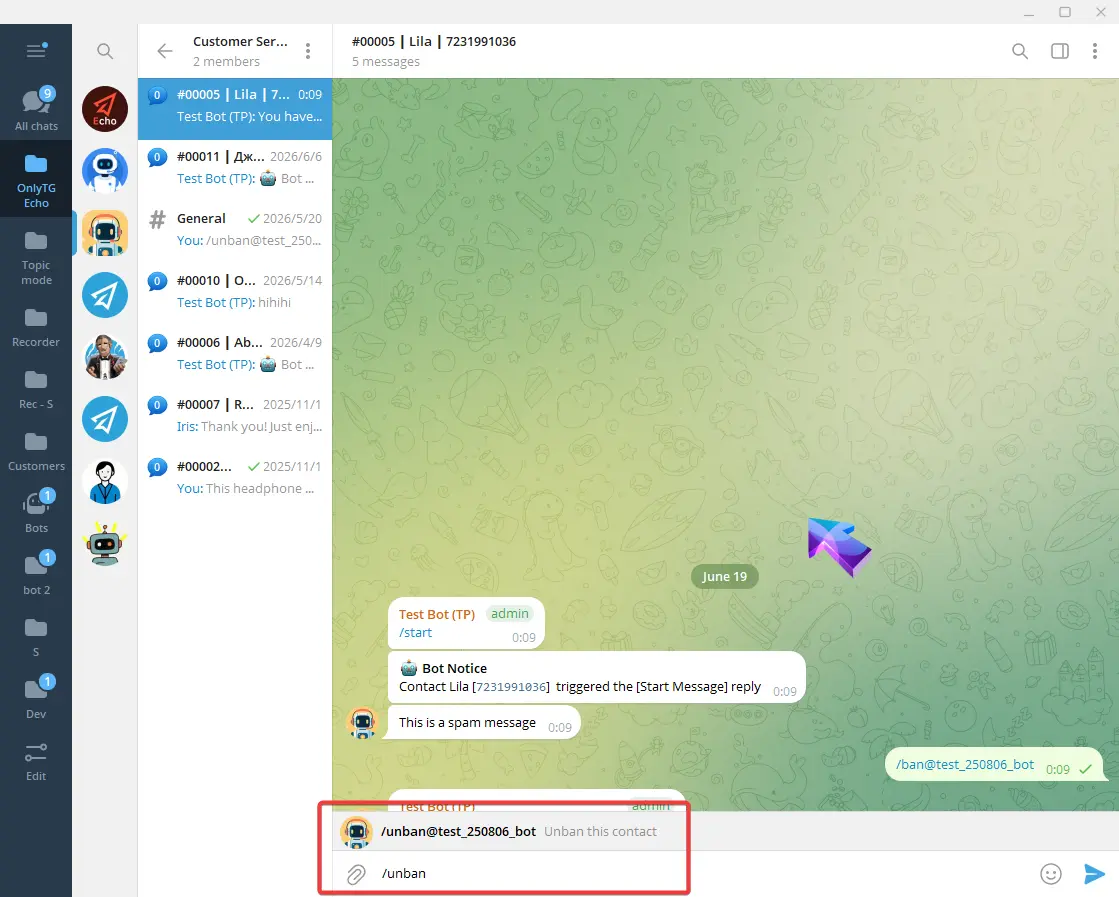
OnlyTG Echo provides the function to ban/unban contacts in the bot.
Video Tutorial
Single Mode
After the bot forwards messages from a contact, click the Ban this contact button below or right click its message and click Reply button (long tap on mobile).
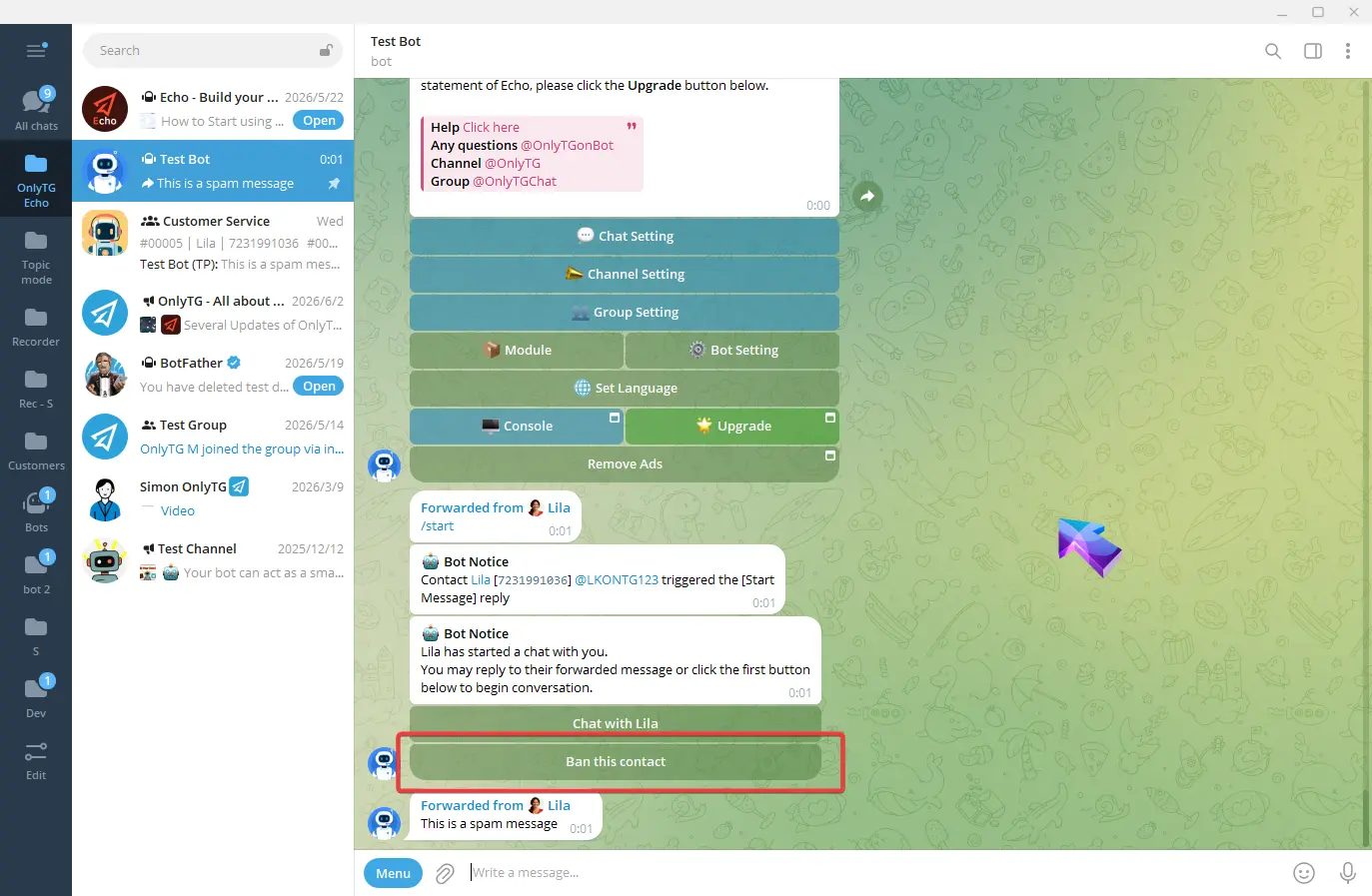
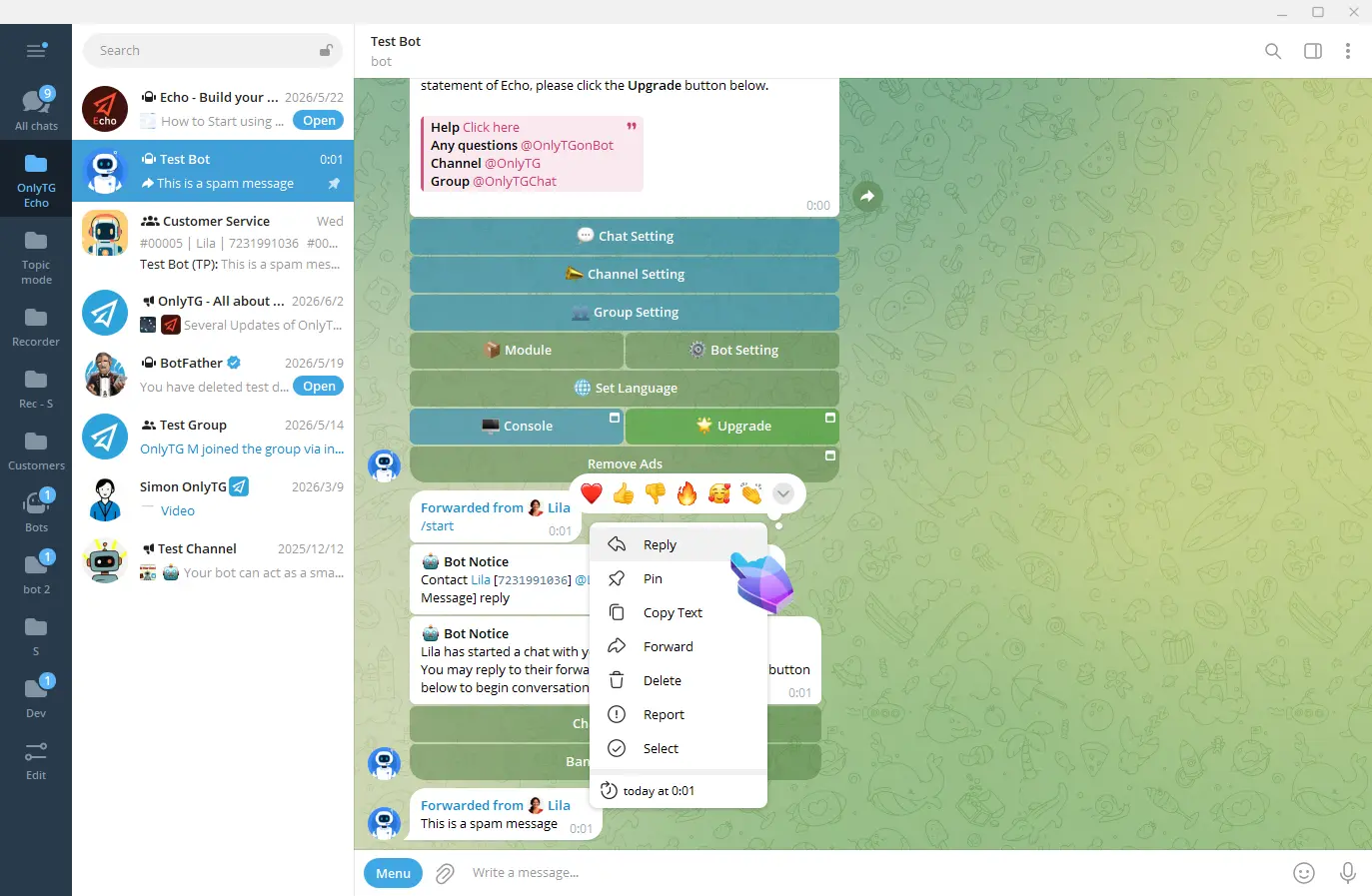
Then send the /ban command.
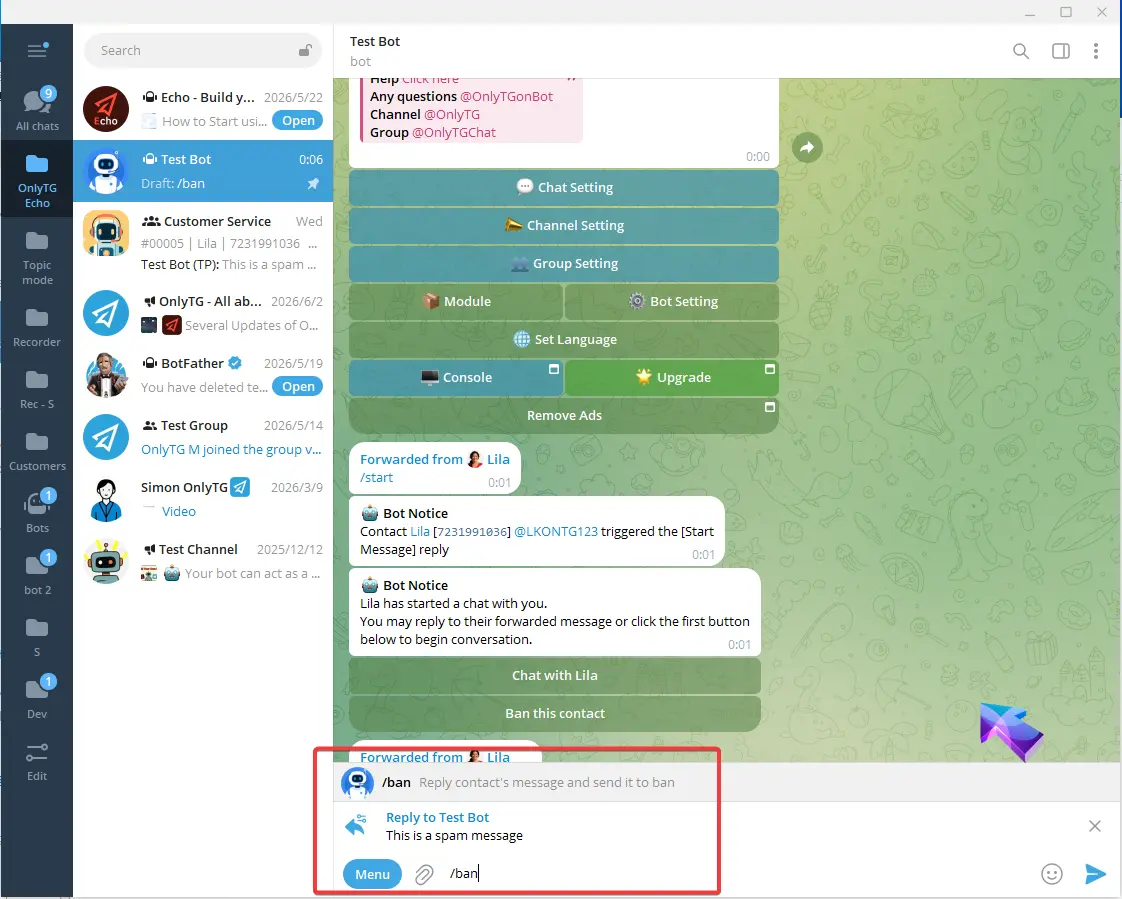
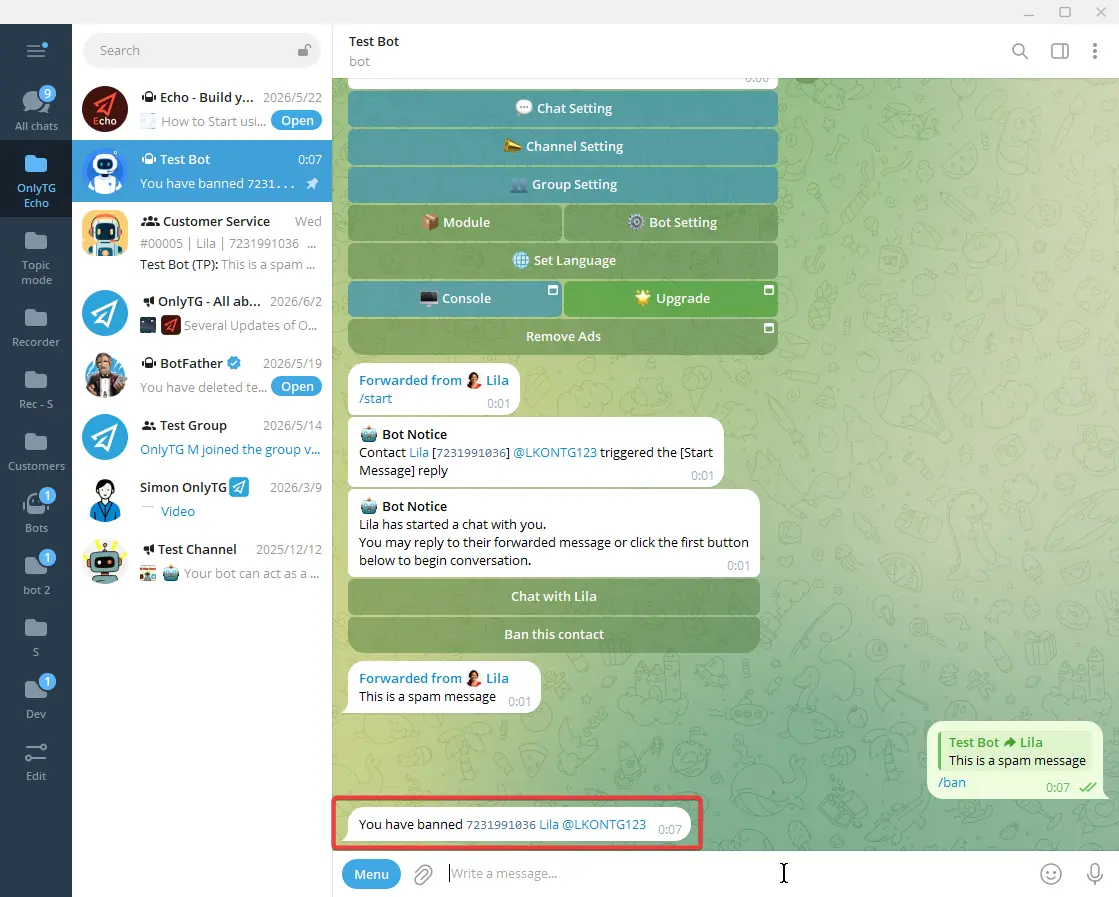
The bot will notify you that the chat connection is disconnected and the contact is banned.
The bot will stop forwarding their messages to you, while they can still use other normal bot functions.
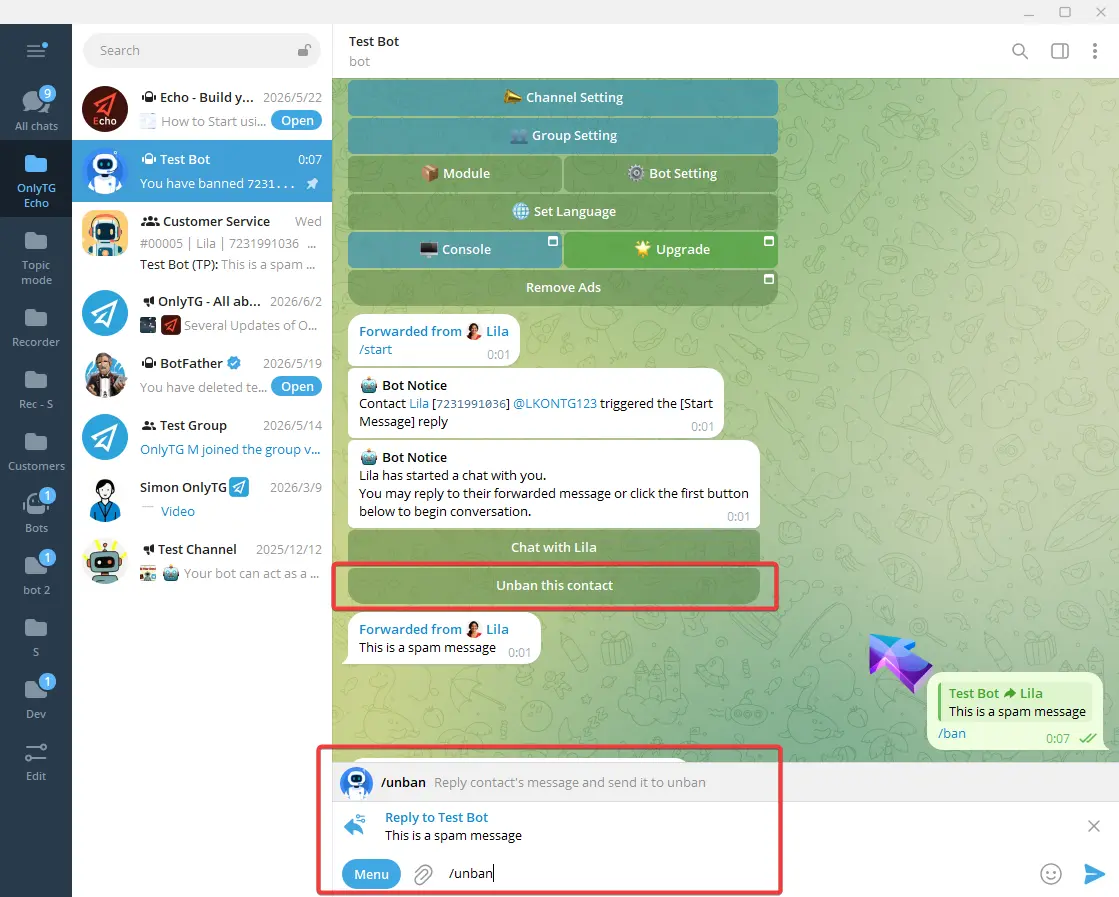
When you need to unban, click the Unban this contact button below or reply to this contact in the same way and send the /unban command.
Topic Mode
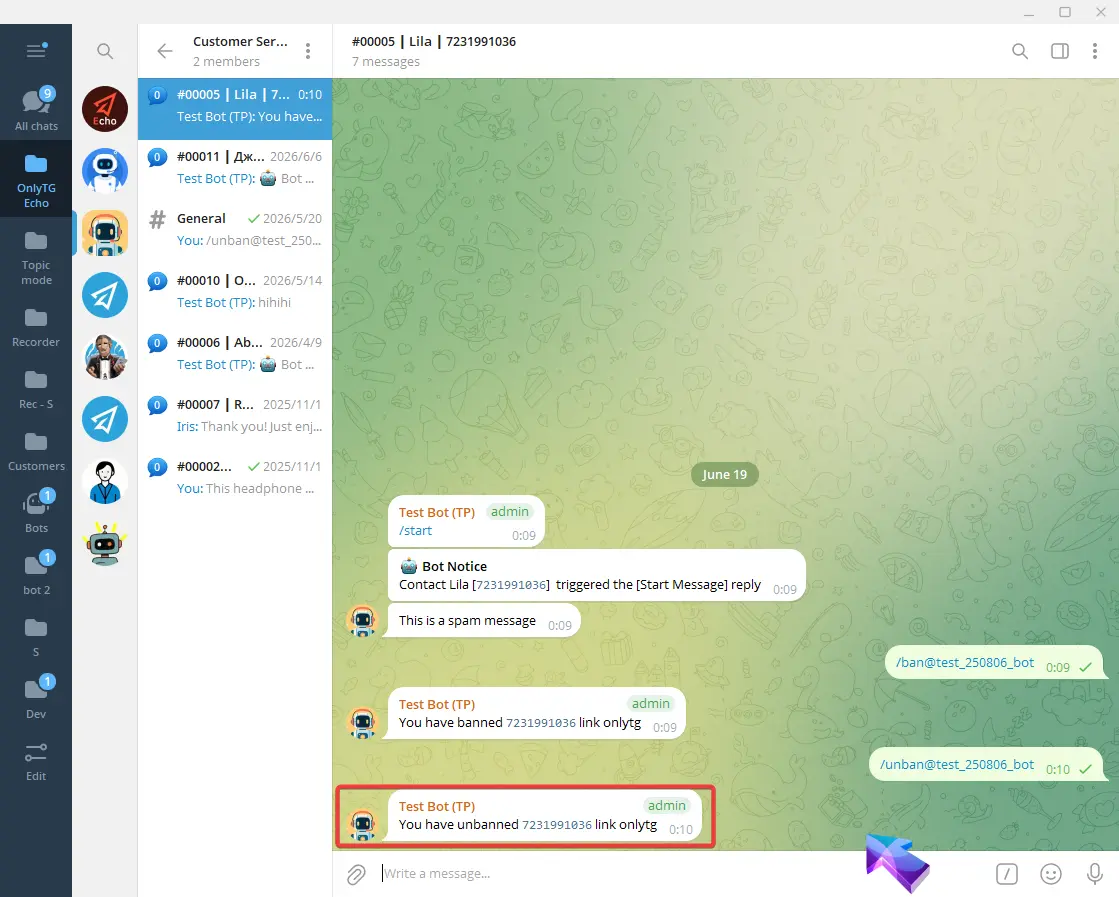
Send the /ban command directly in the topic associated with that contact.
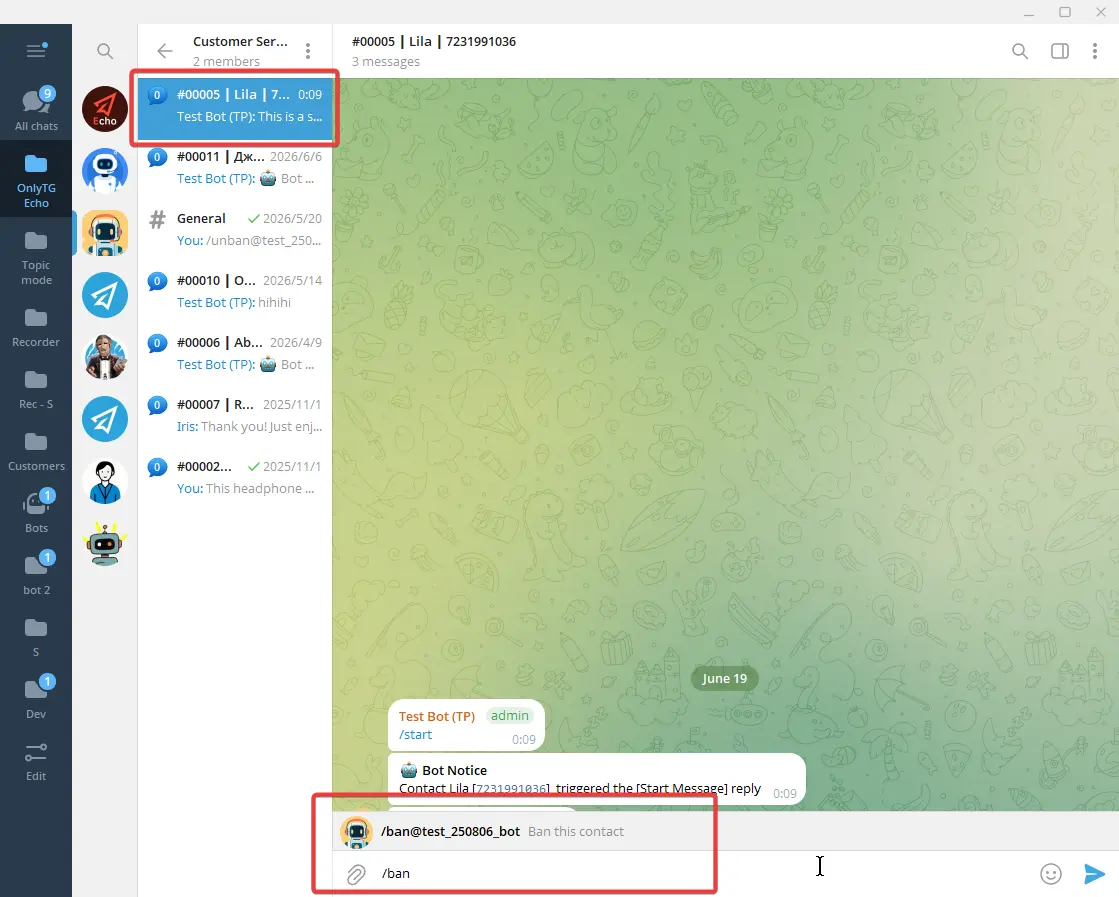
The bot will notify you that the contact has been banned.
The bot will stop forwarding contacts messages to topic, while they can still use other normal bot functions.
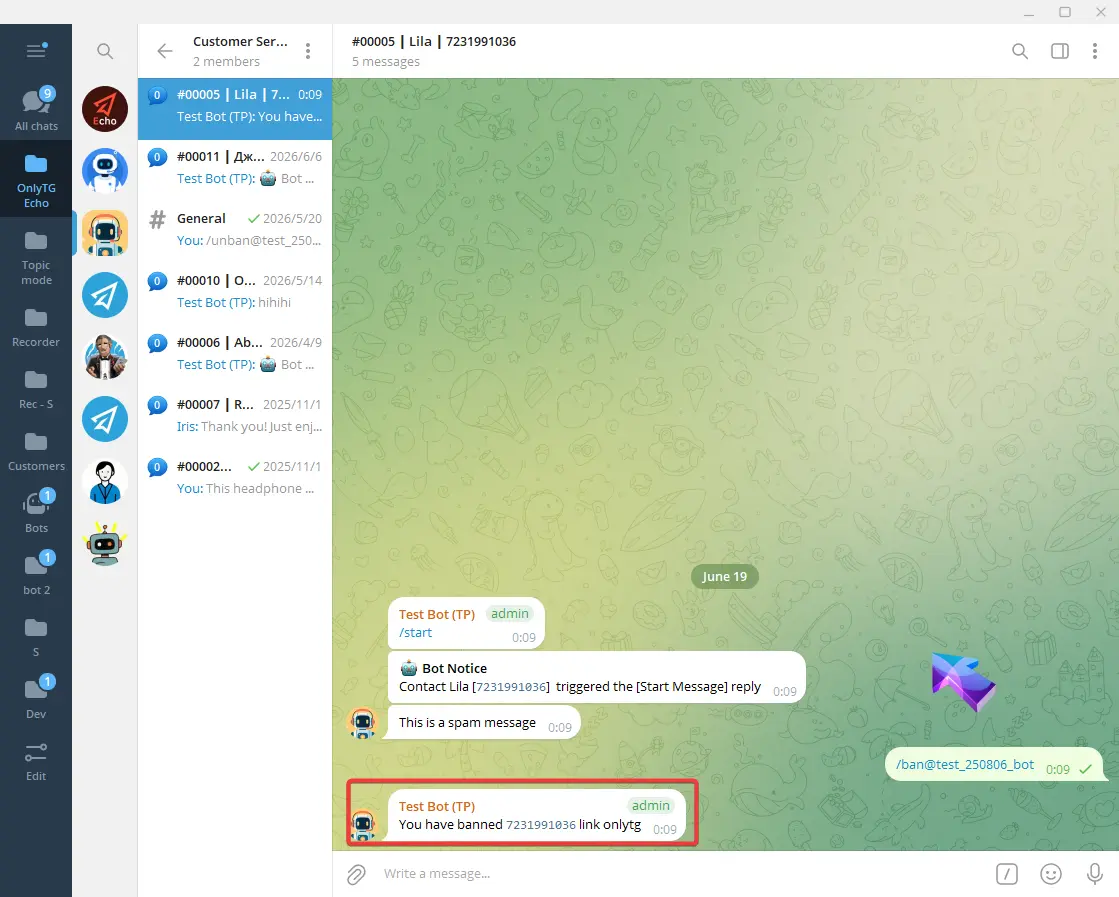
To unban the contact, simply send the /unban command, and the bot will notify you that the ban has been lifted.