
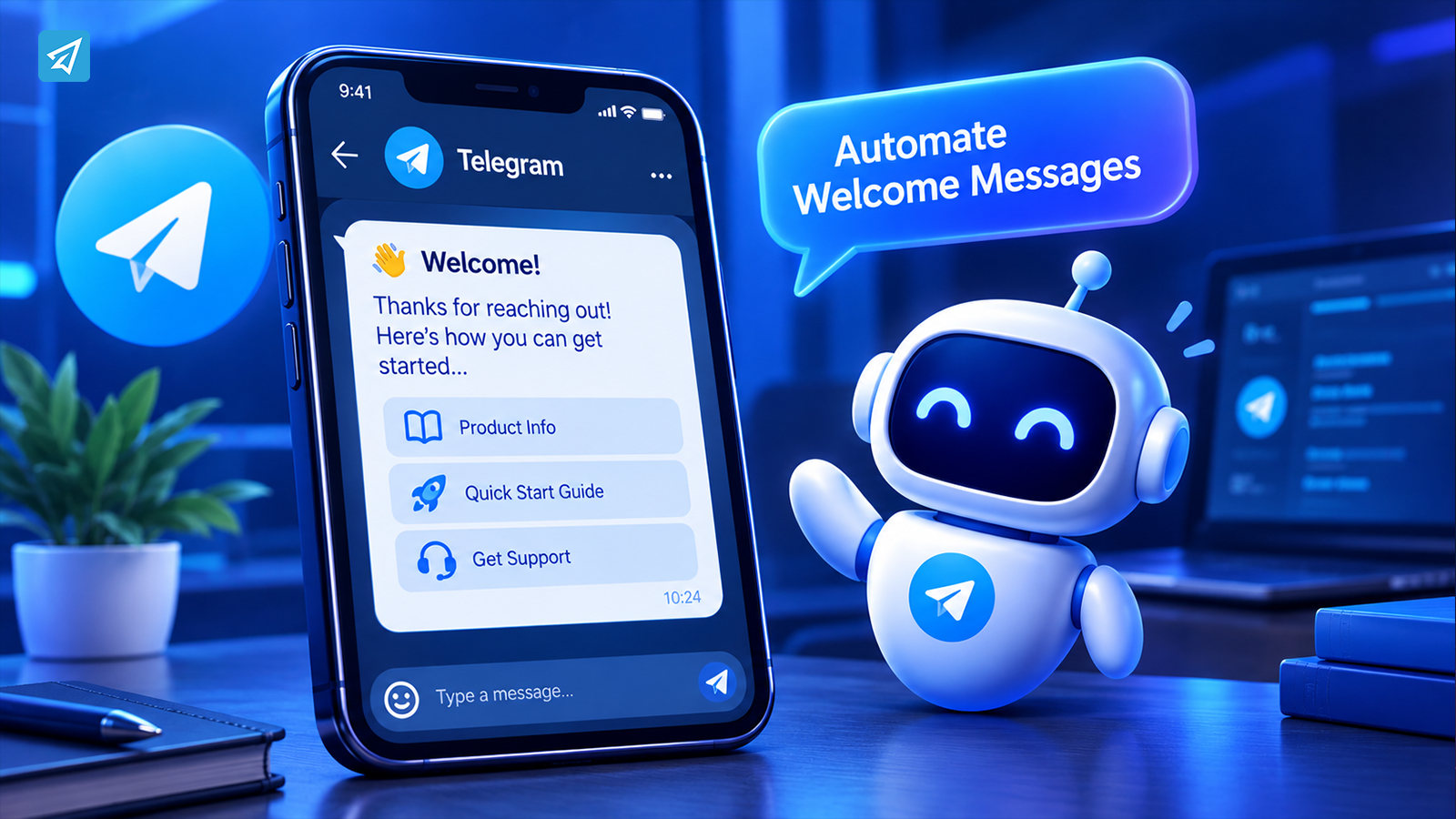
When someone contacts your business on Telegram for the first time, the first response can shape what happens next. A new user may need product information, instructions, links to important resources, or a clear way to ask a question. If every interaction depends on a team member being available, some people will wait longer than expected while staff repeat the same explanations throughout the day.
To automatically send a welcome message in Telegram, businesses can use Telegram’s built-in welcome options for suitable scenarios or configure a bot to respond through an automated workflow. The right approach depends on where users arrive, what information they need, and which actions should follow the greeting.
Why Are Businesses Automating Telegram Welcome Messages?
Telegram can support customer communication, community building, product education, and marketing. But attracting users to a channel or bot is only the beginning. Businesses also need to help those users understand what to do next.
A welcome message provides that first layer of guidance. Automation makes the process more consistent when the same questions and onboarding tasks occur repeatedly.
Users Expect Clear Next Steps
A person who opens a business bot may not know what it can do, where to find product information, or how to get support. A greeting that says only “Welcome!” acknowledges the user without helping them make progress.
A useful welcome message explains the bot’s purpose and gives the user a relevant next step. Depending on the business, that might be reading a guide, reviewing a product, checking a frequently asked question, or contacting the team.
Repetitive Questions Consume Staff Time
Businesses often answer the same introductory questions repeatedly: Where can I find the catalog? How do I get started? When will new content be published? Where should I report a problem?
These questions may be straightforward, but answering each one manually creates unnecessary work. An automated welcome or keyword-based response can provide standard information without requiring a staff member to type it again.
Communication Becomes Harder to Maintain at Scale
A small community may be manageable when an administrator is online throughout the day. As membership grows, however, new users arrive at different times, and the team may not be able to greet everyone personally.
Automation establishes a repeatable baseline. Staff can spend more time on unusual questions, complex requests, and conversations that genuinely need a human response.
What Happens Without Welcome Automation?
Manual communication can work when interaction volume is low. The problem is not that every greeting must be automated; it is that repetitive work can gradually interfere with more valuable activities.
Repetitive Work
If every new user needs the same explanation, team members spend time copying instructions rather than improving customer support or managing the community. Inconsistent wording can also emerge when different people answer the same question.
Slow or Inconsistent Communication
A person who receives no guidance may leave without discovering the information they came for. Another user might receive detailed instructions while someone else gets a brief reply, simply because different administrators are handling the conversation.
An automated response can make essential information available at the start of a supported interaction. It does not eliminate every delay, but it reduces dependence on someone manually sending the same first message.
Limited Scalability
Hiring additional moderators or support staff can help, but it may be unnecessary to assign people to routine greetings and frequently repeated instructions. When communication volume increases, a business needs to distinguish between tasks that can be standardized and requests that require judgment.
That distinction is the foundation of a sustainable Telegram communication workflow.
How to Automatically Send a Welcome Message in Telegram
The best setup begins by identifying where the welcome should appear.
Telegram groups and channels have native welcome-message options that may be sufficient for basic greetings. A bot-based workflow is worth considering when the business also needs private-chat responses, keyword-triggered information, reusable replies, or other supported automation.
The essential process is:
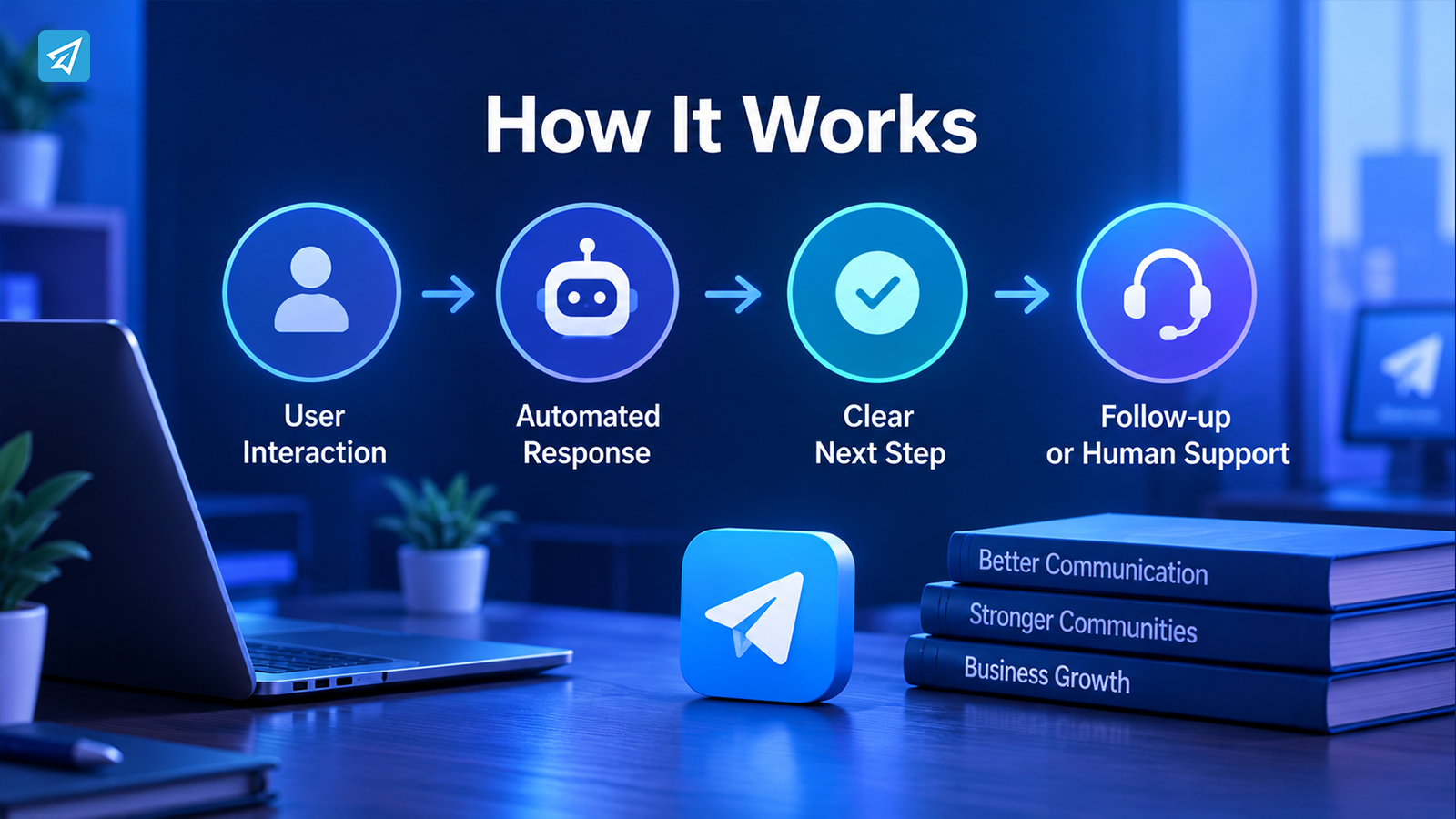
User interaction → Automated response → Clear next step → Follow-up or human support when needed
First, decide what event the message should address. A person joining a community is not necessarily the same as someone opening a private bot chat. Choose a method that supports the interaction you want to handle instead of assuming that one configuration covers every situation.
Next, write a short greeting that answers three questions:
- What is this Telegram account, bot, or community for?
- What can the user do or find here?
- What should the user do next?
Keep the initial message focused. A welcome message is an entry point, not a complete product manual or a full sales pitch.
Finally, make sure the next step is useful. A greeting that points to an outdated resource or an unclear destination can create more confusion than it resolves.
Key Business Use Cases for Automated Telegram Welcome Messages
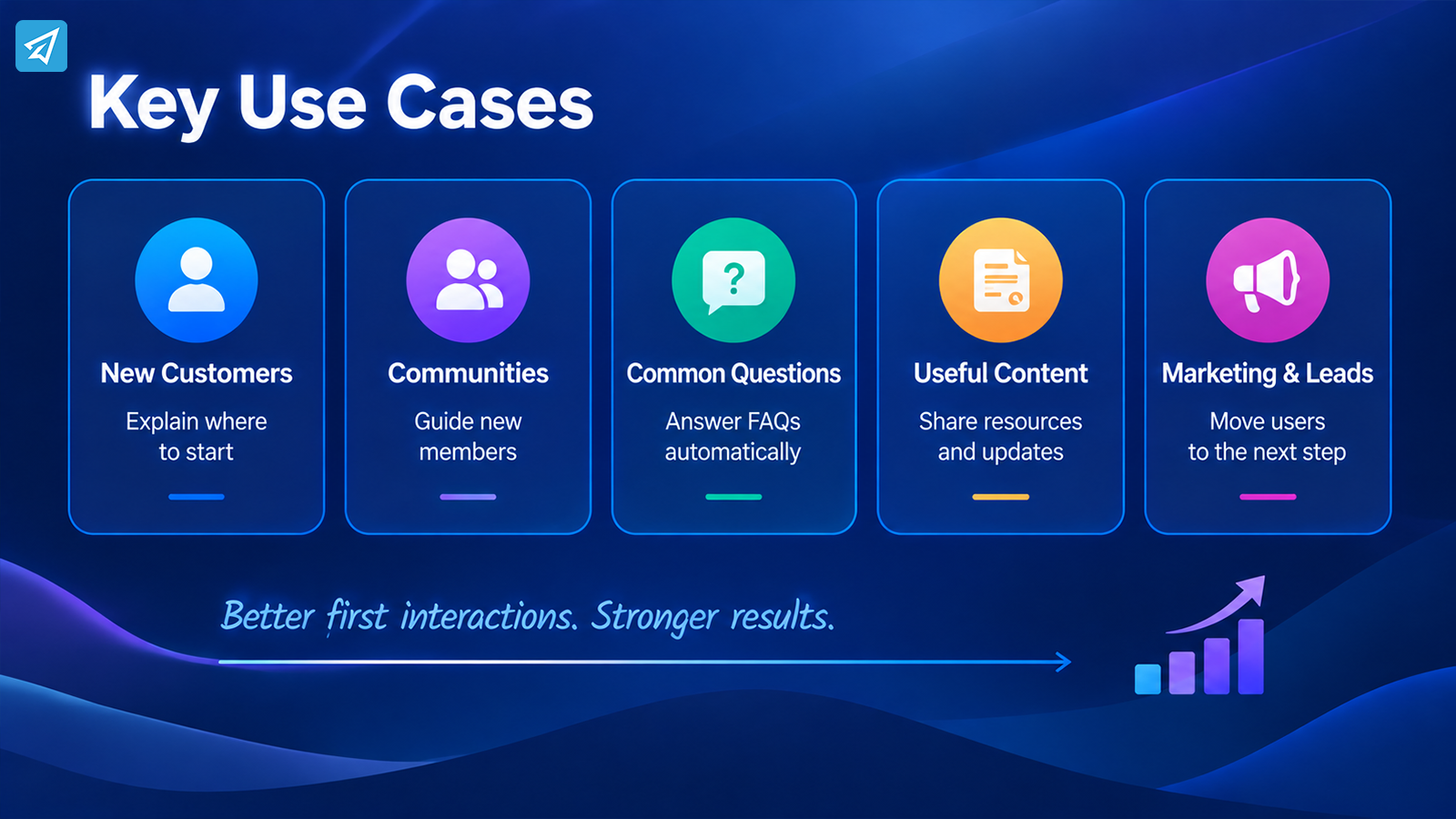
The value of a welcome message depends on the work it helps users complete. These use cases show how businesses can build a more useful first interaction without automating every conversation.
1. Welcome New Customers and Explain Where to Start
Business situation: A company uses Telegram to introduce its services, share product information, or support existing customers.
Problem: New users may not know where to find essential information. Staff repeatedly explain the same starting steps.
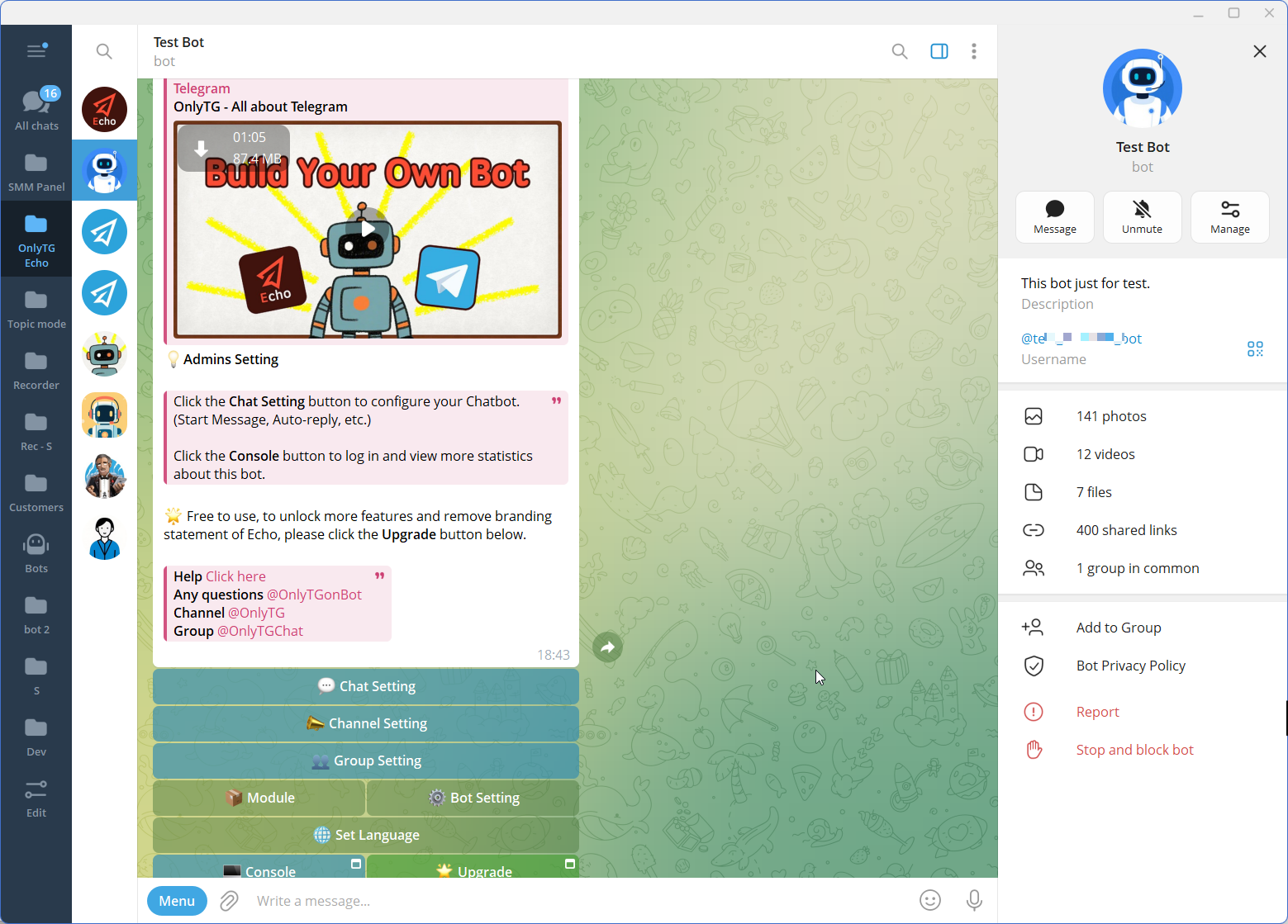
Automation: Configure an appropriate welcome message for the entry point and use a bot’s Start Message or Auto-reply capability where applicable. Explain the purpose of the account and direct users to the most relevant resource.
Business value: Customers receive consistent introductory information, while the team spends less time repeating basic instructions. The message should help users navigate the service rather than immediately pushing them toward a purchase.
2. Guide New Community Members
Business situation: A brand, creator, or organization operates a Telegram group for customers, followers, students, or members.
Problem: New arrivals may not know the community’s purpose, posting expectations, or where to ask for assistance.
Automation: Use a suitable native group welcome option or a supported bot-based greeting. When managing the group through Echo, its Group Greeting and Group Rules capabilities can support a clearer introduction and make important community expectations easier to communicate.
Business value: New members receive consistent guidance, and administrators can reduce the amount of introductory information they need to repeat. A welcome message should complement moderation and active community management, not replace them.
3. Answer Common Questions Automatically
Business situation: Users frequently ask about pricing information, service instructions, content locations, or basic procedures.
Problem: The support team answers recurring questions individually, delaying more complex requests.
Automation: After identifying common questions, configure relevant Auto-replies or Keyword Replies in a supported bot workflow. Use clear trigger terms and concise answers, and provide a path to further assistance when an automated response is insufficient.
Business value: Users can find standard information more easily, and staff can focus on questions that require interpretation or individual attention.
Avoid trying to anticipate every possible question in the first welcome message. Use the greeting to explain the available options, then let relevant automated replies handle recurring needs.
4. Introduce Useful Content and Resources
Business situation: A Telegram channel shares tutorials, announcements, product updates, or educational material.
Problem: New subscribers arrive without knowing which posts or resources are most useful.
Automation: Give new users a clear orientation message and maintain relevant channel content. Echo’s Channel Posts and Scheduled Posts capabilities can support an organized publishing workflow, helping the business maintain the resources its welcome message points to.
Business value: The greeting becomes part of a broader content experience. Users have a clearer path to useful information, while the business can maintain a more consistent publishing routine.
The important point is to keep the welcome message accurate. If a resource moves or a process changes, review the message and its links.
5. Support Marketing and Lead Follow-Up
Business situation: A company uses Telegram as one touchpoint in a marketing campaign and wants interested users to take a meaningful next step.
Problem: A generic greeting does not explain what the user can explore, and the marketing team may struggle to maintain consistent communication.
Automation: Use the welcome message to explain the offer or resource clearly. Where relevant, a bot’s keyword responses can provide additional information, while Echo’s Broadcast capability can support appropriate messages to an audience through the configured workflow.
Business value: The business can organize communication around a clearer user journey instead of treating every message as an isolated promotion.
A welcome message should not promise a personalized consultation or automatic lead qualification unless the workflow actually supports it. Keep the user journey transparent and give people a clear way to ask for help.
What Are the Main Business Benefits?
Automated welcome messages are most valuable when they remove friction from routine communication.
- Save operational time. Reusable greetings and automated replies reduce the need to type the same instructions repeatedly.
- Improve consistency. Users receive the same core information regardless of when they arrive or which team member is available.
- Make onboarding clearer. A well-written greeting explains the purpose of the Telegram destination and provides a relevant next step.
- Support growing communities. Automation helps standardize routine communication as interaction volume changes.
- Create a foundation for improvement. Reviewing user questions, recurring confusion, and available analytics can help teams identify where their communication needs attention.
Automation does not guarantee more sales, higher engagement, or better customer satisfaction. Those outcomes depend on message quality, audience needs, the usefulness of the next step, and the overall service experience.
How to Implement Telegram Welcome Automation
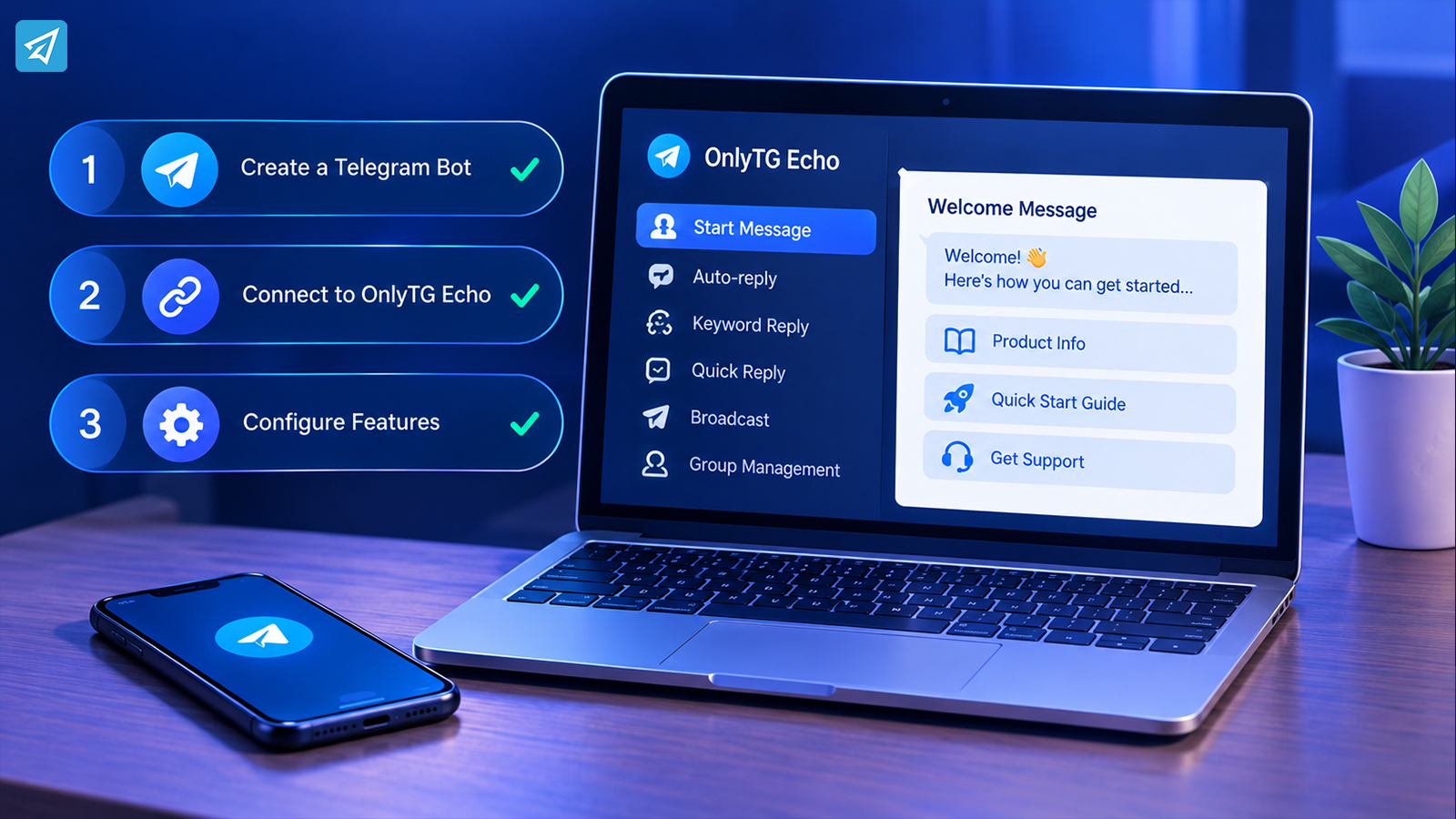
A practical implementation can start small. The goal is to automate a clearly defined task, verify that it works, and improve it based on actual user needs.
If you choose a bot-based workflow, visit OnlyTG Echo and follow the available setup process for connecting and configuring your bot.
How to Use OnlyTG Echo
A practical implementation can be kept relatively simple.
Step 1 — Create a Telegram Bot
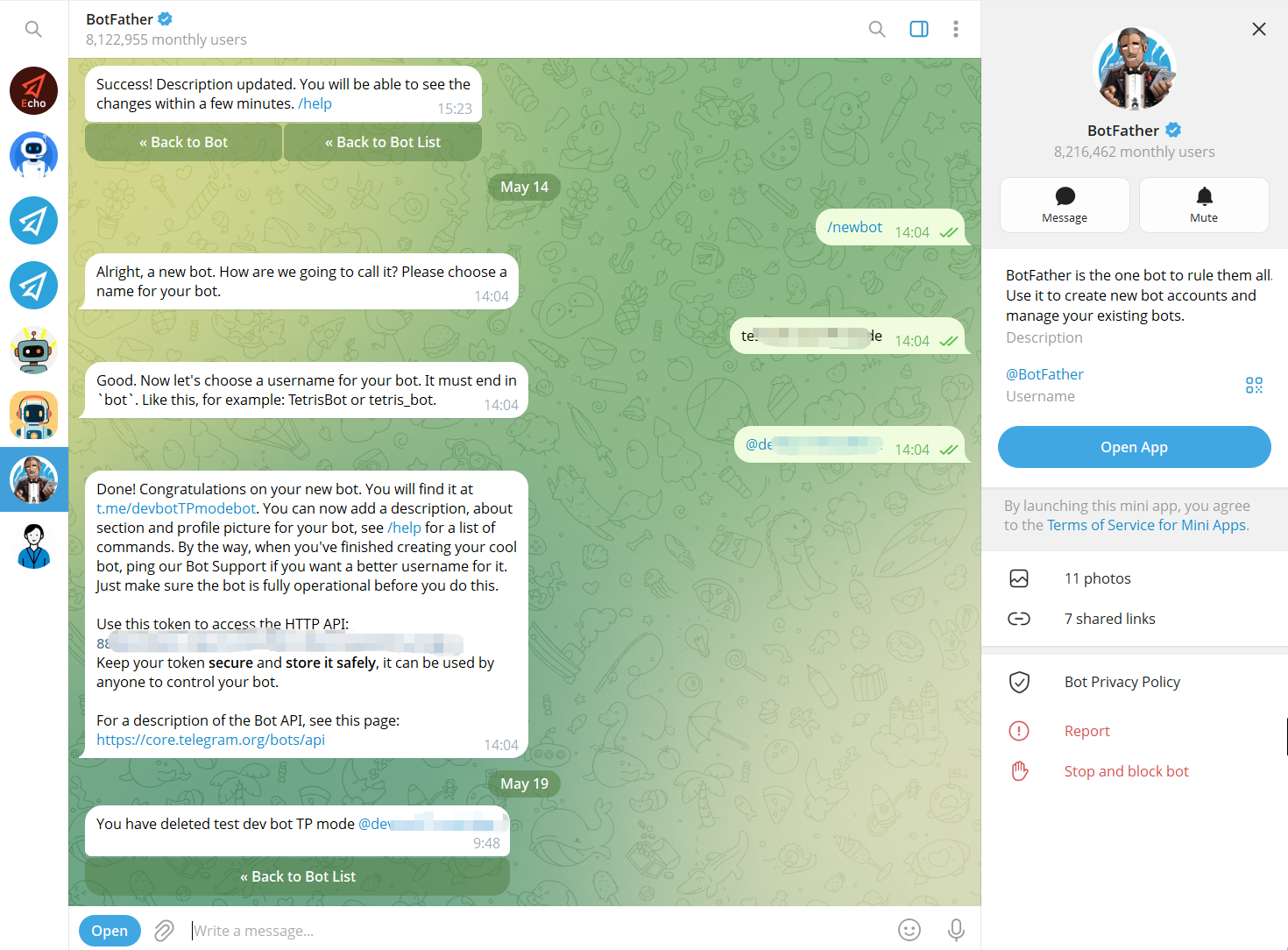
Use Telegram’s BotFather to create a bot and obtain its bot token. The bot becomes the communication interface that users interact with.
Step 2 — Connect the Bot to OnlyTG Echo
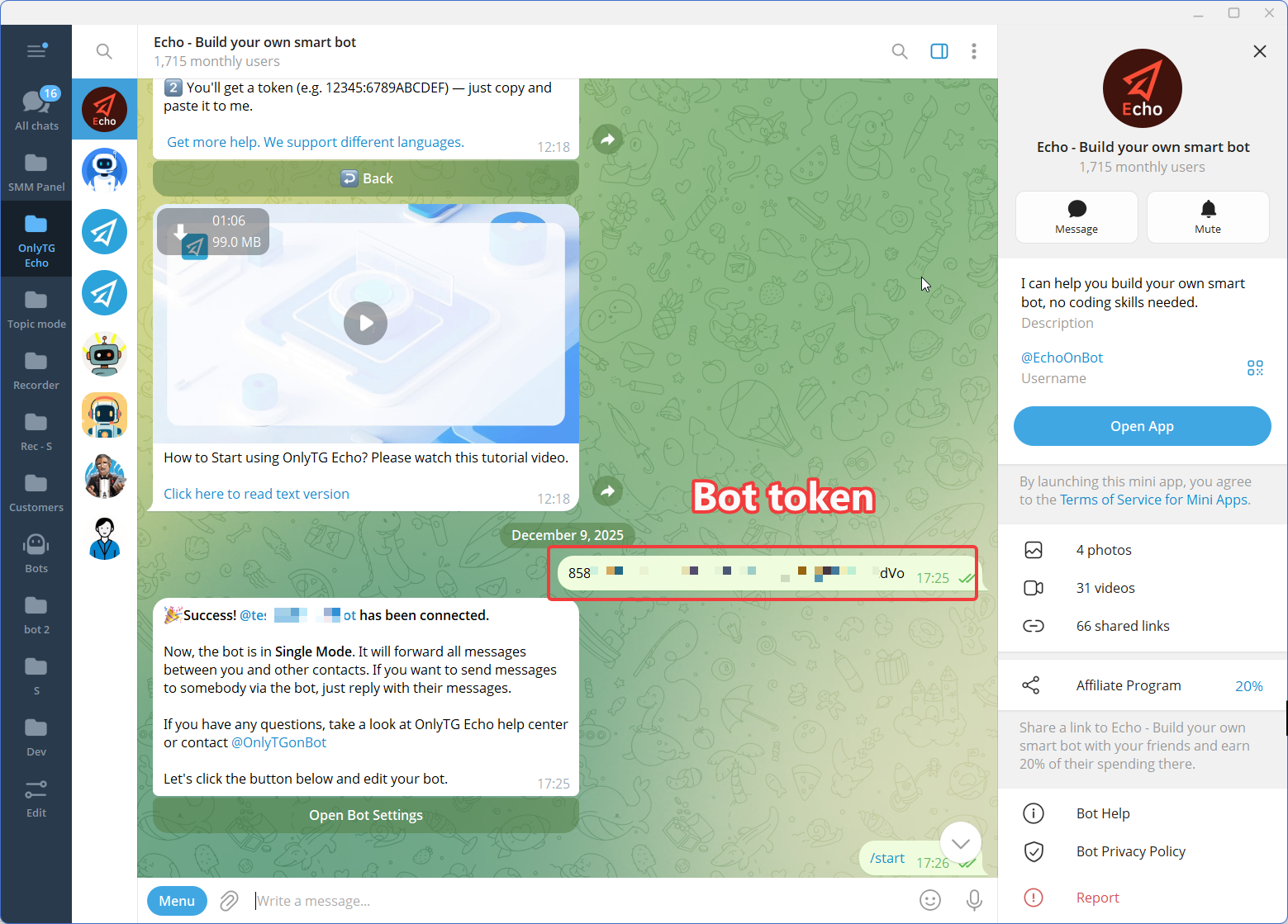
Connect the newly created Telegram bot to OnlyTG Echo using the bot token.
The purpose of this step is to give the business a no-code environment for configuring the bot’s communication behavior rather than requiring a custom automation workflow to be developed from scratch.
Step 3 — Configure the Features
Manual Welcome Messages vs. Telegram Automation
The appropriate method depends on how often the message is needed, where it must appear, and how much follow-up the business requires.
| Criteria | Manual Approach | Automated Approach |
|---|---|---|
| Sending the greeting | A person sends the message when needed. | A supported native feature or configured bot workflow handles the response. |
| Consistency | Wording and timing can vary by administrator. | Configured messages follow the same defined rules. |
| Routine questions | Staff answer each question individually. | Supported auto-replies or keyword responses can handle predefined questions. |
| Customization | Staff can adapt each response manually. | Responses depend on the options and rules configured in the selected tool. |
| Complex requests | A staff member can assess the situation directly. | Requests beyond the configured workflow may still require human support. |
| Best fit | Low-volume communication and situations needing individual judgment. | Repeated greetings and routine communication that follows predictable rules. |
These approaches are not mutually exclusive. A business can automate routine greetings and still rely on staff for sensitive, unusual, or high-value conversations.
Is Telegram Welcome Automation Right for Your Business?
Automation is worth considering when the same welcome information is needed repeatedly, users arrive outside normal working hours, or a team spends too much time answering predictable questions.
It may be particularly useful for:
- Small businesses that use Telegram for customer communication but have limited support capacity.
- Community managers who need consistent introductions and accessible group rules.
- Creators and educators who want to direct new members toward useful resources.
- Marketing teams that need a repeatable first interaction for campaign audiences.
- Growing service businesses that receive recurring introductory questions through a bot.
Manual communication or a native Telegram welcome option may be sufficient when interactions are infrequent and the requirements are simple. A bot-based tool becomes more relevant when you need a combination of welcome messages, reusable replies, keyword responses, or broader communication workflows.
Before choosing a solution, define the exact event that should trigger the message, the information users need, and the situations that still require human support. That will help you avoid automating a process that has not been clearly designed.
FAQ
1. How can I automatically send a welcome message in Telegram?
First, identify whether you need a greeting for new group or channel members or an automated response in a private bot chat. Telegram’s native welcome options may be sufficient for basic greetings. For a bot-based workflow, configure an appropriate Start Message or Auto-reply using a supported tool such as OnlyTG Echo.
2. Do I need a Telegram bot to send an automatic welcome message?
Not necessarily. Telegram provides native welcome-message options for supported group and channel scenarios. A bot is worth considering when you need additional capabilities, such as private-chat automation, keyword-triggered replies, or a broader communication workflow.
3. Can OnlyTG Echo automate more than a Telegram welcome message?
Yes. Its confirmed capabilities include Start Message, Auto-reply, Keyword Reply, Quick Reply, Broadcast, and group-management features. The appropriate combination depends on your use case and the workflow you configure. See OnlyTG Echo for product information.
Conclusion: Make the First Telegram Interaction Useful
When every new user requires a manual greeting or the same introductory explanation, communication can become harder to maintain as a business grows. A well-designed welcome workflow makes essential information easier to access and gives users a clearer next step.
Start with the simplest approach that fits your situation, whether that is a native Telegram welcome message or a configured bot. If you need reusable replies and broader no-code communication automation, OnlyTG Echo can support the relevant parts of that workflow.
Ready to improve your Telegram communication process? Explore OnlyTG Echo and identify the welcome and reply tasks that would benefit most from automation.