Skip to content
OnlyTG Icon
  • ProductsExpand
    • Echo
    • Recorder
  • ResourcesExpand
    • Help
    • Blog
  • EnglishExpand
    • 中文 (中国)
    • Русский
    • English
Contact us

OnlyTG Echo

  • Introduction
  • How to start
  • Chatbots
    • Message Receive and Reply
    • Set Start Message
    • Set Auto-reply and keywords-based reply
    • Set Quick Reply
    • Create Broadcast Task
    • Tracking Links
  • Channels
    • Channel Management
    • Channel Post
    • Channel Post Edit
    • Pro Communities – Channel
    • Loop Post on Telegram Channels
  • Groups
    • Group Management
    • Group CAPTCHA
    • Group Greeting
  • Others
    • Change to Topic Mode
    • Multimedia Messages
    • Set and use content module
    • Edit bot infomation
    • View my bot’s statistics

OnlyTG Recorder

  • Introduction
  • Record Message and Foward
  • Save Record
  • Lock Record
  • Edit Record Title
  • Timezone
View Categories
  • Home
  • Docs
  • View my bot’s statistics

View my bot’s statistics

< 1 min read

OnlyTG Echo provides the function to view statistics.All bots created via OnlyTG Echo can display detailed contact information in the admin console. Including contact’s pics, names, usernames, etc. Additionally, you can check your bot’s recent statistics in the dashboard, which will help you to analyze your bot’s latest operational status.

Video Tutorial

1. Contacts and Bots Info

a. Contacts Info
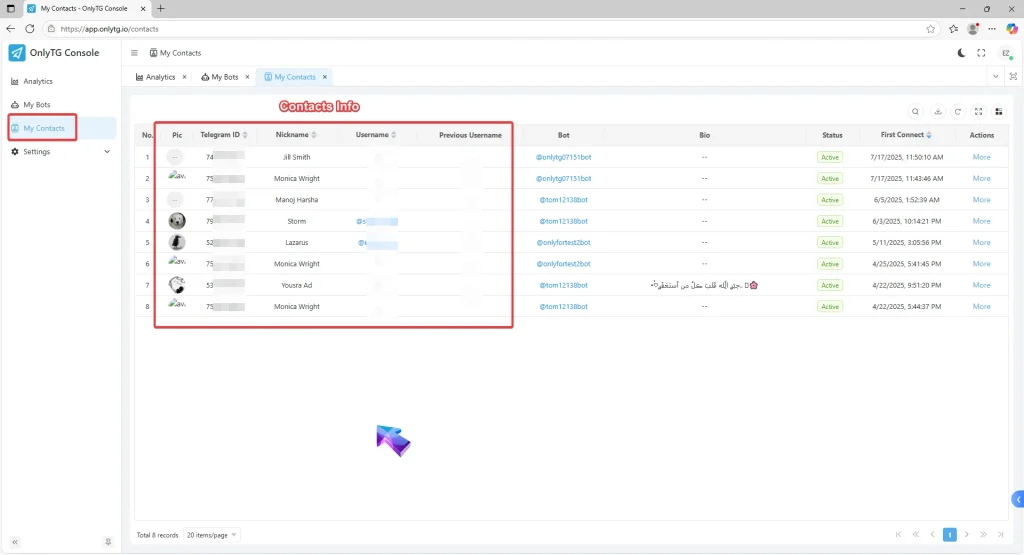
View my bot’s statistics
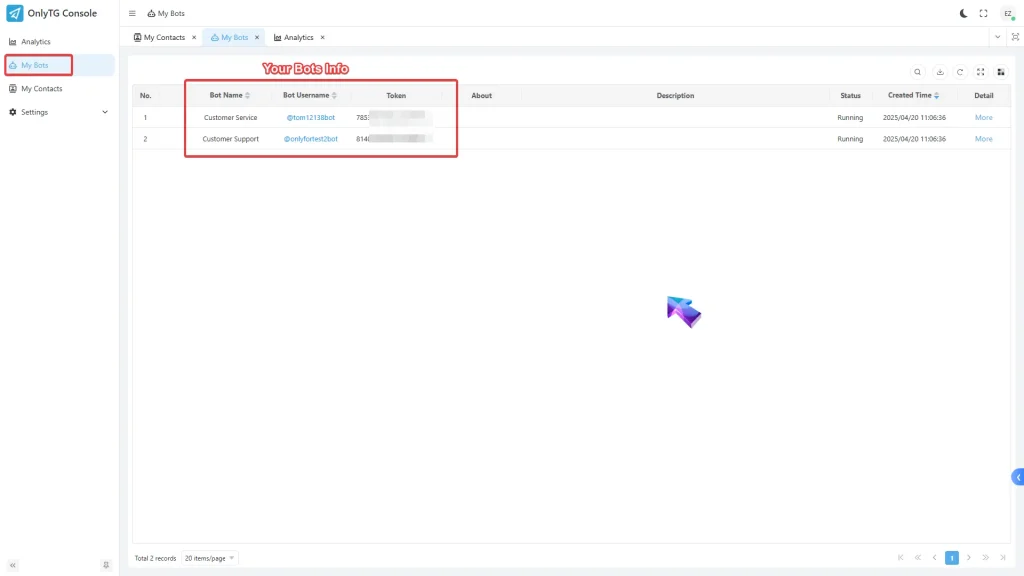
b. Bots Info
View my bot’s statistics

2. Analytics

a. Analytics of your contacts.
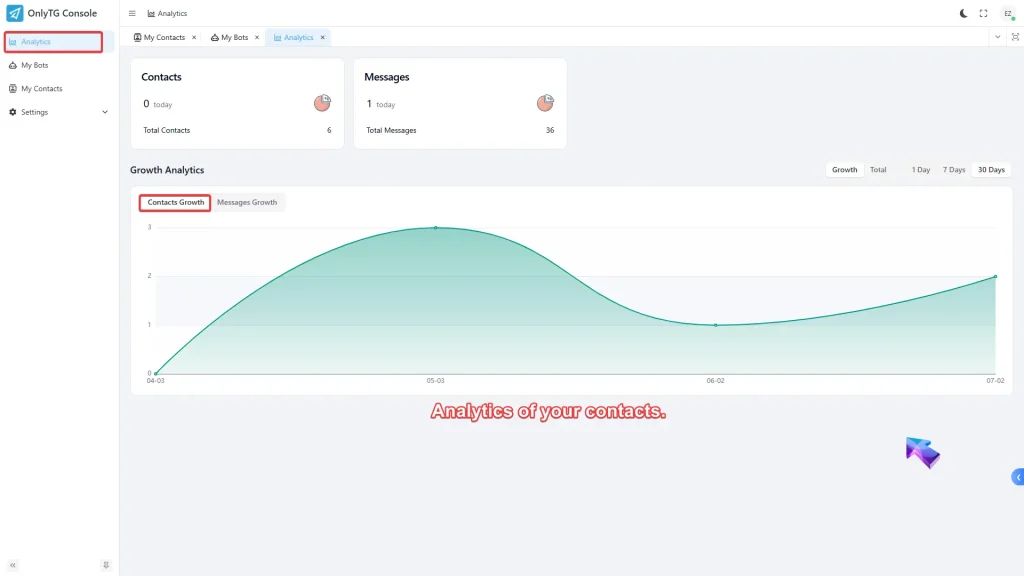
View my bot’s statistics
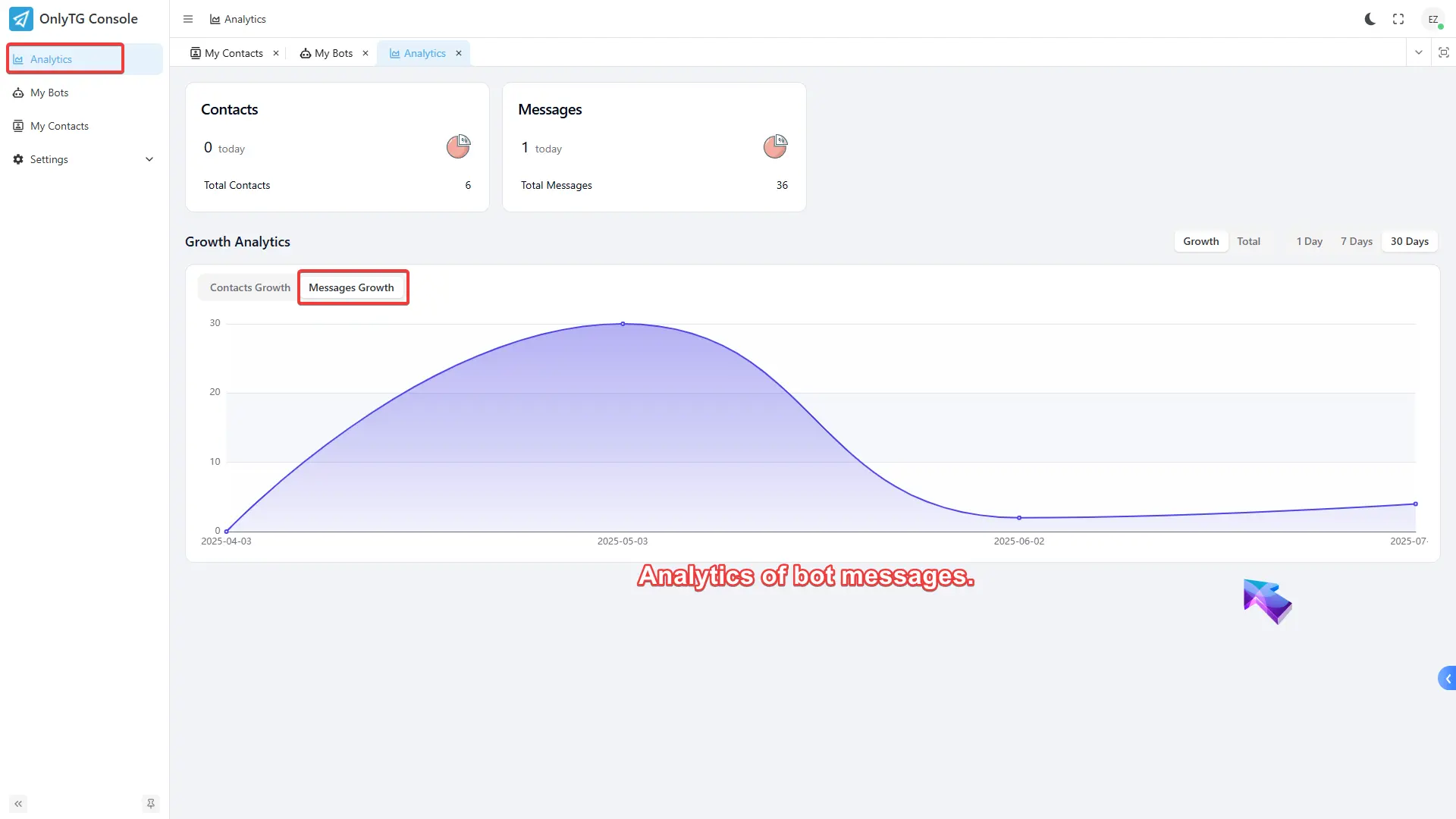
b. Analytics of bot messages.

3.Account and User Settings

a.Account Settings

View my bot’s statistics

b.User Setting

View my bot’s statistics

How to access the Admin Console?

Method 1

Go to https://t.me/echoonbot , click the Console button and sign in.
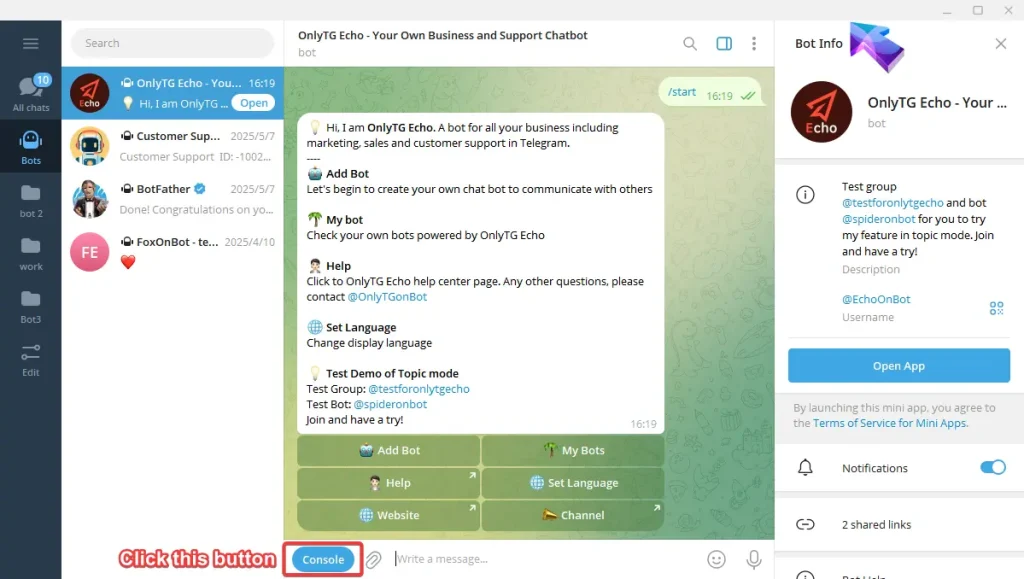
View my bot’s statistics

Method 2

Go to https://onlytg.io , click the top right button ‘Sign in’ and sign in with your telegram account.
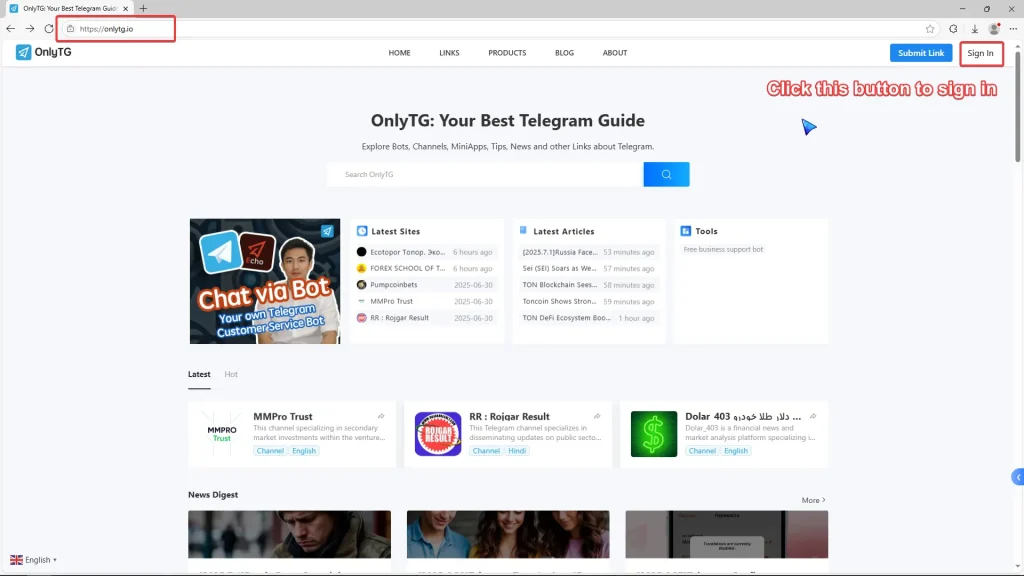
View my bot’s statistics

Method 3

Go to https://app.onlytg.io , and sign in with your telegram account.

View my bot’s statistics

Share This Article :

  • Facebook
  • X
  • LinkedIn
Edit bot infomationChange to Topic Mode
Table of Contents
  • Video Tutorial
  • 1. Contacts and Bots Info
    • a. Contacts Info
    • b. Bots Info
  • 2. Analytics
    • a. Analytics of your contacts.
    • b. Analytics of bot messages.
  • 3.Account and User Settings
  • How to access the Admin Console?
    • Method 1
    • Method 2
    • Method 3
  • OnlyTG
  • Echo
  • Recorder
  • Help
  • Blog
OnlyTG EchoTelegram VK YouTube Facebook X Email

© 2026 OnlyTG

Scroll to top
  • Products
    • Echo
    • Recorder
  • Resources
    • Help
    • Blog
Contact us