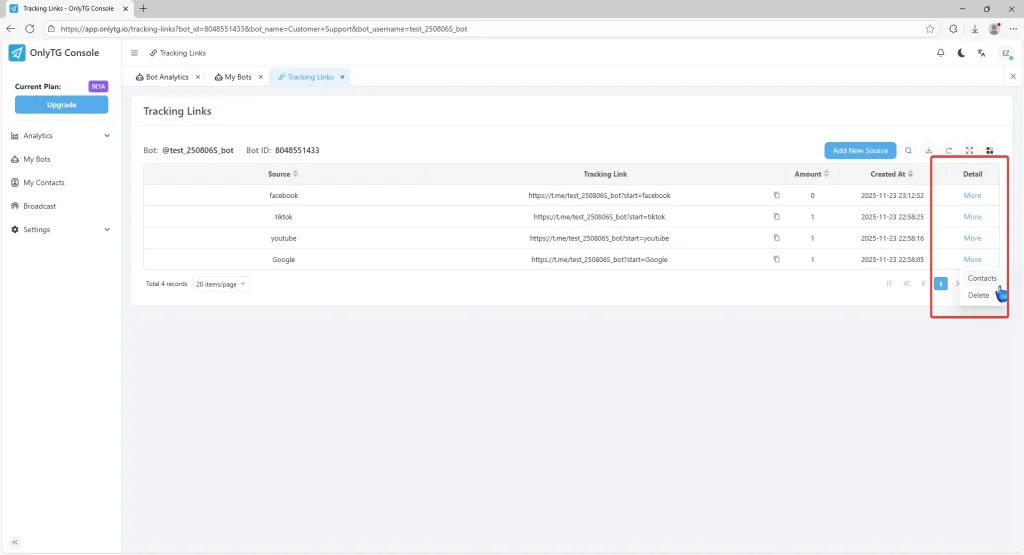
OnlyTG Echo provides the function to generate multiple unique Tracking Links for your bot. You can share these links on different promotion channels. When contacts click the corresponding link to activate your bot, they’ll be automatically tagged with the matching Source label.
Video Tutorial
step 1
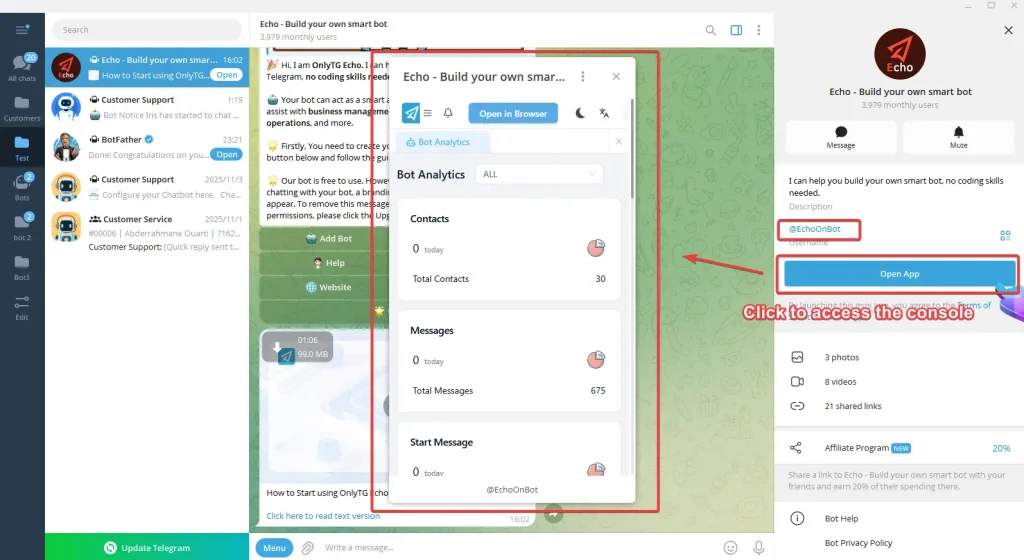
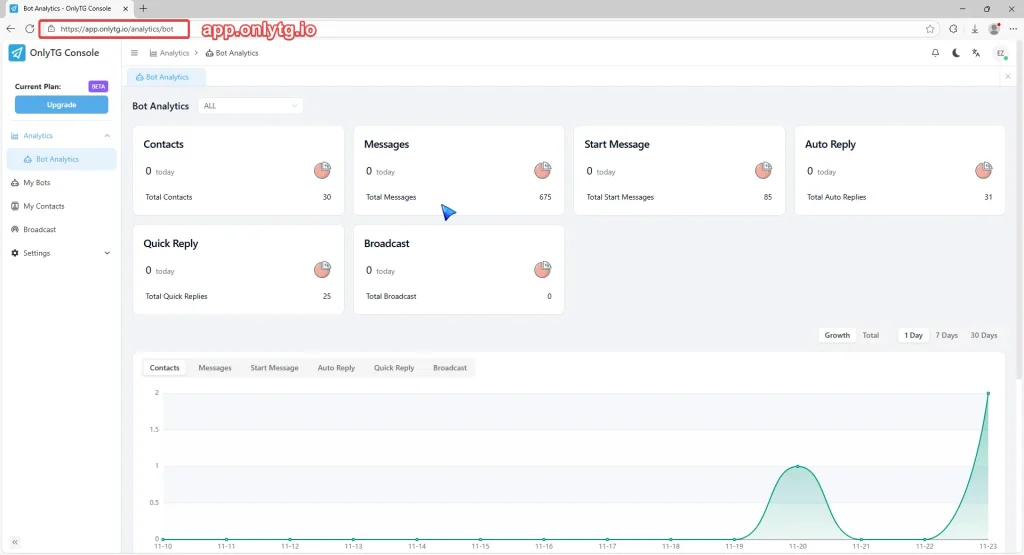
A. Click the Open APP button on @EchoOnBot to access the console, or directly visit app.onlytg.io in your browser.
step 2
Once in the console
A. Click My Bots in the left menu.
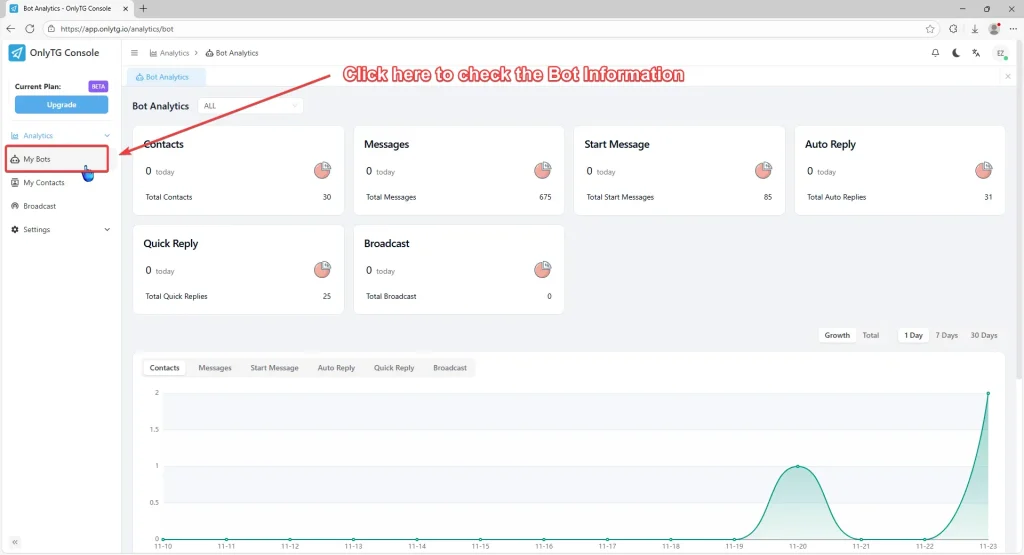
B. Find the Detail column on the far right of your bot’s information, then click Tracking Links under More.
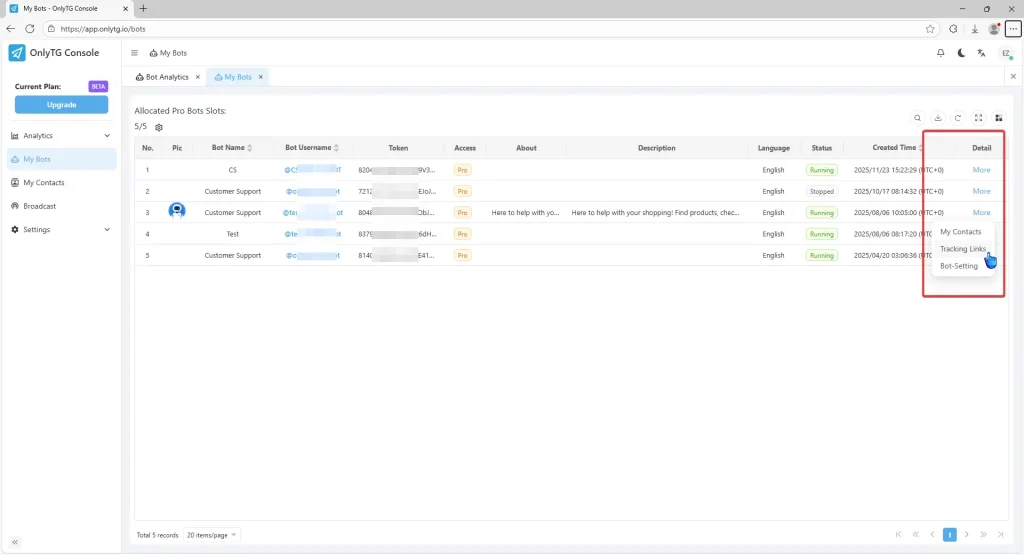
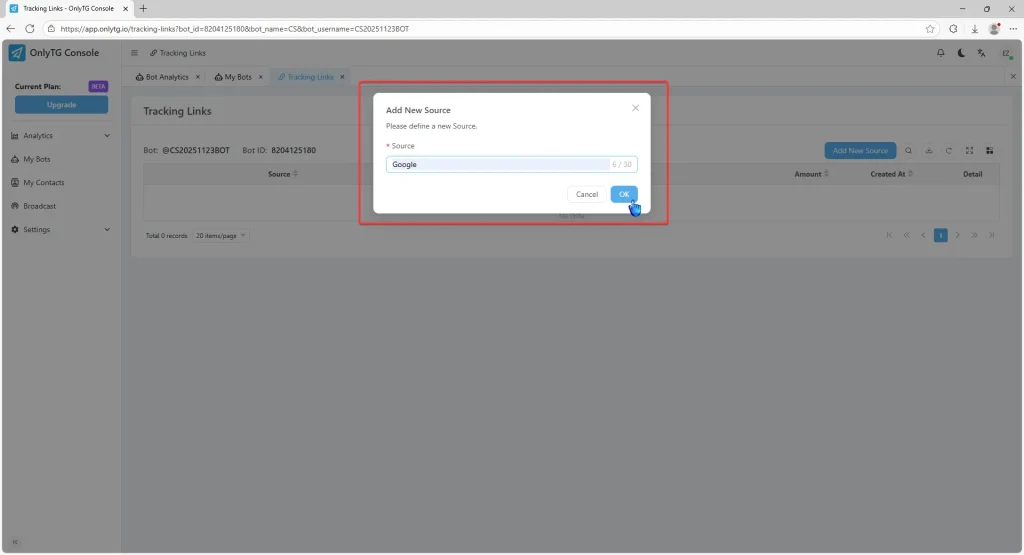
C. Click Add New Source, enter a source Name (e.g., Google), and click OK.

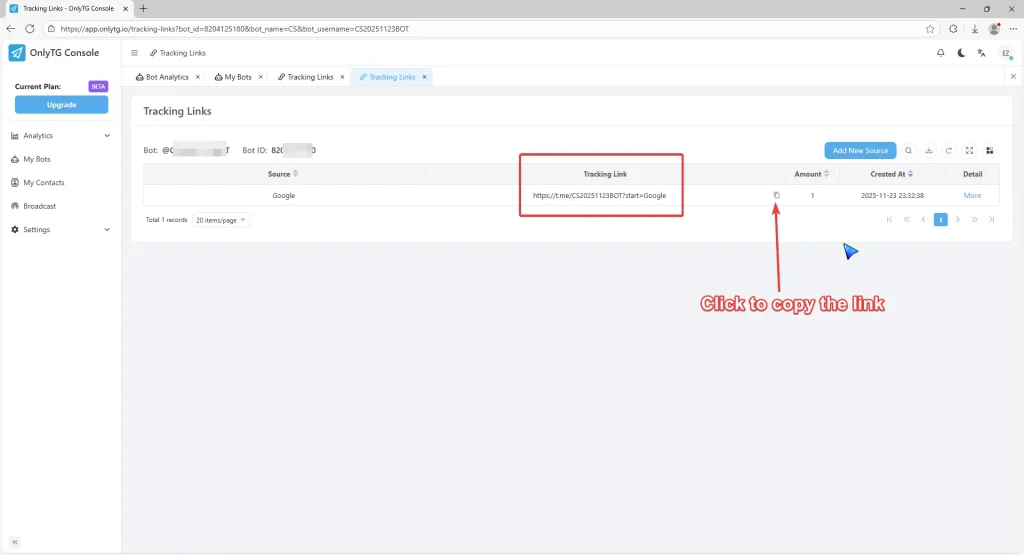
D. Click to copy the tracking links, then share them on different promotion channels.
step 3
A. Check the the number of contacts for each source in the Amount column.
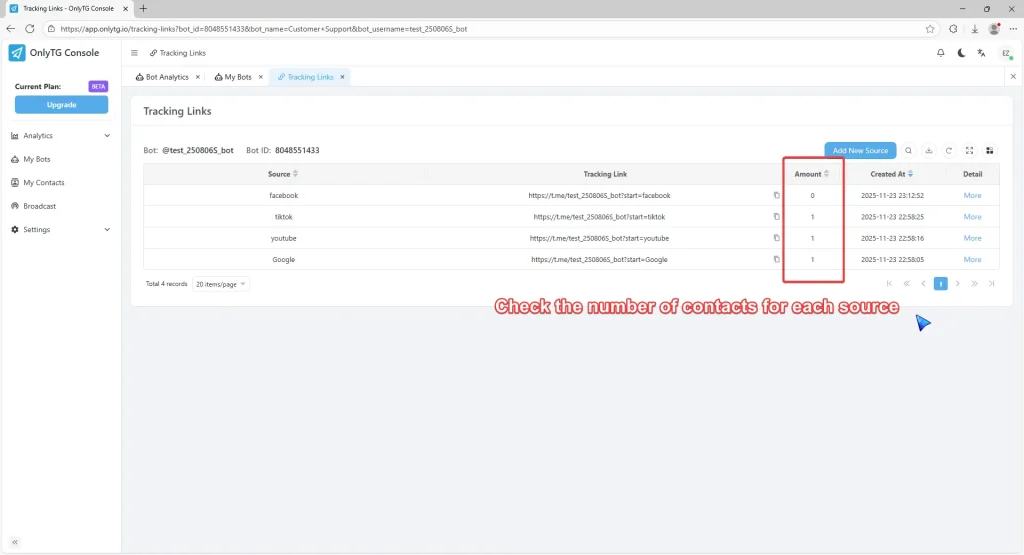
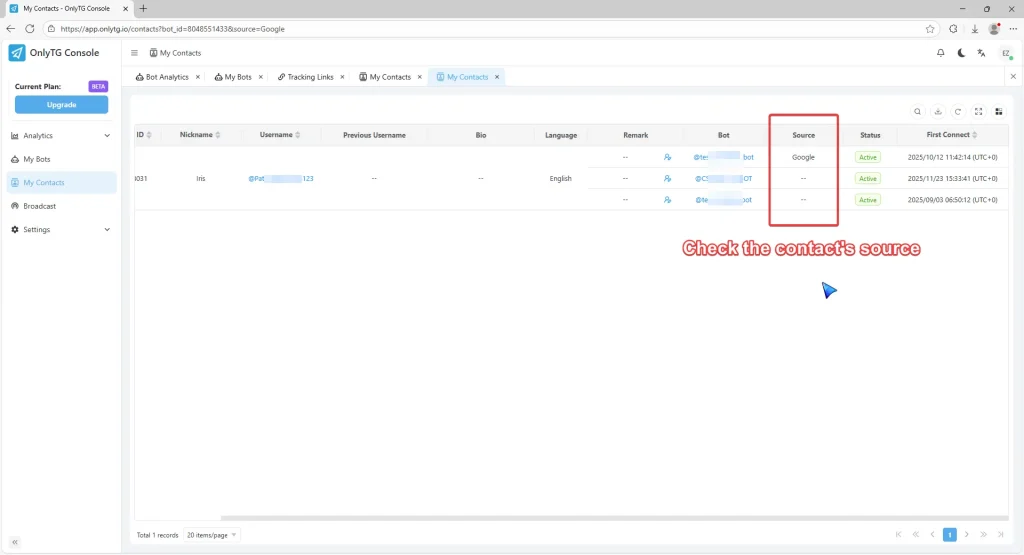
B. Click Contacts under More, and you can check this contact’s ‘ source label.