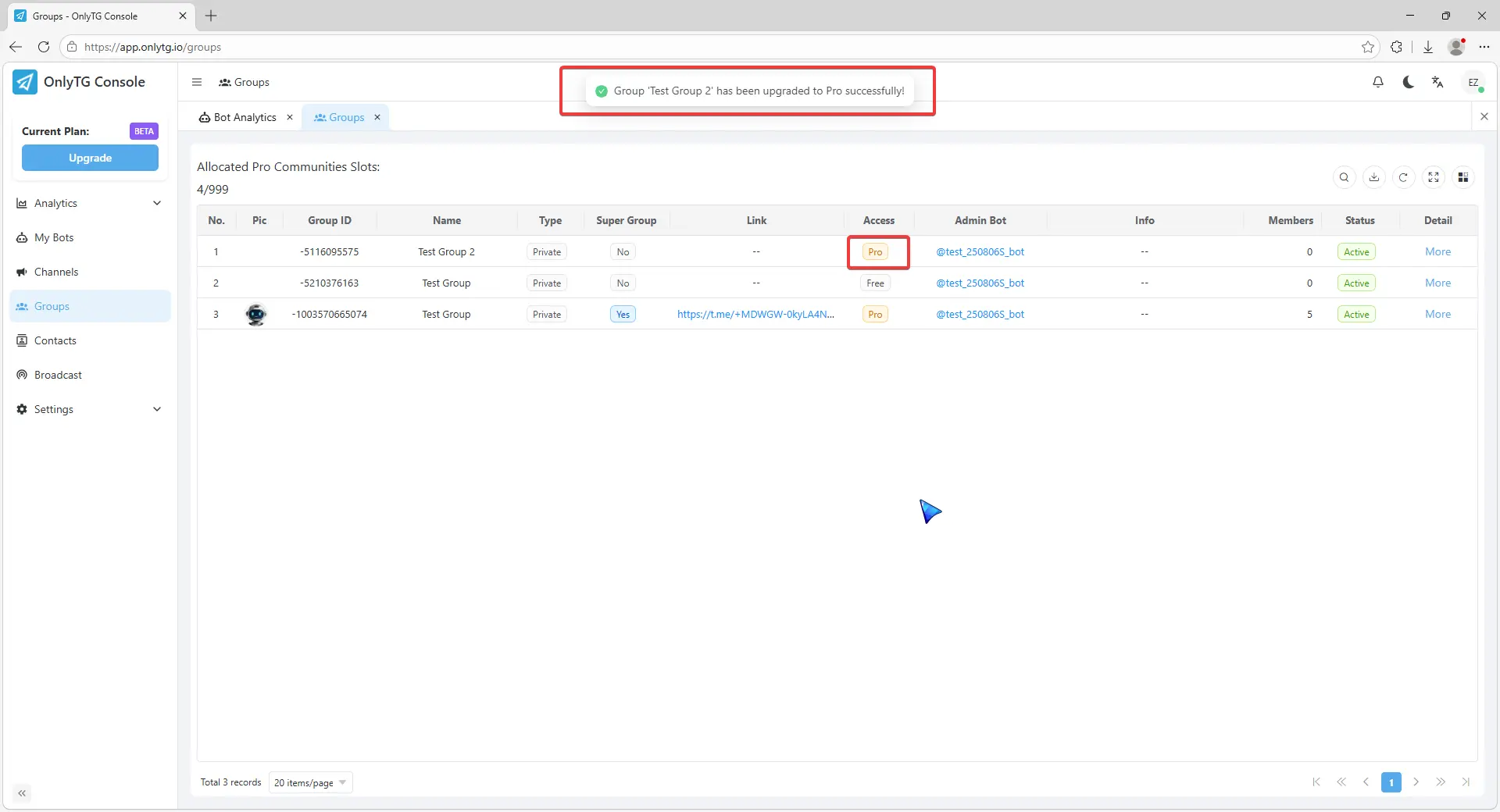
OnlyTG Echo provides the function to upgrade your Group to Pro Group. This will consume your Pro Communities slots and unlock more advanced features.
Video Tutorial
step 1
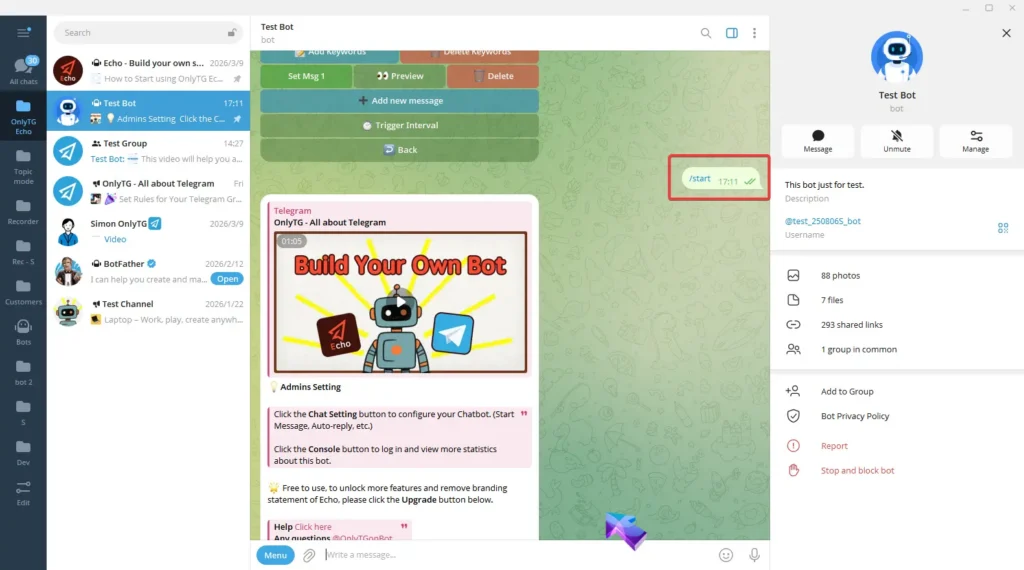
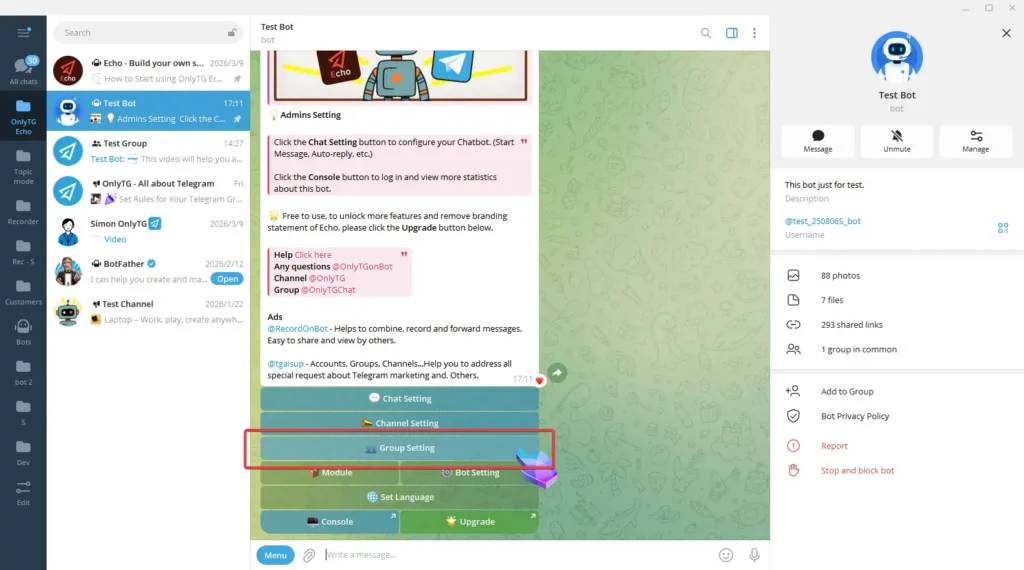
Send the /start command to your Bot, then click Group Setting.
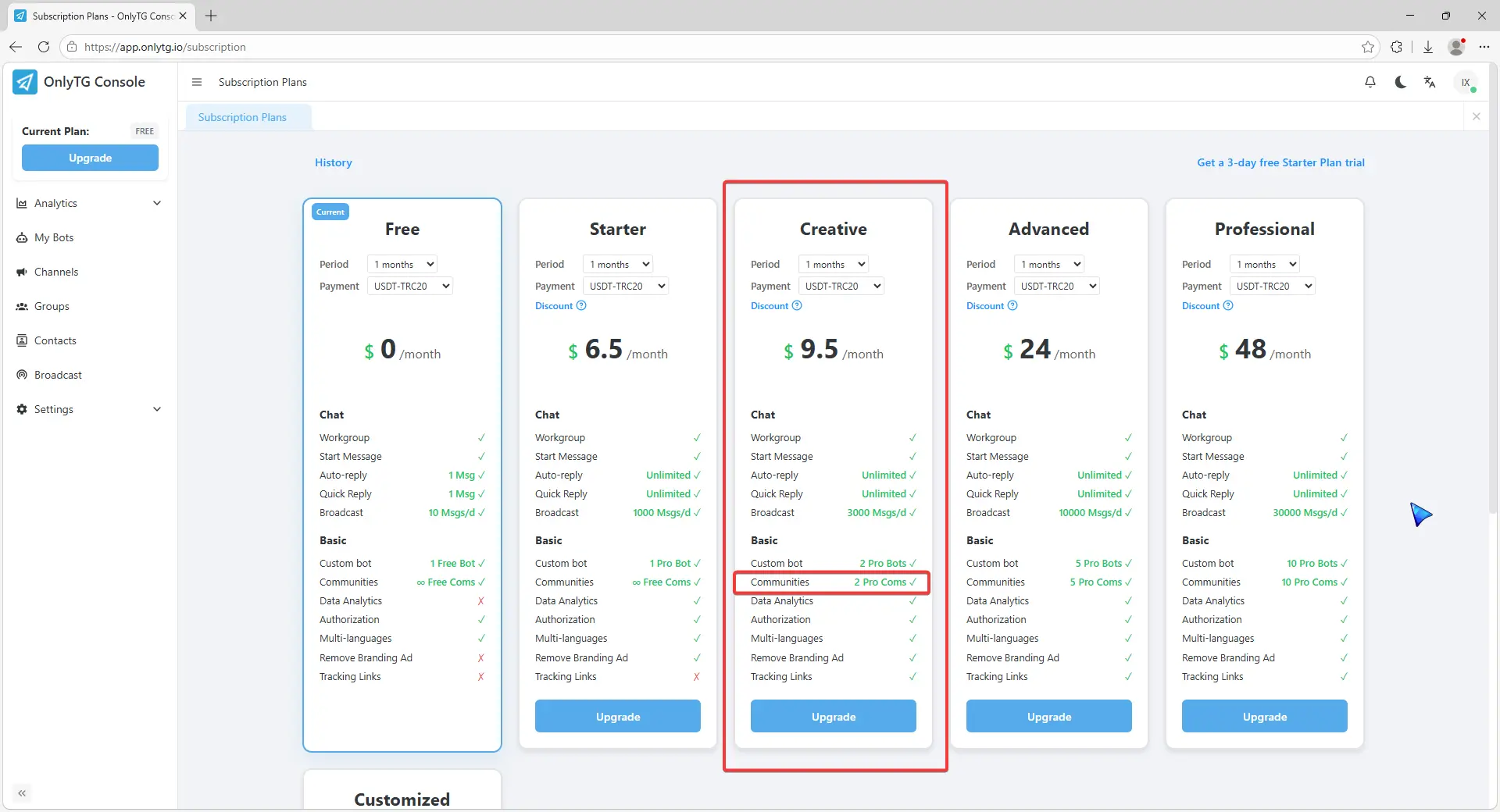
Here you can see how many Pro Communities slots you have available to allocate. If you don’t have enough slots, click here to head to the subscription page and upgrade your account plan.
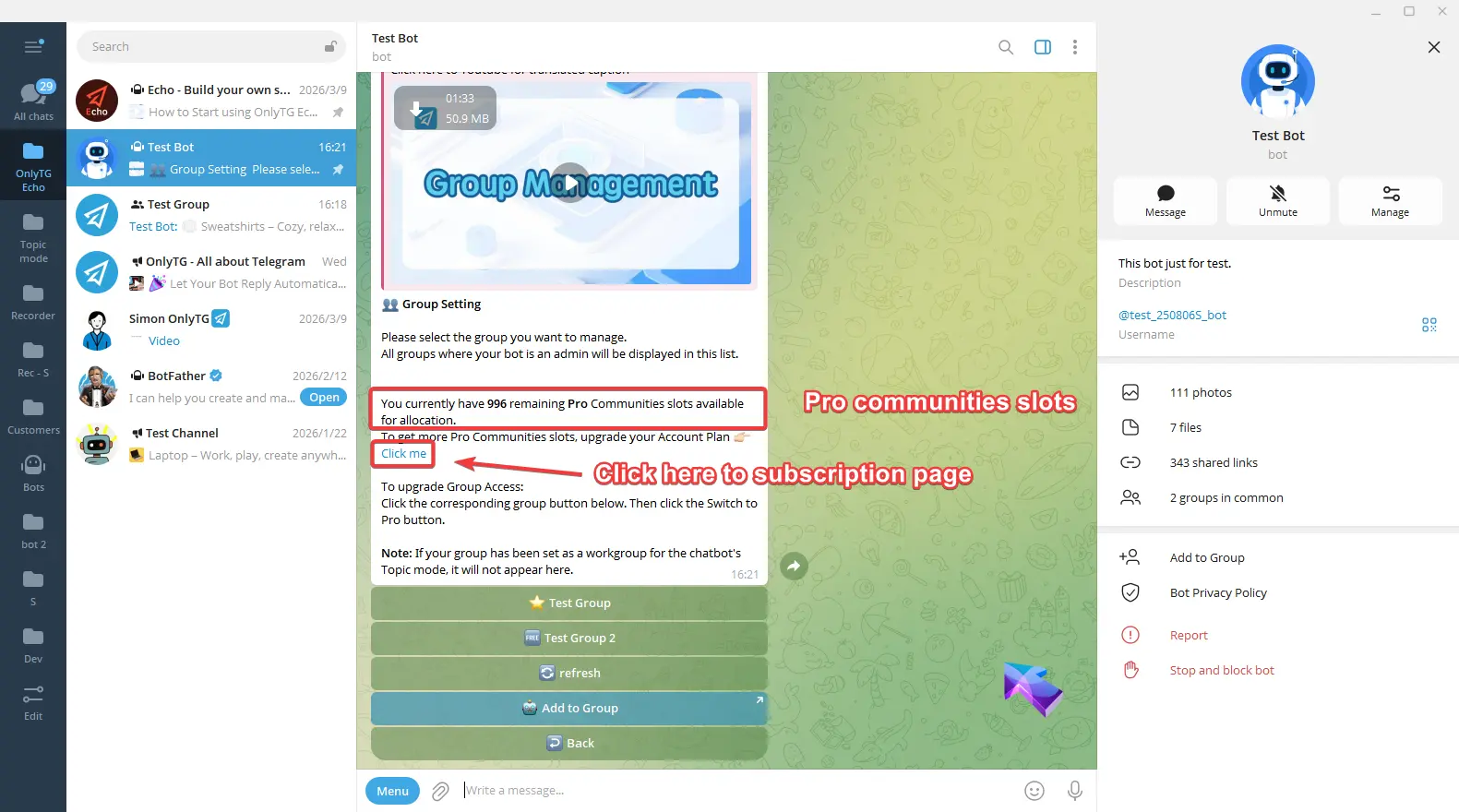
On the subscription page, any plans with Pro Com in the Communities section will increase your slot.
step 2
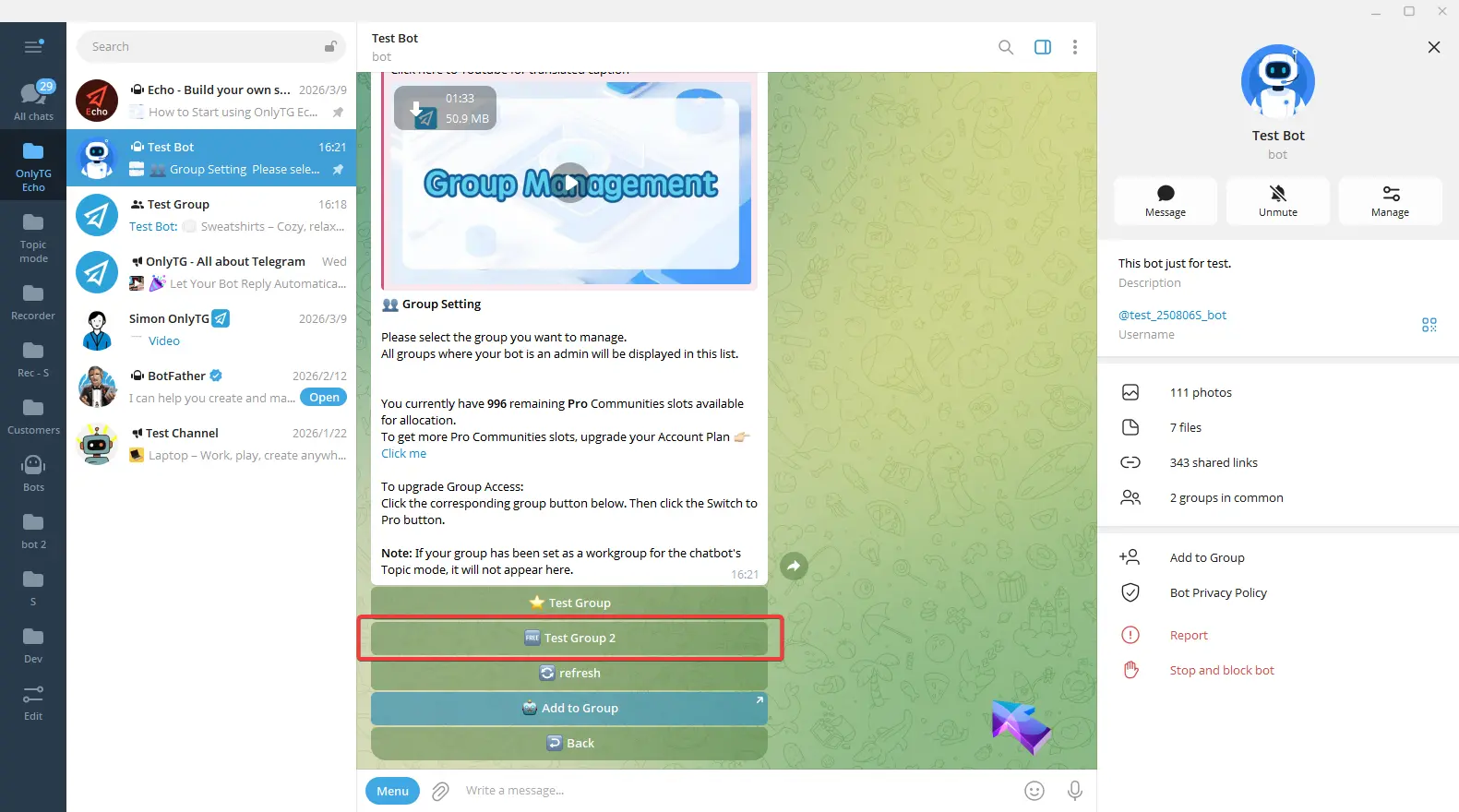
Select your group. This group access is Free.
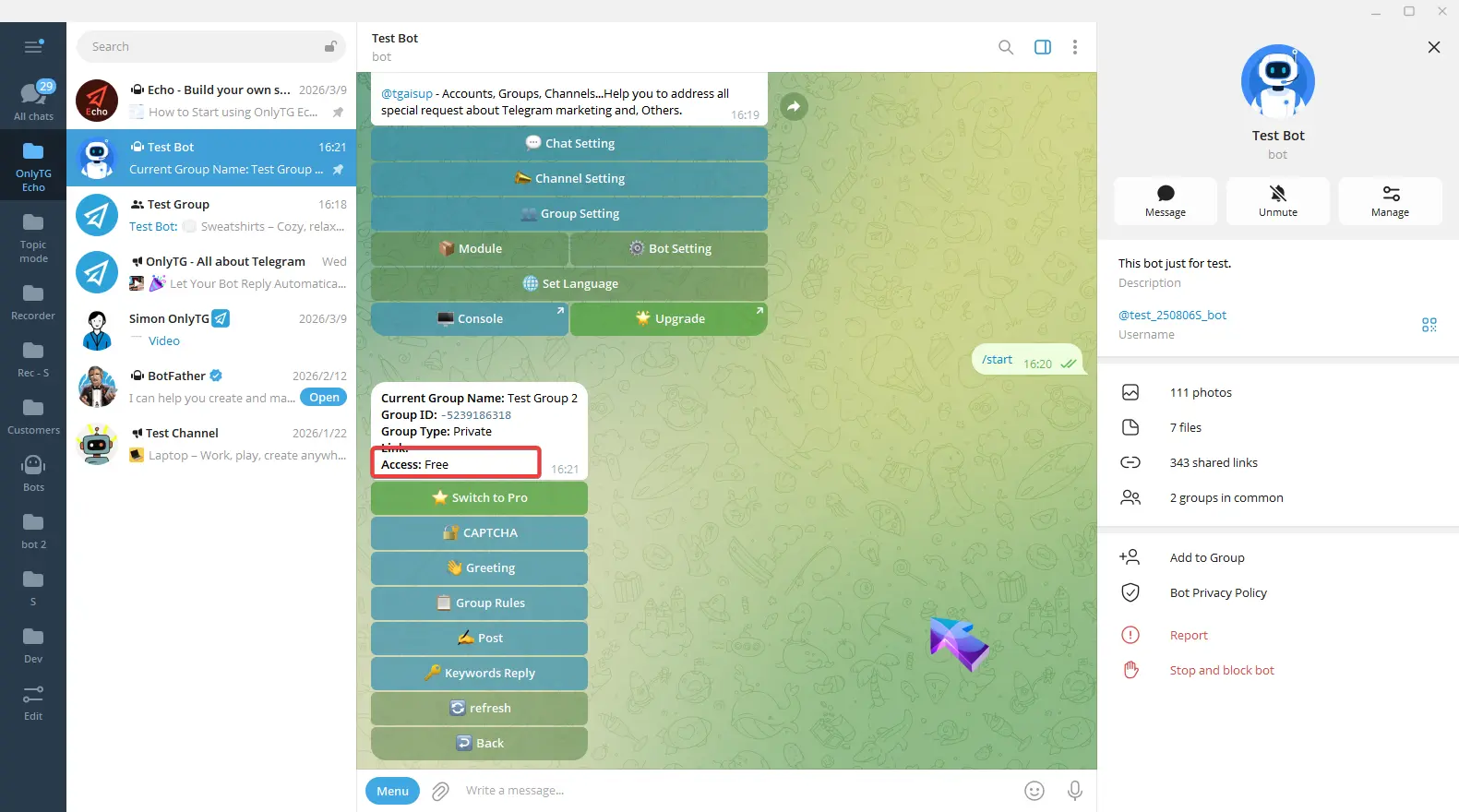
Click Switch to Pro.
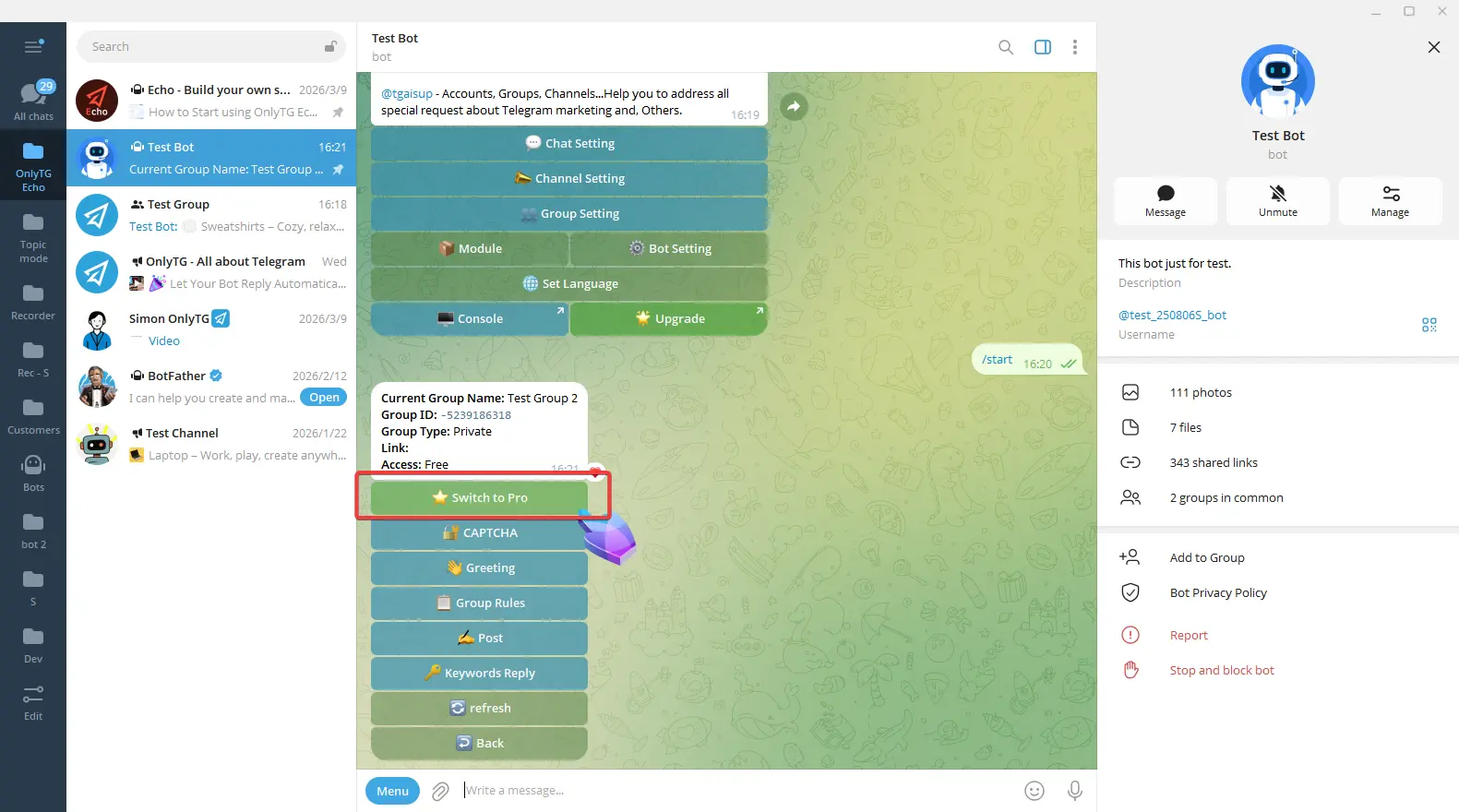
Click Yes.
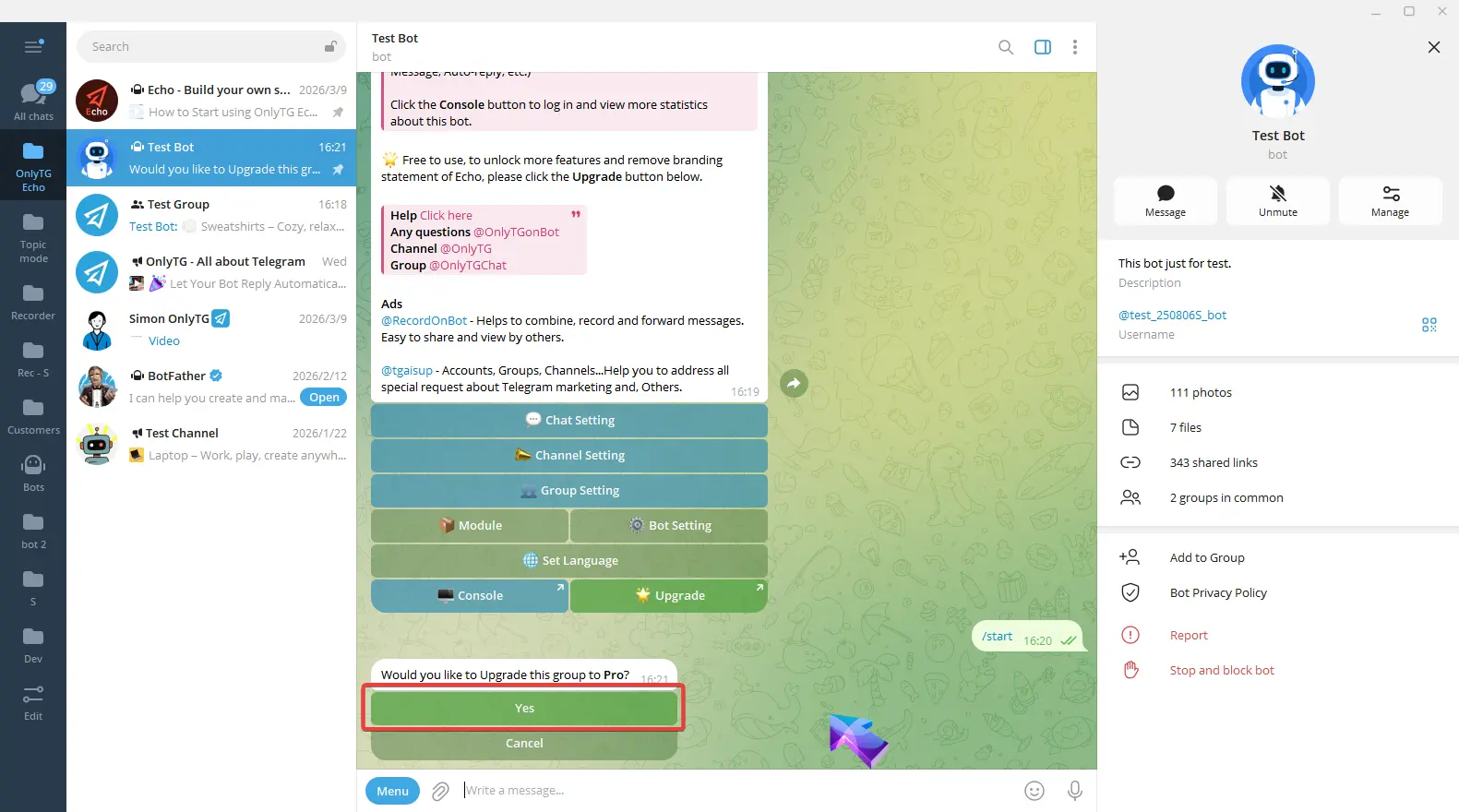
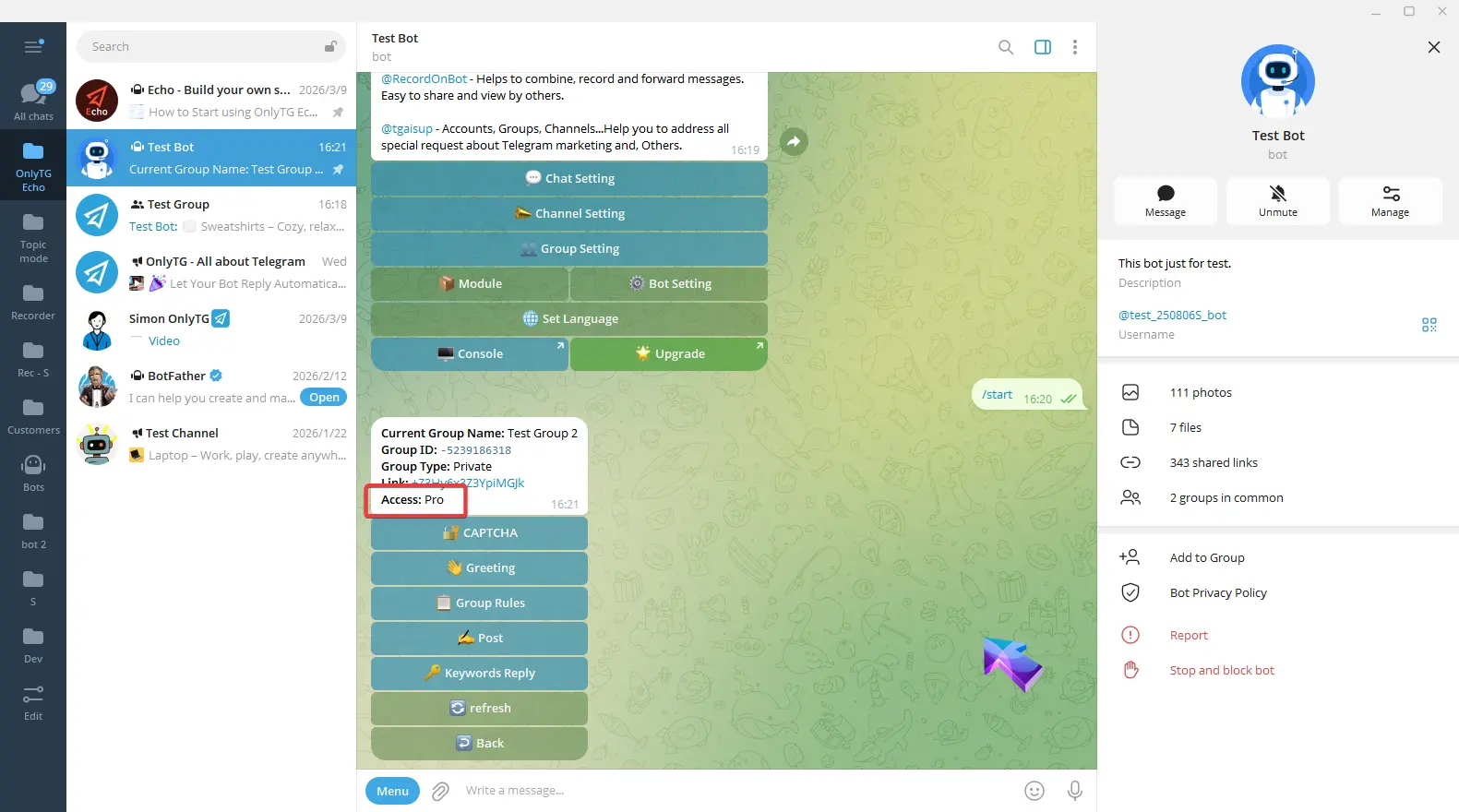
Your group is now successfully upgraded access to Pro.
step 3
Additionally, you can upgrade your channel in OnlyTG Console. (app.onlytg.io)
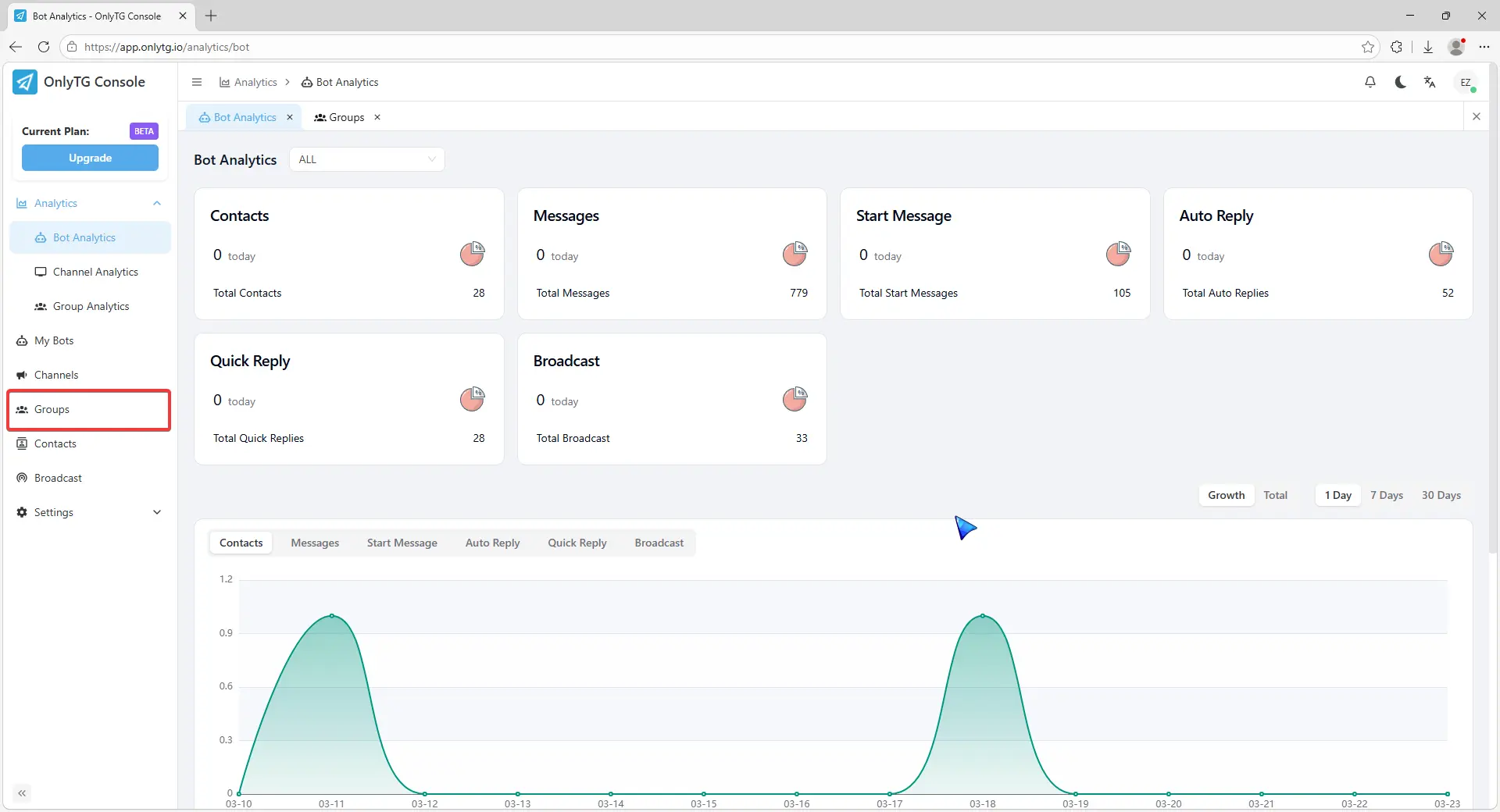
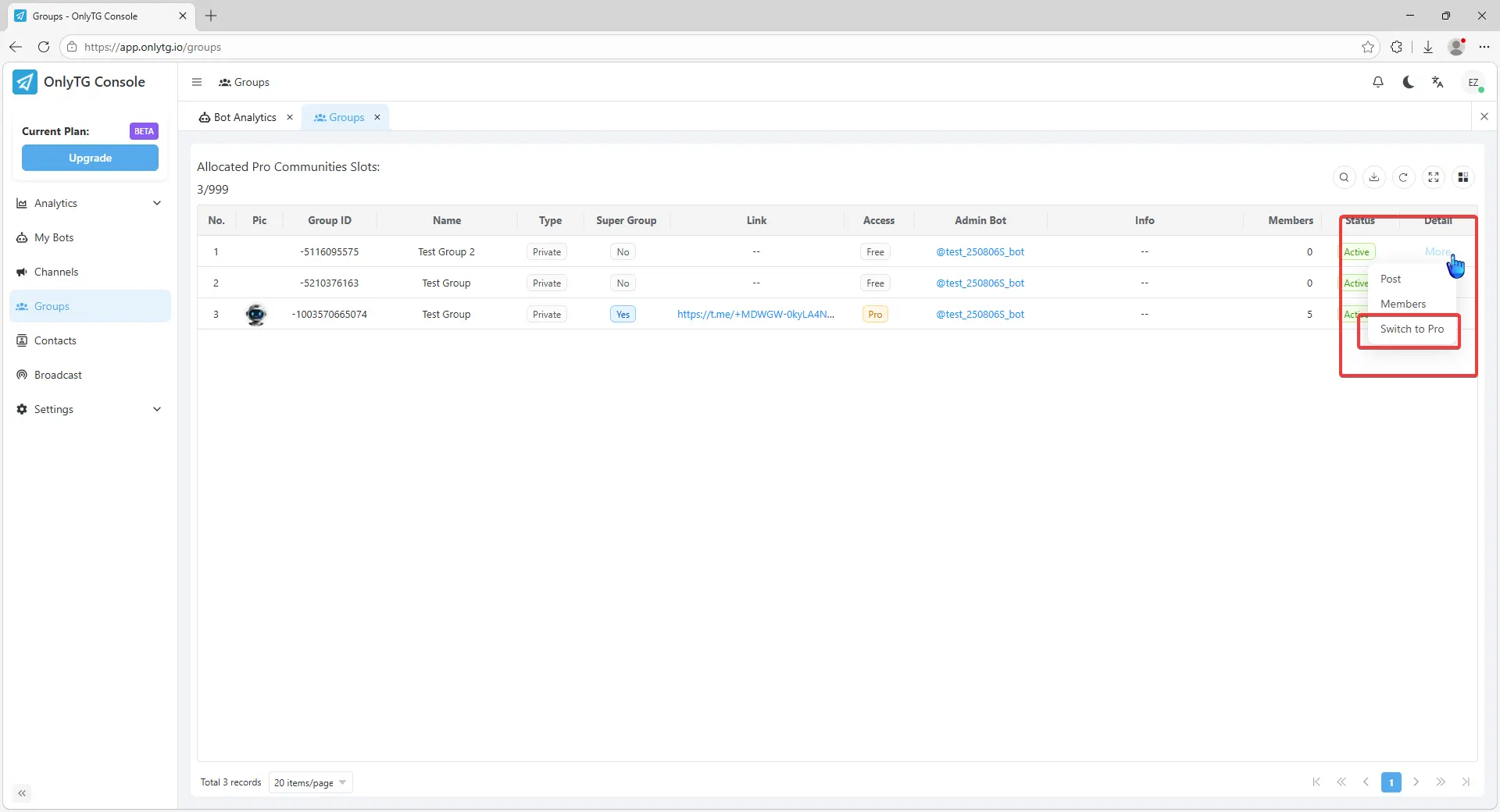
Click Group in the OnlyTG Console.
Check the Allocated Pro Community Slots.
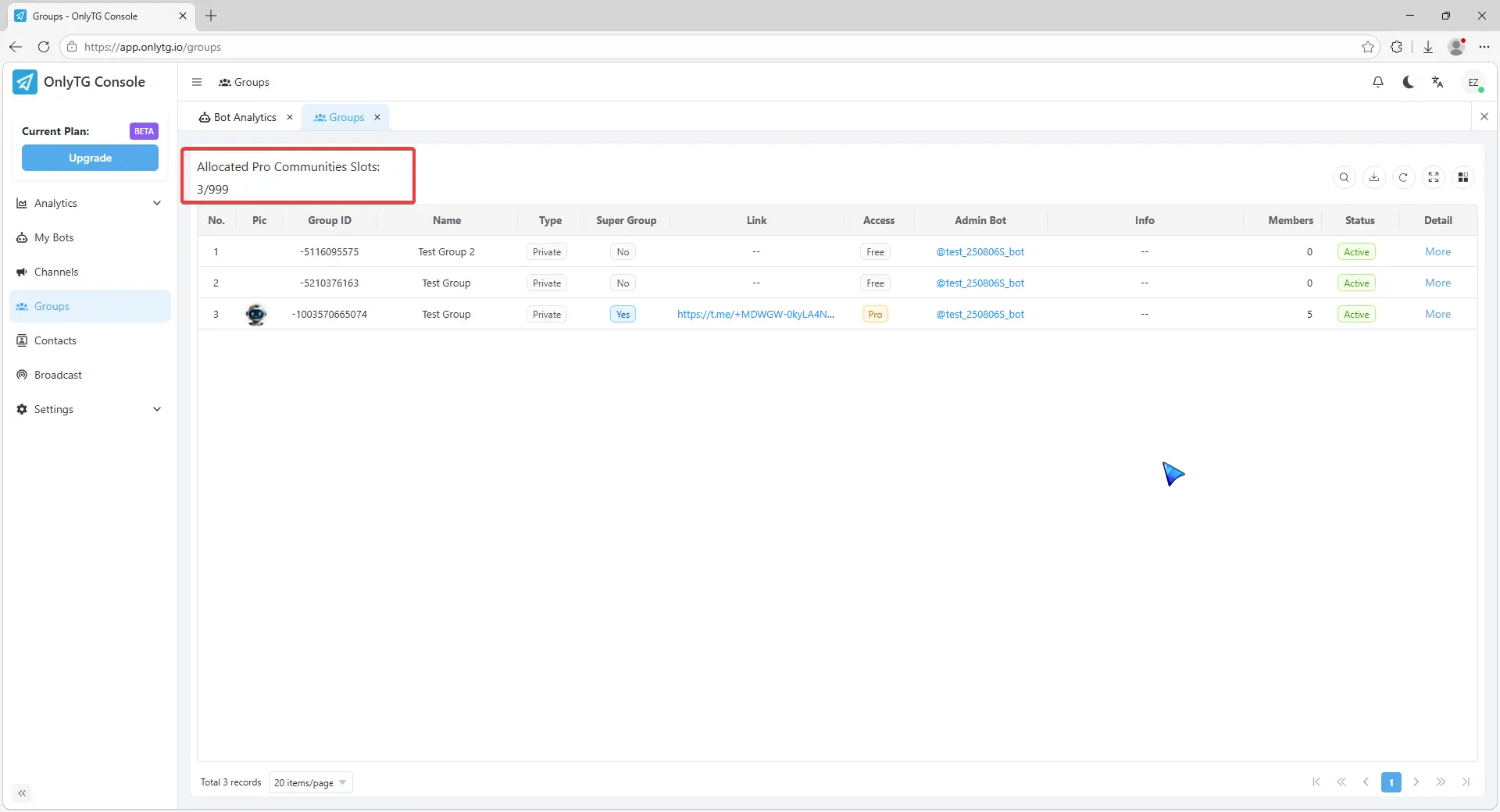
Click Switch to Pro from the More menu.
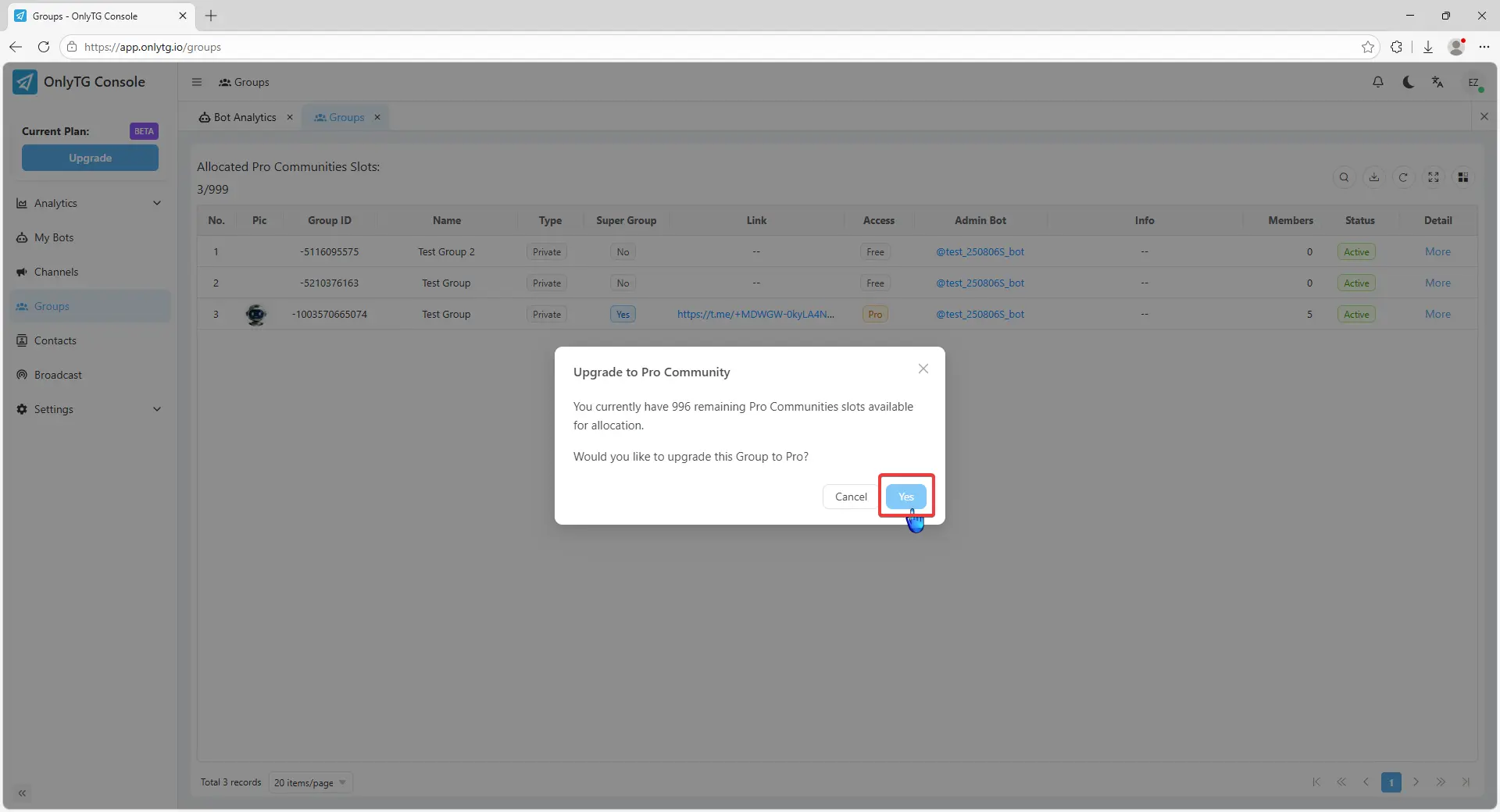
Click Yes.
Your channel has successfully upgraded to a Pro group.