
Telegram remains one of the most feature-rich messaging apps available. Many users know the basics, but the platform includes a long list of practical tools for organization, privacy, productivity, groups, channels, and bots. If you want to use Telegram more efficiently in 2026, the best approach is to focus on features that are officially documented and widely available.
This guide covers concrete Telegram tips and tricks that can help everyday users, creators, community managers, and business teams. Every point below is based on Telegram’s official FAQ, blog posts, or developer documentation.
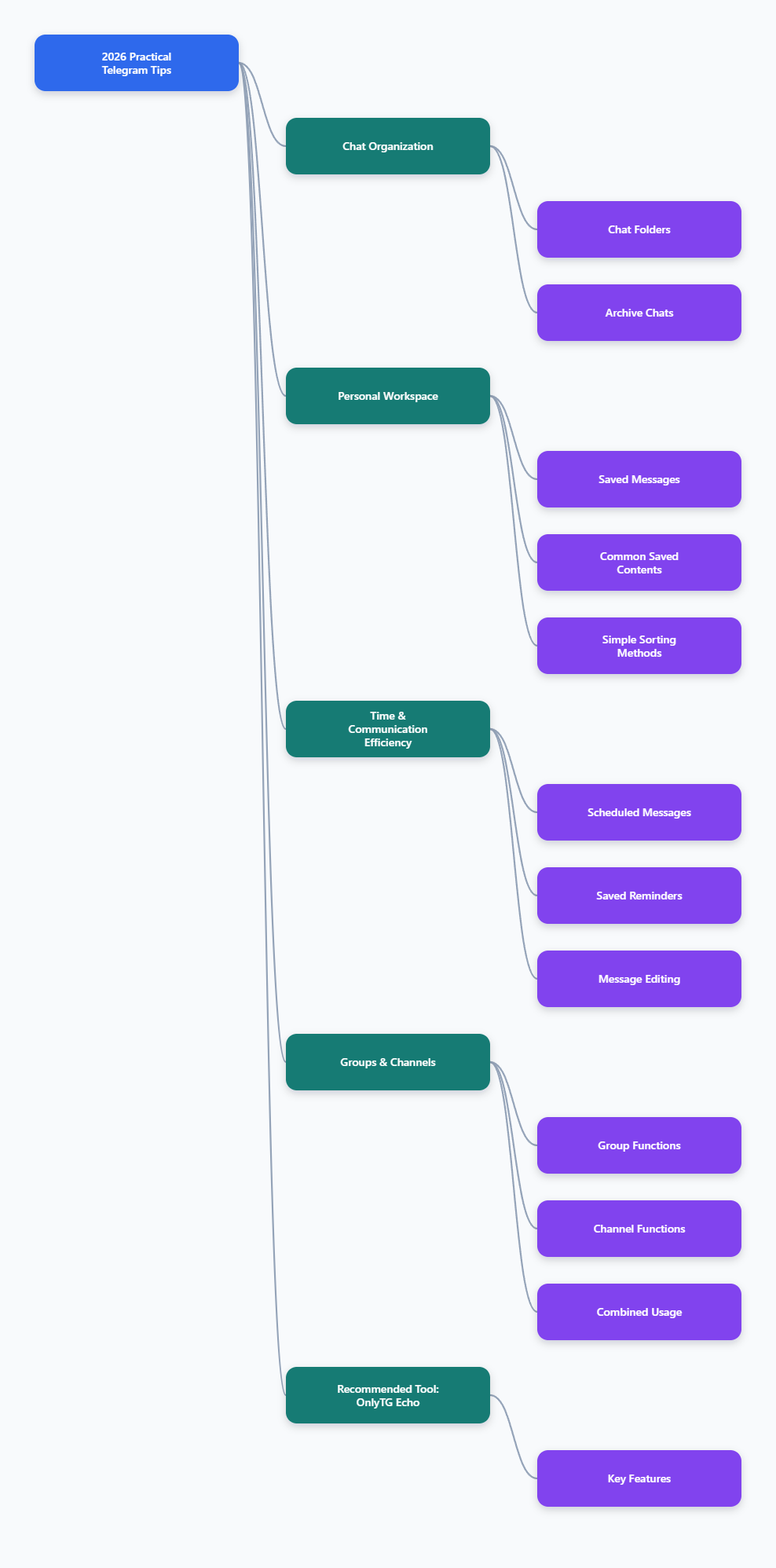
1. Organize busy chats with Chat Folders
If your chat list is crowded, Chat Folders are one of the most useful Telegram features to start using right away. Telegram introduced folders to help users separate work, family, news, communities, and other conversations into cleaner sections.
Instead of scrolling through one long feed, you can create dedicated folders for different purposes.
- Work: clients, team groups, channels, and project chats
- Personal: friends, family, and direct messages
- News: channels you read but do not actively engage with
- Communities: hobby groups, discussion groups, and public communities
This is especially useful if you belong to many groups or follow many channels. Telegram has also stated that folders work well together with archived chats, making it easier to keep the main chat list clean.
Practical tip: Put high-priority conversations into a dedicated folder so you can review them quickly every day instead of checking all chats.
2. Use Archived Chats to reduce clutter
Archive is a simple feature, but it is one of the easiest ways to improve your Telegram experience. You can move low-priority chats out of the main list without deleting them.
Archived chats are useful for:
- muted groups you only check occasionally
- temporary project discussions
- promotional channels
- old conversations you may still need later
Telegram’s archive system is designed to hide clutter while keeping chats accessible. If an archived chat receives a new notification, it can reappear depending on your notification settings and usage pattern.
Best use case: Archive everything that is not urgent, then keep your active list focused on conversations that matter today.
3. Turn Saved Messages into a personal workspace
Saved Messages is much more than a place to send notes to yourself. Telegram describes it as a personal cloud storage space for messages and media. More recent updates made it even more useful by adding better ways to browse and organize saved content.
You can use Saved Messages to store:
- links to read later
- draft ideas
- voice notes
- important files
- messages forwarded from other chats
- reference images and videos
Telegram also introduced improvements that let users view saved items more clearly and organize them with tags. This makes Saved Messages a practical lightweight knowledge base inside the app.
Practical tip: Create a simple habit for your Saved Messages, such as using it for “read later,” “content ideas,” or “important files,” instead of mixing everything together.
4. Schedule messages and reminders
Telegram supports scheduled messages, which can be extremely useful for both personal planning and professional communication. According to Telegram’s official documentation and blog posts, you can schedule messages to be sent at a future time.
This is helpful when you want to:
- send a reminder to yourself
- reply during business hours instead of late at night
- prepare birthday or event messages in advance
- plan community announcements
- manage communication across time zones
Telegram also supports reminders through Saved Messages, which makes it useful as a lightweight planning tool.
Best use case: If you manage a group or channel, prepare announcements in advance so you can publish consistently without being online at the exact posting time.
5. Edit messages instead of sending corrections
Telegram allows users to edit sent messages. This may sound basic, but it becomes a major time-saver if you regularly share updates, links, or instructions.
Editing is useful for:
- fixing typos
- updating numbers or dates
- replacing unclear wording
- improving readability after sending
Telegram marks edited messages clearly, which helps maintain transparency in conversations.
Practical tip: In work chats, edit small mistakes quickly instead of posting multiple follow-up corrections that make the thread harder to read.
6. Learn when to use groups and when to use channels
One of the most important Telegram tips is understanding the difference between groups and channels.
Groups are best for discussion. Telegram states that groups can support up to 200,000 members. They are ideal for communities, collaboration, support, and interactive conversations.
Channels are best for broadcasting. Telegram channels can have an unlimited number of subscribers, and only admins can post.
Use a group when you want:
- member discussion
- community interaction
- topic-based conversations
- feedback and collaboration
Use a channel when you want:
- one-way announcements
- news delivery
- content publishing
- brand or creator updates
Best practice: Many creators and businesses use both together: a channel for official posts and a linked group for discussion.
7. Use Topics in large groups
For large communities, Telegram Topics can make a huge difference. Telegram introduced Topics in groups as a way to create separate discussion spaces inside one community.
Instead of mixing every conversation into one message stream, Topics let members chat in specific sections such as:
- announcements
- support
- feedback
- off-topic discussion
- regional language spaces
Each topic behaves like its own mini chat, with shared media, notifications, polls, pinned messages, and bot support.
Why it matters: If your group is active, Topics can reduce chaos and help members find the right place to participate.
8. Use polls and quizzes for engagement
Telegram supports powerful polls in groups and channels. Official documentation confirms support for different poll formats, including multiple answers and quiz mode.
Polls work well for:
- community feedback
- quick decisions
- event planning
- knowledge checks
- audience engagement
Quiz mode is especially useful for education, onboarding, and community games because it allows one correct answer.
Practical tip: If your channel or group feels too one-sided, a weekly poll is one of the simplest ways to increase participation.
9. Add bots carefully and understand Privacy Mode
Telegram bots are one of the platform’s most flexible tools. Telegram says the Bot Platform hosts millions of bots and is free for users and developers. Bots can help with moderation, file conversion, workflow automation, content tools, and Mini Apps.
However, it is important to understand Privacy Mode. Telegram’s bot documentation explains that privacy mode is enabled by default for bots, unless they are group admins or this setting is deliberately changed.
This matters because:
- not every bot can see every message by default
- admin bots may receive broader access in groups
- you should only grant extra access when necessary
Best practice: Before adding a bot to a group, confirm what task it performs and whether it really needs admin privileges.
10. Explore Mini Apps and inline bots for faster workflows
Telegram’s bot ecosystem now goes far beyond simple command-based tools. Official Telegram documentation highlights Mini Apps and inline bots as major parts of the platform.
Mini Apps can launch inside Telegram and provide interactive interfaces without sending users to an external website.
Inline bots let users call a bot directly from the message field in any chat by typing the bot’s username and a query.
These tools are useful for:
- searching content without leaving the current chat
- sharing media or formatted results quickly
- accessing lightweight app-like functions inside Telegram
- speeding up team workflows
Practical tip: If a task is repetitive, check whether an inline bot or Mini App can handle it more quickly than switching apps or browser tabs.
11. Improve privacy with Secret Chats and two-step verification
Telegram offers different privacy models for different situations. One of the most important things to understand is that Secret Chats are not the same as regular cloud chats.
According to Telegram’s FAQ and technical documentation:
- Secret Chats use end-to-end encryption
- they are device-specific
- they are not part of the Telegram cloud
- they can support self-destructing messages
- they do not allow forwarding
Telegram specifically recommends Secret Chats for sensitive information when stronger privacy is needed.
You should also enable two-step verification for better account protection. Telegram introduced this as an extra password layer beyond the login code.
Simple rule:
- Use regular chats for convenience and multi-device access
- Use Secret Chats for highly sensitive one-to-one conversations
- Use two-step verification to reduce account takeover risk
12. Take advantage of multi-device access
Telegram supports multiple devices and accounts, and this remains one of its most practical advantages. Official FAQ materials emphasize that users can access Telegram across devices, while keeping cloud chats synchronized.
This makes Telegram especially useful if you switch between:
- phone
- tablet
- laptop
- desktop
Practical tip: Use desktop for long replies, file handling, and community management, while using mobile for fast responses and notifications.
13. Speed up media and file management
Telegram has long been strong for file sharing. Telegram’s official materials state that standard users can upload files up to 2 GB, while Premium subscribers can upload files up to 4 GB. Telegram also says all pre-existing core features remain free, including cloud storage, large groups, channels, and multi-device support.
Even if you do not subscribe, Telegram is useful for storing and forwarding documents, images, and videos between devices.
Useful file habits:
- send files to Saved Messages for quick retrieval
- use desktop for bulk downloads and uploads
- keep large reference files in one dedicated chat or folder
14. Consider Telegram Premium only for features you will actually use
Telegram Premium adds extra features and higher limits. Official Telegram sources list benefits such as:
- doubled limits
- 4 GB file uploads
- faster downloads
- voice-to-text conversion
- extra stickers and reactions
- improved chat management features
Premium can be useful if you rely on Telegram heavily for media, large-scale communication, or fast downloads. But Telegram also clearly states that features that existed before Premium remain free, including unlimited cloud storage, groups, channels, calls, and multi-device support.
Decision tip: Upgrade for workflow improvements, not just for novelty. If your daily use depends on faster downloads, larger uploads, or raised limits, Premium may be worth it.
Practical Tool Recommendation: Useful Tools for More Efficient Telegram Management
If you use Telegram for customer conversations, lead collection, community operations, or routine group posting, a no-code bot tool can save a lot of manual work. Based on OnlyTG Echo’s public tutorials and help materials, OnlyTG Echo is a practical option for users who want to turn a standard Telegram bot into a more usable operations tool.
Its setup flow is straightforward in the materials provided: create a bot with @BotFather, send the token to @EchoOnBot, and then configure the bot features you need. The focus is less on custom development and more on quickly enabling common management functions.
Main practical functions:
- Start messages: You can configure a bot welcome message for users who first open the bot or use /start.
- Menu buttons: Bot menu configuration, which can make navigation easier for users and reduce repetitive questions.
- Multi-part messages: The bot can build messages that combine text, media, and buttons for richer presentation.
- Bulk messaging workflows: Bulk messages after the bot is connected, which may help with repeated outreach or follow-up scenarios.
- Group posting with buttons: You can post messages with buttons into a Telegram group, which is useful for promotions, navigation, or action prompts.
- Scheduled and looping posts: Scheduled posts and repeated interval posting in groups, which can reduce manual posting work for recurring announcements or product displays.
- Keyword-based auto replies in groups: Keyword reply features for groups, allowing the bot to answer common questions automatically.
Who it may suit best:
- small teams handling repeated Telegram inquiries
- community managers who need greeting, posting, and FAQ-style automation
- channel or group operators who want scheduled or looping posts
- users who want no-code bot setup instead of custom bot development
As with any third-party Telegram tool, review permissions, privacy implications, and actual operational needs before using it. This is especially important if your bot will interact with customer messages, group administration functions, or data tied to lead tracking and support workflows.
Final thoughts
The best Telegram tips and tricks in 2026 are not about hidden gimmicks. They are about using Telegram’s existing tools more intentionally.
If you want the biggest improvement fastest, start with these five:
- set up Chat Folders
- clean your main list with Archive
- use Saved Messages as a real workspace
- schedule messages and reminders
- improve privacy with Secret Chats and two-step verification
Then move on to more advanced features like Topics, polls, bots, Mini Apps, and desktop shortcuts.
Telegram is powerful because it supports very simple use and very advanced use at the same time. Once you build a better structure around your chats, files, groups, and privacy settings, the app becomes much easier to manage every day.