
Telegram is a popular messaging app for people who want fast chats, large communities, and flexible tools in one place. If you are new to it, the app can feel simple at first and then surprisingly powerful once you start exploring.
This guide is written for beginners. It explains the most useful Telegram features, how they work, and when to use them. You will learn the basics of chats, groups, channels, bots, privacy settings, and paid features without unnecessary jargon.
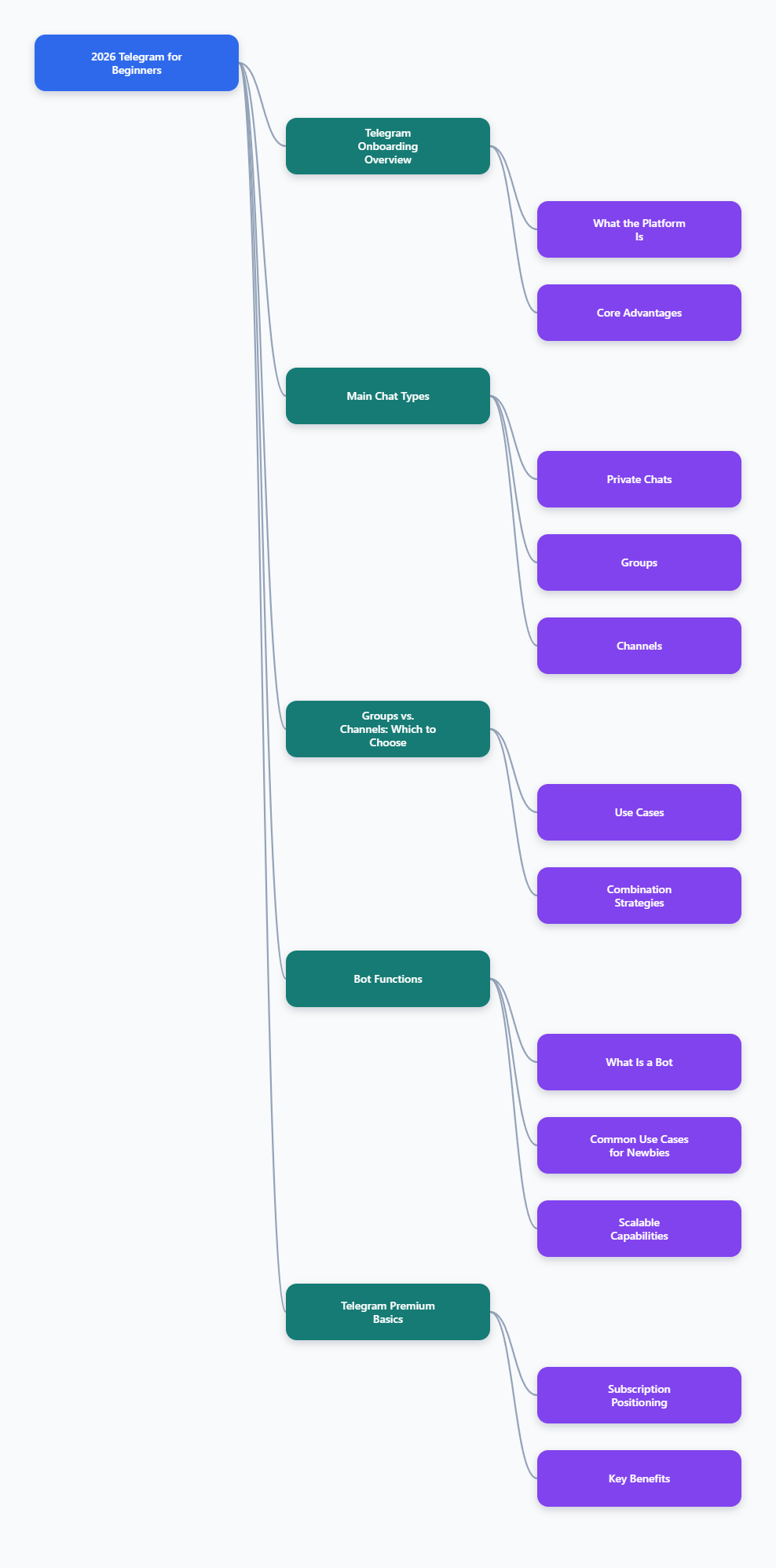
What Telegram is
Telegram is a cloud-based messaging platform that lets you send text, photos, videos, documents, voice messages, and more. You can use it on multiple devices, and your chats sync across them.
According to Telegram’s official FAQ, the app supports groups with up to 200,000 members and channels with unlimited subscribers. That makes it useful not only for private messaging, but also for communities, announcements, and public updates.
Telegram also supports usernames, so people can find and contact you without needing your phone number in every case. That is one reason many users like it for public-facing communication.
How to get started
Setting up Telegram is straightforward.
- Download the app from the App Store, Google Play, or Telegram’s desktop apps.
- Sign up with your phone number.
- Enter the verification code.
- Set your name and profile photo if you want.
Once you are inside, Telegram may ask for access to your contacts so it can show which people already use the app. Telegram’s privacy policy says it asks for permission before syncing contacts.
If you are just starting, spend a few minutes exploring the Settings menu. That is where you can adjust notifications, privacy, chat appearance, language, and other options.
Understanding the main parts of Telegram
Telegram has a few core chat types. Knowing the difference will help you avoid confusion.
Private chats
Private chats are one-on-one conversations. They are easy to use for everyday messaging, sharing files, and staying in touch with friends, family, or coworkers.
Standard Telegram cloud chats are synced across your devices. That means you can start a conversation on your phone and continue it on your laptop.
Groups
Groups are for many-to-many communication. Everyone in the group can usually participate, which makes groups useful for teams, classmates, clubs, and communities.
Telegram’s official site says groups can have up to 200,000 members. Admins also have tools to help manage the conversation and keep order.
Channels
Channels are for broadcasting messages to a large audience. Only admins post in a channel, while subscribers read the updates.
Telegram says channels can have unlimited subscribers. This makes them a strong choice for news, brand updates, content publishing, or announcements.
Telegram groups vs. channels
Beginners often ask which one they should use. The answer depends on the goal.
- Use a group if you want discussion and interaction.
- Use a channel if you want one-way broadcasting.
- Use both if you want to publish updates and let people discuss them separately.
Telegram also lets you link a discussion group to a channel. That way, readers can respond without turning the main channel into a messy chat room.
What bots do
Bots are one of Telegram’s most distinctive features. Telegram says bots are special accounts that do not need a phone number and are connected to an owner’s server, which processes requests and inputs.
In practice, bots can help with many tasks. Official examples include file conversion, chat management, and weather updates. Bots can also be used in groups and channels to add extra functions.
Some common beginner uses include:
- Automating replies
- Managing community rules
- Sharing files or links
- Running polls or simple workflows
Telegram’s bot platform is large and well established, with official documentation and tutorials for developers who want to build their own bots.
Telegram Premium basics
Telegram offers an optional subscription called Premium. According to Telegram, Premium includes extra features and raised limits, while the free version remains fully usable.
Officially listed Premium benefits have included things such as larger file uploads, faster downloads, more pinned chats, more folders, and additional customization options. Exact feature sets can change over time, so it is best to check Telegram’s current Premium FAQ if you are considering it.
For most beginners, the free version is enough. Premium is mainly useful if you use Telegram heavily for media, organization, or business communication.
Privacy and security basics
Telegram gives users several privacy tools, but it is important to understand how the app works.
Telegram’s FAQ and technical documentation state that standard cloud chats use server-client encryption, while Secret Chats use end-to-end encryption. That means Secret Chats are the option to use when you want extra privacy for a conversation.
Secret Chats are device-specific. They do not sync like regular cloud chats, so you can only access them on the device where they were started.
For beginners, a few practical privacy steps are worth checking:
- Review who can see your phone number.
- Control who can add you to groups.
- Decide whether to sync contacts.
- Use a passcode lock for the app.
- Use Secret Chats when you need end-to-end encryption.
Keep in mind that no app can completely prevent a recipient from taking a screenshot with another device or camera. Privacy tools reduce risk, but they do not remove every possibility.
Useful beginner habits
Telegram becomes easier once you build a few habits.
- Use usernames when you want people to find you without sharing your number.
- Pin important chats so they are easier to reach.
- Use folders to separate work, friends, and communities.
- Mute noisy groups if you want fewer notifications.
- Search before asking questions in large communities.
If you follow many channels, organize them early. Otherwise, the chat list can get crowded fast.
How to use Telegram for everyday communication
For personal use, Telegram works well as a replacement for a traditional messenger. You can chat, send media, make voice and video calls, and share large files.
For community use, groups are better when conversation matters. Channels are better when the goal is to publish updates at scale.
For productivity, bots and folders can save time. Many users also like Telegram because it works across devices and keeps their message history available in the cloud.
Common mistakes beginners make
New users sometimes assume every chat is end-to-end encrypted. That is not correct. Telegram’s standard cloud chats are not the same as Secret Chats.
Other common mistakes include:
- Joining too many groups too quickly
- Ignoring notification settings
- Not checking privacy options
- Confusing channels with groups
- Using bots without understanding what they can access
If you are unsure about a feature, check Telegram’s official help pages before relying on it for sensitive information.
Final thoughts
Telegram is easy to start with and powerful once you learn the basics. For beginners, the most important things are simple: understand the difference between private chats, groups, and channels; learn how bots work; and review your privacy settings early.
With those basics in place, Telegram becomes much easier to use for messaging, communities, and content sharing in 2026.