
Telegram groups grow fast, but so do spam waves, fake accounts, and low-quality join attempts. That is why Telegram group entry verification has become one of the most practical defenses for admins in 2026.
The basic idea is simple: before a new member can fully participate, they must pass a verification step. In most cases, this is a CAPTCHA, a join request review, or a temporary restriction flow that prevents instant posting.
In this guide, you will learn:
- What Telegram group entry verification means
- How Telegram’s join request system fits into verification workflows
- What CAPTCHA bots actually do
- Which admin permissions are required
- How to balance safety with a good member experience
- How to use a practical tool to set this up
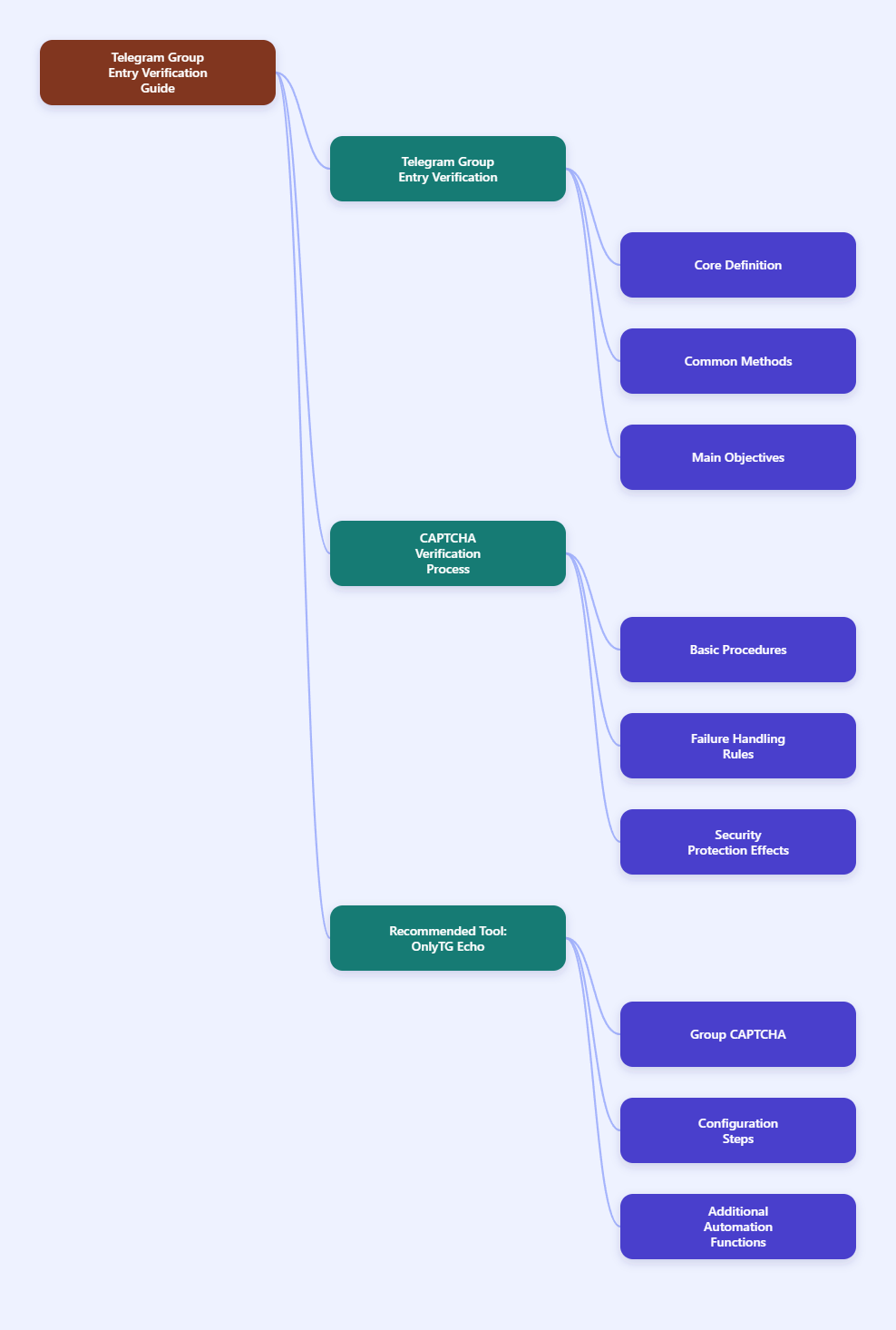
What Is Telegram Group Entry Verification?
Telegram group entry verification is any process that checks or limits a new member before they gain normal access to a group.
Common verification methods include:
- CAPTCHA challenges that test whether a new member is human
- Join request approval before the user enters the group
- Temporary posting restrictions until a user completes a task
- Channel or bot join requirements as part of gated onboarding
These methods are widely used because Telegram groups are frequent targets for bot-driven spam, scam links, fake promotions, and mass-invite abuse.
Reliable references support this approach. Telegram’s own Bot API includes methods such as approveChatJoinRequest, showing that bots can participate in join-request flows when they have the right admin permissions. Telegram documentation and developer libraries also confirm that bots with the proper rights can approve join requests and interact with users who requested access.
Why Verification Matters More in 2026
Telegram has continued to expand as a platform for communities, education, trading, support, and fan groups. As groups become more valuable, they also become more attractive to attackers.
Admins usually run into a few recurring problems:
- Spam links posted seconds after joining
- Bot raids with many accounts entering at once
- Scam messages impersonating admins or trusted members
- Fake engagement accounts that lower discussion quality
- Manual approval workloads that do not scale
A good entry verification system helps because it slows down automated abuse at the exact point where it starts: the moment a user joins or requests to join.
This is consistent with how public anti-spam tools and Telegram-focused moderation systems describe the problem. Open-source CAPTCHA bots such as TLG_JoinCaptchaBot are built specifically to verify that new users are human, usually by issuing a challenge and removing users who fail it within a defined time limit.
How Telegram Join Requests Work
Telegram supports join requests in groups and channels under certain configurations. Instead of entering instantly, a user sends a request that must be approved or declined.
This creates a useful first filter.
According to Telegram Bot API documentation and related developer references:
- A join request is represented as a chat join request object
- Bots can approve join requests programmatically
- The bot must be an administrator in the chat
- The bot needs the can_invite_users administrator right
That last point is important. Without the correct admin permission, a bot cannot approve requests even if it is already in the group.
Join requests are useful when you want more control before members see or interact with the group. They work especially well for:
- Private communities
- Support groups with limited capacity
- Groups that attract targeted spam
- Communities that want a screening step before access
However, join requests alone do not always stop abuse. If approvals are too loose or fully automatic, bad actors can still get in. That is why many admins combine join requests with CAPTCHA or additional checks.
How CAPTCHA Verification Protects a Telegram Group
CAPTCHA-based entry verification is one of the clearest anti-spam defenses for Telegram groups.
The flow usually looks like this:
- A new user joins the group or sends a request
- The bot sends a CAPTCHA challenge
- The user must solve it within a time limit
- If they pass, they stay and receive normal access
- If they fail, the bot removes or restricts them
This model is reflected in several public bot projects and anti-spam tools. For example, TLG_JoinCaptchaBot and related forks describe a system where each new user receives an image CAPTCHA and is kicked if they do not solve it in time. Some implementations also delete URL messages from unverified users before verification is complete.
That last feature is especially useful because many spam bots try to post links immediately, before admins can react.
In practical terms, CAPTCHA verification helps by:
- Blocking fast, low-effort bot attacks
- Reducing manual cleanup work
- Protecting members from instant scam links
- Making raids less efficient
- Creating a clear onboarding checkpoint
It is not perfect, but it is a strong first layer.
What a Good Verification Setup Should Include
Not every Telegram group needs the same onboarding flow. The right setup depends on your risk level, group size, and how open you want the community to be.
For most groups, a solid verification setup includes the following elements:
1. A Human Check at Entry
This is usually a CAPTCHA or a required confirmation step. It prevents accounts from posting the second they arrive.
2. A Time Limit
Many CAPTCHA bots remove users who do not complete the challenge within a specified period. This is useful because abandoned or scripted joins do not remain in the group indefinitely.
3. Restricted Permissions Before Verification
If your tool supports it, new users should not be able to post freely until they pass verification. This is one of the most effective ways to stop link drops.
4. Clear Welcome Instructions
Real users should immediately understand what to do. Short, friendly guidance improves completion rates and reduces confusion.
5. Reasonable Friction
If the challenge is too hard or the time window is too short, legitimate members may leave. Security should be strong, but not punishing.
Best Use Cases for Telegram Group Entry Verification
Entry verification is especially useful in these situations:
- Crypto or finance groups: common targets for scams and impersonation
- Large public communities: higher exposure means higher spam risk
- Support or learning groups: spam reduces trust and signal quality
- Regional communities: often hit by mass promotional bots
- Brand or creator groups: fake giveaways and phishing attempts can damage reputation
If your group has ever experienced instant spam after a new member joins, you already have a strong reason to implement verification.
Practical Tool Recommendation
Useful Telegram Verification Tool to Consider
OnlyTG Echo(@EchoOnBot) offers a group CAPTCHA function designed to verify new members when they enter a Telegram group. Based on OnlyTG’s official site and tutorial materials, the feature can test new members, enforce a completion window, and remove users who fail to complete the check within the configured time. This makes it useful for admins who want a no-code way to reduce spam at the entry stage.
How to set it up, based on OnlyTG tutorial materials and walkthrough references:
- Create or prepare your Telegram bot through BotFather, then send the bot token to OnlyTG Echo to activate management features.
- Add the bot to your target group.
- Promote the bot to admin so it can manage entry verification properly.
- Open the relevant group settings inside the OnlyTG Echo workflow.
- Choose the CAPTCHA feature for the selected group.
- Enable the CAPTCHA function.
- Set the test duration, which defines how long new users have to complete verification.
- Select the join test method if the interface offers multiple verification styles.
- Save the configuration and test the flow with a secondary account before using it in a live community.
OnlyTG Echo also promotes other practical Telegram management features beyond CAPTCHA. These include group greeting messages after successful verification, bot-based group management, auto-reply or keyword reply functions, channel post publishing, and other no-code bot customization tools. For admins who want one toolkit for onboarding and day-to-day operations, that broader feature set can be helpful.
Common Mistakes to Avoid
Even a good verification idea can fail if the setup is sloppy. Here are common mistakes that reduce effectiveness:
- Not giving the bot proper admin rights
For join request approval, Telegram documentation is clear: the bot must be an administrator and needs the right to invite users. - Making the challenge too difficult
Real members should not need a complicated process just to say hello. - No instructions for new users
A short message like “Please complete verification to unlock chat access” goes a long way. - Using verification without follow-up moderation
Verification blocks a lot of abuse, but not all of it. You still need moderation rules for links, floods, and impersonation. - Never testing the onboarding flow
Always join with a test account to make sure the process works as intended.
CAPTCHA vs Join Requests: Which Should You Use?
There is no single answer. The best option depends on what problem you are solving.
Use CAPTCHA if:
- You want automatic filtering
- Your group gets instant-post spam
- You need scalable protection
- You want less manual review
Use join requests if:
- You want tighter access control
- Your group is selective or private
- You prefer approval before visibility
- You are screening members for fit, not just humanness
Use both if:
- Your group is valuable and frequently targeted
- You need stronger onboarding control
- You want layered protection instead of a single barrier
Layered protection is usually the strongest model. A join request can slow entry, while a CAPTCHA can confirm that the approved user is not just an automated account.
How to Keep Verification User-Friendly
Security should not make your group feel hostile. The best admins treat verification as part of onboarding, not just a gate.
To keep the experience smooth:
- Use a short and polite verification message
- Give enough time to complete the challenge
- Explain why verification exists
- Welcome users after they pass
- Keep rules visible and simple
Many real users are willing to complete a quick human check if the process is clear and the group appears trustworthy.
What Verification Cannot Do Alone
It is important to stay realistic. Telegram group entry verification is powerful, but it is not a complete moderation system.
It does not replace:
- Message filtering
- Scam reporting workflows
- Admin oversight
- Link controls
- Member education about phishing and impersonation
Telegram also has its own anti-spam systems, and some third-party moderation bots add flood control, keyword filtering, and suspicious-account detection. Verification works best as the first layer in a broader defense strategy.
Final Thoughts
Telegram group entry verification is one of the most practical ways to protect a community in 2026. It targets spam at the moment it starts: when a user first tries to get in.
If your group is open, growing, or frequently targeted, a verification flow is no longer optional in practice. CAPTCHA tools, join requests, and temporary restrictions all reduce risk when configured properly.