
If you run a Telegram channel in 2026, broadcasting feels both powerful and risky. Telegram has passed the 1 billion monthly user milestone, according to Pavel Durov’s 2025 announcement, and attention moves fast. Yet one careless blast can trigger reports, mute fatigue, or silent unsubscribes.
I wrote this guide because most operators ask the wrong question. They ask, how often can I broadcast? The better question is, what kind of broadcast still feels useful when inboxes are crowded?
What Changed for Telegram Broadcasts in 2026?
Telegram is no longer just a backup community channel. For many crypto teams, SaaS founders, creator businesses, educators, and affiliate marketers, it has become a primary distribution layer.
Channels support one-to-many publishing with unlimited subscribers. Groups allow discussion. Bots can handle structured replies, onboarding, and operational workflows through Telegram’s Bot API.
That flexibility creates a common mistake. Teams treat every Telegram surface like an email list. They blast launch links, coupon codes, and recycled posts. Then they wonder why views drop.
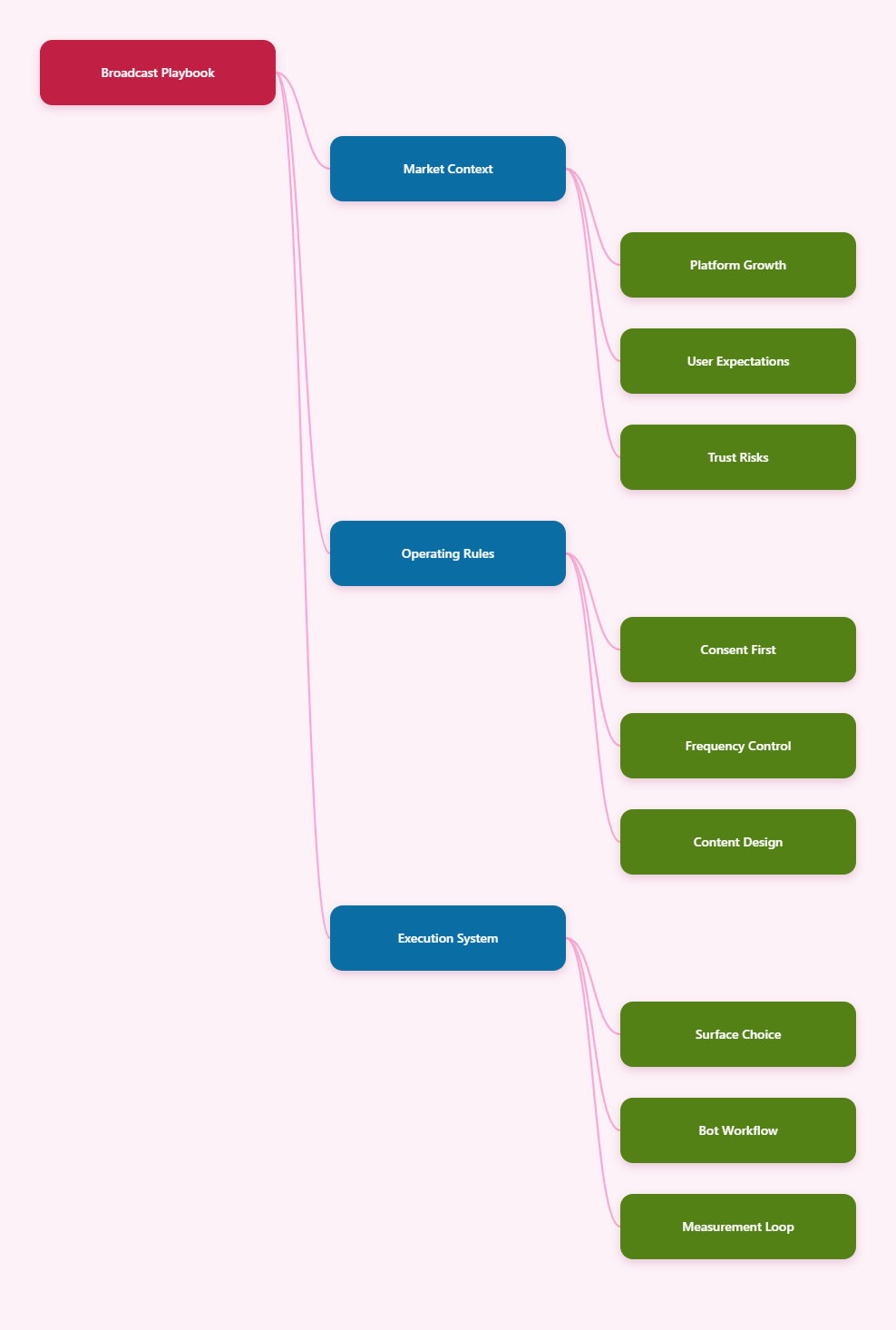
In 2026, stronger Telegram operators build broadcasts around three realities:
- Users expect fast updates, not noisy campaigns.
- Telegram views include forwarded copies, so reach can spread outside your channel.
- Spam reports can damage trust faster than slow growth.
Telegram’s own spam guidance is clear. People do not like unwanted contact from strangers. The same mindset should guide every broadcast, even when you technically can send it.
Core Telegram Broadcast Guidelines for Consent and Trust
My first rule is simple: never confuse access with permission. A user joining a channel, group, or bot does not mean they want every possible message from you.
Define the broadcast promise
Before sending anything, write one sentence that explains why someone should keep notifications on. This becomes your channel promise.
Examples:
- Daily paid media tests under 300 words.
- Security alerts only for confirmed incidents.
- Weekly Telegram growth experiments and teardown notes.
If a broadcast does not match that promise, I either rewrite it or move it elsewhere.
Use explicit opt-in paths
For channels, the join action is your soft opt-in. For bot messages, be more careful. The safest path is user-initiated contact, followed by clear context.
A strong bot start message should explain:
- What users will receive.
- How often messages may arrive.
- How to stop or ignore future updates.
- Where to find human support.
This lowers confusion. It also reduces angry reports from people who forgot why they clicked a bot link.
Separate public updates from private messages
Public channel broadcasts work well for news, analysis, and content drops. Private bot messages should handle support, reminders, onboarding, or user-requested updates.
I avoid sending promotional private broadcasts unless users clearly asked for them. Telegram is intimate. A private chat feels closer than a social feed.
Telegram Broadcast Guidelines for Frequency, Timing, and Format
Frequency is where many good channels slowly lose their audience. The problem rarely starts with one bad post. It starts with several average posts sent too close together.
I use this simple frequency model:
- Breaking news channels: send when the update is truly time-sensitive.
- Educational channels: one to three strong posts daily.
- Community brands: one main post plus discussion prompts.
- Product teams: fewer updates, better changelogs.
Silent messages can help when a post is useful but not urgent. Scheduled messages also help maintain consistency without forcing you to publish manually at odd hours.
Telegram’s native scheduling runs inside Telegram clients, and scheduled posts can publish even when your device is offline. Some guides note native scheduling up to one year ahead, though third-party tools may set different limits.
Build a recognizable post shape
People scan Telegram quickly. I structure most broadcasts with the same pattern:
- Lead with the useful point.
- Add one short context paragraph.
- Give one action or takeaway.
- Use one link, not five.
This works better than long promotional copy. It respects the user’s phone screen and attention span.
Avoid the fake urgency trap
Do not overuse words like urgent, final chance, guaranteed, or limited. They may lift clicks once. They also teach users to ignore you later.
If something is genuinely urgent, state the reason. If it is not urgent, make it useful instead.
Which Telegram Surface Should You Use?
Picking the right surface matters as much as the copy. A channel, group, bot, or direct channel message creates a different user expectation.
| Telegram surface | Best use | Useful built-in facts | Broadcast risk |
|---|---|---|---|
| Channel | One-to-many updates, newsletters, alerts | Unlimited subscribers; post view counters include forwarded copies | Mute fatigue from too many posts |
| Group or supergroup | Community discussion and feedback loops | Admins can use moderation tools and native anti-spam features in eligible supergroups | Spam, link dropping, off-topic noise |
| Bot chat | Onboarding, support, keyword replies, user-requested messages | Telegram Bot API uses HTTPS requests and supports automated workflows | Private-message complaints if consent is unclear |
| Channel direct messages | Subscriber conversations with channel owners or admins | Telegram added channel direct messages in 2025 for creator-subscriber conversations | Support overload without routing rules |
I usually start with the channel for reach. Then I use groups for conversation and bots for structured workflows. That separation keeps broadcasts clean.
How Should You Plan Broadcast Content?
A broadcast calendar should not look like a discount calendar. It should look like a trust calendar. Every week needs a balance of value, proof, interaction, and conversion.
Here is the weekly mix I recommend for most marketing channels:
- Two educational posts with a clear takeaway.
- One curated resource or industry update.
- One proof post, such as a teardown or mini case.
- One soft conversion post with a specific next step.
- One community prompt or question.
This ratio keeps the channel useful before it asks for anything.
Segment by intent, not creepy data
Telegram does not need invasive tracking to segment well. You can segment based on simple user actions.
For example, a user who clicks a bot button for pricing has different intent from someone reading free tutorials. A user asking about support should not receive the same message as a new subscriber.
I keep segmentation simple:
- New users need orientation.
- Active readers need deeper value.
- Support users need answers.
- Buyers need updates and retention content.
Write for forwarding
Telegram posts travel through forwards. That means every strong broadcast should make sense outside its original channel.
Before I publish, I ask:
- Can someone understand this without context?
- Is the source or claim clear?
- Would a peer forward this to a team chat?
- Does the post still look credible when copied?
This one habit improves quality. It also turns subscribers into quiet distributors.
The Hard Parts: Spam Risk, Deliverability, and Measurement
Telegram does not work like email. You do not get the same open-rate dashboard by default. You get view counters, reactions, comments if enabled, forwards, and channel statistics where available.
That is enough if you measure consistently.
I track five practical signals:
- Views in the first hour.
- Views after 24 hours.
- Reaction rate by post type.
- Forward-friendly posts.
- Unsubscribes after promotional bursts.
Do not chase one metric alone. A meme may get reactions. A technical guide may get saves and forwards. A product update may drive replies but fewer public reactions.
Use moderation as part of broadcasting
If your channel has a linked group, broadcast quality depends on group quality. Spam in the comments makes the main channel feel unsafe.
Use narrow moderation rules based on patterns you actually see. Telegram also documents native anti-spam functionality for eligible supergroups. Third-party moderation bots can add captcha, blocklists, and anti-flood controls.
A clean discussion space makes every broadcast feel more credible.
A Practical Workflow for Telegram Broadcast Guidelines and Automation
Automation helps when it protects attention. It hurts when it multiplies bad messages. That is where I like using a bot as an operational layer, not as a megaphone.
One no-code option I have tested for this workflow is OnlyTG Echo@EchoOnBot. The official tutorial flow is straightforward: create a bot with @BotFather, send /newbot, choose a display name, create a username ending in bot, copy the token, then connect that token inside OnlyTG Echo@EchoOnBot.
From there, you can configure start messages, keyword-based auto-replies, quick replies, and broadcast tasks from the Echo console. The documented start message feature supports preset messages triggered when users use /start. Auto-replies can trigger when user messages contain configured keywords.
Three practical scenarios fit the telegram broadcast guidelines above:
- SaaS onboarding: a user clicks the support bot, receives a start message with Docs, Pricing, and Contact buttons, then gets keyword replies for billing or setup questions.
- Creator education: a channel promotes a bot for requested templates. Users who ask for checklist receive the checklist flow, not random private promotions.
- Product update routing: a team sends a channel announcement, then uses bot quick replies to answer common upgrade, bug, and refund questions faster.
OnlyTG Echo@EchoOnBot also documents message receiving and replying, topic mode, quick reply boards, bot menus, channel post editing, and broadcast modules. I would still keep private broadcasts conservative. Consent matters more than convenience.
Quick Operating Checklist
When I audit a Telegram broadcast setup, I look for these basics first:
- State the channel promise in the bio or pinned post.
- Use channels for public updates and bots for requested flows.
- Keep most broadcasts under one screen when possible.
- Send fewer promotional posts than educational posts.
- Use silent messages for non-urgent updates.
- Review first-hour and 24-hour views weekly.
- Watch unsubscribes after every campaign burst.
- Moderate linked groups before scaling traffic.
- Never DM people who did not expect your message.
- Document your own telegram broadcast guidelines for admins.
FAQ: Telegram Broadcast Guidelines in 2026
What are telegram broadcast guidelines?
They are operating rules for sending Telegram messages responsibly. Good guidelines cover consent, frequency, content quality, surface choice, automation, measurement, and spam prevention.
How often should I broadcast on Telegram?
It depends on your promise. News channels can post more often. Educational and brand channels usually perform better with fewer, stronger posts. I prefer consistency over volume.
Can I broadcast private messages with a Telegram bot?
Bots can send messages within Telegram’s bot rules and user interaction context. You should only message users who initiated contact or clearly expected updates from your bot.
Are Telegram channels better than groups for broadcasts?
Channels are better for clean one-to-many publishing. Groups are better for discussion. Many serious operators use both, with a channel for announcements and a linked group for feedback.
Do scheduled Telegram posts work when I am offline?
Yes, Telegram scheduling is server-side in normal use. Once scheduled correctly, the post can publish without your device staying online.
How do I know if my broadcast is annoying users?
Watch muted engagement, weak first-hour views, lower reactions, poor comments, and unsubscribes after campaign bursts. Direct complaints are a late warning, not an early one.
Should every broadcast include a link?
No. Link-heavy posts can feel transactional. Some of the best Telegram broadcasts teach, summarize, or alert without asking for a click.
Final Thoughts
The best telegram broadcast guidelines are not complicated. Say what users signed up for. Send fewer weak messages. Make every broadcast easy to scan, easy to trust, and easy to forward.
If you need a cleaner workflow, a bot layer such as OnlyTG Echo@EchoOnBot can help with start messages, keyword replies, quick replies, and structured broadcasts. Just remember the real goal: better conversations, not louder automation.