
I have watched Telegram traffic for years, and 2026 still rewards the same thing: timing plus relevance. The problem is simple. Most teams post when they are free, not when their audience is actually ready to read, click, or reply.
That is why off-hour automatic telegram broadcast has become such a useful habit for marketers, channel owners, and support teams. It is not about sending random late-night blasts. It is about matching message delivery to real attention windows, then automating the repeat work so the process stays clean.
Telegram is now too large to treat like a casual side channel. It still works as a broadcast-first platform, channels can hold unlimited subscribers, and people see posts in chronological order rather than through a heavy algorithm. In practice, that means the first hour matters a lot.
Why timing still matters in Telegram in 2026
When I audit Telegram campaigns, the first failure is usually not the copy. It is timing. A good post sent at the wrong hour can look weak. A decent post sent at the right local time can pull much better early views and engagement.
Telegram also behaves differently from feed-based social platforms. There is no ranking system working behind the scenes to rescue a weak send. If your audience is asleep, commuting, in meetings, or simply not checking the app, your post waits there quietly.
- Channels work best when the message lands during active attention windows.
- Groups need even more care, because too many off-hour messages can feel noisy.
- Support-heavy bots need timing discipline so follow-up requests do not pile up overnight.
That is why I think of off-hour broadcasting as a planning problem, not a posting trick. The goal is not to find one magic hour. The goal is to build a repeatable system that respects time zones, content type, and audience habits.
What actually breaks when you ignore off-hours?
The most obvious problem is low first-hour reach. If your audience is not active, views build slowly. That makes launch posts look flat, and it makes simple updates feel less important than they really are.
The second problem is fatigue. People do not always mute because your content is bad. They mute because your timing feels invasive. One or two badly timed sends can make an otherwise strong channel feel pushy.
The third problem is operational mess. If your team serves multiple regions, someone is always posting at an inconvenient hour. That often leads to rushed wording, missed approvals, and inconsistent cadence.
| Workflow | Best For | Strength | Weakness |
|---|---|---|---|
| Manual posting | Small updates and one-off alerts | Fast to publish | Hard to cover multiple time zones |
| Native Telegram scheduling | Simple planned sends | Built into Telegram | Limited operational control |
| Segmented off-hour broadcast | Multi-region campaigns and launches | Matches local attention windows | Needs planning and tracking |
I like this table because it keeps the decision honest. Native scheduling is useful. Manual posting is still fine for tiny teams. But once the audience becomes global, segmented off-hour delivery usually wins on consistency.
How do I choose the right off-hour?
I never start with my own schedule. I start with the audience. If most subscribers are in one region, I build around that local day. If the audience is mixed, I split it into time-zone buckets and send the same idea in separate windows.
Start with the audience clock
For many Telegram audiences, weekday mornings, lunch breaks, and early evenings are the safest starting points. I treat those as test windows, not rules. The real answer comes from your own views, replies, and click patterns.
A lot of teams also overlook the simplest truth: some off-hours are only off-hours for you. For the audience, they may be prime-time. That is why timezone mapping is more important than midnight creativity.
Match timing to content type
Not every post deserves the same window. Quick alerts can work earlier in the day. Longer explainers often do better when people have a few minutes to read. Event reminders need enough lead time to be useful, but not so much that they get forgotten.
I usually separate content into three buckets: urgent, informative, and evergreen. Urgent posts get tighter timing. Informative posts get tested in active windows. Evergreen posts are the easiest to automate off-hour because they are less dependent on a single moment.
Watch the first-hour signals
The first hour tells me most of what I need to know. I look at early views, reply volume, link clicks, and whether people keep reading after the first line. If the opening is strong but the timing is poor, I adjust the schedule before I rewrite the message.
That approach saves time. It also stops teams from blaming copy for a timing problem. In my experience, clean testing beats opinion every time.
A simple framework I use for off-hour automation
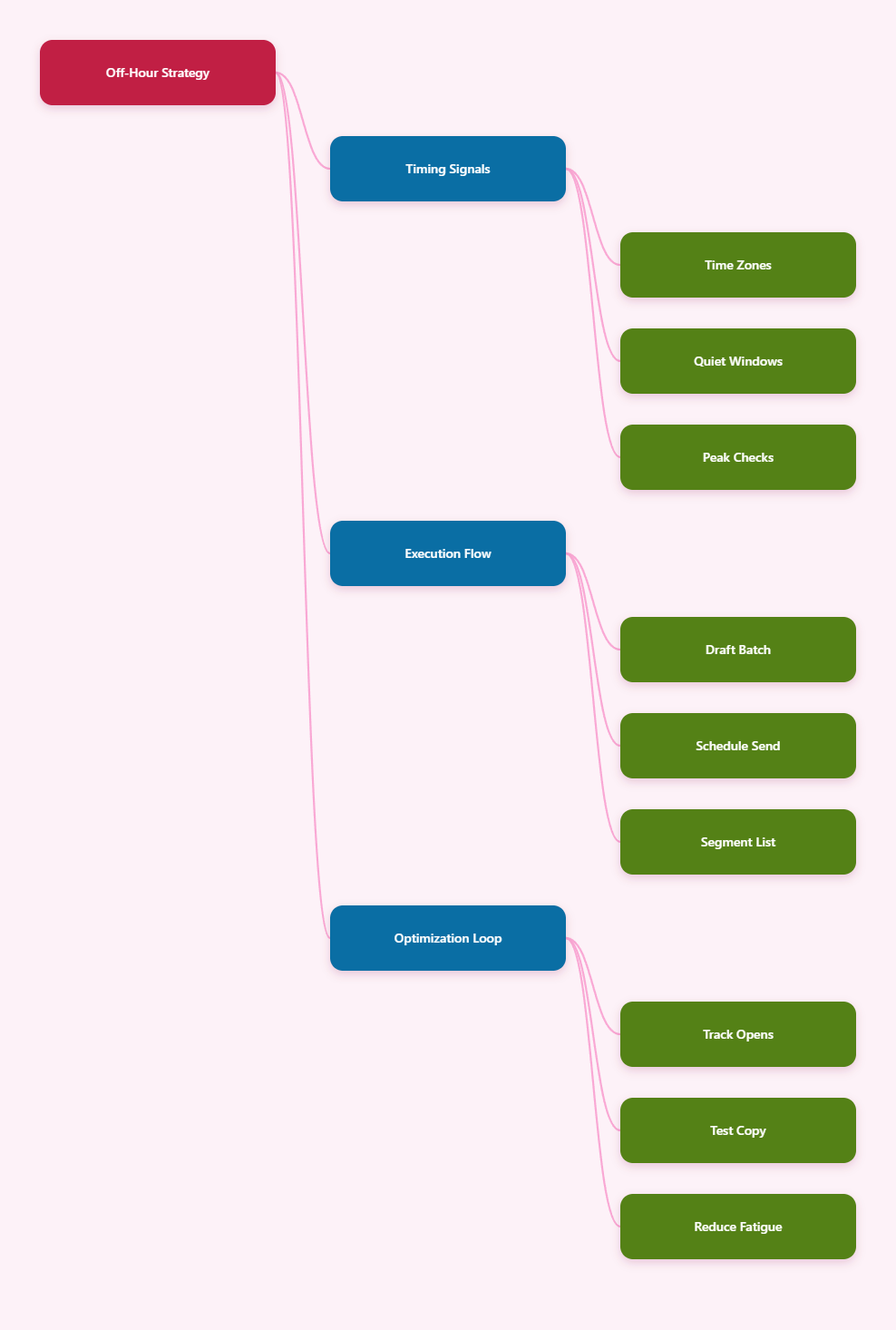
My workflow is usually the same. First, I define the audience window. Second, I prepare the message once. Third, I send it at the local time that makes sense. Fourth, I review the result and reuse the winning pattern.
- Segment by timezone or language if the audience is broad.
- Write one core message, then adjust the opening line for each region if needed.
- Use a steady cadence instead of random bursts.
- Measure early behavior, not just total views after a day.
That is the part many teams miss. Automation is not the strategy. Automation just protects the strategy from human fatigue.
Where OnlyTG Echo@EchoOnBot fits
When the timing plan is clear, I want the execution to be boring in the best way. That is where OnlyTG Echo@EchoOnBot can help. According to its docs, the flow is built around linking your Telegram bot, creating reusable content modules, and then setting broadcast tasks from the console.
The basic process is straightforward:
- Open OnlyTG Echo@EchoOnBot in Telegram and start the bot.
- Send the BotFather token to connect your own bot.
- Create a module for the message content you want to reuse.
- Build a broadcast task and choose the bot, content module, and send time.
That solves a real pain point. Instead of waking up at a strange hour to post by hand, I can prepare the content once and schedule the delivery for the audience’s active window.
Three realistic use cases
1. SaaS launch across regions. A product team can prepare one release note and send it separately for Europe, North America, and APAC. The message stays the same, but the delivery time changes to match each region’s morning or early evening.
2. Weekly creator digest. A channel owner can build a repeatable module for a Monday summary, then schedule it for the audience’s commute window. That keeps the cadence stable without forcing the creator to stay online every week.
3. Support-heavy lead follow-up. If a Telegram bot drives leads at night, a broadcast can be paired with a start message or auto-reply flow so people still get guidance before a human agent returns.
I also like the fact that the docs mention extras such as quick reply, bot menu, tracking links, ban contacts, recall messages, and post looping. I do not treat those as the main story. I treat them as support tools that make the broadcast workflow smoother.
Practical rules I follow before every send
- Never assume one global best time exists.
- Write for the reader’s local clock, not mine.
- Keep the message short when attention is low.
- Test one change at a time, or the data gets noisy.
- Avoid over-sending just because automation makes it easy.
- Use the first hour as the main quality check.
Those rules sound basic, but they are what keep a Telegram strategy from drifting into spam. Off-hour automation should reduce friction, not increase it.
FAQ
What is off-hour automatic telegram broadcast?
It is a scheduled Telegram send that lands during the audience’s best attention window, even if that time is inconvenient for the sender.
Is Telegram still strong enough for this in 2026?
Yes. Telegram still operates at huge scale, and channels remain a powerful broadcast channel because posts appear directly to subscribers in chronological order.
Should I always send in the morning?
No. Morning is often a good starting point, but lunch and early evening can work better depending on region, content type, and audience behavior.
Does scheduling replace segmentation?
No. Scheduling only handles timing. Segmentation decides who gets the message, which is just as important when your audience spans time zones.
Can Telegram’s own scheduling handle everything?
It is useful for simple timing, reminders, and planned posts. It is not a full operating system for multi-region broadcast workflows.
How often should I broadcast?
As often as your audience can tolerate without muting you. For most teams, consistency matters more than raw volume.
What should I measure first?
Look at first-hour views, link clicks, replies, and whether people keep engaging after the initial send. Those numbers tell you more than vanity totals.
Final take
Off-hour automatic telegram broadcast works when it respects people. That means timing by timezone, writing for the right moment, and automating only after the message strategy is clear.
If you already run Telegram seriously, I would start with a clean scheduling framework first. Then, when manual posting starts to feel like a bottleneck, tools like OnlyTG Echo@EchoOnBot can take the repetitive work off your plate without changing the strategy itself.