
A Telegram group can become a valuable channel for customer communication, community engagement, and business development. However, as membership grows, managing conversations, welcoming new users, enforcing group rules, and keeping discussions relevant can consume a significant amount of time. Without a clear management process, businesses may struggle to maintain a useful and welcoming environment. Telegram group management is therefore not simply about controlling messages. It is about creating a community that supports business goals while remaining manageable as activity increases. This guide explains how businesses can improve group operations through practical workflows and automation.
Why Are Businesses Turning to Telegram Group Management?

Businesses use Telegram groups to bring customers, prospects, partners, and community members together. A group can support product discussions, customer education, announcements, and ongoing communication.
However, a growing group creates operational demands that go beyond publishing messages.
Growing Communication Volume
When a group becomes active, administrators may need to respond to repeated questions, clarify announcements, and monitor discussions. Important information can quickly become difficult to find among unrelated conversations.
Higher Member Expectations
Members expect clear rules, useful information, and timely responses. A poorly managed group can create confusion, discourage participation, and weaken the relationship between a business and its audience.
Repetitive Administrative Tasks
Welcoming new members, explaining group rules, answering common questions, and publishing updates can involve repeating the same actions every day.
The Need for Scalable Community Operations
A management process that works for a small group may become difficult to maintain as membership and message volume increase. Businesses need workflows that can accommodate growth without requiring administrators to personally handle every routine interaction.
What Happens Without Automation?
Manual management may be sufficient when a group is small and conversations are limited. As activity increases, several problems can emerge.
Repetitive Work
Administrators repeatedly answer questions about group rules, product information, links, and basic instructions. The time spent on these tasks reduces the time available for more valuable work, such as customer conversations and community development.
Slow or Inconsistent Communication
When administrators are busy, members may wait longer for responses. Different team members may also provide different explanations for the same question.
Inconsistent communication can make it harder for members to understand what the business offers or how they should participate.
Limited Scalability
As a group grows, administrators may find it difficult to welcome every new member, maintain consistent rules, and publish information at the right time.
Adding more administrators can help, but it does not automatically eliminate repetitive work or establish a consistent operating process.
How Does Telegram Group Management Automation Solve These Problems?
Telegram group management automation uses predefined rules and workflows to handle routine communication and selected administrative tasks.
Instead of relying entirely on administrators to perform every action manually, businesses can establish a process in which routine interactions are handled automatically while people focus on situations requiring judgment.
The difference is straightforward:
Manual Process → Automated Workflow → More Consistent Operations
For example, when a new member joins a group, an administrator might manually explain the group’s purpose, share its rules, and direct the member to useful resources.
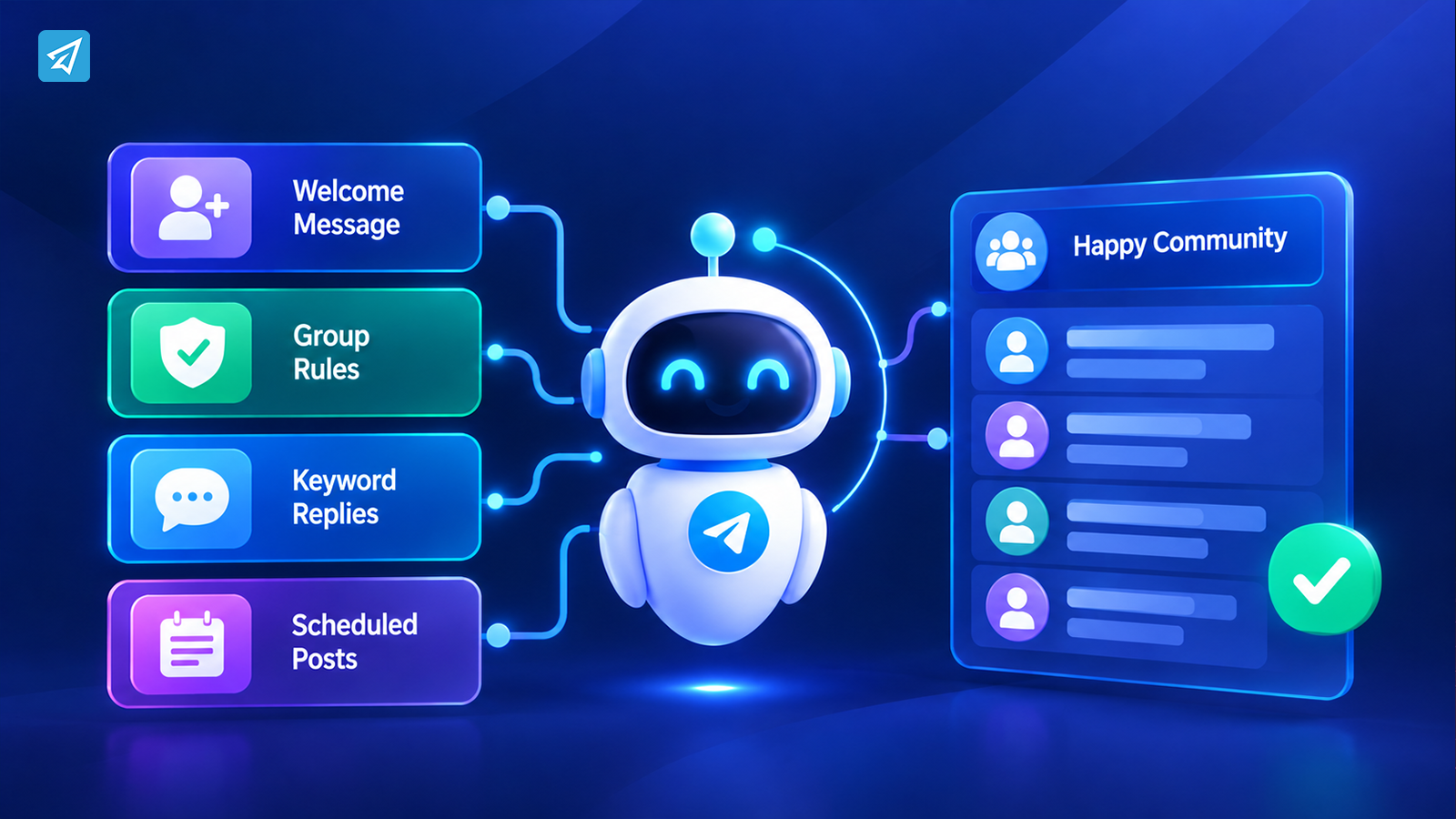
With an automated workflow, a group greeting can introduce the community and provide essential information. Group rules can help communicate expectations, while keyword replies can address recurring questions.
Automation does not replace community leadership. It supports it by making routine communication more consistent and reducing the need to repeat the same tasks.
Key Business Use Cases
1. Welcome New Members and Improve Onboarding
Business situation: A business operates a Telegram group for customers, subscribers, or community members.
Problem: New members join at different times. They may not understand the group’s purpose, know where to find information, or recognize which discussions are relevant.
Automation: Use a group greeting to introduce the community and communicate essential information. Group rules can explain expected behavior and provide guidance on participation.
Business value: Members receive a more consistent introduction, and administrators spend less time manually explaining basic information.
A welcome message should be useful rather than promotional. It can explain what the group is for, where members should begin, and what kind of participation is encouraged.
2. Maintain Clear Group Rules
Business situation: A brand, educational community, or business support group needs to maintain a useful discussion environment.
Problem: Members may share irrelevant content, misunderstand community expectations, or repeatedly ask what is permitted.
Automation: Configure group rules through a management workflow. Group CAPTCHA can also support the process of managing new member entry.
Business value: Clear expectations make it easier for members to understand the group’s purpose and help administrators maintain consistent community standards.
Rules should be specific enough to guide behavior. For example, a business community may explain where to ask product questions, what promotional content is permitted, and how members should communicate with one another.
3. Answer Repeated Questions with Keyword Replies
Business situation: A Telegram group supports customers or provides information about a business.
Problem: Administrators repeatedly answer questions about product details, registration instructions, event information, or where to find important resources.
Automation: Configure group keyword replies for common questions. A relevant keyword can trigger a predefined response containing the appropriate information.
Business value: Members can access basic information without waiting for an administrator to manually respond to every repeated question.
Keyword replies should be designed carefully. Choose phrases that clearly indicate the intended question, and keep responses focused. If a question requires personal attention, the automated message should not attempt to replace a human response.
4. Organize Group Communication and Announcements
Business situation: A company uses its Telegram group to share updates, reminders, and community information.
Problem: Important messages may be published inconsistently or require administrators to remember every communication task.
Automation: Use group posts and scheduled posts to organize recurring communication.
Business value: A planned publishing workflow helps administrators maintain a more consistent communication schedule and reduces the need to manually publish every update at the last minute.
A useful publishing plan may include community announcements, upcoming activities, important reminders, and educational content. The schedule should reflect member needs rather than simply maximizing message frequency.
5. Support Community Growth with Better Operational Visibility
Business situation: A business invests time in building a Telegram community but wants to understand how its communication is performing.
Problem: Publishing messages alone does not explain whether the community is becoming more useful or whether members are engaging with its content.
Automation: Use available analytics and tracking links to review relevant activity and understand how different communication efforts are performing.
Business value: Administrators can make more informed decisions about what to publish, which information to improve, and where to focus their operational effort.
Analytics should inform decisions rather than serve as a substitute for them. Businesses still need to interpret member behavior in the context of their community’s purpose.
What Are the Main Business Benefits?
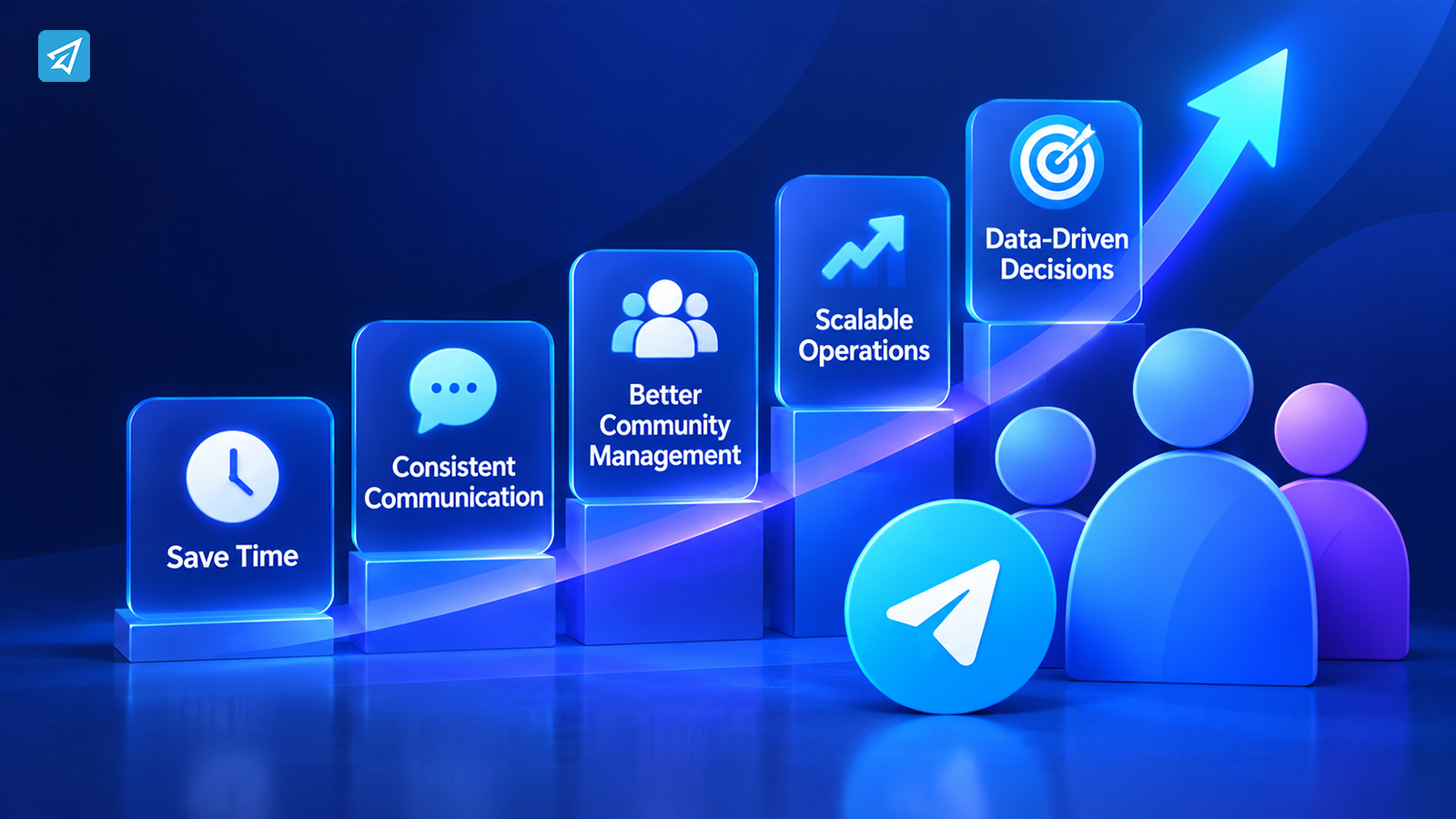
Save Operational Time
Automating recurring tasks reduces the need for administrators to perform the same actions manually. The time saved can be redirected toward customer support, community discussions, and business development.
Improve Communication Consistency
Predefined greetings, rules, and keyword replies help ensure that members receive consistent information.
This is particularly useful when several administrators are responsible for managing the same group.
Support Community Management
A structured process for welcoming members, explaining rules, and organizing announcements makes everyday group operations easier to maintain.
Make Communication More Scalable
Automation can help businesses maintain routine workflows as their groups become more active. It does not eliminate the need for administrators, but it can reduce the amount of repetitive work associated with growth.
Make Better Operational Decisions
Analytics and tracking links can provide useful information about communication activity. Businesses can use this information to review their content and improve their community management approach.
How to Use OnlyTG Echo
A practical implementation can be kept relatively simple.
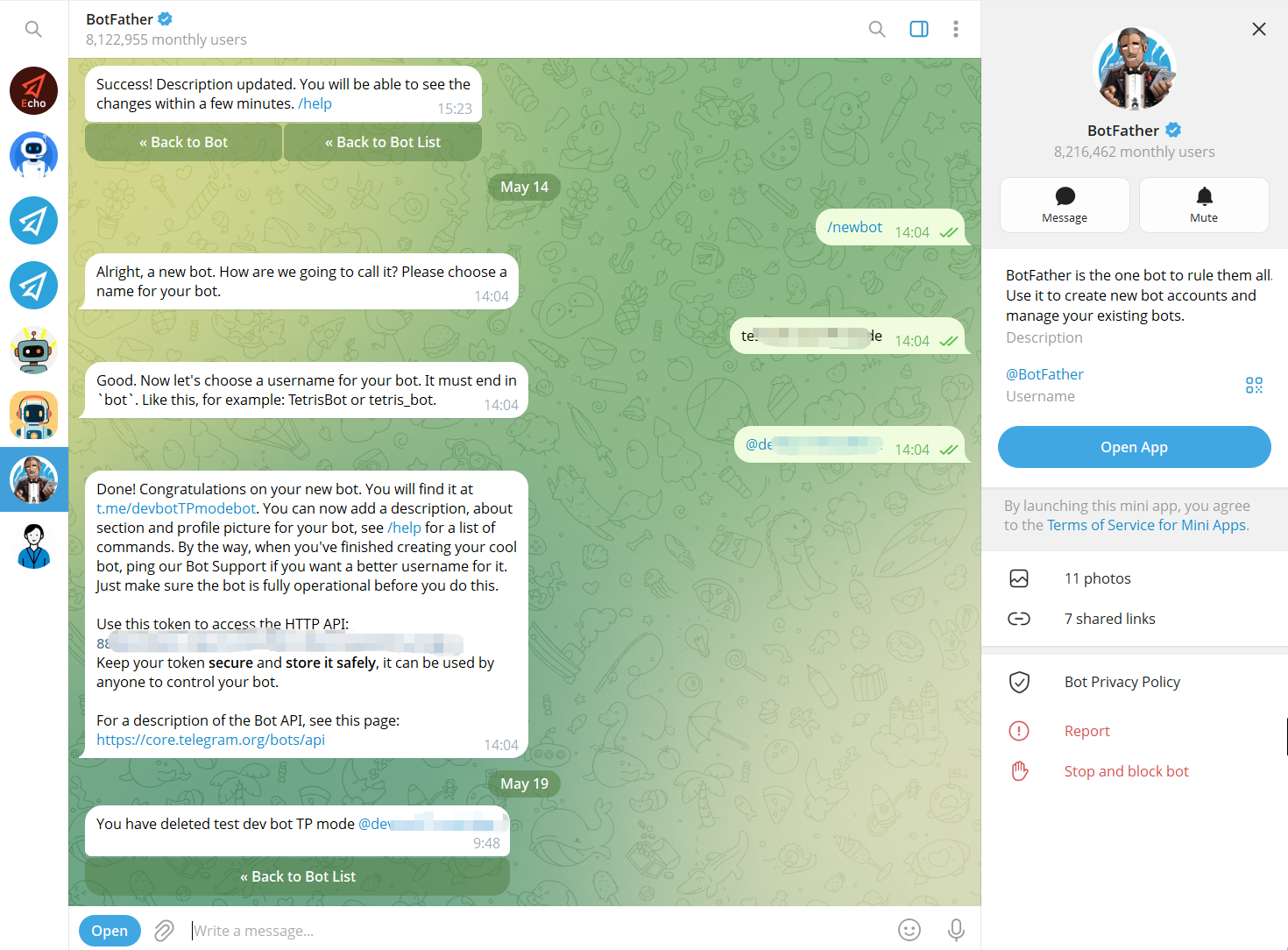
Step 1 — Create a Telegram Bot
Use Telegram’s BotFather to create a bot and obtain its bot token. The bot becomes the communication interface that users interact with.
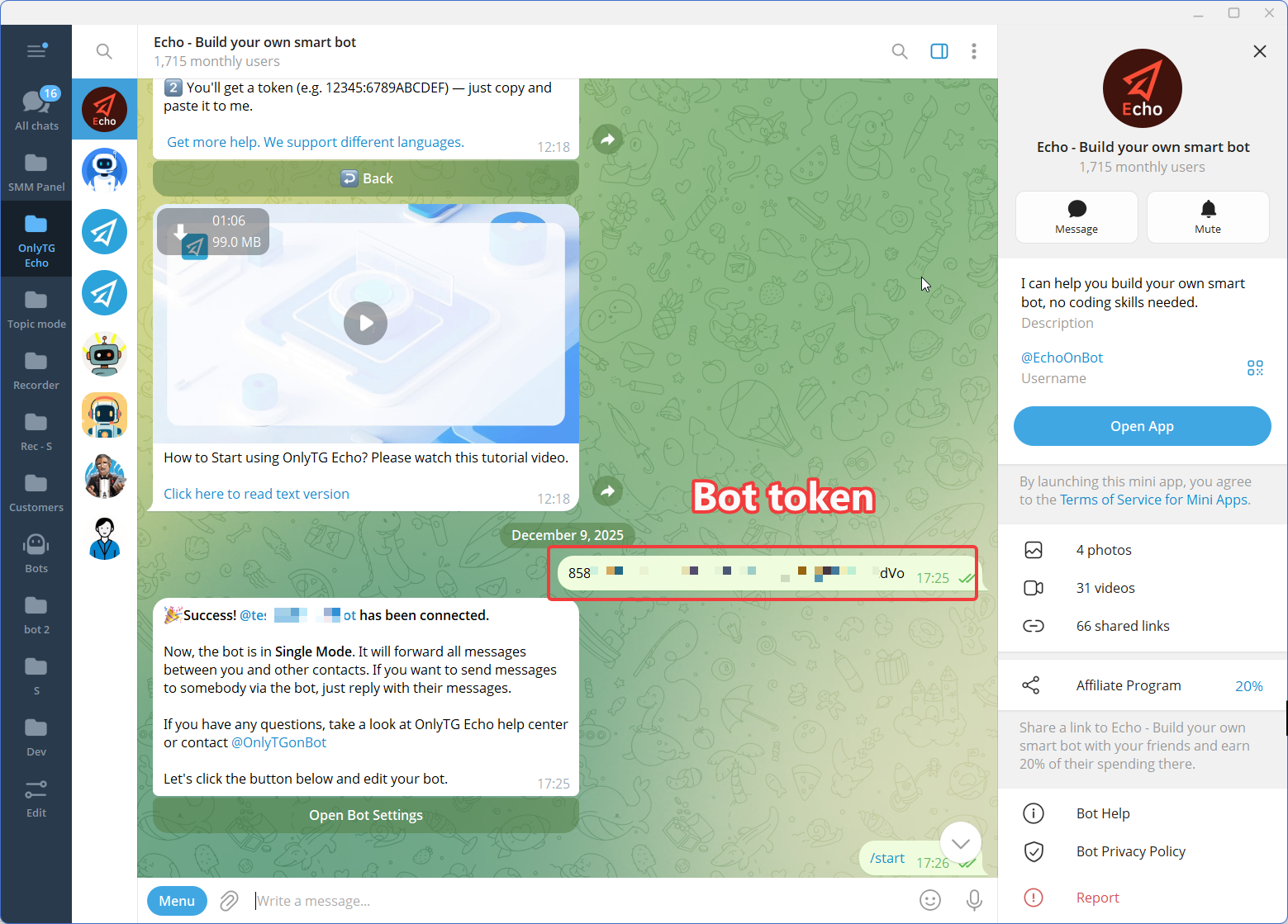
Step 2 — Connect the Bot to OnlyTG Echo
Connect the newly created Telegram bot to OnlyTG Echo using the bot token.
The purpose of this step is to give the business a no-code environment for configuring the bot’s communication behavior rather than requiring a custom automation workflow to be developed from scratch.
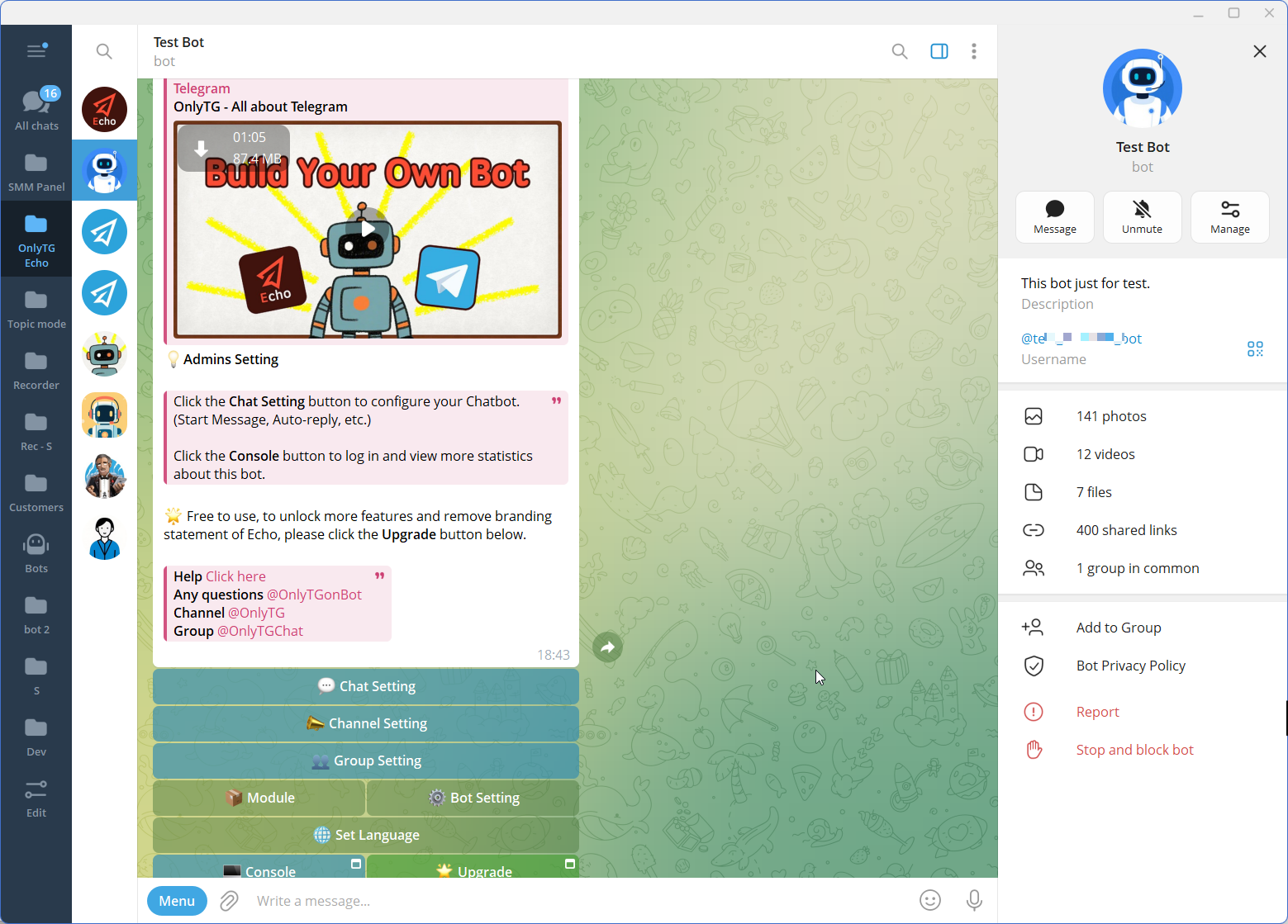
Step 3 — Configure the Features
Manual Approach vs. Telegram Automation
| Management Task | Manual Approach | Automated Approach |
|---|---|---|
| Welcome new members | Administrators send introductions individually or when available | Group greeting provides a consistent introduction |
| Explain group rules | Administrators repeatedly explain expectations | Group rules communicate expectations through a defined workflow |
| Answer common questions | Administrators respond to repeated inquiries | Group keyword replies provide predefined answers |
| Publish announcements | Administrators publish each update manually | Group posts and scheduled posts support planned communication |
| Review community activity | Administrators rely on their observations | Available analytics and tracking links provide additional information |
| Manage daily operations | Routine work depends heavily on administrator attention | Automation supports recurring tasks while administrators handle judgment-based work |
Automation is most useful when the task is repetitive, predictable, and appropriate for a predefined response. Human involvement remains important for sensitive questions, complex support requests, disputes, and decisions that require context.
Is This the Right Solution for Your Business?
Telegram group management automation can be useful when a group has recurring administrative tasks or a clear operational purpose.
Before adopting it, consider the following:
- Message volume: Are administrators repeatedly responding to the same questions?
- Team size: Do several people manage the group and need consistent communication?
- Community activity: Are new members joining regularly?
- Marketing needs: Does the group support announcements, education, or customer engagement?
- Support workload: Do members frequently ask for basic information?
- Automation requirements: Are there routine tasks that can be handled through predefined workflows?
- Publishing frequency: Does the group need planned and recurring communication?
Businesses that may benefit include customer communities, educational groups, product communities, membership organizations, and brands using Telegram to communicate with their audiences.
A small group with limited activity may not need extensive automation. The appropriate approach depends on the group’s purpose, workload, and operational requirements.
FAQ
What is Telegram group management?
Telegram group management is the process of organizing and maintaining a Telegram group, including member communication, community rules, onboarding, announcements, and ongoing administration.
How can I automate Telegram group management?
Businesses can use Telegram bots and automation tools to support routine tasks such as welcoming new members, communicating group rules, responding to common questions, and scheduling posts. The available workflows depend on the tool and its confirmed capabilities.
Do businesses need a Telegram group management bot?
Not every business needs one. A management bot or automation solution may be useful when recurring administrative tasks consume significant time or when a business needs more consistent communication as its community grows.
Conclusion: Build a More Manageable Telegram Community
Effective Telegram group management requires more than monitoring messages. Businesses need clear community expectations, useful communication, and workflows that remain manageable as activity grows.
Manual administration can work for small groups, but repetitive tasks may become increasingly difficult to maintain as the community expands. Automation provides a practical way to support recurring operations while leaving important decisions and meaningful conversations to people.
OnlyTG Echo offers relevant automation capabilities, including group greetings, group rules, group keyword replies, and scheduled group posts. Businesses can explore these options to identify which workflows best match their operational needs.
Ready to make Telegram community operations more manageable? Explore OnlyTG Echo and see how its automation capabilities can support your group’s communication and management workflows.