
Telegram has become a serious business channel, not just a messaging app. Public reports and Telegram founder statements indicate that Telegram reached about 1 billion monthly active users in 2026. For marketers, community builders, Web3 teams, SaaS companies, creators, and cross-border sellers, that scale creates a clear opportunity: direct customer conversations without depending entirely on social feeds or email inboxes.
But the opportunity also creates a practical problem. Once a Telegram channel, group, or bot starts attracting traffic, manual replies become slow, inconsistent, and hard to track. This is where an Auto Reply Telegram Bot becomes useful. It can answer common questions, guide leads, send welcome messages, and reduce repetitive support work.
This guide explains the business pain points, how OnlyTG Echo can help as a Telegram bot operating tool, and how to set up practical workflows based on the available OnlyTG Echo tutorials and documentation. The focus is not on hype. It is on building a realistic Telegram marketing and customer communication system that a business team can actually run.
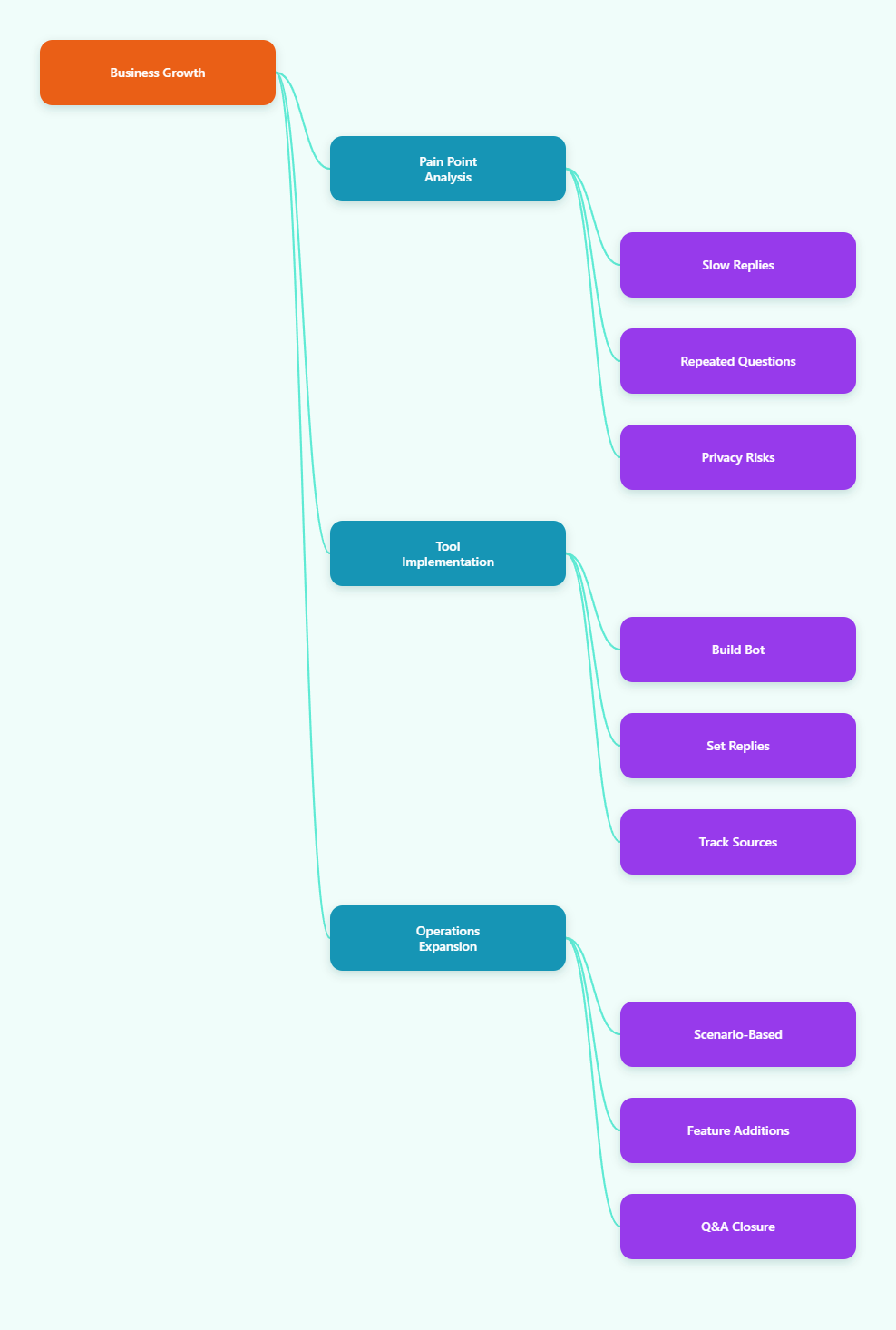
1. User Industry Pain Points
Telegram marketing looks simple from the outside. You create a channel, post updates, invite users, and wait for messages. In practice, businesses quickly face operational friction.
Slow replies reduce conversion
Telegram users expect fast responses. If a prospect asks about pricing, delivery, onboarding, token access, event registration, or product details and receives no answer for hours, the buying intent often disappears.
For small teams, this is especially difficult because Telegram traffic may arrive across time zones. A team in one region may receive customer messages from Europe, Southeast Asia, the Middle East, or Latin America while the support team is offline.
Repetitive questions consume the team
Most Telegram business inboxes contain repeated questions:
- What is the price?
- How do I join the channel?
- Where is the tutorial?
- How do I contact support?
- Is there a trial?
- How do I place an order?
Answering these manually is not strategic work. It is necessary, but it slows down sales, community management, and content operations.
Personal accounts create privacy and continuity risks
Many teams start by asking customers to message a founder, sales rep, or community manager directly. That creates several risks:
- The personal Telegram username is exposed.
- Customer history is tied to one person.
- Handover becomes difficult when a staff member leaves.
- Managers cannot easily standardize reply quality.
A bot-based communication layer can make the business more consistent. It gives customers one clear contact point while keeping personal accounts less exposed.
Broadcasting updates manually is inefficient
Telegram channels are useful for public updates, but many businesses also want to send direct notices to contacts who interacted with a bot. Manual copy-and-paste messaging is slow and error-prone. It can also make it harder to maintain a consistent campaign cadence.
Telegram operations need structure, not just messages
A good Telegram marketing system needs more than one automated reply. It needs a full operating structure:
- A start message for first contact.
- Keyword-based replies for common intent.
- Quick replies for human operators.
- Broadcast tasks for updates.
- Tracking links for campaign source analysis.
- Bot menus for navigation.
- Contact controls such as ban and recall where needed.
Without this structure, Telegram becomes another chaotic inbox.
2. Relying on OnlyTG Echo to Solve the Pain Point
OnlyTG Echo is positioned as a tool for building and operating a Telegram bot without coding. According to its official pages and help center, it can connect with a bot created through BotFather and then provide operational features such as message receiving and replying, start messages, dynamic start messages, auto-reply, keyword-based reply, quick reply, broadcast tasks, tracking links, bot menu, ban contacts, recall messages, and channel-related functions.
For a business team, the value is practical. Instead of hiring a developer to build a basic Telegram bot from the Bot API, a marketer or operator can configure common workflows through OnlyTG Echo.
The strongest fit is not complex AI automation. It is repeatable Telegram communication:
- Answering frequent pre-sales questions.
- Welcoming new leads from campaigns.
- Guiding users to product pages, docs, groups, or support.
- Sending campaign updates to bot contacts.
- Keeping Telegram conversations away from personal accounts.
This matters because most businesses do not need an over-engineered bot on day one. They need reliable first-response automation, clear routing, and faster human follow-up.
| Telegram Operation Method | Typical Setup | Best For | Main Limitation |
|---|---|---|---|
| Manual personal account replies | Staff reply from their own Telegram accounts | Very early testing with low message volume | Privacy risk, inconsistent replies, difficult handover |
| Custom coded Telegram bot | Developer builds with Telegram Bot API | Complex custom logic and integrations | Requires development and maintenance resources |
| OnlyTG Echo bot workflow | Create bot with BotFather, connect token to OnlyTG Echo, configure replies | Marketing, support, lead capture, channel operations | Should be used within the documented feature scope |
The key point: OnlyTG Echo should be seen as a Telegram operating layer. It does not remove the need for good content, clear offers, or trained support staff. It helps the team respond faster and standardize the first layer of communication.
3. Step-by-Step Tutorial: Build an Auto Reply Telegram Bot with OnlyTG Echo
The following workflow is based on OnlyTG Echo tutorials and documentation for creating a bot, receiving and replying to messages, setting start messages, configuring auto-replies, adding keyword replies, using quick replies, creating broadcast tasks, tracking links, and configuring the bot menu.
Step 1: Create a Telegram bot through BotFather
OnlyTG Echo documentation explains that you first need a bot created through Telegram BotFather. The general process is:
- Open Telegram and search for @BotFather.
- Start a chat with BotFather.
- Use the bot creation command provided by BotFather.
- Choose a bot name.
- Choose a bot username that ends with bot.
- Copy the API token generated by BotFather.
Keep the token private. Anyone with access to the token may be able to control the bot through the Telegram Bot API or connected tools.
Step 2: Connect the bot token to OnlyTG Echo
OnlyTG Echo tutorials show that you can connect your new Telegram bot by sending the BotFather token to OnlyTG Echo. The official bot is listed as EchoOnBot in public materials.
The typical setup flow is:
- Open OnlyTG Echo in Telegram.
- Start the OnlyTG Echo bot.
- Follow the prompt to add or bind your own bot.
- Paste the token copied from BotFather.
- Wait for OnlyTG Echo to confirm the connection.
After binding, your Telegram bot can act as the contact point between your business and users.
Step 3: Test message receiving and manual reply
Before configuring automation, confirm that messages can be received and replied to.
- Open your newly created business bot from another Telegram account or test account.
- Send a simple message such as hello.
- Check the connected OnlyTG Echo conversation or management flow.
- Reply through the bot interface.
- Confirm that the test user receives the reply from the bot.
This step verifies the basic relay function. It is important because automated replies should be added only after the communication channel works correctly.
Step 4: Set the start message
The start message is the first message users see after they open the bot and tap Start or send /start. OnlyTG Echo documentation includes start message and dynamic start message functions.
A practical business start message should include:
- Who the bot is for.
- What the user can do next.
- Clear options or keywords.
- A short expectation about human support if needed.
Example start message:
Hi, welcome to our Telegram support desk. You can send pricing, demo, support, or guide to get the right information. If your question needs a human reply, our team will follow up as soon as possible.
Keep it short. A long start message often reduces action.
Step 5: Configure auto-reply
OnlyTG Echo documentation states that auto-replies are preset messages sent when the bot detects user keywords. It also notes that if no keyword is set, the auto-reply can be sent whenever users send something. The documentation also states that every auto-reply includes a maximum of five messages.
A practical setup flow is:
- Open your bot and send the /start command.
- Select Chat Setting and Auto-reply.
- Choose Add new Auto-reply.
- Enter a name for the auto-reply, such as Pricing Reply or Support Reply.
- Add the response message content.
- Add relevant keywords if the reply should trigger only for specific words.
- Save and test the reply from a separate Telegram account.
For a pricing reply, use clear but flexible wording:
Thanks for your interest. Please send your use case, team size, and expected launch timeline. Our team can then suggest the most relevant plan or next step.
Avoid promising prices or discounts unless they are current and publicly confirmed.
Step 6: Add keyword-based replies
Keyword replies make an Auto Reply Telegram Bot more useful because different user intents receive different answers.
Recommended keyword groups:
- Pricing: price, pricing, cost, plan, quote.
- Support: support, help, issue, bug, problem.
- Demo: demo, tutorial, guide, video.
- Sales: buy, order, purchase, contact.
- Community: group, channel, rules, join.
Build each reply around one user goal. For example:
- Pricing reply: ask for use case and send pricing page if available.
- Support reply: ask for order ID, account email, screenshot, or issue description.
- Demo reply: send tutorial link or ask what feature the user wants to see.
- Community reply: send group rules and official channel links.
Test with lowercase, uppercase, short messages, and natural user phrases. If the bot misses common expressions, add more keywords.
Step 7: Set quick replies for human operators
OnlyTG Echo documentation lists Quick Reply as a feature. Quick replies are useful when a human operator is replying but does not want to type the same answer repeatedly.
Create quick replies for:
- Business hours.
- Requesting screenshots.
- Asking for order details.
- Sending product documentation.
- Escalating to a specialist.
This improves consistency while keeping human judgment in the loop.
Step 8: Configure the bot menu
OnlyTG Echo documentation and public tutorials mention Bot Menu. The bot menu can provide a button below the bot input field and a response message for the menu button.
A useful menu can include:
- Pricing
- Support
- Product Guide
- Join Channel
- Contact Sales
Menu labels should be short. Avoid vague labels such as More Info. The user should immediately understand what happens after tapping.
4. Realistic Business Use Cases
SaaS lead qualification
A SaaS company can place a Telegram bot link on its website, docs, and Telegram channel. When users ask about pricing, demo, or integration, keyword replies can guide them to the right next step. Human sales staff can then handle qualified conversations instead of answering the same first questions all day.
Web3 community onboarding
Web3 projects often use Telegram for announcements and community support. A bot can welcome users, send official links, explain rules, and answer basic questions about roadmap, documentation, or support process. This reduces confusion and helps protect users from unofficial links.
Creator and paid community operations
Creators can use a Telegram bot to answer membership questions, send community guidelines, and direct users to official content channels. Broadcast tasks can announce new sessions, lessons, or updates to users who have contacted the bot.
E-commerce pre-sales and order support
A cross-border seller can use keyword replies for shipping, payment, returns, product guide, and order issue. The bot does not need to replace human support. It simply collects context before the support team replies.
Event marketing and webinar registration
For webinars, offline events, or product launches, a bot can provide agenda, speaker info, registration links, location details, and reminder broadcasts. Tracking links can separate traffic from different partners or campaigns.
Agency client communication
Marketing agencies can create Telegram bot workflows for client-facing campaign updates, asset submission instructions, support requests, and reporting reminders. Quick replies help account managers maintain consistent communication.
5. Other Useful OnlyTG Echo Functions
Beyond auto-reply, OnlyTG Echo documentation lists several functions that can support broader Telegram channel operations.
Message receive and reply
The bot can act as a communication agent between the business and contacts. This is useful when a team wants to communicate through a bot rather than exposing personal Telegram usernames.
Dynamic start message
Dynamic start messages can help adapt the first user experience based on entry context where configured. This is useful for campaigns because not every user comes from the same source or has the same intent.
Quick reply
Quick Reply helps human operators send preset responses faster. It is practical for support scripts, sales qualification, onboarding, and escalation messages.
Broadcast task
Broadcast can send messages to multiple bot contacts. It is best used for relevant updates, not aggressive promotion.
Tracking links
Tracking links help operators understand where bot traffic comes from. This supports Telegram campaign analysis and helps decide which channels or partners deserve more budget.
Bot menu
Bot Menu gives users a clearer navigation path. Instead of forcing users to guess keywords, a menu can guide them to pricing, support, documentation, or community links.
| OnlyTG Echo Feature | Business Use | Operational Tip |
|---|---|---|
| Start Message | Welcome new users and explain next steps | Keep it under a few short lines |
| Auto-reply | Answer common questions automatically | Group replies by user intent |
| Quick Reply | Speed up human support | Use for repeat scripts, not complex cases |
| Broadcast | Send updates to bot contacts | Avoid irrelevant mass messages |
| Tracking Links | Measure campaign sources | Create one link per source |
| Bot Menu | Guide users without typing | Use clear action labels |
6. FAQ
What is an Auto Reply Telegram Bot?
An Auto Reply Telegram Bot is a Telegram bot that sends preset responses when users send messages or trigger specific keywords. In a business context, it is often used for FAQs, lead qualification, support routing, onboarding, and campaign replies.
Do I need coding skills to use OnlyTG Echo?
OnlyTG Echo public materials describe it as a no-code way to build and operate a smart Telegram bot. You still need to follow setup steps, create clear reply content, and test the workflow.
Do I still need BotFather?
Yes. OnlyTG Echo tutorials indicate that you create a bot through Telegram BotFather first, then connect the bot token to OnlyTG Echo.
Can the bot replace human customer service?
It should not be treated as a complete replacement. A realistic Auto Reply Telegram Bot handles repeated first-layer questions and collects context. Human staff should still manage complex sales, complaints, account issues, and sensitive cases.
How many messages can an OnlyTG Echo auto-reply include?
OnlyTG Echo documentation for auto-reply states that every auto-reply includes a maximum of five messages. For most business cases, fewer is better. Short replies usually convert better than long scripts.
What keywords should I add first?
Start with the highest-volume business intents: pricing, support, demo, guide, buy, order, channel, group, and contact. Then review real conversations and expand the list based on actual user language.
7. Conclusion
Telegram is now large enough to be treated as a serious marketing, support, and community operations channel. But growth brings message volume, repetitive questions, privacy concerns, and operational complexity.
An Auto Reply Telegram Bot can solve the first layer of this problem. It gives users immediate guidance, reduces repetitive work, and helps teams keep Telegram conversations more structured. OnlyTG Echo fits this use case by offering documented functions such as bot message receiving and replying, start messages, auto-reply, keyword-based reply, quick reply, broadcast tasks, tracking links, bot menu, ban contacts, recall messages, and channel-related tools.