
Learning how to create an anonymous Telegram group in 2026 is less about hiding everything and more about controlling exposure. For brands, affiliates, and operators running private communities, the real risk is not only spam. It is leaked phone numbers, weak invite control, and admins managing a business space from personal accounts.
In this guide, you will learn the practical workflow for a business-ready anonymous Telegram group, how to lock down access, and how to keep moderation clean without making the group feel closed off or hard to join.
What an Anonymous Telegram Group Actually Means
On Telegram, an anonymous group is usually not a special hidden product type. It is a normal group configured with privacy-first settings. In practice, that means private access, controlled invite links, and anonymous admin rights for the people managing the community.
That distinction matters. Telegram groups can support large communities, and official group tools include replies, mentions, hashtags, admin roles, and topics. If you run a client community, a partner lounge, or an affiliate support room, you usually do not want random search traffic or exposed personal accounts.
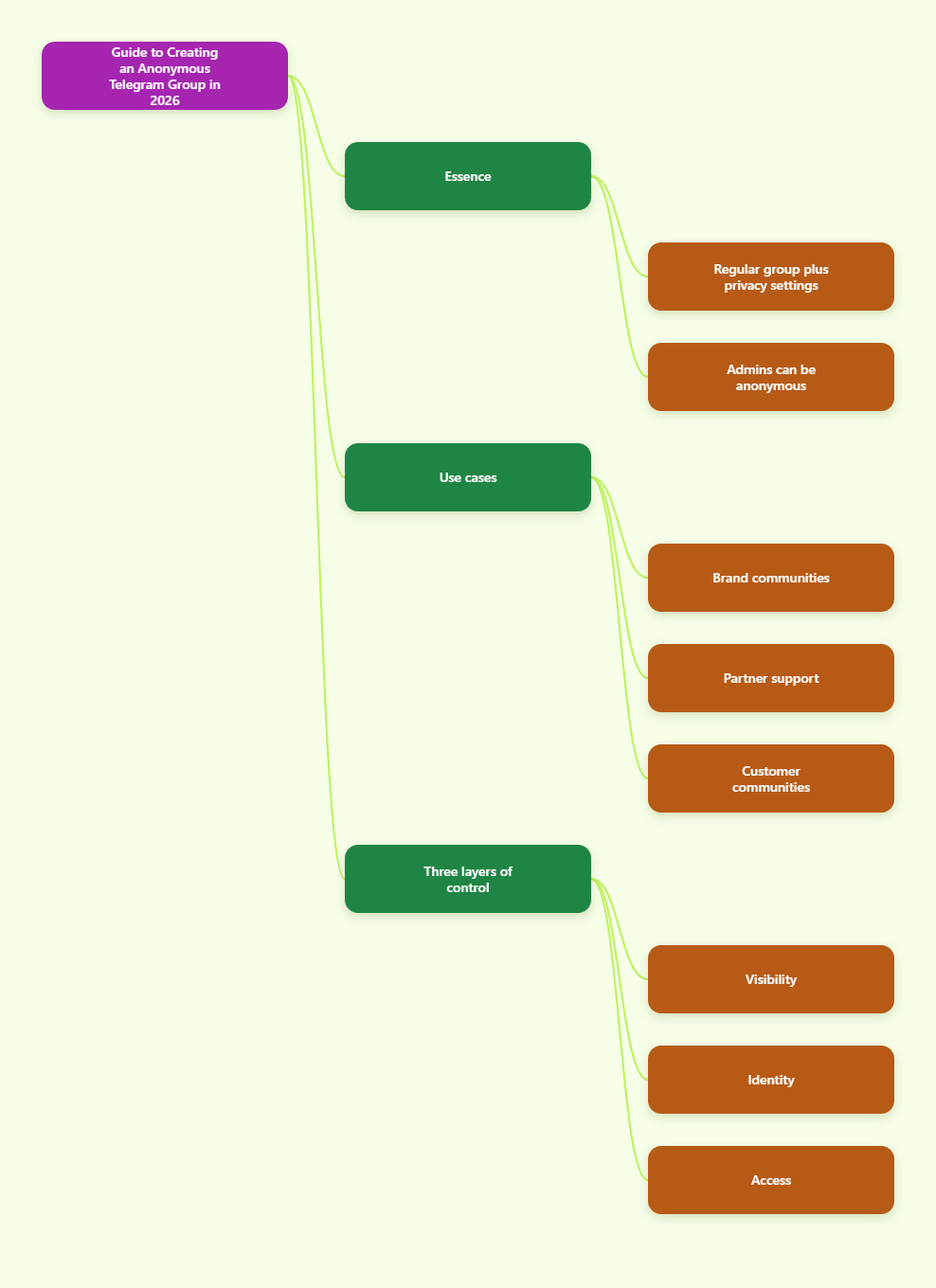
The safest approach is to think in three layers:
- Visibility: public groups are searchable, private groups are invite-only.
- Identity: admin anonymity hides who posted or moderated.
- Access: invite links and approval rules control who enters.
That combination gives you a group that can still feel active and social while keeping your staff accounts, phone numbers, and invitation flow under control. If your goal is a business community, that balance matters more than trying to make the group appear invisible.
How to Create an Anonymous Telegram Group Step by Step
The creation flow is simple, but the settings you choose after creation are what make the group anonymous. Telegram’s mobile and desktop apps follow the same basic logic, even if the menu labels move around slightly by device.
- Create a new group. Start a group chat and add at least one member, since Telegram requires an initial member before the group is live.
- Name the group clearly. Choose a brand-safe name that matches your business, product, or niche community.
- Open group settings. Go to the group info page and check the group type.
- Choose private if privacy is the priority. Private groups use invite links and do not show up in public search the way public groups do.
- Add admins. Assign only the people who really need moderation rights.
- Enable anonymous admin mode. Telegram supports an anonymous admin flag so actions can appear under the group name instead of the personal account.
- Generate an invite link. Share only controlled links, not a permanent open door.
For business operations, the cleanest setup is to keep one visible brand account and one or more anonymous moderator accounts. That lets your team answer questions and remove spam without tying every action to a personal identity. If the group will later scale into a large community, Telegram’s supergroup-style tools give you more room for moderation and organization.
Quick setup checklist:
- Use a private group for invited communities.
- Assign the fewest possible admins.
- Turn on anonymous admin only for trusted moderators.
- Test the invite flow before promoting the group.
Privacy Settings That Reduce Exposure
Telegram privacy settings do most of the heavy lifting when you want an anonymous Telegram group to stay low-risk. By default, strangers in a group usually interact with usernames rather than phone numbers, but you should still review the account-level settings for each admin and core team member.
Start with the phone number controls. Telegram lets users decide who can see their number and who can find them by number. For business use, that matters because the goal is to keep personal contact details out of a public or semi-public community.
Next, check profile visibility and related privacy controls. The broader your community, the more important it becomes to reduce accidental disclosure. If a moderator account is connected to a brand, keep the profile photo and username aligned with the role, not the person.
Use this short privacy routine before launch:
- Set phone number visibility to the strictest level that fits the workflow.
- Review who can find the account by phone number.
- Keep the moderator username consistent with the brand or role.
- Use a dedicated work account instead of a personal daily-use account.
For most operators, the goal is not total invisibility. The goal is to keep the community functional while removing unnecessary exposure. That way, members can trust the group, and your team can moderate without becoming easy targets for spam or doxxing attempts.
Invite Link Strategy for Private Telegram Groups
If you want a business-ready anonymous Telegram group, your invite links matter as much as your admin settings. Telegram supports private invite links that can be revoked and regenerated, and they can also be configured with an expiration date, a usage limit, or admin approval before someone joins.
That flexibility is useful for affiliate teams, premium customer rooms, and launch communities. Instead of posting one evergreen link everywhere, you can create separate links for each traffic source and track which channel brings the best members. When a link leaks, you can revoke it and move on without rebuilding the whole group.
For higher-quality communities, approval-based joins are often the best fit. They slow down spam, reduce random entries, and make the group feel curated. If your audience is buying a product, joining a partner program, or entering a VIP support space, that extra step is usually worth it.
| Option | Visibility | Access Control | Best Use |
|---|---|---|---|
| Public Group | Searchable with a username | Open join path | Brand discovery and reach |
| Private Group | Not searchable in the same way | Invite link or approval | Members-only communities |
| Anonymous Admin Mode | Posts show the group name | Moderator identity hidden | Sensitive moderation and trust control |
When in doubt, use separate invite links for partners, customers, ads, and organic traffic. That makes it easier to clean up leaks, measure source quality, and keep a single group from becoming impossible to manage.
Moderation, Topics, and Admin Workflow
A private group is only useful if it stays organized. Telegram supports admins with advanced tools, and that is where anonymous administration becomes valuable. The moderator can remove spam, pin useful posts, and keep the community on track without exposing a personal account in every interaction.
For larger groups, topics are especially useful. They split one big discussion into separate threads, which is much better for support, launch questions, onboarding, and customer feedback. Instead of one noisy chat, you get a structure that feels closer to a forum.
Use moderation rules that are easy to follow:
- Pin a welcome post with rules and purpose.
- Give each admin a narrow role, not full control.
- Use topics for product questions, announcements, and support.
- Apply slow-mode style pacing if the chat becomes too fast for human review.
For business communities, moderation should protect the experience, not kill conversation. If members know where to post and who to ask, they stay longer and create less work for the team. That is especially important for affiliate groups, lead nurturing rooms, and customer success communities where clarity drives conversion.
Best Use Cases for Business Communities
The strongest use case for an anonymous Telegram group is not secrecy for its own sake. It is operational control. Businesses use Telegram groups when they want direct communication, lower platform friction, and a space that feels more private than a public social feed.
For affiliate marketers, the setup works well for partner onboarding, promo calendar updates, and quick offer alerts. For e-commerce teams, it can support VIP customers, product drops, and post-purchase communities. For SaaS and digital products, it is a practical home for beta users, feature feedback, and live support.
An anonymous admin structure is useful when:
- You want team members to moderate without personal exposure.
- You need a brand-first communication style.
- You expect spam, impersonation, or random join attempts.
- You are managing multiple traffic sources inside one community.
The big advantage is trust. Members can still see a stable brand presence, but staff accounts are not forced into a public-facing role. That separation is especially helpful for cross-border teams, outsourced moderators, and agencies handling multiple clients from the same Telegram workspace.
Common Mistakes to Avoid
Most Telegram privacy problems come from setup mistakes, not from the platform itself. If you create a group and share one link everywhere, the group will quickly become hard to control. If you let every admin create links, traceability gets messy. If you ignore privacy settings, your team can still leak more than intended.
Avoid these mistakes from day one:
- Using a public group when the real goal is privacy.
- Sharing one invite link across every channel.
- Letting personal accounts act as the only moderators.
- Skipping phone number privacy settings for admins.
- Making the group anonymous but never explaining the rules.
Also avoid overpromising. An anonymous Telegram group is privacy-first, but it is not magic. Members still need clear rules, and your team still needs enough visibility to run the community responsibly. The best groups feel safe because they are well managed, not because they pretend no one is in charge.
FAQ: Anonymous Telegram Group
Can a Telegram group be fully anonymous?
Not in the literal sense. Telegram groups can hide admin identity with anonymous admin mode and reduce exposure with privacy settings, but the group still has structure, permissions, and visible account behavior.
Do members see each other’s phone numbers?
Usually no, unless privacy settings or contact relationships make the number visible. Telegram uses usernames and account settings to reduce exposure, so the safest move is to review phone number privacy before launch.
Should I use a public or private group?
Use a private group if you want control, curated access, and lower spam risk. Use a public group only if discoverability matters more than privacy.
What is the benefit of anonymous admin mode?
It lets moderators act under the group name instead of a personal account. That is useful for brand management, sensitive moderation, and reducing exposure for staff members.
Can I limit who joins the group?
Yes. Private invite links can be revoked, regenerated, time-limited, usage-limited, and configured for approval-based joins when you want extra control.
Is a group or channel better for business?
Groups are better for conversation and community building. Channels are better for one-way broadcasting. Many teams use both, with a channel for announcements and a linked group for discussion.
How do topics help large groups?
Topics split one busy group into separate threads. That keeps support, onboarding, and announcements organized, which is especially useful when the audience grows.
Conclusion
If you want to create an anonymous Telegram group in 2026, focus on three things: make the group private when privacy matters, use anonymous admin mode for trusted moderators, and control invites with revocable links and approval rules. Then lock down phone number visibility and keep the community organized with clear rules and topics. That combination gives you a cleaner, safer group for business growth without sacrificing usability.