
To manage newly created Telegram group in 2026, you need more than a name, invite link, and a few first members. The real problem appears after launch: spam joins fast, affiliate traffic gets noisy, admins receive too much access, and useful commercial conversations disappear under repetitive questions.
For cross-border sellers, affiliate teams, SaaS communities, Web3 projects, and overseas media buyers, a Telegram group is often a conversion, support, and retention asset. If the foundation is weak, the group can damage trust before it produces revenue. This guide gives you a practical setup process for building a Telegram group that can scale without turning into a moderation burden.
Why Telegram Group Management Matters in 2026
Telegram remains attractive for commercial communities because it supports large groups, fast messaging, files, bots, pinned messages, invite links, and public or private discovery models. A basic group is suitable for a small launch circle, while supergroups support much larger communities and more advanced controls, including granular permissions and moderation tooling.
The business risk is that many teams treat a new Telegram group as a chat room instead of an operational channel. That mistake leads to scattered support, unverified members, phishing links, fake admin accounts, and unclear ownership. In affiliate marketing, crypto, ecommerce, and paid communities, these issues can reduce conversion because buyers judge the project by the quality of the community.
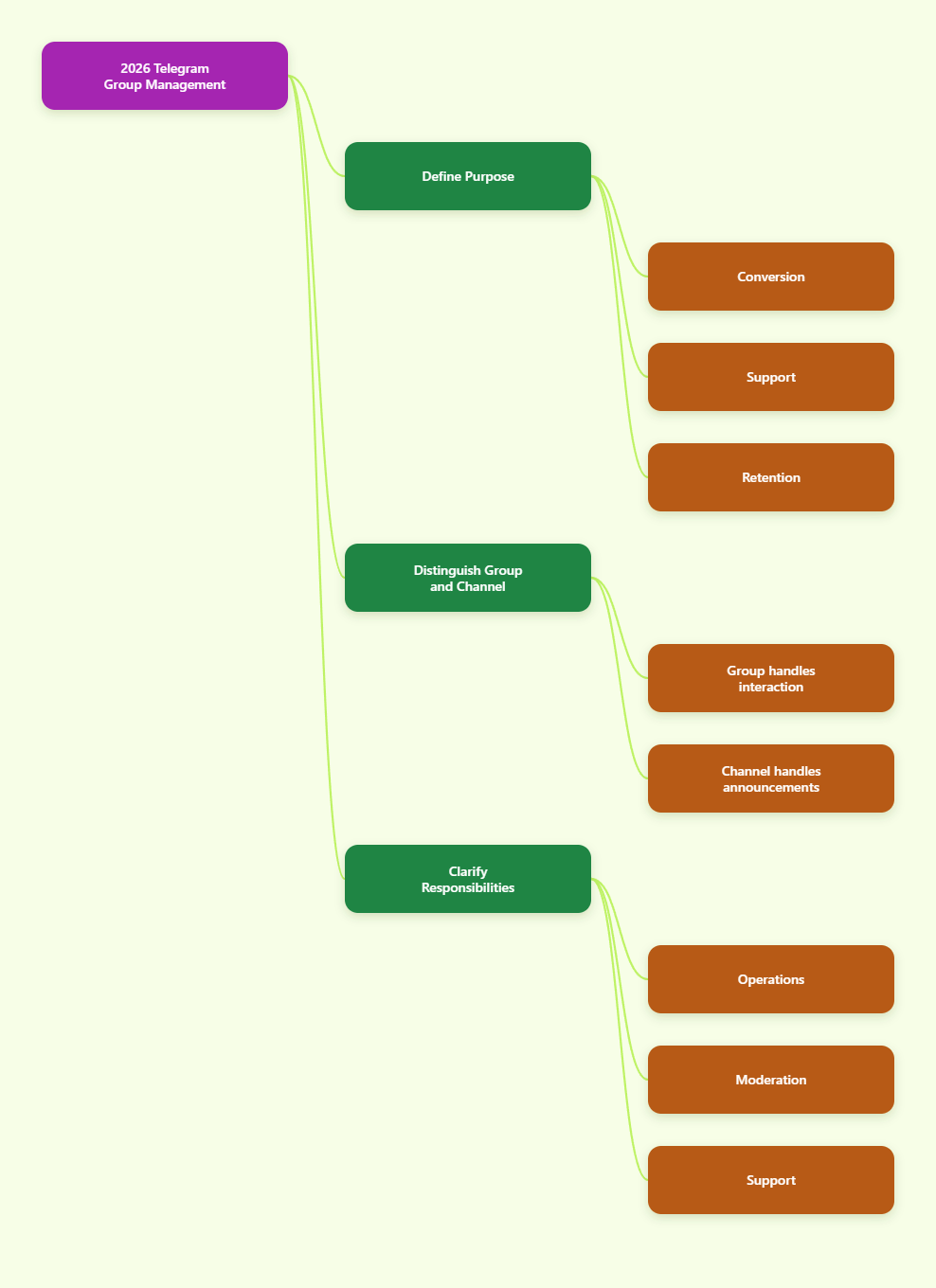
Before sending traffic into a new group, define the job of the group. A product launch group needs controlled announcements and structured Q&A. A VIP customer group needs member verification and fast support. An affiliate group needs rules for links, payouts, creative assets, and escalation. A traffic monetization group needs stricter spam prevention because incentives attract low-quality posting.
- Use the group for conversations, support, onboarding, or retention, not every task at once.
- Keep announcements in a channel if messages must stay clean and one-way.
- Use a group when member discussion is part of the value proposition.
- Document who owns moderation, growth, support, and policy decisions.
When you manage newly created Telegram group workflows from day one, you reduce preventable bans, member churn, and support confusion. The goal is not to make the group restrictive. The goal is to make useful participation easy and risky behavior hard.
Set Up the Group Foundation Before Promotion
Your first setup decisions shape every later workflow. Start with a clear group name, profile image, description, and pinned welcome message. These elements should tell members what the group is for, who runs it, and what behavior is acceptable.
If the group supports a commercial offer, avoid vague descriptions. State the product category, community purpose, support scope, and official contact path. This helps members identify impersonators and reduces repetitive questions. Do not promise guaranteed income, platform bypasses, or outcomes you cannot support, especially in affiliate or investment-adjacent communities.
Next, choose public or private visibility. Public groups are easier to discover and can support brand awareness, but they attract more spam and impersonation attempts. Private groups are better for paid communities, beta testers, internal affiliate teams, and customer support spaces where invite control matters. Telegram private invite links can be managed separately and may support expiration, usage limits, and admin approval depending on how they are created.
- Create a concise group description with the offer, audience, rules, and official support route.
- Add a pinned welcome post that includes rules, support hours, and verified admin usernames.
- Decide whether the group should be public, private, or connected to a public channel.
- Create separate invite links for campaigns, partners, paid members, and support flows.
- Review the group settings on mobile and desktop because interface labels may vary by client.
Do not begin paid promotion until the group can handle new members safely. A campaign that sends thousands of users into an unstructured group can create the appearance of momentum while lowering trust. For overseas teams running social ads, influencer traffic, or affiliate campaigns, launch control is part of risk management.
Control Permissions, Admin Rights, and Invite Links
Admin rights should follow the principle of least privilege. Telegram supports granular administrator permissions in groups and supergroups, so every admin does not need the same level of access. This matters because one over-permissioned moderator can accidentally change group info, approve risky members, add untrusted admins, or remove important messages.
Separate the owner role from daily moderation. The owner should hold final control, while moderators receive only the rights required for their duties. For example, a spam moderator may need permission to delete messages and restrict members, but not the ability to add new admins. A community manager may need to pin messages and manage topics, but not promote other users.
Invite links need the same discipline. Use different links for different acquisition channels so you can identify where low-quality traffic is coming from. If a partner campaign begins attracting spam, revoke that invite link without disrupting all other sources. For high-risk communities, enable join requests so admins or qualified bots can review applicants before they enter.
| Control Area | Low-Risk Setup | High-Risk Setup | Business Use |
|---|---|---|---|
| Admin rights | Few trusted admins | Granular roles and audit review | Protects brand ownership |
| Invite links | One private link | Separate links by channel | Tracks traffic quality |
| Join approval | Off for trusted users | On for paid or public traffic | Reduces spam entries |
| Posting rights | Open discussion | Limit links, media, or new users | Keeps support readable |
Review rights monthly or after staff changes. Remove inactive admins, revoke old campaign links, and confirm that only the owner or a senior operator can promote new admins. This simple habit prevents many group failures.
Build an Anti-Spam Workflow Without Hurting Real Members
Spam control is essential when you manage newly created Telegram group growth from ads, public posts, influencers, or affiliate referrals. Telegram provides native moderation tools such as member restrictions, slow mode, join requests, admin rights, and built-in anti-spam options for eligible supergroups. Third-party bots can add captcha, keyword rules, reports, and moderation dashboards, but they should complement Telegram controls rather than replace human judgment.
Start with the simplest controls. Restrict what new members can do during the first stage of membership if spam is likely. Limit links and media in groups where scammers frequently post fake offers, impersonation links, or off-platform payment requests. Use slow mode during launches, AMAs, support rushes, or heated discussions, but avoid leaving it too aggressive in a community that depends on rapid peer conversation.
Use bots carefully. A moderation bot needs the right admin permissions to delete, restrict, or approve members. Grant only the required rights and test it in a small group before applying it to a revenue-critical community. Overly aggressive filters can block legitimate customers, while weak filters can let phishing messages remain visible too long.
- Block repeat spam patterns, not normal customer language.
- Use join questions or captcha for public traffic and paid groups.
- Give members a clear way to report suspicious messages.
- Pin a warning that admins will never ask for passwords, seed phrases, or private payment details.
- Keep a manual review path for false positives.
A good Telegram anti-spam setup balances safety with member experience. The best commercial groups feel open to real users and closed to obvious abuse. That balance takes testing, logs, and regular adjustments.
Organize Topics, Pins, and Support Paths
Once a group grows beyond a small launch circle, a single chat stream becomes hard to scan. Telegram topics can help large groups separate discussions into spaces such as announcements, support, bug reports, affiliate resources, payment questions, regional markets, and product feedback. Topics work especially well when your community has multiple workflows happening at once.
Do not create too many topics at the start. Empty or confusing categories make the group feel inactive. Begin with three to five practical areas and expand only when repeated conversation patterns justify it. For a cross-border ecommerce tool, useful topics might include onboarding, order issues, ad traffic, product updates, and partner resources.
Pinned messages are equally important. Each core topic should have a short pinned note that explains what belongs there, where to find documents, and how to escalate urgent issues. In the main group, keep one master pinned message with official links, admin list, rules, support hours, and current campaigns.
- Use one main welcome pin for identity, rules, and official links.
- Create topic pins for support, announcements, resources, and feedback.
- Move repeated questions into FAQ posts or saved resources.
- Assign moderators to specific topics when the group becomes active.
- Archive or merge topics that no longer serve a clear purpose.
This structure protects the commercial value of the group. Members find answers faster, admins repeat themselves less, and new users can understand the community without reading hundreds of messages. For affiliate managers and overseas support teams, organization directly lowers operating cost.
Use the Group for Growth, Trust, and Conversion
A Telegram group should not be only a traffic destination. It should support the full business cycle: acquisition, onboarding, trust building, conversion, support, and retention. The most effective groups combine useful conversation with predictable operating routines.
For ecommerce and SaaS teams, the group can collect product questions before purchase and reduce objections. For affiliate programs, it can distribute approved creatives, payout updates, compliance reminders, and campaign feedback. For paid communities, it can deliver member value through expert sessions, curated resources, and fast help. Each use case needs a different balance of openness and control.
Avoid using the group to push constant promotions. Members join because they expect access, answers, deals, or insight. If every message is a sales pitch, engagement declines and the group becomes easier for competitors or scammers to disrupt. Build a weekly rhythm instead.
- Monday: publish updates, campaign priorities, or product changes.
- Tuesday to Thursday: answer questions and collect feedback.
- Friday: summarize useful lessons, wins, common issues, and next actions.
- Launch days: use slow mode, extra moderators, and a dedicated topic.
- Monthly: review invite sources, member quality, admin rights, and pinned resources.
Use direct messages carefully and ethically. Telegram privacy settings may limit who can contact users, and unsolicited outreach can damage trust. Encourage members to use official support routes and make it easy to verify admin identities. Trust is a conversion asset, especially when your audience is international and cannot easily verify your business offline.
Measure Quality and Avoid Risky Growth Tactics
Many teams judge Telegram groups by member count alone. That is a weak metric. A group with fewer qualified members can outperform a large group filled with bots, inactive users, or low-intent traffic. When you manage newly created Telegram group performance, measure quality signals that connect to business outcomes.
Track questions answered, support response time, useful discussions, referral source quality, event participation, content clicks, conversion feedback, and member retention. If one invite source produces many spam reports or no useful engagement, treat it as a risk even if it brings volume. For affiliate and paid traffic teams, this prevents wasted budget and protects the group from abuse patterns.
Do not rely on bulk joining, fake members, spam scripts, or account evasion tactics. These practices can violate platform rules, distort performance data, and create security issues for real members. A business community should grow through official invite links, legitimate promotion, partner referrals, content funnels, and customer onboarding flows.
- Good metric: verified members who ask relevant questions.
- Good metric: support issues resolved inside the correct topic.
- Good metric: campaign links that drive qualified discussion.
- Bad metric: sudden member spikes from unknown invite sources.
- Bad metric: high message volume with low trust or repeated spam.
Review your group weekly during the first month. New groups change quickly, and early traffic teaches you which rules, topics, and moderators are actually needed. After the first month, move to a monthly operating review unless growth remains volatile.
FAQ About Manage Newly Created Telegram Group
How do I manage newly created Telegram group safely?
Start with a clear description, pinned rules, verified admin list, controlled invite links, and limited admin permissions. Add anti-spam controls before sending public or paid traffic.
Should a new Telegram group be public or private?
Use public groups for discoverability and open communities. Use private groups for customers, paid members, affiliate teams, beta users, or any space where invite control and member quality matter more than search visibility.
How many admins should a new Telegram group have?
Keep the initial admin team small. Add moderators only when message volume requires it, and give each person the specific rights needed for their role instead of full control.
What is the best anti-spam setup for Telegram groups?
Combine Telegram permissions, join requests, slow mode when needed, clear member rules, and a trusted moderation bot if your group receives public traffic. Review false positives so real members are not blocked unnecessarily.
Can Telegram groups support large business communities?
Yes. Telegram groups and supergroups are widely used for large communities, but scale requires topics, pinned resources, admin roles, invite tracking, and regular moderation reviews.
How do invite links help group management?
Separate invite links let you track member sources, revoke risky campaigns, apply approval flows, and understand which partners or channels bring valuable users.
What should I avoid when growing a Telegram group?
Avoid fake members, spam automation, unverified moderators, overbroad admin rights, unclear payment instructions, and public links that cannot be traced to a campaign source.
Conclusion
To manage newly created Telegram group operations in 2026, focus on three actions. First, build the foundation before promotion: description, pins, invite links, and ownership. Second, protect the group with least-privilege admin rights, practical anti-spam controls, and clear support paths. Third, measure quality instead of raw member count. A Telegram group becomes a business asset when it is trusted, organized, and easy for real members to use.