
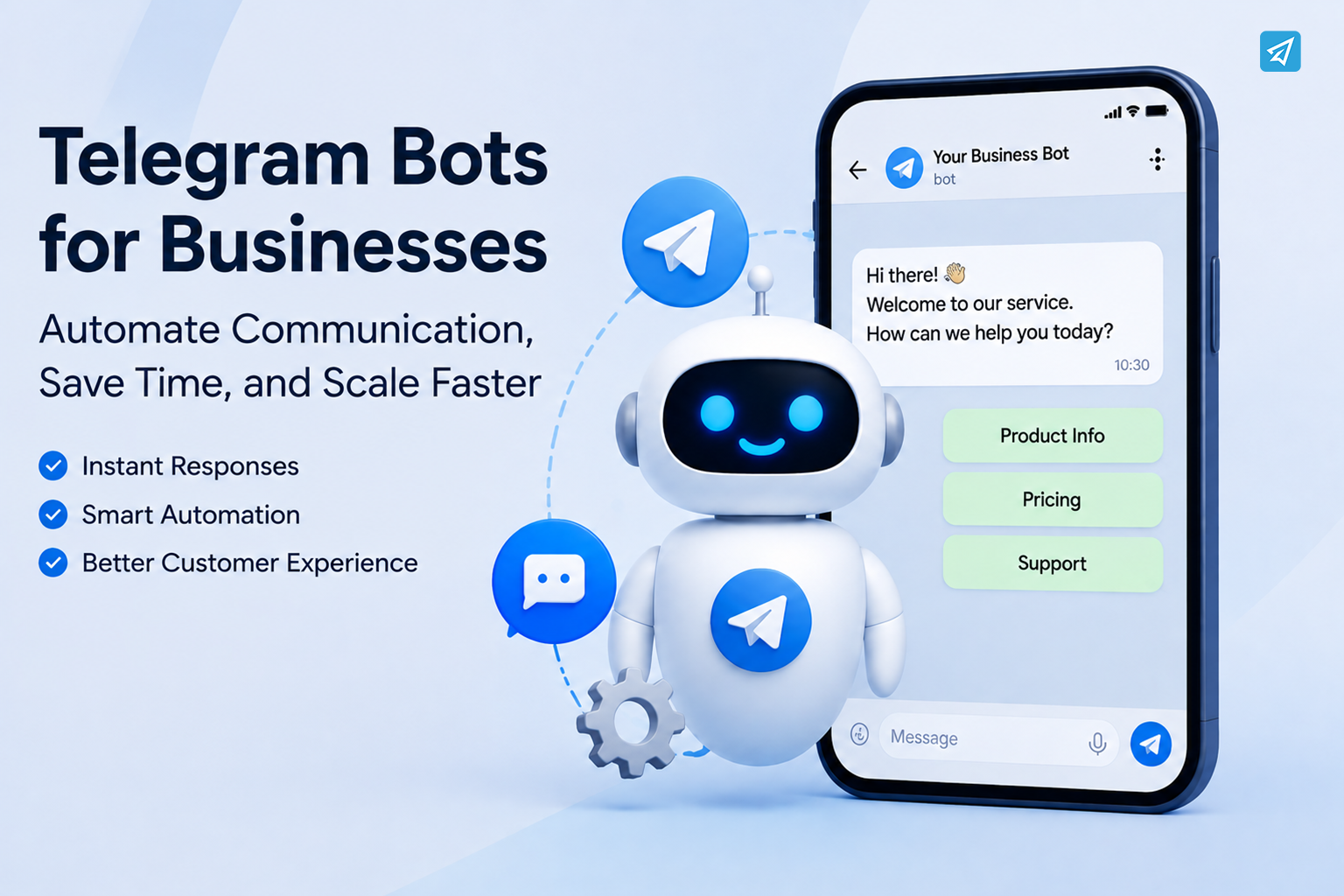
Telegram has become more than a messaging app for many businesses. Companies, creators, support teams, marketers, and community operators use Telegram to communicate with customers and distribute content.
However, managing Telegram manually becomes increasingly difficult. A team may need to answer the same questions repeatedly, welcome new users, publish scheduled content and moderate communities.
This is where Telegram bots for businesses can make a practical difference. Instead of treating a bot as a simple automated responder, businesses can use Telegram automation to turn repetitive communication into structured workflows.
Why Is the Existing Approach Not Good Enough?
Before introducing automation, many businesses rely on a combination of manual replies, copy-and-paste messages, spreadsheets, and separate Telegram accounts. That approach can work when the audience is small, but several problems appear as operations grow.
1. Repetitive communication consumes valuable time
Customer questions often follow predictable patterns.
People ask about pricing, product information, onboarding, operating hours, rules, links, promotions, or basic instructions. If employees answer every question manually, the team spends time repeating information instead of handling more valuable tasks.
A Telegram bot can turn frequently repeated responses into predefined workflows.
2. Response speed becomes inconsistent
A human team cannot respond instantly to every message.
Some users may receive an answer within minutes, while others have to wait until a team member becomes available. For businesses operating across time zones, the problem becomes even more obvious.
Automated start messages, keyword replies, and predefined responses can provide immediate information without requiring someone to monitor Telegram continuously.
3. Community and content operations become harder to scale
Managing a Telegram group or channel involves more than answering private messages.
Admins may need to verify new members, explain group rules, publish recurring posts, welcome users, respond to keywords, and distribute announcements. When all of these tasks are performed manually, operational complexity increases quickly.
Automation provides a repeatable way to handle routine activities while keeping human administrators in control of the overall strategy.
What Are Telegram Bots for Businesses?
Telegram bots for businesses are automated accounts that interact with Telegram users according to predefined rules, messages, and workflows.
A business can use a bot to respond to users, deliver information, distribute content, or assist with community operations. Telegram itself provides BotFather as the standard starting point for creating a bot, while third-party no-code platforms can provide additional automation capabilities.
The important distinction is between simply having a Telegram bot and actually using a bot to automate a business process.
Traditional Process
A typical manual workflow looks like this:
User sends message → Employee reads it → Employee identifies the question → Employee writes or copies a response → User receives answer
The same process may happen dozens or hundreds of times.
Automated Process
With a properly configured Telegram business bot, the workflow can become:
User action → Bot detects trigger → Preconfigured workflow runs → User receives relevant response
For example, if a customer sends a message containing a predefined keyword, an automated reply can provide the appropriate information.
The result is not necessarily about removing humans from communication. It is about moving predictable tasks from manual execution to repeatable automation.
What Value Can Telegram Bot Automation Bring?
The best Telegram automation workflows are usually focused on specific operational problems rather than trying to automate everything at once.
Here are several practical applications.
1. Automate Customer Welcome Messages
The first interaction can determine whether a user understands what to do next.
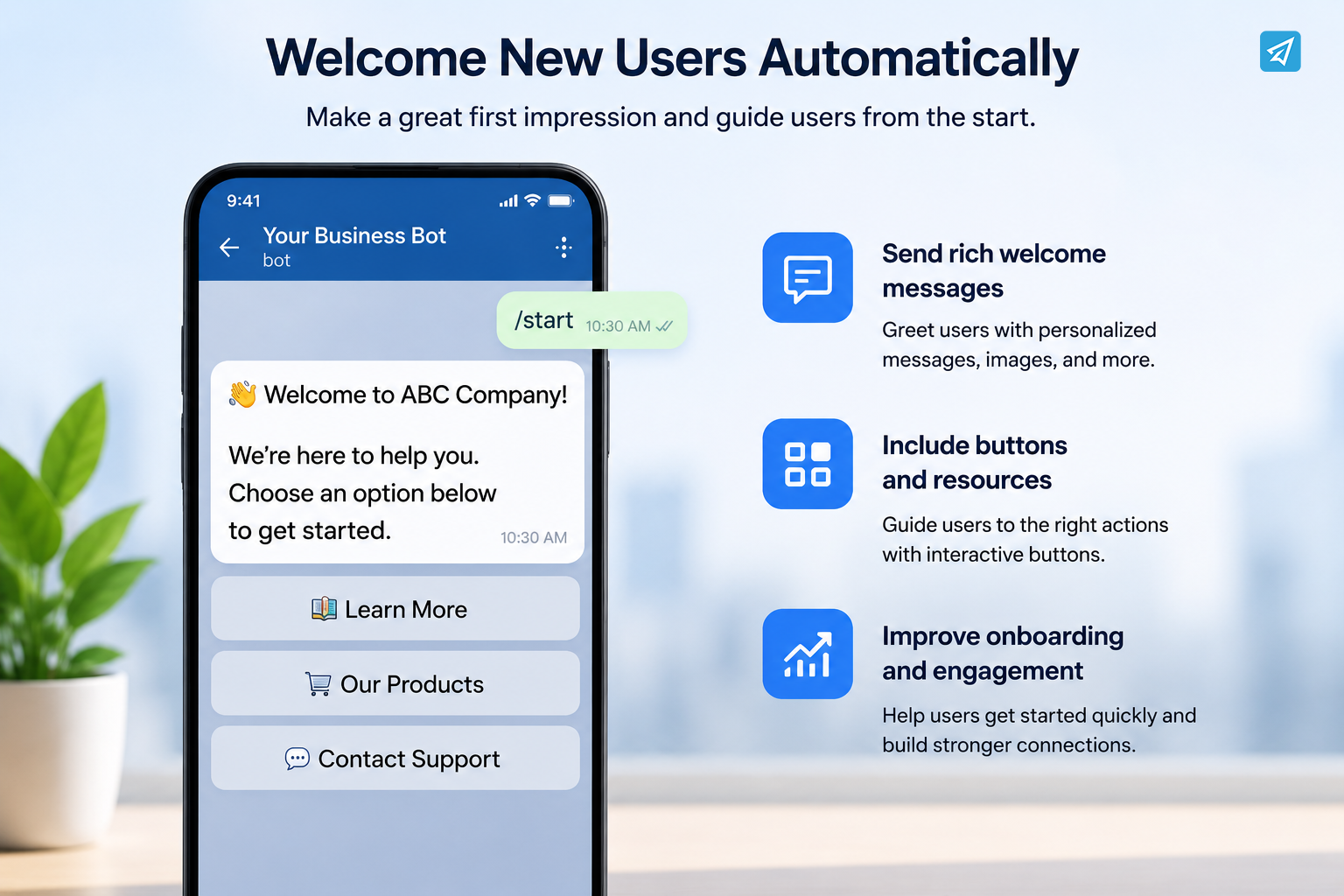
Instead of asking a team member to manually welcome every new contact, a bot can automatically send a predefined introduction when someone starts the bot.
With OnlyTG Echo, the Start Message feature can include text, media, and buttons. This makes it possible to provide a concise introduction, direct users to important resources, or present the next action immediately.
Situation: A new customer starts a Telegram bot.
Problem: A team member has to explain the same onboarding information repeatedly.
Solution: Automatically deliver a structured welcome message.
Business value: Faster onboarding and less repetitive work.
2. Handle FAQs with Keyword Replies
Many customer-support conversations contain predictable questions.
A business could define keywords related to pricing, documentation, product information, registration, or support. When a relevant keyword appears, the bot can return a predefined response.
OnlyTG Echo supports keyword-based auto-replies, and a reply can contain text, media, buttons, or configured content modules.
This is particularly useful for small support teams that do not need a sophisticated AI chatbot for every question.
The principle is simple:
Common question → Recognized keyword → Relevant preset answer
3. Send Broadcasts Without Repeating the Same Task
Businesses often need to send product updates, announcements, educational content, or promotional information to Telegram contacts.
Doing this manually every time introduces unnecessary work and makes recurring communication harder to manage.
OnlyTG Echo includes a Broadcast function that allows businesses to prepare content modules and create broadcast tasks. Broadcast tasks can also be scheduled, and users can select all eligible contacts or specific contacts who have started the bot.
This creates a more structured communication workflow:
Prepare content → Select audience → Schedule or send → Monitor the task
Businesses should still follow appropriate consent, communication, and platform rules when sending marketing messages.
4. Automate Telegram Group Operations
For businesses and organizations running Telegram communities, automation can solve a different set of problems.
New members may need to complete verification, receive instructions, and understand community rules before participating.
OnlyTG Echo provides group CAPTCHA, greeting, rules, keyword replies, and post/loop functionality. Its CAPTCHA feature can require new members to complete a configured test before they can participate normally.
A practical onboarding workflow might look like:
New member joins → CAPTCHA verification → Welcome message → Group rules → Normal participation
This reduces repetitive administrative work and creates a more consistent onboarding experience.
5. Automate Channel Publishing
Telegram channels often depend on consistent publishing.
If a business or creator repeatedly shares announcements, educational content, product updates, or promotional information, manually publishing every recurring post can become tedious.
OnlyTG Echo supports channel post scheduling and loop posts, allowing predefined content to be published at configured times or repeated at set intervals.
This can be useful for teams that have recurring content but do not want to manually initiate every publication.

How Does a Telegram Business Bot Work?
For businesses new to Telegram automation, the setup does not have to begin with a complex development project.
A practical no-code workflow with OnlyTG Echo can start with four steps.
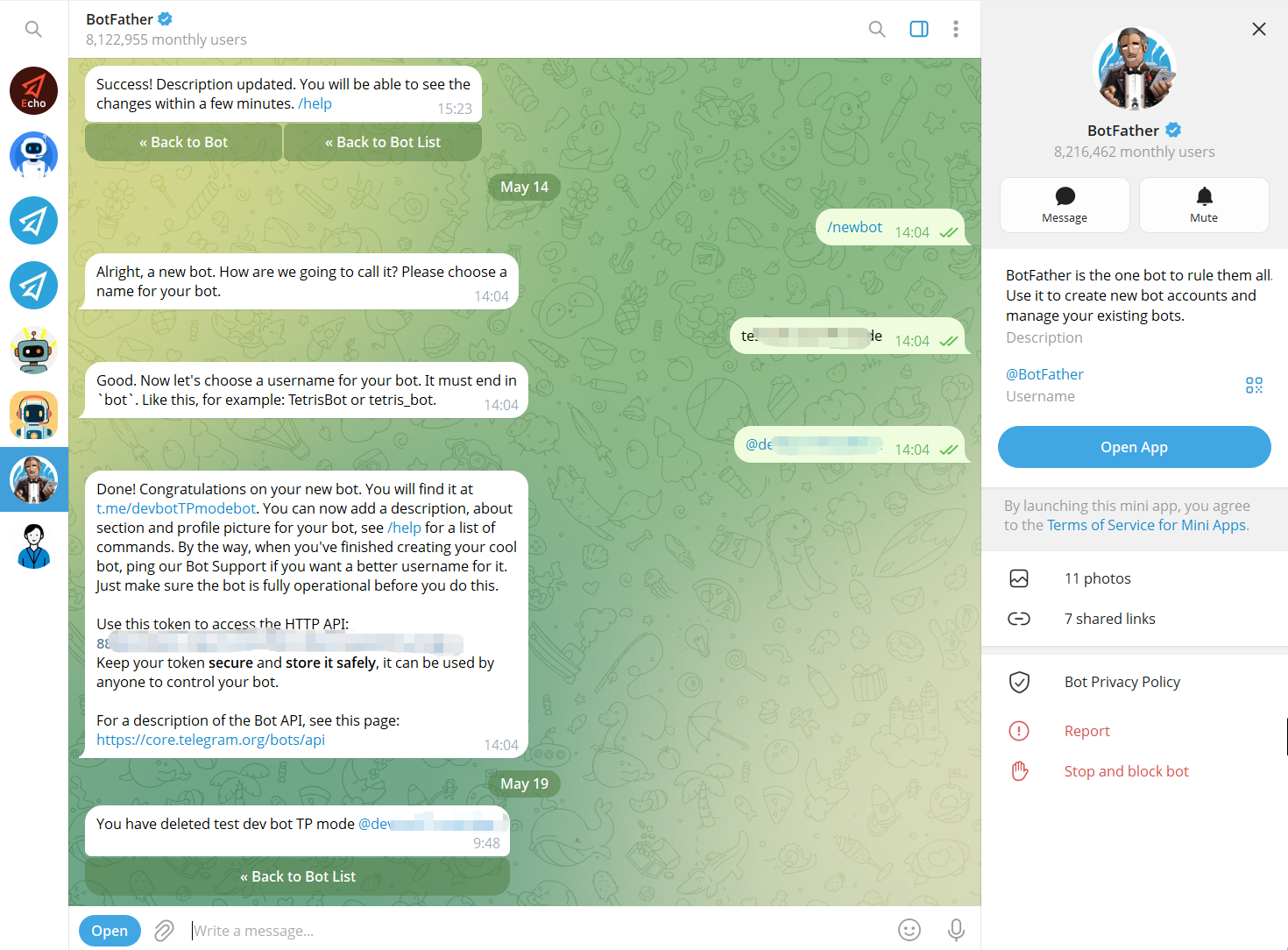
Step 1: Create a Telegram Bot with BotFather
First, create a Telegram bot through Telegram’s BotFather and obtain the bot token.
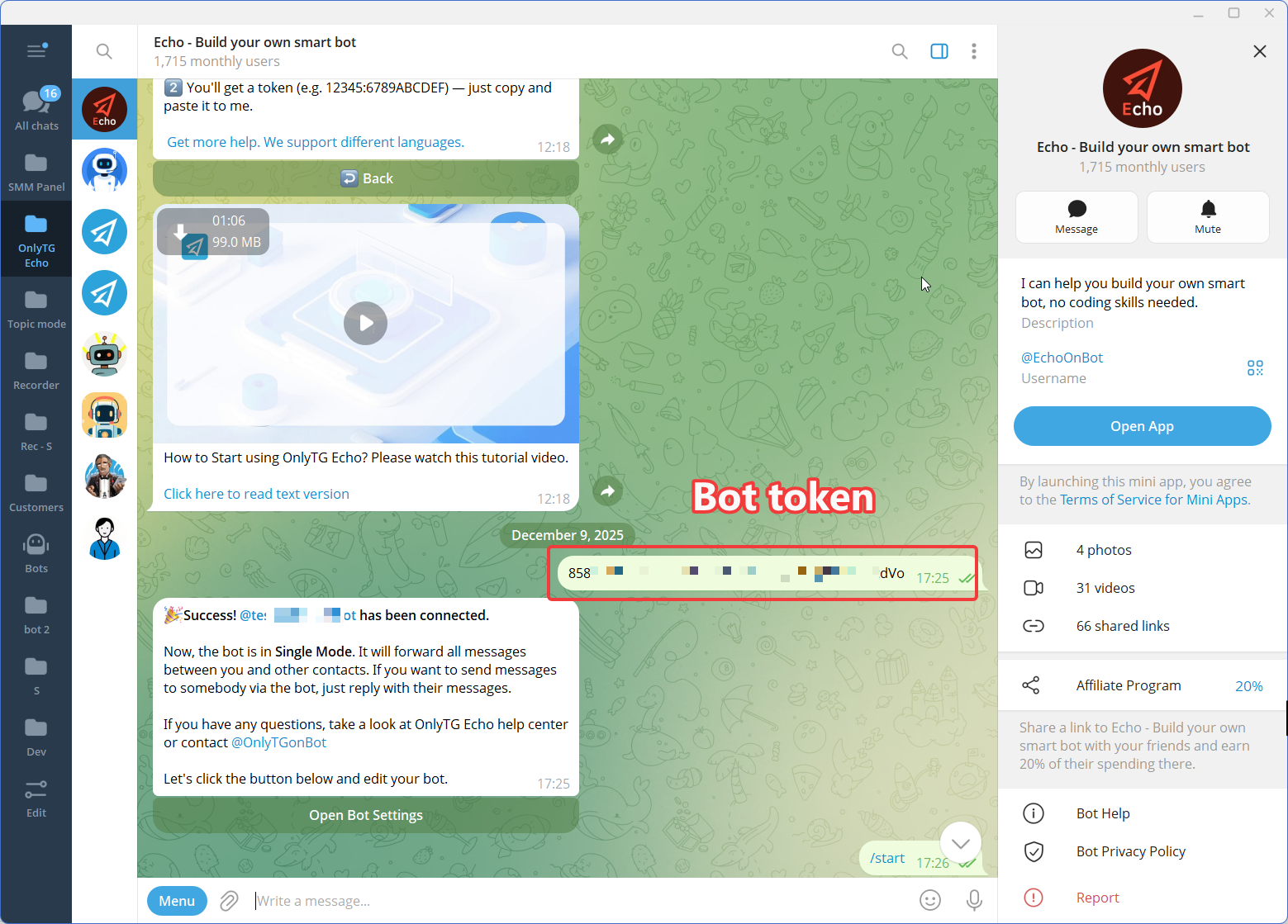
Step 2: Connect the Bot to OnlyTG Echo
Step 3: Configure One Business Workflow
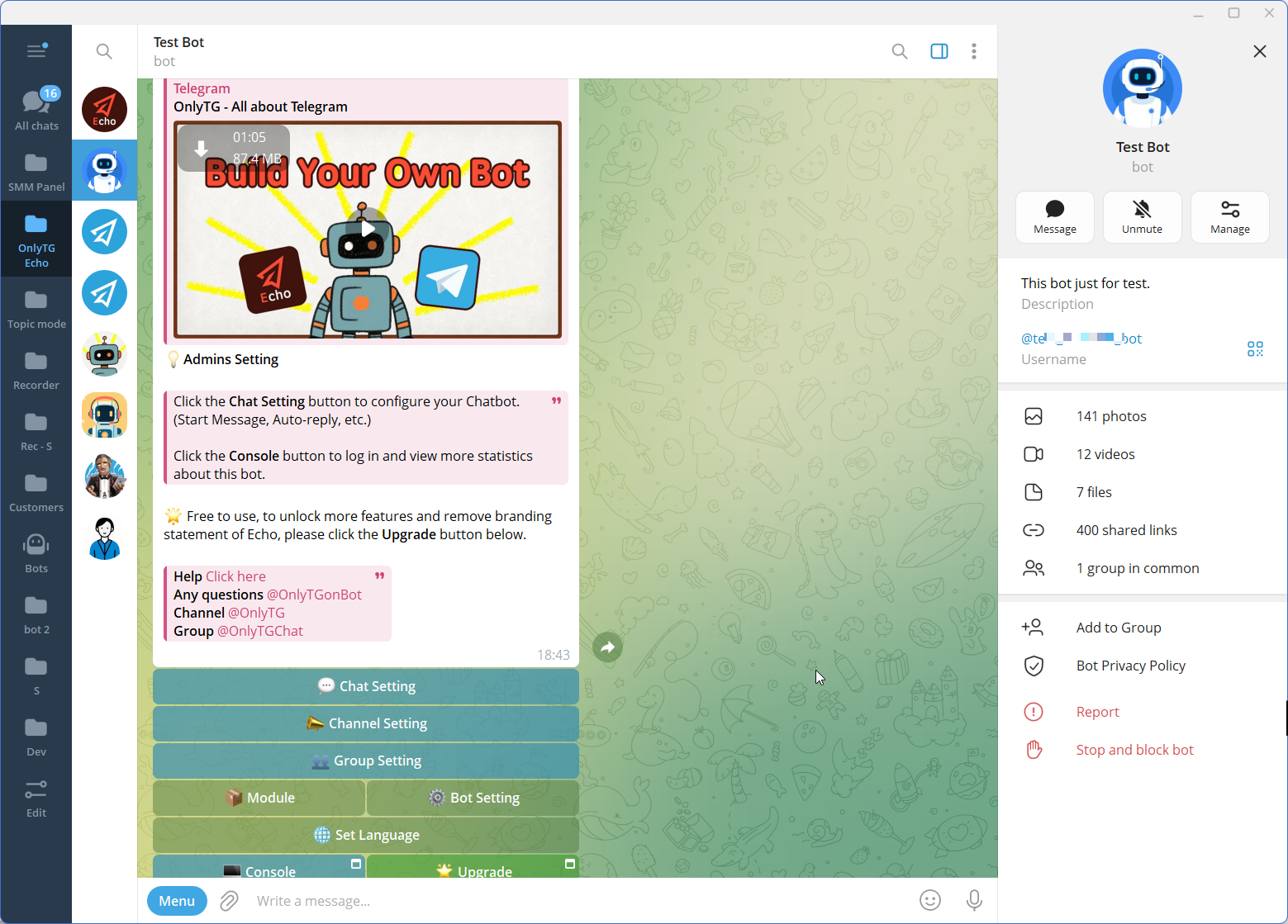
Manual Telegram Management vs. OnlyTG Echo
The right choice depends on the complexity of your workflow. Manual management may be sufficient for occasional communication, but automation becomes more useful as repetitive tasks increase.
| Capability | Traditional Approach | OnlyTG Echo |
|---|---|---|
| Welcome messages | Manual | Automated Start Message |
| FAQ replies | Manual copy and paste | Keyword-based auto-reply |
| Quick responses | Repeated manually | Configurable Quick Reply |
| Broadcasts | Manual sending | Broadcast tasks and scheduling |
| Group onboarding | Manual moderation | CAPTCHA and greetings |
| Group keyword responses | Manual | Automated keyword replies |
| Channel publishing | Manual | Scheduled and loop posts |
| Analytics | Limited/manual tracking | Bot, group, and channel analytics |
| Coding | May be required for custom automation | No-code bot setup |
The goal is not to automate every interaction. It is to automate the predictable parts of the workflow so people can concentrate on exceptions, complex questions, and relationship-building.
Who Should Use Telegram Bots for Businesses?
Telegram automation can be useful for several types of organizations and teams.
Small Businesses
Small teams often have limited time and cannot dedicate employees to repetitive Telegram tasks. Automated replies and broadcasts can help them maintain consistent communication without adding manual workload.
Marketing Teams
Marketing teams can use Telegram bots to distribute announcements, promotional content, and recurring updates through structured broadcast workflows.
Customer Support Teams
Support teams can automate answers to common questions and reserve human attention for issues that require investigation or personalized assistance.
Community Managers
Community operators can automate member verification, greetings, rules, keyword responses, and recurring posts.
Telegram Channel Owners
Channel operators can use scheduled and recurring publishing workflows to maintain a consistent content schedule.
The common factor is simple: the more repetitive the Telegram workflow, the stronger the case for automation.
Frequently Asked Questions
What can Telegram bots do for businesses?
Telegram bots can automate communication and operational workflows such as welcome messages, keyword-based replies, quick responses, broadcasts, group management, and channel publishing. The exact capabilities depend on the bot platform and configuration.
Are Telegram bots useful for customer support?
Yes. Telegram bots are particularly useful for repetitive customer-support questions. Businesses can configure predefined replies for common topics and allow human team members to handle more complicated requests.
Can I create a Telegram business bot without coding?
Yes. Telegram provides BotFather for creating bots, while no-code platforms can simplify the configuration of automated workflows. OnlyTG Echo is a no-code Telegram bot platform and provides tools for configuring replies, broadcasts, groups, and channels.
Final Conclusion
For businesses using Telegram as a customer, marketing, community, or content channel, the biggest challenge is rarely sending one message. The real challenge is repeating the same operational work every day as the audience grows.
Instead of manually welcoming every user, answering the same questions, sending recurring updates, verifying group members, or publishing repeated content, businesses can automate predictable steps and keep human attention focused where it matters most.