
If you run a Telegram bot, one of the most important questions: where did this user come from? In traditional web analytics, referrers and cookies do much of the work. In Telegram, attribution is much more limited, so bot owners often see users arriving without a clear source.
The good news is that Telegram supports deep linking, which lets you pass a parameter into a bot when a user starts it. Combined with unique links, source labels, and a tracking tool, you can identify which campaign, channel, post, ad, or partner sent each user to your bot.
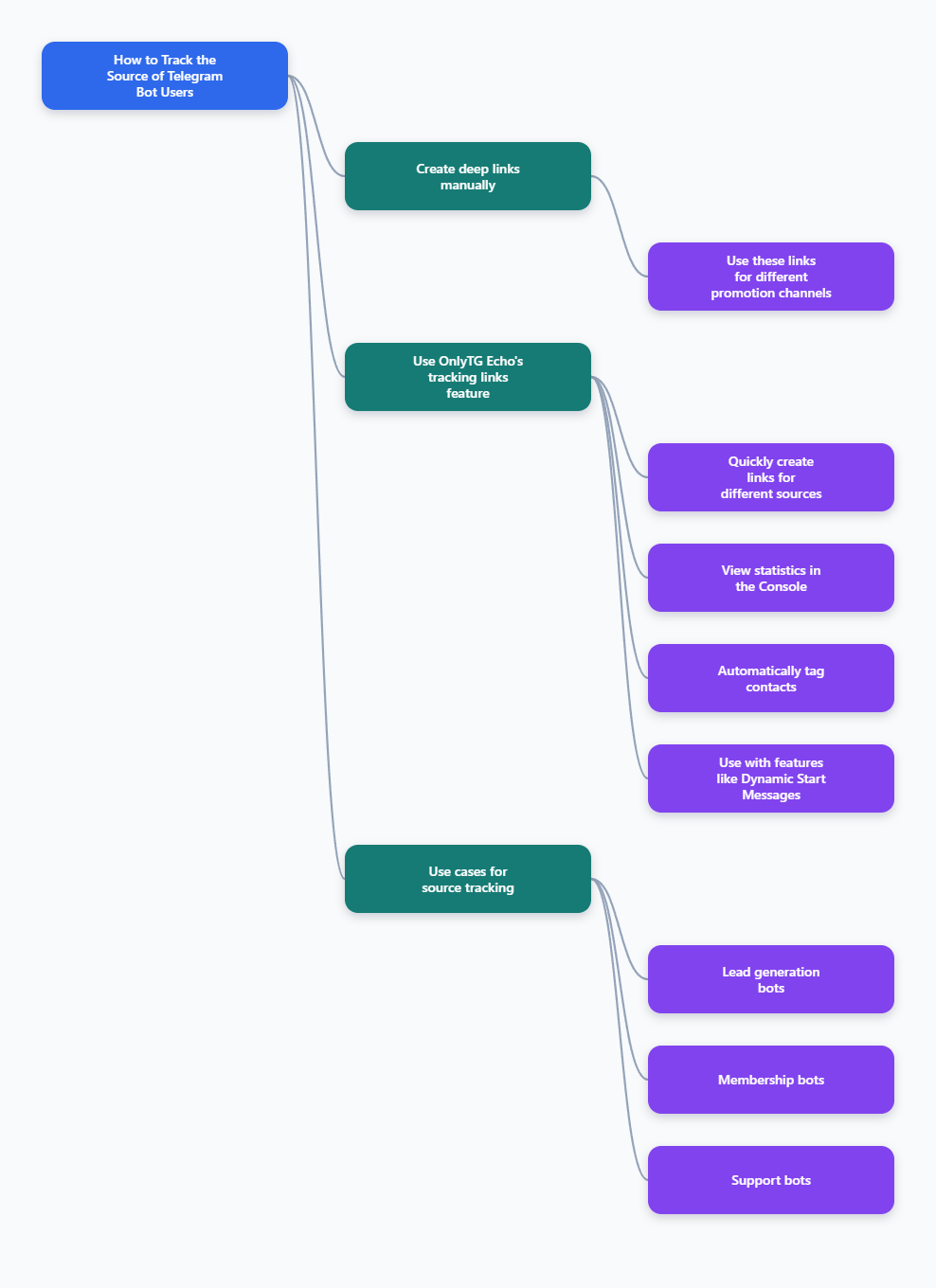
What “source tracking” means for Telegram bots
Tracking the source of a Telegram bot user means recording the origin of the click or join event that brought the user into your bot. Instead of just seeing a new bot start, you want to know whether the user came from:
- a Telegram channel post
- a group invite
- a website button
- a QR code
- a paid ad or affiliate link
- an email or newsletter
Telegram’s bot platform supports /start deep-link parameters, which are the core building block for this kind of attribution. Telegram’s bot features documentation explains that /start can carry additional parameters through deep linking.
In practice, that means a link like https://t.me/YourBotName?start=sourceA can launch your bot and send the payload to your bot logic when the user taps Start.
The two main ways to track Telegram bot user sources
For most bot owners, there are two practical approaches.
Method A: Telegram deep links with source parameters
This is the simplest and most native method. You create a separate deep link for each traffic source and give each link its own parameter. The bot then reads the /start payload and stores it as the source.
Best for:
- campaign attribution
- channel-to-bot tracking
- simple referral tracking
- manual or low-code setups
Method B: Tracking links with a dedicated analytics tool
If you need a dashboard, contact tagging, and source-level reporting, a Telegram analytics tool is more convenient. A tracking platform can generate links, associate the source with each contact, and show performance in one place.
Best for:
- teams running multiple campaigns
- marketers who want reports without custom code
- bots with many acquisition channels
- operators who want automatic source labels
Tool recommendation: OnlyTG Echo tracking links
If you want to track the source of Telegram bot users without building everything from scratch, OnlyTG Echo is a practical option. Its tracking links feature is built specifically to attribute contacts to their source and display the data in the console.
How to use it:
Bind your bot to OnlyTG Echo
- Step 1: Create a bot via @Botfather and copy the bot token.
- Step 2: Send bot token to OnlyTG Echo(@EchoOnBot).
- Step 1: Go to OnlyTG Echo(@EchoOnBot) and click Open App button, or directly visit app.onlytg.io in your browser to access the OnlyTG Console.
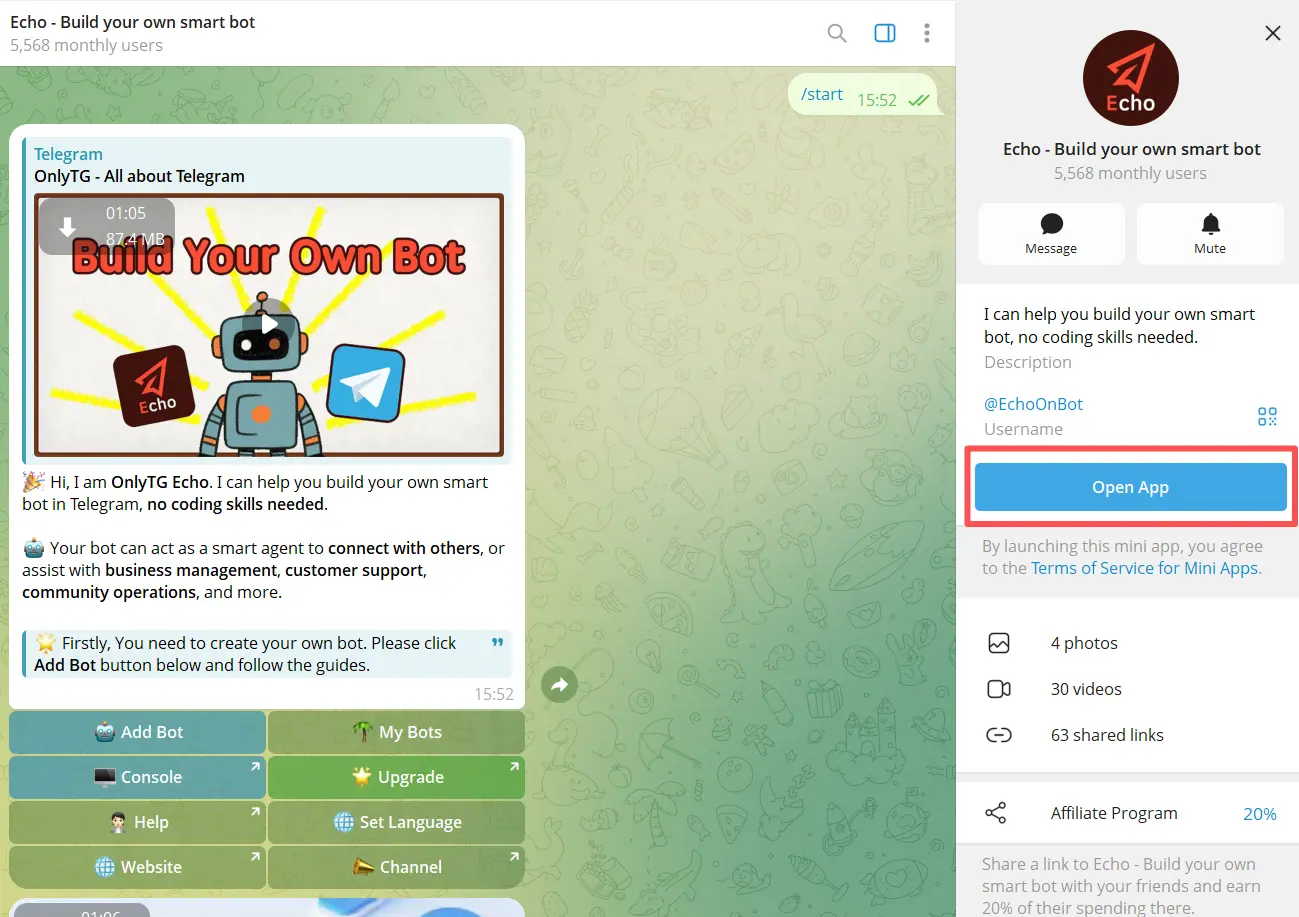
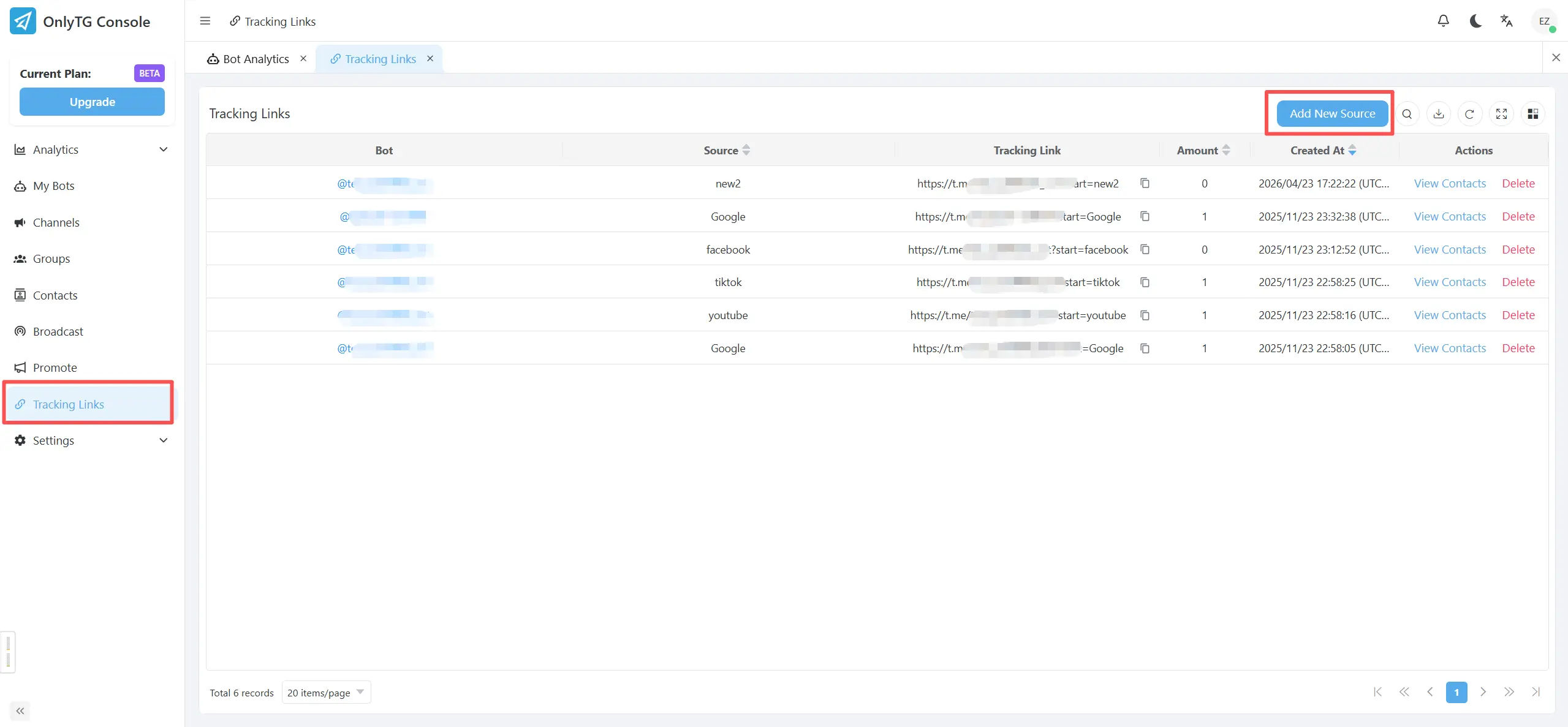
- Step 2: Find the Tracking Links section in the console.
- Step 3: Click Add New Source, enter a source Name (e.g., Google), and click OK.
- Step 3: Copy the tracking links, then share them on different promotion channels.
- Step 6: Check the statistics view to see which source brought which contacts.
- Step 7: Use the automatic source labels to segment contacts and follow up more efficiently.
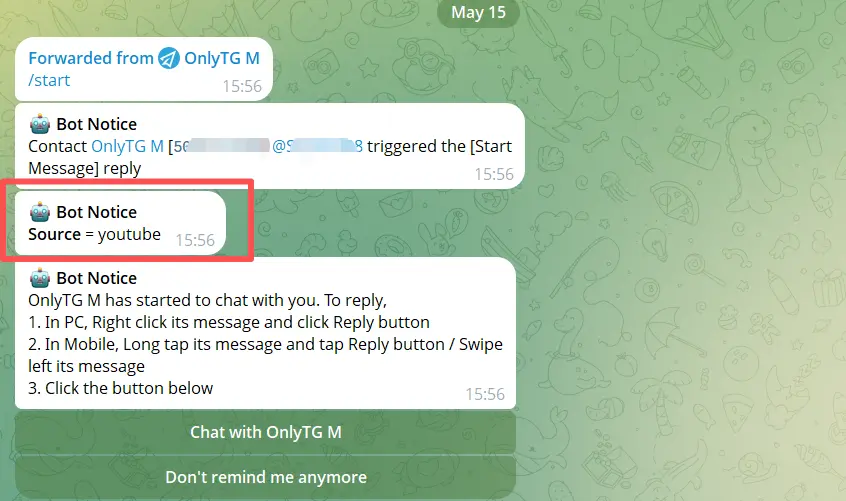
Dynamic Start Messages Feature
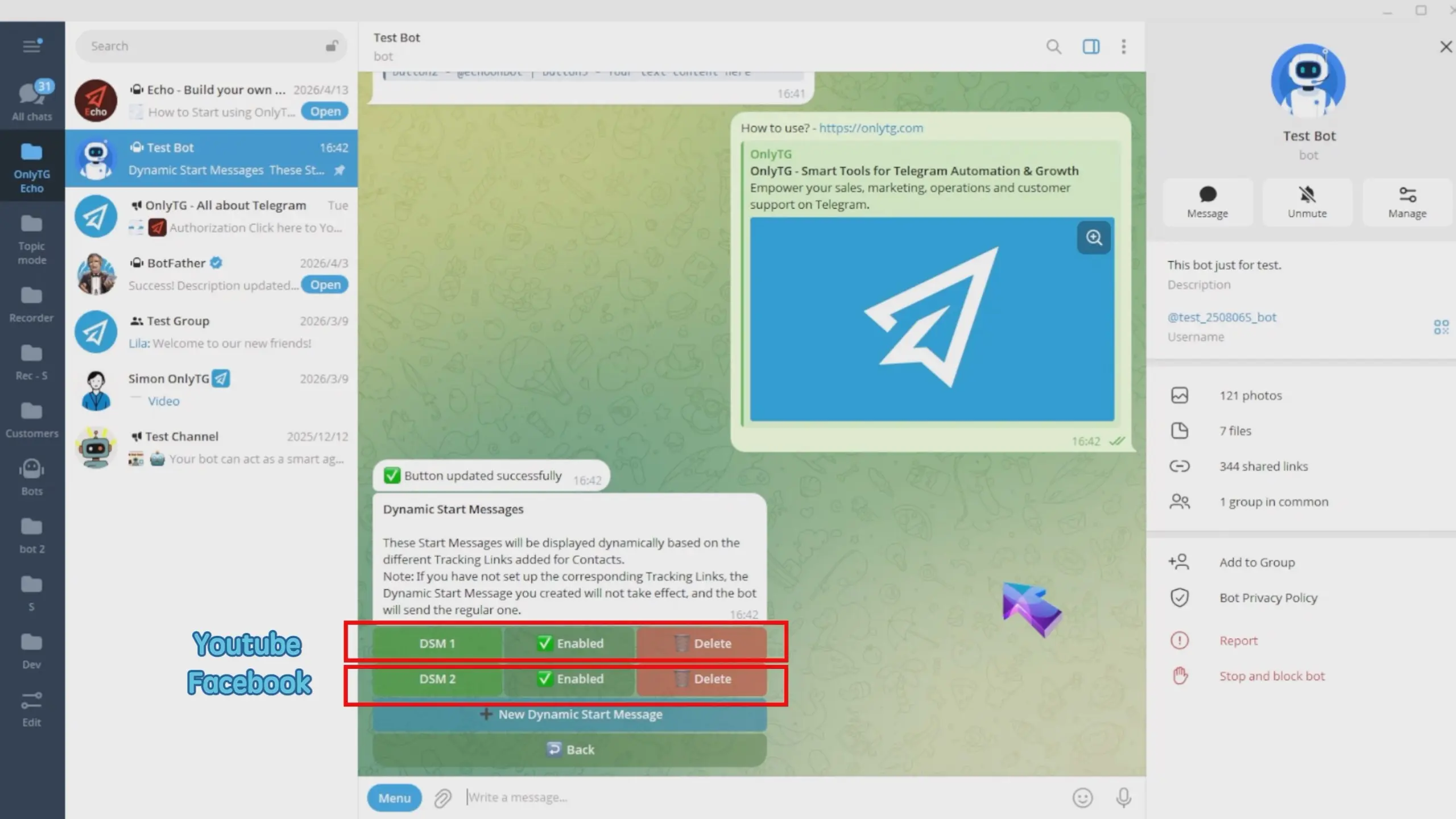
OnlyTG Echo also offers other useful bot functions beyond tracking links. Its published materials mention features such as auto-replies, quick replies, broadcast, bot menu setup, group management, and channel management. That makes it more than a source-tracking tool; it can also support everyday bot operations and engagement workflows.
Inspect and segment users by source
Once you have source data, the real value comes from using it.
Ways to use source attribution:
- Compare channels: see which channel sends users who actually start conversations.
- Measure campaign quality: one source may bring volume, another may bring engaged users.
- Tailor onboarding: send different welcome messages based on source.
- Filter leads: route users from high-value partners into a specific flow.
- Optimize budget: cut weak placements and scale stronger ones.
If your bot supports automation, source tags can also trigger different replies, menus, or follow-up steps.
Where source tracking is most useful
Source attribution is especially useful when your bot plays a role in acquisition, lead generation, or customer support.
Examples:
- Lead generation bots that receive traffic from ads and landing pages
- Membership bots that onboard paid users from different offers
- Content bots promoted through multiple Telegram channels
- Support bots where teams want to know which help article or button drove the contact
- Affiliate bots where each partner needs a unique link
In each case, source tracking helps you connect acquisition effort to actual bot starts.
FAQ
Q1: Can Telegram bots track user sources automatically?
Telegram does not provide full website-style referrer tracking for bots, but it does support deep linking. If you use unique /start parameters or a tracking tool, you can track source attribution effectively.
Q2: What is the best way to identify where a Telegram bot user came from?
The most reliable approach is to give each source its own unique deep link and store the /start parameter when the user enters the bot. For larger setups, use a tracking platform with source labels and reporting.
Q3: Do Telegram invite links work the same way as bot deep links?
No. Invite links are for joining groups or channels, while bot deep links are used to start a bot conversation and pass a parameter through /start.
Q4: Can I use UTM tags inside Telegram bot links?
Classic web UTMs are not used the same way inside Telegram bots, but many teams use UTM-style naming conventions in the deep-link parameter to keep source tracking organized.
Q5: Why should I use a tool like OnlyTG Echo instead of coding source tracking myself?
A tool like OnlyTG Echo can save time by generating tracking links, recording source labels, and showing stats in one place. That is helpful if you want attribution without maintaining a custom analytics stack.
Conclusion
Tracking the source of Telegram bot users starts with one principle: give every traffic source a unique link. Telegram deep linking makes attribution possible, while tools like OnlyTG Echo make it easier to manage, label, and analyze sources at scale. With a clean link structure and consistent reporting, you can finally see which channels really drive bot growth.