
If you run a Telegram channel, community, or sales inbox in 2026, the bottleneck is rarely reach. It is response design. People expect fast answers, but they also expect those answers to sound human, accurate, and timely.
That is where the debate around Telegram quick reply vs auto reply bot starts. Quick replies help your team answer faster with saved messages. Auto reply bots handle repetitive triggers, after-hours coverage, and routing at scale.
Telegram matters here because the platform has crossed 1 billion monthly active users, which means more leads, more support questions, and more operational pressure. In this guide, you will learn when to use each option, how to combine them, and how to avoid the common mistakes that make Telegram feel robotic.
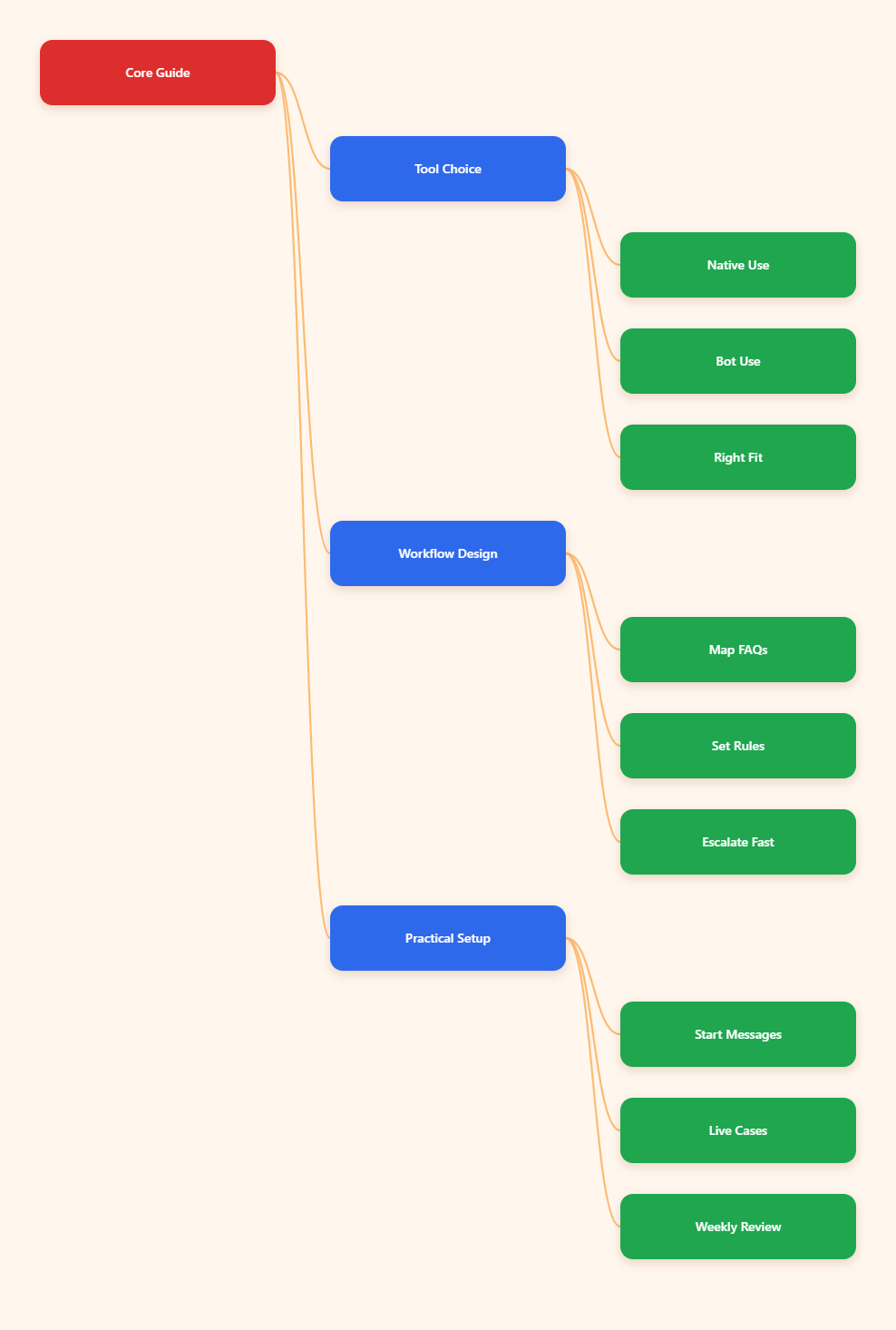
What Is the Difference Between Telegram Quick Reply vs Auto Reply Bot?
The simplest way to separate them is control. A Telegram quick reply is a preset response that a person still sends manually. An auto reply bot is a rule-based workflow that answers on its own when a trigger matches.
Telegram Business quick replies are built for private chats and can include formatted text, links, stickers, media, and files. That makes them useful when your team wants speed without giving up human judgment. The sender still chooses the message.
An auto reply bot is better when the same question appears again and again. It can answer a keyword, greet a new user, route a lead, or send a fallback message when no rule matches. In other words, quick replies speed up humans, while bots reduce human load.
When Should You Use a Telegram Quick Reply?
Use quick replies when the conversation still needs a person in the loop. That is common in sales, support, partnership outreach, and any inbox where nuance matters more than raw speed.
For example, a B2B operator may need to answer a pricing question, but the best reply depends on seat count, region, or contract length. A quick reply keeps the response fast while letting the agent choose the right variation.
Quick replies are also strong when your team handles sensitive cases. Refund exceptions, account changes, and complaint recovery often need judgment. A saved message gives you consistency, but it does not lock you into a fully automated path.
- Best for one-to-one chats that need a human voice.
- Best when the message library changes often.
- Best when the final answer depends on context.
- Best for teams that want less typing, not less oversight.
When Does an Auto Reply Bot Win?
An auto reply bot wins when the message pattern is stable. If users keep asking the same five or ten questions, automation can save hours every week and keep your response time predictable.
This is especially useful after office hours. A bot can confirm receipt, share the right FAQ link, and tell the user when a human will follow up. That small acknowledgment often prevents abandoned leads and repeated pings.
Auto reply bots also help in busy communities where admins cannot watch every message. They can answer keywords like pricing, schedule, join, support, or refund, then escalate the rest to a human. The key is to keep the first reply short and useful.
- Best for repetitive FAQs and command-style requests.
- Best for after-hours coverage and lead capture.
- Best for channel or group workflows with defined rules.
- Best when you need consistent first responses at scale.
Telegram Quick Reply vs Auto Reply Bot: A Side-by-Side Comparison
| Factor | Telegram Quick Reply | Auto Reply Bot |
|---|---|---|
| Core job | Speed up a human reply | Answer automatically from rules |
| Setup style | Inside Telegram Business | Bot token plus rule configuration |
| Best use case | High-touch private chats | FAQs, routing, and after-hours handling |
| Chat scope | Private chats only | Depends on bot permissions and design |
| Speed | One tap, still manual | Instant when a trigger matches |
| Risk | Less automation risk | Needs careful rule design and rate-limit awareness |
| Scale | Good for smaller teams | Better for repeated volume |
The table is useful because the best answer is not always either-or. Most teams need a hybrid model. Use quick replies where judgment matters. Use an auto reply bot where the pattern is predictable.
That hybrid approach usually delivers the best balance of speed, tone, and control.
How Do You Build the Right Telegram Reply Workflow?
Start with your inbox, not your tools. Pull the last 50 to 100 messages and group them into intent buckets. You are looking for the same questions, not the same words.
1. Map the top intents
List the most common requests first. For many teams, those are pricing, access, delivery status, refund policy, booking, and account help. Put the highest-volume questions at the top.
2. Split manual from automated
Ask one question for every intent: does this need a human judgment, or can a bot safely answer it? If the answer affects money, account security, or emotion, keep a human step in the flow.
3. Add a fallback path
Every automation needs an exit. If the user writes something unclear, send a short fallback message and hand the conversation to a person. That is how you keep automation useful instead of frustrating.
One more practical note: Telegram bots have flood limits, so do not design the system like a blasting tool. Telegram Bot API guidance points to roughly one message per second in the same chat and around 30 per second across different chats. That means your workflow should be efficient, not noisy.
A No-Code Shortcut for Teams That Need a Simple Bot Workflow
If you want a lightweight setup without custom code, OnlyTG Echo@EchoOnBot is a practical option to consider. The official tutorial flow is straightforward: create a bot in BotFather, copy the token, and bind it inside OnlyTG Echo@EchoOnBot.
From there, you can configure start messages and auto-reply or keyword reply rules. That is enough to handle many of the repetitive Telegram pain points covered in this article, especially first-contact replies and common FAQ handling.
How to use it
- Create a bot with BotFather and get the token.
- Connect the token in OnlyTG Echo@EchoOnBot.
- Set a start message for new users.
- Add keyword replies for common questions.
Realistic use cases
- A SaaS support team uses a start message to greet trial users, then routes pricing and onboarding questions through keyword replies.
- A community manager sets a welcome flow for new members and uses reply rules for questions like rules, schedule, and resource links.
- An agency inbox replies instantly after hours with a short acknowledgment, then a human follows up with a more tailored answer the next morning.
Extra functions worth noting
The broader OnlyTG Echo@EchoOnBot tutorial set also covers bot editing, menu buttons, message reply workflows, and channel-related operations. Those features are useful when you want one cleaner operational layer instead of juggling separate tools.
Practical Tips for Better Telegram Replies in 2026
- Write replies in short, natural sentences.
- Keep your first response under one clear promise.
- Use automation for volume, not for every edge case.
- Review failed or unclear triggers every week.
- Update saved replies whenever prices, links, or policies change.
- Escalate financial, legal, account-sensitive, or emotional issues to a person.
The strongest Telegram teams do not chase full automation. They build fast first responses, then add just enough automation to protect time and consistency.
FAQ
Is Telegram quick reply the same as an auto reply bot?
No. A quick reply is manually sent by a person from a saved library. An auto reply bot sends the message automatically when a trigger matches.
Can quick replies work in groups?
Telegram Business quick replies are designed for private chats. If you need group or channel automation, a bot-based workflow is usually the better fit.
Which option is better for customer support?
It depends on the ticket type. Quick replies are better for nuanced one-to-one support. Auto reply bots are better for repetitive FAQs, routing, and after-hours coverage.
Will an auto reply bot make my brand sound robotic?
Only if the messages are too generic. Short, specific, and helpful first replies usually feel natural, especially when they hand off to a human when needed.
How many replies should I automate first?
Start with the top 10 to 20 questions you see most often. That usually gives you the biggest time savings without overcomplicating the setup.
Can I use both quick replies and a bot together?
Yes. That is often the best setup. Use quick replies for judgment-heavy chats and a bot for predictable triggers, acknowledgments, and routing.
What is the biggest mistake teams make?
They automate too early and too widely. The better approach is to map real inbox patterns first, then automate the most repetitive parts.
Final Thoughts
The real choice in the Telegram quick reply vs auto reply bot debate is not about technology. It is about workflow. If your team needs speed with judgment, use quick replies. If your inbox is full of repeat questions, use an auto reply bot. Most serious Telegram operators will eventually need both.