
If you manage a Telegram channel, group, or bot in 2026, the hardest part is rarely writing the message. The real problems are timing, consistency, audience segmentation, and staying inside Telegram’s anti-spam boundaries.
That is why scheduled broadcast Telegram bulk messages have become such an important workflow. Done well, they help you publish on time across time zones, reduce manual errors, and keep your audience engaged without turning every release into a last-minute scramble.
Done badly, they create the opposite effect: duplicate posts, rushed copy, confused subscribers, and avoidable spam complaints. This guide walks through the operational side first, then shows where a bot-based workflow can help without making the article about tools alone.
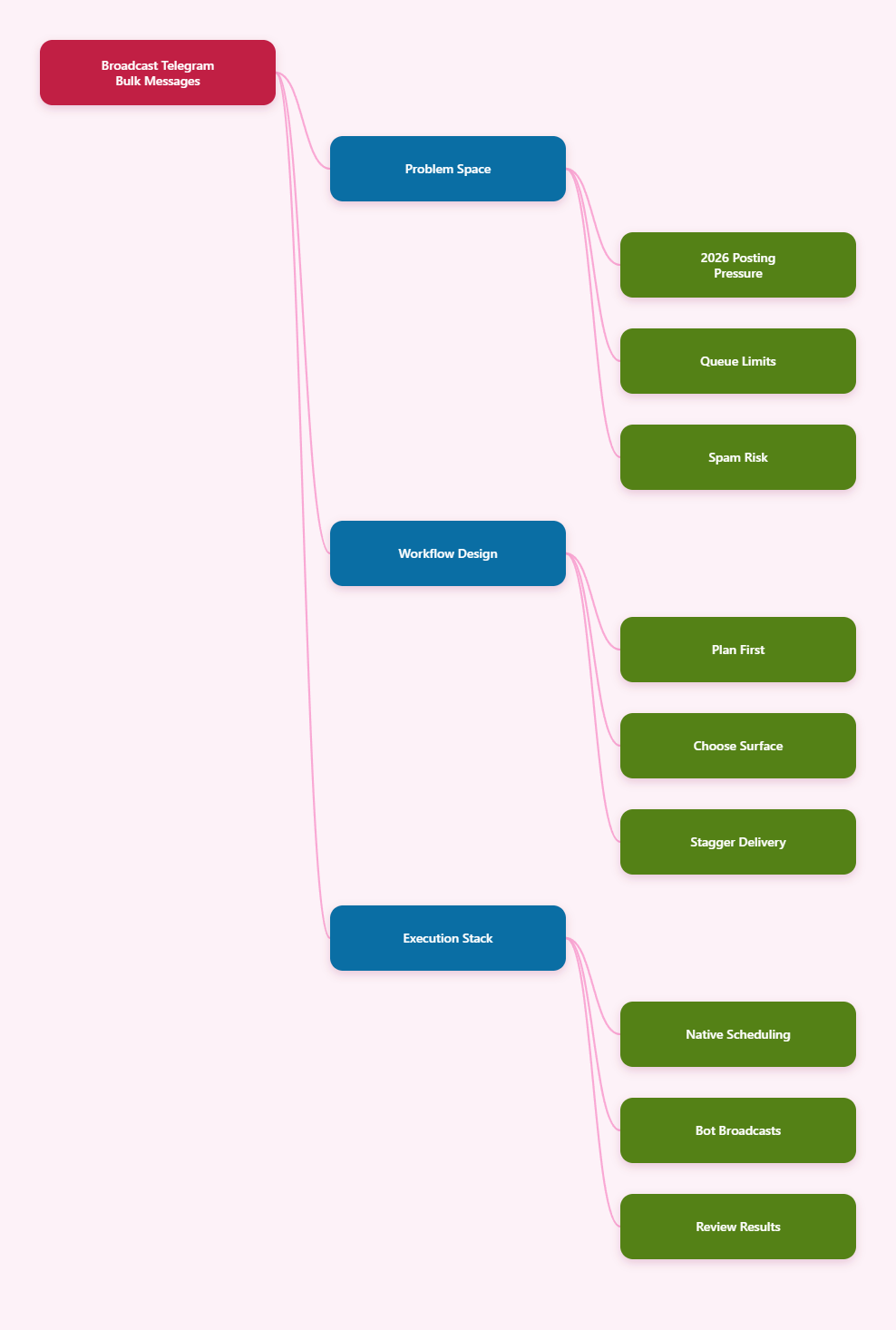
Why scheduled broadcast Telegram bulk messages matter in 2026
Telegram is still a strong channel for direct audience communication because messages land where attention already is. Channels are built for broadcasting, while groups are built for conversation. That basic difference shapes every scheduling decision.
In practice, most teams now publish across more than one audience type. A launch announcement might go to a channel, a follow-up Q&A might go to a group, and a reminder might go to a bot subscription list. Without scheduling, the process becomes fragile very quickly.
The 2026 reality is simple: teams want fast delivery, but subscribers expect relevance. The gap between those two goals is where good broadcast planning lives.
- Time zones matter more than ever for global audiences.
- Telegram’s native tools are useful, but not a full ops system.
- Spam complaints usually come from poor targeting, not just volume.
- Repeated posts need a calendar, not improvisation.
Can Telegram handle scheduled broadcast Telegram bulk messages?
Yes, but only partially if you stay inside the native app. Telegram supports scheduled messages server-side, and official documentation says scheduled messages can be sent later, edited, deleted, or sent immediately before the scheduled time.
That is enough for a one-off announcement. It is not enough for a mature broadcast workflow with segmentation, recurring campaigns, approval steps, and reusable content blocks.
Another practical point matters here: Telegram’s bot rules still require restraint. The Bot FAQ warns against sending more than one message per second in a single chat and more than 20 messages per minute in a group. If you are pushing a large broadcast system, you need to design around those realities instead of ignoring them.
Channels are more forgiving for broadcast use cases because they are designed for one-to-many delivery. Telegram also describes channels as broadcast tools with unlimited subscribers. Groups, by contrast, are for interaction and can become noisy if the same message pattern is reused too often.
| Option | Best For | Main Weak Point | 2026 Takeaway |
|---|---|---|---|
| Native Telegram scheduling | Single announcements and small queues | Limited workflow depth and no segmentation | Good for simple posts, not full operations |
| Manual posting | Urgent replies and tiny audiences | Human error, timing mistakes, inconsistent delivery | Useful in a pinch, weak at scale |
| Bot-based broadcast workflow | Recurring campaigns and structured audiences | Needs setup and rate-limit awareness | Better for repeatable scheduled broadcast telegram bulk messages |
Why do bulk broadcasts fail in practice?
Most failures are operational, not technical. The message itself may be fine, but the workflow around it is weak.
Here are the most common failure points in 2026:
- Bad timing: one schedule is used for every region, even when the audience spans multiple time zones.
- Weak segmentation: every contact receives the same message, even when their intent is different.
- No content queue: people rewrite every post from scratch, so consistency disappears.
- Missing review step: links, buttons, and dates are not checked before publish time.
- Spam-like behavior: too many repetitive bursts or irrelevant messages increase complaint risk.
The solution is not to send more. It is to send with a clearer publishing system.
That system usually includes a message brief, a content calendar, approval checkpoints, and a fallback plan if something needs to be paused or edited.
How to plan a broadcast without triggering spam complaints
The safest broadcasts look deliberate. They do not feel random, and they do not try to force every subscriber into the same funnel at the same moment.
A practical planning process for 2026 looks like this:
- Define the goal in one sentence. For example, announce a release, drive webinar signups, or bring users back to a channel.
- Choose the right surface. Use a channel for announcements, a group for discussion, and a bot flow for targeted delivery.
- Write one core message, then adapt it for time zone, audience stage, and CTA.
- Check links, buttons, images, and naming before the schedule is saved.
- Stagger large sends instead of treating every contact list like one instant blast.
This approach is slower at the start, but it prevents the churn that happens when teams try to post everything manually at the last minute.
What a better workflow looks like in real operations
The strongest Telegram teams usually combine three layers: planning, scheduling, and follow-up. Planning defines what should be sent. Scheduling defines when it should go out. Follow-up defines what happens after the post lands.
That third layer is often missing. Yet it matters because broadcasts are not finished when they are published. They still need replies, link tracking, and content updates based on performance.
For example, a campaign might start with a channel post, continue with a reminder 24 hours later, and end with a support message or FAQ reply in a connected bot. If each step is separate and manual, the workflow becomes fragile. If the steps are planned together, the broadcast feels much more polished.
In 2026, this is especially important for overseas marketing teams that work across regions. A single launch can easily involve Asia, Europe, and North America. Without a schedule map, the same post can hit audiences at the wrong time and lower engagement.
How OnlyTG Echo@EchoOnBot fits into the workflow
If your pain point is turning that workflow into something repeatable, OnlyTG Echo@EchoOnBot offers a no-code path that aligns with the official tutorial flow. The documented setup starts by creating a Telegram bot in BotFather, connecting the token to Echo, and then using the bot interface to manage broadcast-related actions.
The official docs also show a content-module model for broadcasts. In practice, that means you prepare reusable content first, then create the broadcast task from the console instead of rebuilding each message by hand.
For channel publishing, the documented flow is similar. You open Channel Setting, choose Post, configure text, media, and buttons, then choose whether to post immediately or schedule it for later. That is a useful fit when the main problem is not creativity, but execution discipline.
- Broadcast setup: create a module, then turn it into a scheduled broadcast task.
- Channel publishing: build the post, then choose Post Now or Schedule.
- Message control: the workflow is designed so you can prepare content before delivery.
Three realistic use cases stand out.
1. Product launch in two time zones. A team can prepare one launch module, schedule the first wave for Europe-friendly hours, then send a second wave later for North American subscribers. The content stays consistent, but the timing matches the audience.
2. Weekly lead nurture in a niche channel. A creator can reuse a formatted update with text, media, and buttons, then schedule it as a recurring reminder for the same weekday. That reduces the temptation to improvise a new post every week.
3. Support-side announcement after a maintenance window. A community manager can schedule the alert in advance, then send the follow-up update once the issue is closed. That keeps subscribers informed without forcing someone to watch the clock.
OnlyTG Echo@EchoOnBot also includes secondary features such as Start Message, Auto-Reply, Quick Reply, Bot Menu, Tracking Links, Ban Contacts, and Recall Messages. Those features are useful, but the real value is that they support a cleaner communication system around broadcasts rather than replacing the broadcast strategy itself.
Operational checklist for 2026
- Write the post for one audience segment at a time.
- Keep the CTA simple and directly relevant.
- Match the send time to the subscriber region.
- Test links and buttons before scheduling anything large.
- Review Telegram’s channel, group, and spam rules regularly.
- Use scheduling for repeatability, not for careless mass sending.
- Keep an edit window open for urgent corrections.
That checklist may look basic, but most broadcast problems begin with skipping one of those steps.
FAQ
Can Telegram schedule bulk messages?
Telegram can schedule messages natively, and that is enough for straightforward posts. For larger or more structured scheduled broadcast Telegram bulk messages, a bot workflow is usually more practical because it adds repeatability and control.
How many scheduled messages can Telegram store?
Published 2026 guides note that Telegram’s native scheduler supports up to 100 scheduled messages per chat. That is useful for planning, but it is not the same as a full broadcast system.
Are channels better than groups for broadcasts?
Usually yes. Telegram describes channels as broadcast tools for unlimited subscribers, while groups are better for discussion. If your goal is one-to-many delivery, a channel is the cleaner choice.
What causes Telegram spam problems?
Spam problems usually come from unwanted outreach, repetitive messaging, or content that users did not ask for. Telegram’s Spam FAQ makes it clear that report spam actions can lead to restrictions.
Should I send every broadcast at once?
Not if your audience is large or regionally split. Staggered delivery is safer because it reduces timing mistakes and makes it easier to watch for errors before the whole list is affected.
Can I edit a scheduled Telegram message?
Yes. Telegram’s official scheduled messages documentation says scheduled messages can be edited, deleted, or sent immediately before the scheduled time.
When should I use a bot instead of native scheduling?
Use native scheduling for simple, one-off publishing. Use a bot when you need reusable content, team workflows, segmentation, or a structured broadcast process.
Final take
In 2026, the winning approach to scheduled broadcast Telegram bulk messages is not raw volume. It is controlled delivery, cleaner timing, and a publishing stack that fits how Telegram actually works.
Start with native scheduling when the job is simple. Move to a bot-based workflow when your broadcasts need structure, repeatability, or a better way to manage multiple audiences. If you want a guided no-code setup, OnlyTG Echo@EchoOnBot is worth evaluating as part of that stack.