
Learning how to broadcast Telegram messages with buttons is now a practical growth skill, not a technical novelty. Channels, bots, groups, Mini Apps, and paid traffic all compete for the same scarce thing: a clean user action after someone reads a message.
The problem is simple. Many Telegram broadcasts still look like plain announcements with long links, unclear next steps, and no tracking discipline. Users scan, mute, or leave. Operators then blame the platform instead of fixing message structure, timing, segmentation, and button logic.
This guide explains how to plan, write, send, and measure button-based Telegram broadcasts in 2026. It focuses on real operational decisions: which button type to use, how to avoid spam-like behavior, what metrics matter, and where automation can reduce manual work without damaging trust.
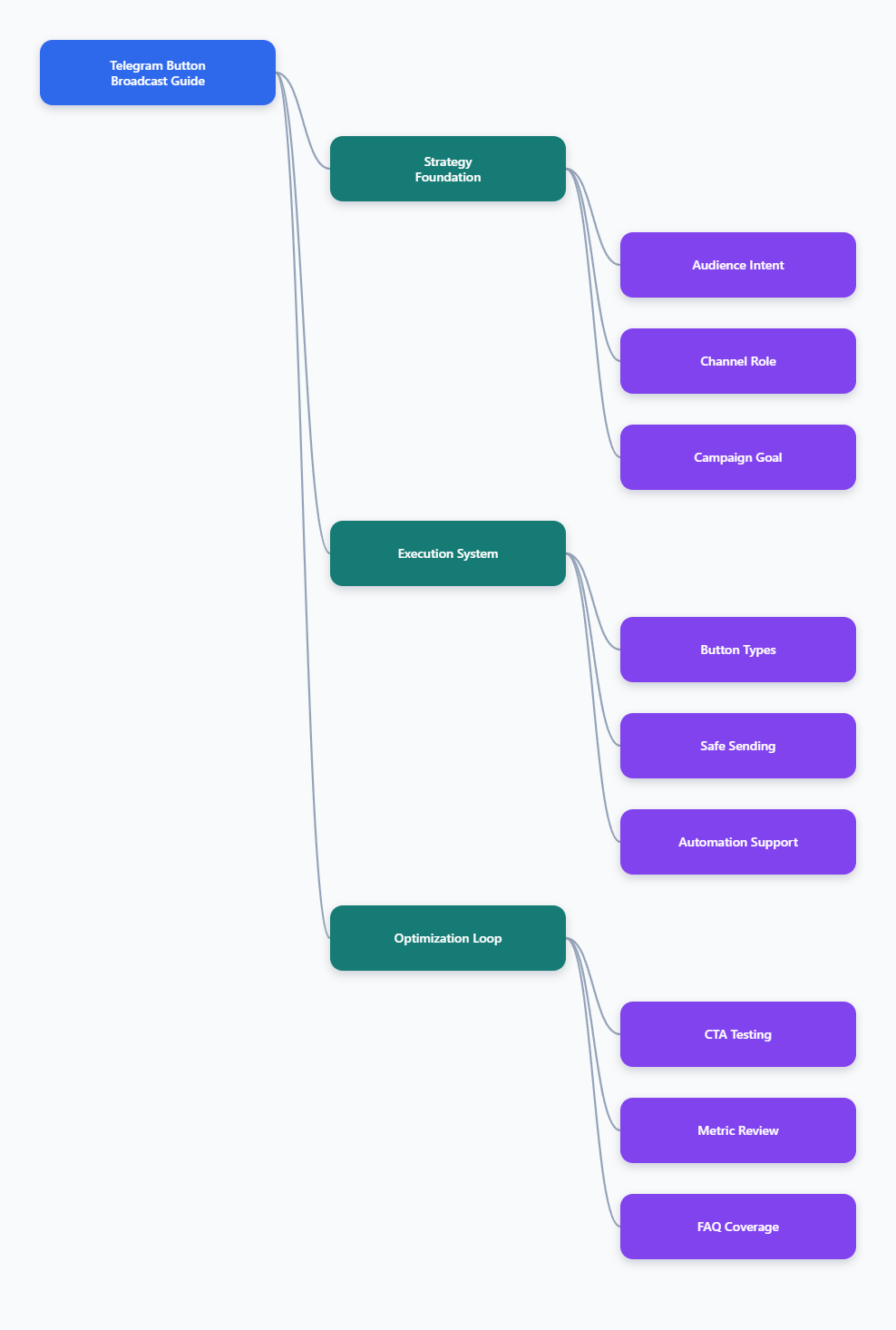
Why Broadcast Telegram Messages with Buttons Matters in 2026
Telegram has become a full-funnel marketing environment. A channel can publish content, a group can host discussion, a bot can qualify leads, and a Mini App can handle deeper product flows. Buttons connect these pieces without forcing users to copy links or type commands.
Telegram officially supports bots, channels, groups, inline keyboards, reply keyboards, web app buttons, deep links, and rich messaging capabilities through its Bot API. This gives marketers more control than a basic social post, but also more ways to create confusing flows.
Buttons matter because they reduce friction at the exact moment intent appears. A user who taps “View pricing,” “Track order,” or “Join webinar” is showing stronger intent than someone who merely views a broadcast post.
For channel operators, buttons also create cleaner measurement. Instead of guessing whether a post worked, you can track link clicks, bot starts, callback selections, coupon redemptions, payment attempts, or support requests.
The best Telegram marketing teams in 2026 treat broadcasts as structured journeys. A post is not the final destination. It is a trigger that moves users to a useful next step.
What Usually Breaks Telegram Broadcast Performance?
Weak Telegram broadcasts usually fail before they reach the audience. The message is too broad, the CTA is vague, or the operator sends the same offer to every subscriber regardless of intent.
The most common operational problems are easy to spot:
- One generic message sent to every subscriber.
- Button text that says “Click here” instead of naming the action.
- Too many buttons under one post.
- Broadcasts sent without UTM links or source tracking.
- No follow-up path for users who tap but do not convert.
- Sending too fast through bots and hitting flood-control errors.
- No distinction between promotional, educational, and transactional messages.
Telegram users are especially sensitive to noisy channels. A muted subscriber still counts as a subscriber, but that number becomes less useful when views, clicks, and replies drop.
Subscriber count is therefore a vanity metric when used alone. Better indicators include median post views, view rate, click-through rate, forward rate, bot interaction rate, conversion rate, and revenue per thousand views.
For most teams, the first performance fix is not a new tool. It is a cleaner broadcast brief: audience, promise, action, timing, button destination, and measurement method.
Which Button Type Should You Use?
Telegram buttons are not interchangeable. Choosing the wrong button type can make a campaign harder to track or harder for users to understand.
Inline keyboards are attached directly below a specific message. They work well for campaign CTAs, surveys, navigation, and bot-driven choices. Reply keyboards appear in the input area and are better for simple recurring menu options inside a bot conversation.
URL buttons send users to a web page, checkout, landing page, post, Mini App, or another Telegram destination. Callback buttons let the bot receive a button press and respond with the next step.
| Button Type | Best Use | User Experience | Measurement Signal |
|---|---|---|---|
| URL button | Landing pages, product pages, event pages | Opens a link or Telegram destination | Tracked link clicks and conversions |
| Callback button | Polls, qualification, support routing | Triggers a bot response | Button press and selected option |
| Reply keyboard | Bot menus and repeat actions | Shows preset replies in chat | User message choice |
| Web App button | Catalogs, calculators, account panels | Opens an app-like flow inside Telegram | In-app events and completed actions |
A simple rule works well. Use URL buttons when the next step is outside the bot. Use callback buttons when the bot needs to remember a choice. Use reply keyboards only when the user is already inside a conversation flow.
How Do You Broadcast Telegram Messages with Buttons Safely?
Safe broadcasting is about pacing, permission, and relevance. Telegram bots are powerful, but the Bot API is not designed for unlimited uncontrolled bursts.
Telegram’s Bot FAQ states that ordinary bots can send around 30 messages per second, and paid broadcasts can raise throughput up to 1,000 messages per second when eligibility and Telegram Stars requirements are met. Telegram also returns 429 errors with retry information when limits are exceeded.
Community documentation commonly recommends staying near one message per second to the same chat and spreading large campaigns over time. Exact limits can vary, so production systems should respect Telegram’s retry_after response instead of relying only on fixed numbers.
Use this basic sending checklist:
- Send only to users who joined, started the bot, or clearly opted in.
- Segment users by source, language, purchase stage, or topic interest.
- Throttle bot broadcasts and process retry_after responses.
- Separate broadcast sending from button callback handling.
- Test buttons in a private channel before full delivery.
- Use tracked links for every external destination.
For channels, the operational risk is usually not API throttling. It is audience fatigue. Too many sales posts reduce future reach because subscribers stop opening, forwarding, and reacting.
A healthy weekly mix often includes education, proof, product updates, community prompts, and occasional direct offers. The exact ratio depends on your audience, but every post should have a clear reason to exist.
Writing Better CTA Buttons for Telegram Broadcasts
Good button copy is short, specific, and honest. Telegram is mostly mobile-first reading. A button that looks fine on desktop may feel cramped or unclear on a phone.
Avoid generic labels. “Read the case study” is stronger than “Learn more.” “Get the checklist” is stronger than “Click here.” “Track my order” is stronger than “Status.”
Use one primary button when the campaign has one goal. Add a second button only when it handles a genuinely different intent, such as “View plans” and “Ask support.”
For lead generation, keep the first step light. A Telegram user may tap a button during a commute, while reading between meetings, or after seeing a forwarded post. Asking for too much information too early can reduce completion.
For e-commerce, connect the button to a specific product, collection, cart, or order status page. A broadcast about a sale should not send users to a generic homepage unless the homepage is the campaign page.
For media and creator channels, buttons can drive deeper reading, paid community access, podcast downloads, sponsor clicks, or feedback collection. The key is to keep the promise aligned with the post.
A Practical Workflow for Button-Based Telegram Campaigns
Start with the campaign outcome. “More engagement” is too vague. Choose a measurable action such as trial starts, coupon claims, webinar registrations, qualified replies, app opens, or paid community joins.
Step 1: Define the Segment
Do not send every campaign to everyone. A new subscriber should not receive the same message as a repeat buyer. A crypto audience may react differently from an education, SaaS, gaming, or retail audience.
Useful Telegram segments include:
- New subscribers from the last seven days.
- Users who clicked a previous offer.
- Customers with recent purchases.
- Inactive subscribers with low recent engagement.
- Users grouped by language or region.
Step 2: Match Message, Button, and Destination
The post, button, and landing destination should feel like one continuous path. If the post promises a pricing breakdown, the button should not open a general blog archive.
For best results, place the main benefit before the button. Keep the post focused on one decision. If the user needs five pieces of context before acting, the campaign is probably trying to do too much.
Step 3: Measure the Right Metrics
Track post views, button clicks, bot starts, replies, conversions, unsubscribe or leave behavior, and revenue where relevant. Compare performance against your own 30-day baseline before drawing conclusions from a single broadcast.
For paid Telegram Ads, public benchmark reports vary by source and niche. Treat them as directional context, not universal truth. Your own channel history, offer quality, and audience fit usually explain more than a broad market average.
Where Automation Helps When You Broadcast Telegram Messages with Buttons
Automation is useful when a manual process creates delay, missed follow-ups, or inconsistent responses. It becomes harmful when it hides poor strategy behind more frequent sending.
A practical automation setup may include a channel for reach, a bot for private interaction, a CRM or spreadsheet for lead state, and tracked links for attribution. The broadcast message starts the path; the bot handles the next step.
This is where a lightweight tool can help if your team repeatedly needs button-based broadcasts but does not want to build everything from the Bot API.
Based on OnlyTG’s public guidance around Telegram quick replies, button usage, and campaign message structure, OnlyTG Echo@EchoOnBot can be used as a no-code helper for creating Telegram messages with buttons and routing users into clearer next actions. Operators should still test every flow and follow Telegram platform limits.
A simple workflow is:
- Open OnlyTG Echo@EchoOnBot in Telegram.
- Prepare the broadcast copy, destination link, and button label.
- Create the message with an inline button or quick-reply path.
- Preview the post in a test chat or private channel.
- Publish only after checking button destination, copy length, and tracking tags.
For an e-commerce drop, a shop can post a new product with a “View collection” button, then route support questions to a bot reply. For a webinar, an operator can send a reminder with “Reserve seat” and “Ask a question” paths. For a paid community, a creator can use a button to send interested users to eligibility details before payment.
OnlyTG Echo@EchoOnBot may also support adjacent tasks such as quick-reply organization, cleaner button formatting, and campaign preparation. Keep the tool role narrow: it should make execution cleaner, while your segmentation, offer, and measurement discipline drive results.
Operational Tips for Higher Telegram Button Engagement
The strongest improvements usually come from small changes repeated consistently. Button-based broadcasting works best when your audience learns that your posts are useful and your CTAs are predictable.
- Use one main CTA per broadcast whenever possible.
- Keep button labels under a few words.
- Match button text to the destination exactly.
- Add UTM parameters to external campaign links.
- Test links, bot starts, and callback responses before sending.
- Throttle bot broadcasts and honor retry_after responses.
- Review median views, not only total views.
- Compare campaign results with a 30-day baseline.
- Remove dead links from pinned posts and evergreen flows.
- Give users a human support route for payment, refund, and technical issues.
Do not over-optimize for clicks alone. A misleading button can raise CTR and lower trust. A good Telegram broadcast attracts the right tap, not just any tap.
FAQ: Broadcast Telegram Messages with Buttons
Can I broadcast Telegram messages with buttons from a channel?
Yes, Telegram channel posts can include buttons when sent through supported bot or posting workflows. URL buttons are common for channel campaigns because they send users to a page, bot, Mini App, or another Telegram destination.
What is the best button type for Telegram marketing?
For most marketing broadcasts, inline URL buttons are the simplest choice. Use callback buttons when you need the bot to record a selection, qualify a lead, launch a flow, or show a follow-up response inside Telegram.
How many buttons should a Telegram broadcast have?
One primary button is usually best. Two buttons can work when they reflect different intents, such as “View plans” and “Contact support.” More than three buttons often creates decision friction on mobile.
Are Telegram bot broadcast limits fixed?
No. Telegram documents general behavior and returns 429 errors when limits are exceeded, but exact limits can be dynamic. The Bot FAQ references about 30 messages per second for ordinary bot sending and higher paid broadcast capacity for eligible bots.
How do I measure button performance?
Track post views, button clicks, bot starts, callback selections, conversions, and revenue. Use UTM-tagged links for web destinations and compare results with your own recent channel baseline instead of relying only on generic benchmarks.
Should I use buttons in every Telegram post?
No. Use buttons when there is a clear next action. Educational posts, community updates, or opinion pieces may perform better without a CTA if the goal is trust, forwarding, or discussion.
Can OnlyTG Echo@EchoOnBot replace a custom Telegram bot?
OnlyTG Echo@EchoOnBot is better viewed as an execution helper for button-based messages and quick-reply style workflows. A custom bot is still appropriate when you need complex backend logic, advanced CRM sync, payments, or custom analytics.
What is the safest way to broadcast Telegram messages with buttons in 2026?
Send relevant messages to opted-in audiences, use clear button labels, test every destination, throttle bot delivery, respect Telegram retry responses, and measure conversions rather than subscriber count alone.
Conclusion
To broadcast Telegram messages with buttons effectively in 2026, think less like a broadcaster and more like a journey designer. The message earns attention, the button captures intent, and the destination must deliver exactly what was promised.
Telegram gives marketers strong building blocks: channels for reach, bots for interaction, groups for community, and buttons for action. Tools such as OnlyTG Echo@EchoOnBot can make button execution easier, but the real advantage comes from relevance, pacing, clean copy, and disciplined measurement.