
Telegram still looks like an easy place to reach an audience, but the people who get results in 2026 are not the ones who send the most messages. They are the ones who match the right format to the right audience, pace delivery carefully, and avoid turning every update into spam.
If you are trying to use a Telegram bot to broadcast Telegram automated messages, the real challenge is not writing one message. It is building a repeatable workflow that protects deliverability, keeps replies manageable, and helps subscribers feel informed instead of hunted.
This guide breaks down the practical side of Telegram broadcasts: when to use a channel, when a group still makes sense, how to keep bot traffic safe, and where a no-code layer can remove friction without turning your stack into a mess.
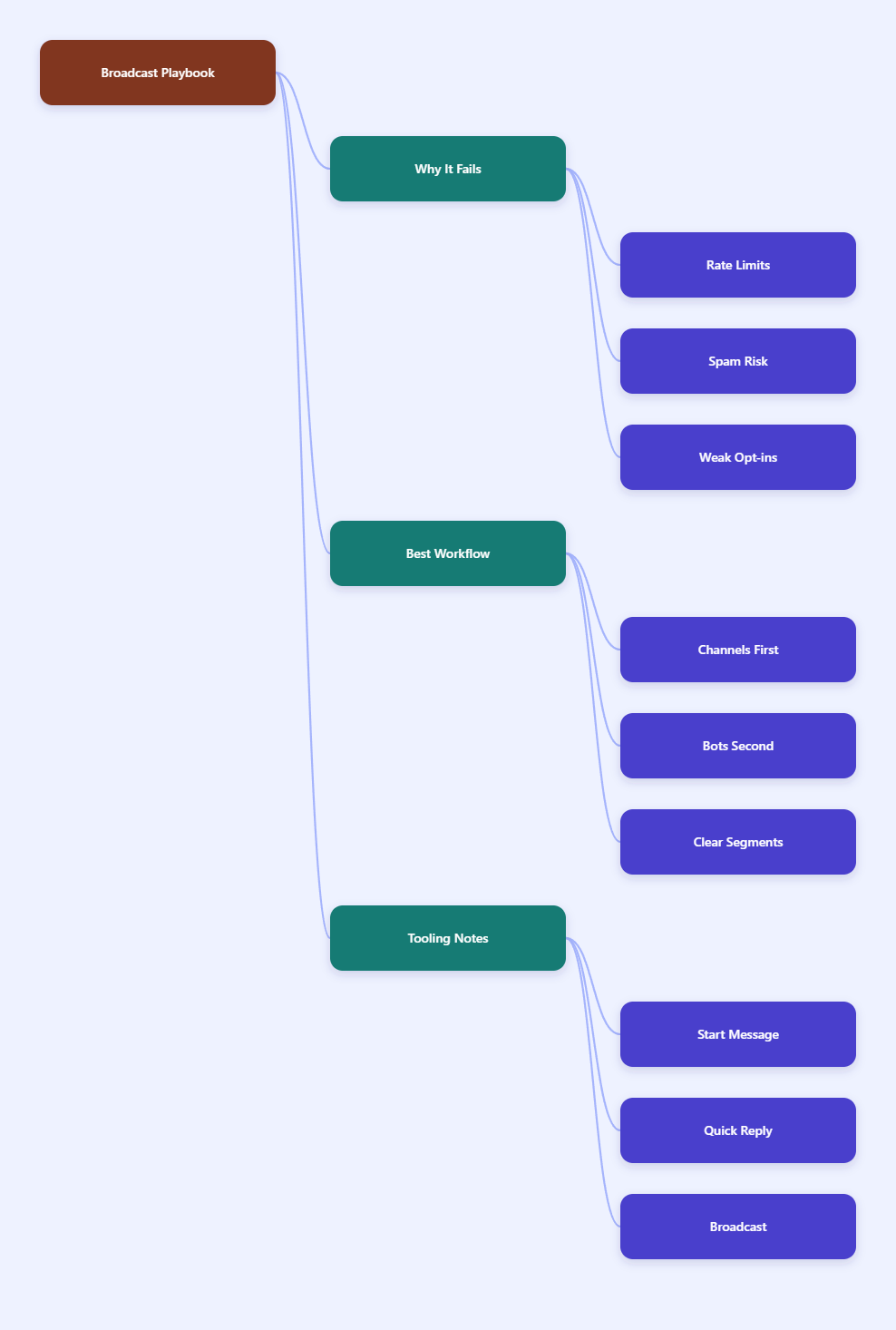
Why Telegram Broadcasts Fail in 2026
Most broadcast problems start with the same mistake: teams treat Telegram like an email blast tool. They export a list, send the same copy to everyone, and then wonder why engagement drops, replies become noisy, or the bot starts hitting limits.
Telegram is fast, but speed is also why sloppy automation gets noticed quickly. If your audience never clearly opted in, or if your content looks identical across every send, users have a reason to mute, block, or report.
- Many teams skip segmentation and send one message to every contact.
- Some use a group when they really need a one-way broadcast channel.
- Others over-automate follow-ups and create reply storms that no one can handle.
- A lot of campaigns fail because the sender ignores Telegram pacing and spam sensitivity.
Telegram’s own documentation and community guidance point in the same direction: broadcasts are possible, but they are bounded by rate limits and by user trust. The platform can support scale, but it does not reward careless scale.
The real bottleneck is trust
When subscribers trust your updates, they read them. When they do not, even a perfect delivery stack performs badly. That is why the best Telegram operators build around consent, relevance, and timing before they think about automation.
In practice, that means choosing a format that fits the job, writing messages that feel useful, and setting up a workflow that can absorb replies without breaking.
Should You Use a Channel, Group, or Bot?
Before you automate anything, decide what the message is supposed to do. Telegram channels, groups, and bot-led workflows solve different problems, and mixing them up causes most of the operational confusion.
A Telegram channel is built for one-to-many broadcasting. Only admins can post, subscribers consume the content, and posts can show view counts. A group is built for conversation. Members can participate, reply, and turn the thread into a community space. A bot workflow is best when you need automation, routing, and controlled outreach around either of those two formats.
| Format | Best for | Who can post | Scale | Main risk |
|---|---|---|---|---|
| Channel | Announcements, launches, updates | Admins only | Unlimited subscribers | One-way content can feel repetitive |
| Group | Discussion, feedback, community support | Members, depending on permissions | Up to 200,000 members | Noise, moderation, off-topic replies |
| Bot-led workflow | Opt-in automation, reminders, support routing | The bot, within its rules | Depends on pacing and audience quality | Rate limits and spam complaints |
That table matters because most teams do not need one tool. They need a sequence. A channel carries the announcement. A group carries the discussion. A bot carries the automation that connects the two.
Pick the format before automation
If your main goal is broadcast, start with a channel. If your main goal is conversation, start with a group. If your main goal is to send structured, automated follow-ups after a user action, then a bot is the control layer.
This sequence keeps the workflow clean. It also makes it easier to debug when delivery, replies, or permissions go wrong.
How Do You Broadcast Telegram Automated Messages Without Looking Spammy?
The safest broadcast strategy in 2026 is still the simplest one: send fewer, better messages to people who asked to hear from you. That sounds obvious, but it is the part most teams skip when they get excited about automation.
Telegram’s rate-limit guidance is useful here. Community references consistently point to about 1 message per second to the same chat, around 20 messages per minute to a group or channel workflow, and roughly 30 messages per second globally for ordinary bot traffic. Telegram also says paid broadcasts can go up to 1000 messages per second if the bot meets the balance and monthly active user requirements.
In other words, scale exists, but pacing still matters. A clean broadcast workflow respects both technical limits and human attention.
- Collect explicit opt-ins before you broadcast.
- Segment by intent, behavior, or lifecycle stage.
- Write one core message, then adapt it for each segment.
- Stagger delivery instead of firing everything at once.
- Track replies, blocks, and mute patterns after each send.
That list is not glamorous, but it works. The operators who keep performance stable are usually the ones who test small, watch response quality, and adjust timing before they scale volume.
A simple sending rule
For a new audience, send the smallest useful batch first. For a warm audience, keep the message short and specific. For a highly engaged segment, favor clarity over cleverness.
If your message needs a long explanation, move the detail to a landing page and keep Telegram focused on the hook and the next action.
Where Does OnlyTG Echo@EchoOnBot Fit Into the Workflow?
When teams want automation without building a custom bot stack from scratch, a no-code layer can remove a lot of friction. One option is OnlyTG Echo@EchoOnBot, which is positioned around practical Telegram bot operations such as start messages, auto-replies, quick replies, and broadcast-style messaging.
The official tutorial flow is straightforward: create your bot in BotFather, copy the token, connect it inside OnlyTG Echo@EchoOnBot, then set the message logic you want to run when people start chatting or when common questions arrive.
How the tutorial flow works
- Create your Telegram bot in @BotFather and copy the token.
- Open OnlyTG Echo@EchoOnBot and bind the token to your bot.
- Set a start message so new users see a clear first step.
- Build auto-replies for common questions and support intent.
- Use quick replies when your team needs faster manual follow-up.
- Use broadcast-style sends for opted-in contacts who should receive updates.
This flow solves a common problem: the same bot that is supposed to help you communicate can become hard to manage once your audience grows. A simple setup keeps the interaction layer readable, which matters when you are dealing with both broadcasts and direct replies.
Three practical scenarios
- A SaaS team can send a launch reminder to subscribers who opted in after a demo form, then use auto-replies to answer pricing questions without pulling a founder into every thread.
- An agency can route inbound leads through a start message, use quick replies for common qualification questions, and send a follow-up broadcast when a webinar or case study goes live.
- A Telegram community can publish a channel update, then use bot automation to answer repeated questions about access, timing, or the next event without making moderators repeat themselves all day.
In these cases, the value is not the tool by itself. The value is that automation becomes more structured, so the team can keep pace without sending brittle manual replies every hour.
Other features worth noting
Beyond the core messaging flow, OnlyTG Echo@EchoOnBot also supports the kind of lightweight operational features that make a bot easier to run day to day. The useful part is not feature count. It is reducing the number of places where a simple audience update can go wrong.
That usually means better first-touch messaging, cleaner reply handling, and a faster path from subscriber question to useful answer.
What Is the Best 2026 Operating Checklist?
The strongest Telegram teams do the same few things consistently. They keep messages relevant, they avoid blasting cold contacts, and they treat every send as part of a broader relationship rather than a one-off spike.
- Keep every message tied to a clear user expectation.
- Use channels for broadcast, groups for conversation, and bots for automation.
- Batch sends and test small before scaling volume.
- Separate announcement traffic from support traffic.
- Review reply quality, block signals, and engagement patterns after each campaign.
- Keep copy short enough to read in one glance on mobile.
One practical rule helps a lot: if the message can be understood in six seconds, it is probably ready for Telegram. If it needs a paragraph of setup, the link should carry the extra detail instead of the chat itself.
FAQ
1. Is a Telegram channel better than a bot for broadcasts?
For simple announcements, yes. A channel is built for one-to-many publishing. A bot becomes more valuable when you need targeting, automation, or follow-up after a user action.
2. How fast can a Telegram bot send messages?
Telegram’s official FAQ says paid broadcasts can go up to 1000 messages per second if the bot qualifies. For ordinary workflows, community guidance commonly recommends keeping sends around 1 message per second to the same chat and pacing group traffic carefully.
3. Can I broadcast to people who never contacted my bot?
Not safely. The strongest practice is to broadcast only to users who clearly opted in or interacted with your bot before. That lowers complaint risk and improves response quality.
4. Does Telegram support scheduled messages?
Yes, Telegram supports scheduled messages in certain contexts, and many teams also use automation layers for recurring or segmented sends. For broadcast work, scheduling is most useful when it is combined with segmentation.
5. What causes Telegram broadcasts to underperform?
The usual reasons are weak targeting, repetitive copy, poor timing, and too much frequency. A message can be technically delivered and still fail if it does not feel useful.
6. How should I use a bot with a channel?
Use the channel for publishing and the bot for routing. The channel carries the main announcement, while the bot can handle onboarding, FAQ replies, and follow-up actions.
7. Where does OnlyTG Echo@EchoOnBot help most?
It helps most when you want a lighter operational layer around your bot: start messages, auto-replies, quick replies, and broadcast-style contact management without building a custom backend first.
Final Thoughts
Telegram remains a strong channel for audience communication in 2026, but the winning play is still restraint plus relevance. If you choose the right format, pace your sends, and keep your audience opt-in first, Telegram can support broadcasts without turning into noise.
If you want a simpler way to turn that workflow into something repeatable, OnlyTG Echo@EchoOnBot is worth testing alongside your existing channel and support setup.