
If you run Telegram channels, manage a community, or answer customer questions all day, you already know the real bottleneck is not traffic. It is repetition. The same pricing question, the same setup question, and the same link request can drain hours every week.
That is why learning how to save time with Telegram quick reply matters in 2026. The right workflow helps you answer faster, keep replies consistent, and move users toward the next step without sounding scripted. In this guide, you will get a practical view of the problem, the best reply structure, and a simple no-code path that fits busy Telegram operators.
 ·
·
Why does Telegram quick reply matter in 2026?
Telegram is no longer just a chat app for early adopters. It is a full communication layer for creators, communities, and businesses that need direct conversations at scale. Telegram Business now includes features such as opening hours, location, quick replies, automated messages, custom start pages, and chatbot support.
That matters because user expectations have changed. People do not want to wait hours for a basic answer. They want fast, useful replies that help them decide, buy, join, or move on. Quick replies are useful because they reduce typing while keeping the response clear and repeatable.
The strongest use case is not replacing people. It is removing low-value work so your team can focus on the messages that actually need judgment.
Where do teams lose time?
Most Telegram accounts do not lose time on complex support tickets. They lose time on small repeat questions that appear dozens of times per day. When those questions stack up, the backlog grows, the tone becomes inconsistent, and the response quality drops.
- New users ask the same onboarding question.
- Prospects ask for pricing before reading pinned content.
- Customers ask for the same setup link again and again.
- Community members need a short explanation after an announcement.
- Operators spend time copying old replies by hand.
The cost is not just time. Slow replies can also hurt trust. In sales chats, delay makes leads cold. In support chats, delay makes a simple issue feel larger than it is. In community management, delay makes the brand feel disorganized.
| Workflow | Best Use | Setup Effort | Main Strength | Main Weakness |
|---|---|---|---|---|
| Manual typing | Rare one-off questions | None | Flexible and personal | Slow and inconsistent |
| Telegram Business quick replies | Repeat FAQs and sales prompts | Low | Fast, reusable, structured | Needs good planning |
| No-code bot workflow | Scaling support and onboarding | Medium | More control and routing | Needs initial setup |
How can you save time with Telegram quick reply?
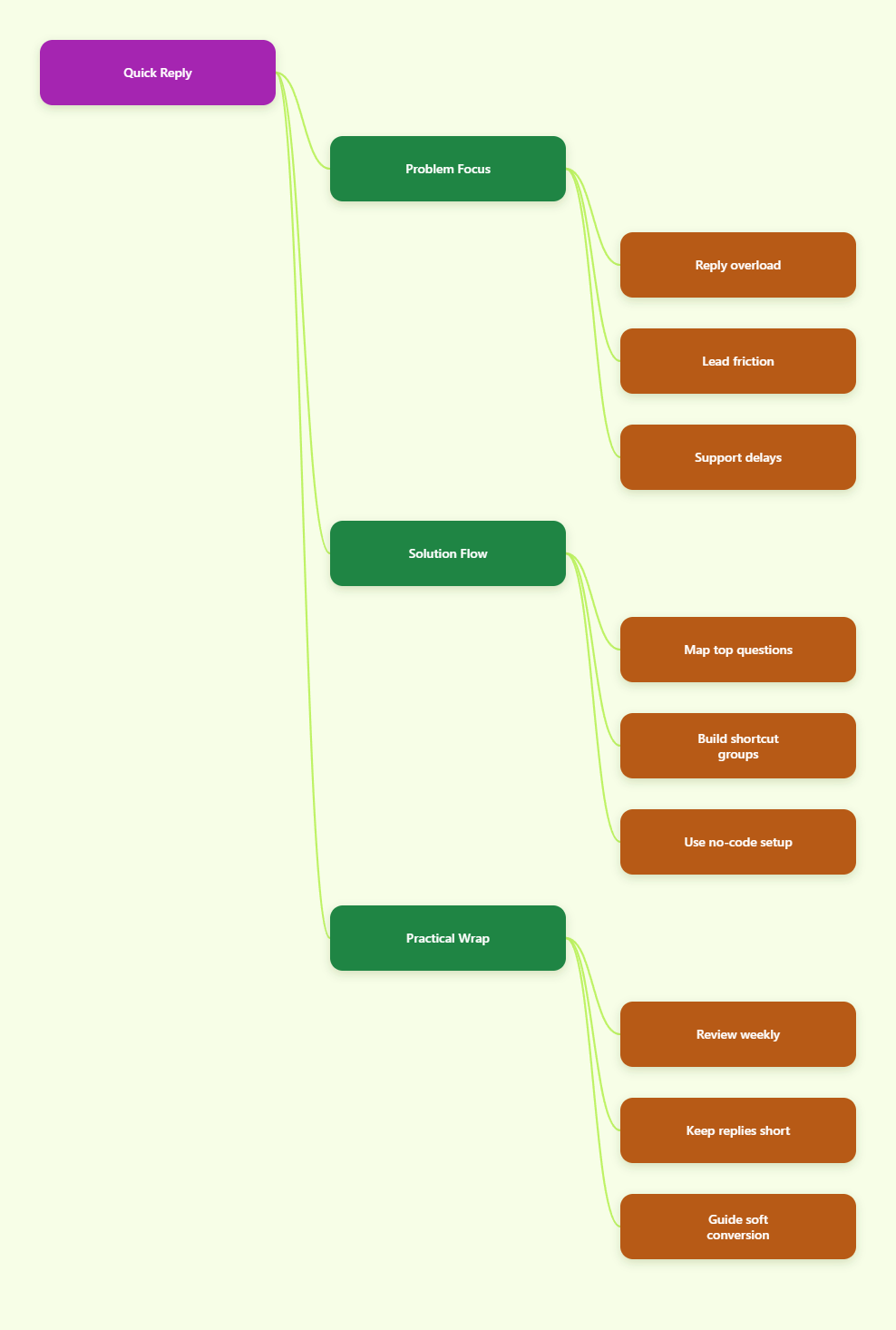
The best reply system starts with pattern recognition. Before building shortcuts, review your inbox and identify the questions that repeat most often. Then sort them by business impact. A question that appears five times a day and helps close sales matters more than one that appears once a week.
1. Map the top questions first
Open your recent chat history and label the common topics. For example, pricing, delivery, onboarding, refund policy, and technical help. If you run a channel, look at comments, DMs, and replies under posts. If you run a business account, look at the first-contact messages that arrive after ads or link clicks.
Once the list is clear, write one answer for each topic. Keep the answer short enough to send fast, but complete enough that the user does not need three follow-up messages to understand it.
2. Group replies by intent
Do not build shortcuts around random phrases. Build them around intent. A pricing intent should lead to pricing details. A support intent should lead to the next troubleshooting step. A lead intent should lead to the booking link, call page, or product page.
This is where many teams waste time. They overbuild reply libraries with too many variations. The better approach is a small set of sharp shortcuts that cover the majority of real conversations.
3. Keep each reply modular
A good Telegram quick reply usually has three parts. The first line answers the question. The second line gives context or a next step. The third line points to the right link, button, or human handoff.
That structure keeps the message readable on mobile. It also lets you reuse one opening sentence across different workflows without rewriting everything from scratch.
4. Review and prune weekly
Reply systems go stale quickly. Pricing changes, links break, onboarding steps shift, and promos expire. A shortcut library only saves time if it stays current. Set a weekly review and remove any reply that no longer reflects the live process.
That small maintenance habit prevents one of the most common mistakes in Telegram operations: giving a fast answer that is no longer accurate.
Can a no-code bot really help you scale faster?
Yes, if your goal is to make repeat work lighter without hiring a developer. A practical no-code setup can sit between manual chat work and fully custom automation. That is useful for teams that want speed now, but do not want to commit to a heavy build.
One simple option is OnlyTG Echo@EchoOnBot. Based on its official tutorials, the flow is straightforward: create your Telegram bot in BotFather, bind it to OnlyTG Echo@EchoOnBot, add a Start Message, build quick reply packs, and configure menu buttons.
- Create a bot in BotFather and copy the token.
- Connect the bot inside OnlyTG Echo@EchoOnBot.
- Set a Start Message for new users.
- Add quick reply content for repeated questions.
- Use menu buttons for common navigation paths.
The Start Message is especially helpful because it gives first-time users a clean entry point. The official docs note that a Start Message pack can include up to five messages, which is enough for a concise welcome, a short explanation, and a few clear next steps.
OnlyTG Echo@EchoOnBot is most useful when your pain point is repetition, not complexity. It gives you a lighter way to handle common flows while keeping the bot experience easy to follow.
Real use case 1: Subscriber onboarding
A creator launches a Telegram channel and gets a flood of new subscribers after a post or ad. Instead of writing the same welcome note in every chat, the operator uses a Start Message that explains the channel focus, the best place to start, and the main FAQ route.
Then quick replies handle the repetitive questions about content frequency, access, and where to find the latest post. This reduces manual typing and makes the onboarding feel more organized.
Real use case 2: Lead qualification after ad clicks
A B2B marketer sends paid traffic from social ads into Telegram. The first conversation usually decides whether the lead is worth pursuing. Quick replies can answer the same early questions about pricing, service scope, and booking steps without making the prospect wait.
That matters because leads often drop off when the process feels slow or messy. A clean response flow helps move serious buyers to the next step faster.
Real use case 3: Launch-week support
During a product launch, the chat load rises sharply. Team members need a way to respond consistently without rewriting the same instructions all day. Menu buttons can point users to the most important paths, such as support, order status, and product details.
For edge cases, a human still steps in. The point is not to remove people. The point is to remove friction from the first layer of support.
What else should operators keep in mind?
Quick reply works best when it sits inside a simple operating system. Keep the language short, match the wording to user intent, and avoid making every response sound like a template. A good shortcut should feel helpful, not mechanical.
- Use opening hours and automated messages when your team is offline.
- Keep one clear custom start page for first-time users.
- Use location only when it is actually useful for the audience.
- Reserve human handoff for edge cases and high-value leads.
- Track which shortcuts get reused most often.
Telegram Business already supports quick replies, automated messages, custom start pages, and chatbot support, so the real advantage comes from how well you organize them. In practice, that is often more important than adding more tools.
For lean teams, OnlyTG Echo@EchoOnBot can add structure without making the flow complicated. Its start message, quick reply, and menu button setup is enough for many common Telegram operations.
Practical takeaways for 2026
- Start with the most repeated questions, not every possible question.
- Write replies for intent, not for loose keywords.
- Keep each message short enough for mobile reading.
- Review links, offers, and policies every week.
- Use quick replies to support sales and service, not to hide from users.
- Let bots handle routine work and people handle exceptions.
If you want to save time with Telegram quick reply, the winning formula is simple. Remove repetitive typing, keep the flow easy to scan, and build enough structure that users can move forward without waiting for a custom response every time.
FAQ
1. What is Telegram quick reply?
Telegram quick reply is a saved response workflow that helps you answer repeat questions faster. In Telegram Business, quick replies can support formatted text, links, stickers, media, and files.
2. Is quick reply only for support teams?
No. Creators, community managers, affiliate marketers, and sales teams can all use it. Any Telegram workflow with repeated questions can benefit from a shortcut library.
3. How do I avoid sounding robotic?
Keep the message short, use plain language, and make the first line feel human. Then add the next step in one sentence so the user knows exactly what to do.
4. Can I save time with Telegram quick reply without coding?
Yes. Telegram Business already includes quick replies, and no-code tools like OnlyTG Echo@EchoOnBot can help you set up start messages, shortcuts, and menu buttons without building custom code.
5. What should I put into the first shortcut set?
Start with pricing, onboarding, support, and booking. These usually cover the biggest share of repetitive traffic and give you the fastest time savings.
6. How often should I update my replies?
Review them weekly if you run active campaigns or fast-changing offers. At minimum, check them whenever your links, pricing, or support steps change.
7. Does quick reply replace a human agent?
No. It reduces routine work so humans can focus on edge cases, negotiations, and complex support. That is the real long-term gain.