
Telegram channels remain one of the easiest ways to follow news, creators, brands, niche communities, and interest-based updates without the noise of a fast-moving group chat.
This guide explains how to find and join your favorite Telegram channels in 2026 using methods that are supported by Telegram’s current features and widely documented usage patterns.
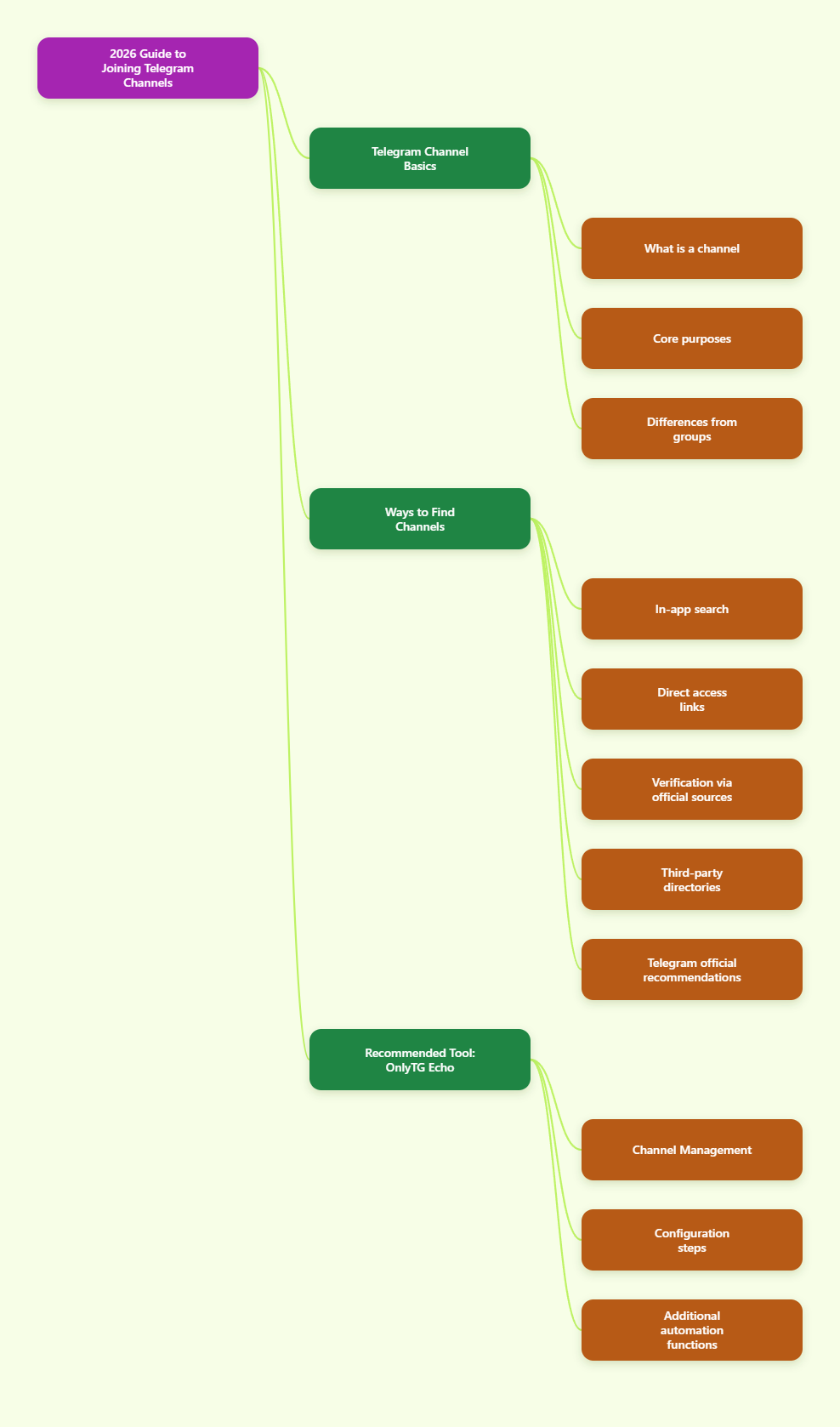
What a Telegram Channel Is
A Telegram channel is designed for broadcasting messages to an audience. Unlike a group, where many members can usually post and reply, a channel is primarily a one-to-many format. In standard channel use:
- Only admins post directly in the channel feed.
- Channels can have an unlimited number of subscribers.
- Posts typically show a view counter.
- Public channels can be discovered through Telegram search if they have a username.
- Private channels require an invite link or a direct invitation.
This makes channels useful for announcements, updates, media posts, newsletters, research feeds, learning resources, and official brand communication.
Public vs Private Telegram Channels
Before you search, it helps to know which type of channel you are looking for.
Public channels
- Have a public username, such as
t.me/ChannelName. - Can appear in Telegram’s in-app search.
- Can often be opened from a direct web link.
- Are easier to discover through directories and search engines.
Private channels
- Do not appear in public search results.
- Can only be joined through an invite link or an admin invitation.
- Are commonly used for restricted communities, internal updates, paid memberships, or invite-only content.
If you cannot find a channel in Telegram search, it does not always mean it does not exist. It may simply be private.
The Easiest Ways to Find Telegram Channels
There is no single best method for every situation. The right option depends on whether you know the exact channel name, only the topic, or whether the channel is public or private.
1. Use Telegram’s built-in search
This is the most direct method for public channels.
- Open Telegram on mobile or desktop.
- Tap or click the search bar.
- Type the channel name, topic, or known username.
- Review the search results and open the matching channel.
- Tap Join if it is the right one.
This works best when:
- You know the exact channel name.
- You know the username.
- The channel is public.
Search can be less effective when a topic is broad, the channel name is very generic, or many channels use similar branding.
2. Open a direct t.me link
If someone shares a direct Telegram link, it is often the fastest way to access a channel. Public channels usually use a readable username link, while private channels often use a longer invite-style link.
Examples include:
- A public username link
- A private invite link
When you open the link, Telegram normally shows a preview page or redirects you into the app. From there, you can choose to join.
This method is useful when:
- You find the channel on a website or social profile.
- A friend or colleague shares the link.
- The channel owner lists it publicly.
3. Check official websites and verified social profiles
If you want a brand, company, public figure, project, or media outlet’s real Telegram channel, start with its official website or officially verified social accounts.
This is one of the safest methods because it reduces the risk of joining impersonation channels.
Good places to check:
- The official homepage
- Contact page
- Social links section
- About page
- Verified social bios
If a company claims to have a Telegram channel, the official site should ideally link directly to the correct username.
4. Use Telegram channel directories carefully
Third-party Telegram directories and search tools can help when you are exploring by topic rather than by exact name. These services typically categorize channels by niches such as tech, finance, education, sports, travel, or entertainment.
They can be useful for discovery, but they are not official Telegram moderation tools. That means listings may vary in quality, freshness, and trustworthiness.
Use directories for:
- Topic browsing
- Niche discovery
- Comparing similar public channels
- Finding public usernames
Then verify the channel before joining, especially if it asks for money, login credentials, or external downloads.
5. Use recommendations inside Telegram
Telegram has introduced recommendation and channel discovery features in recent app updates. In some cases, when you view or follow a channel, Telegram may suggest similar channels based on topic overlap.
This can be helpful if you already follow one quality channel and want more on the same subject.
Still, recommendations should be treated as discovery tools, not trust signals. A recommended channel is not automatically an official one.
How to Join a Telegram Channel
Joining a channel depends on whether it is public or private.
How to join a public channel
- Open Telegram.
- Search for the channel or open its direct link.
- Confirm the channel name and details.
- Tap or click Join.
Once joined, new posts will appear in your chat list like other Telegram conversations.
How to join a private channel
- Get an invite link from the owner, admin, website, or authorized source.
- Open the invite link.
- Review the preview if available.
- Tap or click Join.
If the link has expired, been revoked, or requires approval, you may need a fresh invite from the admin.
Common Reasons You Cannot Join a Channel
If you found a channel but still cannot join, one of these reasons may apply:
- The channel is private and you do not have a valid invite link.
- The invite link has expired or was revoked.
- The username was changed.
- The channel was removed or is no longer active.
- Your Telegram app needs to be updated.
- Regional or device-specific issues are affecting link opening.
In most cases, the fix is straightforward: get the latest link from an official source and try again in the updated Telegram app.
Expanded Practical Tool Recommendation
Using OnlyTG Echo for Channel-Related Tasks
If you want a more hands-on way to manage Telegram channel work, OnlyTG Echo is a practical tool to review. Based on OnlyTG’s public help pages, tutorials, and product guides, it is built around connecting your own Telegram bot to a management workflow, then using that bot for tasks such as channel posting and channel post editing.
The setup pattern shown across OnlyTG tutorials is fairly consistent: you first create a bot with @BotFather, send the bot token to OnlyTG Echo, and then use the bot’s menu to configure the feature you want. For channel features, OnlyTG’s published guides also indicate that your bot must have the right admin permissions in the target channel before channel actions will work correctly.
If you are exploring it specifically for channels, the practical workflow is usually:
- Create a new Telegram bot through @BotFather.
- Open @EchoOnBot and bind that bot by submitting its token.
- Add the bot as an admin in the channel you want to manage.
- Open your bot in Telegram and use the menu option related to Channel Setting.
- Select the target channel and follow the on-screen steps for the specific task.
From the referenced OnlyTG materials, channel-related use cases include:
- Publish channel posts via your bot, which can be useful when you want to post without going through the regular channel admin interface every time.
- Edit channel posts via your bot, a workflow that OnlyTG also demonstrates in its tutorial materials.
- Loop posts in a channel, which OnlyTG presents as an automated reposting feature for supported channel workflows.
OnlyTG Echo’s broader tutorial library also shows that the same bot-based setup can extend beyond channels into message reply bots, start messages, tracking links, keyword auto-replies, bot menus, multi-format messages, and team authorization. That does not mean every feature is necessary for channel discovery, but it does make the tool more relevant for users who are not only joining channels but also operating one.
A careful way to evaluate it is to start small:
- Test it with one non-critical channel first.
- Confirm that the bot has only the permissions needed for the task.
- Try a simple action such as publishing or editing a single post.
- Review the result in the channel before using more advanced functions.
As with any third-party Telegram bot, it is smart to read the latest official help documentation before deep use, because menus, plan availability, and supported features can change over time. But based on the available OnlyTG Echo references, it is a legitimate tool to consider if you need structured, no-code bot workflows for Telegram channel operations.
Final Thoughts
If you want to find and join your favorite Telegram channels in 2026, the most reliable methods are still the simplest ones: use Telegram’s built-in search for public channels, open trusted direct links, and verify official channels through official websites or verified public profiles.
The key difference to remember is this:
- Public channels are searchable and easier to discover.
- Private channels require an invite link or direct invitation.
From there, the best results come from combining discovery with verification. Find channels through search, links, recommendations, or directories—but trust them only after checking usernames, source links, and posting patterns.