
If you run a Telegram channel or community, the hardest part is not posting once. It is keeping the same updates alive every day without living inside Telegram.
That is where OnlyTG Echo fits in. It helps me build Auto recurring Telegram Posts, schedule one-off announcements, and keep channels or groups active through a bot instead of endless manual copy-paste work. In this guide, I’ll walk through the setup, the real workflows I’d use, and the extra features that make the tool worth a look.
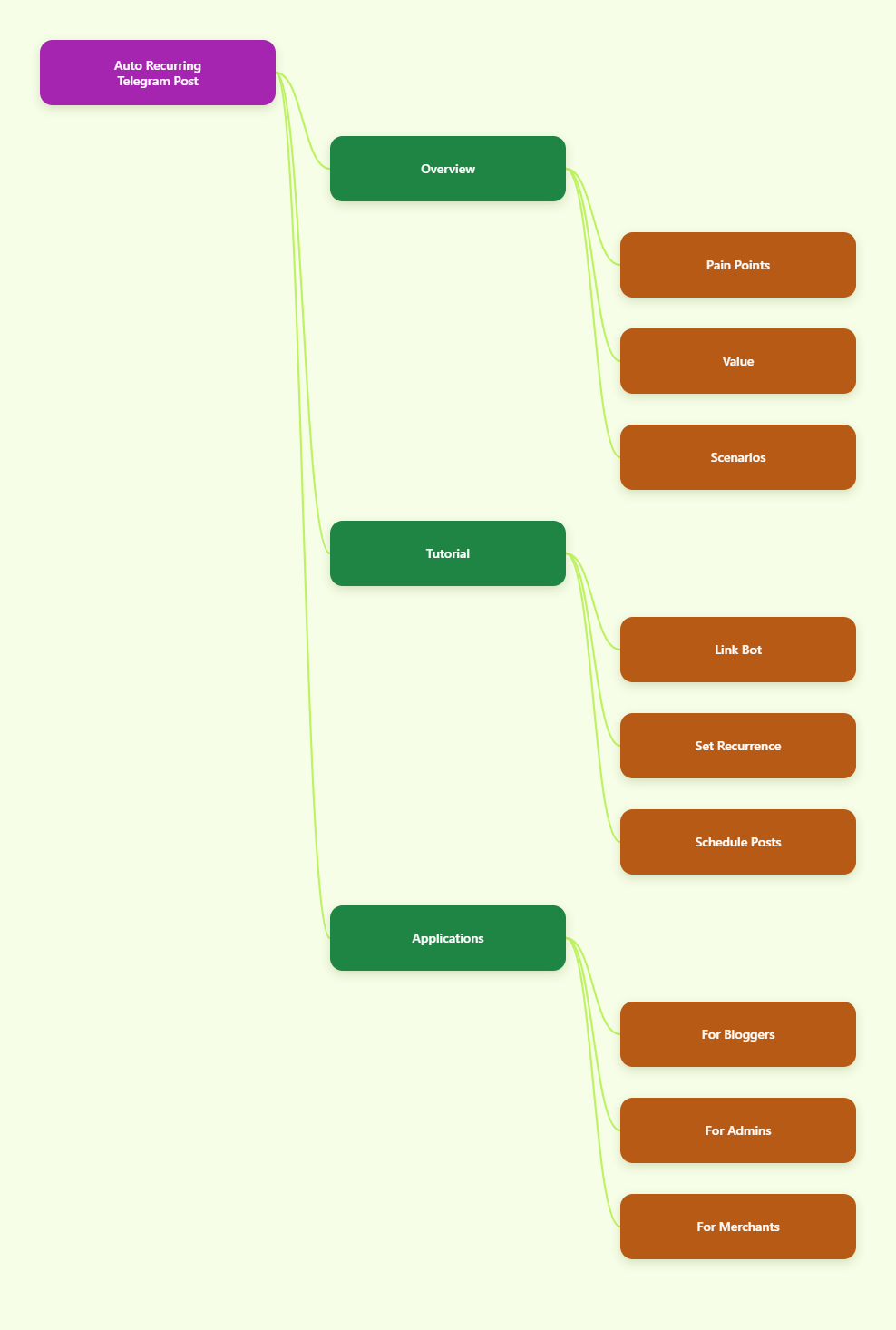
Why recurring Telegram posts matter in 2026
Telegram channels still reward consistency. If I stop posting, the channel feels dead fast, and people notice.
Recurring posts solve a very simple problem: evergreen content should keep working after I publish it once. That is why I like tools that can loop a post, schedule a future post, and let me manage everything from one bot flow.
| Posting method | Best for | Main tradeoff |
|---|---|---|
| Manual posting | One-off updates | High repetition and easy to forget |
| Scheduled post | Launches, reminders, timed announcements | Still needs new setup for every post |
| Loop post | Evergreen promos, regular notices, recurring highlights | Needs the right interval and content planning |
For me, the biggest win is simple: I stop treating repeat content like a daily chore. Instead, I turn it into a setup task.
How I set up Auto recurring Telegram Posts with OnlyTG Echo
The official flow is pretty straightforward. I’d start with the bot connection, then move into channel or group settings, and only then build the recurring post.
- Create a Telegram bot with @BotFather.
OnlyTG Echo needs a bot token first. This is the entry point, and it solves the basic setup problem of connecting your Telegram workflow to the tool. - Send the bot token to OnlyTG Echo.
Once the token is linked, Echo can manage the bot-side workflow for your channel or group. This step matters because without the connection, there is nothing to automate. - Open your bot and send /start.
This is the normal starting point in the Echo workflow. It brings you into the setting area so you can pick the type of automation you want. - Choose Channel Setting or Group Setting.
If you are publishing to a channel, use Channel Setting. If you are working in a group, switch to Group Setting. This matters because Telegram channels and groups behave differently. - Go to Post, then tap New Post.
This is where I build the content itself. It solves the “I know what to post, but where do I begin?” problem by putting the creation flow in one place. - Add text, media, and button elements if needed.
OnlyTG Echo supports text, media, and buttons for posts. I like this because one post can carry the message, the image, and a clear action button without extra tools. - Preview the post before publishing.
If your post includes buttons or media, checking the layout first saves mistakes. This step helps avoid broken links, awkward formatting, or a post that feels clumsy on mobile. - Choose Post Now or Schedule.
Use Post Now when the update needs to go live immediately. Use Schedule when you want the post to appear later. This is the easiest way to handle launches, reminders, and time-zone sensitive audiences. - Switch to Loop Post if the content should repeat.
This is the key step for Auto recurring Telegram Posts. Loop posting is what keeps evergreen content active without rebuilding it every time. - Tap Add New Loop Post and set the loop interval.
The docs show daily, weekly, monthly, and interval-based options. I’d pick the shortest interval that still feels natural for your audience, because spammy repetition kills engagement fast. - Use interval settings carefully.
You can set an interval within 24 hours when that makes sense. This is useful for repetitive promotions, reminders, or rotating informational posts. - Go back and save the setup.
After the update appears, the process is complete. This is the point where the channel or group starts handling recurring delivery for you.
A simple way to think about the workflow
I like to split the setup into three layers:
- Create the post once.
- Schedule it if timing matters.
- Loop it if the content should keep resurfacing.
That mental model keeps me from overcomplicating the tool. If a post is evergreen, I loop it. If it is time-sensitive, I schedule it. If it is urgent, I publish it now.
Channel posts vs group posts
Channel posting is the most natural fit for recurring announcements, product highlights, and evergreen updates. Group posting is more useful for communities that need repeated reminders or structured notices.
One thing I would keep in mind: the docs mention Pro access for group loop posting. So if you want recurring group posts, check the access level first instead of assuming every feature is unlocked by default.
| Step | Solves | Why I use it |
|---|---|---|
| Channel Setting | Broadcast-style publishing | Best for audience-facing updates |
| Group Setting | Community reminders and notices | Useful when your audience talks back |
| Loop Post | Recurring evergreen delivery | Removes repeated manual reposting |
| Schedule | Time-specific delivery | Helps with launch timing and time zones |
Real-world use cases I would build first
These are the three situations where OnlyTG Echo feels the most practical to me. I am keeping them realistic and close to the documented functions instead of dressing them up with fake growth claims.
1. Channel blogger keeping evergreen content alive
Identity: A solo Telegram channel creator posting niche tips, news, or product roundups.
Problem: The creator keeps reposting the same intro, same CTA, or same promo thread every few days. It wastes time and makes the channel feel manually run.
Workflow:
- Create one polished channel post inside OnlyTG Echo.
- Add a button that points to the best next action, such as a related post or site link.
- Save it as a loop post.
- Pick a daily or weekly interval.
Result: One setup can replace repeated reposting of the same evergreen item. If a creator previously reposted the same promo 7 times a week, this turns that into 1 setup instead of 7 manual actions.
2. Community admin handling repeated announcements
Identity: A Telegram group admin managing a fast-moving community.
Problem: The group keeps asking the same things: rules, event times, links, and where to click next. The admin gets stuck answering the same question over and over.
Workflow:
- Switch to Group Setting in OnlyTG Echo.
- Create a recurring announcement post for rules or weekly reminders.
- Use Start Messages and Auto-reply for repeated questions.
- Add keyword replies for common terms like “rules,” “schedule,” or “link.”
Result: The admin gets a more organized community flow. Instead of typing the same explanation ten times, the bot handles the repeat part and the admin only steps in when the question is actually new.
3. Cross-border small merchant sharing product updates
Identity: A small merchant using Telegram to show product drops, stock updates, or order guidance.
Problem: New visitors often need the same product explanation, and the seller does not want to manually rebuild the same update every day.
Workflow:
- Create a channel post with product text, media, and a button.
- Schedule launch posts for the right time zone.
- Loop evergreen product highlights or store guidance.
- Use Tracking Links to see which link or button gets attention.
Result: The merchant keeps the channel active without babysitting it all day. The measurable gain is operational: the same product highlight can keep circulating automatically instead of being rebuilt for every repost window.
Other useful OnlyTG Echo features I would not ignore
- Start Messages — Good for first impressions. I use them when I want new users to instantly see a short welcome flow or a set of intro messages.
- Auto-reply and keyword reply — Best for FAQ-style support. I’d keep the replies short and keyword-focused so the bot does not feel bloated.
- Quick Reply — Useful when I need common responses ready fast. This is one of those small features that saves real time in daily chat handling.
- Bot Menu — Great for navigation. A clean menu reduces confusion when users do not know what to do next.
- Broadcast Task — Handy when I need to send the same message to contacts through the bot. I would use this carefully and keep messages relevant.
- Tracking Links — Helpful for learning what people click. If I’m testing two CTA styles, this is the feature I’d pay attention to.
- Message forwarding and reply routing — The docs describe receive-and-reply behavior, so the bot can relay messages between you and contacts. That is useful for support-style workflows.
- Hide username — If privacy matters, this is the kind of option I would check first. It fits teams that do not want personal accounts exposed.
- Topic mode — Useful for team chat organization. The setup steps in the docs show how bots can be switched into topic mode for cleaner internal handling.
- Ban contacts and recall messages — Practical for cleanup and control. These are the boring features that save a lot of headaches when a bot starts getting abused.
- View statistics — Good for understanding bot usage and message volume. I like having numbers before I make decisions instead of guessing.
- Edit bot info inside Echo — Saves time when I need to update bot details without jumping back and forth too much.
FAQ
Does OnlyTG Echo support Auto recurring Telegram Posts?
Yes. The channel docs show loop posting, and the flow lets you create a post, then repeat it at a daily, weekly, monthly, or interval-based cadence.
Do I need code to use it?
No coding is required for the core setup shown in the docs. You create a bot with @BotFather, connect the token, and use the Echo interface to configure posts and replies.
Can I schedule a post and loop it later?
Yes, the product supports both scheduled posting and loop posting. I would treat them as two separate choices: one for timing, one for recurrence.
Does loop posting work the same in groups and channels?
Not exactly. The docs clearly cover both channel and group posting, but group loop posting is mentioned with Pro access, so I would check your access level before planning a group workflow.
Is OnlyTG Echo compatible with mobile and desktop Telegram?
The setup is bot-based, so it works inside Telegram’s normal ecosystem. In practice, that means I can manage the bot from Telegram while using the OnlyTG Echo workflow behind it.
What is the best use case for recurring posts?
Evergreen content is the best fit. Think onboarding posts, weekly promos, rule reminders, product highlights, and any update that should keep showing up without being rewritten every time.
Final thoughts
If I had to sum it up in one line, OnlyTG Echo is a very practical way to build Auto recurring Telegram Posts without turning channel management into a full-time copy-paste job. The real value is not just scheduling; it is the ability to create repeatable posting systems that keep working when I am offline.
For me, that is the difference between a Telegram channel that looks busy for one day and a Telegram channel that stays active all week. If you want to test the workflow, start with one channel post, add a schedule, then try one loop post and one keyword reply. That small setup is usually enough to show whether OnlyTG Echo fits your Telegram routine.