
Telegram channel and group owners usually hit the same wall: the same questions keep coming in, and every repeat reply steals time from actual growth work. Quick Reply on Telegram fixes that by turning your best answers into reusable shortcuts, and OnlyTG Echo makes the workflow feel much lighter than answering everything by hand.
In this guide, I’m walking through the setup I would actually use, plus the real Telegram workflows where quick replies save the most time. I’ll also show how I combine quick replies with start messages, auto-reply, and content modules so the whole system feels organized instead of messy.
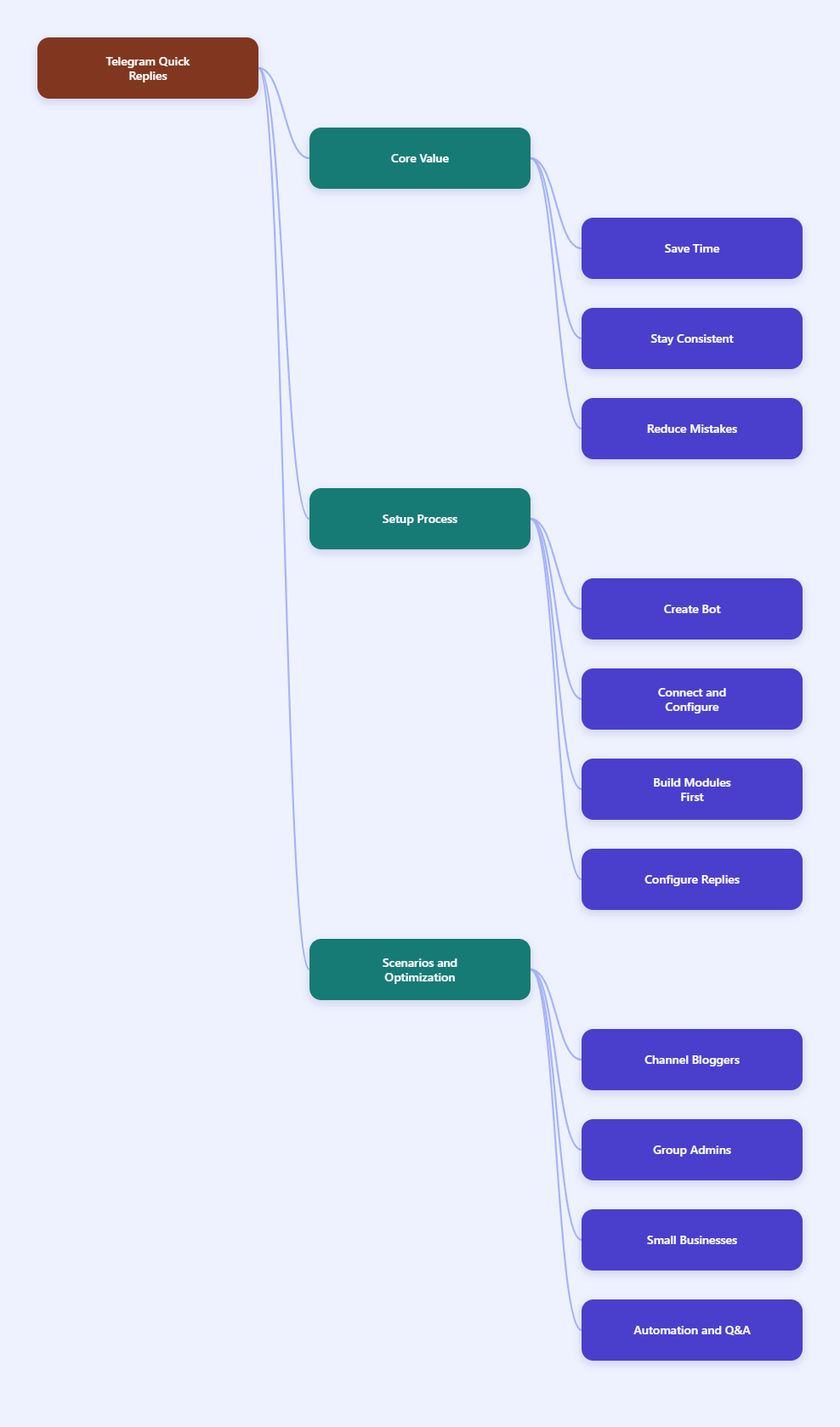
Why I Reach for Quick Reply on Telegram
When I manage a Telegram channel or a busy support inbox, I do not want to rewrite the same pricing note, onboarding line, or shipping answer 30 times a day. A good quick reply setup gives me one trigger and one clean response package.
The real win is not just speed. It is consistency, because every contact gets the same wording, the same link, and the same CTA.
| Manual Reply | Quick Reply with OnlyTG Echo |
|---|---|
| Re-type the same answer every time | Send a preset message with one trigger |
| Easy to forget links or buttons | Reuse text, media, and button content together |
| Different wording from one reply to the next | Keep a single approved response template |
| Slower response for repeated questions | Reply almost instantly to common requests |
How I Set Up Quick Reply in OnlyTG Echo
Below is the exact flow I would follow if I were building a clean Telegram support layer from scratch. I am keeping it practical and step-based, because that is how I actually want tutorials when I am setting up a bot.
-
Create your bot in BotFather and save the token.
OnlyTG Echo starts with your own Telegram bot, so I first create one in
@BotFatherand keep the API token somewhere safe. This gives me a dedicated entry point instead of mixing everything with my personal account.Why this matters: it protects my personal profile and gives me a clean bot identity for support, content delivery, or lead capture.
-
Bind the bot inside OnlyTG Echo.
After I have the token, I connect the bot in OnlyTG Echo. The platform is designed to act as a secure middle layer for Telegram communication, so this is the step that lets me manage conversations through the bot.
Why this matters: it sets up the basic message flow before I build any automation on top of it.
-
Open the bot chat, send
/start, and tap Chat setting.The official setup flow points me to the bot chat first. From there, I use the
/startcommand and open the Chat setting menu so I can begin configuring the bot behavior in one place.Why this matters: it keeps the setup inside the same Telegram environment I will actually use later.
-
Build reusable content in the Module section first.
I like to create content modules before I write quick replies, because modules make it easier to reuse the same text, media, and button combination in multiple places. The official docs show that modules can be used for Start Message, Auto-reply, and Quick Reply.
Why this matters: one good FAQ card can power several workflows instead of living in just one reply.
-
Add a new quick reply.
Inside the Quick Reply setup, I enter the response I want to reuse. The docs support message content such as text, media, and button elements, so I can make the reply feel much richer than plain text.
Why this matters: common questions often need more than a sentence, especially when I want to send a link, image, or CTA button at the same time.
-
Set a trigger name that is easy to remember.
The official guide says the trigger is typically typed with a hyphen plus the trigger name, like
-test. I use the same idea for things like-price,-guide, or-shippingso I can recall them fast.Why this matters: short trigger names reduce typos and make it easier to train a team member later.
A Simple Reply Structure I Like
When I write a quick reply, I try to keep the message scannable. A short opening line, one useful detail block, and one action point are usually enough.
Here is the pattern I use most often:
- What the user asked for
- The key answer or resource
- The next action button or link
| Reply Element | Best Use |
|---|---|
| Text | Short answers, rules, instructions |
| Media | Product images, screenshots, guides |
| Button | Visit link, open pricing page, start checkout |
Three Real Telegram Use Cases I Keep Coming Back To
Quick Reply on Telegram is not just for support teams. I have found it especially useful when the same question appears in different forms across channels, groups, and customer chats.
1. Telegram Channel Blogger: Turning Repeat Questions into One Shortcut
When I think about a channel blogger, I picture someone who posts useful tips, a lead magnet, or a paid resource and then gets the same DMs over and over. The classic questions are usually: “Where is the link?”, “Is there a price?”, or “Do you have the checklist?”
Here is how I would set it up with OnlyTG Echo:
- Create a module for the lead magnet or resource card.
- Add a quick reply trigger like
-guideor-download. - Include a button that sends people to the exact page I want them to visit.
- Reuse the same package every time a similar question lands.
The measurable gain is simple: if 15 people ask the same thing in a day, I do not write 15 custom responses. I send one trigger and keep moving.
2. Telegram Group Admin: Faster FAQ Handling Without Feeling Robotic
For a group admin, the real pain is repetition plus interruption. New members ask where the rules are, how to get help, or which topic belongs in which thread. If I answer manually every time, the group slows me down.
My setup here is a little more layered:
- I create the core FAQ content as modules.
- I keep a quick reply for private follow-up conversations.
- For repeated group-side questions, I pair the content library with keyword reply so the bot can answer faster when the same phrase appears.
- I keep the answer short and link to the deeper resource only when needed.
The practical improvement is that the group feels more responsive without making me sit there and copy-paste the same explanation all day.
3. Cross-Border Small Merchant: Cleaner Pre-Sales and After-Sales Replies
For a small cross-border store, Telegram often becomes the unofficial sales desk. I have seen the same flow again and again: product questions, shipping timing, return policy, and payment details.
In this setup, I would build three quick replies first:
-buyfor product intro and CTA-shipfor shipping and delivery notes-returnfor after-sales rules
If a customer needs visuals, I add media. If the next step is payment or checkout, I add a button. That way, one trigger can handle the whole conversation path from question to action.
The measurable improvement is easy to understand: one merchant can turn a multi-message manual explanation into a single reusable response, which cuts the time spent on routine chats from minutes to seconds.
Other Useful OnlyTG Echo Features I Would Pair With Quick Reply
Quick Reply is the core, but it works even better when I treat it as part of a bigger Telegram system. These are the supporting features I would use most often.
- Start Message: I use this for the first greeting users see after
/start. It is perfect for onboarding, menu hints, or a welcome funnel. - Auto-reply and keyword reply: I use this when I want the bot to answer based on what the user types, especially for repetitive support questions.
- Dynamic Start Message: I use this when I need the welcome flow to feel less static and more tailored to the conversation context.
- Create Broadcast Task: I use this when I need to send the same announcement or promo to contacts in a structured way.
- Tracking Links: I use this to see which CTA or promo link is getting attention.
- Bot Menu: I use this to make the bot easier to navigate, especially when I have several entry points.
- Ban Contacts: I use this when a contact becomes abusive or no longer fits the community rules.
- Recall Messages: I use this carefully when I need to pull back a message that should not stay visible.
- Channel Management: I use this if my Telegram strategy includes channels and I want the workflow to stay tied together.
- In-app bot editing: The official update says I can change bot name, description, and about info directly in Echo, which saves a round trip to BotFather.
FAQ
Does Quick Reply on Telegram work in groups?
Telegram Business quick replies are for private chats, not groups. In OnlyTG Echo, I treat quick reply as the shortcut tool and use keyword reply when I need group-side automation.
Do I need to code anything?
No. The point of OnlyTG Echo is that I can build the flow without coding. I still need to set up the bot correctly, but I do not need to write code for the quick reply flow itself.
What content can I put into a quick reply?
The official tutorial shows support for text, media, and button content. That is enough for most support, lead-gen, and sales use cases.
Can I reuse the same message in different workflows?
Yes. That is where modules are useful. I can build a message once and reuse it for Start Message, Auto-reply, and Quick Reply.
How should I name my triggers?
I keep them short and obvious. A hyphen plus a simple keyword, like -price or -faq, is easier to remember than a long phrase.
What should I test before going live?
I test the trigger, button links, media display, and the order of the message blocks. If any piece feels awkward, I clean it up before I use it with real contacts.
Final Thoughts
What I like most about Quick Reply on Telegram is that it turns repetitive chat work into a tiny system I can trust. With OnlyTG Echo, I can build reusable reply modules, send cleaner responses, and keep the whole Telegram flow more organized without writing code.
If you run a channel, manage a group, or sell through Telegram, I would start small: build three to five triggers, test them with real questions, and expand from there. That is usually enough to feel the time savings fast. If you want a more efficient Telegram workflow in 2026, OnlyTG Echo is a practical place to start.