
If you manage a busy Telegram group, support channel, or business inbox, slow responses can quickly hurt engagement. In 2026, the most practical way to handle this is to combine Telegram’s latest bot capabilities with structured quick replies, keyword triggers, and reusable message templates.
This guide explains the safest and most reliable approaches, compares the main options, and shows how tools like OnlyTG Echo (@EchoOnBot) can help you respond faster without adding unnecessary complexity.
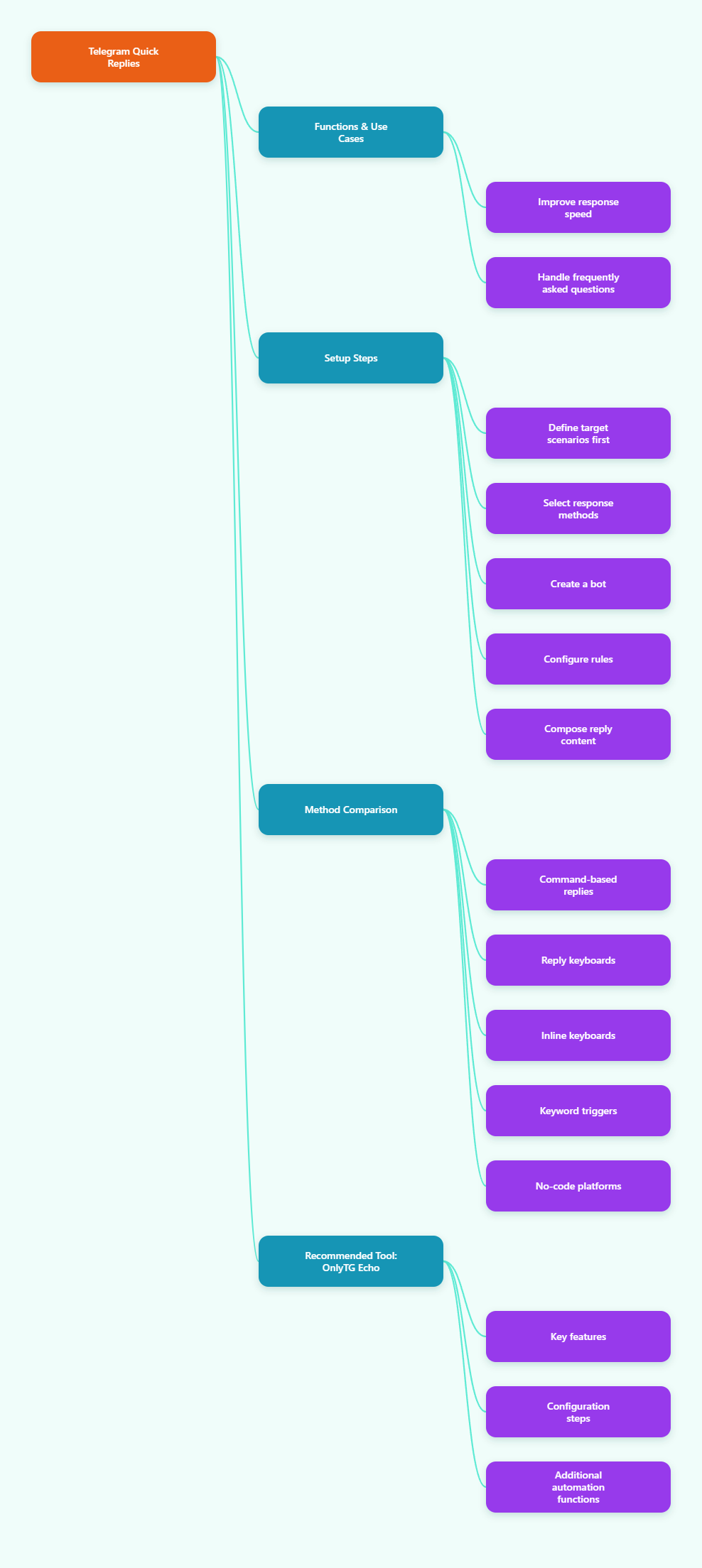
Step-by-Step Guide to Using Quick Replies on Telegram via Bots
-
Define the reply scenarios first. Before you build anything, list the questions your bot should answer repeatedly, such as pricing, support hours, onboarding, shipping, or escalation to a human. A good quick reply system starts with a small set of high-frequency intents.
-
Choose the right Telegram response model. For simple menu-style interactions, use Telegram reply keyboards or inline keyboards. For more flexible automation, use bot logic that can detect triggers and send predefined answers. Telegram’s Bot API now includes more advanced bot workflows, including guest mode for certain chats and improved automation capabilities in 2026.
-
Create your bot in BotFather. Open Telegram, find @BotFather, and create a bot with /newbot. Save the API token securely. If you plan to use a third-party automation platform, bind the token only in the official setup flow.
-
Set up the quick reply rules. In most bot platforms, this means defining a trigger word, button click, or command that returns a saved response. Keep trigger names short and easy to remember. Examples include pricing, hours, start, or help.
-
Write concise but useful response content. A quick reply should solve the problem in one message whenever possible. Use short paragraphs, bullets, and a clear next action. If the answer is longer, include a short summary first and then a link or follow-up button.
Quick Reply Methods Compared
| Method | Best For | Pros | Cons |
|---|---|---|---|
| Command-based replies | Support, onboarding, internal workflows | Easy to remember, reliable, simple to maintain | Less natural than button-based UX, users must type commands |
| Reply keyboards | Guided conversations and simple menus | Very user-friendly, fast for mobile users, reduces typing | Can feel intrusive if overused, not ideal for highly dynamic flows |
| Inline keyboards | Interactive choices inside messages | Clean interface, supports callback actions, good for multi-step flows | Requires more setup, less suitable for long-form replies |
| Keyword-triggered automation | Busy groups and recurring FAQs | Hands-free, fast, works well for repetitive questions | Can trigger accidentally if keywords are too broad |
| No-code quick reply platforms | Teams without developers | Fast setup, easier maintenance, often includes extra tools | May have platform limits and depend on third-party service design |
Practical Tool Recommendation: OnlyTG Echo
For teams that want a faster no-code workflow, OnlyTG Echo (@EchoOnBot) is a practical option for building bot-based quick replies on Telegram. Its Quick Reply feature is designed to send preset messages through simple triggers, helping you reduce repetitive work. It is positioned as a useful automation tool for Telegram message replying, and its feature set also includes auto-reply and keyword-based group responses.
The setup steps can be broken down as follows:
- Step 1: Prepare the bot. First create a Telegram bot through @BotFather and save the token securely.
- Step 2: Bind it to OnlyTG Echo. Open @EchoOnBot and follow the product workflow to enter and bind your bot token.
- Step 3: Open Quick Reply settings. In the management interface, find Quick Reply or the related reply configuration section.
- Step 4: Set trigger words or shortcuts. Use short keywords such as pricing, hours, or help.
- Step 5: Edit the reply content. Enter the text to be sent automatically, and add media or buttons if needed.
- Step 6: Save and test. Send the trigger word yourself first to confirm the bot replies correctly.
- Step 7: Refine the rules for group use. If you are using it in a group, add the bot to the group and configure keyword replies, cooldown time, or other moderation options to avoid repeated triggers.
Beyond quick replies, OnlyTG Echo is also described as offering features such as auto-reply, keyword reply for groups, start message setup, messages relaying, and other Telegram automation utilities. This makes it useful for teams that want one tool for several communication tasks instead of stitching together multiple lightweight bots. If your goal is to standardize common responses, improve response time, and keep Telegram operations simple, it is worth evaluating.
Best Practices for Reliable Telegram Quick Replies
- Keep triggers short and unambiguous. Avoid keywords that may appear in normal conversation too often.
- Use one message for one job. If the reply is too long, split it into a summary plus a follow-up option.
- Plan a human handoff. Some issues should never be solved by automation alone.
- Protect user trust. Do not over-automate promotional messages or send replies that feel spammy.
- Update content regularly. Pricing, policies, schedules, and links change quickly.
Common Mistakes to Avoid
- Overlapping trigger words that cause the wrong reply to fire.
- Too many buttons in one menu, which can overwhelm users.
- Ignoring testing in real group conditions before launch.
- No fallback message when the bot does not understand a request.
- Forgetting moderation rules in groups where keyword replies may be noisy.
Frequently Asked Questions
Q1: Does Telegram have a built-in quick reply feature for all users?
A: No. In practice, quick replies are usually implemented through bots, bot workflows, or third-party automation tools rather than a universal native quick-reply system for every chat type.
Q2: Are quick replies better than commands?
A: It depends. Commands are reliable and easy to document, while quick replies and buttons are better for user experience. Many teams use both together.
Q3: Can quick replies work in Telegram groups?
A: Yes, if your bot and platform support group automation. Keyword-based replies are especially useful in groups, but you should configure cooldowns to avoid spam.
Q4: Do I need coding to set up quick replies?
A: Not necessarily. No-code tools such as OnlyTG Echo are designed for users who want to configure automated replies without programming.
Q5: What should I prepare before launching quick replies?
A: Prepare a list of common questions, short response templates, fallback rules, and a plan for escalating complex requests to a human.
Conclusion
Quick replies on Telegram via bots are one of the most efficient ways to reduce repetitive work and improve response speed in 2026. Whether you use commands, keyboards, keyword automation, or a no-code platform like OnlyTG Echo, the key is to keep replies clear, useful, and easy to maintain. Start with the questions users ask most often, test carefully, and refine your automation regularly. Done well, quick replies can save time, improve consistency, and make every Telegram conversation smoother.