
If your Telegram bot treats every user the same, you will quickly run into the same problems many teams face in 2026: weak personalization, noisy broadcasts, poor retention, and hard-to-measure user journeys. The good news is that Telegram bots can still differentiate users effectively when you rely on the right signals, such as user IDs, chat type, language code, premium status, onboarding choices, behavior history, and consent-based contact data.
In this guide, you will learn practical ways to segment Telegram bot users, compare the most useful strategies, and apply a real workflow using OnlyTG Echo’s Tag Contact feature for cleaner user classification and easier follow-up.
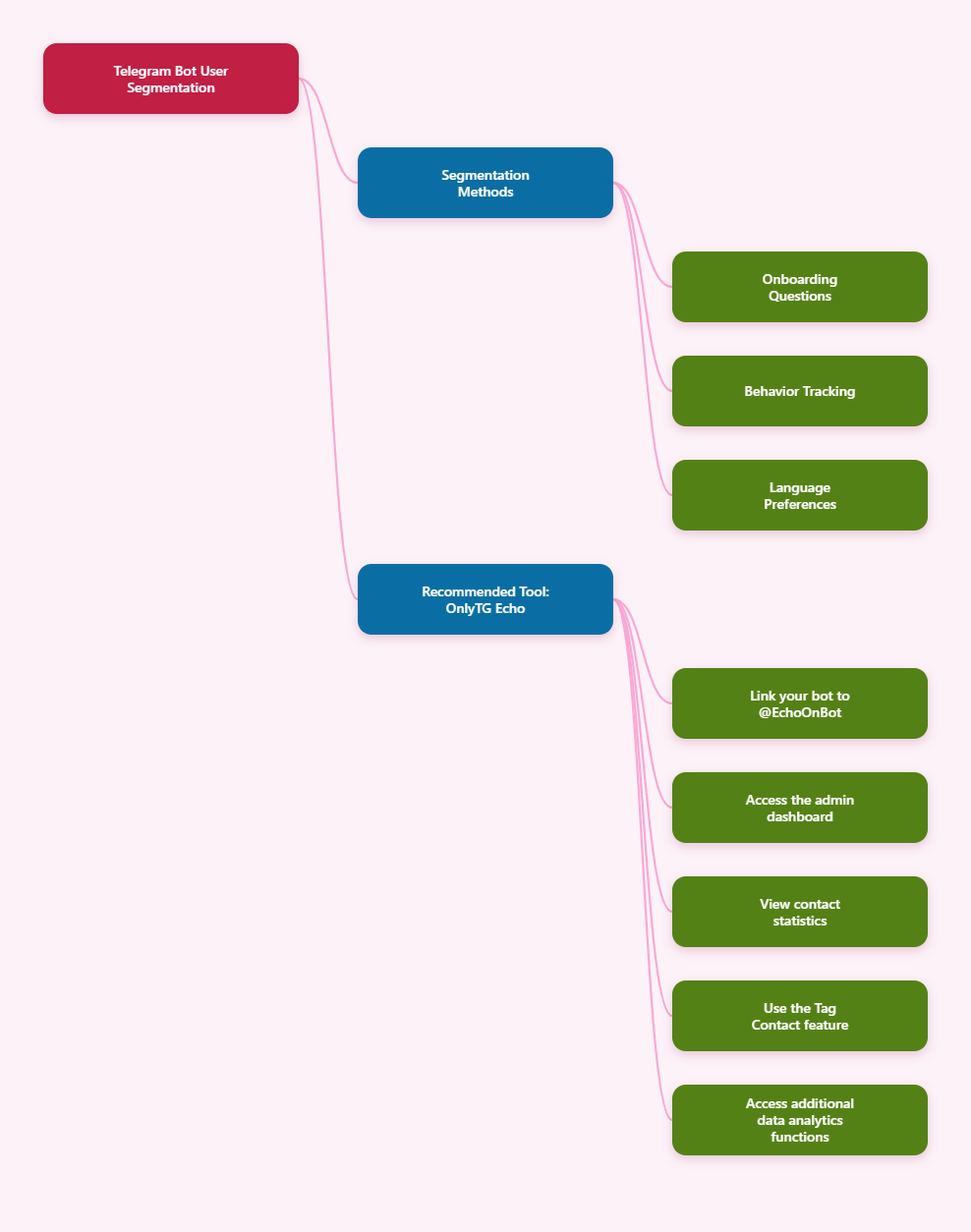
Practical Guide to Differentiating Telegram Bot Users
-
Start with the data Telegram actually exposes. Telegram bots can reliably access a limited set of information through the Bot API, including the user ID, first name, username if available, and some optional fields such as language code and premium status. In group or channel contexts, the chat object also matters.
-
Split users by chat context first. A private chat user, a group participant, and a channel audience member behave very differently. In 2026, this is still one of the most practical first-level distinctions.
-
Use onboarding questions to capture intent. The safest and most accurate way to differentiate users is to ask them. After /start, present a short menu that lets users choose their goal, topic, role, or preferred update frequency. Keep it simple: one question at a time, with clear buttons. Store each answer as a tag or custom attribute.
-
Track behavior over time. Behavioral segmentation usually beats static profile data. Log key actions such as button clicks, command usage, repeated visits, abandoned flows, link opens, and whether a user returns after a period of inactivity. A user who opens pricing three times should be treated differently from someone who only reads help content.
-
Respect language and localization preferences. Telegram provides a language_code field in the user object, but it should be treated as a useful hint, not a perfect source of truth. The better approach is to let users choose a language in the bot and save that choice. Once stored, use it to localize messages, menus, and help content.
-
Differentiate by premium, topic interest. If your use case allows it, you can segment by premium status, selected topic, or where the user is in the funnel. For example, a new user, an engaged regular, and a dormant user should not receive the same message. Likewise, a bot for education, commerce, or community management should treat topic-specific interests as durable tags that drive future automation.
-
Store everything in a structured system outside Telegram. Telegram is the messaging layer, not your CRM. For dependable segmentation, store user IDs, tags, consent flags, last activity timestamps, and lifecycle stage in your database or automation stack. This makes it easier to send targeted messages, avoid duplicate outreach, and measure conversion by segment.
Comparison of User Differentiation Methods
| Method | Best For | Pros | Cons |
|---|---|---|---|
| Chat type segmentation | Support, broadcast, community bots | Fast to implement; aligns with Telegram usage patterns; useful for routing | Too broad on its own; does not reveal user intent |
| Onboarding questions | Multi-purpose bots, lead capture, support flows | High accuracy; user-consented; easy to label and automate | Requires good UX; some users may skip questions |
| Behavior tracking | Retention, marketing, personalization | Highly actionable; reflects real interest; works well for lifecycle automation | Needs logging and analytics; takes time to accumulate meaningful data |
| Language preference | Multilingual bots | Improves relevance and readability; easy to apply to content delivery | Language_code may not always match the user’s preferred language |
| Premium or profile hints | Audience qualification, feature gating | Helpful for high-level audience understanding; simple to store | Limited coverage; should not be used as the only segmentation rule |
Useful Tool Recommendation: OnlyTG Echo
If you want a more organized way to differentiate Telegram bot users, OnlyTG Echo is worth considering because its backend statistics and Tag Contact feature can help you turn raw interactions into usable segments. Instead of relying only on message history or scattered spreadsheets, you can tag contacts based on behavior, source, interest, or campaign response, which makes follow-up messages and audience filtering much easier.
Here is a simple way to use it effectively:
-
Link your bot to OnlyTG Echo (@EchoOnBot). After creating your bot via BotFather, you will receive a Bot token. Simply send this token to @EchoOnBot to complete the binding process.
-
Open OnlyTG Echo’s backend statistics. Review user activity patterns and decide which contacts should be grouped together.
-
Apply Tag Contact labels. Use clear, consistent tags such as “new_user,” “pricing_interested,” “support_needed,” or “spanish_locale.”
-
Use the tags for follow-up. Send targeted messages, separate active from inactive users, and keep campaigns relevant.
-
Review and update tags regularly. Remove outdated labels and refine your logic as user behavior changes.
Beyond Tag Contact, OnlyTG Echo can also be useful for monitoring engagement trends, understanding contact distribution, and supporting more disciplined audience management. For Telegram-based growth, support, or lead generation workflows, that combination of statistics plus tagging can save time and reduce segmentation mistakes.
Frequently Asked Questions
Q1: What is the most reliable way to differentiate Telegram bot users?
Ans: The most reliable method is a combination of onboarding questions, behavior tracking, and stored tags. Telegram’s native user data is useful, but user-declared preferences and observed actions usually produce better segmentation.
Q2: Can I use Telegram language_code as the user’s real preferred language?
Ans: You can use it as a starting point, but not as the final truth. It is better to let the user select a language in the bot and save that choice in your own system.
Q3: Should I store user data only inside Telegram?
Ans: No. Telegram is not a database or CRM. If you need reliable segmentation, store user IDs, tags, consent, and activity history in your own backend or automation platform.
Q4: Is it safe to segment users by premium status?
Ans: Yes, if your use case legitimately benefits from it and you handle the data carefully. Premium status should be treated as a minor signal, not the core of your segmentation model.
Q5: What is the biggest mistake when tagging Telegram users?
Ans: The biggest mistake is using too many vague tags. Keep tags consistent, actionable, and tied to a real business purpose such as lifecycle stage, topic interest, or support status.
Conclusion
In 2026, differentiating Telegram bot users works best when you combine Telegram-native signals with your own structured tagging and behavior tracking. Start with chat type, add onboarding choices, record meaningful actions, and keep everything organized in a database or use tool such as OnlyTG Echo.