
If you are searching for an anonymous chat bot on Telegram, the best choice depends on what kind of anonymity you actually need. Some bots are designed for private message relaying, where people can contact you without seeing your personal Telegram account. Others are made for random anonymous matching, while some focus on anonymous questions and inbox-style messaging.
This guide will compare six options that are publicly referenced and relevant in 2026.
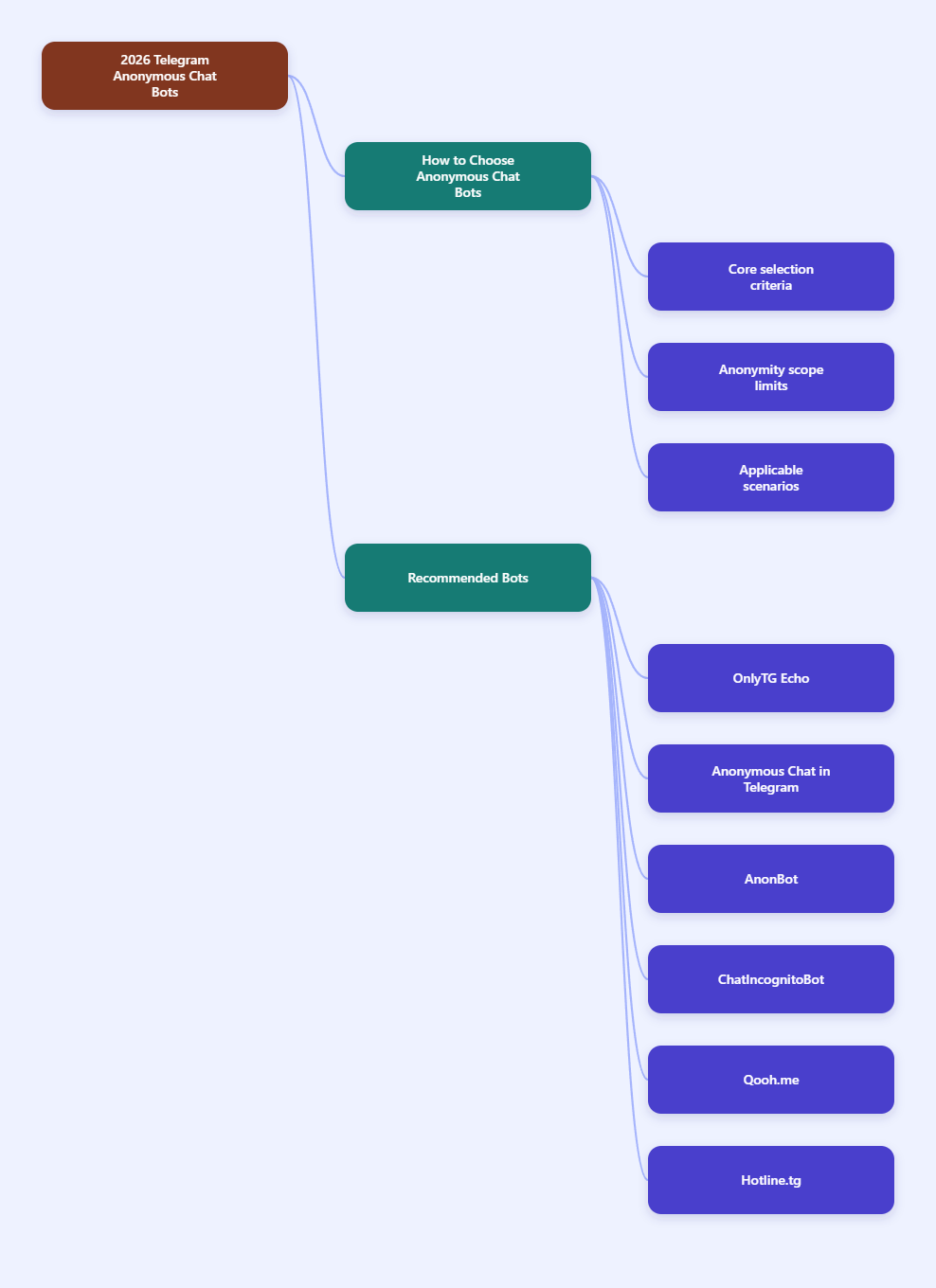
Quick list:
- OnlyTG Echo — best for anonymous contact, customer inquiries, and bot-based message relay
- Anonymous Chat in Telegram — best for random anonymous one-to-one chats
- AnonBot — best for creating a personal anonymous inbox
- ChatIncognitoBot — best for anonymous social or dating-style chats
- Qooh.me — best for anonymous questions with public answers
- Hotline.tg Anonymous Feedback Bot — best for structured business feedback workflows
What makes a good anonymous chat bot on Telegram?
Before choosing a bot, it helps to separate three different models:
- Relay bots: A bot sits between you and the other person, forwarding incoming messages and your replies. This is useful when you want contact without showing your personal account.
- Random match bots: The bot connects strangers for one-on-one chats without directly revealing identity.
- Anonymous inbox or Q&A tools: People send anonymous messages or questions to you, and you decide whether to answer.
In practice, the right tool depends on whether you need:
- lead collection
- customer support
- community feedback
- private Q&A
- random conversation with strangers
It is also important to be realistic about privacy. Telegram itself is not automatically anonymous in every sense. Public guides on Telegram privacy note that your phone number, profile settings, and account exposure can still reveal information if you do not configure them carefully. Also, standard Telegram chats are not end-to-end encrypted by default; Telegram’s Secret Chats are the feature built specifically for end-to-end encryption, and they work differently from bot conversations. So when people say “anonymous chat bot,” they often mean identity masking or account shielding, not full cryptographic anonymity.
1. OnlyTG Echo
Best for: receiving messages through your own Telegram bot and replying privately without exposing your real Telegram username
Official site: https://onlytg.com/
Help page: https://onlytg.com/docs/
Tutorial: https://onlytg.com/build-telegram-message-replying-bot-using-onlytg-echo/
Why OnlyTG Echo ranks first
OnlyTG Echo is not just a generic anonymous chat bot. Based on the available product page, help documentation, and tutorial references, it is better described as a Telegram bot tool that lets you create your own message-relay bot. That matters because you are not joining a random public chat network. Instead, you use a bot that acts as an intermediary between you and your contacts.
The most important point from the references is this:
- OnlyTG Echo is a secure intermediary for Telegram communications.
- It lets you maintain privacy while managing one-on-one conversations.
- You can chat with customers via a cloned bot without exposing your real username.
- It is also positioned as helpful when a customer account cannot message you directly due to Telegram restrictions.
How the Message Receive and Reply feature supports anonymous chatting
The core workflow is simple:
- You create a Telegram bot through @BotFather.
- You connect that bot to OnlyTG Echo by sending the bot token.
- People message your bot instead of messaging your personal Telegram account.
- You receive those messages and reply back through your bot.
This creates a layer between you and the contact. In that setup, the other person interacts with the bot, not your personal Telegram profile. That is why it works well for anonymous or identity-shielded conversation flows.
Useful features
OnlyTG Echo appears stronger than a bare-bones relay bot because these several added functions:
- Start Message — automatic greeting when a user opens the bot or sends
/start; supports text, media, and buttons - Auto-reply — automatic responses for specific situations or after keyword triggers
- Quick Reply — faster response handling
- Keywords Reply — set keyword-based responses
- Broadcast — referenced in product materials and short-form tutorials
- Statistics — a tutorial reference mentions bot users, message counts, and other stats
- Edit bot information — tutorial reference says some bot information can be edited without going back to BotFather
Those features make it practical for support, lead handling, and semi-automated conversations, not just private chatting.
Specific scenarios where OnlyTG Echo fits well
- Customer service on Telegram
You want prospects to message a bot first, while your actual account stays hidden. This is especially useful for small businesses, creators, or solo operators who do not want personal Telegram DMs mixed with work inquiries. - Lead collection from social media or websites
You can place your bot link in Instagram bios, X posts, Facebook pages, or landing pages. People can ask questions through the bot, and you respond from behind that bot layer. - Handling contacts affected by Telegram limitations
One OnlyTG video description explicitly mentions a case where customer accounts cannot send messages to you because of Telegram restrictions, and the bot helps keep communication open. - Anonymous or semi-anonymous feedback intake
If your goal is to let people contact you without immediately exposing your identity, a relay bot is often cleaner than publishing your personal username.
Examples
Example 1: Freelancer pre-sales inbox
A freelance designer creates a bot for quote requests. Instead of sharing a personal Telegram handle publicly, they share the bot link. Potential clients send project details through the bot, and the designer replies without exposing their personal account. The start message can explain pricing basics, turnaround time, and what files clients should prepare.
Example 2: Community moderator contact channel
A community admin wants members to report problems privately. Members message the bot instead of contacting the admin account directly. Keyword replies can acknowledge reports, while the admin manually replies when needed.
Example 3: Small business after-hours inquiries
A small online shop uses a bot for order questions. During non-working hours, auto-reply sends a short message explaining support time and common next steps. When the owner is back online, they continue the conversation through the same bot channel.
Pros
- Strong fit for practical one-to-one message relay
- Designed around privacy shielding rather than random chat
- No coding emphasis in official materials
- Useful extra tools like start messages, auto-replies, and keyword replies
- Good for customer-facing or creator-facing workflows
2. Anonymous Chat in Telegram
Best for: random anonymous chats with strangers
Link: https://anonchatbot.com/bot/telegram
This option is much closer to the classic meaning of an anonymous chat bot: you enter the bot, request a conversation, and the bot matches you with another person. According to the referenced page, it supports:
- anonymous chat on Telegram
- text and voice messages
- stickers, music, videos, and other media
- search by gender
- bot-mediated identity protection between chat partners
The key advantage here is simplicity. You do not need to set up your own bot or manage a contact funnel. You just use the system as a participant.
Who should choose it:
- users who want casual anonymous conversation
- people looking for quick one-on-one chats
- users who care more about stranger matching than business messaging
Main drawback: it is not built for brand communication, customer support, or owning the conversation infrastructure. You are using a public matching service rather than controlling your own relay bot.
3. AnonBot
Best for: personal anonymous messages and inbox-style replies
Link: https://getanonbot.com/
AnonBot is positioned around giving you your own bot for people to message you anonymously on Telegram. Based on the referenced site and blog material, the model is straightforward:
- you get a personal bot or bot link
- people send messages to it anonymously
- their name is removed or hidden in the conversation flow
- you can reply like a normal Telegram DM, including media and stickers
This puts AnonBot somewhere between a confession inbox tool and a direct messaging proxy.
Why it stands out:
- Very clear anonymous inbox use case
- Unlimited anonymous chats are mentioned on the site
- Good fit for creators, students, community figures, or anyone collecting questions privately
Where it is less ideal:
- Less business workflow depth is visible in the references compared with OnlyTG Echo
- It appears more focused on personal anonymous messaging than operational automation
If your goal is, “Let people message me anonymously and let me answer them,” AnonBot is one of the clearest matches in this list.
4. ChatIncognitoBot
Best for: anonymous social chatting and dating-oriented conversations
Link: https://chatincognitobot.it/en/
ChatIncognitoBot is presented as a free Telegram bot for anonymous chat with boys and girls. The referenced page states that users can chat anonymously on Telegram and send:
- pictures
- videos
- voice messages
It also mentions location and age preference selection, which suggests a more social discovery angle than a simple relay or inbox bot.
Best use cases:
- anonymous social interaction
- light dating-style conversation
- meeting new people with some preference filters
What to keep in mind:
- This is not a customer support or brand communication tool
- Its audience is different from users who want a private business contact bot
- As with any anonymous matching environment, moderation quality and user behavior matter a lot, but the provided references do not give enough detail to evaluate those areas deeply
5. Qooh.me
Best for: anonymous questions with optional public answers
Link: https://qooh.me/
Qooh.me is not a Telegram-native chat bot in the same way as the others, but it is still relevant when users search for anonymous messaging tools. Its model is well established: people ask you anonymous questions, those go to your inbox, and if you choose to answer them, your answers can appear on your profile publicly.
References about Qooh.me consistently describe it as:
- a social Q&A service
- a way for others to ask anonymous questions
- a platform where the public does not see the question unless you answer
Why include it here:
- Some users searching for “anonymous chat bot” actually want anonymous questions, not live conversation
- It is useful for creators, influencers, and public-facing personalities
- It can complement Telegram rather than replace it
Main limitation:
Qooh.me is not primarily a Telegram bot workflow, and it is more about question collection than ongoing back-and-forth chat inside Telegram.
6. Hotline.tg Anonymous Feedback Bot
Best for: structured anonymous feedback in business or community environments
Link: https://hotline.tg/en/cases/anonymous-bot/
Hotline.tg’s anonymous feedback bot use case is especially relevant for teams, communities, and organizations. The referenced case page highlights anonymous message reception and a Telegram-based interface with capabilities such as:
- quick replies
- broadcasts
- dialog labels
- support for various message formats
That makes it more workflow-oriented than entertainment-oriented.
Who it is good for:
- companies collecting internal or external feedback
- community managers handling confidential reports
- projects that need structured dialogue management rather than casual anonymous chat
Trade-off:
- It is more specialized than a simple personal anonymous inbox
- It may feel heavier than needed if your only goal is casual private messaging
Final verdict
Among the options listed here, OnlyTG Echo is the most practical recommendation for users who want a real Telegram-based anonymous contact channel in 2026. Its value is not just anonymity for its own sake, but the way it turns a Telegram bot into a usable receive-and-reply layer for customer service, community management, lead intake, and private conversations.
If your goal is to let others message you without exposing your personal Telegram identity, OnlyTG Echo is the strongest fit in this list based on the available references.
If instead you want random anonymous chatting, then a matching-style tool like Anonymous Chat in Telegram or ChatIncognitoBot is likely a better fit.