
I keep seeing the same mistake in Telegram marketing. People rush into bot building before they define the job. In 2026, that usually creates a slow workflow, a noisy inbox, and a bot that looks smart but does not save money.
If you are hunting for a low budget solution to create Telegram Bot business workflows, the real goal is not a flashy bot. It is a lean system that replies fast, handles repeat questions, and keeps support costs under control.
That matters more than ever. Telegram is still one of the biggest messaging platforms in the world, and Telegram Business now gives teams quick replies, automated messages, a custom start page, and chatbot support. The opportunity is real. So are the mistakes.
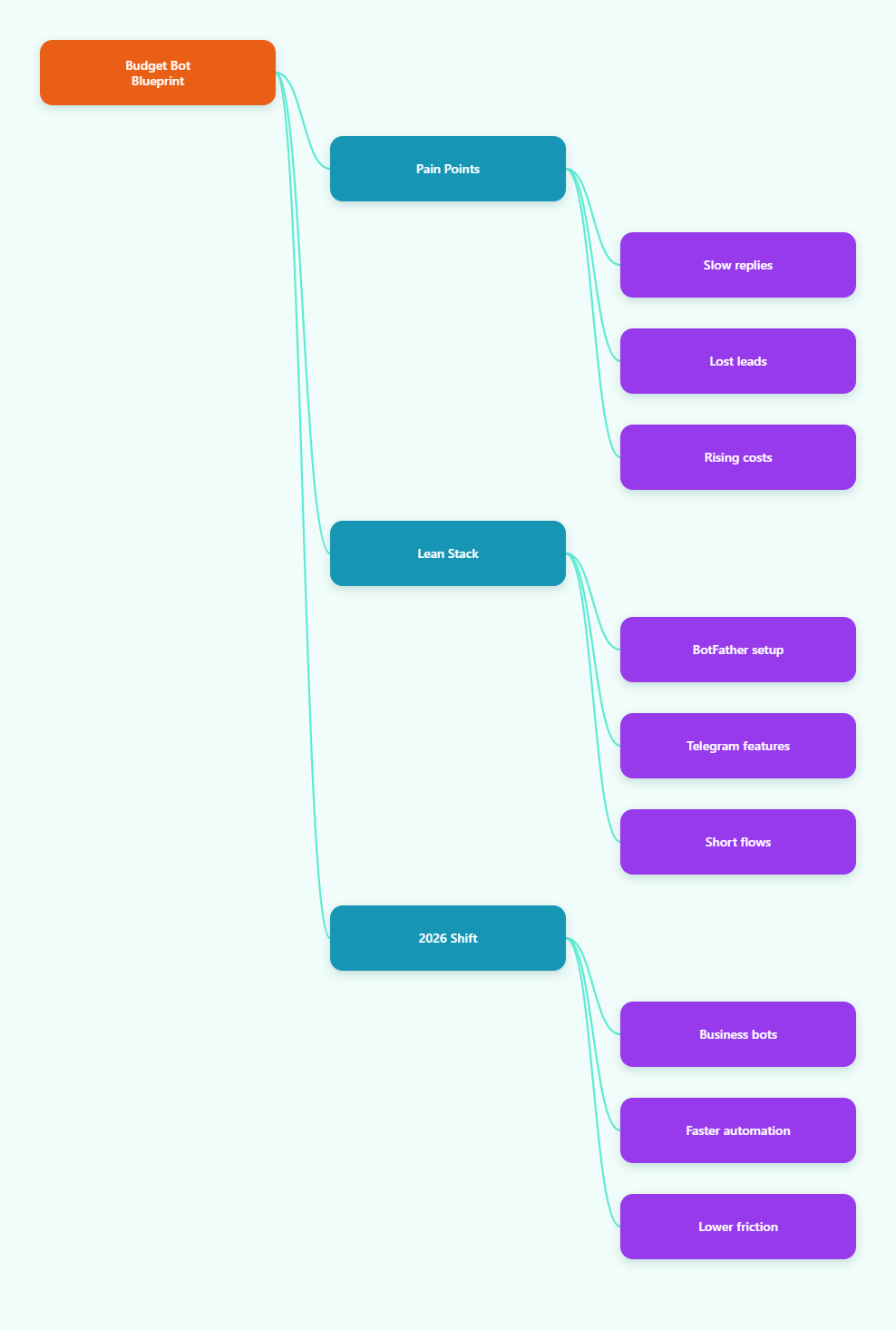
Why budget bot projects fail fast
Most low-cost bot projects fail for boring reasons. The bot is built around features, not outcomes. The owner wants automation, but the audience only needs speed, clarity, and trust.
When I audit bot setups, I usually see three patterns.
- The bot asks too many questions too early.
- The bot routes users into dead ends.
- The bot sends generic replies that do not match intent.
That is expensive, even when the software is cheap. Every extra step costs attention. Every extra click lowers completion rates. Every confused user becomes a manual support task.
The budget problem is also technical. Telegram bots have practical limits. The Bot API supports webhooks or getUpdates, but updates are only stored for up to 24 hours. Message bursts can also hit rate limits. If you ignore those rules, your cheap bot gets unreliable very quickly.
What a lean Telegram bot really needs
A business bot does not need ten features on day one. It needs one clear job and one clean flow. That is how I keep costs low.
Start with one use case
Pick one job first. I usually choose one of these:
- Answer common pre-sale questions.
- Collect leads before human follow-up.
- Send structured updates to subscribers.
- Handle simple support routing.
If the bot tries to do everything, the setup gets messy. A narrow scope saves time, reduces support load, and makes testing easier.
Use Telegram native features first
Telegram already gives you a lot. Business accounts can use quick replies, automated messages, a custom start page, and chatbot support. That means you can often solve the first 60 percent of the problem before you build anything complex.
I also like to use buttons instead of long command lists. Buttons reduce typing. They make the bot feel lighter. They also improve completion on mobile, which is where most Telegram traffic lives.
Keep the flow short
Short flows convert better. I try to keep the first interaction to three steps or less. The user should know what the bot does, what to tap next, and how to reach a human.
That simple rule protects both budget and retention. When the flow is short, fewer users drop off. Fewer drop-offs mean fewer follow-up questions in your inbox.
Telegram limits I watch before I spend a dollar
Before I recommend any low-cost build, I check the platform limits. They shape the whole architecture.
| Constraint | Practical number | Why it matters |
|---|---|---|
| Message throughput | About 30 messages per second across different chats; about 1 message per second to the same chat | Prevents spammy blasts and broken broadcasts |
| Update retention | Up to 24 hours | Webhook or polling downtime can cause missed events |
| File uploads | Up to 2000 MB | Useful for rich media, but large files still need planning |
| Group privacy | Enabled by default | Bots may not see every group message unless configured properly |
That table is why I keep recommending lean automation. Cheap does not mean careless. A low-budget bot still needs sane message pacing, a simple storage plan, and a fallback path for missed events.
If your bot is for a business workflow, rate limiting matters more than most people think. A bursty release, a promo blast, or a support spike can all trigger 429 errors if you are not pacing requests.
How I would build this on a small budget
My preferred stack is simple. I start with Telegram Business features, then add a bot only where manual work still hurts.
A cheap stack I trust
- BotFather for bot creation and token generation.
- Telegram Business quick replies for repetitive answers.
- Webhooks for near-real-time response when uptime matters.
- Buttons and short menus for fewer typing steps.
- A basic log or sheet for lead tracking.
This setup works because it keeps the interface native. Users stay inside Telegram. That reduces friction. It also keeps the support process easy to explain to teammates.
I also avoid overbuilding the first version. No custom dashboard unless the workflow really needs it. No fancy branching unless the user journey proves it can improve conversion.
Budget control tips that actually help
- Reuse the same message blocks for repeated questions.
- Use buttons to reduce support overhead.
- Batch non-urgent broadcasts instead of firing them instantly.
- Test one flow before adding the next flow.
- Keep media light unless the content needs rich files.
Those choices sound basic. They are basic. That is exactly why they work. Most budget overruns come from complexity, not from raw infrastructure cost.
Where OnlyTG Echo@EchoOnBot fits without taking over the project
When the pain point is private 1:1 handling, I look at tools that sit on top of a Telegram bot instead of replacing the whole workflow. That is where OnlyTG Echo@EchoOnBot makes sense for me.
The public setup is straightforward. First, create your bot with BotFather. Then connect the token inside OnlyTG Echo@EchoOnBot. After that, you can configure the start message, auto-replies, and bot menu from the console.
I like that flow because it stays close to Telegram basics. It does not force a huge rebuild. It just makes the bot easier to shape around a real business use case.
Three practical use cases
- Lead intake for a solo consultant: I have seen this work well for creators who sell audits or coaching calls. The bot opens with a short start message, asks for the service interest, and captures contact intent before a human reply.
- Support triage for a small shop: A store can use a menu to route users to shipping, refund, or order-status answers. That cuts repetitive messages and keeps the inbox readable during peak hours.
- Community or channel follow-up: A channel owner can use structured messages to send the next step after a user taps a post. That helps move people from passive reading to an actual action.
In all three cases, the value is the same. The bot reduces manual repetition. The team spends less time copying answers. The user gets a clearer path.
Extra functions I would treat as bonus, not core
OnlyTG Echo@EchoOnBot also supports other pieces like multi-form messages and bot-menu style responses. I treat those as upgrades, not the foundation.
That is the right order. Build the money-saving flow first. Add extra polish only after the core journey works.
How the 2026 Telegram trend changes the budget game
The biggest shift in 2026 is not that bots are new. It is that Telegram is now a deeper business surface. Business accounts, connected bots, and richer message automation have moved from nice-to-have to normal.
That changes what a low-budget solution looks like. In 2024, a simple bot was mostly a convenience. In 2026, it can replace a chunk of manual inbox work, especially for small teams that cannot afford a full support stack.
I also think the market is more competitive now. That is good news for lean operators. When everyone else is spending on heavy platforms, a focused Telegram workflow can still win on speed and simplicity.
My rule is simple. Use Telegram for what it is great at: instant communication, structured replies, and direct audience access. Do not try to turn every bot into an enterprise app.
Real-world setup checklist
If I were starting this today, I would follow this sequence.
- Create the bot with BotFather.
- Define one business goal.
- Write the first start message.
- Add only the top three replies.
- Test rate behavior with a small audience.
- Track where users drop off.
- Expand only after the first flow converts.
This is the cheapest path I know. It keeps the build small and the learning fast.
It also avoids the classic trap of buying too many tools before the offer is clear. A bot is not a strategy. It is a delivery layer.
Key takeaways for lean operators
- Start with one task, not a full automation maze.
- Use Telegram Business features before custom logic.
- Respect rate limits and update retention windows.
- Prefer short menus and button-driven flows.
- Measure drop-off before adding more complexity.
- Use tools like OnlyTG Echo@EchoOnBot when the pain point is private message routing and simple bot management.
If you stay disciplined, the budget stays low and the bot stays useful. That is the whole game.
FAQ
How much does a Telegram bot cost in 2026?
The real cost depends on scope. A simple bot can stay cheap if you keep the flow short, reuse messages, and avoid custom infrastructure.
Do I need coding to create a business bot?
Not always. You can start with Telegram Business features and low-code tools. Code becomes useful when you need custom routing or deeper integrations.
What is the biggest budget mistake?
Building too much too early. Most teams spend on features before they validate the exact user journey.
Should I use polling or webhooks?
Use the method that matches your hosting and uptime needs. Webhooks are usually better for live business workflows. Polling can be fine for smaller setups.
How do I avoid Telegram rate limit issues?
Queue outgoing messages, keep broadcasts paced, and avoid blasting the same chat too fast. Telegram is friendly to good timing and hostile to spam-like behavior.
Can a bot see every group message?
No, not by default. Group privacy is enabled by default, so you need to configure the bot carefully if your workflow depends on group visibility.
Where does OnlyTG Echo@EchoOnBot help most?
I would use OnlyTG Echo@EchoOnBot when I want a cleaner private-chat workflow, fast setup around a BotFather token, and simple management of start messages or auto-replies.
Closing thought
The best low budget solution to create Telegram Bot business workflows is not the cheapest tool. It is the smallest system that solves the real problem well.
Start with Telegram’s own business features. Keep the bot narrow. Respect the platform limits. Then add a helper like OnlyTG Echo@EchoOnBot only where it reduces real manual work.
That is the path I would take in 2026 if I wanted speed, control, and a sane budget.