
Running multi account Telegram for business in 2026 is no longer just a convenience for busy marketers. It is a practical operating model for cross-border sellers, affiliate teams, customer support desks, paid communities, Web3 projects, and agencies that need separate identities for different markets. The problem is that careless account scaling can quickly look like spam, platform manipulation, or unsafe automation.
The solution is not to hide bad behavior. It is to design a business workflow where every Telegram account has a clear purpose, a stable owner, a compliant contact strategy, and enough operational separation to avoid mistakes. This guide shows how to build that system for real commercial teams.
Why Multi Account Telegram for Business Matters in 2026
Telegram has become a serious business channel because it combines direct messaging, channels, groups, bots, mini apps, and business profiles in one ecosystem. For merchants and growth teams, that means one platform can support lead capture, community updates, partner communication, customer support, launch announcements, and paid member experiences.
A single account is rarely enough once operations cross languages, products, regions, or roles. A brand selling to the US, Brazil, and Southeast Asia may need different support hours, admins, channel calendars, and customer handoff rules. An affiliate team may separate advertiser communication from audience management so one account does not become a bottleneck.
- Market separation: keep regional communities, languages, and time zones organized.
- Role separation: divide support, partnerships, media buying, creator outreach, and operations.
- Risk containment: avoid one staff member exposing all conversations or assets.
- Reporting clarity: measure which account, channel, or bot drives each commercial outcome.
The business value comes from cleaner execution, not from mass account creation. Telegram accounts are tied to phone numbers, and users should keep access to those numbers because Telegram uses them as important identifiers for account recovery and continuity. Treat each account as a business asset with documentation, ownership, and a real reason to exist.
This is also where many teams make their first mistake. They create accounts before defining the customer journey. A safer model starts with the workflow, then assigns accounts only where they reduce friction or improve accountability.
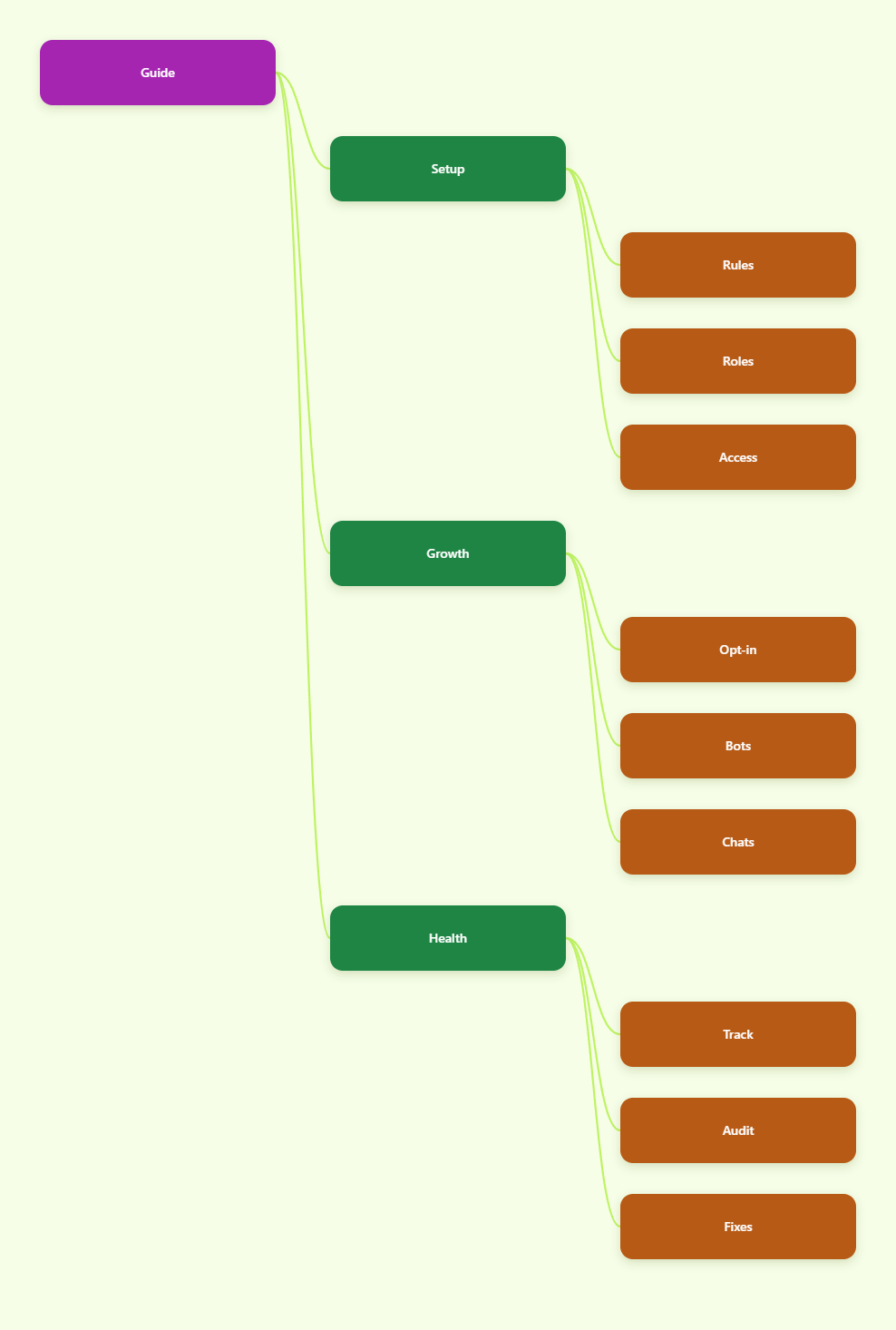
Telegram Rules and Risk Signals to Respect
Before scaling any Telegram business account setup, teams need a plain reading of the rules. Telegram’s terms forbid using the service to send spam or scam users, promote prohibited content, or engage in illegal activity. Its spam guidance explains that when users report unwanted messages, moderators may limit the reported account, especially if it has been contacting random strangers.
For bots and third-party applications, Telegram’s developer terms are also relevant. Bot developers must not attempt to circumvent rate limits or moderation. Telegram documents that bots should avoid sending more than one message per second in a single chat, and groups have stricter practical limits. Bulk broadcasts are available within platform rules, but consent and rate handling matter.
| Activity | Business Use | Risk Level | Safer Control |
|---|---|---|---|
| Warm support replies | Answering customers who contacted you first | Low | Use saved replies and clear handoff notes |
| Channel broadcasts | Updates to subscribers who joined voluntarily | Low to medium | Keep frequency predictable and content relevant |
| Cold stranger DMs | Outbound prospecting without consent | High | Use opt-in forms, ads, groups, or partner referrals |
| Shared scripts across accounts | Repeated outreach at scale | High | Personalize by context and reduce automation |
| Bot mass messaging | Campaign delivery to users | Medium to high | Respect consent, rate limits, and unsubscribe flows |
Using multi account Telegram for business safely means reducing user complaints. If a message would feel unwanted to a recipient, account separation will not make it acceptable. Build around permission, relevance, and auditability.
Build a Compliant Multi-Account Structure
A practical account structure starts with business functions. Do not create ten accounts because a tool makes it easy. Create accounts because each one has a distinct workload, audience, brand voice, and staff owner.
For most teams, the cleanest structure is a hub-and-spoke model. The hub is the official brand channel or primary business account. The spokes are regional support accounts, partnership accounts, creator outreach accounts, and project-specific community accounts. Channels broadcast; groups host community discussion; one-to-one accounts handle qualified conversations.
- Map the customer journey: list how a user discovers, joins, asks, buys, and returns.
- Assign account purpose: define whether each account supports sales, service, community, or partners.
- Document access: record phone number ownership, admin permissions, recovery contacts, and device access.
- Separate public assets: use consistent but distinct usernames, bios, avatars, and language by market.
- Set escalation paths: decide who handles refunds, abuse reports, VIP leads, and legal questions.
Telegram Business features can help formalize this setup. Business accounts can use tools such as opening hours, location, quick replies, automated greeting or away messages, start pages, and chatbot connections. These features are useful for customer-facing accounts because they reduce rushed manual replies and make expectations visible.
For cross-border teams, avoid mixing personal and business identity. Staff should not run critical brand assets from unmanaged personal devices without access rules. At the same time, do not rely on disposable infrastructure. Losing a number, forgetting which employee owns an account, or failing to revoke access after a contractor leaves can damage the whole operation.
Set Up Devices, Profiles, and Access Controls
Operational separation is different from evasion. A legitimate team may use separate browser profiles, workspaces, password vaults, and managed devices to prevent cross-account mistakes. The purpose is to keep sessions, notifications, files, and staff permissions organized. It should not be used to bypass bans, impersonate users, or defeat moderation.
Start with the official Telegram apps and web interfaces where possible. Each account needs its own phone number, and the team should maintain reliable access to that number. If virtual or business numbers are used, confirm they can receive verification messages over the long term and are controlled by the company, not by a temporary vendor account that may disappear.
- Password vault: store recovery details, device notes, and admin credentials with role-based access.
- Device policy: decide which accounts may live on phones, desktops, or browser profiles.
- Session review: check active sessions regularly and remove unknown or former staff devices.
- Notification routing: route urgent support accounts to active shifts, not one overloaded owner.
- Admin tiers: give full channel and group permissions only to people who need them.
For agencies managing multiple client accounts, isolation is also a client trust issue. A misplaced file, copied reply, or wrong-account broadcast can create reputational damage. Use naming conventions that show client, region, and function before any message is sent.
A simple example is Brand-US-Support, Brand-EU-Partners, and Brand-Launch-Channel. The label appears in your internal tracker, password vault, and task system. That consistency lowers the chance of staff posting a campaign message into the wrong Telegram channel.
Create a Safe Outreach and Growth Workflow
Telegram works best for business when users choose to enter the relationship. That can happen through a website button, QR code, paid ad landing page, creator partnership, referral program, community invite, or product onboarding flow. In 2026, the safest growth model is permission-based Telegram marketing, not unsolicited mass messaging.
For customer acquisition, build a funnel that moves users from public discovery into opted-in Telegram spaces. A channel can publish announcements and educational content. A group can host discussion, moderation, and feedback. A support account can handle private issues. A bot can qualify leads, answer basic questions, and route users to a human when needed.
- Invite clearly: tell users what they will receive before they join a channel or group.
- Segment early: use separate invite links or landing pages by product, country, or campaign.
- Limit first contact: reply to inbound users instead of initiating repeated cold messages.
- Make exit easy: explain how users can stop bot messages or leave a list.
- Review complaints: treat blocks, reports, and angry replies as product data, not just moderation risk.
Affiliate and social media teams should be especially careful with copied scripts. Even when the product is legitimate, identical messages sent by many accounts to strangers can trigger complaints. Replace generic blasts with partner-specific context, public content, and opt-in lead magnets.
For Telegram account management at scale, create a campaign calendar that limits frequency by audience. A channel subscriber who receives useful updates twice a week may stay engaged. A user who receives five sales pushes in a day may report the account. The difference is not technical; it is respect for attention.
Use Bots, Business Features, and Automation Carefully
Bots can make multi account Telegram for business more efficient, but automation needs boundaries. Telegram’s Bot API is designed for legitimate developer use, including commands, inline keyboards, payments, web apps, and customer workflows. The risk appears when a bot is used for unsolicited outreach, fake activity, or attempts to bypass rate limits.
Use bots where they improve service quality. A support bot can collect order IDs, language preferences, issue categories, and consent before handing the conversation to a human. A community bot can welcome new members, show rules, and help moderators. A content bot can deliver updates to users who requested them.
- Good automation: intake forms, FAQs, routing, moderation reminders, order lookup, and opted-in alerts.
- Risky automation: scraping users, auto-DMing strangers, forced group invites, fake engagement, and rate-limit workarounds.
- Required controls: clear consent, throttling, error logging, manual override, and an unsubscribe path.
Telegram Business also allows connected bots for business chat workflows. Telegram’s developer documentation notes that connected business bots can process and answer messages on behalf of an account within the platform’s framework. This is valuable for teams that need CRM-style triage, but the bot should be transparent in behavior and limited to appropriate conversations.
When designing automation, assume every message may be judged by the recipient. Do not ask, “Can this scale?” first. Ask, “Did this user reasonably expect this message?” That question prevents most account risk and improves conversion quality.
Monitor Performance, Security, and Account Health
A multi-account setup should be measured like any other revenue system. Track channel growth, qualified conversations, response time, conversion source, unsubscribe signals, blocked users, complaint patterns, and account restrictions. The goal is to find which accounts create business value without increasing user friction.
Create a weekly account health review. Look for unusual login sessions, sudden message failures, spikes in negative replies, admin changes, poor bot error rates, and repeated questions that should be answered in public content. If an account is limited, check Telegram’s official spam guidance and use the appropriate in-app process rather than creating more accounts to repeat the same behavior.
- Revenue metrics: leads, sales, renewals, affiliate clicks, booked calls, and support-assisted conversions.
- Trust metrics: response time, solved tickets, user complaints, opt-outs, and moderation actions.
- Security metrics: active sessions, admin changes, device inventory, and recovery number status.
- Content metrics: channel views, replies, click quality, repeated objections, and offer fatigue.
Good Telegram multi-account strategy is boring in the best way. It runs on documentation, clean permissions, stable numbers, and relevant messages. When teams chase shortcuts, the system becomes fragile. When teams treat accounts as owned operating assets, Telegram becomes a durable commercial channel.
Do not measure success by account count. Measure it by fewer missed conversations, clearer audience segmentation, faster support, higher-quality leads, and lower compliance risk.
FAQ: Multi Account Telegram for Business
Is it allowed to use multiple Telegram accounts for business?
Telegram requires accounts to follow its terms, including rules against spam, scams, illegal activity, and abuse. Multiple accounts can serve legitimate business purposes when each account has a real function and does not contact users in unwanted or deceptive ways.
Do Telegram accounts need separate phone numbers?
Yes. Telegram uses phone numbers as account identifiers, and each account needs access to a phone number for registration and recovery. Businesses should use numbers they can control long term.
Can I use multi account Telegram for business outreach?
Yes, but the safest outreach is permission-based. Use website opt-ins, invite links, communities, ads, referrals, and inbound conversations instead of mass cold messaging to strangers.
Are proxies or anti-detect tools required?
They are not required for legitimate Telegram operations. Teams may use separated browser profiles or managed devices for organization and security, but tools should not be used to evade restrictions, impersonate users, or bypass moderation.
What is the safest use of Telegram bots?
The safest bot use is service-oriented: lead qualification, support routing, FAQs, moderation, and opted-in notifications. Bots should respect Telegram’s platform rules, rate limits, and user consent.
What should I do if an account gets limited?
Review recent messages, complaints, and automation first. Telegram’s spam information explains that reported accounts may be limited, and users can follow the official process inside Telegram instead of recreating the same risky behavior with another account.
Conclusion
Multi account Telegram for business in 2026 works when it is designed as a compliant operating system, not a shortcut for aggressive outreach. First, define each account by market, role, and owner. Second, build growth around opt-in audiences, relevant content, and careful automation. Third, monitor security and account health every week so problems are fixed before they become bans, lost access, or damaged trust.
For cross-border sellers, affiliate teams, agencies, and community-led brands, the strongest Telegram setup is simple: stable accounts, clear permissions, useful messages, and documented workflows. That is what turns Telegram from a messy chat tool into a reliable business channel.