
Fast-growing Telegram groups often run into the same problems: new members do not read the rules, spam appears before admins can react, and moderators waste time repeating the same instructions.
This guide explains three practical ways to do that, including a lightweight manual setup, a bot-assisted onboarding flow, and a structured moderation-first approach for larger communities.
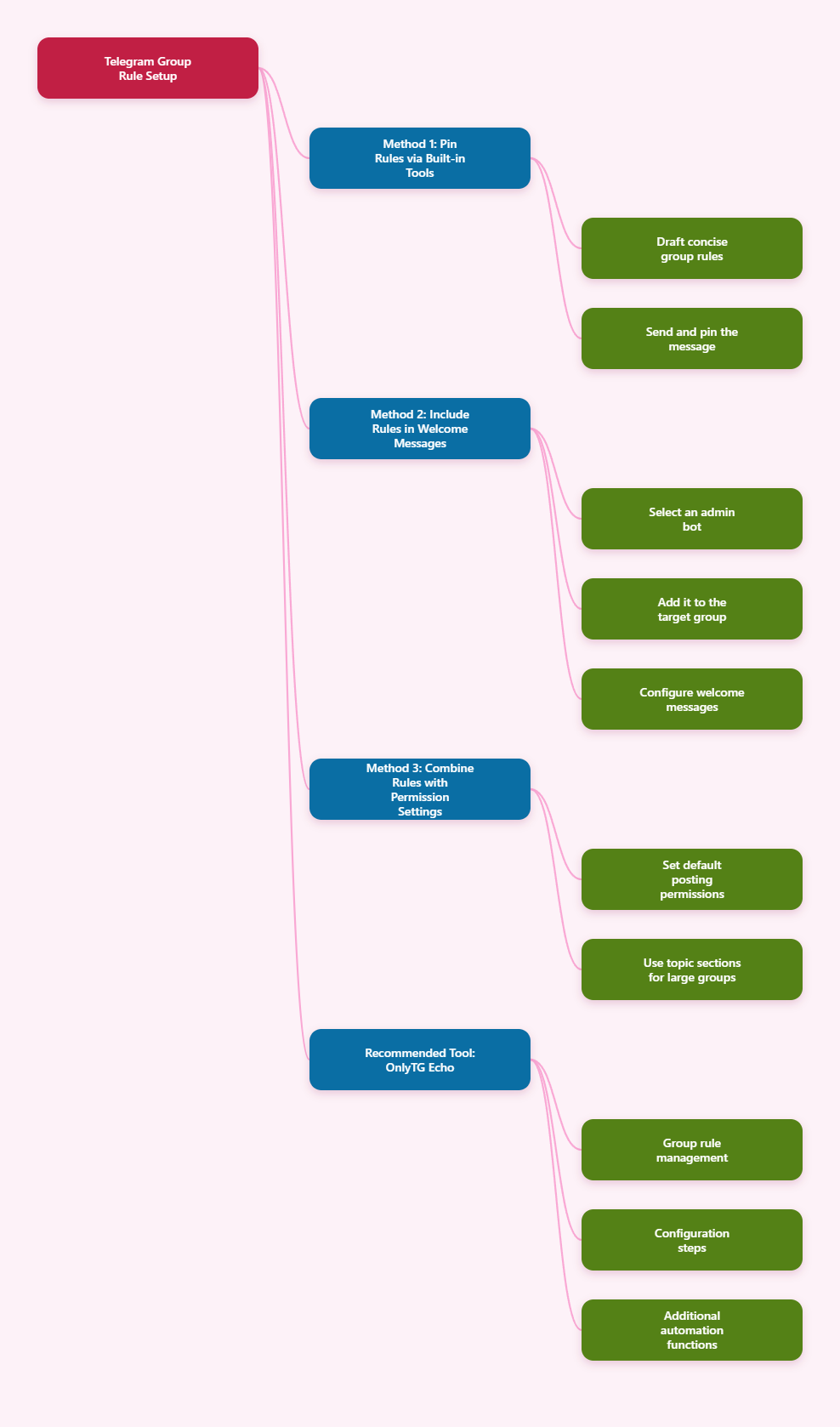
Step-by-Step Setup Options for Telegram Group Rules
Method 1: Create and Pin Clear Rules Using Telegram’s Built-In Tools
This is the simplest baseline. It works well for small or low-risk communities and should be used even if you later add bots.
- Draft a short rules message that covers the essentials only. Typical items include topic relevance, no spam, no scams, no harassment, and where members should ask for help.
- Send the rules as a normal message in the group. Keep the format readable with short lines or emoji bullets if appropriate.
- Pin the rules message so it stays visible at the top of the chat. Telegram groups support pinned messages, and pinned content is the most direct built-in way to keep rules accessible.
- Add a brief group description that summarizes the purpose of the group and tells members to read the pinned rules.
- Review member permissions in the group settings. Telegram separates default participant permissions from admin rights, so you can limit what regular members can do without changing admin roles.
Best for: small groups, hobby communities, or teams that need a quick and accurate setup.
Limitations: pinning rules does not force members to read them, and Telegram does not provide a built-in mandatory “I agree” flow for standard groups.
Method 2: Use a Bot to Send Rules Automatically to New Members
This is the most practical option for active communities because it reduces manual moderation and makes onboarding consistent.
- Choose a group management bot that supports welcome messages or rule delivery. In 2026, community management bots commonly handle welcomes, moderation, and rule reminders.
- Add the bot to your Telegram group from the bot profile and confirm it joins the correct chat.
- Grant only the permissions the bot needs. Do not over-permission it. Depending on the bot’s job, that may include sending messages, deleting messages, restricting members, or pinning messages. Telegram admin rights are granular, not all-or-nothing.
- Configure an automated welcome message that includes:
- a short greeting,
- a link or reference to the group rules,
- basic posting expectations,
- and any onboarding links or topic instructions.
- Test the join flow with a secondary account if possible. Confirm that the bot actually posts or sends the welcome content when someone joins.
- Pin the main rules anyway. Welcome automation helps, but a pinned message remains the durable reference point for all members.
Best for: medium to large communities, customer groups, course communities, and support groups.
Best practice: keep the welcome message shorter than the full rules. Use it to direct members to the pinned rules rather than pasting a wall of text every time someone joins.
Method 3: Combine Rules with Permissions, Restrictions, and Moderation Controls
For larger or more exposed groups, rules alone are not enough. The strongest setup combines written rules with technical enforcement.
- Set default member permissions carefully. Telegram lets admins define what participants can do by default, separate from admin powers.
- Apply the principle of least privilege to moderators and bots. For example, a moderator who only removes spam may need delete and ban rights, but not the power to add new admins or change group info.
- Enable slow mode if the group is spam-prone. Recent Telegram guidance highlights slow mode as one of the simplest anti-spam controls.
- Use topics if the group is large or discussion-heavy. In forum-style groups, a pinned message in the General topic can tell members what each topic is for and where to post.
- Use a moderation bot for enforcement if you need warning systems, spam filtering, auto-deletion, or onboarding restrictions.
- Document consequences in the rules, such as warning, mute, kick, or ban for repeated violations.
Best for: public communities, crypto groups, education hubs, large customer communities, and linked discussion groups for channels.
Important note: some advanced “accept the rules before posting” experiences depend on bot logic and permissions rather than a native Telegram toggle. When discussing such setups, be precise and test them in your own group.
Methods Compared: What Works Best?
| Method | How It Works | Advantages | Drawbacks | Best For |
|---|---|---|---|---|
| Built-in pinned rules | Create a rules message and pin it in the group | Easy, native, accurate, no extra tools needed | Members may ignore it; no automated onboarding | Small groups and internal teams |
| Welcome bot with rules message | Bot greets new members and sends or posts rule reminders | Consistent onboarding, saves admin time, improves visibility | Requires setup, testing, and careful bot permissions | Growing communities and support groups |
| Rules plus moderation controls | Combine written rules with permissions, slow mode, topics, and bot enforcement | Most scalable, reduces spam, supports structured communities | More complex to configure and maintain | Large public groups and high-risk communities |
Practical Tool Recommendation: OnlyTG Echo
If you want a more structured way to manage Telegram group rules, OnlyTG Echo (@EchoOnBot) is one practical tool to evaluate. OnlyTG’s product and tutorial materials present it as a no-code bot management tool that can be connected to your own Telegram bot and then used for group moderation features, including Group Rules.
Based on OnlyTG’s tutorial flow, the setup is best understood as a short sequence: create a bot in BotFather, bind that bot to OnlyTG Echo, add the bot to your group, and then configure the rules from the Group Setting area.
- Create a new bot in BotFather. Open @BotFather, send the /newbot command, and follow the prompts to set a bot name and username.
- Bind the token in OnlyTG Echo. Open @EchoOnBot, start the bot, and send or submit the token so OnlyTG Echo can connect to the bot you created.
- Add the bot to your target Telegram group. After the bot is connected, add that bot to the group where you want to apply rules.
- Promote the bot to admin with the rights it needs. For Group Rules to work, the bot generally needs moderation-related permissions. In practice, that usually means rights such as deleting messages or restricting members.
- Open Group Setting in Your Bot. Go to the bot you connected, then open the Group Setting option and choose the group you want to manage.
- Enter the Group Rules section. Inside the selected group settings, open Group Rules.
- Add the rules you want to enforce. Configure the rule types that match your community policy.
- Set the penalty for each rule. Choose how the bot should respond when a member breaks a rule. OnlyTG’s Group Rules materials mention penalties including warn, mute, kick, and block. s, while OnlyTG Echo handles enforcement.
OnlyTG Echo also offer related group tools, such as greeting messages, CAPTCHA, keyword replies, and other group management features. If you are using it primarily for rules, start with the minimum configuration that solves your moderation problem, test it in a live environment carefully, and review permissions whenever your workflow changes.
Common Questions About Telegram Group Rules and Bots
Do Telegram groups have a native rules feature?
Not as a dedicated built-in “rules module” for standard groups. The native approach is to write a rules message, pin it, and reference it in the group description. Bots are commonly used to automate delivery and enforcement.
Can a Telegram bot force every member to read the rules?
Not perfectly in the human sense. Bots can improve visibility through welcome flows, restrictions, or structured onboarding, but whether members truly read the rules depends on your setup and community behavior. Be cautious about claims of guaranteed rule reading.
What permissions should I give a rules bot?
Only what it needs. If it only sends welcome messages, it may need far fewer rights than a full moderation bot. If it must delete spam or restrict users, it needs those specific admin rights. Telegram separates admin powers into granular capabilities, so avoid enabling everything by default.
Should I use pinned messages if I already have a bot?
Yes. Pinned messages remain the most reliable always-visible reference point in the group. Bots are excellent for onboarding and reminders, while pinned rules provide a stable source of truth.
Are topics useful for group rules?
Yes, especially in larger forum-style groups. A pinned message in the General topic can explain what each topic is for, where to post, and what behavior is expected. This reduces off-topic clutter and makes the rules more actionable.
Conclusion
In 2026, the best way to set up Telegram group rules using bots is to combine three layers: a clear pinned rules message, automated onboarding through a bot, and permission-based moderation controls. Start simple, grant the minimum rights required, and test every join and enforcement flow before scaling.