
Telegram stickers are one of the platform’s most recognizable features. They are fast to send, easy to collect, and flexible enough for casual chats, groups, communities, and even branded communication.
But using Telegram stickers properly is not just about knowing where the sticker button is. It also means understanding how stickers work, how to find good packs, how to organize them, when to use them in group chats, and how to create your own pack in the correct format.
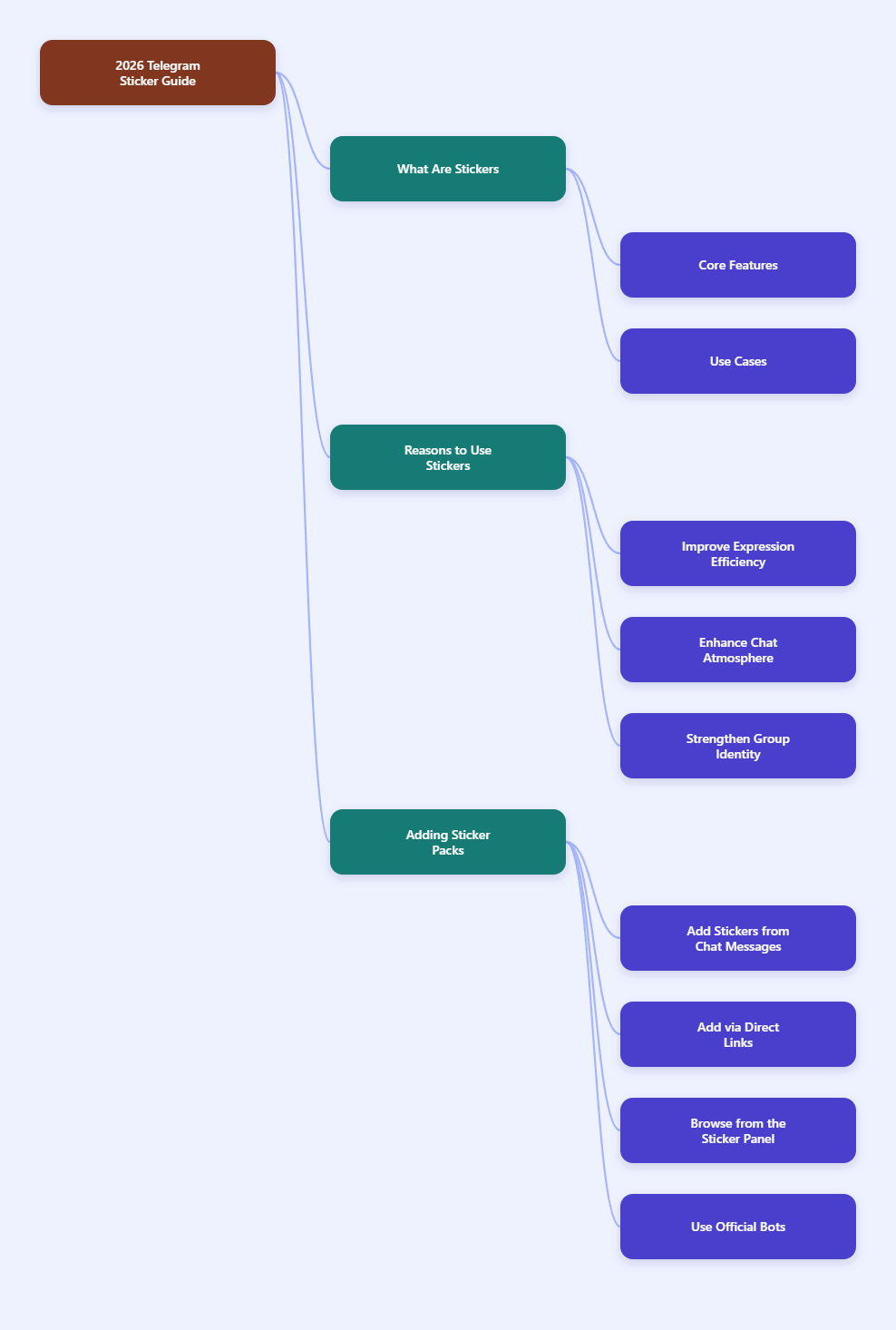
What Telegram Stickers Are
Telegram stickers are custom graphic elements that users can send in chats. Telegram supports multiple sticker-related formats and tools:
- Static stickers, typically using transparent image files such as PNG or WEBP.
- Animated stickers, using Telegram’s TGS format.
- Video stickers, using WEBM with VP9 encoding and transparency support.
- Custom emoji packs, which are related but separate from standard sticker packs.
Telegram’s official sticker platform is open, which means users can create, share, and publish their own sticker sets. Telegram also includes a built-in sticker editor, making basic sticker creation possible directly inside the app.
Why People Use Stickers on Telegram
Stickers are popular because they communicate emotion faster than text. A good sticker can replace a full sentence, soften a reply, or make a group conversation feel more lively.
Common reasons people use stickers include:
- Reacting quickly without typing.
- Adding humor or personality to a conversation.
- Creating a visual identity inside groups or communities.
- Sharing custom artwork, characters, memes, or inside jokes.
- Building brand recognition for public communities and channels.
Telegram also suggests stickers in some contexts based on emoji and search, which makes them easier to use regularly.
How to Add Sticker Packs on Telegram
There are several common ways to add sticker packs in Telegram.
1. Add a pack from a sticker someone sent
This is one of the easiest methods.
- Tap a sticker inside a chat.
- Open the sticker pack preview.
- Choose the option to add the pack to your collection.
This works well when you discover a pack naturally in conversation.
2. Add a pack from a direct link
Telegram sticker packs can be shared by URL, usually in the format:
https://t.me/addstickers/packname
When you open the link, Telegram shows the pack preview and lets you add it.
3. Browse from the sticker panel
Telegram apps let users browse sticker collections and, depending on version and platform, trending or suggested packs.
In practice, you usually:
- Open any chat.
- Tap the sticker icon near the message field.
- Browse installed stickers, recommendations, or search results.
4. Use Telegram’s official @Stickers bot
The official @Stickers bot is used mainly for creating and managing packs, but it also helps users interact with sticker set links and publishing workflows.
How to Find the Right Stickers Faster
Finding useful stickers matters more than collecting too many random packs. Telegram has expanded sticker discovery over time, including AI-powered search for millions of stickers and emoji, according to Telegram’s official updates.
To find better stickers quickly:
- Search by emotion, such as “happy,” “thanks,” or “facepalm.”
- Search by scene, such as “coffee,” “work,” or “cat.”
- Use emoji-based associations, since sticker creators assign emoji to stickers.
- Preview the full pack before adding it.
- Prefer packs with a consistent style and clear expressions.
Telegram has also documented that stickers are associated with at least one emoji. That matters because emoji mapping helps stickers appear in suggestions and makes them easier to retrieve later.
How to Organize and Manage Your Sticker Packs
After adding several packs, management becomes important. If your collection is messy, useful stickers become harder to find.
Practical ways to manage your stickers:
- Remove packs you never use.
- Keep a small number of versatile packs at the top of your rotation.
- Separate joke packs from everyday reaction packs.
- Revisit your installed packs occasionally and delete low-quality ones.
- Use favorites or frequently used stickers when available in your app workflow.
Telegram’s management options vary somewhat by platform and version, but generally users can review installed packs in sticker settings or from the sticker panel.
How to Create Your Own Telegram Stickers
Telegram gives users two main paths:
- The built-in Sticker Editor inside Telegram.
- The @Stickers bot for manual pack creation and publishing.
Option 1: Use Telegram’s built-in Sticker Editor
Telegram introduced a built-in sticker editor that allows users to create stickers directly in the app without leaving Telegram.
The basic flow is:
- Open any chat.
- Open the sticker panel.
- Tap the + button.
- Select a photo from your device.
- Cut out the subject and edit it.
- Add text, drawings, or emoji if desired.
- Send it as a sticker or add it to a set.
This is the easiest method for casual users who want a few personal stickers quickly.
Option 2: Use the @Stickers bot
The official @Stickers bot remains the standard method for creating and publishing sticker packs with more control.
Typical steps include:
- Search for @Stickers in Telegram.
- Start the bot.
- Use the relevant command, such as /newpack for a new static pack.
- Upload your sticker files.
- Assign an emoji to each sticker.
- Set the pack title and short name.
- Publish the pack and share its link.
Telegram documentation and widely cited guides agree that even a single sticker must belong to a pack.
Telegram Sticker File Requirements You Should Know
If you create stickers manually, the technical requirements matter. Incorrect file size, format, or dimensions can cause failed uploads or poor visual results.
Static stickers
Commonly documented requirements for static stickers include:
- PNG or WEBP format.
- Transparent background.
- One side at 512 pixels.
- File size generally up to 512 KB.
PNG is often easier for beginners because editing support is widespread.
Animated stickers
According to Telegram’s sticker API documentation, animated stickers use the TGS format and must follow strict animation rules:
- Canvas size: 512 × 512 px.
- Animation length: up to 3 seconds.
- Must loop.
- Must run at 60 FPS.
- Objects must not leave the canvas.
These are vector-based Lottie animations packaged in Telegram’s TGS format.
Video stickers
Telegram also supports video stickers in WEBM format with VP9 encoding.
Officially documented requirements include:
- WEBM format.
- VP9 codec.
- No audio stream.
- One side at 512 pixels for stickers.
- Duration up to 3 seconds.
- Should be looped.
- Up to 30 FPS.
If your artwork depends on richer motion than static images but you do not want TGS vector animation, video stickers can be a practical alternative.
How Many Stickers Can Be in a Pack?
Several current guides based on Telegram’s sticker workflow report that a pack can contain 5 to 120 stickers. Since Telegram’s product and bot workflows can change over time, it is safest to verify the latest pack limits in the app or via the official bot when publishing.
In practice, a strong sticker pack usually works better when it is focused rather than oversized. A compact pack with 15 to 30 highly usable reactions is often more valuable than a 100-sticker pack full of duplicates.
How Emoji Assignment Affects Sticker Use
When you upload stickers through Telegram’s system, each sticker should be associated with at least one relevant emoji. This is not a minor detail.
Emoji assignment helps with:
- Sticker suggestions.
- Search and discovery.
- Reaction-style usage.
- Better pack usability over time.
For example, if a sticker expresses applause, assigning clapping or celebration-related emoji makes it easier for Telegram to surface that sticker later.
Good emoji mapping is one of the simplest ways to make a custom pack more practical.
How Telegram Sticker Search Has Improved
Telegram has continued expanding sticker search. Official updates in 2025 mentioned AI-powered search for millions of stickers, and 2026 reporting around Telegram updates noted expanded sticker and emoji search across a very large public sticker library in dozens of languages.
What this means for users:
- You no longer need to rely only on exact pack names.
- Descriptive keywords are more useful than before.
- Public sticker discoverability is better than in earlier years.
- Well-labeled public packs have a better chance of being found.
For regular users, this mainly means less time digging through old packs and more time finding relevant reactions quickly.
Should You Use Stickers in Professional or Public Communities?
Yes, but carefully.
Stickers can work well in professional communities, support groups, brand channels, and member chats when used with restraint. They can make communication feel more human, especially in welcome messages, celebrations, and casual interactions.
However, they should not replace clarity.
A good rule is:
- Use stickers to support tone.
- Use text to deliver information.
In workplace-style chats, a single relevant sticker can make a message friendlier. Ten unrelated stickers can make the sender look careless.
Common Mistakes to Avoid
- Adding too many packs: Large collections slow down practical sticker use.
- Using stickers instead of answers: Fun reactions are not a substitute for clear replies.
- Spamming group chats: This is one of the fastest ways to annoy other members.
- Ignoring file specs when creating packs: Wrong formats and dimensions create upload problems.
- Poor emoji mapping: Stickers become harder to discover later.
- Using low-contrast artwork: Stickers should remain legible on small screens.
- Choosing style over usability: The most beautiful sticker is not helpful if no one understands it instantly.
Final Thoughts
Learning how to use Telegram stickers properly in 2026 is really about balance. Telegram gives users powerful tools: an open sticker platform, a built-in sticker editor, support for static, animated, and video stickers, official bot-based publishing, and increasingly strong sticker search.