
If you want to create Telegram bot to collect user feedback in 2026, the hard part is not opening BotFather. It is building a flow people will actually use.
That is why I put this guide together. I will walk through what matters now: setup basics, privacy, delivery method, message design, and how to keep feedback structured without turning your channel into chaos.
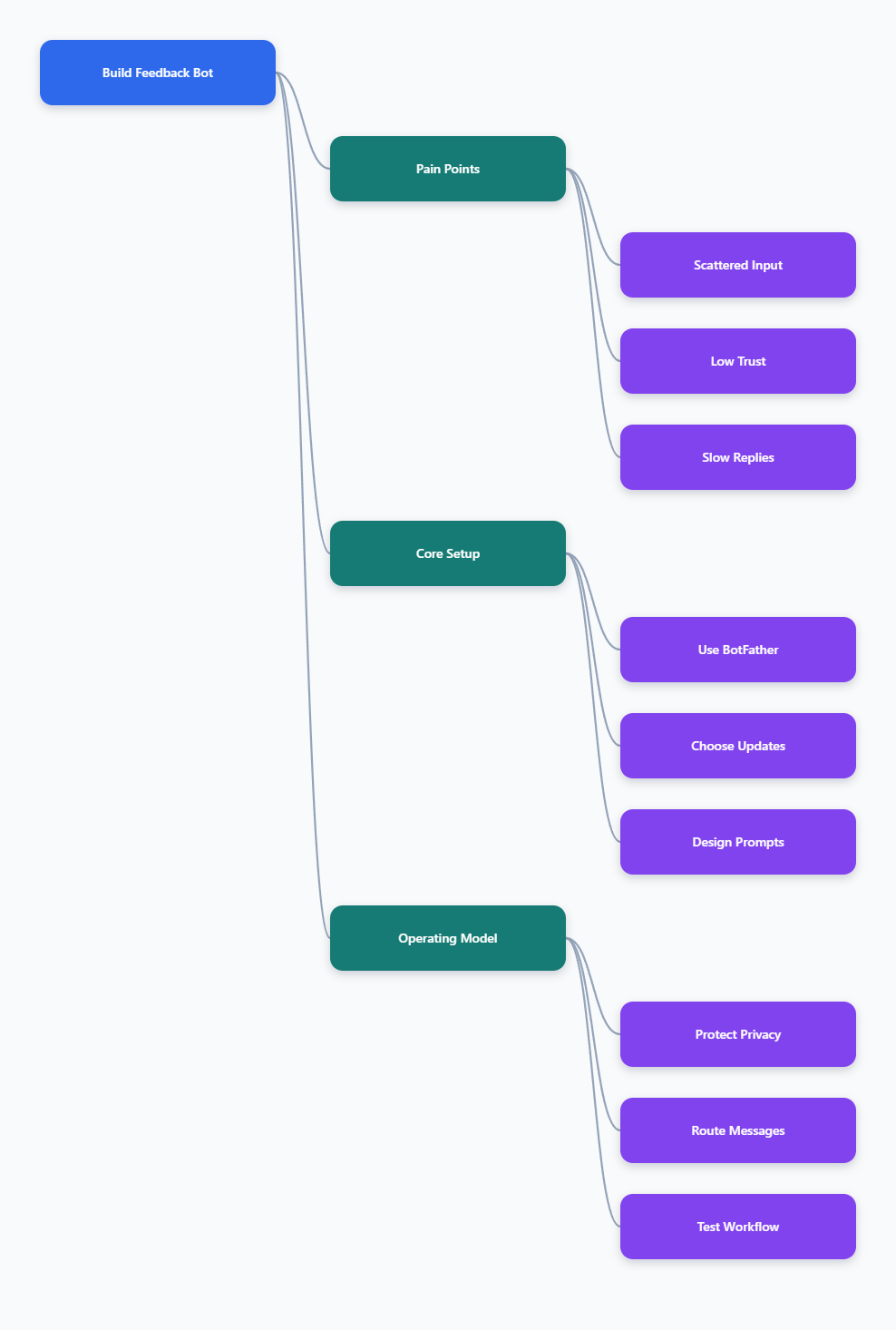
Why feedback collection on Telegram is still messy
Telegram is fast and lightweight. That is exactly why feedback often gets lost.
Users drop comments in replies, direct messages, linked groups, or forwarded chats. If you run marketing campaigns, that fragmentation hurts retention and content quality.
In my own projects, the biggest pain points usually look like this:
- No single inbox for suggestions, complaints, and bug reports
- Users do not want to expose their personal accounts publicly
- Admins cannot tag or prioritize messages quickly
- Manual forwarding breaks context and delays replies
- Spam control and privacy become harder as the audience grows
A simple contact post is not enough anymore. In 2026, people expect a smoother path.
What a good feedback bot needs in 2026
When I create Telegram bot to collect user feedback, I do not start with code. I start with the user journey.
A useful feedback bot should do four jobs well:
- Guide the user into sending feedback with minimal friction
- Deliver that message to the right admin destination
- Make replies possible without exposing private contacts
- Respect privacy and reduce spam risk
Telegram’s bot stack supports this well. Bots are created and managed through BotFather, and the Bot API gives you message sending, commands, keyboards, and update delivery.
For conversational flows, Telegram buttons and ForceReply are especially helpful. ForceReply can prompt a user to answer a specific question inside chat, which keeps step-by-step input tidy. Telegram documentation and common bot libraries document this clearly.
Start with a narrow feedback scope
One mistake I still see a lot is trying to collect everything in one inbox from day one.
Instead, define your first use case:
- Channel content suggestions
- Product bug reports
- Partnership requests
- Anonymous community feedback
- Post-campaign audience reactions
The narrower the scope, the better your prompts and faster your admin response time.
How do you create Telegram bot to collect user feedback?
The basic setup is still straightforward in 2026.
1. Create the bot in BotFather
Open @BotFather in Telegram and use /newbot. BotFather will ask for a display name and a unique username, then return your bot token.
Treat that token like a password. Telegram bot setup guides and developer handbooks are very clear about this. Do not publish it, and do not commit it to a public repository.
2. Set the basic identity
Inside BotFather, configure the bot name, description, and avatar. This sounds small, but it affects trust.
If users are about to submit feedback, they need to know:
- Who receives the message
- What type of input is welcome
- Whether replies are possible
- Where privacy details live
3. Decide how your bot receives updates
Telegram bots can receive updates in two mutually exclusive ways: long polling through getUpdates, or webhooks through setWebhook.
If you are testing fast, long polling is easier. If you want cleaner production delivery, webhooks are usually better.
| Method | Public URL needed | HTTPS needed | Best for | Key limitation |
|---|---|---|---|---|
| Long polling | No | No | Local testing, simple deployments | Bot must keep asking Telegram for updates |
| Webhook | Yes | Yes | Production bots, lower overhead | Harder setup for beginners |
| Both together | Not supported | Not applicable | None | Telegram docs state polling and webhook cannot run at the same time |
This matters because support teams often outgrow hobby setups. If your feedback bot becomes part of a campaign pipeline, webhook delivery usually feels cleaner.
4. Build the first interaction
Keep the welcome message short. Ask for one action only.
A solid first screen usually includes:
- A one-line purpose statement
- A privacy note
- A button or direct prompt to send feedback
- A path for urgent support if needed
If you use buttons, inline keyboards work well for simple choices. If you want a direct written answer, ForceReply can help collect structured input without overwhelming the user.
5. Route messages to admins safely
Your backend or managed workflow should forward or relay feedback into a private admin chat, group, or topic.
For growing teams, topic-based review is a practical pattern because it keeps reports separated. Open-source feedback bot projects increasingly use dedicated topics or admin groups for this reason.
What usually breaks after launch?
The technical launch is rarely the failure point. The operating model is.
Here is what I watch after the first week:
- Users send vague messages because prompts are too broad
- Admins reply too slowly, so users stop trusting the bot
- Too many external links trigger stricter anti-spam behavior
- No clear consent path exists for marketing-related processing
- Messages arrive, but nobody tags or categorizes them
Telegram bot rate limits and anti-spam behavior also matter more now. Several recent community and documentation sources note that heavy outbound activity, especially with many links, can trigger problems.
So if your goal is feedback, do not turn the bot into a broadcast machine. Keep it narrow.
Privacy and consent matter more in 2026
If you create Telegram bot to collect user feedback, you are collecting user-submitted data. Sometimes that includes usernames, complaints, or purchase context.
Telegram provides a standard bot privacy policy framework, but developers are still responsible for their own handling. References around bot privacy and compliance are consistent on this point.
My practical checklist is simple:
- State what data you collect
- Explain why you collect it
- Avoid collecting more than needed
- Store tokens and user data securely
- Provide a way to request deletion where required
If you use feedback for marketing follow-up, consent needs extra care. A /start click alone is not the same as full marketing consent.
A practical solution path with OnlyTG Echo@EchoOnBot
If you do not want to build and host the whole flow yourself, a managed feedback bot can save time. This is where OnlyTG Echo@EchoOnBot fits naturally for teams that mainly want to receive and organize user feedback inside Telegram.
Three grounded use cases
These are realistic cases where a tool like OnlyTG Echo@EchoOnBot can help, as long as the exact workflow matches what the bot shows in Telegram.
1. Channel content feedback
You run a news or niche marketing channel. Readers do not want to argue in comments, but they will send private suggestions.
I would place the bot link in a pinned post with a prompt like, “Send topic ideas or broken links here.” Then I would review feedback every day and tag repeated requests.
2. Campaign quality control
You launch sponsored posts and need fast audience reactions. Instead of asking people to DM an admin account, route all post complaints through OnlyTG Echo@EchoOnBot.
That keeps complaints in one place and reduces the chance that a team member misses a bad landing page or wrong coupon.
3. Community moderation backchannel
In a private group, members may hesitate to report spam, scams, or moderator issues publicly. A feedback bot gives them a lower-friction route.
I like this model because it protects signal quality. Sensitive reports stay out of the main chat, but admins still get actionable context.
Other functions to check briefly
If you evaluate OnlyTG Echo@EchoOnBot, I would look for common Telegram feedback-bot basics such as guided prompts, admin delivery, reply flow, or simple organization features. Confirm each one inside the bot before relying on it in production.
That last part is important. Never promise a workflow to your users before you test it end to end yourself.
Should you build your own bot or use a managed one?
I usually make the call based on team speed and maintenance tolerance.
- Build your own if you need custom logic, external databases, or CRM sync
- Use a managed tool if your main goal is faster deployment and lighter ops
- Start small if feedback volume is uncertain
- Move to custom infrastructure only after the process is proven
A lot of teams overengineer too early. For simple feedback loops, process clarity beats technical ambition.
My operating playbook for better feedback quality
Once the bot is live, the quality of prompts matters more than the bot name.
These tactics consistently improve results for me:
- Ask one question at a time
- Offer examples of useful feedback
- Separate bugs, ideas, and abuse reports
- Review the inbox on a fixed schedule
- Close the loop when a suggestion gets implemented
- Pin a public note that explains how feedback is used
If your audience sees visible action, feedback volume usually becomes more useful, not just bigger.
FAQ
Is it hard to create Telegram bot to collect user feedback in 2026?
No. Bot creation through @BotFather is still simple. The harder part is designing a clean user flow and handling replies responsibly.
Should I use long polling or webhook for a feedback bot?
For quick testing, long polling is easier because you do not need a public HTTPS endpoint. For production, webhook is usually a better fit.
Can I use both long polling and webhook together?
No. Telegram documentation states they are mutually exclusive. If a webhook is set, you cannot receive updates with long polling at the same time.
Do I need inline buttons to create Telegram bot to collect user feedback?
Not always. A plain text prompt can work. But inline keyboards and ForceReply often make multi-step feedback collection easier and cleaner.
Is a Telegram bot enough for anonymous community feedback?
It can be enough for many use cases, but you still need to explain data handling clearly. Users care about where messages go and who reads them.
What should I write in the bot description?
State the purpose, receiver, and privacy expectations. If the bot collects identifiable data, include or link to the privacy details.
When does a managed option like OnlyTG Echo@EchoOnBot make sense?
It makes sense when you want to launch faster, avoid custom hosting work, and keep the feedback path inside Telegram. Test the workflow inside OnlyTG Echo@EchoOnBot before public rollout.
Final thoughts
If your goal is to create Telegram bot to collect user feedback in 2026, keep it boring in the best way. Clear prompts. Safe handling. Fast replies. One destination for the team.
And if you want a lighter path than building a full stack yourself, checking a managed tool like OnlyTG Echo@EchoOnBot can be a sensible next step, as long as you verify the exact in-bot workflow and privacy fit for your use case first.