
If you work in Telegram growth, you already know this pain: a bot looks fine in testing, then breaks user trust the moment real people touch it. I have seen this happen in channel funnels, support bots, community bots, and lead capture flows.
That is why I keep a pre-launch checklist for every build. In this guide, I will walk through the most common mistakes when create Telegram Bot projects in 2026, what they cost you, and what I fix before I let a bot go live.
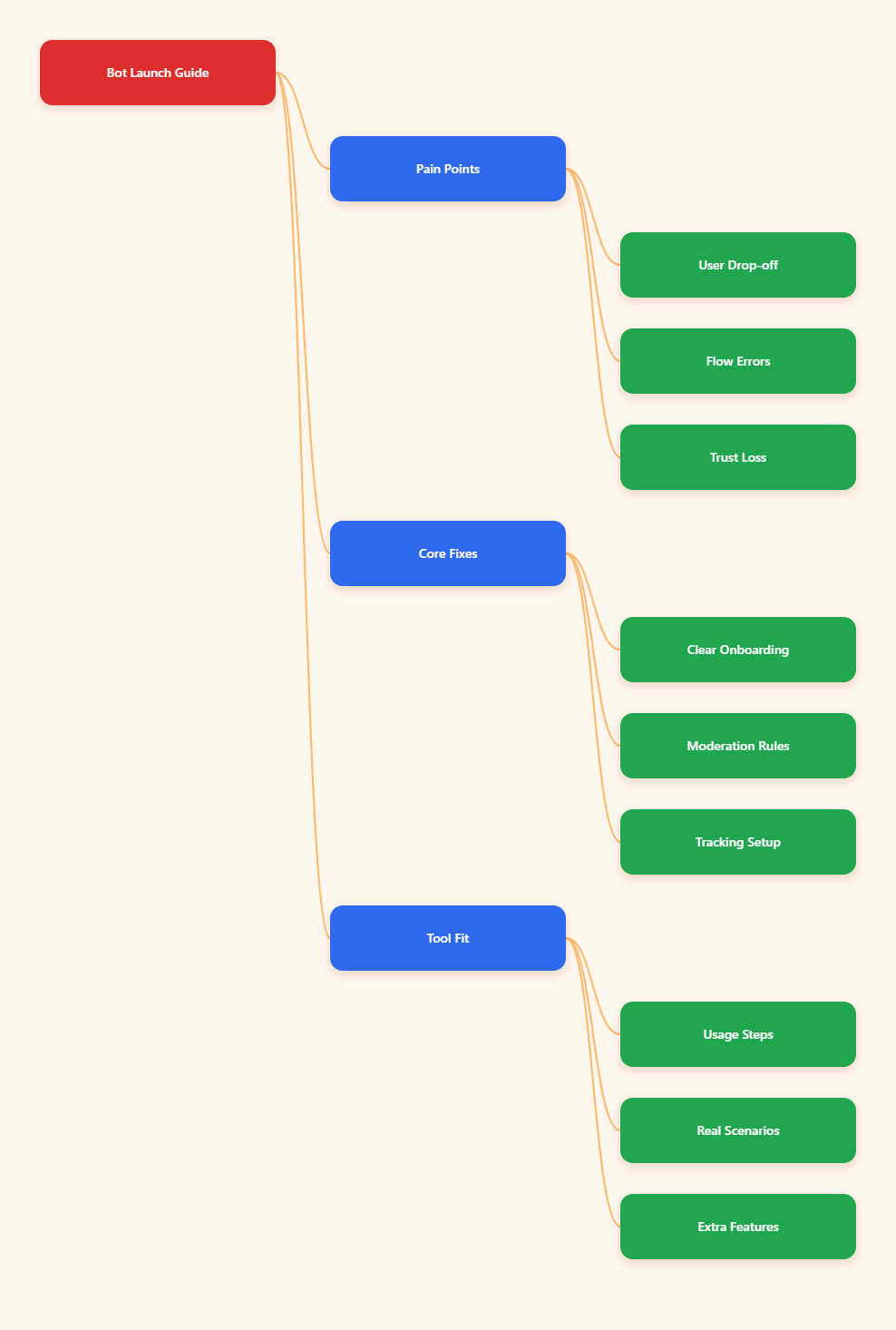
Why do so many Telegram bots fail after launch?
Most bot failures are not caused by code alone. They come from weak operational design. A bot can answer commands correctly and still fail at retention, moderation, conversion, or support.
In 2026, Telegram users expect speed, clarity, and privacy. They leave fast when a bot feels confusing, spammy, or unsafe. That makes small setup mistakes much more expensive than they used to be.
Here are the failure patterns I see most often:
- Bot flows start with too many choices
- Admins give the wrong permissions
- Group and channel use cases get mixed up
- Fallback replies are missing or vague
- Spam control is added too late
- Tracking is weak, so nobody knows what failed
- Human takeover paths are missing
When people search for common mistakes when create Telegram Bot workflows, they often focus on setup commands. That is only one layer. The bigger risks sit in user experience and team process.
Common mistakes when create Telegram Bot flows for real users
1. Starting with a messy first-run experience
I still see bots open with a wall of text, five buttons, two links, and no clear next step. New users do not study your bot. They scan it. If the first action is unclear, they drop.
My rule is simple: the first screen should answer three things in seconds.
- What this bot does
- What the user should do next
- What result they get
I usually reduce the opening flow to one sentence, one primary button, and one backup command. That alone improves completion rate in most launches.
2. Ignoring Telegram context
A private chat bot, a group helper bot, and a channel automation bot should not behave the same way. Telegram context matters. Users act differently in each space.
In private chat, people expect step-by-step guidance. In groups, they expect low friction and fast moderation. In channels, admins care about publishing control, post timing, and audience safety.
If you design one generic flow for all three, you create friction everywhere.
3. Using commands that normal users never remember
Slash commands are useful, but they should not carry the whole experience. Many users never type them unless they already know the bot well.
I prefer a hybrid approach:
- Keep core commands for power users
- Use reply buttons for guided actions
- Use inline buttons for next-step decisions
- Keep labels short and plain
If a user has to memorize your structure, your structure is too hard.
4. Forgetting failure states
This is one of the biggest common mistakes when create Telegram Bot systems for campaigns. Builders test success paths. Users create error paths.
I always test:
- Wrong input format
- Duplicate submissions
- Expired links
- Missing admin rights
- Blocked bot messages
- Rate limit pressure
Every failure state needs a clear next action. “Something went wrong” is not enough. Tell the user what to retry, where to click, or how to reach a human.
5. No human handoff
Bots should reduce manual work, not trap users in loops. If someone wants refund help, partnership support, or an account review, they need a clear path to a person.
I usually add one visible escalation point after the second failed attempt. That keeps support clean and protects trust.
Operational mistakes that hurt Telegram growth
Some bot issues are not visible in the chat itself. They show up later as weak retention, angry group members, or poor campaign reporting.
| Launch Area | Common Mistake | What Usually Happens | What I Fix Before Launch |
|---|---|---|---|
| Welcome Flow | Too many choices on first screen | Users stop after start | One goal, one button, one fallback |
| Permissions | Wrong admin rights for the bot | Actions fail in groups or channels | Test every required permission in a staging chat |
| Moderation | No anti-spam rules | Scam links and junk replies spread fast | Set keyword, link, and join-trigger rules early |
| Analytics | No event tracking plan | Team cannot find drop-off points | Map start, click, submit, fail, and handoff events |
| Support | No human takeover path | High frustration and repeat messages | Add an escalation button and SLA owner |
| Localization | Mixed language prompts | Lower trust in global audiences | Keep each flow language-consistent |
6. Bad permission mapping
Telegram bot permissions still trip up many teams. A bot may need different rights depending on whether it deletes messages, posts updates, manages join requests, or handles channel comments.
Before launch, I check permissions against actual tasks, not assumptions. I also test with a non-owner admin account. That catches role gaps fast.
7. Weak moderation design
If your bot touches a public group, moderation is not optional. Spam, impersonation, phishing links, and low-quality replies can damage a community in hours.
I usually define these rules before growth starts:
- What links are allowed
- What words trigger review
- Who gets muted automatically
- Which messages need admin escalation
- How new members are screened
Teams often delay this work because it feels less exciting than growth automation. That is a mistake. Safety is growth infrastructure.
8. No measurement plan
If you do not define events, you cannot improve the flow. I track at least these bot moments:
- User starts bot
- User taps main CTA
- User completes the key action
- User fails an input step
- User asks for human support
- User stops after a given step
You do not need a huge dashboard on day one. You do need enough visibility to find where users quit.
9. Pushing too many messages
Telegram is fast, but that does not mean your bot should flood people. Reminder logic, alerts, and drip follow-ups should feel useful, not desperate.
I set message frequency limits early. I also write every notification so it can stand alone. Users often read only the latest message, not the full thread history.
What I fix before launch every time
My pre-launch process is boring on purpose. Boring launches are healthy launches.
- Define one primary job for the bot
- Trim the first-run experience
- Map private chat, group, and channel behavior separately
- Test every admin permission in a real sandbox
- Write fallback replies for bad inputs
- Add moderation logic before promotion
- Set up event tracking
- Create a human handoff path
- Review copy for clarity and tone
- Run one full test as a new user
That final test matters most. I use a fresh account when possible. Experienced builders click too fast and miss friction that beginners feel instantly.
Where OnlyTG Echo@EchoOnBot fits naturally
When I work on Telegram operations, one recurring pain point is comment and message management at scale. This is where I may bring in OnlyTG Echo@EchoOnBot, but only for the parts it actually helps with.
Instead of treating it like a magic fix, I use it as a targeted operational tool inside a broader bot and community workflow.
How I use OnlyTG Echo@EchoOnBot to solve this pain point
The basic setup is straightforward. I first open OnlyTG Echo@EchoOnBot in Telegram, follow the bot prompts, and connect the target chat or linked discussion area I want to manage. Then I grant the necessary admin permissions based on the action I need.
After that, I configure the relevant function for the workflow. Depending on the setup, that can include relaying messages, managing discussion behavior, or supporting a cleaner channel-to-chat operating process. I always test with a small internal group first.
My rule is simple: permissions first, logic second, public use last. That reduces surprises.
Three practical scenarios
Here are the kinds of situations where I find OnlyTG Echo@EchoOnBot useful:
- A media channel needs cleaner handling between posts and audience discussion, so the team uses OnlyTG Echo@EchoOnBot after checking admin rights and comment flow behavior in a staging group.
- A project community wants a more organized way to watch interaction around channel content, so OnlyTG Echo@EchoOnBot is added during testing to reduce manual switching between spaces.
- A small marketing team runs multiple Telegram touchpoints and uses OnlyTG Echo@EchoOnBot in one pilot channel first, documenting what permissions are required before rolling the setup wider.
In each case, the tool is not the strategy. It supports a strategy that already has clear moderation rules, admin ownership, and fallback plans.
Other useful features, briefly
OnlyTG Echo@EchoOnBot can also be part of a wider Telegram workflow if you need extra message handling support around channel and chat operations. I still recommend keeping the core architecture simple and adding features only when the team can maintain them.
That is the key with any Telegram tool in 2026. Extra capability helps only when process maturity already exists.
Common mistakes when create Telegram Bot systems for marketing teams
Marketing teams often build bots to save time. Then they create new workload because ownership is fuzzy.
These are the team-level mistakes I watch for:
- No one owns copy updates
- No one reviews spam incidents
- No one monitors failed actions
- No one handles human escalations
- No one archives old flows after campaign changes
A Telegram bot is not a landing page you publish once. It is an active touchpoint. If nobody owns it, quality drops fast.
My practical launch rules for 2026
Telegram keeps rewarding fast, direct experiences. The winning bots are not always the most advanced. They are usually the clearest.
- Cut choices before adding features
- Design for mobile reading first
- Keep every message action-driven
- Plan moderation before audience growth
- Track drop-offs, not vanity numbers
- Add human support where stakes are high
- Use tools like OnlyTG Echo@EchoOnBot only where they solve a real workflow problem
If you remember one thing from this article, make it this: the common mistakes when create Telegram Bot projects are rarely dramatic. They are small gaps that stack up until users leave.
FAQ
What is the biggest mistake when create Telegram Bot projects?
The biggest mistake is unclear user flow. If the first step feels confusing, most users never reach the bot’s real value.
Should I use commands or buttons in a Telegram bot?
Use both, but lean on buttons for most users. Commands are helpful for repeat users and admins. Buttons reduce friction for everyone else.
How many steps should a Telegram bot onboarding flow have?
As few as possible. I try to get users to one useful result within one to three interactions.
Do Telegram bots need moderation rules?
Yes, especially in groups and discussion areas. Without moderation logic, spam and abuse can overwhelm a growing community quickly.
How do I know if my bot is ready to launch?
Check first-run clarity, permissions, error handling, event tracking, moderation setup, and human handoff. Then test everything with a fresh user account.
When should I use OnlyTG Echo@EchoOnBot?
I use OnlyTG Echo@EchoOnBot when I have a clear Telegram workflow need around channel or chat operations and I have already defined permissions, moderation rules, and owner responsibility.
Can a Telegram bot replace human support?
No. It can reduce repetitive work, but high-trust or complex cases still need a person.
Closing thoughts
If you are planning a launch this year, slow down before you ship. Clean up the flow, test the ugly edge cases, and make sure your team can actually operate what you build.
That is how I avoid the most common mistakes when create Telegram Bot systems in 2026. And if one part of your workflow needs extra help around Telegram operations, tools like OnlyTG Echo@EchoOnBot can fit in naturally once the basics are already solid.