
If you want to create telegram account for customer support in 2026, the first decision is not which bot to install. It is how the account will be registered, secured, named, and connected to the support workflow your customers will actually use.
Telegram can work well for support because it combines direct messaging, groups, channels, bots, multi-device access, and business profile tools. But a rushed setup can expose a personal phone number, confuse customers, or leave the account dependent on one employee.
This guide walks through the practical setup from registration to daily operations. It focuses on what is supported by Telegram today: phone-number-based signup, privacy controls, two-step verification, usernames, Telegram Business features, bots, groups, and channels.
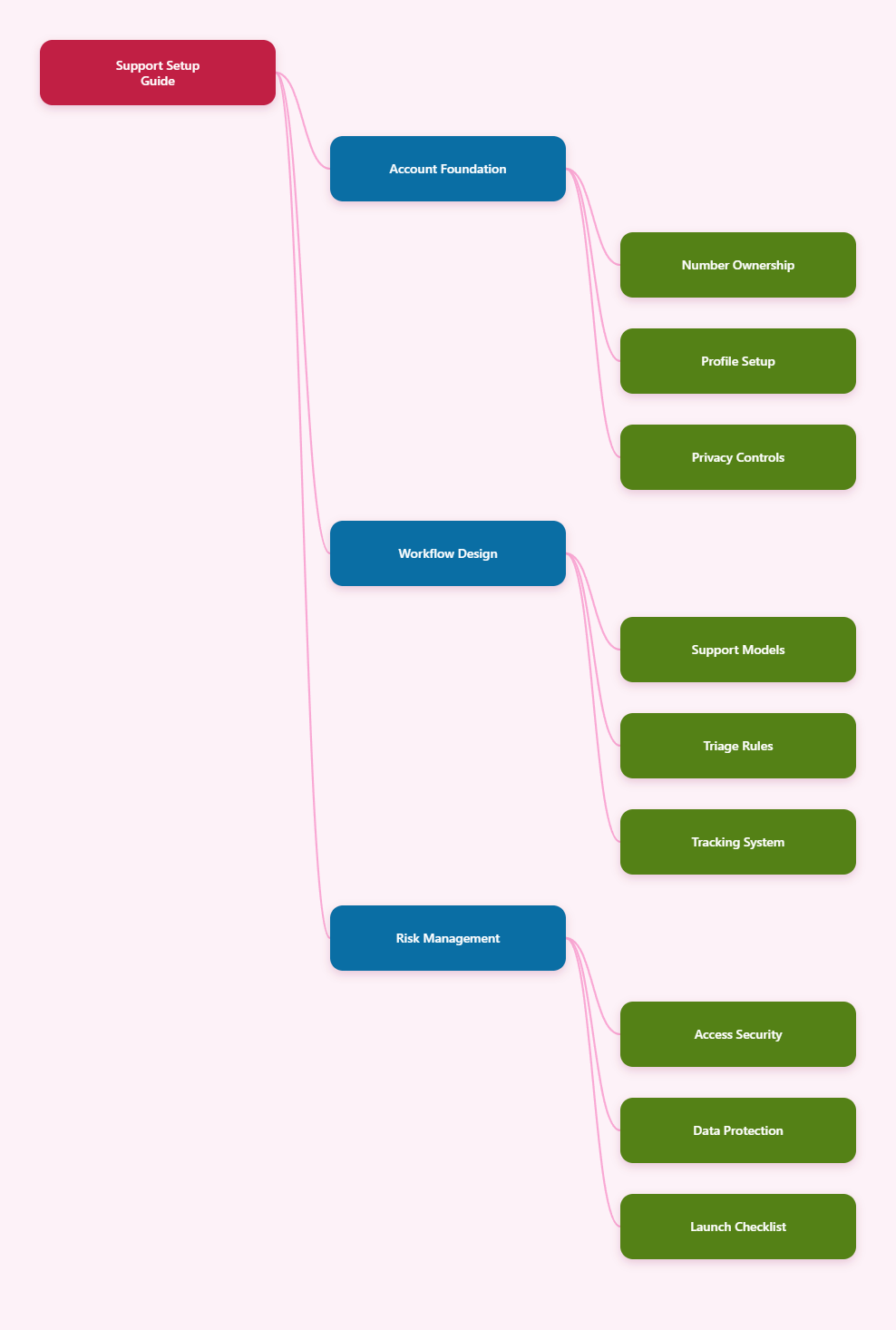
What Businesses Should Know Before Setup
Telegram is not an email inbox with a chat skin. It is an account-based messaging platform where identity, phone number ownership, device access, and notification behavior matter.
Telegram states in its FAQ that a phone number is currently the way it identifies a user. That means you cannot create a normal Telegram account with only an email address.
For customer support, this creates three immediate planning questions:
- Who controls the phone number used for registration?
- Who can access the account if a team member leaves?
- Will customers contact a user account, a bot, a group, or a channel?
The best setup is usually a dedicated business-controlled number, a branded Telegram profile, a public username, two-step verification, and a clear handoff path to human agents. Smaller teams can start with the official Telegram app, while larger teams should connect Telegram to a shared inbox, CRM, or bot workflow.
Why Telegram Requires a Number
Telegram registration requires a phone number because that number acts as the account identifier. The number does not have to be displayed publicly, but it must be available during signup and future verification events.
Using a personal employee number is risky. If the employee loses access, changes roles, or leaves the company, account recovery becomes messy and customer conversations may be trapped in the wrong place.
A business should use a number it can retain and manage long term. This may be a company mobile line or another legitimate number capable of receiving verification codes.
What Customers Actually See
By default, Telegram users can message people in their phone contacts or find public usernames. Telegram also allows users to control who can see their phone number in Settings under Privacy and Security.
For a support account, customers should see a clear name, photo, username, and business information. They should not need to know the underlying registration number.
Set a public username that matches the brand or support function as closely as possible. A predictable username reduces confusion and makes it easier to link from your website, help center, order emails, and app screens.
How to Create Telegram Account for Customer Support
The practical process is simple, but the details matter. Treat the account as business infrastructure, not a casual chat profile.
Step 1: Prepare the Business Number
Choose a phone number that your company controls. It must be able to receive Telegram verification, and someone responsible should have documented access to it.
Before using a virtual or secondary number, test whether it can reliably receive SMS or calls. Avoid public disposable numbers because anyone who can see the verification code may be able to interfere with account access.
Document the number owner, renewal process, and recovery contact. A support channel should not fail because a prepaid number expired.
Step 2: Install Telegram Officially
Download Telegram from official app stores or from Telegram’s official website for desktop. Start with a mobile device because signup commonly begins with phone verification.
Enter the business-controlled phone number and confirm the verification code. After the account is created, add the official desktop app or web access only on devices your company approves.
Use a profile name customers will recognize immediately. For example, use a format such as Brand Support or Brand Help instead of an individual staff member name.
Step 3: Set Username and Profile
Open the profile settings and create a public username. This lets customers find and message the account without seeing the registration number.
Keep the username short, brand-specific, and easy to type. Avoid extra punctuation if a cleaner version is available.
Add a brand logo or support-specific image. The goal is instant recognition in search results, chat lists, and forwarded contact links.
Step 4: Lock Down Privacy
Go to Settings, then Privacy and Security. Review the Phone Number setting and choose who can see the number and who can find the account by number.
For most support accounts, the safer default is to limit phone number visibility. Customers can still reach the account through the public username or direct links.
Also review profile photos, calls, groups, forwarding, last seen status, and active sessions. These settings reduce unwanted contact paths and make the account look more professional.
Step 5: Enable Two-Step Verification
Telegram supports two-step verification by adding a password that is required when logging in on a new device. This protects the account beyond the one-time login code.
Create a strong password and store it in a company password manager. Add a recovery email that belongs to the business, not a personal mailbox.
Review active sessions after setup. Remove devices that are no longer needed, and make this review part of the monthly support operations checklist.
Choose the Right Support Model
After account creation, decide how customers will use Telegram. The wrong model can create noise, privacy problems, or missed conversations.
Telegram offers several building blocks. A user account supports direct human chat, a bot handles automation, a group supports community or team discussion, and a channel broadcasts updates to subscribers.
| Support Model | Best For | Main Risk | Practical Use |
|---|---|---|---|
| Business account | Direct customer chats | Harder to share at scale | Small teams and VIP support |
| Telegram bot | Automation and routing | Poor answers if unmanaged | FAQs, tickets, order checks |
| Private group | Customer plus team collaboration | Privacy mistakes | Complex B2B support cases |
| Public group | Community discussion | Spam and moderation load | User communities and feedback |
| Channel | One-way announcements | No personal support by itself | Status updates and launches |
When to Use a Business Account
A Telegram Business account is useful when customers expect direct help from a real team. Telegram introduced Business features such as opening hours, location, quick replies, greeting messages, away messages, custom start pages, and chatbot support.
These features help customers understand when you are available and what kind of help they can expect. Quick replies are especially useful for repetitive answers such as refund policy, shipping status instructions, warranty steps, and onboarding links.
Telegram Business features have been available through Telegram Premium according to Telegram’s official business materials. Check Telegram’s current pricing and availability in your region before planning costs.
When to Use a Bot
A bot is better when the first response should be automated. Telegram’s Bot API is an HTTPS-based interface, and bots can handle commands, buttons, deep links, payments, Mini Apps, and integrations.
A support bot can collect an order number, ask for a problem category, show FAQ buttons, create a ticket, or escalate to a human. The strongest bot workflows are narrow and predictable.
Do not make a bot pretend to solve everything. Customers need a visible route to a person when the question involves billing disputes, account access, sensitive details, or unusual edge cases.
When to Use Groups and Channels
Groups are useful when many people need to discuss the same issue. Telegram groups can support large communities, but customer support groups require moderation, rules, and privacy discipline.
Use private groups for account-specific or project-specific support. Do not invite unrelated customers into the same private support space unless the community model is intentional and clearly disclosed.
Channels are best for announcements, release notes, outage updates, policy changes, and educational posts. A channel should complement support, not replace the place where customers can ask for help.
Build a Practical 2026 Workflow
A good Telegram support setup answers three operational questions: how requests enter, how they get assigned, and how outcomes are tracked. Without that, messages become scattered across devices and shifts.
Create Entry Points
Add the Telegram username or link to places where customers already look for support. This may include the website footer, help center, order confirmation email, mobile app profile page, and social profiles.
Use one primary entry point per customer journey. Too many links, bots, groups, and usernames can split your queue and make response time harder to measure.
If you use a bot, deep links can route customers into specific flows. For example, a billing link can open a billing support path, while a delivery link can ask for order details first.
Define Triage Rules
Support teams need a simple triage model before message volume grows. Decide which questions are answered by quick replies, which go to a bot, and which require a human.
Use categories such as:
- Account access and login issues
- Orders, invoices, and refunds
- Technical troubleshooting
- Product questions before purchase
- Abuse, safety, or compliance reports
Each category should have an owner, expected response time, and escalation path. This turns Telegram from a chat app into a controlled support channel.
Track Conversations Outside Chat
Telegram alone is not always enough for reporting. If your team needs service-level agreements, ticket history, customer fields, or analytics, connect Telegram to a support platform or internal workflow tool.
At minimum, record unresolved cases in a shared ticketing system. Include the Telegram username, issue category, owner, status, and last action.
This is especially important when you create telegram account for customer support across multiple agents. The customer sees one brand, but the business needs accountability behind the scenes.
Security and Compliance Checklist
Support conversations often include personal details, order data, screenshots, invoices, and account questions. A Telegram support channel needs security rules from day one.
Protect Account Access
Use two-step verification, a business recovery email, and a password manager. Limit active sessions to approved devices and review them regularly.
Do not share login codes in team chats. Treat login codes as sensitive credentials, because they can unlock account access.
When an agent leaves, remove their device session immediately. Also rotate any related passwords or bot tokens they could access.
Reduce Data Exposure
Ask customers for only the information needed to solve the issue. Avoid collecting full payment card details, government IDs, or passwords through chat.
For sensitive tasks, move customers to a secure form, authenticated portal, or verified payment flow. Telegram can start the support journey, but it should not become an unsafe data collection tool.
Use pinned messages or automated prompts to tell customers what not to send. Keep the language short and operational.
Separate Public and Private Spaces
Public groups and channels are not suitable for private support details. Use them for general education, updates, and community discussion.
Move account-specific issues into direct chat, a private support group, or a secure ticket. This protects customers and keeps moderators from handling private data in public threads.
Assign moderators for public spaces. Spam, impersonation, and off-topic posts can damage trust quickly if no one owns the space.
Common Mistakes to Avoid
The biggest mistakes are usually setup mistakes, not technology limits. Fixing them later can be painful once customers have the old contact saved.
Using a Personal Number
A personal number creates continuity risk. If that person leaves, loses the SIM, or changes devices, the company may lose control of the support identity.
Use a company-controlled number from the beginning. Document ownership and renewal details in the same place you store other support infrastructure notes.
Skipping Privacy Settings
Some teams assume Telegram automatically hides everything. In reality, privacy settings should be reviewed manually, especially phone number visibility and who can add the account to groups.
Set the public username as the customer-facing identity. Then limit number visibility according to your support policy.
Automating Too Much
Bots are useful, but poor automation creates frustration. A bot that loops customers through irrelevant choices can make Telegram feel worse than email.
Start with the top five repeat questions. Add human escalation before expanding into more complex flows.
Launch Checklist for Your Team
Before announcing the channel, run a full internal test. Send messages from a customer account, check notifications, verify quick replies, test away messages, and confirm escalation.
Use this checklist before launch:
- Business-controlled phone number is active
- Telegram account is registered and named clearly
- Public username is set
- Phone number visibility is reviewed
- Two-step verification is enabled
- Recovery email belongs to the business
- Active sessions are approved
- Quick replies or bot flows are tested
- Support hours and escalation rules are documented
- Website and help center links point to the right account
After launch, monitor response time, unresolved messages, repeated questions, spam volume, and handoff failures. These signals show whether the Telegram channel is reducing support friction or just moving it into another inbox.
Conclusion
To create telegram account for customer support in 2026, start with ownership and security, then build the workflow. A reliable account needs a business-controlled phone number, public username, privacy settings, two-step verification, and clear operating rules.
Telegram Business features, bots, groups, and channels can all support customers, but each tool serves a different purpose. Use direct chats for personal help, bots for structured intake, private groups for collaborative cases, and channels for announcements.