
If you want to create Telegram account avoid spam problems from day one, the safest approach is simple: register with a reliable phone number, secure the account immediately, control who can find you, and avoid unsolicited outreach. Telegram is easy to join, but new accounts can face restrictions if they behave like spam accounts too quickly.
This guide explains how Telegram registration works in 2026, what settings matter, and how to use the platform without triggering avoidable limits. It is written for regular users, community managers, creators, and business teams that need a clean, long-term Telegram setup.
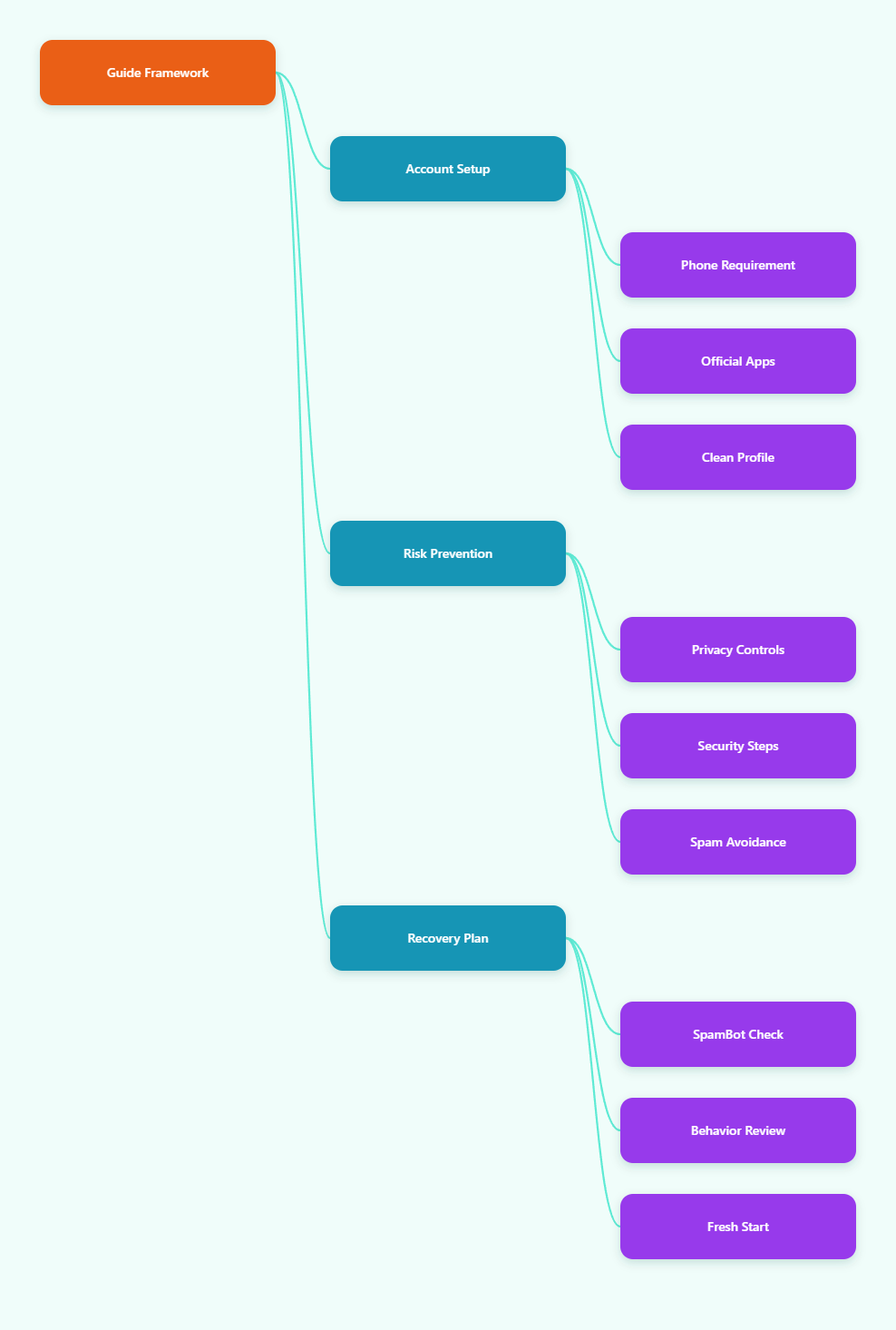
What to Know Before You Create a Telegram Account
Telegram is a cloud-based messaging app with mobile, desktop, and web apps. It uses your phone number as the account identifier, while usernames let people contact you without seeing that number.
Before registration, decide whether this account is personal, professional, or community-facing. That choice affects your profile name, privacy settings, contact syncing, and early messaging behavior.
You Still Need a Phone Number
Telegram registration requires a phone number so the platform can send a verification code. According to Telegram’s privacy documentation, phone numbers help users move from SMS and other apps while keeping their social graph.
Some guides discuss virtual numbers or anonymous numbers, but you should be cautious. Disposable or low-quality numbers may be harder to recover, may be reused by others, and may raise trust issues if they were previously abused.
For the most stable account, use a number you control long term. If you lose access to the number and are logged out everywhere, account recovery becomes difficult.
Use Official Telegram Apps
Download Telegram only from official app stores or Telegram’s official website. Avoid modified APKs, unofficial desktop builds, or “enhanced” clients that ask for unusual permissions.
Official apps reduce the risk of stolen codes, session hijacking, and fake login pages. This is especially important if you plan to manage channels, groups, or customer conversations.
Prepare a Clean Profile
A blank or suspicious profile can make strangers less likely to trust your messages. Before contacting anyone outside your contacts, set a normal name, profile photo, and short bio if relevant.
- Use a real or recognizable display name.
- Avoid misleading brand names or impersonation.
- Do not add scam-like promises in your bio.
- Use a username that matches your identity or project.
A complete profile does not guarantee you will avoid limits, but it helps your account look legitimate to real users.
How to Create Telegram Account Avoid Spam Restrictions
The registration process is short, but the first hour matters. If you create an account and immediately message many strangers, join many groups, or forward promotional links, you increase the chance of spam reports or automated limits.
Step-by-Step Registration
Start with the official Telegram app on iOS, Android, desktop, or web. The exact labels may vary slightly by device, but the flow is consistent.
- Install Telegram from an official source.
- Open the app and choose Start Messaging.
- Select your country code and enter your phone number.
- Enter the verification code sent by SMS, call, or another active Telegram session.
- Add your name and optional profile photo.
- Review privacy settings before messaging new people.
If you do not receive a code, use the app’s built-in resend or call option. Do not buy codes from strangers or use third-party “verification services.”
Set a Username Carefully
A Telegram username lets people find and message you without knowing your phone number. This is useful for privacy, support, creator accounts, and public communities.
Choose a username that is easy to spell and not deceptive. If you represent a brand, match your website or social handles where possible.
Do not use usernames that imitate Telegram support, exchanges, banks, influencers, or public officials. Impersonation can lead to reports and account problems.
Do Not Rush Outbound Messaging
Telegram’s Spam FAQ warns that people usually do not like being contacted by strangers and may report unsolicited messages. Reports can result in temporary limits, including losing the ability to message non-contacts.
For a new account, keep early activity human and low-risk. Reply to people who message you first, join only relevant groups, and avoid repeated copy-paste messages.
There is no official public number that says exactly how many messages trigger limits. Treat any third-party numeric claims as estimates, not rules.
Privacy Settings to Configure Immediately
Telegram gives you several privacy controls under Settings > Privacy and Security. These settings help protect your phone number and reduce unwanted contact.
Privacy is not only about hiding information. It also reduces the chance that scammers, bots, or random users target your account.
Hide Your Phone Number
Telegram’s FAQ states that by default, your phone number is visible to people you have added to your address book as contacts. You can change this in privacy settings.
Go to Settings > Privacy and Security > Phone Number. Under “Who can see my phone number,” choose the option that fits your situation.
- Nobody: best for public-facing accounts.
- My Contacts: reasonable for personal accounts.
- Everybody: usually not recommended for privacy.
You can also control who can find you by your number. For most users, limiting discovery to contacts is safer.
Review Contact Syncing
Telegram asks permission before syncing contacts. If enabled, Telegram can use saved phone numbers and names to notify you when contacts join and display names properly.
If you want a more private setup, avoid syncing contacts at registration or disable it later. On mobile, also review your operating system’s contact permissions.
For business or community accounts, avoid uploading an entire personal address book unless you have a clear reason. Mixing personal and public audiences can create confusion.
Limit Invites and Random Messages
Check who can add you to groups and channels. Random group invites are a common source of spam, scams, and unwanted notifications.
Set group invite permissions to contacts only if you do not need open access. Also review profile photo visibility, last seen status, calls, forwarded messages, and voice message settings.
The goal is not to make your account invisible. The goal is to let the right people reach you while reducing low-quality contact.
Security Setup for a New Telegram Account
Security should be configured before you start using the account seriously. A Telegram account can hold private chats, admin roles, bot access, and channel ownership, so a weak setup creates real risk.
Enable Two-Step Verification
Telegram supports two-step verification, which adds a password that is required when logging in, in addition to the login code. This protects you if someone gets access to your SMS or active session.
Go to Settings > Privacy and Security > Two-Step Verification. Set a strong password and add a recovery email you can access.
Use a unique password that you do not reuse elsewhere. If you forget the password, the recovery email becomes important.
Check Active Sessions
Telegram’s active sessions feature shows devices currently logged in to your account. Review this page after setup and repeat the check regularly.
Go to Settings > Devices or the equivalent active sessions area. Terminate any device you do not recognize.
This is especially useful if you use Telegram Web, shared computers, or multiple phones. Logging out of unused sessions reduces account takeover risk.
Watch for Fake Telegram Support
Telegram verification codes and passwords should never be shared. Scammers often pretend to be support staff, group admins, advertisers, or security teams.
If someone asks for your login code, two-step password, recovery email code, or QR login confirmation, treat it as a theft attempt. Real support does not need your login code.
Block and report suspicious accounts. Do not argue with scammers, because engagement can lead to more targeting.
Comparison: Safe vs Risky Telegram Account Setup
The table below summarizes the practical differences between a stable account setup and a spam-prone setup. Use it as a quick checklist before you start messaging people.
| Area | Safer Setup | Risky Setup | Why It Matters |
|---|---|---|---|
| Phone number | Long-term number you control | Disposable or reused number | Improves recovery and trust |
| App source | Official Telegram app | Modified or unknown app | Reduces theft and malware risk |
| Profile | Clear name, photo, relevant bio | Blank, misleading, or impersonating | Users are less likely to report you |
| Privacy | Phone hidden from strangers | Number visible to everyone | Reduces unwanted contact |
| First messages | Replies and warm contacts first | Mass DMs to strangers | Prevents spam reports |
| Security | Two-step verification enabled | Only SMS login | Protects against account takeover |
How to Avoid Telegram Spam Reports After Signup
To create telegram account avoid spam issues long term, focus on consent and relevance. Telegram’s terms prohibit using the service to send spam or scam users, and its spam guidance warns against unsolicited messages.
Message People Who Expect You
The safest conversations are with people who already know you, saved you as a contact, joined your community, or asked you to message them. Consent matters more than clever wording.
If you run a business, move users to Telegram through opt-in links on your website, email, receipt page, or support flow. Let people start the chat first whenever possible.
- Use “Contact us on Telegram” links.
- Ask users to message your username first.
- Explain what kind of replies they will receive.
- Avoid surprise promotional DMs.
This approach lowers reports because the user understands why you are contacting them.
Avoid Copy-Paste Outreach
Repeated identical messages are a common spam signal across messaging platforms. Even if your offer is legitimate, copied outreach to strangers can feel abusive.
Personalize messages only when there is a real relationship or context. Do not scrape usernames from groups and contact them one by one.
If your goal is marketing, use channels, groups, bots, email lists, ads, or opt-in communities instead of cold DMs. Telegram is not designed as a cold prospecting database.
Respect Group Rules
Public groups often have rules about links, promotions, bots, language, and posting frequency. Breaking those rules can get you reported by members or banned by admins.
Read pinned messages before posting. Introduce yourself naturally and contribute before sharing links.
If you manage a group, set moderation rules early. Use trusted admins and bot tools carefully, but do not add users to groups without permission.
What to Do If Your Telegram Account Is Limited
A limited account may be unable to message non-contacts or perform certain actions. This does not always mean the account is permanently banned.
Telegram’s official route for spam-related limits is the verified @SpamBot, also known as Spam Info. Use only the verified bot and avoid lookalikes.
Check @SpamBot
Open Telegram search and type @SpamBot. Start the bot and follow the instructions it gives.
The bot can tell you whether your account is limited and may provide an appeal path. Be concise, honest, and polite if you believe the restriction was a mistake.
Do not send repeated angry appeals. One clear explanation is better than spamming the appeal channel.
Stop the Behavior That Caused Reports
If you were contacting strangers, posting links in groups, forwarding the same message, or running aggressive automation, stop immediately. Continuing the same behavior can make recovery harder.
Use the waiting period to clean your profile, review privacy settings, and remove risky automation. If your account is for a business, redesign the workflow around opt-in conversations.
Temporary limits may lift automatically, but Telegram does not publish exact timelines for every case. Be patient and avoid trying to bypass restrictions with more accounts.
Know When to Start Fresh Carefully
If an account was created with a number you cannot keep, a fake profile, or unsafe tools, it may be better to restart correctly. However, creating many accounts to evade limits can look suspicious.
Start fresh only when you can use a stable number, official app, real profile, and compliant behavior. The goal is not to trick Telegram but to build a normal account.
Best Practices for Business and Community Accounts
Telegram can work well for support, content distribution, product communities, and creator updates. The key is to design around user intent rather than interruption.
Use Channels for Broadcasting
Channels are better than direct messages for one-to-many updates. People choose to subscribe, and you can publish news, offers, tutorials, or alerts without messaging strangers individually.
Promote your channel link on your website, newsletter, social profiles, and product pages. Do not send channel links to random users who did not request them.
Use Groups for Discussion
Groups are useful for community support and peer discussion. Set expectations with clear rules, pinned posts, and moderation guidelines.
Keep spam under control by limiting link posting for new members, appointing moderators, and removing obvious scam messages quickly. A clean group builds trust and reduces complaints.
Use Bots Transparently
Bots can help with support menus, onboarding, FAQs, reminders, and order updates. They should be permission-based and easy to stop.
Tell users what the bot does before they interact with it. Avoid forcing users into repeated messages they did not request.
Common Mistakes to Avoid in 2026
Most Telegram account problems are not caused by registration itself. They happen because users rush into high-risk behavior after signup.
Using Telegram Like an Email Blaster
Cold outreach at scale is the fastest way to attract reports. Telegram users expect messaging to be personal, relevant, and consent-based.
If you need scalable marketing, build an opt-in funnel. Use your website, lead magnet, email confirmation, or customer portal to invite people voluntarily.
Ignoring Phone Number Privacy
Many users assume their number is always hidden. That is not the safest assumption.
Check phone number visibility manually after creating the account. Also review contact syncing so you understand who may discover you.
Skipping Two-Step Verification
SMS verification alone is weaker than two-step verification. A stolen code can lead to account takeover if no extra password is required.
Enable two-step verification immediately, especially before creating public channels, managing groups, or handling customers.
Final Checklist: Create a Clean Telegram Account in 2026
Here is a practical checklist you can follow in order. It keeps the process simple while reducing privacy, security, and spam risks.
- Use a phone number you control long term.
- Install Telegram from an official source.
- Complete your profile honestly.
- Set a username for privacy-friendly contact.
- Hide your phone number from strangers.
- Review contact syncing and discovery settings.
- Enable two-step verification.
- Check active sessions regularly.
- Message only people who expect you.
- Use channels, groups, and bots for opt-in communication.
- Check verified @SpamBot if limits appear.
Telegram is not difficult to set up, but responsible use matters. If your goal is to create telegram account avoid spam restrictions, the winning formula is stable registration, strong security, privacy-first settings, and consent-based messaging.