
If you are asking how long does it take to register in Telegram, the honest answer is usually only a few minutes. The real bottleneck is not the signup form itself, but the verification code and the phone number behind it.
This guide breaks down the actual timing, the main delay points, and the safest way to finish a Telegram account setup without wasting time. If your code is delayed, you will know what to check first instead of guessing.
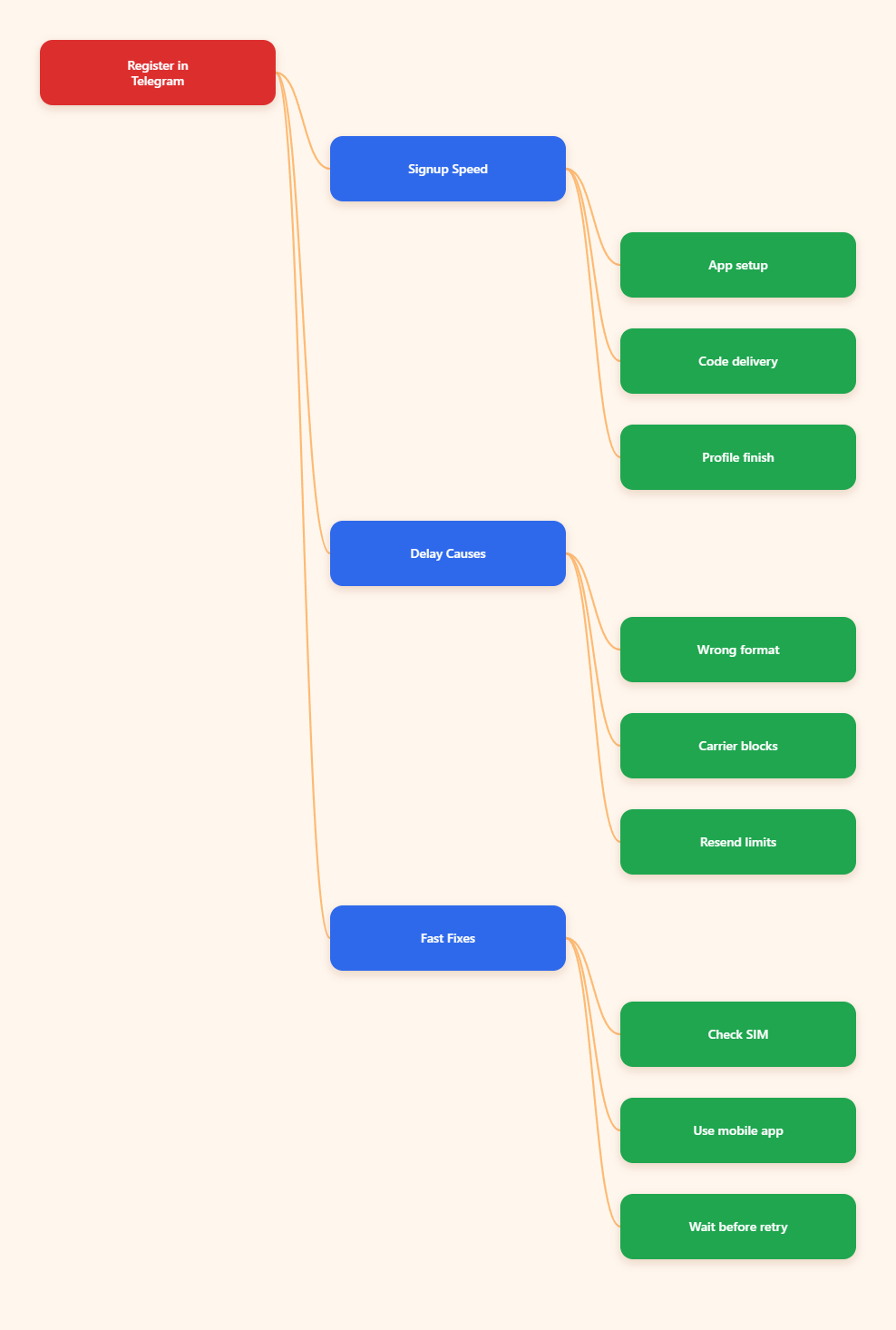
How Long Does It Take to Register in Telegram in 2026?
For most people, Telegram registration is quick once the code arrives. The app install, phone-number entry, and profile setup are all short steps, so the process often finishes in one sitting.
The part that changes the clock is verification. If Telegram sends the code immediately and your phone receives it without issue, signup can feel almost instant. If the code is routed to another device, filtered by your carrier, or delayed by a temporary cooldown, the same signup can stretch from minutes into a longer wait.
Fast Case
If you already have the official app installed, enter the number correctly, and receive the code on the first try, registration is usually very fast. The remaining steps are just name entry and basic profile setup.
Slower Case
If SMS is delayed or the code goes to another active session, the process takes longer because you need to resolve the delivery path first. That is why the same account creation flow can feel easy for one person and frustrating for another.
- Fastest path: official app, correct number, first code works.
- Normal path: a short wait while the code arrives.
- Delayed path: carrier filtering, resend cooldown, or another device receiving the code.
What Actually Changes the Signup Clock?
Telegram registration time is mostly about delivery reliability, not account complexity. The form is simple, but the code has to reach the right place at the right time.
Three things matter most in 2026: the app you start with, the number format you enter, and the route Telegram uses to deliver the code. If any of those are off, you may be waiting even though the process looks simple on the surface.
The App Matters
For a brand-new account, the safest first step is the official mobile app from Google Play or the App Store. Telegram Web is for existing users, so it is not the right place to expect a first-time signup flow.
The Number Matters
Enter your phone number in international format and make sure the country code is correct. A missing digit, an extra zero, or a pasted contact entry can send you into a dead end before the code even has a chance to arrive.
The Code Path Matters
Telegram may send the login code by SMS or to another active Telegram session. If you already have an account open on a different device, check that device first because the code may appear there instead of arriving by text.
- Correct format: country code plus full number.
- Working SIM: able to receive normal SMS messages.
- Stable signal: enough network coverage for delivery.
- Low retry pressure: avoid tapping resend too often.
How Do You Sign Up the Right Way?
The fastest registration is usually the one that avoids detours. Start with the official app, use a reachable phone number, and finish the steps in one clean run.
Telegram does not need an email address for account creation. The number is the key identity signal, and the setup only asks for a basic profile after verification.
Step 1: Install the Official App
Download Telegram from the official app store for your device. That keeps you on the supported path and avoids confusion from unofficial installers or browser-based workarounds.
Step 2: Enter Your Number
Tap the start option, then enter your phone number with the right country code. Double-check the digits before you move forward because a clean entry saves the most time.
Step 3: Wait For the Code
Telegram will send a verification code. In some cases it arrives by SMS, and in others it may appear on another logged-in device, so check both possibilities before you retry.
Step 4: Finish the Profile
After the code is accepted, add your first name and, if you want, a last name and profile photo. This part is quick, so most of the total signup time is really spent waiting on verification.
- Do this first: use the official mobile app.
- Do this carefully: enter the phone number once.
- Do this patiently: wait before retrying the code.
- Do this last: finish your profile and privacy settings.
Why Does Telegram Sometimes Slow Down Registration?
Most signup delays come from a small set of predictable causes. The good news is that they are usually fixable without starting over.
In 2026, anti-spam controls and rate limits matter more than endless resend attempts. If Telegram thinks the request pattern looks risky, it can slow delivery or force you to wait before trying again.
| Situation | What You May See | Best Next Move |
|---|---|---|
| Good connection and clean number | Signup finishes quickly | Enter the code and complete the profile |
| Carrier or SMS delay | No code for a while | Wait, then check signal and SMS filters |
| Code goes to another device | Prompt says the code was sent elsewhere | Open the active Telegram session and confirm there |
| Too many resend taps | Cooldown or limit warning | Stop retrying and give the system time |
| Wrong country format | Nothing arrives at all | Re-enter the number carefully in international format |
That table captures the pattern most people run into. A delay does not always mean a failed signup, but it does mean you should pause and check the delivery path before pressing resend again.
If you are using a number that has been recycled, ported, or recently changed, expect more friction. A fresh, active number is much more likely to complete registration quickly.
- Check the number: confirm the full country format.
- Check the device: look for SMS filters or spam blocks.
- Check the session: see whether another device got the code.
- Check your pace: avoid rapid resend loops.
Can You Register on Desktop or Web?
If your goal is a first-time account, mobile is the safest starting point. Telegram Web is meant for existing users, and it is not the place to expect a smooth new-account setup.
Desktop behavior can vary by client version and workflow, so it is better to treat it as a secondary option after the account already exists. Once registration is done on mobile, you can use desktop or web more freely for day-to-day access.
Best Practice
Create the account on the official mobile app first, then add other devices later. That keeps the signup path aligned with the official phone-verification flow.
Why This Matters
When people start in the wrong place, they often confuse login screens with signup screens. That confusion adds time even when nothing is actually wrong with the account itself.
- Use mobile first: it is the most reliable signup path.
- Use web later: after the account already exists.
- Use desktop carefully: do not assume it behaves like mobile.
What Should You Do If the Code Never Arrives?
When the code does not show up, the safest move is to slow down, not speed up. Repeated resends can make the delay worse because Telegram uses anti-abuse controls to protect the system.
Start by checking the basics, then move to the more specific fixes. In many cases the problem is not Telegram itself, but the number format, SMS filtering, or a device that already has the code.
Practical Checklist
- Confirm the number: recheck the country code and digits.
- Check normal SMS: send a text to another contact.
- Look for filters: review spam, unknown sender, or blocked-message settings.
- Check other devices: open any active Telegram session you already use.
- Wait before retrying: give the system time before another request.
- Contact your carrier: ask whether international SMS delivery is restricted.
If you still do not get a code after a reasonable wait, stop cycling the resend button. The better move is to verify the number, confirm the SMS path, and then try again once the cooldown has passed.
That approach is slower in the moment, but it usually saves time overall. It also keeps you from turning a temporary delay into a longer block.
Conclusion
So, how long does it take to register in Telegram in 2026? For most users, the answer is still a few minutes when the verification code arrives cleanly. The signup form itself is simple, but the real clock is controlled by your phone number, your carrier, and the route Telegram uses to deliver the code.