
If you are looking for a free way to register in Telegram anonymously, the first thing to know is simple: Telegram still requires a phone number to create an account. That has not changed in 2026. What has changed is the number of ways you can keep your personal number off the account and reduce what other users can see.
This guide breaks down what actually works, what is risky, and what the real privacy setup looks like after you create the account. You will also see where Telegram’s own rules stop the “no phone number at all” idea, and where usernames, hidden phone numbers, and two-step verification can still make a big difference.
Can You Use the Free Way to Register in Telegram Anonymously?
Not fully, and that is the honest answer. Telegram’s own help pages say your account is tied to a mobile number, and that number is the core identifier used to register and log in.
So if by “anonymous” you mean no personal phone number attached to the account, then yes, that can be done. If you mean no number at all, then no legitimate method currently gives you that result.
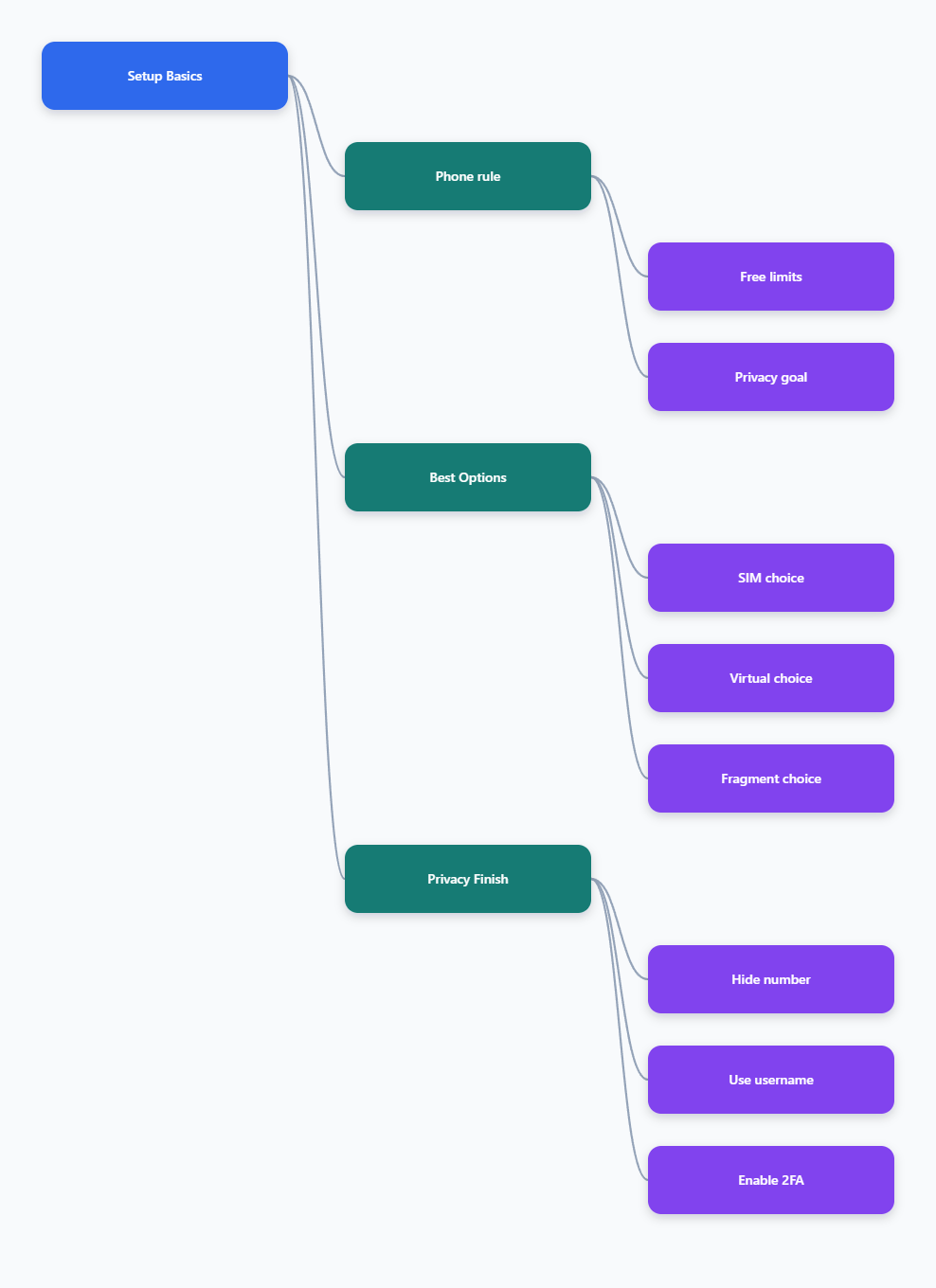
The practical goal in 2026 is not absolute invisibility. It is to separate your Telegram account from your everyday identity as much as possible.
- Use a number that is not your main personal SIM.
- Hide your phone number in Telegram settings after signup.
- Use a username so people can contact you without seeing digits.
- Turn on two-step verification so the account is harder to take over.
That is the real privacy model on Telegram. It is better described as number minimization than true no-number anonymity.
What Actually Works in 2026?
There are four practical routes people use in 2026, but they are not equal. Some are cheaper, some are safer, and some are only useful for very short-term testing.
1. A spare SIM or secondary eSIM
This is usually the most stable option if you want an account that lasts. A real mobile line is less likely to break during signup, and it gives you a recovery path later.
If privacy is your goal, use a number that is not tied to your everyday contacts or public profiles. A dedicated secondary line is often better than a public “free SMS” inbox.
2. Paid virtual numbers
Virtual numbers can work, but quality matters. In 2026, the biggest mistake is choosing the cheapest disposable number and expecting it to behave like a normal phone line.
Many providers market convenience, but not all numbers are treated the same by platforms. For Telegram, stability matters more than speed.
3. Telegram’s Anonymous Numbers via Fragment
Telegram introduced anonymous numbers through Fragment in late 2022, and they remain the most privacy-focused official option. These are blockchain-based numbers designed specifically for Telegram accounts.
The tradeoff is cost. This is not the free route, but it is the closest thing to an official private registration method.
4. Free public SMS sites
This is the option most people search for, and it is the one you should treat with the most caution. Public inboxes are public, which means other people can read the same incoming messages.
They also tend to be unreliable for major platforms, and many users report blocked numbers, failed codes, or fast account problems after signup. That makes them a poor choice for anything important.
| Method | Upfront Cost | Reliability | Privacy Level |
|---|---|---|---|
| Free public SMS site | Free | Low | Very low |
| Secondary SIM or eSIM | Low to medium | High | Good |
| Paid virtual number | Low to medium | Medium to high | Good |
| Fragment anonymous number | Paid | High | Very high |
If you want the simplest answer, here it is: there is no truly free and reliable way to register in Telegram anonymously without using some phone number. The cheapest path that still respects privacy is usually a separate line or a trustworthy paid number.
How Do You Hide Your Number After Signup?
Once the account exists, Telegram gives you useful privacy controls. This is where many people get real value, because most of the exposure happens after signup, not during it.
Go to Settings > Privacy and Security > Phone Number and review who can see or find you by your number. For most privacy-focused users, the goal is to limit both visibility and discoverability.
Use these settings first
- Who can see my phone number: set it to Nobody if you do not want casual viewers to see it.
- Who can find me by my number: set it to My Contacts if you want to reduce discovery.
- Username: create one and share that instead of your number.
- Sync contacts: review and delete synced contacts if you do not want Telegram linking your address book.
A username is especially useful in groups and channels. People can message or mention you without ever seeing your phone number, which is the main privacy win for everyday use.
Do not skip two-step verification
Telegram supports two-step verification, and it is worth enabling immediately. If someone gets your code, your account is still protected by an extra password.
That matters even more if you used a secondary number, because losing control of the number should not automatically mean losing the account.
Which Option Is Safest for Different Users?
The “best” method depends on why you want anonymity. A casual user, a journalist, a seller, and a traveler do not have the same risk level or budget.
The table below is a quick way to match the method to the use case.
- Casual privacy: a secondary SIM or eSIM is usually the easiest balance of cost and reliability.
- Long-term private account: a paid virtual number or Fragment anonymous number is better than a public SMS site.
- Short test account: a free public inbox may work once, but it is not a serious option for ongoing use.
- High privacy needs: use an anonymous number, then lock down every privacy setting inside Telegram.
There is also a practical rule many people ignore: if the number is cheap because it is shared, recycled, or public, it is usually cheap for a reason. That reason is often lower reliability or lower privacy.
For most people, the safest approach in 2026 is not chasing a magical free method. It is choosing the least personal number you can reasonably use, then hardening the account after signup.
What Mistakes Break Telegram Privacy?
Most Telegram privacy failures are self-inflicted. The account may start privately, but one bad setup choice can expose more than you expected.
Using public SMS inboxes
These look convenient, but they are public by design. If the verification code is visible to everyone, the account is not truly private at signup.
Leaving the phone number visible
Telegram lets you hide the number, but many users never change the default settings. That leaves a direct privacy leak in place.
Relying on one login factor
If you only use the SMS code and never enable a password, the account is easier to take over. Two-step verification closes that gap.
Sharing the wrong identifier
Your username is safer than your phone number, but only if you actually use it. Avoid posting the linked number anywhere else if the goal is separation.
- Do not reuse the same number across public profiles.
- Do not assume a hidden number means total anonymity.
- Do not trust any service that promises “free and private” without explaining the tradeoff.
If you want a reliable Telegram setup, think in layers. The number choice matters, the privacy settings matter, and the login security matters just as much.
Conclusion
In 2026, the answer to the search for a free way to register in Telegram anonymously is still mixed. You cannot create a Telegram account without using some phone number, but you can keep your personal number private and reduce what other people can discover.