
If you want to hide telegram number channel admin visibility, the first thing to know is simple: Telegram channel admins usually cannot see your phone number just because you joined a channel. In most cases, the real privacy risk comes from your own settings, synced contacts, and whether someone already has your number saved.
That means the fix is not one mysterious button. It is a small set of settings that work together, and if you set them correctly, you can make your Telegram presence much harder to link back to your phone number.
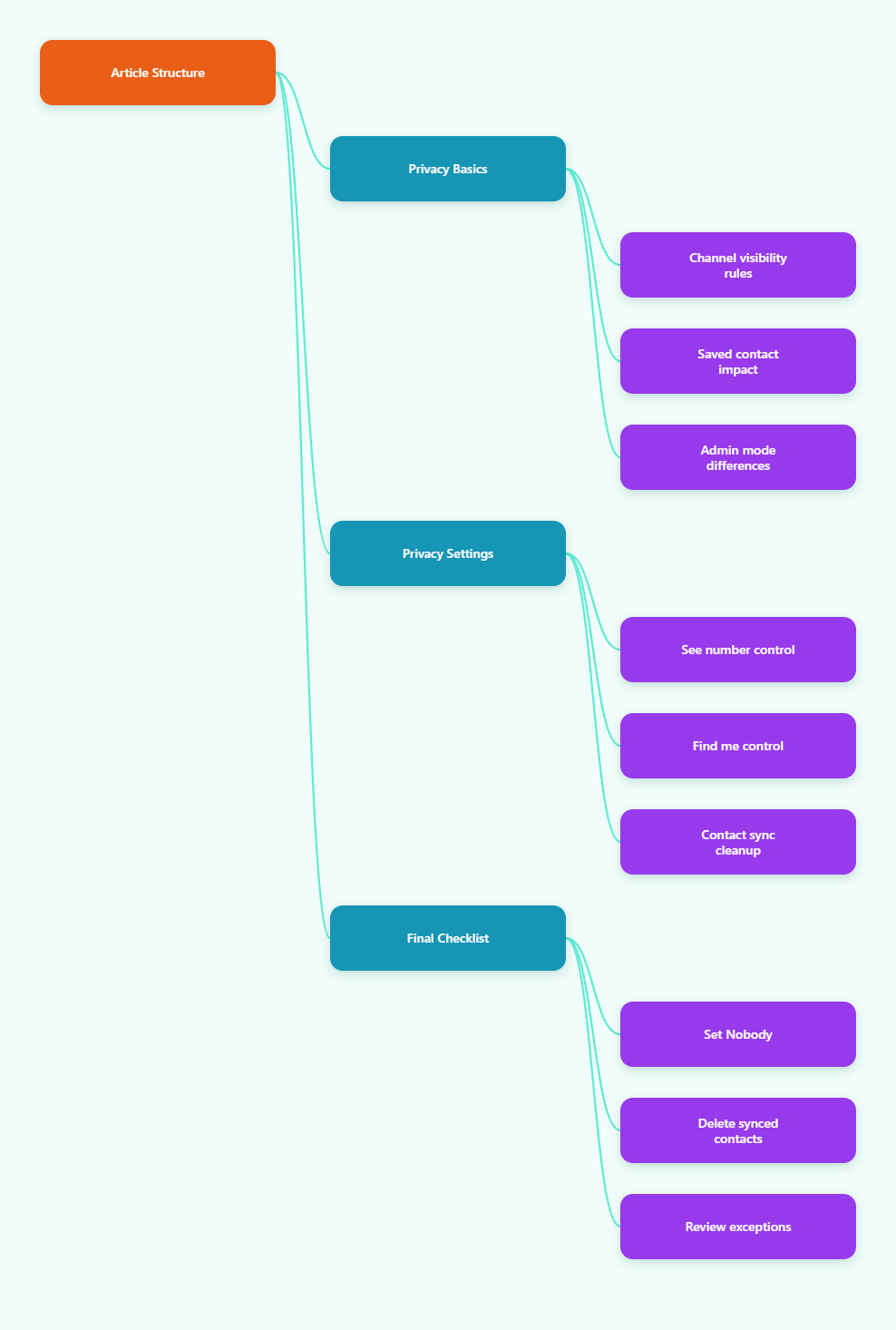
What Telegram Channel Admins Can See
Telegram channels are built for broadcasting, not for exposing subscriber contact details. As a rule, admins can see your display name, your username if you set one, and whatever profile info you choose to make public.
They do not normally get your phone number from simply having channel admin access. The bigger exception is not the channel itself, but the contact relationship behind the scenes.
Channel View vs Group View
In channels, your phone number is not presented to admins as a standard subscriber detail. In groups, privacy depends more on the chat type, your settings, and whether a person already has your number in their address book.
If your goal is privacy, do not assume every Telegram space behaves the same way. A channel subscription is usually safer than a contact-based interaction, but the app can still connect dots through synced contacts and discoverability settings.
Why Saved Contacts Matter
If someone has your number saved in their phone and uses Telegram, they may still connect your number to your account through contact matching. That is why hiding your number is not only about what channel admins can see; it is also about limiting how Telegram matches your account to real-world contacts.
This is the part many users miss. They change one visibility toggle, but they leave contact sync on, so Telegram keeps rebuilding those connections in the background.
Anonymous Admin Mode Is Different
Telegram also has anonymous admin behavior for groups and channels, but that feature protects the admin’s identity when posting or moderating. It does not hide a subscriber’s phone number from a channel admin.
So if you are reading this because you want to stay private as a user, do not rely on admin anonymity. Focus on privacy settings that control who can see and find your number.
How to Hide Telegram Number from Channel Admins
The cleanest way to protect yourself in 2026 is to tighten the settings that control visibility and discoverability. Start with the phone number page, then remove any synced contacts, and finally check the exceptions list.
These steps are quick, but they work best when you do all of them together.
1. Set Who Can See My Number to Nobody
Open Settings > Privacy and Security > Phone Number. Then set Who can see my phone number to Nobody if your goal is maximum privacy.
This is the most direct way to stop people from viewing your number in your profile. If you want a more limited setup, you can choose My Contacts, but that still leaves your number visible to people who already count as contacts.
2. Limit Who Can Find You by Your Number
On the same screen, set Who can find me by my number to My Contacts or the strictest option available for your use case. This helps reduce discovery through phone-number lookup.
That setting matters because it controls whether someone can type your number into Telegram and land on your account. If you are trying to keep a channel admin or any stranger from connecting your Telegram profile to your SIM card, this is a key layer.
3. Delete Synced Contacts
Turn off contact syncing in Telegram, then use Delete Synced Contacts if the option appears. This matters because Telegram can use uploaded contacts to connect your account with people in your address book.
- Open Telegram settings.
- Go to privacy or contacts.
- Disable syncing.
- Delete previously synced contacts.
Once you do this, Telegram has less contact data to work with. That does not erase what other people already saved on their phones, but it does reduce future matching inside the app.
4. Turn Off People Nearby
If you do not need local discovery, disable People Nearby. It is not the main channel-admin issue, but it is another path people use to discover accounts without a direct introduction.
This is especially useful if you use Telegram in public communities, events, or local groups. The fewer discovery channels you leave open, the harder it is for your account to be linked back to you.
5. Review the Exceptions List
Scroll to the bottom of the Phone Number page and check the Exceptions list. Even a well-configured privacy setup can be weakened if you left a person or group in an allow-list months ago.
If you want a true privacy reset, this is the part people should not skip. A single exception can override your intended default and make the whole setup less effective.
Telegram Number Privacy Settings That Matter in 2026
Telegram’s privacy model is useful because it gives you separate controls for visibility and discoverability. In practice, that means one setting decides who can see your number, while another decides who can find you with it.
Here is a simple way to think about the main controls.
| Setting | Recommended Choice | Why It Matters |
|---|---|---|
| Who can see my phone number | Nobody | Prevents profile viewers from seeing your number |
| Who can find me by my number | My Contacts | Limits lookup by phone-number search |
| Contact sync | Off | Stops Telegram from uploading and matching contacts |
| Delete synced contacts | Yes | Removes older contact uploads from Telegram |
| People Nearby | Off | Reduces local discovery through proximity features |
Why Username Setup Helps
A username gives people a way to reach you without using your number. If you want to stay private but still be reachable, this is one of the cleanest options.
It also changes the way you are found inside Telegram communities. Instead of exposing a phone number, you can share a handle that does not reveal your SIM card.
Why Contact Sync Still Causes Problems
Even if your number is hidden on your profile, a synced contact list can still create unwanted linkages. That is why privacy guides and Telegram’s own help material emphasize the Phone Number settings and the contact cleanup step together.
In other words, do not treat hiding your number as a single toggle. Think of it as a small privacy stack.
What About Channels in 2026?
Nothing about 2026 changes the basic principle: channel admins do not automatically get subscriber phone numbers. The real job is to stop the app from connecting your account to people who already know you offline.
That is why the best answer to hide telegram number channel admin concerns is still the same: lock down visibility, lock down discoverability, and remove old contact data.
Common Mistakes That Expose Your Number
Most privacy failures come from simple oversights. Users think they are hidden, but one old setting or a synced address book keeps the number link alive.
Using the Wrong Chat Mental Model
A channel is not the same as a group. If you assume every Telegram space has the same visibility rules, you can misread what other users and admins can actually see.
Always check whether you are dealing with a channel, a group, or a direct contact relationship before you judge the risk.
Forgetting Saved Contacts
If another person already saved your number, your privacy settings may not fully break that link. Telegram can still match contacts in ways that make your account easier to find.
That is why deleting synced contacts and turning off sync are not optional extras. They are core cleanup steps.
Leaving Old Exceptions Behind
Many people adjust a privacy page once and never look back. Months later, an exception still allows a friend, group, or contact to see information they should not have.
If you have ever changed settings for a temporary project, a local event, or a community role, check those exceptions now.
Quick Checklist Before You Join a Channel
If you want a fast pre-join privacy check, use this list. It takes less than two minutes and can prevent a lot of confusion later.
- Set phone number visibility to Nobody.
- Set number discovery to My Contacts or stricter.
- Disable contact sync.
- Delete synced contacts.
- Turn off People Nearby.
- Review the Exceptions list.
- Use a username instead of sharing your number.
If all seven items are done, your Telegram number privacy is much stronger than default. For most users, that is enough to keep channel admins from connecting your profile to your phone number.
Can Channel Admins See Your Number?
Usually no. Channel admins typically do not see your phone number simply because you joined or subscribed. They may see your name and username, but not your private number by default.
The risk increases when your settings allow contact-based discovery or when the other person already has your number saved. That is why the safest posture is to tighten both visibility and discoverability.
What If You Admin a Channel Yourself?
If you are the admin, remember that Telegram’s anonymous admin tools are about hiding the admin identity in posts and moderation actions. They are not a substitute for general account privacy.
If your goal is to separate a personal number from a public community role, keep your admin account isolated, use a username, and keep number visibility locked down.
What If You Need Partial Visibility?
Some users do want friends to find them while still staying private from strangers. In that case, choose the least permissive setup that still fits your workflow, and test it with a second account or a trusted contact.
That quick test is useful because it shows you how your profile behaves in real conditions, not just in theory.
Final Takeaway
If your goal is to hide Telegram number from channel admins, the practical answer is straightforward: channel admins usually cannot see your phone number by default, but your own privacy settings can still expose it through contact matching and discoverability.