
If you want to use Telegram without exposing your phone number, the key is understanding how privacy settings hide telegram number across visibility, discoverability, and contact syncing. In 2026, that means more than flipping one switch. You need to adjust the right settings together so strangers, group members, and synced contacts do not learn more about you than necessary.
This guide explains the exact Telegram privacy settings that matter, what each one actually does, and where people usually make mistakes. It is written for practical use, so you can change the settings once and keep your account cleaner going forward.
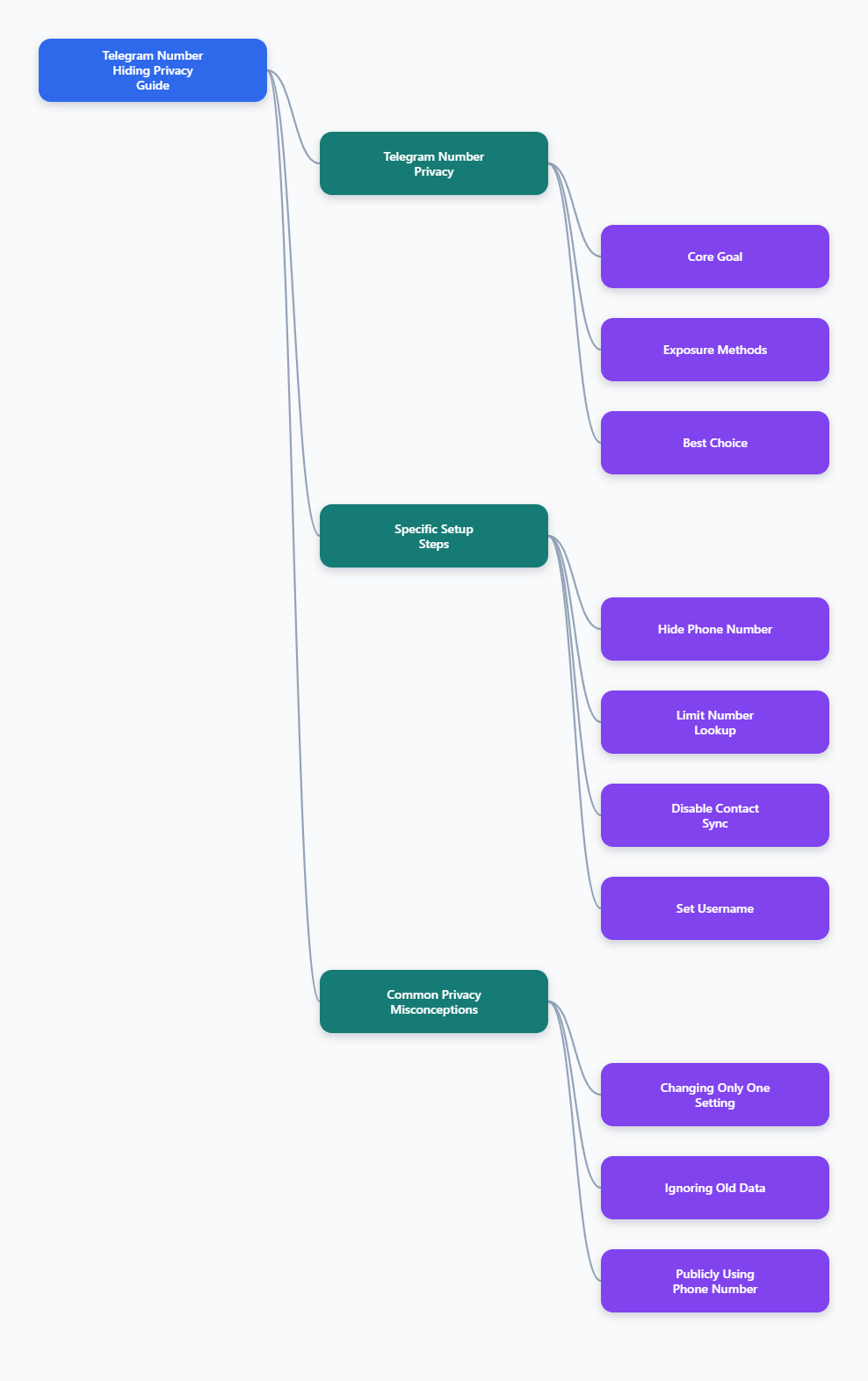
What Telegram Actually Exposes
Telegram requires a phone number to create an account, but that does not mean everyone can see it. By default, Telegram’s privacy model lets you control who can view your number and who can find you by it. Those are related, but they are not the same thing.
The first setting controls visibility. The second controls discoverability. If you miss either one, your number may still be easier to connect to your account than you expect.
Visibility vs discovery
- Visibility answers who can see your phone number on your profile.
- Discovery answers who can search for you by that number.
- Syncing can link your number to people already in your contacts list.
Telegram’s official FAQ says your number is not broadly public by default, and contact-based visibility is the main baseline. But that baseline is not enough if your goal is tighter privacy in public groups or with strangers.
| Setting | What it affects | Best privacy choice |
|---|---|---|
| Phone Number | Who can see your number | Nobody or My Contacts |
| Who Can Find Me | Who can search by number | My Contacts |
| Sync Contacts | Uploads contacts to Telegram | Off |
| Delete Synced Contacts | Removes uploaded contact copies | Run after turning sync off |
Privacy Settings Hide Telegram Number: The Exact Steps
The path is similar on Android, iPhone, and desktop. The labels can move slightly between versions, but the core controls remain the same. Start in Telegram settings, then open Privacy and Security.
From there, adjust the phone number section first. Then move to contact discovery and syncing. That sequence matters because it closes the obvious exposure points before cleaning up stored contact data.
Step 1: Hide your number
- Open Settings.
- Go to Privacy and Security.
- Tap Phone Number.
- Set Who can see my phone number to Nobody if you want maximum privacy.
- If you still want trusted people to see it, choose My Contacts.
This is the main control most people are looking for when they search for privacy settings hide telegram number. It changes who can view the number on your account profile.
Step 2: Limit discovery by number
- In the same phone number screen, find Who can find me by my number.
- Set it to My Contacts.
- Do not leave it open to everyone unless you want strangers to discover your account by phone number.
This setting is important because someone may not need to see your number on screen to connect it to your account. Discovery settings reduce that risk.
Step 3: Turn off contact syncing
- Go to Privacy and Security.
- Find Sync Contacts and switch it off.
- Then use Delete Synced Contacts to remove contacts already uploaded to Telegram.
This step matters because sync can keep account matching active even after you hide your number. Several 2026 privacy guides and user reports point to contact sync as a common reason people still feel discoverable after changing the obvious toggle.
Step 4: Set a username
- Create a username in your profile settings.
- Share the username instead of your phone number.
- Use the username as your public contact point for groups, channels, or business use.
A username does not hide your number by itself, but it reduces the need to share the number at all. That is often the simplest long-term privacy move.
Common Mistakes That Undermine Privacy
Many users change one setting, test nothing, and assume the job is done. That usually leaves a gap. Telegram privacy works best when you treat it as a set of linked controls, not a single on-off switch.
The most common mistakes are easy to avoid once you know what to look for.
- Leaving Who can find me by my number too open.
- Forgetting to disable Sync Contacts.
- Not deleting already synced contacts.
- Using your phone number as your public identity in groups.
- Assuming a hidden number also blocks discovery by other people who already saved it.
One detail matters more than most: if someone already has your number in their address book, your account can still be associated with them in ways your own settings cannot fully erase. That is normal for contact-based messaging platforms. The goal is to reduce exposure, not pretend the number never existed.
What hiding does not do
- It does not remove your number from someone else’s phone.
- It does not stop a contact from recognizing you if they already saved your number.
- It does not replace account security features like two-step verification.
For that reason, privacy settings hide telegram number, but they do not solve account security on their own. You still need to harden the account itself.
Strengthen The Rest Of The Account
Once your number visibility is handled, tighten the rest of the account. These changes do not replace the number settings, but they make your Telegram profile less predictable and reduce unnecessary data sharing.
Telegram and privacy groups consistently recommend a few basic protections that are worth enabling.
Use two-step verification
- Open Settings.
- Go to Privacy and Security.
- Enable Two-Step Verification.
This adds a password on top of your login code. If someone gets control of the SIM or login flow, the extra password still blocks easy takeover.
Review forwarded message and profile settings
- Check whether your forwarded messages reveal your account link.
- Limit profile photo visibility if you do not want broad access.
- Keep your bio and display name free of personal details.
These are not phone-number settings, but they often reveal enough context for someone to connect the dots. Privacy is a pattern, not a single switch.
Use private behavior in public groups
- Do not post your number in group chats.
- Use your username for one-to-one contact.
- Be careful when joining large public channels if you want a low-profile account.
Large groups are where casual exposure tends to happen. A hidden number helps, but public behavior still matters.
Quick Setup Checklist
If you want the short version, use this order. It is the fastest way to make the account more private without guessing which option does what.
- Set Who can see my phone number to Nobody or My Contacts.
- Set Who can find me by my number to My Contacts.
- Turn off Sync Contacts.
- Delete Synced Contacts.
- Create a username and share that instead.
- Enable Two-Step Verification.
If you are using Telegram for business, creator work, or public community management, this setup is usually the right baseline. It keeps your contact info out of casual circulation while preserving normal app use.
Final Takeaway
In 2026, the best way to use privacy settings hide telegram number is to treat number visibility, number discovery, and contact syncing as a single privacy system. Change all three, then add a username and two-step verification so the account stays useful without exposing more than necessary.