
Telegram is no longer just a side channel for crypto groups, coupon drops, or private communities. For many small businesses, it has become a direct customer relationship layer: faster than email, less algorithm-dependent than social feeds, and easier to automate than a full help desk.
This guide explains how to build a practical Telegram welcome system in 2026. You will learn what to automate, what to keep human, how Telegram Business features fit in, where bots help, and how to avoid looking like a spam operation.
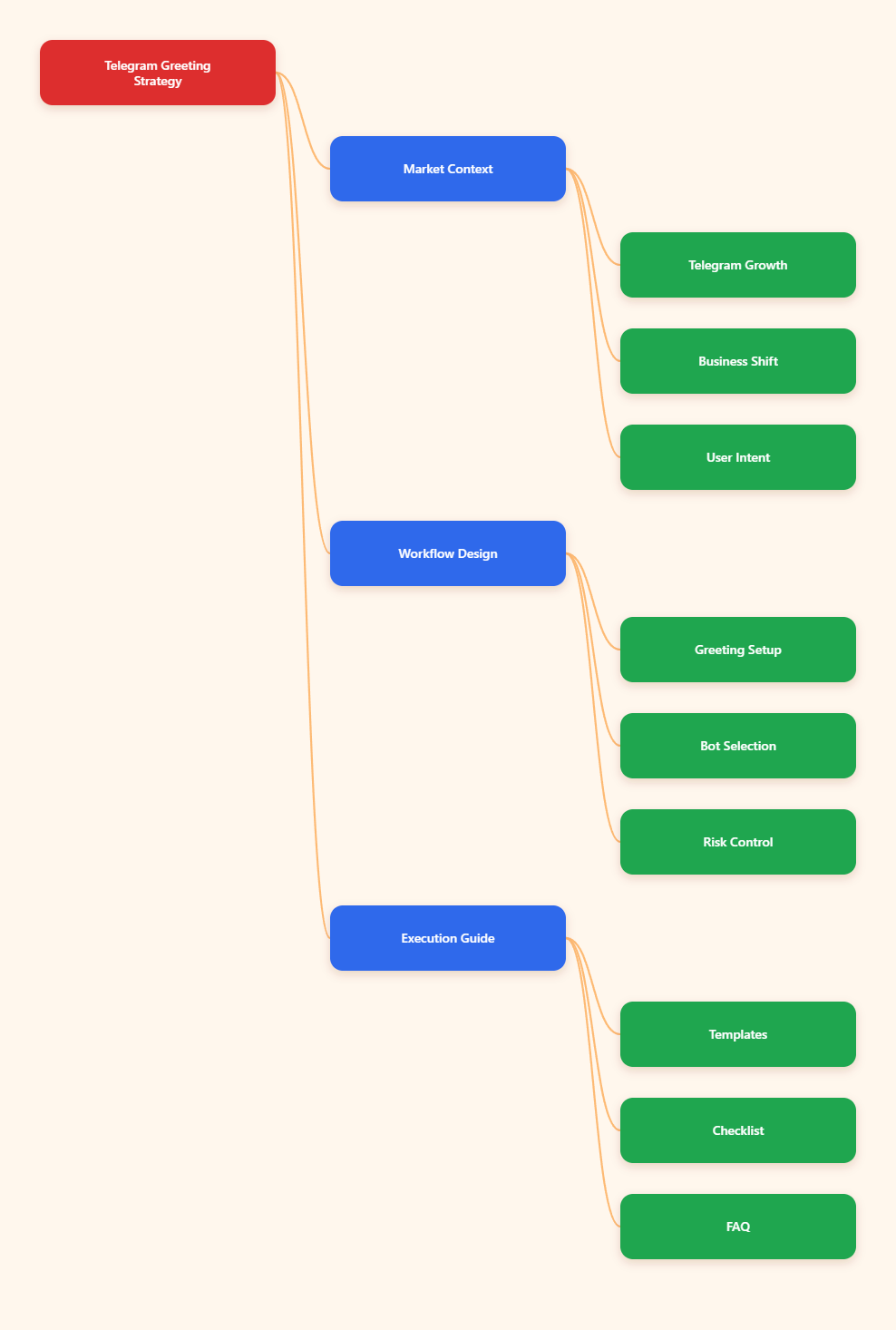
Why Telegram Matters for Small Business Marketing in 2026
Telegram crossed 1 billion monthly active users in 2025, according to public statements from Pavel Durov reported by major technology media. That scale matters, but scale alone is not the main reason marketers care.
The bigger advantage is control. A Telegram channel or group gives a business a direct line to people who intentionally joined. There is no public feed ranking every post against entertainment content, paid creator posts, and competitor ads.
For small businesses, Telegram works best when it supports one of these goals:
- Delivering fast updates to customers who already know the brand.
- Hosting a niche community around a product, course, event, or service.
- Answering repetitive pre-sale questions before a human reply is needed.
- Sharing exclusive resources, alerts, discounts, or member-only content.
- Moving high-intent users from social media into a warmer private space.
Telegram also introduced business-focused features such as business hours, location, quick replies, greeting messages, away messages, custom start pages, and chatbot support. These official features reduce the need for custom development in simple cases.
Still, Telegram is not magic. A channel with no onboarding, no clear promise, and no moderation plan becomes noisy quickly. A bot can greet people, but it cannot fix a weak offer or inconsistent content calendar.
What Is a Free Auto Greeting Bot Telegram Small Business Workflow?
A free auto greeting bot Telegram small business workflow is a lightweight automation setup that welcomes new users, sets expectations, points them to useful links, and routes common questions without requiring a staff member to reply manually every time.
It usually includes three layers:
- Native Telegram setup: group permissions, pinned messages, topics, admin roles, and channel descriptions.
- Business account features: quick replies, greeting messages, away messages, and optional chatbot connection.
- Bot automation: welcome messages, keyword replies, lead capture prompts, moderation support, or FAQ routing.
The word “free” should be understood carefully. Telegram itself offers many built-in features at no extra cost, while some Telegram Business features are tied to Premium availability or connected-bot support. Third-party bots may offer free tiers, usage limits, or paid plans.
For small businesses, the goal is not to automate everything. The goal is to automate the first 30 seconds of a member’s experience so they know where they are, what to do next, and how to get help.
Why Do Telegram Groups Lose New Members So Quickly?
Most Telegram communities do not fail because the platform is weak. They fail because the first impression is confusing. A user joins from a link on X, TikTok, YouTube, a landing page, or an ad. Then nothing explains what happens next.
Common onboarding problems include:
- No welcome message when a user joins the group.
- Pinned posts that are outdated, too long, or buried behind multiple updates.
- Rules written like legal warnings instead of useful participation guidance.
- Admins answering the same pricing, shipping, booking, or access questions daily.
- Spam links appearing before new members trust the space.
- Too many broadcast posts and not enough useful conversation.
These problems are especially painful for small teams. A founder may run sales, customer service, content, and operations at the same time. If Telegram becomes another inbox instead of a controlled community channel, it adds work instead of reducing it.
The First Message Sets the Conversion Path
A good greeting message is not a generic “Welcome to our group.” It should tell people why the group exists, what they can get, and which action they should take first.
A practical greeting can include:
- One sentence explaining the community promise.
- One link to the most useful resource, offer, catalog, or FAQ.
- One rule that protects the group from spam or irrelevant promotion.
- One clear support path, such as “reply with /help” or “message admin during business hours.”
Keep the greeting short. Telegram users scan quickly. If the first automated message looks like a long email newsletter, many users will ignore it.
Telegram Channels, Groups, Bots, and Business Features Compared
Before choosing a bot, decide what kind of Telegram environment you are building. Channels, groups, bots, and Business features solve different problems.
| Telegram Option | Best Use | Useful 2026 Features | Main Limitation |
|---|---|---|---|
| Channel | One-way announcements, content drops, alerts | Broadcast posts, subscriber notifications, public links | Limited community interaction unless linked to a discussion group |
| Group or Supergroup | Community, support, peer discussion | Admin permissions, topics, moderation controls, invite links | Needs active moderation and clear rules |
| Telegram Business | Customer chats and business identity | Business hours, location, quick replies, greeting and away messages, chatbot support | Some features depend on account setup and availability |
| Bot | Automation, FAQs, onboarding, routing | Commands, message handling, admin actions, API integrations | Requires permissions, configuration, and privacy review |
The safest setup for many small businesses is a channel for official updates, a linked group for discussion, and a simple greeting or FAQ bot to reduce repetitive admin work.
How to Build a Telegram Greeting System Without Spamming Users
A strong greeting system is useful, not loud. It gives new members enough context to act, then gets out of the way.
Step 1: Define the Join Intent
People join Telegram spaces for different reasons. A restaurant customer wants today’s menu. A course buyer wants access instructions. A SaaS prospect wants product answers. A crypto user may want alerts, but also needs safety warnings.
Write the greeting around the user’s intent, not your company biography. Ask: “What is the first useful thing this person needs after joining?”
Step 2: Create a Short Welcome Message
Use a message structure like this:
- “Welcome to [community name]. We share [specific value].”
- “Start here: [one important link].”
- “Please avoid spam, referral links, and unrelated promotions.”
- “Need help? Use [command] or contact [support path].”
Avoid adding five links, long discount codes, or multiple calls to action. The welcome message should reduce friction, not create a menu overload.
Step 3: Use Quick Replies for Repetitive Questions
Telegram Business quick replies are useful for questions about price, booking, delivery, refunds, opening hours, location, consultation slots, and onboarding. Write them in plain language and update them whenever policies change.
For example, a small agency could prepare quick replies for:
- “What services do you offer?”
- “How much does a consultation cost?”
- “Can I see case studies?”
- “How do I book a call?”
Step 4: Keep Human Escalation Visible
Automation should never trap a serious buyer in a loop. If a user asks a pricing, billing, complaint, or partnership question, make the human path obvious.
A practical rule is simple: automate discovery, onboarding, and basic routing; keep negotiation, sensitive support, refunds, and complaints human.
Where OnlyTG Echo@EchoOnBot Fits Into the Workflow
When a small business needs a lightweight Telegram greeting layer, a tool such as OnlyTG Echo@EchoOnBot can fit naturally after the community structure is already clear. It should not replace strategy, rules, content planning, or human support.
Use it for narrow, practical jobs. Do not use any bot to collect sensitive data unless you have reviewed its privacy policy, access rights, and data handling expectations.
Practical Use Cases for OnlyTG Echo@EchoOnBot
Local service business: A salon or repair shop can greet new group members with opening hours, booking instructions, and a reminder that urgent appointment changes should go through direct message instead of the public group.
Paid learning community: A course operator can welcome new students with the lesson index, group rules, office-hour schedule, and a support command. This reduces repeated “where do I start?” messages during each cohort launch.
Small e-commerce brand: A niche store can greet buyers with shipping FAQ, return policy, and current drop information. The greeting should point to one canonical FAQ page instead of reposting long policy text every time.
Other useful functions may include simple reply automation, onboarding prompts, or message routing if they are available in the current official OnlyTG Echo@EchoOnBot interface. Keep those features secondary and enable only what your community actually needs.
How to Choose a Free Auto Greeting Bot Telegram Small Business Setup
Choosing a free auto greeting bot Telegram small business setup is less about chasing the longest feature list and more about matching the bot to your risk level, support load, and admin capacity.
Use this checklist before adding any bot:
- Does the bot need admin rights, and are those rights clearly explained?
- Can it work with minimum permissions?
- Does it support the exact group or channel workflow you use?
- Can you edit or disable greetings quickly?
- Does the bot have a visible privacy policy or developer identity?
- Can admins test it before exposing it to real customers?
Telegram’s official bot documentation explains that bots in groups may run with privacy mode, which limits what they can see by default. Disabling privacy mode should be a conscious decision, not a random setup step.
If a bot asks for broad permissions without explaining why, pause. A greeting bot usually does not need every possible admin capability.
Telegram Greeting Message Templates That Actually Work
Templates should be edited to match your business. Do not paste them unchanged if they do not reflect your real offer.
Template for a Local Business
“Welcome to [Business Name]. We post weekly offers, booking updates, and service tips here. Start with our booking page: [link]. Please keep messages related to appointments and service questions. For urgent changes, message [support contact].”
Template for a Course or Coaching Group
“Welcome to [Program Name]. This group is for lesson updates, peer questions, and live session reminders. Start with the course map: [link]. Please introduce yourself in one sentence and check the pinned rules before posting.”
Template for a Product Community
“Welcome to the [Product Name] community. We share release notes, setup tips, and user support updates. Start with the FAQ: [link]. Please avoid referral links, unrelated promotions, and duplicate support requests.”
The best greeting messages are specific, calm, and useful. They should sound like a helpful admin, not a sales funnel shouting at a stranger.
Common Mistakes That Hurt Telegram Small Business Growth
Telegram marketing fails when businesses copy public social media behavior into a private messaging environment. Users treat Telegram as personal space. Too much promotional noise feels more intrusive than a low-performing Instagram post.
Avoid these mistakes:
- Overposting: daily value is useful; daily urgency is exhausting.
- Unclear rules: vague moderation creates conflict and spam.
- Too many bots: multiple automation tools can confuse users and admins.
- No pinned starting point: new members should not have to scroll for basics.
- Fake scarcity: repeated “last chance” messages reduce trust.
- No support boundary: users need to know when and how humans reply.
Also avoid treating member count as the only success metric. A smaller Telegram group with high trust can outperform a large inactive group. Track replies, link clicks, consultation requests, repeat purchases, and support deflection instead.
2026 Telegram Trends Small Businesses Should Watch
Telegram is moving deeper into business use, automation, monetization, and bot-driven workflows. Small businesses should watch these trends without chasing every new feature immediately.
- Business automation becomes normal: quick replies, greeting messages, away messages, and connected bots are now expected in many customer chat flows.
- Communities need stronger trust signals: verification, clear admin identity, and transparent rules matter as spam and impersonation remain concerns.
- AI support requires privacy discipline: AI bots can help answer FAQs, but businesses must avoid exposing sensitive customer data carelessly.
- Channels and groups work better together: channels distribute official updates; groups create discussion and feedback loops.
- Lightweight funnels beat complex funnels: one useful greeting, one offer, and one support path often convert better than overbuilt automation.
The winning pattern in 2026 is not “more automation.” It is clearer onboarding, cleaner moderation, faster answers, and a more intentional customer journey.
Practical Checklist for Telegram Small Business Operators
Before inviting more people into your Telegram space, review the basics.
- Write a one-sentence promise for the channel or group.
- Create one pinned “start here” post with current links.
- Set group permissions before promotion begins.
- Prepare a short greeting message for every new member.
- Use quick replies for the top five repeated questions.
- Give bots only the permissions they need.
- Test automation with a small audience before scaling.
- Review greetings, rules, and FAQ links monthly.
This simple operating rhythm prevents most avoidable Telegram problems. It also makes your group feel maintained, which is one of the strongest trust signals for new members.
FAQ: Free Auto Greeting Bot Telegram Small Business
What is the best free auto greeting bot Telegram small business owners can use?
The best option depends on your needs. If you only need a basic greeting, start with Telegram’s native Business greeting messages where available. If you need group-based automation, test a lightweight bot with minimal permissions and clear setup instructions.
Can Telegram Business replace a greeting bot?
Sometimes. Telegram Business features such as greeting messages, quick replies, away messages, business hours, and chatbot support can cover many simple customer chat workflows. Group onboarding may still require a bot depending on your setup.
Is a free auto greeting bot safe for a Telegram group?
It can be safe if you review permissions, use trusted tools, test before launch, and avoid sharing sensitive information. Do not grant broad admin rights unless the bot clearly needs them for the function you are using.
Should I disable Telegram bot privacy mode?
Only disable privacy mode if the bot must read general group messages to perform its task. For a simple greeting workflow, you may not need broad message access. Always follow Telegram’s official bot guidance and apply the minimum access principle.
How long should a Telegram welcome message be?
Keep it under a short paragraph. Include the community promise, one useful link, one rule, and one support path. Long greetings are often ignored, especially on mobile.
Can I use OnlyTG Echo@EchoOnBot for a small business Telegram group?
Yes, if its current official setup flow supports the greeting or reply function you need. Open OnlyTG Echo@EchoOnBot, follow the in-bot tutorial, grant only required permissions, and test it before using it with customers.
Do Telegram greetings improve sales?
They can improve the path to sales by reducing confusion and pointing users to the right next step. The greeting itself does not sell unless your offer, content, trust signals, and response process are strong.
Conclusion
A strong Telegram setup in 2026 starts with clarity, not automation. Define why people join, what they should do first, how they get help, and what behavior keeps the space useful.
A free auto greeting bot Telegram small business workflow can save time and improve onboarding when it supports that strategy. Tools such as OnlyTG Echo@EchoOnBot are worth testing when you need a simple greeting layer, but the real advantage comes from clear rules, useful content, and consistent human follow-through.