
Telegram is no longer just a community chat app. For many crypto projects, SaaS teams, education brands, agencies, and creators, it has become the first place where prospects ask questions before buying.
This guide explains how to use auto greeting on Telegram for business leads in 2026 without sounding robotic, annoying users, or breaking Telegram’s basic messaging rules.
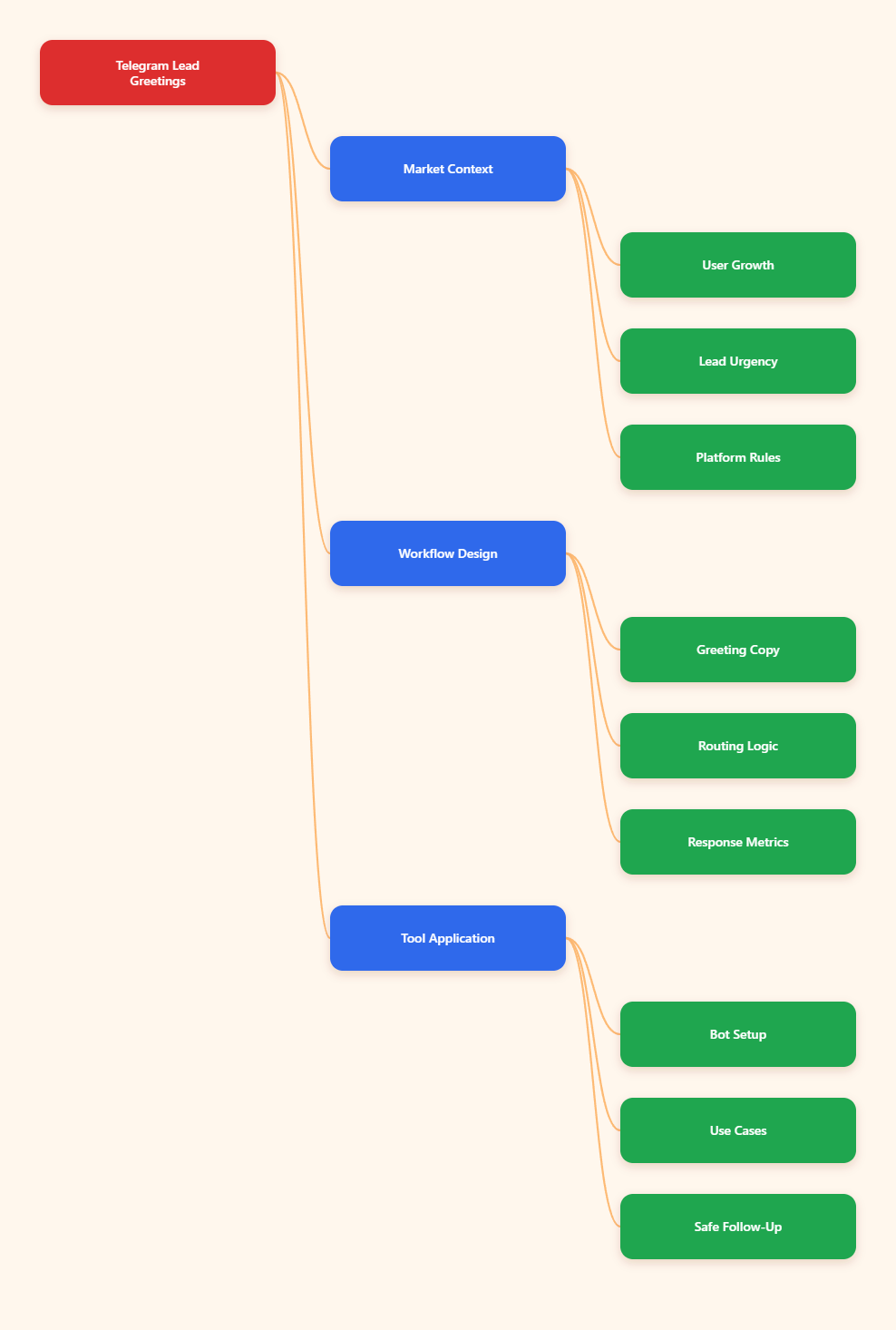
Why Auto Greeting on Telegram for Business Leads Matters in 2026
Telegram’s audience is large enough that marketers can no longer treat it as a side channel. In March 2025, Telegram founder Pavel Durov said the app had passed 1 billion monthly active users. That makes it a serious destination for business conversations.
Telegram also has a different buying rhythm from email or web forms. Users expect fast, conversational replies. A person who taps a Telegram link from an ad, landing page, group post, or QR code is usually closer to action than a cold newsletter subscriber.
Auto greeting on Telegram for business leads helps with three operational problems:
- It confirms that the user reached the right account or bot.
- It sets expectations before a human replies.
- It collects intent with a simple question or button path.
- It reduces repetitive manual replies for common inquiries.
Lead response research also supports the urgency. Harvard Business Review’s well-known 2011 audit of 2,241 U.S. companies found that many businesses responded too slowly to online leads, with an average first response time of 42 hours and 23% never responding.
Telegram does not magically fix weak sales operations. But a clear greeting can prevent the worst-case scenario: a qualified lead enters your funnel, receives silence, and moves to a competitor.
What Telegram Actually Allows for Automated Greetings
Before building any workflow, marketers need to understand Telegram’s boundaries. Telegram is strict about unsolicited direct messages, especially from bots.
A normal Telegram bot cannot initiate a private conversation with a user who has never started the bot. The user generally needs to press Start, send a message, click a deep link, or otherwise open the bot conversation first.
Telegram Business, introduced in 2024, gives business accounts native features such as opening hours, location, quick replies, greeting messages, away messages, labels, and chatbot support. These features are designed for legitimate business communication, not cold outreach.
Telegram’s own Business documentation describes greeting messages as messages automatically sent to new users who write privately for the first time, or after a defined period of inactivity.
That distinction matters. A compliant auto greeting is usually triggered by user intent. A risky one tries to scrape members and message them without permission.
Safe Greeting Triggers
- A user starts your bot from a landing page.
- A user messages your Telegram Business account.
- A user clicks a Telegram ad or campaign link.
- A returning user writes again after inactivity.
- A group member sees a public welcome message and chooses to start the bot.
Risky Greeting Patterns
- Messaging users scraped from a group member list.
- Sending private messages before the user opts in.
- Using multiple accounts to bypass spam limits.
- Repeating the same promotional message too often.
- Hiding the business identity behind vague copy.
The best long-term approach is not aggressive automation. It is permission-based automation that makes the first user action more useful.
Auto Greeting on Telegram for Business Leads: Channel, Bot, or Business Account?
Telegram teams often confuse channels, groups, bots, and business accounts. Each one handles greetings differently, so your setup should match the type of lead conversation you want.
| Telegram Surface | Best Use | Greeting Option | Key Limitation |
|---|---|---|---|
| Telegram Business Account | 1:1 sales and support chats | Native greeting and away messages | Requires correct account setup and user-initiated contact |
| Telegram Bot | Lead capture, menus, qualification flows | Responds after Start or user message | Cannot cold-message users first |
| Telegram Group | Community discussion and onboarding | Public welcome message from admin bot | Private welcome DMs are limited unless users opt in |
| Telegram Channel | Broadcast content and announcements | Pinned posts and linked discussion prompts | Not designed for direct lead conversations |
For most businesses, the strongest setup is a combination: a channel for content, a group for community, a bot for structured entry, and a Telegram Business account for human sales conversations.
If your campaign depends on qualification, route traffic to a bot first. If your campaign depends on relationship building, route high-intent users to a business account with a clean greeting and fast human follow-up.
How to Write a Telegram Greeting That Converts Without Feeling Pushy
A good Telegram greeting is short, useful, and directional. It should not read like a banner ad. The user has already taken action by opening the conversation, so your job is to reduce friction.
Use this simple structure:
- Confirm who you are.
- State what the user can do next.
- Ask one intent question.
- Offer two or three clear paths.
- Set a realistic reply expectation.
For example, a SaaS team might write:
“Hi, you’re chatting with the GrowthOps team. Are you looking for pricing, a product demo, or implementation help? Choose one option and we’ll route you to the right person.”
This works because it avoids four common mistakes: long introductions, vague promises, too many links, and immediate discount pressure.
What to Include
- Your brand or project name.
- A short reason the user should reply.
- One qualifying question.
- A menu or numbered choices.
- Expected response time during business hours.
What to Avoid
- Overusing emojis in serious B2B chats.
- Sending five links in the first message.
- Asking for phone numbers too early.
- Promising instant human support if you cannot deliver it.
- Using generic copy such as “How can I help you?” without options.
The most effective greeting is not always the most creative one. It is the one that helps a real buyer take the next step in under ten seconds.
Building a Lead Response Workflow Around Telegram Greetings
Auto greetings should connect to a broader response system. Otherwise, they become polite delays instead of useful automation.
Start by mapping the first five minutes after a user contacts you. This window is where the team either creates momentum or loses it.
A practical workflow looks like this:
- User clicks a Telegram link from an ad, website, QR code, or channel post.
- The greeting confirms the context and asks for intent.
- The user selects pricing, demo, support, partnership, or community.
- The lead is tagged manually or automatically.
- A human follows up with the right answer or booking link.
- The team reviews unanswered chats daily.
For small teams, labels and quick replies may be enough. For larger teams, the Telegram conversation should connect to CRM notes, campaign source tracking, or a shared support inbox.
You do not need a complex stack at the beginning. You need a reliable rule: no qualified Telegram lead should sit unseen until tomorrow.
Using OnlyTG Echo@EchoOnBot to Support Auto Greeting Workflows
When teams need a lightweight way to standardize welcome responses, a Telegram-native helper can be easier than building a custom bot from scratch. This is where OnlyTG Echo@EchoOnBot can fit into the workflow.
Use the current in-bot instructions as the source of truth, because Telegram tools may update their menus. A conservative setup process is:
- Open Telegram and search for OnlyTG Echo@EchoOnBot.
- Tap Start and read the available setup prompts.
- Select the chat, group, or flow supported by the bot.
- Draft a short greeting with one intent question.
- Test the greeting from a separate Telegram account.
- Review replies and adjust the wording weekly.
Only use OnlyTG Echo@EchoOnBot for users who have entered an allowed conversation path. Do not use any automation tool to cold-message scraped users or imitate personal outreach at scale.
Practical Use Cases
Webinar lead capture: A marketing team links a Telegram entry point under a registration confirmation page. The greeting asks whether the user wants the replay, slides, or consultation. The sales rep later follows up only with users who choose consultation.
Agency inquiry sorting: A performance agency receives Telegram leads from a case study page. The greeting asks users to choose paid ads, Telegram community growth, or funnel audit. This prevents every lead from landing in the same vague conversation.
Community onboarding: A paid community uses a public welcome prompt and routes members to a bot-supported first step. The greeting explains rules, support hours, and where to request help, reducing repetitive admin replies.
Depending on the current feature set exposed inside the bot, OnlyTG Echo@EchoOnBot may also help with simple repeated-message handling, welcome text management, or routing prompts. Keep these additions brief and test every change before using them in a live campaign.
Measurement: How to Know If Your Greeting Is Working
A greeting is not successful because it exists. It is successful when it improves response quality, speed, and conversion.
Track a small set of practical metrics:
- Greeting reply rate: how many users answer the first question.
- Time to human response: how quickly a person follows up.
- Intent split: pricing, demo, support, partnership, or other.
- Qualified lead rate: how many conversations match your sales criteria.
- Drop-off rate: how many users open the chat but never reply.
Review these numbers weekly, not once per quarter. Telegram campaigns move fast, and small copy changes can affect reply behavior quickly.
If reply rate is low, shorten the greeting. If many users choose “other,” your menu is missing a common intent. If qualified leads wait too long, the issue is staffing, not greeting copy.
2026 Best Practices for Telegram Lead Greetings
Telegram marketing in 2026 rewards clarity more than cleverness. Users are exposed to scams, fake admins, low-quality bots, and copy-paste promotions. A professional greeting should immediately signal trust.
- Use the same brand name as your website and social profiles.
- Keep the first message under 500 characters when possible.
- Ask one question before asking for contact details.
- Tell users when a human will reply.
- Use quick replies for repetitive answers.
- Separate support users from sales prospects.
- Review spam complaints and blocked conversations.
- Update greetings before major launches or pricing changes.
Localization also matters. If you run campaigns in multiple regions, create different greeting variants by language and time zone. A user in Dubai, Berlin, São Paulo, or Singapore should not feel like they are talking to an abandoned global inbox.
Common Mistakes That Hurt Telegram Lead Conversion
The first mistake is treating Telegram like email. Long paragraphs, formal signatures, and delayed responses feel unnatural in a messaging app.
The second mistake is using automation to hide operational problems. If no one is available to answer pricing questions, an auto greeting can only buy a little time. It cannot close the gap.
The third mistake is over-qualifying too early. Asking for budget, company size, phone number, and purchase timeline in the first message can scare off legitimate prospects.
The fourth mistake is ignoring inactive users. Telegram Business supports greeting logic for users who return after inactivity. A returning lead may need a different message from a first-time visitor.
The fifth mistake is failing to document source context. If a user came from a discount campaign, webinar, paid ad, or partner post, the greeting and human reply should reflect that context.
FAQ: Auto Greeting on Telegram for Business Leads
What is auto greeting on Telegram for business leads?
It is an automated first message sent after a user starts an allowed Telegram interaction, such as messaging a Telegram Business account or starting a bot. It usually confirms the business identity, asks for intent, and routes the user toward the right next step.
Can a Telegram bot message a lead before the lead starts the bot?
In normal bot behavior, no. A bot generally cannot initiate a private chat with a user who has not started or messaged it. Build opt-in paths through Start links, website buttons, QR codes, and campaign links.
Is Telegram Business better than a bot for lead greetings?
It depends on the workflow. Telegram Business is useful for human-led 1:1 sales and support. Bots are better for structured qualification, menus, and repeatable lead capture flows.
How long should a Telegram greeting message be?
Keep it short enough to read at a glance. In most cases, one brief paragraph plus two or three choices works better than a long introduction.
Should I include a sales link in the first greeting?
Only if the user intent is clear. For cold or mixed-intent traffic, ask a simple question first. For high-intent traffic from a pricing page, a booking or checkout link can be appropriate.
How often should I update my Telegram greeting?
Review it weekly during active campaigns and before any launch, pricing change, webinar, or seasonal promotion. Small changes in wording can affect reply rates.
Can OnlyTG Echo@EchoOnBot replace a full CRM?
No. OnlyTG Echo@EchoOnBot can support Telegram-native greeting and response workflows, but a CRM or tracking system is still useful for pipeline management, attribution, and long-term sales follow-up.
Final Takeaway
Auto greeting on Telegram for business leads is not about replacing people. It is about making the first few seconds of a conversation clearer, faster, and more useful.
In 2026, the winning Telegram teams will combine native Telegram Business features, permission-based bot flows, concise copy, and disciplined human follow-up.