
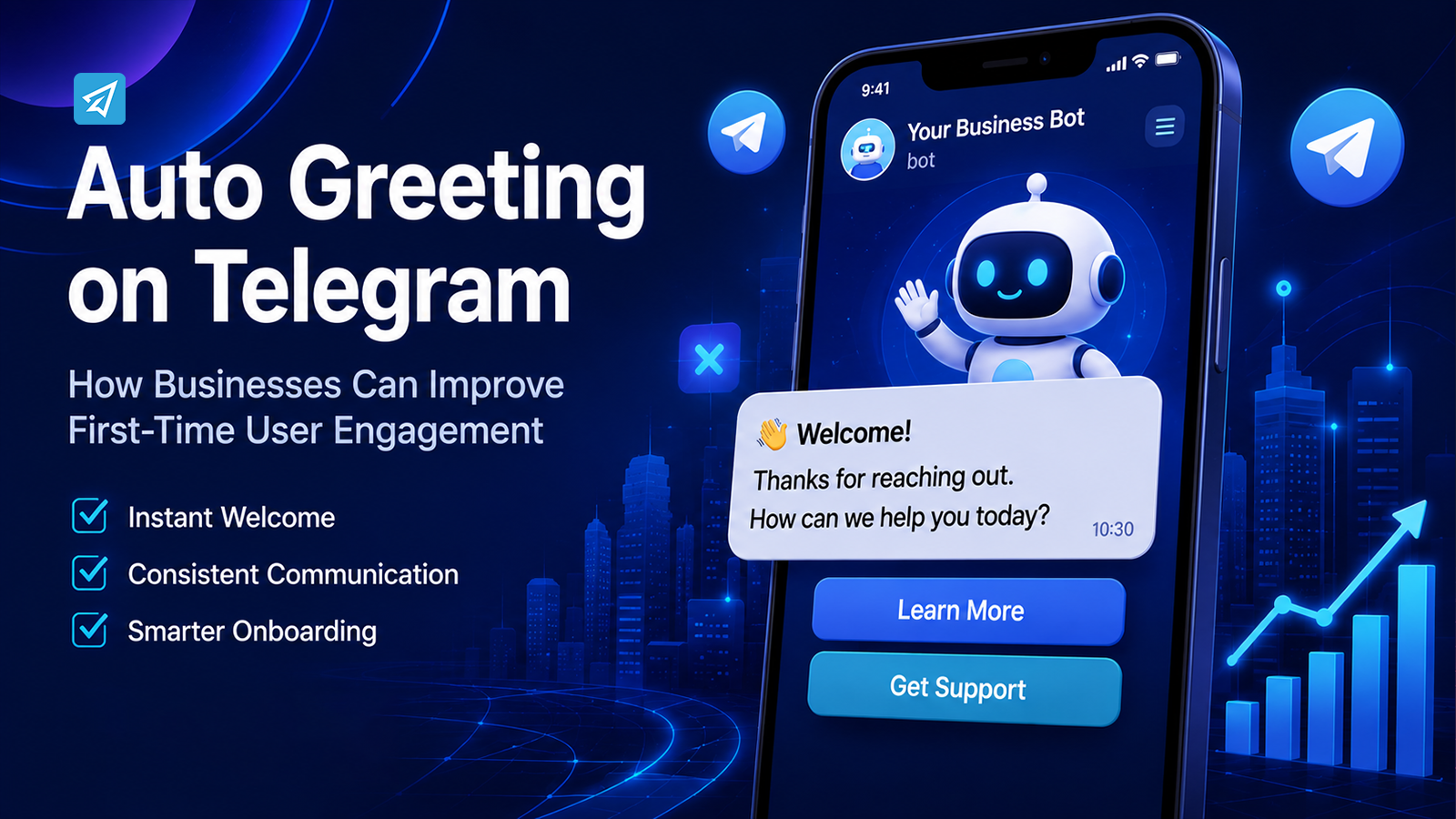
A new Telegram conversation often begins with a simple moment: someone opens a bot, joins a group, or sends a first message. If nobody responds promptly, that first interaction can feel unfinished. An Auto Greeting on Telegram gives businesses a practical way to acknowledge users immediately, explain what happens next, and create a more consistent onboarding experience without requiring staff to repeat the same introduction.
Instead of treating a greeting as a simple courtesy, businesses can use it as the first step in a structured communication workflow. This guide explains why Telegram greeting automation matters, where it is useful, how to implement it, and how OnlyTG Echo can support the process.
Why Are Businesses Turning to Auto Greeting on Telegram?
Telegram can become a high-volume communication channel when a business uses bots, groups, or channels to interact with customers and communities. As the number of users increases, manually handling every first interaction becomes increasingly difficult.
An automated greeting addresses several practical business pressures.
Faster First Responses
The first message establishes the user’s initial impression of the communication experience. A preset greeting can acknowledge a new user immediately rather than leaving them wondering whether the bot, business, or community is active.
Consistent Communication
Different employees may introduce a business in different ways. An automated greeting gives every new user the same core information, reducing unnecessary variation in basic onboarding messages.
Lower Repetitive Work
Teams should not have to manually type the same welcome message every time someone starts a conversation. Automation can handle predictable first-touch communication while staff focus on questions that actually require human attention.
More Scalable Onboarding
A manual greeting workflow becomes harder to maintain as conversations grow. A Telegram bot can deliver a predefined first message repeatedly, making the initial stage of communication easier to scale.
The important point is that an auto greeting is not a replacement for customer support. It is a way to automate a predictable part of the customer or community journey.
What Happens Without Automation?
Manual communication can work when message volume is low. Problems usually appear when the same process must be repeated hundreds or thousands of times.
Repetitive Work
A team may repeatedly send essentially the same introduction, instructions, links, or next-step information. Although each individual response takes little time, the accumulated workload can become significant.
This is particularly inefficient when the message does not require judgment or personalization.
Slow or Inconsistent Communication
If users must wait for someone to notice a new conversation, the first interaction depends on staff availability. Different team members may also use different wording or provide different information.
That inconsistency can make onboarding less predictable.
Limited Scalability
Adding more users does not necessarily require proportionally more manual work if the first interaction is standardized. Without automation, however, growth can increase the number of repetitive communication tasks that employees need to handle.
The result is an operational bottleneck: the business is growing, but the communication process still depends on people performing the same small task repeatedly.
How Does Auto Greeting on Telegram Solve These Problems?
The basic concept is simple:
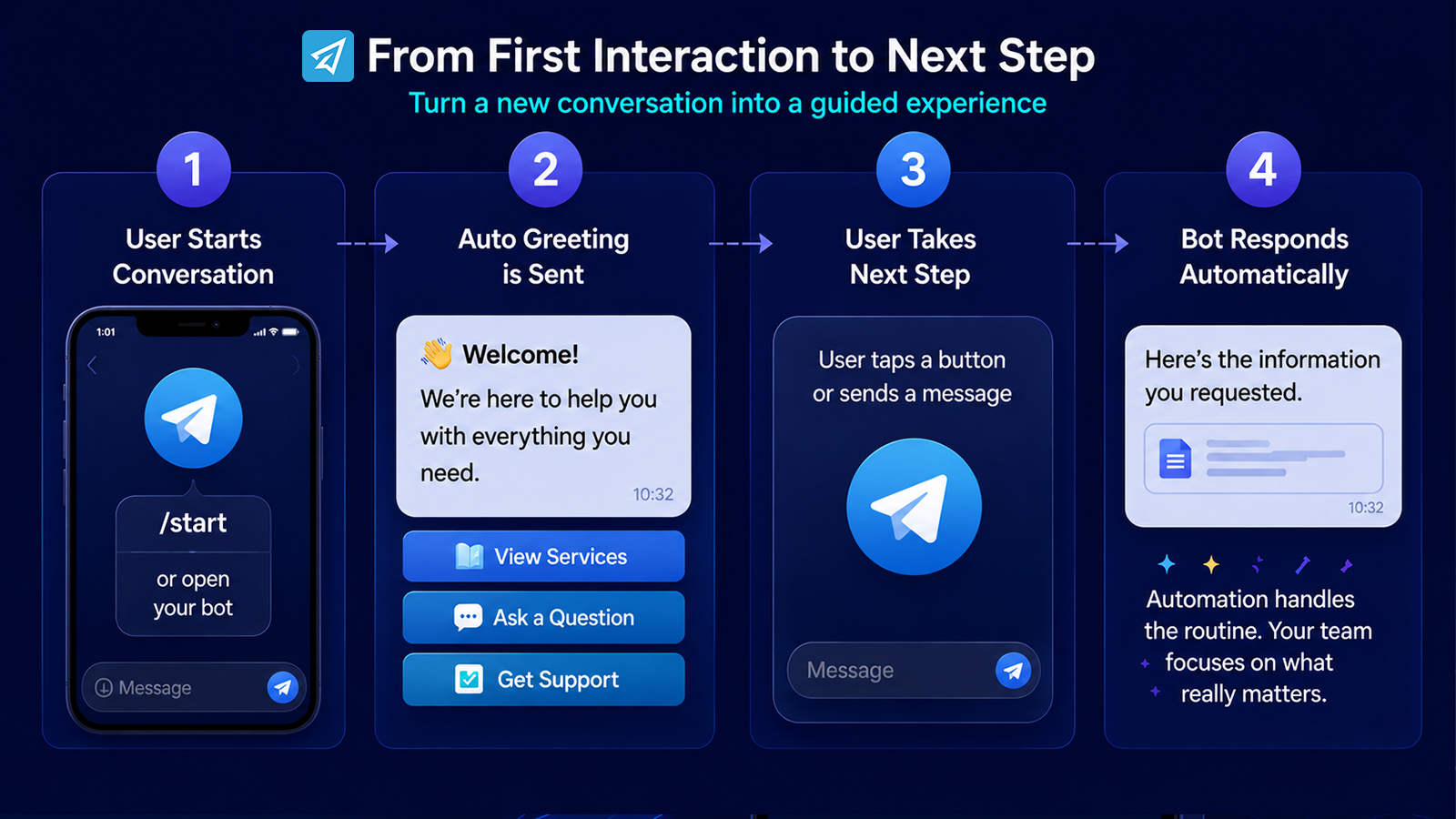
Manual Process → Telegram Bot → Automated Greeting → User Next Step
Instead of waiting for an employee to respond, the business defines what should happen when a user reaches a specific point in the Telegram journey.
For a bot, the starting point can be the moment a user first opens the bot or sends the /start command. A Start Message can then provide a predefined introduction containing text, media, and buttons.
The value comes from designing that message around a business objective.
For example, a greeting can:
- Explain what the bot is for.
- Direct the user toward a relevant action.
- Provide a support or information link.
- Introduce available services.
- Tell users what they should do next.
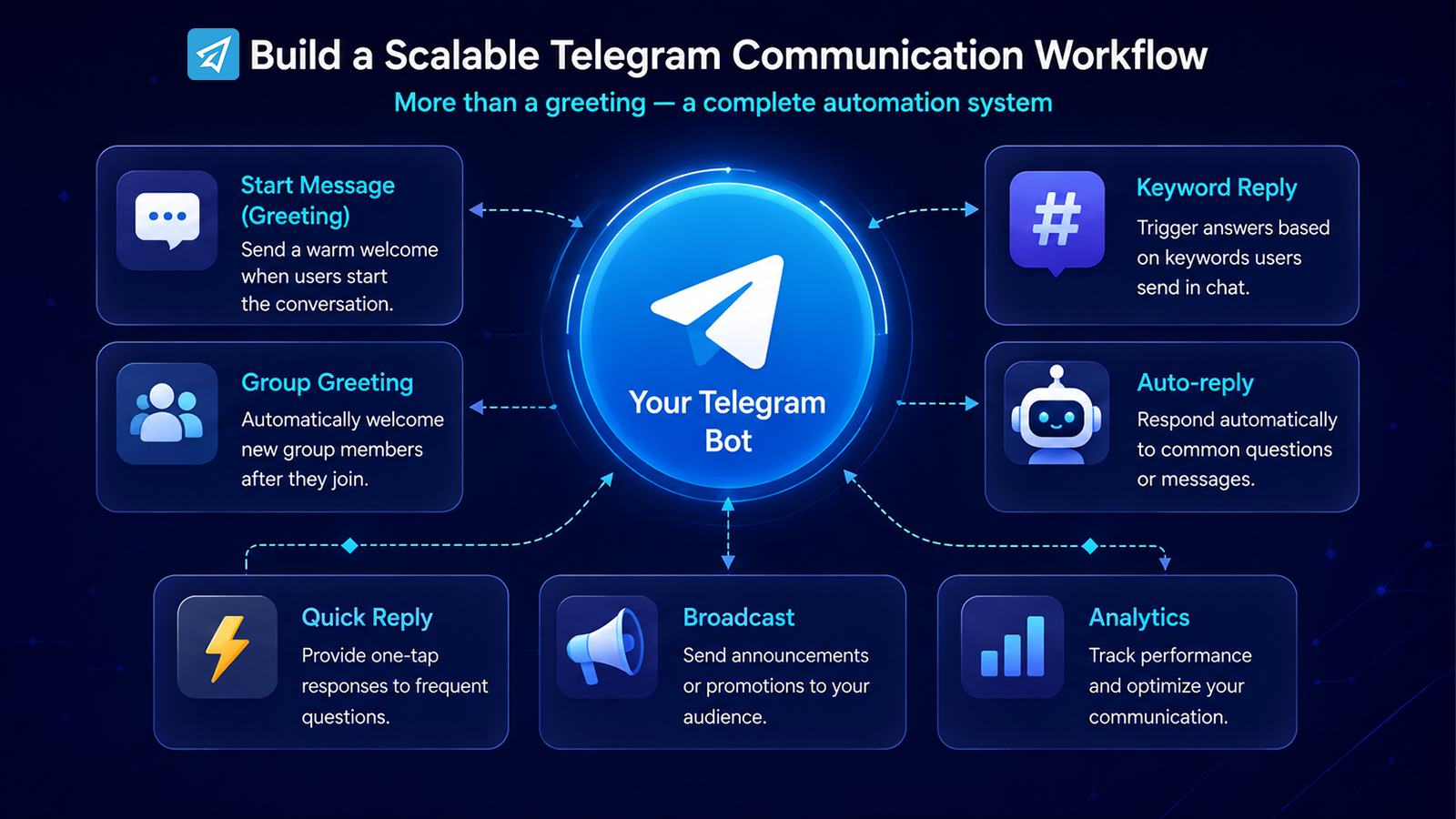
OnlyTG Echo supports Start Messages for the first bot interaction and also provides Auto-reply and Keyword Reply functions for subsequent rule-based communication. This allows businesses to move from a single welcome message toward a broader Telegram communication workflow.
The best automation does not attempt to automate everything. It identifies predictable communication steps and handles those consistently.
Key Business Use Cases
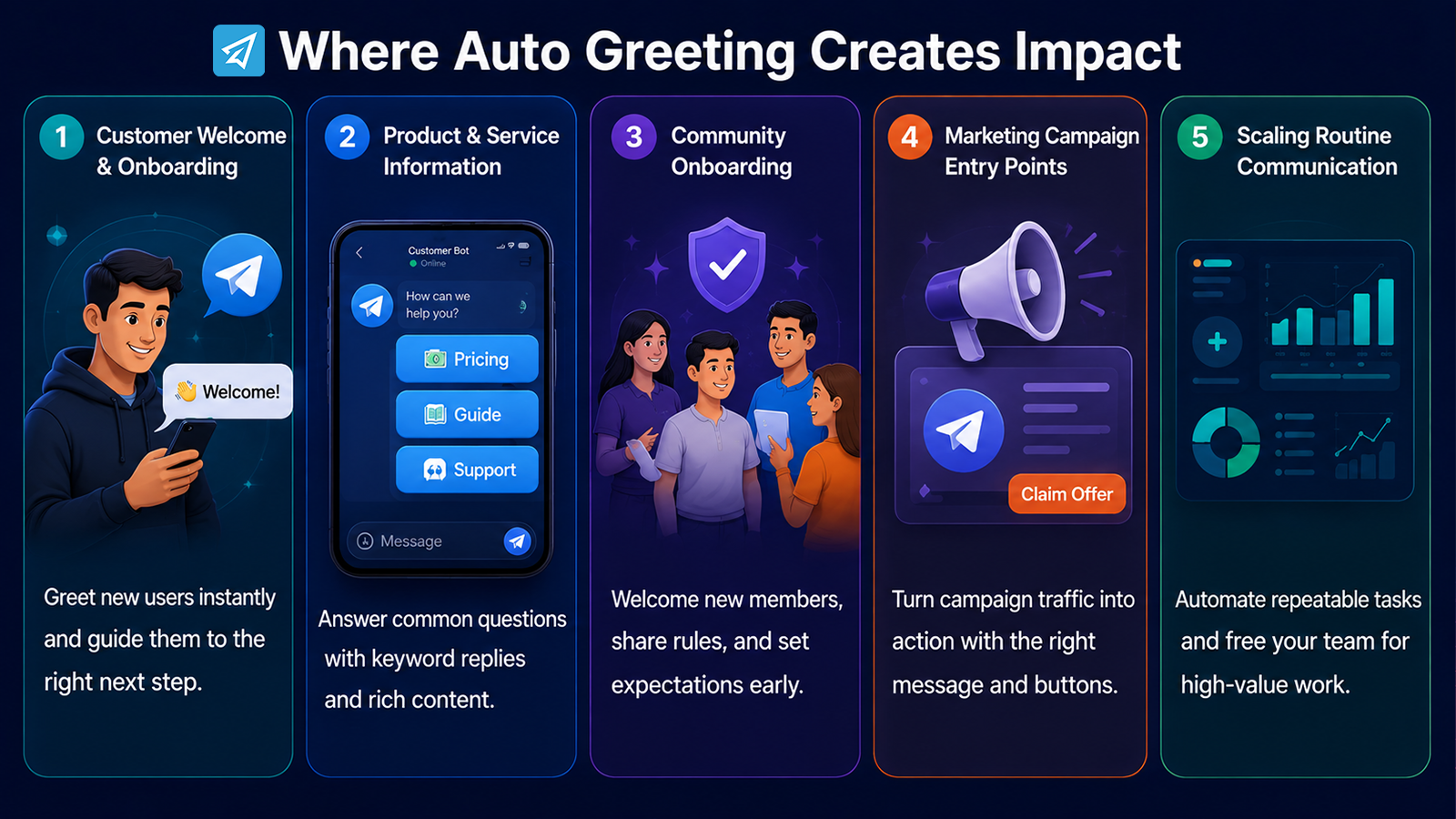
1. Customer Welcome and Onboarding
A customer discovers a business through a website, campaign, social media post, or referral and opens its Telegram bot.
Business situation: The user needs to understand what the bot provides.
Problem: A blank chat creates uncertainty about what to do next.
Automation: A Start Message immediately welcomes the user and presents useful information or buttons.
Business value: The first interaction becomes structured instead of requiring an employee to manually explain the same basics.
A strong greeting should be concise. The goal is not to put the entire business introduction into one message, but to provide enough direction for the next step.
2. Product or Service Information
Businesses often receive recurring questions about products, services, pricing pages, documentation, or basic procedures.
An auto greeting can direct users toward the most relevant information from the beginning. If users later send configured keywords, an Auto-reply can provide preset responses.
For example, a business could configure keywords related to “pricing,” “guide,” or “support” and associate them with predefined messages.
This creates a simple workflow:
Greeting → User Question → Keyword Trigger → Relevant Response
OnlyTG Echo allows keyword-triggered auto-replies to use supported text, media, buttons, or modules, making the response more useful than a plain text acknowledgment.
3. Community Onboarding
Auto greeting is not limited to private bot conversations.
For Telegram groups, a business or community manager may want new members to receive rules, onboarding information, or a short welcome immediately after joining.
OnlyTG Echo provides Group Greeting, which can automatically send a preset greeting to new group members. If CAPTCHA is enabled, the greeting can be sent after the new member passes the verification process.
This is useful for communities where new members need basic context before participating.
4. Marketing Campaign Entry Points
A Telegram campaign may bring users into a bot through a specific link or promotional message.
The first interaction can then serve as an entry point for the campaign rather than simply saying “hello.”
A business might use the greeting to explain the offer, provide a relevant button, or direct the user to the next action. The objective is to make the transition from campaign exposure to Telegram interaction clear.
This approach works best when the greeting is aligned with the message that attracted the user in the first place.
5. Scaling Routine Communication
A growing Telegram operation may have several repetitive communication tasks: welcoming users, answering common questions, sending prepared information, and communicating with groups.
An automated greeting can become the first layer of this system.
OnlyTG Echo also provides Quick Reply, Broadcast, and Analytics capabilities, allowing businesses to extend beyond the initial greeting when their workflow requires additional automation and measurement.
What Are the Main Business Benefits?
Save Operational Time
Automating predictable greetings removes a small but recurring task from the team’s workload.
Improve Response Consistency
A predefined message ensures that users receive the intended introduction and key information consistently.
Create a Better First Interaction
A user receives an immediate acknowledgment instead of encountering an inactive-looking or empty conversation.
Support Scalable Communication
The same onboarding logic can be applied repeatedly without requiring an employee to manually send every greeting.
Build a Foundation for Larger Automation
A greeting can be the first step in a broader workflow involving keyword replies, quick replies, broadcasts, or analytics.
The important business benefit is therefore not the greeting alone. It is the ability to turn a repetitive first interaction into a repeatable process.
How to Implement Auto Greeting on Telegram
A practical implementation can be kept relatively simple.
Step 1 — Create a Telegram Bot
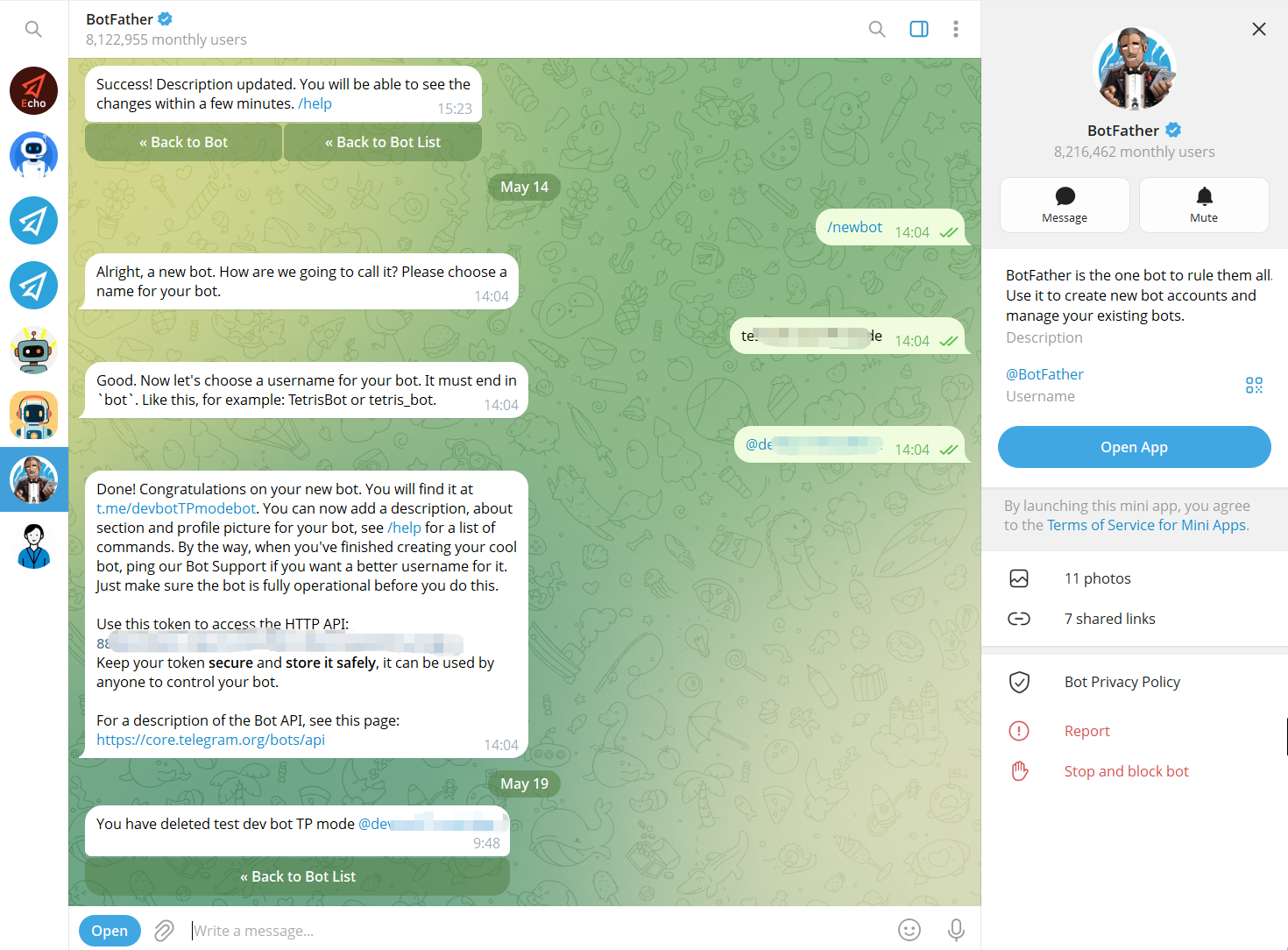
Use Telegram’s BotFather to create a bot and obtain its bot token. The bot becomes the communication interface that users interact with.
Step 2 — Connect the Bot to OnlyTG Echo
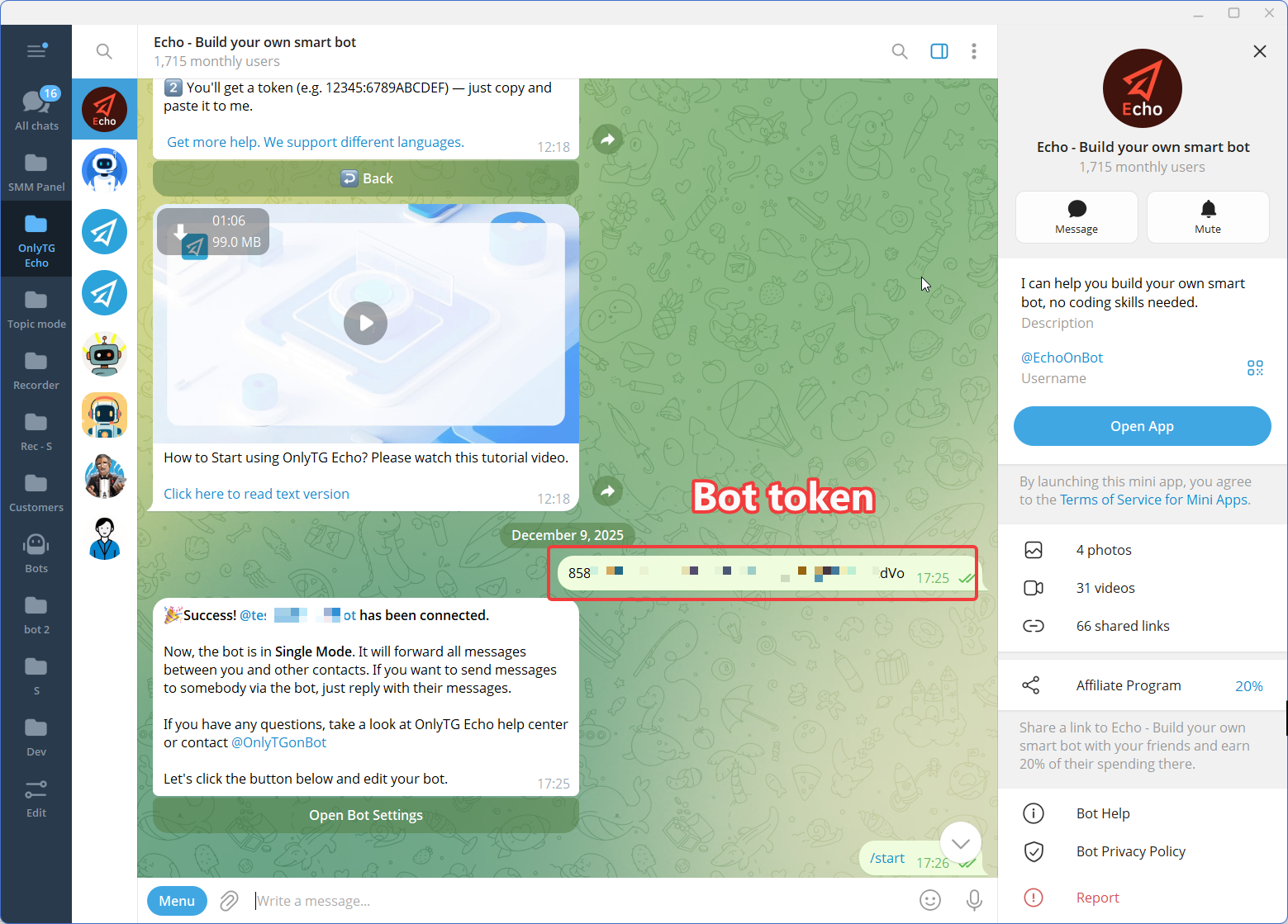
Connect the newly created Telegram bot to OnlyTG Echo using the bot token.
The purpose of this step is to give the business a no-code environment for configuring the bot’s communication behavior rather than requiring a custom automation workflow to be developed from scratch.
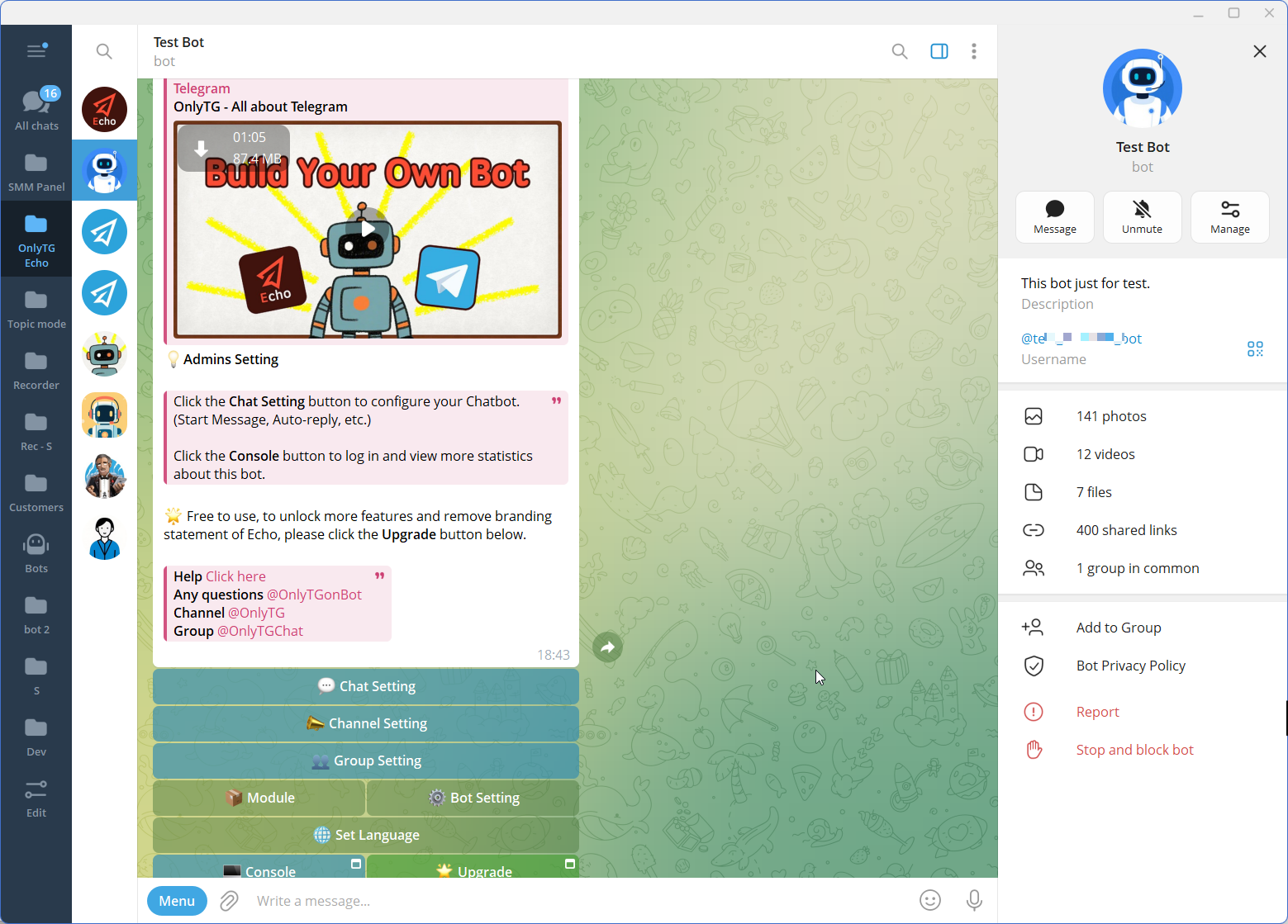
Step 3 — Configure the Features
Step 4 — Test and Optimize
Test the greeting from a user’s perspective.
Check whether the message is understandable, whether buttons work correctly, and whether the next step is obvious. After launch, review user behavior and refine the greeting when recurring questions indicate that the initial information is unclear.
Avoid adding information simply because it is available. The best greeting is usually the one that helps users reach the next step with the least confusion.
Manual Approach vs. Telegram Automation
| Area | Manual Approach | Automated Approach |
|---|---|---|
| First interaction | Staff sends the welcome message manually | Bot sends a predefined greeting |
| Consistency | Depends on the person responding | Uses configured message content |
| Repetitive questions | Staff repeatedly handles common requests | Keyword-based replies can handle predefined triggers |
| Community onboarding | Admins manually welcome members | Group Greeting can send a preset message |
| Scalability | More users can create more repetitive work | The same automation can handle repeated interactions |
| Maintenance | Changes require staff to remember the new process | Business updates the configured message or rule |
| Human involvement | Used for most communication steps | Can be reserved for interactions requiring judgment |
Automation does not mean removing people from communication. It means separating predictable tasks from tasks that need human attention.
Is This the Right Solution for Your Business?
Auto Greeting on Telegram is most useful when your business has a repeatable first interaction.
Consider these questions:
- Do new users frequently ask what your Telegram bot or group is for?
- Does your team repeatedly send the same introduction?
- Do new community members need the same basic information?
- Are common questions consuming staff time?
- Do you use Telegram as part of marketing, support, onboarding, or community operations?
- Would a consistent first message make the next user action clearer?
If most interactions are highly complex and require individual judgment, automation should remain limited to predictable parts of the workflow.
The solution is particularly relevant for:
- Small businesses handling recurring Telegram inquiries.
- Marketing teams using Telegram campaigns.
- Customer support teams answering common first-line questions.
- Community managers onboarding new members.
- Telegram bot operators who want structured first interactions.
- Content and operations teams managing recurring Telegram communication.
For these teams, the goal should not be “automate every message.” A better objective is to automate the repetitive steps that are easy to define and measure.
FAQ
1. How do I set up an auto greeting on Telegram?
A practical approach is to create a Telegram bot with BotFather, connect it to a no-code automation platform such as OnlyTG Echo, and configure a Start Message. The Start Message is automatically shown when a user first opens the bot or uses /start.
2. Can Telegram automatically greet new users without coding?
Yes. Telegram bots can be connected to no-code tools that let businesses configure predefined communication rules without building a custom application. OnlyTG Echo supports Start Messages, Auto-replies, and Keyword Replies through its bot-based workflow.
3. Can I automatically greet new members in a Telegram group?
Yes. OnlyTG Echo provides a Group Greeting feature that can automatically send a preset greeting to new group members. The greeting can contain text, media, and buttons, and it can be configured to work with the group’s CAPTCHA flow when verification is enabled.
Conclusion: Turn the First Telegram Interaction Into a Workflow
An Auto Greeting on Telegram is more valuable when it is treated as part of a business workflow rather than a standalone welcome message. It can reduce repetitive work, create more consistent onboarding, and give users a clear next step from their first interaction.
For businesses that want to build this process without developing a custom automation system, OnlyTG Echo provides a practical no-code environment for Start Messages, Auto-replies, Keyword Replies, and related Telegram automation capabilities.
Start with one predictable interaction, create a useful greeting, test the experience, and expand the workflow only when there is a clear business reason to do so.
Explore OnlyTG Echo and start building your Telegram automation workflow.