
A new customer opens your Telegram bot and sends the first message. They may be looking for pricing, product information, support, or simply trying to understand what your business offers. If nothing happens, the conversation can end before it begins. If a team member has to respond manually every time, the same questions quickly become repetitive work.
A welcome message on Telegram solves the first part of this problem by giving users an immediate response. But the real opportunity is to make that first message the starting point of a larger workflow: welcome the user, understand what they need, provide the right information, and keep communication moving automatically.
It Starts With One Simple User Action
Every Telegram customer journey starts with a small action.
A user might open a Telegram bot and press Start. They may click a Telegram link from a website, social media post, email, or advertisement. In a community environment, they may join a group and need to understand what to do next.
At this point, the user’s expectation is simple: something should happen.
For a business, however, the first interaction creates several questions:
- What should the user see first?
- Where should they go next?
- What information do they need?
- Should they contact support?
- Can common questions be answered without staff intervention?
Without a defined process, the business usually relies on manual communication.
A welcome message on Telegram gives the first interaction a clear starting point. Instead of leaving a new user wondering what to do, the business can immediately provide context, instructions, links, or available options.
The important point is that the welcome message should not be treated as an isolated greeting. It should guide the user toward the next step.
What Happens When the Process Is Manual?
Imagine a customer sends:
“Hi, how can I get started?”
A team member sees the message, checks what the customer needs, writes a response, and sends it.
Then another customer asks the same question.
Then another asks about pricing.
Then another asks where to find the product guide.
The workflow becomes:
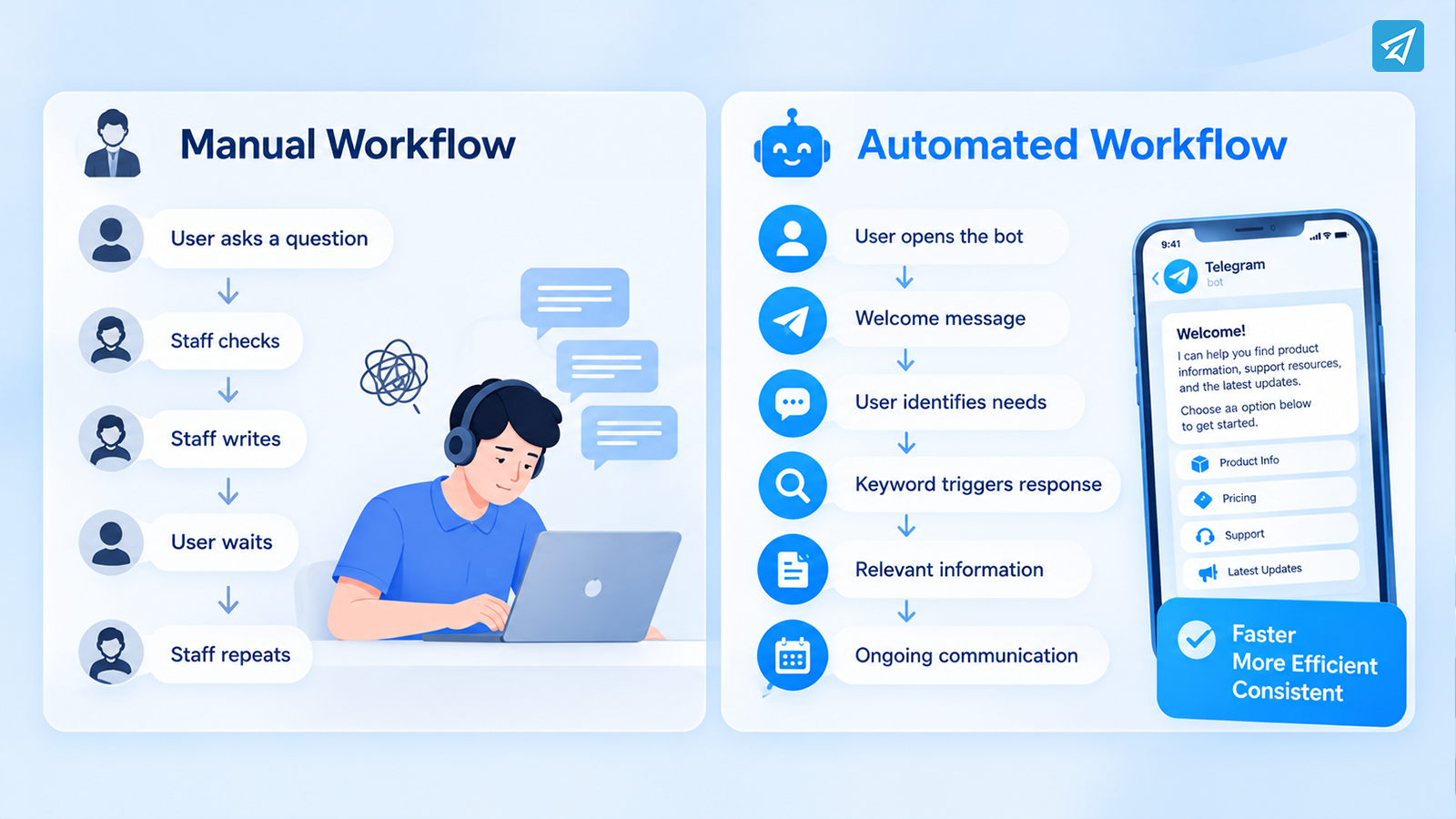
User asks → Staff checks → Staff writes → User waits → Staff repeats
This may work when message volume is low. As conversations increase, however, repetitive questions consume more of the team’s time.
The problem is not simply the number of messages. It is that many interactions follow predictable patterns.
A customer may repeatedly ask:
- “How does this work?”
- “Where can I find the guide?”
- “What is the price?”
- “How do I contact support?”
- “How do I join the community?”
If every answer requires a person to start from zero, the team is spending valuable time on tasks that could follow predefined rules.
This also creates inconsistency. Different employees may explain the same process differently, and users may have to wait when nobody is available.
Now Add Automation to the Workflow
Automation changes the role of the first message.
Instead of:
User → Staff → Reply
the workflow becomes:
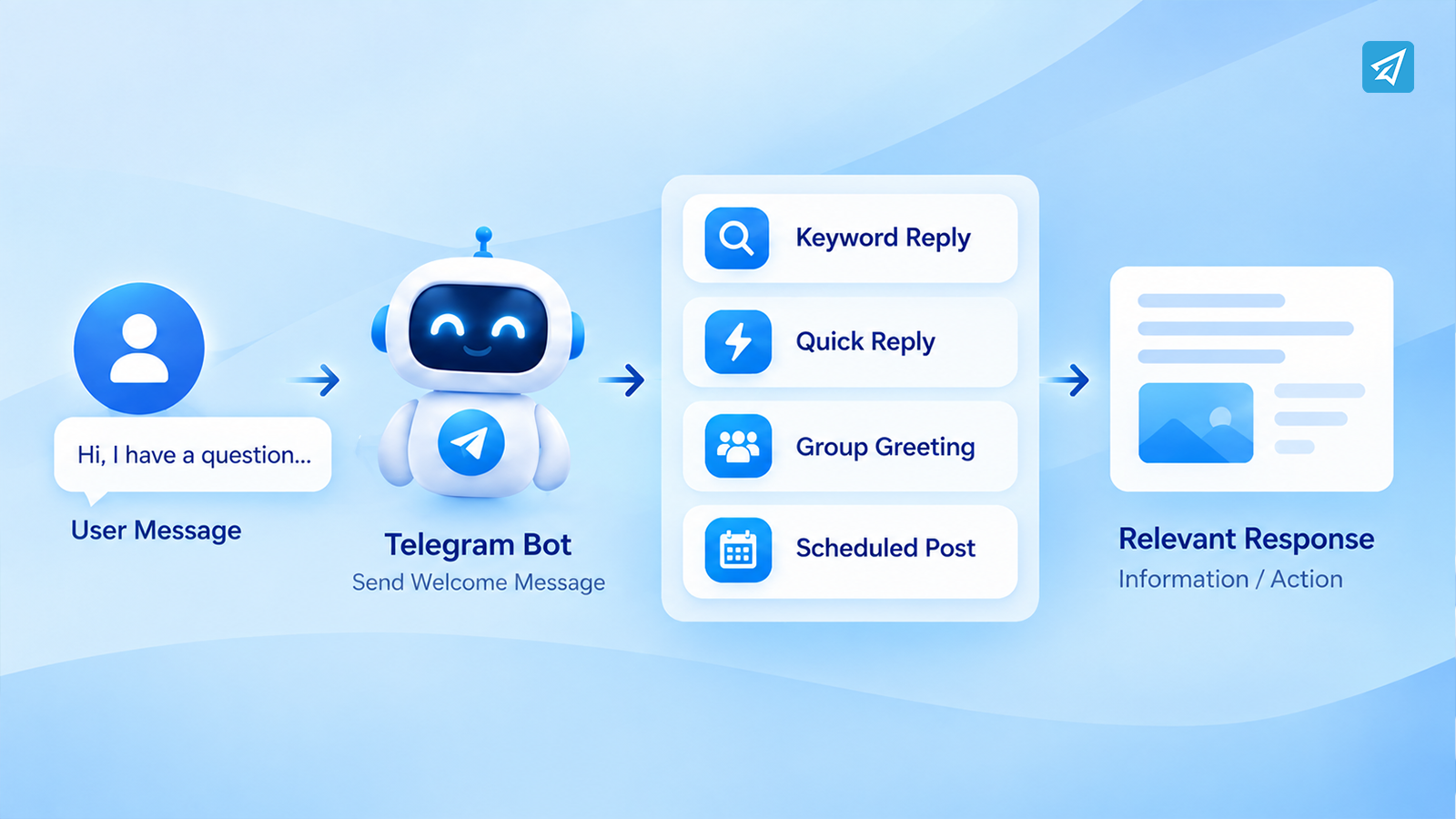
User → Telegram Bot → Automation Rule → Response / Action
The difference is not simply that a bot replies faster.
The business has now defined a repeatable process.
For example:
User opens the bot
↓
Welcome message appears
↓
User identifies what they need
↓
Keyword or predefined interaction triggers a response
↓
Relevant information is delivered
↓
Ongoing communication continues through scheduled or automated content
This approach turns the welcome message on Telegram into the first stage of customer onboarding.
The goal is not to automate every conversation. The goal is to automate the predictable parts so human attention can be reserved for questions that actually require it.
Step 1: Handle the First Interaction
The first message should answer one basic question:
“What should I do next?”
A useful Telegram welcome message can briefly explain what the bot does and direct the user toward the most relevant action.
For example:
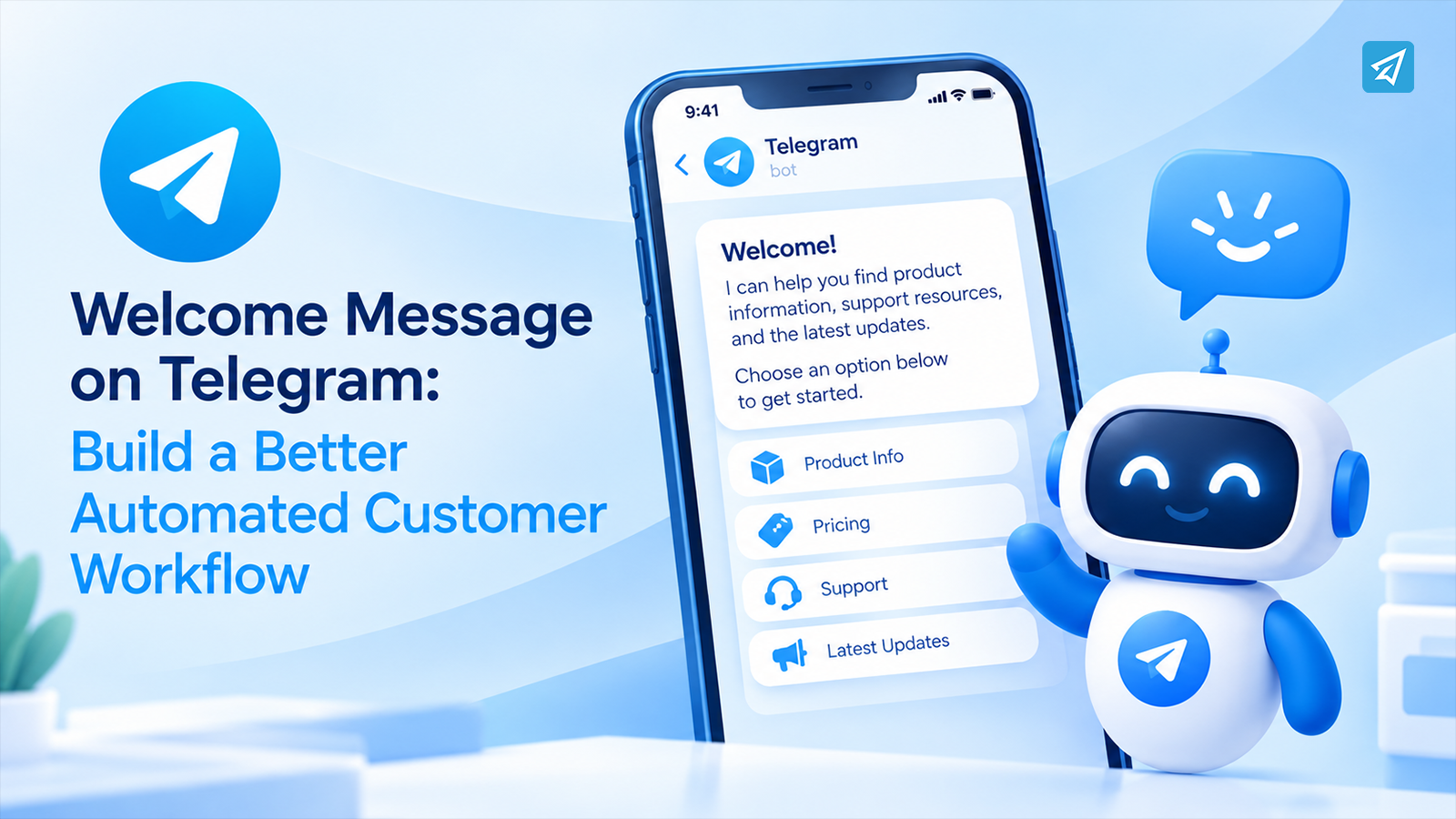
“Welcome! I can help you find product information, support resources, and the latest updates. Choose an option below to get started.”
A business can then provide buttons, links, media, or additional instructions depending on the workflow.
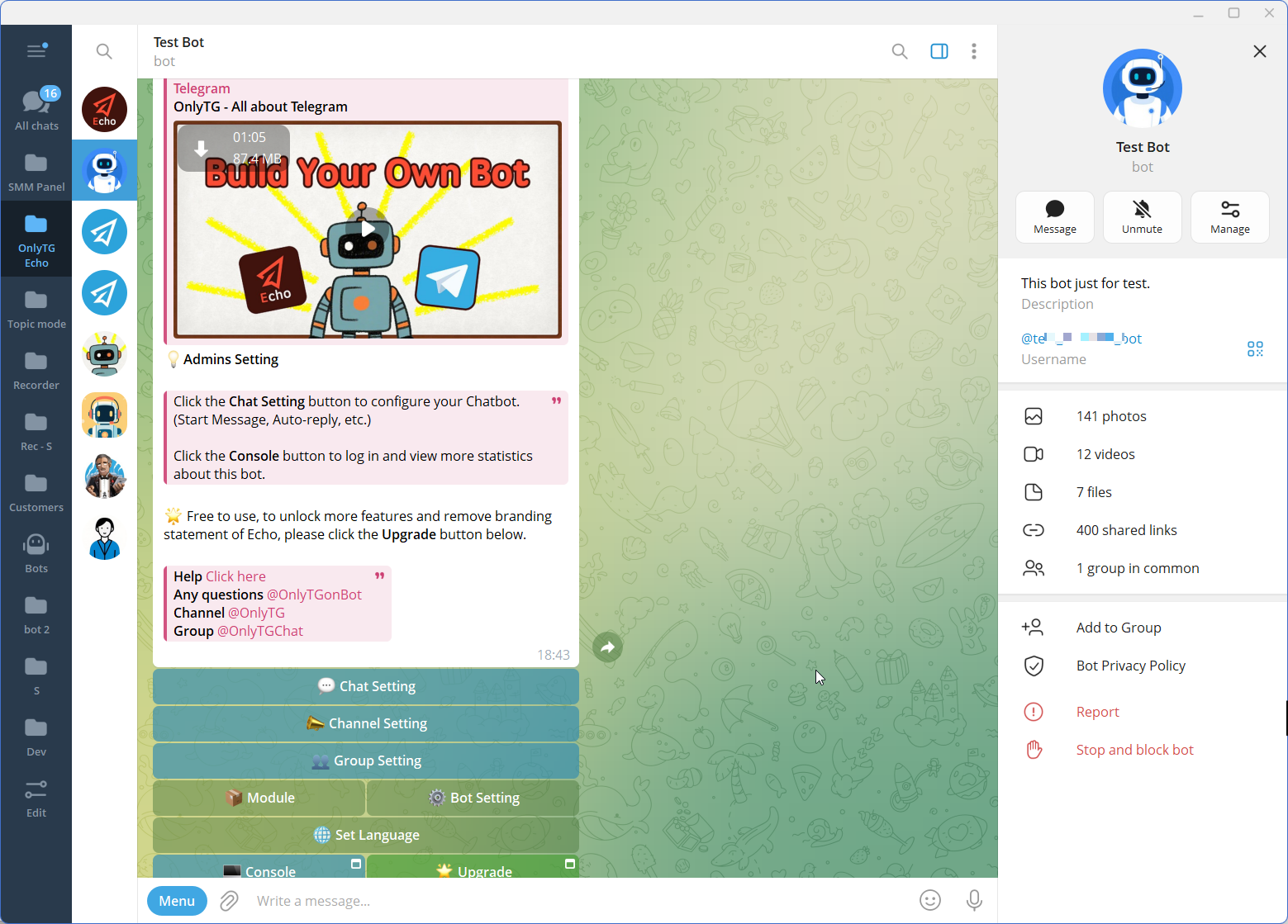
OnlyTG Echo supports Start Messages that are automatically sent when a user first opens a bot or uses the /start command. Start Messages can contain text, media, and buttons.
This creates a more structured first interaction:
User action → Welcome message → Clear next step
The message does not need to explain everything. Its job is to reduce uncertainty and help the user continue.
Step 2: Recognize What the User Needs
A welcome message becomes much more useful when it connects to the next stage of the conversation.
Suppose a customer replies:
“How much does it cost?”
Instead of asking an employee to manually identify the question and prepare the response, a business can create an automated rule around relevant keywords.
For example:
User: “How much does it cost?”
Trigger: price, pricing, cost
Response: A predefined pricing message with the relevant information.
OnlyTG Echo supports keyword-based auto-replies. Businesses can configure keywords and associate them with preset messages, including supported text, media, buttons, or modules.
This creates a simple but useful workflow:
Welcome → User Question → Keyword Trigger → Relevant Response
The same approach can be used for common topics such as:
- Product information
- Support
- Guides
- Features
- Ordering instructions
- Community information
The important principle is to automate questions that occur repeatedly rather than trying to predict every possible conversation.
Step 3: Move Beyond Simple Replies
A Telegram automation workflow does not have to stop after the first answer.
Once the basic interaction is structured, businesses can extend the workflow to other communication tasks.
For example, a customer-facing bot may use:
- Start Messages for onboarding
- Auto-replies for common questions
- Keyword replies for specific topics
- Quick Replies for frequently used responses
- Broadcasts for ongoing communication
- Multi-form messages for richer content
Quick Replies are especially useful when staff still need to participate in conversations but repeatedly send similar information. OnlyTG Echo allows predefined messages to be connected to triggers, reducing repetitive manual work.
For example, instead of manually assembling the same support instructions every time, a team member can use a predefined response.
This creates a useful middle ground:
Not everything is automated → but repetitive work is standardized.
For communities, the workflow can extend further.
A new group member may need a greeting, rules, or verification before participating. OnlyTG Echo provides Group Greeting and CAPTCHA functions for this type of community workflow. Group greetings can be configured with text, media, and buttons, and can be sent after a member passes CAPTCHA when verification is enabled.
Step 4: Keep the Workflow Running Automatically
The biggest advantage of automation appears when communication continues after the first interaction.
A business may have already welcomed the user and answered their first question. But the relationship should not necessarily end there.
A broader workflow might look like:
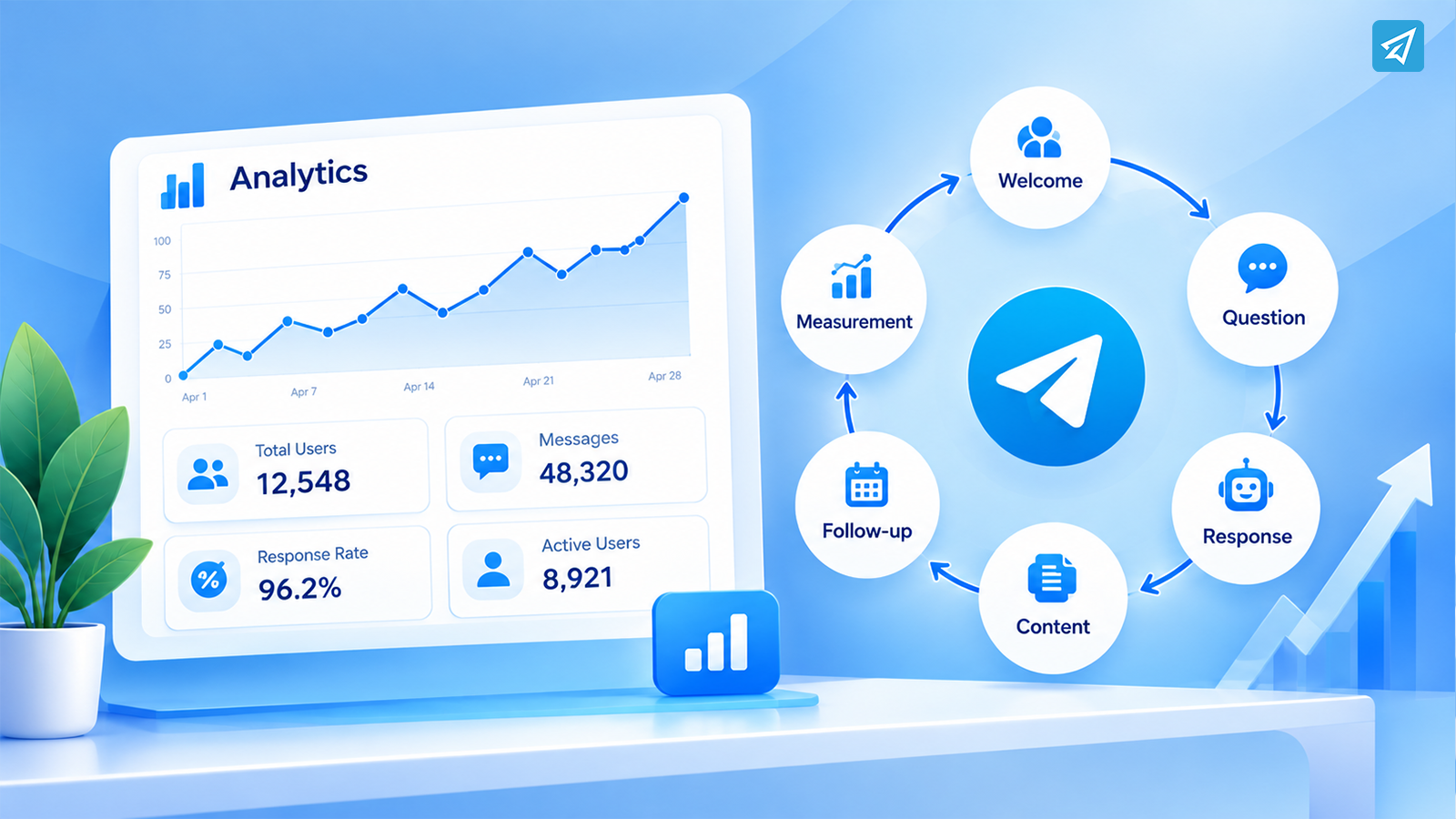
Welcome → Question → Automated Response → Content → Follow-up → Measurement
For a Telegram channel or community, ongoing communication can include scheduled posts or recurring content.
OnlyTG Echo supports channel and group post scheduling and looping, allowing businesses to prepare recurring communication instead of publishing every message manually.
This is especially useful for businesses that regularly publish:
- Product updates
- Educational content
- Community announcements
- Promotional information
- Reminders
- Frequently requested resources
The important shift is from one automated message to an automated communication process.
A welcome message starts the relationship. Ongoing content keeps the workflow active.
Step 5: Measure What Is Happening
Automation should not mean setting rules once and never reviewing them.
Businesses need to understand what happens after users enter the workflow.
For example:
- Which users interact with the bot?
- What kinds of messages trigger responses?
- Which information is requested most often?
- Which communication paths deserve improvement?
- How does user activity change over time?
OnlyTG Echo provides analytics for bot, group, and channel activity, giving businesses information about users who interact with their bots or communities.
Tracking links can also help connect Telegram activity with specific campaigns or communication paths where appropriate.
The workflow therefore becomes:
User Action → Automated Response → Continued Interaction → Data → Optimization
This is more useful than simply asking whether a welcome message exists.
The better question is:
Does the welcome message help move users toward the next useful action?
One Workflow, Two Operating Models
| Workflow Stage | Manual Workflow | Automated Workflow |
|---|---|---|
| First interaction | Staff responds manually | Telegram bot sends a Start Message |
| Common questions | Staff answers repeatedly | Keyword-based auto-reply |
| Repeated responses | Staff rewrites or copies messages | Quick Reply with predefined content |
| New group members | Admin welcomes members manually | Automated Group Greeting |
| Ongoing content | Staff publishes each message | Scheduled or looped posts |
| Performance review | Manual observation | Analytics and tracking |
The difference is not that the automated model removes people from the process.
Instead, it gives people a better role.
Staff can focus on conversations that require judgment, while predefined interactions follow rules that have already been configured.
Where OnlyTG Echo Fits
OnlyTG Echo is designed to help businesses configure and operate Telegram communication workflows without requiring coding skills. Its feature set includes Chatbot, Group, and Channel functions, allowing businesses to connect first interactions with broader Telegram operations.
How to Use OnlyTG Echo
A practical implementation can be kept relatively simple.
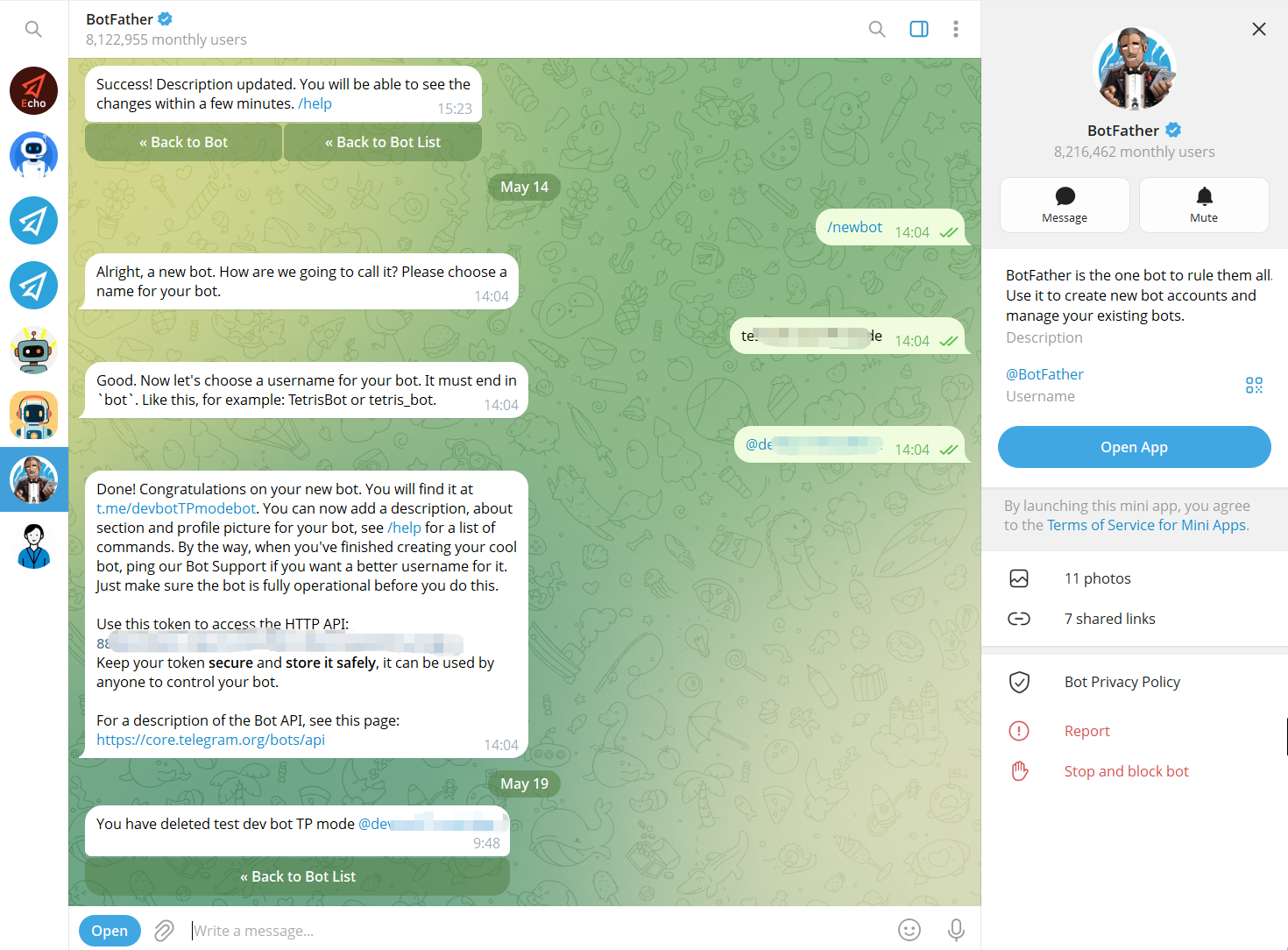
Step 1 — Create a Telegram Bot
Use Telegram’s BotFather to create a bot and obtain its bot token. The bot becomes the communication interface that users interact with.
Step 2 — Connect the Bot to OnlyTG Echo
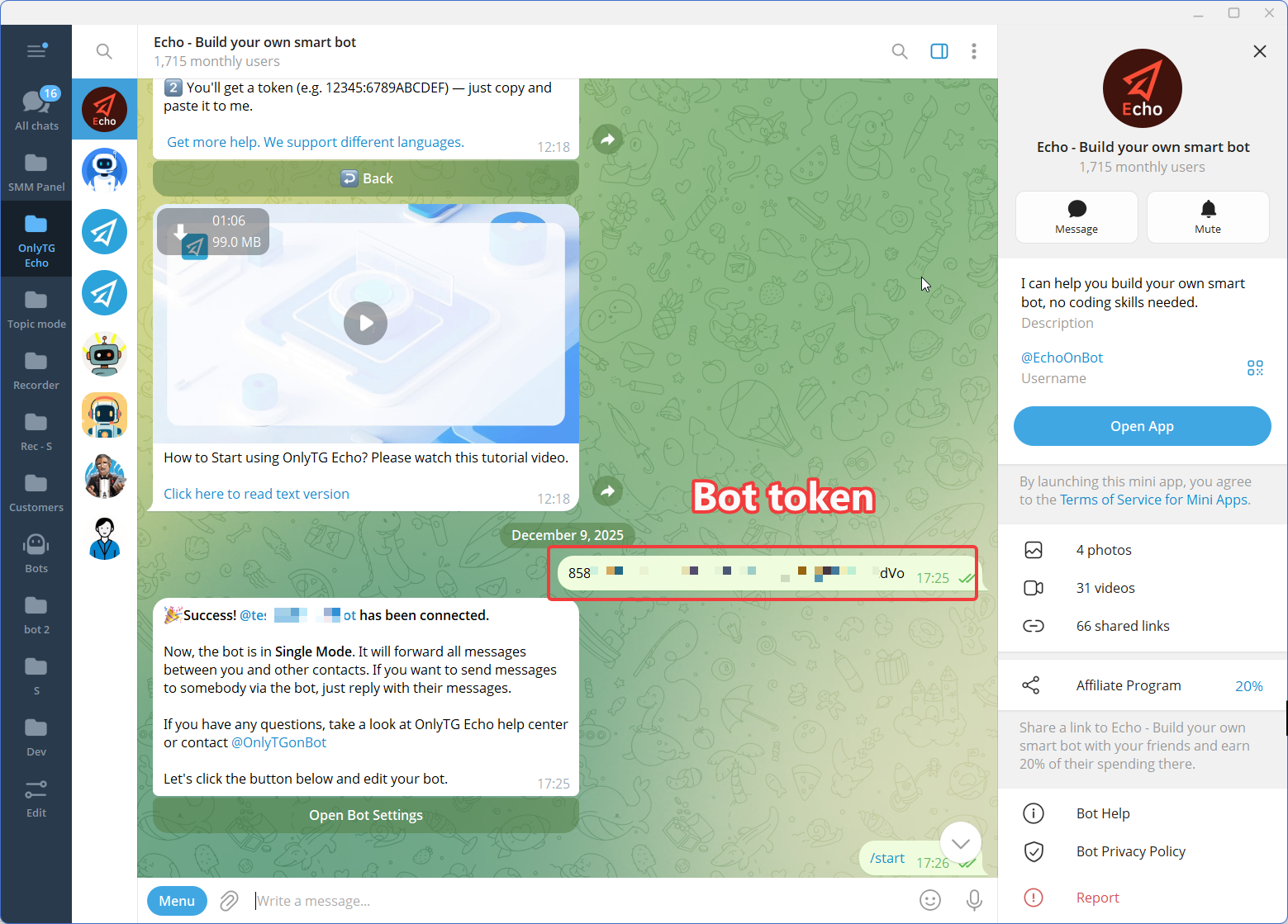
Connect the newly created Telegram bot to OnlyTG Echo using the bot token.
The purpose of this step is to give the business a no-code environment for configuring the bot’s communication behavior rather than requiring a custom automation workflow to be developed from scratch.
Step 3 — Configure the Features
FAQ
1. What should a welcome message on Telegram include?
A good welcome message should quickly explain what the bot, group, or business is about and tell the user what to do next. Depending on the workflow, it can include instructions, links, buttons, media, or directions to common resources.
The most important goal is clarity. New users should not have to guess what happens after they arrive.
2. Can a Telegram welcome message lead to automated replies?
Yes. A welcome message can be the first stage of a broader automation workflow. After the initial greeting, businesses can use keyword-based rules or predefined replies to handle recurring questions.
For example, a user could see the welcome message first, ask about “pricing,” and then receive the corresponding predefined response.
3. When should a business automate Telegram communication?
Automation becomes useful when the same interactions happen repeatedly or when users need an immediate response to predictable questions.
A business does not need to automate everything at once. A practical approach is to start with the first interaction, identify the most common repetitive questions, and gradually build rules around those interactions.
Conclusion: Turn the First Message Into a Workflow
A welcome message on Telegram is easy to think of as a simple greeting.
But for a business, it can be the first step in a much larger process.
Instead of:
User arrives → Staff reacts
the workflow can become:
User arrives → Welcome message → User need is identified → Automated response → Ongoing communication → Measurement
That change makes Telegram communication more consistent and easier to manage as activity grows.