
If you run a Telegram channel or manage community operations, you already know the problem: good content is easy to draft, but hard to publish at the same pace every week. Missed slots, time-zone mistakes, and last-minute handoffs quietly hurt reach. That is why a reliable tool for recurring telegram auto posting matters in 2026.
Telegram is still one of the most active messaging platforms in the world, with company-announced growth that pushed it past 1 billion monthly active users and widely reported daily activity near 450 million. In a high-frequency environment like that, consistency is not a nice-to-have. It is the difference between a channel that feels alive and one that feels abandoned.
In this guide, I will break down the real workflow problems behind recurring posting, show where Telegram’s native scheduling is enough, and explain when a dedicated automation layer is worth using. I will also show a practical setup path with OnlyTG Echo@EchoOnBot for teams that need repeatable posting without turning community ops into manual work.
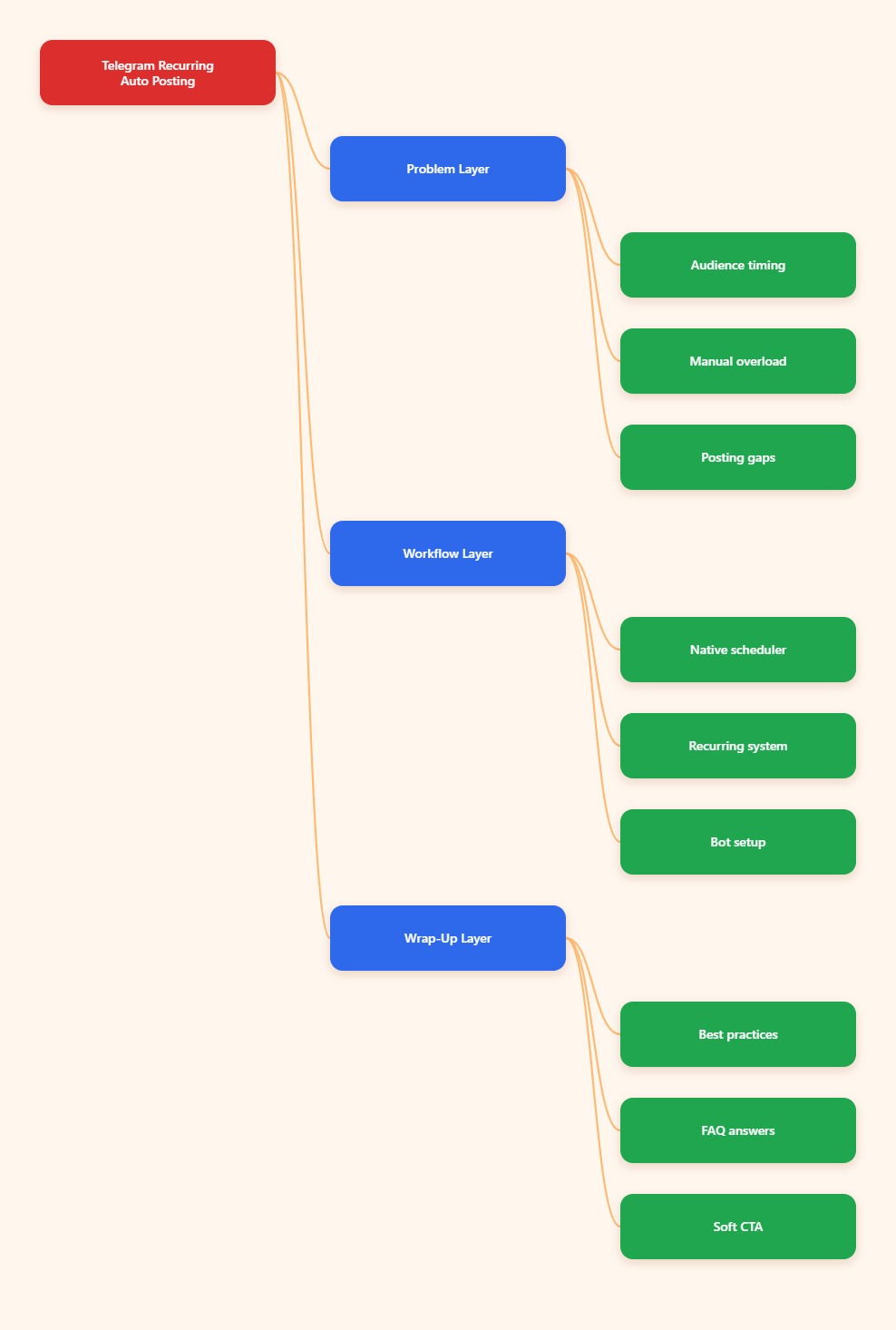
Why recurring Telegram auto posting matters in 2026
Telegram audiences do not behave like passive newsletter subscribers. They open the app often, skim quickly, and respond to timing. That means your best evergreen content can still underperform if it lands at the wrong hour or disappears into a gap between posts.
Telegram traffic rewards consistency
A channel that posts on a predictable rhythm builds trust faster than one that posts in bursts. Users learn when to expect updates, product drops, or tutorials. That consistency also helps with retention, because people stop wondering whether the channel is still active.
The real bottleneck is operations
Most teams do not fail because they lack ideas. They fail because publishing is tied to one person, one device, or one time zone. When that person is offline, posts slip. When the schedule is messy, engagement drops. When the team scales, those small failures become visible.
Recurring posts are not just reminders
For marketers, recurring Telegram posts are also a way to rotate evergreen value: onboarding tips, weekly offers, FAQ answers, event reminders, and content series. The point is not to spam. The point is to create a reliable editorial loop.
What breaks when teams rely on manual posting?
Manual posting still works for one-off announcements. The problem starts when recurring content becomes part of the workflow. At that point, human memory is the weak link.
- Peak windows get missed. If your audience is strongest in a specific region, a late post can cut view velocity before it starts.
- Evergreen content gets forgotten. Weekly tips, lead magnets, and reminders often sit in drafts because nobody owns the repetition.
- Handoffs create gaps. If one operator is out, the content calendar can drift for days.
- Version control becomes messy. Teams copy old captions, forget links, or reuse outdated CTAs.
These issues sound small, but they compound. A channel that loses rhythm for two weeks often has to spend the next month rebuilding attention.
Manual posting vs scheduling vs automation
The cleanest way to choose a tool for recurring telegram auto posting is to compare the actual workload, not just the feature list.
| Method | Best for | Strength | Main limit |
|---|---|---|---|
| Manual posting | One-off updates | Fast to publish immediately | Easy to miss repeat windows |
| Telegram native scheduling | Planned posts and reminders | Server-side delivery, works even if your device is offline | Less useful for broader workflows and team operations |
| Dedicated bot workflow | Recurring posting, repeatable ops, team handoff | Can structure content, permissions, and repeat logic | Needs setup and admin permissions |
Telegram’s own ecosystem is stronger than many people realize. The platform now supports scheduled messages, and official updates also introduced repeating scheduled messages and reminders at intervals such as daily or twice per month. That said, native scheduling is still best understood as a messaging feature, not a full publishing workflow.
What Telegram native scheduling can do in 2026
If you only need to send a planned post, Telegram’s built-in scheduler is useful and quick. In chats, you can hold the send button and choose scheduling. In channels, admins can schedule posts directly.
Where native scheduling shines
- Reminder-style messages
- Single planned announcements
- Basic recurring prompts
- Low-friction personal workflow
What to keep in mind
Telegram’s scheduled messages are server-side, so the message can still go out even if your phone is offline. That is great for reliability. But for teams that need repeatable editorial processes, approval flows, or structured reposting, native scheduling alone can still feel limited.
Common limits teams run into
- Channel-only posting requires admin access
- Complex recurring systems still need planning
- High-volume queues can become hard to manage
- Cross-channel coordination is manual
Some third-party guides also note a per-chat cap on scheduled items in Telegram’s native flow. The exact number is less important than the bigger point: when your content calendar expands, you eventually need a more organized system.
A practical workflow for recurring Telegram posts
The goal is not to automate everything. The goal is to automate repeatable work and keep editorial control where it belongs.
1. Build content buckets
Group posts into buckets such as tutorials, offers, reminders, FAQs, and community highlights. This prevents repetition from feeling random. It also makes it easier to rotate content without writing something new every day.
2. Map posting windows to audience time
Use your channel analytics and audience signals to choose windows that match the main region you serve. Telegram channel statistics are available in-app for channels above a certain size, which helps you compare views and retention over time.
3. Keep one review step before publish
Recurring posting fails when teams remove all human review. A short checklist is enough: correct link, correct date, correct CTA, correct language variant, and correct channel or group target.
4. Rotate evergreen assets
Instead of reposting the exact same message forever, rotate the format. One week can be text-only. The next can include an image, then a button, then a short checklist. That keeps the feed fresh while preserving the underlying message.
When a bot layer helps
This is where a dedicated tool for recurring telegram auto posting becomes useful. If you need structured channel or group publishing, recurring loops, and a cleaner ops flow, a bot-based layer can reduce the manual load.
How OnlyTG Echo@EchoOnBot fits in
According to its help docs, the setup is straightforward. First, create a bot with BotFather and get the bot token. Then send that token to OnlyTG Echo@EchoOnBot. After that, add the bot to your channel or group with the permissions it needs. From there, you can configure channel posts or group posts, and in supported flows, set scheduling or loop posting logic.
For recurring content, the key feature is the loop post workflow. That is useful when you want evergreen posts to reappear on a schedule without rebuilding the message every time.
Real-world use cases
- Product update channel: A SaaS team publishes weekly release notes, then loops a short onboarding post every Monday so new subscribers do not miss the basics.
- Affiliate or education channel: A creator rotates a weekly tip series, a case study, and a CTA post so the feed stays active without daily manual publishing.
- Community group: A support team schedules a recurring FAQ reminder and a weekly office-hours post, which cuts repeated questions and keeps the group organized.
These are not flashy use cases. They are the kind that save time because they remove friction from a routine task that never really ends.
Other useful functions
OnlyTG Echo@EchoOnBot also supports features such as start messages, auto-reply, keyword-based replies, quick replies, broadcast tasks, tracking links, bot menus, ban controls, recall messages, and group CAPTCHA. You do not need all of them on day one, but they matter if your Telegram operation grows beyond simple posting.
Best practices for recurring Telegram auto posting
- Keep each post short and purpose-driven.
- Use one CTA per message.
- Match the message format to the goal.
- Review permissions before scheduling anything in a channel.
- Separate evergreen posts from time-sensitive announcements.
- Track views, replies, and forwards instead of only counting sends.
- Refresh recurring content every few weeks.
If you use Telegram mainly for reach, recurring posting should support a content system. If you use it for support, it should reduce repetitive work. Either way, the real win is not automation for its own sake. It is consistency that does not require daily effort.
FAQ
Is Telegram native scheduling enough for recurring posts?
It can be enough for simple reminders and one-off planned messages. For regular editorial loops, team workflows, or repeated content rotation, a dedicated automation layer is usually easier to manage.
Do scheduled Telegram messages send if I am offline?
Yes. Telegram’s scheduled messages are handled server-side, so they do not depend on your phone being online at send time.
Can bots post to Telegram channels?
Yes, but the bot must be added with the right permissions. In practice, that usually means promoting it to an administrator role with posting access.
What is the difference between repeating and looping posts?
Repeating usually means sending a planned message again at fixed intervals. Looping is often used for evergreen content that cycles through a channel or group on a schedule.
How do I avoid posting at the wrong local time?
Pick one audience region as your primary time zone, then build your schedule around that region. If you serve multiple regions, create separate posting windows instead of forcing one time for everyone.
How often should a channel post in 2026?
There is no universal number. The right pace depends on audience expectations, content quality, and the channel’s purpose. Consistent value matters more than raw volume.
Is a tool for recurring telegram auto posting worth it for small channels?
If you post the same kind of content every week, yes. Even a small channel benefits from fewer misses, less manual work, and a more predictable rhythm.
Conclusion
Recurring Telegram publishing is no longer just about remembering to press send. In 2026, it is about building a repeatable system that protects timing, consistency, and team focus. Telegram’s native scheduler is useful, but it is only part of the story.
If your workflow is simple, stay native. If you need recurring posting, looped content, or a cleaner setup for channels and groups, a tool for recurring telegram auto posting can save time without making your process complicated. That is exactly where OnlyTG Echo@EchoOnBot earns attention: not as the headline, but as a practical layer when operations start to outgrow manual publishing.