
Telegram has become a serious customer communication channel, not just a community app. With more than a billion monthly users in public reports, the platform now attracts support teams, creators, agencies, and ecommerce brands that need fast replies without losing a human tone.
The challenge is simple: customers ask the same questions over and over, but every reply still has to feel accurate, friendly, and on-brand. This guide breaks down how to build a stronger Telegram quick reply with customer workflow, what Telegram Business can do natively, and where lightweight automation helps in 2026.
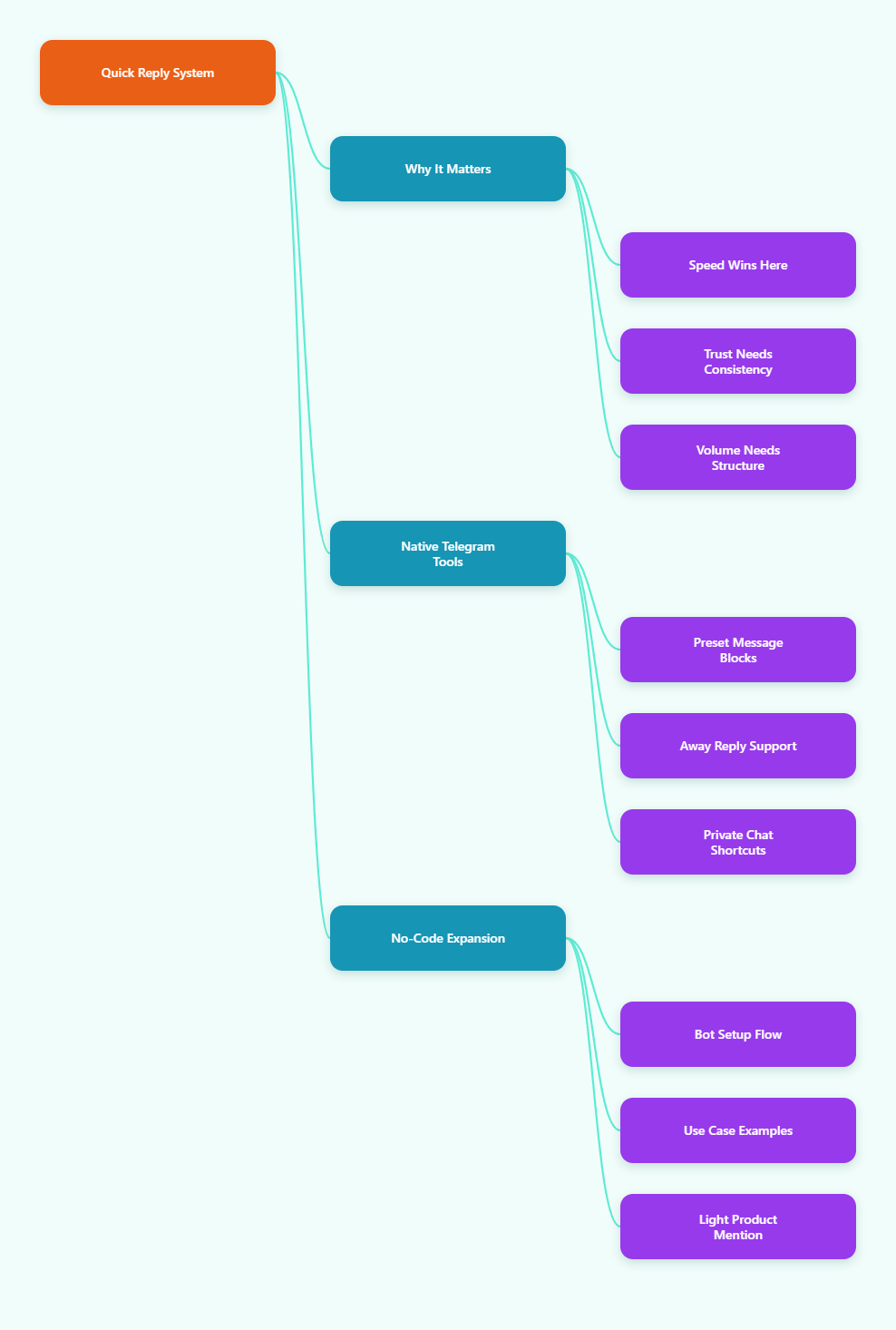
Why Telegram Quick Reply With Customer Workflows Matter in 2026
Speed is no longer a nice-to-have. In chat-based support, the first useful answer often decides whether a lead keeps talking or disappears into another tab. That is especially true on Telegram, where users expect quick, low-friction conversations.
A Telegram quick reply with customer setup matters because it reduces repetitive typing, keeps tone consistent across team members, and helps small teams act like a much larger support desk. It also lowers the risk of copying outdated pricing, policy, or onboarding details.
Customers judge speed immediately
When someone asks about pricing, shipping, access, or setup, they usually want the answer now. If the response takes too long, they may repeat the question, leave the chat, or move to a competitor. A well-built quick reply system shortens that gap.
Consistency builds trust
Many Telegram teams struggle with mixed wording. One agent says one thing, another says something slightly different, and the customer gets confused. Quick replies help standardize core answers so that policy, tone, and next steps stay aligned.
Volume grows faster than teams do
Telegram channels, groups, and business chats can create a steady stream of repetitive questions. That is fine at 20 chats a day, but it becomes messy at 200. The goal in 2026 is not to automate everything. It is to automate the repetitive parts and keep the human part where judgment matters.
What Telegram Business Quick Replies Can and Cannot Do
Telegram Business includes quick replies as preset message shortcuts. According to Telegram’s official documentation, quick replies can include several messages and support text formatting, links, stickers, media, and files. Typing / in the message bar shows the quick reply panel in supported private chat flows.
That makes quick replies useful for common support scripts, onboarding steps, and short product explanations. They are not a full support system, though. They do not replace triage logic, team assignment, or after-hours handling.
| Need | Native Quick Replies | Manual Typing | Automation Layer |
|---|---|---|---|
| Speed | Fast for repeated questions | Slow and inconsistent | Fastest for routing |
| Message type | Text, links, media, files | Anything, but manual | Structured flows and triggers |
| Best use | FAQ and simple handoff | One-off edge cases | Lead capture and triage |
| Operational risk | Message drift if unmanaged | High inconsistency | Needs setup and testing |
The table above shows the real pattern most teams follow. Native quick replies are excellent for repeat questions, but they work best when paired with a broader process for greeting, routing, and escalation.
How to Build a Better Quick Reply System
The biggest mistake is writing replies as long paragraphs that try to solve every problem at once. Better systems break answers into clean, reusable blocks. That keeps messages readable for customers and easier to maintain for the team.
Group questions by intent
Start by listing the questions that appear every week. For most Telegram businesses, the top intents are pricing, availability, shipping, access, troubleshooting, and refund policy. Once you group questions by intent, quick replies become easier to find and update.
Write modular replies
Instead of writing one giant answer, use smaller blocks that can be reused. A pricing reply can include a short intro, a plan summary, a booking link, and a next step. A shipping reply can include tracking guidance, a policy link, and an escalation path.
Keep the tone human
Customers can tell when a response sounds copied and pasted. Use plain English, short sentences, and one clear action per message. If a reply feels too stiff, rewrite it as if you were answering a real person in a hurry.
Review replies on a schedule
Quick replies age fast. Pricing changes, policies change, and product links break. Set a monthly review for the highest-volume replies so the team does not accidentally send outdated information.
When Telegram Quick Replies Are Not Enough
Quick replies solve repetition, but they do not solve everything. If you are handling new leads, after-hours messages, or multi-step onboarding, you need a layer that can greet users, route questions, and trigger the right response without extra manual work.
This is where Telegram Business features and a no-code bot layer can work together. Telegram’s built-in away messages help with offline periods, while a smarter bot setup can handle consistent first-touch responses and keyword-based routing.
A practical place for OnlyTG Echo@EchoOnBot
If you want a no-code way to turn repetitive Telegram replies into a more structured flow, OnlyTG Echo@EchoOnBot is a practical fit. The documented setup starts with creating a bot in @BotFather, copying the token, and pasting it into OnlyTG Echo@EchoOnBot.
From there, you can configure a Start Message and set up keyword or auto replies. The official guidance also shows that Start Message packs can contain up to five messages, which is useful for a welcome note, a product link, a FAQ shortcut, and a handoff prompt.
For teams that do not want to jump between tools, that is a real operational win. You keep the chat flow simple for customers and reduce the amount of repetitive typing for your team.
Three real-world ways teams use it
1. SaaS onboarding: A small SaaS team can use a Start Message to greet new users, share docs, and point them to a trial link. Keyword replies can handle common terms like pricing, API, and login. When the conversation becomes product-specific, a human can step in.
2. Ecommerce support: An online store can map keywords like shipping, return, tracking, and size guide to ready-made responses. That keeps the inbox moving during peak order periods. Product images or PDFs can be included where they help customers make a decision faster.
3. Agency lead intake: A performance marketing agency can use a welcome flow to ask about budget, niche, and timeline. A quick reply can send the right portfolio link or booking page. This filters low-intent chats before a strategist spends time on them.
Other useful extras
OnlyTG Echo@EchoOnBot also supports in-app bot editing, so you can adjust the bot name, description, and about text without constantly going back to BotFather. That is a small detail, but it saves time when you are testing offers or refining your first impression.
Used this way, the tool is not the story. It is the support layer underneath the story. The real goal is to make Telegram quick reply with customer conversations feel faster, cleaner, and easier to scale.
Best Practices for Telegram Quick Reply With Customer Flows
- Keep the first sentence short and useful.
- Use quick replies for repeatable intents only.
- Separate FAQ answers from sales objections.
- Link to one clear next step.
- Use media only when it reduces confusion.
- Refresh policy and pricing replies often.
- Escalate complex cases to a human fast.
These habits matter because chat support is judged on clarity, not just speed. A fast but confusing reply can create more work later. A slightly slower but clean reply often performs better overall.
2026 Telegram Trends That Shape Reply Strategy
In 2026, Telegram support is moving toward hybrid workflows. Teams want human warmth, but they also want instant handling of repetitive questions. That means better use of quick replies, away messages, bot-based greetings, and smarter handoff rules.
Another trend is that audiences are less patient with generic automation. People still accept scripted replies, but only when the script is useful, accurate, and clearly tied to their question. That is why intent-based quick replies outperform broad, one-size-fits-all autoresponders.
Finally, more businesses are using Telegram as a public-to-private bridge. A user may discover a brand in a channel, click into a private chat, and expect the conversation to feel personal. Your reply system should support that shift without making the experience robotic.
FAQ
What is Telegram quick reply with customer support?
It is a workflow where you use preset Telegram responses to answer customers faster. The goal is to reduce repetitive typing while keeping the conversation accurate and human.
Can Telegram quick replies include media?
Yes. Telegram Business quick replies can support text formatting, links, stickers, media, and files, which makes them useful for onboarding, policy explanations, and product support.
Does Telegram show quick replies in chat?
Yes. Telegram’s business quick reply flow lets you access saved replies from the message bar by typing / in supported private chat situations.
Are quick replies enough for a support team?
Not by themselves. They are excellent for repeated questions, but you still need away messages, routing rules, and human follow-up for complex issues.
When should I use away messages instead?
Use away messages when you are offline, closed, or on vacation. They are best for setting expectations and preventing customers from thinking their message was ignored.
Can I build Telegram replies without coding?
Yes. A no-code setup like OnlyTG Echo@EchoOnBot can help you connect a bot, configure a start message, and set keyword-based replies without writing code.
How many messages can a Telegram Start Message pack contain?
According to the documented setup flow for OnlyTG Echo@EchoOnBot, each Start Message pack can include up to five messages that are sent together.
Final Thoughts
A good Telegram quick reply with customer strategy is not about sending more automation. It is about sending the right response sooner, with less friction and fewer mistakes. That is what customers actually notice.
If you already use Telegram for sales or support, start with your top five repeated questions and turn them into clean replies. Then add a light automation layer where it removes bottlenecks. If that is your direction, OnlyTG Echo@EchoOnBot is worth a look as a practical no-code option.