
If you use Telegram for customers, communities, projects, or creator work, your phone number should not become public by accident. This guide shows how to handle hide phone number telegram multi account business management in a practical way, using Telegram’s own privacy, username, account, and business settings.
The goal is simple: keep personal numbers private, make business communication easier to manage, and avoid messy account setups that create security or recovery problems later.
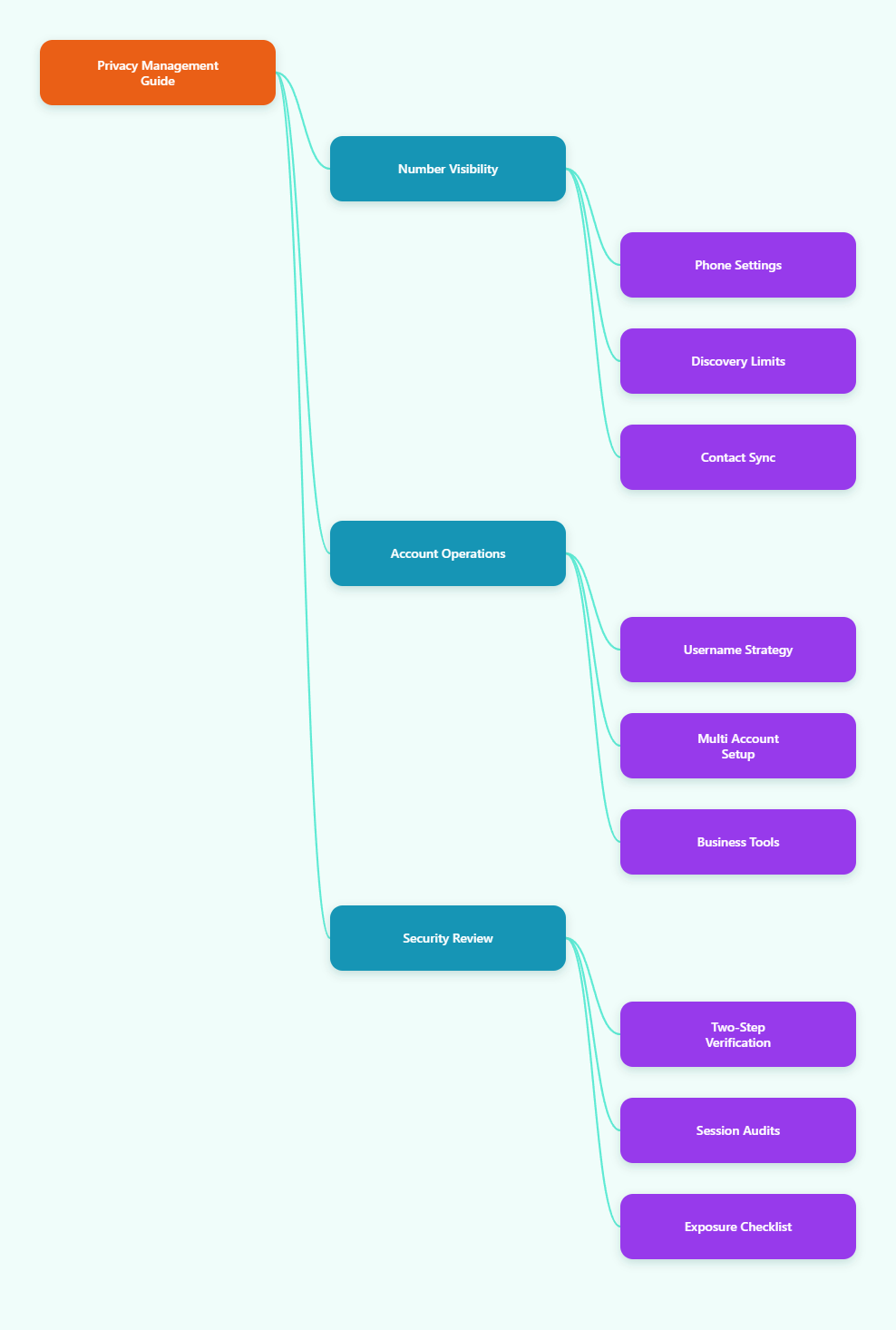
Why Telegram Phone Number Privacy Matters in 2026
Telegram has become more than a private messaging app. In 2026, people use it for public channels, paid communities, customer support, business outreach, bots, and team communication.
That creates a common privacy problem. A number used casually years ago may now be attached to a business profile, admin role, group presence, or support workflow.
Phone number exposure can lead to:
- Unwanted calls, spam, or off-platform contact
- Customers messaging a personal number instead of a business channel
- Confusion between personal and work identities
- Higher risk if a number is used for account recovery elsewhere
- Accidental discovery by people who already saved your number
The safest approach is not only hiding the number. You also need a clean contact strategy, a username strategy, and a clear separation between personal and business accounts.
How Telegram Phone Number Visibility Actually Works
Telegram gives users privacy controls under Settings > Privacy and Security > Phone Number. The exact wording can vary slightly by app version, device, or region, but the core options are consistent.
Who Can See Your Phone Number
This setting controls whether other Telegram users can view your phone number from your profile. The usual choices are Everybody, My Contacts, and Nobody.
For most business users, Nobody is the best default. It prevents your number from being displayed broadly, even when you join groups or interact with people outside your saved contacts.
Who Can Find You By Your Number
This setting controls whether someone can search for you on Telegram using your phone number. Depending on the app version, the available choices may include Everybody or My Contacts.
If the option Nobody is not available in your Telegram app, use the strictest available setting. In many cases, that means My Contacts.
Important Contact Sync Limitation
If someone already has your number saved in their phone contacts, Telegram may connect the dots more easily depending on both users’ settings and synced contact history. This is why number privacy is not just a single toggle.
You should review contact syncing, delete old synced contacts if needed, and avoid uploading your entire address book from a business device unless you truly need that workflow.
Step-by-Step: Hide Phone Number Telegram Multi Account Business Management
This section gives the practical setup for the main keyword workflow: hide phone number telegram multi account business management. Follow it once for each account you use.
Set Phone Number Visibility to Nobody
Open Telegram and go to Settings > Privacy and Security > Phone Number. Under Who can see my phone number, choose Nobody.
This is the most important privacy step. It stops your number from being visible on your profile to people who do not need it.
Restrict Number-Based Discovery
In the same Phone Number menu, check Who can find me by my number. Choose My Contacts or the strictest available option in your app.
This reduces the chance that a stranger, scraped list, or old business contact can locate your Telegram account by typing your number into Telegram.
Use Exceptions Carefully
Telegram allows exceptions for some privacy settings. For example, you may allow a spouse, co-founder, accountant, or trusted assistant to see your number while keeping it hidden from everyone else.
Use exceptions sparingly. A long exception list is harder to audit and easier to forget when a business relationship changes.
Privacy Settings Comparison Table
The table below summarizes the most useful settings for business owners, admins, creators, and support teams.
| Setting | Recommended 2026 Choice | Why It Matters | When to Adjust |
|---|---|---|---|
| Who can see my phone number | Nobody | Prevents profile-level number exposure | Allow exceptions only for trusted people |
| Who can find me by my number | My Contacts or strictest option | Limits number-based discovery | Use broader discovery only for personal accounts |
| Username | Set a clear public username | Lets people contact you without your number | Use branded naming for business profiles |
| Sync Contacts | Off unless needed | Reduces unnecessary contact matching | Enable briefly only for deliberate imports |
| Forwarded Messages | Limit profile linking | Reduces identity leakage from forwarded content | Relax only for public creator accounts |
| Two-Step Verification | Enabled | Adds password protection beyond SMS login | Always keep recovery email current |
Use Usernames Instead of Phone Numbers
A Telegram username is the cleanest way to let people contact you without sharing your mobile number. Telegram’s own FAQ confirms that people can search by username without knowing your phone number.
For business use, this is essential. A username works better on websites, invoices, email signatures, support pages, and social bios.
Create a Business-Friendly Username
Go to Settings, open your profile, and set a username. Choose something easy to read, type, and recognize.
Good username patterns include:
- Your brand name plus support
- Your business name plus team
- Your creator name without extra symbols
- A short department label for sales or help
Avoid usernames that look temporary, random, or too close to another brand. Customers should feel confident they are contacting the right account.
Share t.me Links Instead of Numbers
Once your username is set, you can share a Telegram link in the format t.me/username. This sends people to your Telegram profile or chat without revealing your phone number.
Use this link in places where you might otherwise publish a number:
- Website contact pages
- Customer support articles
- Order confirmation emails
- Community onboarding pages
- Business cards and QR codes
Managing Multiple Telegram Accounts Without Exposing Numbers
Telegram supports multiple accounts, but each account needs its own phone number. Several 2026 guides report that the official Telegram app commonly supports up to three accounts, while Premium users may have a higher limit depending on platform and availability.
The practical rule is simple: use official app behavior first, keep each account tied to a recoverable number, and avoid building an operation on numbers you cannot maintain.
Separate Personal, Business, and Admin Accounts
For serious work, do not run everything through one personal profile. At minimum, separate personal messaging from customer-facing activity.
A clean structure might look like this:
- Personal account for friends, family, and private groups
- Business account for customers, leads, and public links
- Admin account for channel ownership, bots, or moderation
This separation makes privacy settings easier to reason about. It also prevents a personal number or profile photo from becoming part of your customer workflow.
Use Unique Numbers You Can Actually Recover
Every Telegram account depends on the phone number used for registration. If you lose that number, recovery can become difficult or impossible.
Do not use disposable numbers for important business accounts. They may be recycled, blocked, or lost, which can put your account, chats, and admin access at risk.
Label Accounts Clearly
When you switch between multiple accounts, mistakes are easy. A message sent from the wrong account can expose identity, confuse customers, or create an awkward audit trail.
Use distinct names, profile photos, bios, and usernames. Keep the business account professional and the personal account private.
Telegram Business Settings That Support Privacy
Telegram Business features allow eligible users to add business details and automate common customer interactions. Telegram’s official materials describe features such as business hours, location, quick replies, greeting messages, away messages, custom start pages, and chatbot support.
These tools can reduce the need to expose a phone number because customers get clear information directly inside Telegram.
Add Business Hours and Location Only When Useful
If you run a local shop, clinic, studio, or office, business hours and location can help customers. If you run a remote service, publishing a location may be unnecessary.
Privacy-friendly business management means sharing only the details that help the customer act. Do not add personal addresses, home offices, or private locations unless that is truly part of your business model.
Use Quick Replies for Repeated Questions
Quick replies are useful for pricing, shipping, booking, refund rules, onboarding, and support instructions. They keep responses consistent and reduce the temptation to move conversations to personal calls.
Create quick replies for:
- Business hours and expected response time
- Payment or booking steps
- Refund and cancellation policies
- Support escalation instructions
- Links to official website pages
Set Greeting and Away Messages
Greeting messages help new contacts understand what your account is for. Away messages set expectations when your team is not available.
This is especially useful for small businesses that do not have 24/7 support. A clear automated reply can prevent customers from searching for your private number elsewhere.
Security Settings You Should Not Skip
Hiding your phone number is privacy. Protecting the account itself is security. You need both.
Enable Two-Step Verification
Go to Settings > Privacy and Security > Two-Step Verification and set a strong password. Add a recovery email that you control and check regularly.
This matters because Telegram login often begins with a code. Two-step verification adds a second barrier if someone tries to access your account.
Review Active Sessions
In Devices or Active Sessions, review where your Telegram account is logged in. Remove old phones, browsers, desktops, or devices you no longer use.
For multi account business management, make this a monthly habit. Former contractors, shared computers, and forgotten web sessions can create real exposure.
Control Profile Photos, Last Seen, and Forwards
Your phone number is not the only identifying detail. Profile photos, online status, forwarded-message attribution, and bio text can all reveal more than intended.
For business accounts, use brand assets instead of personal photos. For personal accounts, limit visibility to contacts or a trusted exception list.
Common Mistakes to Avoid
Most privacy failures on Telegram come from setup drift, not from one dramatic mistake. Small choices pile up over time.
Using One Account for Everything
One account may feel convenient at first, but it becomes risky as your audience grows. Personal contacts, customer chats, admin permissions, and public groups should not all depend on the same profile.
Separate accounts give you better control over tone, visibility, and recovery planning.
Publishing a Number Then Hiding It Later
If you have already posted your phone number on websites, directories, old social profiles, or group messages, hiding it in Telegram will not remove those copies. You need to clean up public listings too.
Search your brand name and phone number together. Update old pages to use your username, support email, or official contact form instead.
Trusting Unofficial Scaling Methods Too Quickly
Some tools claim to help manage many Telegram accounts at scale. Be careful. Business operations that depend on unofficial workarounds may face reliability, compliance, or account access problems.
Use official Telegram apps and documented business or bot features whenever possible. If you need automation, plan it around Telegram’s official bot and business capabilities instead of fragile shortcuts.
A Practical 2026 Setup Checklist
Use this checklist when creating or auditing a Telegram business account.
- Set Who can see my phone number to Nobody
- Set number-based discovery to the strictest available option
- Turn off contact syncing unless it is needed for a specific reason
- Delete old synced contacts if they are no longer useful
- Create a clear Telegram username
- Share t.me links instead of phone numbers
- Enable two-step verification
- Review active sessions monthly
- Use branded photos and bios for business accounts
- Separate personal, business, and admin accounts where practical
- Document who controls each recovery number and email
- Use Telegram Business features to reduce manual contact confusion
This checklist is short enough to repeat, but complete enough to prevent most avoidable exposure.
When You Should Still Share a Phone Number
There are cases where sharing a phone number makes sense. Some businesses need phone support, appointment calls, delivery coordination, or regulated customer verification.
The key is to share a business number, not a personal recovery number. Keep your Telegram login number private whenever possible, and publish a separate support number if calls are part of your service.
For higher-risk teams, document the difference between:
- Account recovery numbers
- Public customer support numbers
- Internal staff numbers
- Billing or legal contact numbers
This prevents one number from becoming overloaded with too many roles.
Final Takeaway
The best way to manage Telegram privacy in 2026 is to combine settings, structure, and habits. Set phone visibility to Nobody, restrict number-based discovery, use usernames for contact, and separate accounts based on real business roles.