
If you use Telegram to talk with leads, partners, communities, or customers, you probably want the reach of messaging without exposing your personal mobile number. This guide explains how to hide phone number telegram for anonymous business outreach in a realistic, compliant way in 2026.
There is one important limit to understand first: Telegram still requires a phone number to create an account. You can reduce exposure, separate personal and business identity, and use usernames or business tools, but you should not treat Telegram as a fully anonymous registration platform.
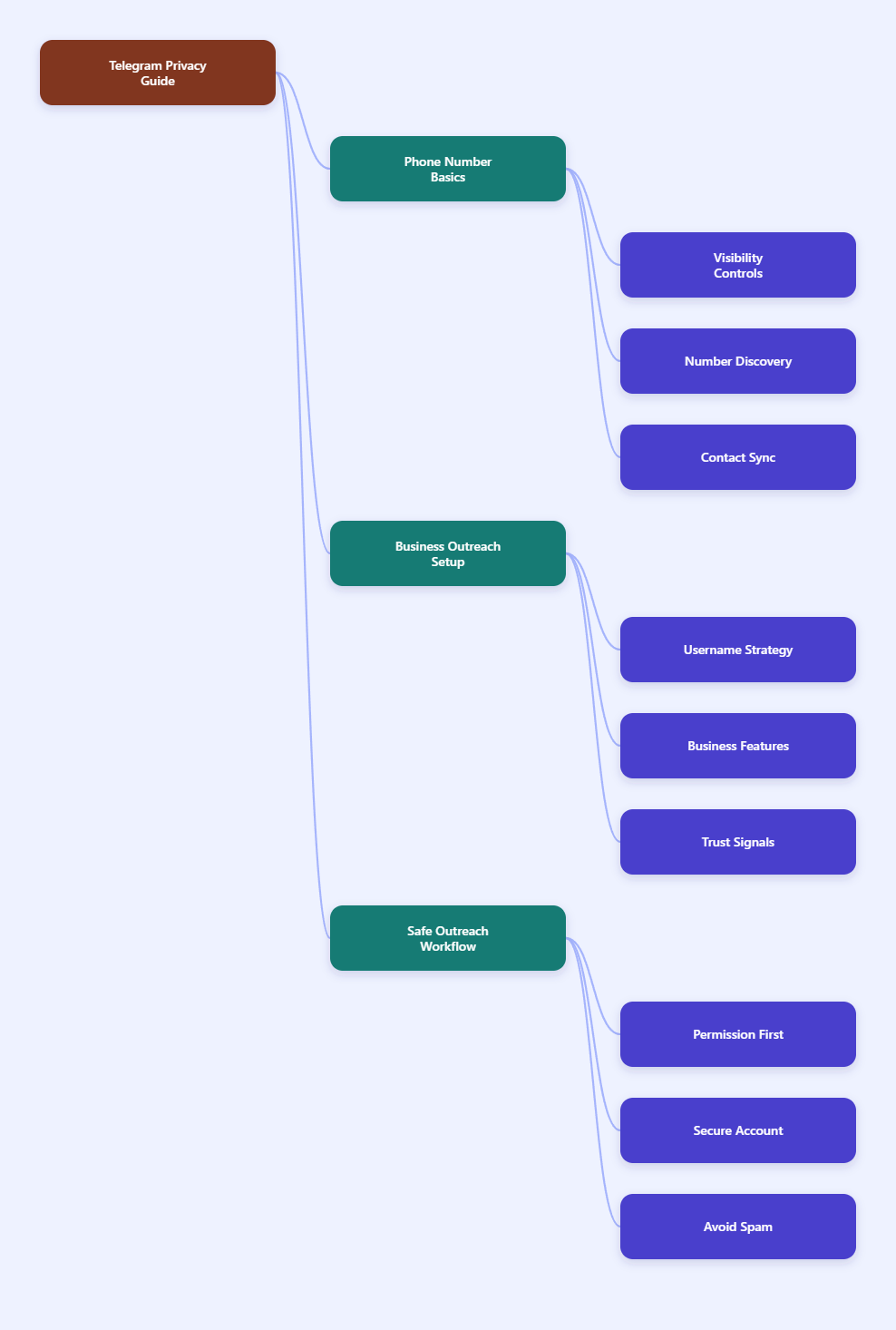
What Telegram Actually Shows About Your Phone Number
Telegram accounts are connected to phone numbers for sign-up and login verification. According to Telegram’s own public guidance, a mobile number is required when creating an account, and login codes are sent to verify access.
That does not mean everyone can automatically see your number. Telegram gives users privacy controls for who can view the number and who can find the account by number.
The two settings are related, but they are not the same. One controls visibility; the other controls discoverability.
Phone Number Visibility
Phone number visibility decides who can open your profile and see the number attached to your Telegram account. The typical options are Everybody, My Contacts, or Nobody.
For business outreach, the safest default is usually Nobody. This lets you communicate while keeping the number away from prospects, group members, and casual contacts.
If you choose My Contacts, remember that people saved in your phone contacts may still be able to see it. That can be risky if your business contact list includes leads, vendors, or people you do not personally trust.
Find Me By Number
The “Who can find me by my number” setting controls whether people who already have your phone number can locate your Telegram account. This matters if your number has appeared in old directories, invoices, CRM exports, job posts, or public records.
Set this to My Contacts if you only want saved contacts to find you by number. If Telegram offers stricter options in your region or app version, choose the most private setting available.
This setting is essential for anonymous business outreach because hiding the number is not enough if people can still reverse-find your account from a known number.
Hide Phone Number Telegram for Anonymous Business Outreach: Best Settings
The fastest privacy improvement is a clean settings pass. It usually takes less than ten minutes, but it prevents the most common exposure mistakes.
Open Telegram and go to Settings > Privacy and Security. The wording may vary slightly between iOS, Android, desktop, and web apps, but the core controls are similar.
Use the checklist below as a baseline before you begin any outreach campaign.
- Phone Number: Set “Who can see my phone number” to Nobody.
- Find By Number: Limit number-based discovery to My Contacts or the strictest option available.
- Profile Photos: Show only a business logo or restrict visibility to trusted contacts.
- Last Seen & Online: Hide activity timing from everyone or from non-contacts.
- Forwarded Messages: Prevent forwarded messages from linking back to your profile.
- Groups & Channels: Restrict who can add you to groups.
These settings help you separate a professional Telegram presence from your personal number. They also reduce passive tracking, unwanted group invites, and profile leakage through forwarded content.
Use Exceptions Carefully
Telegram allows exceptions in many privacy settings. For example, you can hide your number from everyone but allow a small group of trusted partners to see it.
That is useful for internal teams, but it can become messy fast. If you run outreach at scale, keep exceptions minimal and review them monthly.
A good rule is simple: if someone does not need your number to complete a business task, they should not see it.
Turn Off Risky Contact Sync Habits
Telegram’s privacy policy explains that contact data can be used to help connect users and notify people when contacts join. Contact syncing is convenient, but it can blur personal and business boundaries.
If you are building a business outreach account, avoid syncing your entire personal address book. Use a separate device profile, separate contact list, or carefully curated contacts where possible.
Before importing any contact list, confirm that the people have a legitimate reason to hear from you. Telegram’s spam systems and user reports can limit accounts that send unwanted messages.
The Best Outreach Setup: Username, Links, and Business Identity
Once your number is hidden, you still need a way for people to contact you. Telegram usernames solve this problem because people can find or message you without seeing your phone number.
Create a username that matches your business identity rather than your personal name. Keep it short, easy to spell, and consistent with your website or brand handles.
Then use your public Telegram link in places where contact is expected: website support pages, onboarding emails, community pages, invoices, and product documentation.
Create A Business-Friendly Username
A strong username reduces confusion and makes your outreach look legitimate. Avoid random strings, excessive numbers, or names that look like disposable accounts.
Good username patterns include brand names, support labels, founder-business combinations, or campaign-specific handles. For example, a small agency might use a support-focused handle instead of a personal mobile-linked identity.
Before contacting anyone, complete the profile. Add a clear name, concise bio, branded image, and website link if appropriate.
- Use a recognizable brand or role name.
- Add one short sentence explaining who you help.
- Use a logo or professional headshot.
- Keep the same identity across your website and social pages.
- Avoid impersonation, vague claims, or misleading profile names.
Use Telegram Business Features Where They Fit
Telegram introduced business features that let users turn an account into a more structured customer communication channel. Public Telegram materials describe features such as opening hours, location, quick replies, automated greeting or away messages, custom start pages, and chatbot support.
These tools are useful because they make a privacy-conscious account feel professional, not secretive. A hidden number should not make your business look anonymous in a suspicious way.
For outreach, quick replies and greeting messages are especially helpful. They let you answer common questions consistently without blasting the same unsolicited message to strangers.
| Goal | Recommended Telegram Setup | Why It Matters |
|---|---|---|
| Hide personal number | Phone visibility set to Nobody | Prevents profile visitors from seeing your mobile number |
| Allow safe contact | Public username and Telegram link | Lets leads message you without number exchange |
| Look credible | Branded profile, bio, and website | Reduces suspicion during first contact |
| Manage replies | Quick replies and greeting messages | Improves response speed without spam behavior |
| Reduce abuse | Group invite and forwarding limits | Stops unwanted exposure through groups or forwards |
Compliant Outreach: What Not To Do On Telegram
Privacy does not give permission to spam. Telegram’s public spam guidance says accounts can be limited after users report unwanted messages, especially messages sent to random strangers or posted repeatedly in groups.
This is the biggest mistake businesses make. They hide their number, create a username, then start mass messaging people who never asked to be contacted.
That approach can damage deliverability, trigger restrictions, and harm your brand. Anonymous business outreach should mean private identity protection, not unaccountable messaging.
Use Permission-Based Entry Points
The safest outreach starts when the user has context. That could be a website form, a webinar signup, a community opt-in, a customer support request, or a public invitation to message you on Telegram.
If someone joins your Telegram channel or group, do not assume they consent to one-to-one sales messages. Make the next step explicit.
For example, invite people to message your username for pricing, onboarding, or support. This gives them control and reduces spam complaints.
- Use Telegram links on pages where contact is expected.
- Ask users to start the chat whenever possible.
- Keep first messages short and relevant.
- Do not scrape group members for cold direct messages.
- Stop messaging immediately when someone declines.
Keep Your First Message Human
Your first message should explain why you are contacting the person and what they can do next. It should not look like a copied script sent to hundreds of people.
A good first message includes context, value, and an easy exit. It also avoids aggressive claims, shortened suspicious links, and attachments from unknown sources.
Example: “Hi Alex, you asked for the Telegram checklist on our site. I’m sending the setup steps here. If you want, I can also share the business profile template.”
Should You Use A Separate Number For Telegram Outreach?
For many businesses, yes. A separate number creates cleaner separation between personal life and business communication, even if that number remains hidden inside Telegram.
This can be a prepaid SIM, business mobile line, or another legitimate number you control. Be careful with disposable SMS services because they can be unreliable, recycled, or blocked from receiving future login codes.
The key principle is ownership. If your Telegram account matters to your business, use a number you can keep, recover, and secure long term.
Why Number Ownership Matters
Telegram login depends on access to the account and verification flow. If you lose the number or use a temporary provider, account recovery can become difficult.
A temporary number may also have been used by someone else before you. That can create reputation issues, login confusion, or unexpected contacts.
For serious business outreach, a dedicated business number is usually safer than a throwaway number. It protects privacy without sacrificing account control.
Secure The Account Before Outreach
Before you contact leads, strengthen the account. Enable two-step verification, add a recovery email if Telegram offers that flow, and review active sessions regularly.
Also decide who on your team can access the account. Shared logins create accountability problems, especially if messages are sent manually by multiple people.
Document a simple internal rule: who can send messages, what templates are approved, and when a contact must be removed from follow-up.
Step-By-Step Setup Checklist For 2026
Use this workflow when creating a Telegram presence for privacy-conscious business communication. It keeps your number hidden while building trust with people who may not know you yet.
Step 1: Prepare The Account
Start with a number you control long term. Create or update the Telegram account, then secure it with two-step verification before publishing the username anywhere.
Next, remove personal profile details. Replace casual photos, personal bios, and private usernames with a clear business identity.
Finally, check active sessions and log out of devices you no longer use. This prevents old devices from becoming a weak point.
Step 2: Lock Down Privacy
Go to Privacy and Security and change phone number visibility to Nobody. Limit who can find you by number, who can see your activity status, and who can add you to groups.
Adjust forwarded message attribution so forwarded content does not reveal your profile unnecessarily. Review profile photo visibility if your image could expose personal identity.
Keep a screenshot or internal checklist of the final settings. This makes it easier to audit the setup later.
Step 3: Publish Contact Paths
Create a Telegram username and public link. Add it only where users expect business contact, such as your support page, newsletter footer, product dashboard, or community welcome message.
Use Telegram Business features if available to your account. Set opening hours, quick replies, greeting messages, and an away message so users understand when and how you respond.
Test the flow from another account. Confirm that a stranger can message your username without seeing your phone number.
Common Mistakes That Expose Your Number Or Hurt Trust
Most privacy failures come from small oversights, not advanced hacking. The good news is that these mistakes are easy to avoid once you know where they happen.
Do not rely on one setting alone. Hiding your number helps, but profile photos, forwarded messages, group behavior, synced contacts, and public bios can still reveal more than intended.
Also avoid looking too anonymous. A blank profile with a hidden number can feel suspicious, especially in sales or partnership conversations.
- Using a personal selfie for a business outreach account.
- Letting everyone add you to groups and channels.
- Forwarding messages with profile attribution enabled.
- Syncing a full personal address book into a business account.
- Sending cold bulk messages to scraped Telegram users.
- Using a temporary number you cannot recover later.
Final Thoughts
You can hide your phone number on Telegram, but you cannot skip Telegram’s phone-based account model entirely. The practical solution is to combine strict privacy settings, a stable business-controlled number, a public username, and clear permission-based outreach.